
Nissan Rogue (T33) 2021-Present Service Manual: Wireless Charger :: System Description
Component Parts
Wireless Charger
Component Parts Location
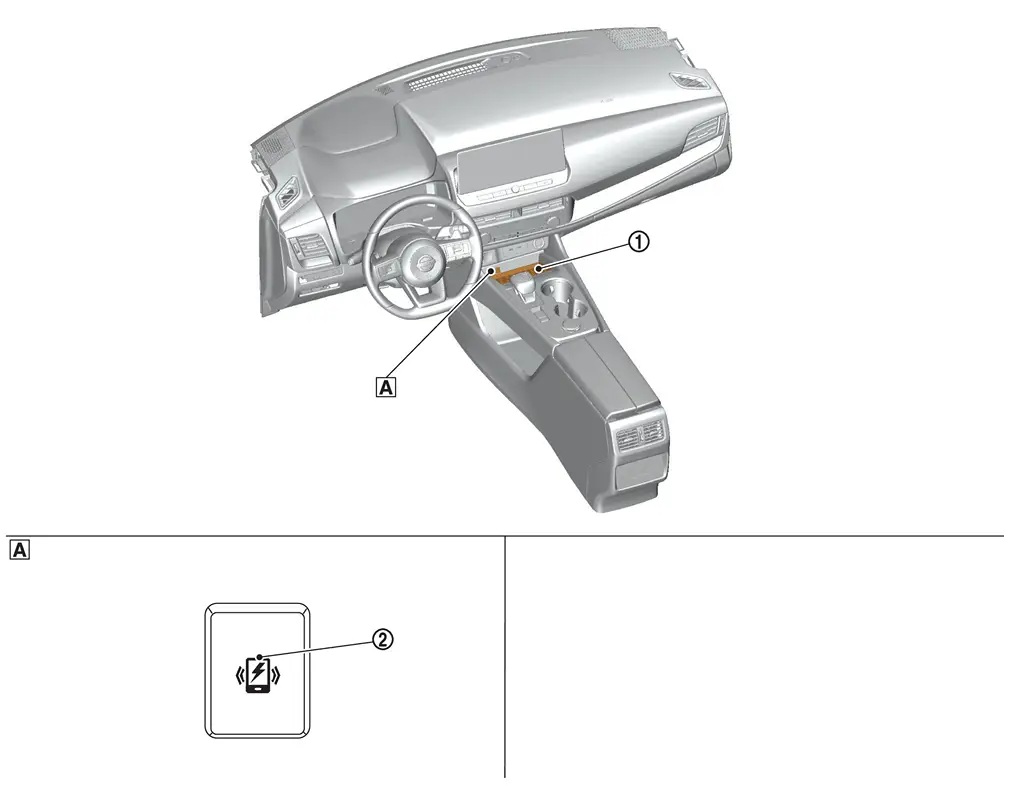
| A. | Console finisher assembly |
| No. | Component |
|---|---|
| 1. | Wireless charger unit |
| 2. | Wireless charger indicator |
Wireless charger unit
Wireless charger unit
-
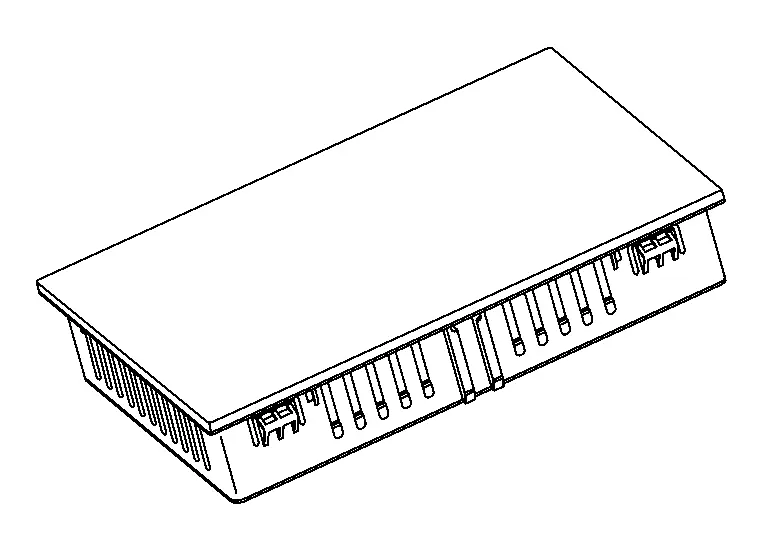
The wireless unit is located at the front of the center console.
-
Wireless charger unit controls wireless charger system.
 NOTE:
NOTE:
There is a rubber charging pad above the wireless charger unit.
-
Wireless charging functions when electromagnetic inductive charging is adopted; which allows Qi-Certified devices to be charged without using a cable.
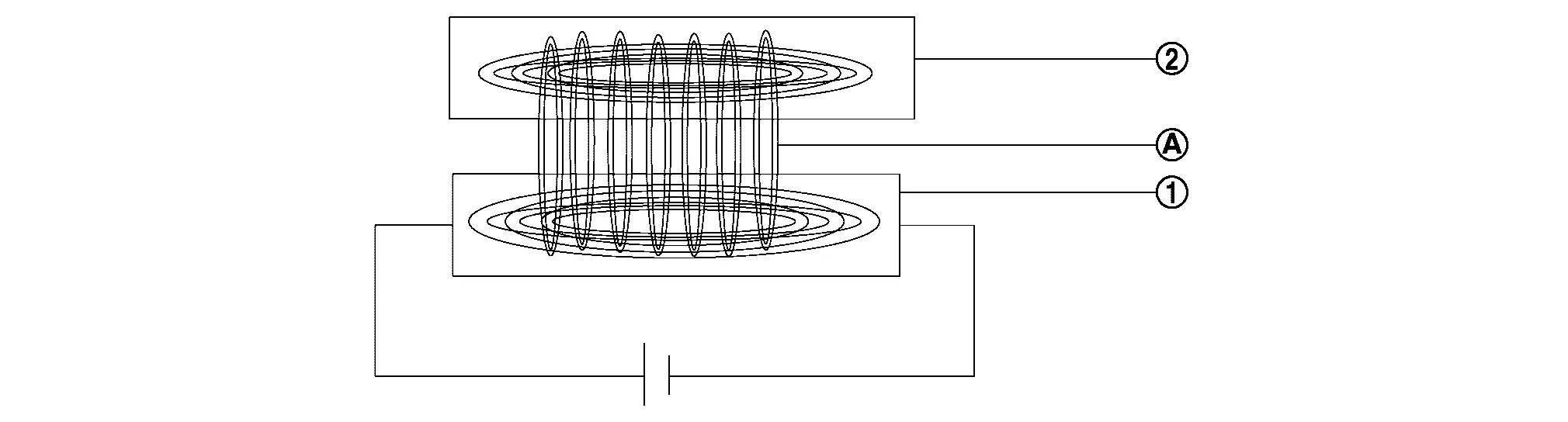
| No. | Component |
|---|---|
| 1. | Wireless charger unit |
| 2. | Qi-Certified devices |
| A. | Magnetic field |
Wireless charger indicator
Wireless charger indicator
-
Wireless charger indicator is installed on the console finisher assembly.
-
Wireless charger indicator shows the status of wireless charger system.
-
The integrated green and orange LED lights on/off by the signals transmitted from wireless charger unit.

| No. | Component |
|---|---|
| 1. | Wireless charger unit |
| 2. | Wireless charger indicator |
System
System Description
SYSTEM DIAGRAM
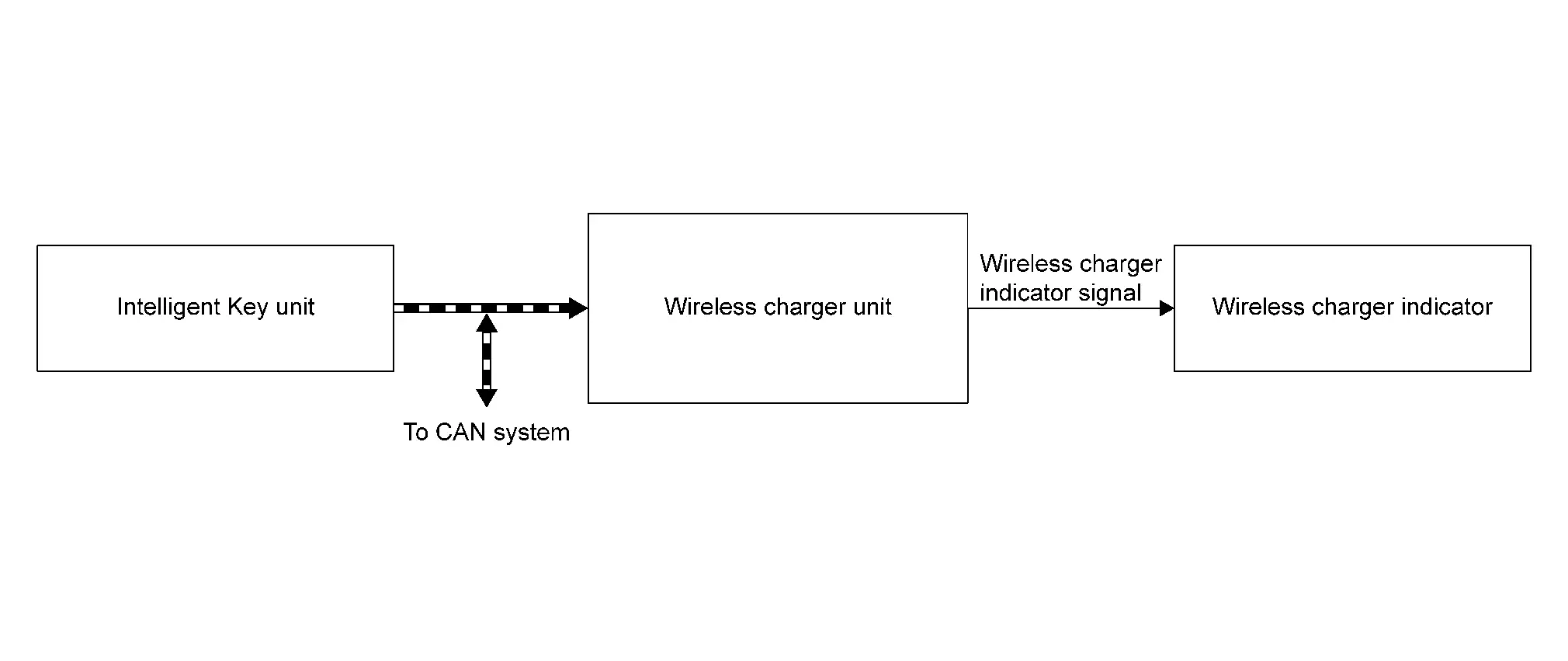
CAN Communication
| Transmit unit | Signal name |
|---|---|
| Intelligent Key unit | Charging stop request signal |
DESCRIPTION
-
Wireless charger starts charging automatically by putting Qi-certified devices on charging pad of center console when ignition switch is ON.
-
Wireless charger indicator shows the charging status of electronic devices and malfunctions of wireless charger by lighting the LED.
| Indicator | Explanation |
|---|---|
| Orange ON | Electronic device is charging |
| Green ON* | Electronic device fully charged |
|
Orange blinking (Indicator turn OFF after 8 sec.) |
|
*Depending on electronic device, the wireless charger indicator may remain orange when reaching full charge.
NOTE:
The Wireless charger stops charging during Intelligent Key search to prevent interferences.
| Certified | Qi |
| Output wattage | 15 W |
Operating Conditions
The wireless charger operates when following conditions are all satisfied.
-
Ignition switch ON
-
Except for the condition of deactivation
Condition of Deactivation
The wireless charger stops operating when one of following conditions is satisfied:
-
When any foreign objects* are detected on the charging pad.
-
When an electronic device is connected to USB cable and starts charging.
-
When Intelligent Key unit is communicating with Intelligent Key.
-
When wireless charger unit is temporarily in high temperature condition [149˚F (65℃) and more]
-
When DTC is detected
*: Metals (accessories, coins), credit cards, Intelligent Key, etc.
Handling Precaution
Wireless Charger
-
Do not put metallic object and/or SD card, credit card etc. between the charging area mat and the electronic device.
-
Do not spill liquids on charging area pad.
-
Keep charging area mat clean of dust, dirt ect.
-
Do not use grease, oil or alcohol for cleaning charging pad.
-
Cases where radio of the Nissan Ariya vehicle becomes difficult to hear may happen during electronic device charging.
-
When charging electronic device by USB cable, the wireless charger does not operate. *1
-
Wireless charger indicator unit turns orange when device is charging. Wireless charger indicator unit turns green when device is fully charged. *2
-
The wireless charger stops charging during Intelligent Key search to prevent interferences.
NOTE:
*1: Depending on electronic device, the wireless charger indicator may turn ON.
*2: Depending on electronic device, the wireless charger indicator may remain orange when reaching full charge.
Diagnosis System (wireless Charger Unit)
CONSULT Function
APPLICATION ITEMS
CONSULT performs the following functions via the communication with the wireless charger unit.
| Diagnosis mode | CGW Status | Description | ||
|---|---|---|---|---|
| Restricted Mode | Diag Test Mode | Open Mode | ||
| Self Diagnostic Result | Display | Display | Display | Display non-network DTC which wireless charger unit memorizes |
| CGW Information | Display | Display | Display |
|
| Data Monitor | Display | Display | Display | The wireless charger unit input/output data is displayed in real time. |
| Active Test | Non-display | Display | Display | Transmits a drive signal to check the operation. |
| Work Support | Non-display | Non-display | Display | Enables wireless charger unit reset and write VIN data |
| ECU Identification | Display | Display | Display | The part number of wireless charger unit can be checked. |
| Configuration* | Display | Display | Display | The mode is indicated, but it is not used. |
| Network-DTC* | Display | Display | Display | Display network DTC which wireless charger unit memorizes when performing "Diagnosis (All System)". |
*: Displays when performing "Diagnosis (All System)".
SELF DIAGNOSTIC RESULT
Refer to DTC Index.
CGW INFORMATION
Display the diagnosis mode which a user can perform in Diag Test mode/Open Mode by switching the CGW status from Restricted mode to Diag Test Mode/Open Mode.
For the method of switching CAN Gateway status, Refer to CONSULT Function.
DATA MONITOR
NOTE:
The following table includes information (items) inapplicable to this Nissan Ariya vehicle. For information (items) applicable to this vehicle, refer to CONSULT display items.
| Monitored item | Unit | Description |
|---|---|---|
| Internal temperature | ℃ | Monitors the temperature inside the wireless charger unit |
| Object detected | Initial/Yes/No/Inactive | Monitors the detecting status of object put on the wireless charger. |
| Receiver detected | UNAVAILABLE/Yes/No/Inactive | Monitors the detecting status of receiver. (such as smart phones) |
| Foreign object detected | UNAVAILABLE/Yes/No/Inactive | Monitors if foreign objects are detected on the wireless charger. |
| Charger power status | UNAVAILABLE/Yes/No/Inactive | Monitors the start-up status of the wireless charger. |
| Charging State | UNAVAILABLE/No/Low/Mid/Inactive | Monitors the wireless charging status. |
| Hardware version | Unknown/v1.1/v1.2/v1.3/v1.4/v1.5/v1.6/v1.7/v1.8/v1.9/v2.0/v2.1/v2.2/v2.3/v2.4/v2.5/Inactive | Monitors the hardware version. |
| Receiver IC chip ID | - | Monitors the IC chip ID of receiver (such as smart phones) |
| Receiver IC chip manufacturer | Unknown/Samsung/LGE/Nokia/motorola/Apple/Others | Monitors the manufacturer of receiver (such as smart phones) |
| Receiver Qi version | Unknown/1.0/1.1/1.2/Other/Inactive | Monitors QI version of receiver (such as smart phones) |
| Voltage of charging coil | V | Monitors the voltage of charging coil. |
| Current of charging coil | A | Monitors the electric current of charging coil. |
| Input voltage | V | Monitors the input voltage in charging coil. |
| Input current of charging coil | A | Monitors the input current in charging coil. |
| Charging power consumption | W | Monitors the electric current consumption of the wireless charger. |
| Receive power (receiver side) | W | Monitors the electric current consumption of the transmitter and receiver (such as smart phones) |
| Power loss (charger - receiver) | W | Monitors power loss of the wireless charger unit and receiver (such as smart phones) |
| Charging Time | min | Monitors charging time. |
| Disconnection of charging coil | UNAVAILABLE/Yes/No/Inactive | Monitors the open circuit of coil inside the wireless charger unit. |
| Memory error | UNAVAILABLE/Yes/No/Inactive | Monitors the memory errors of the wireless charger unit. |
| Reason of stop charging | Unknown/Charge complete/Type1/Type2/Type3/Type4/Type5/Type6/Type7/Inactive | Monitors the reason of stopping wireless charging. |
| Charge stop request | No/Stop/Inactive | Monitors the charge stop request signal from Intelligent Key unit |
| LED (Orange) | UNAVAILABLE/Off/On/Inactive | Status of LED (Orange) powered from wireless charger |
| LED (green) | UNAVAILABLE/Off/On/Inactive | Status of LED (Green) powered from the wireless charger |
| Firmware Version | Unknown/v1.1/v1.2/v1.3/v1.4/v1.5/v1.6/v1.7/v1.8/v1.9/v2.0/v2.1/v2.2/v2.3/v2.4/v2.5/Inactive | Monitors the firmware version. |
ACTIVE TEST
| Monitor Item | Description |
|---|---|
| GREEN LED | This function able to check wireless charger indicator (green) |
| YELLOW LED | This function able to check wireless charger indicator (yellow) |
| Battery Charging | This function able to check wireless charging |
WORK SUPPORT
| Monitor Item | Description |
|---|---|
| WRITE VIN | Write VIN data in wireless charger unit. |
| RESET | Reset the wireless charger unit |
ECU IDENTIFICATION
Displays TCU part number and various information.
CONFIGURATION
The mode is indicated, but it is not used.
Other materials:
Preparation
Special Service Tool
The actual shapes of TechMate tools may differ from those of special service tools illustrated here.
Tool number
(TechMate No.)
Tool name Description
(NI-39570)
Chassis ear
Locates the noise
(NI-50397)
NISSAN Squeak and Rattle Kit
Repairs ...
P26a3 Multi-Way Control Valve Motor
DTC Description
DTC DETECTION LOGICNOTE:
If DTC P26A3 is displayed with DTC P26A5, P26A6, and/or
P26A7 first perform the trouble diagnosis for DTC P26A5, P26A6, and/or
P26A7. Refer to DTC Index.
DTC
CONSULT screen terms
(Trouble diagnosis content) DTC detection condition
P26A3
00
...
Removal and Installation. Steering Gear and Linkage
Exploded View
1.
Outer socket
2.
Boot clamp (small diameter)
3.
Boot
4.
Boot clamp (large diameter)
5.
Hole cover seal
A.
Outer socket lock nut.
B.
Inner socket lock nut.
—
—
—
—
CAUTION:
Never apply the grease to the surface be ...