
Nissan Rogue (T33) 2021-Present Service Manual: System Description :: System (back Door Opener System)
System Description
SYSTEM DIAGRAM
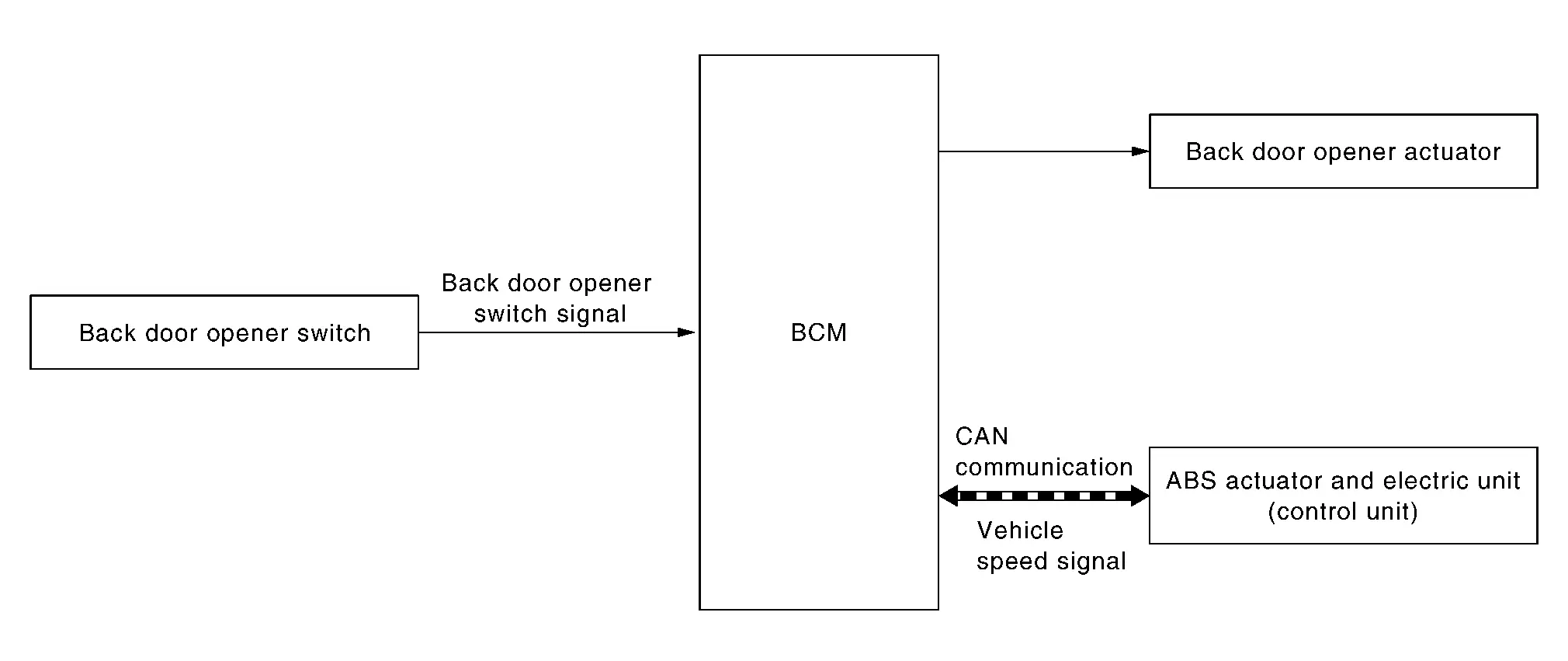
| Component | Function |
|---|---|
| Back door opener switch | Refer to Back Door Opener Switch. |
| Back door opener actuator | Refer to Back Door Lock Assembly. |
| ABS actuator and electric unit (control unit) | Transmit Nissan Ariya vehicle speed signal to BCM via CAN communication. |
| BCM | When the BCM receives the open operation signal from the back door opener switch , it operates the back door opener actuator. |
BACK DOOR OPENER OPERATION
When back door opener switch is pressed, BCM operates back door opener actuator.
 NOTE:
NOTE:
Back door opener actuator is not for locking the back door. The function is only to open the back door.
OPERATION CONDITION
If the following conditions are satisfied, back door opener operation is performed.
| Back door opener switch operation | Operation condition |
|---|---|
| Back door open |
|
NOTE:
-
When battery terminal is disconnected and reconnected during all doors unlock state, back door may not open.
-
Regardless of door lock actuator state, BCM resets recognition of all doors unlock state approximately 30 seconds after battery terminal is disconnected and BCM recognizes that all doors are in lock state.
-
When battery terminal is reconnected and back door does not open, have BCM recognize that all doors are in unlock state.
Other materials:
Dtc/circuit Diagnosis. Lifting Switch
Component Function Check
CHECK FUNCTION
CONSULT
Ignition switch ON.
Select “Lifting switch (Up)� and “Lifting switch (Down)� in “Data monitor� mode of “DRIVER SEAT�.
Check lifting switch signal under the following conditions.
Monitor item Condition Status
...
Dtc/circuit Diagnosis. Door Switch
Component Function Check
CHECK FUNCTION
CONSULT
Select “Door switch driver�, “Door switch assist�, “Door switch rear
left� and “Door switch rear right� in “Data monitor� mode of "BCM [DOOR
LOCK]".
Check that the function operates normally according to the followin ...
B2e1b-97 Automatic Ecall
DTC Description
DTC DETECTION LOGIC DTC No. CONSULT screen terms DTC detection condition
B2E1B-97
Automatic eCall locked
Diagnosis condition
When ignition switch is ON
Signal (terminal)
—
Threshold
Automatic report function of the TCU is activated
Diagnosis dela ...