
Nissan Rogue (T33) 2021-Present Service Manual: Removal and Installation :: Battery Tray
Exploded View
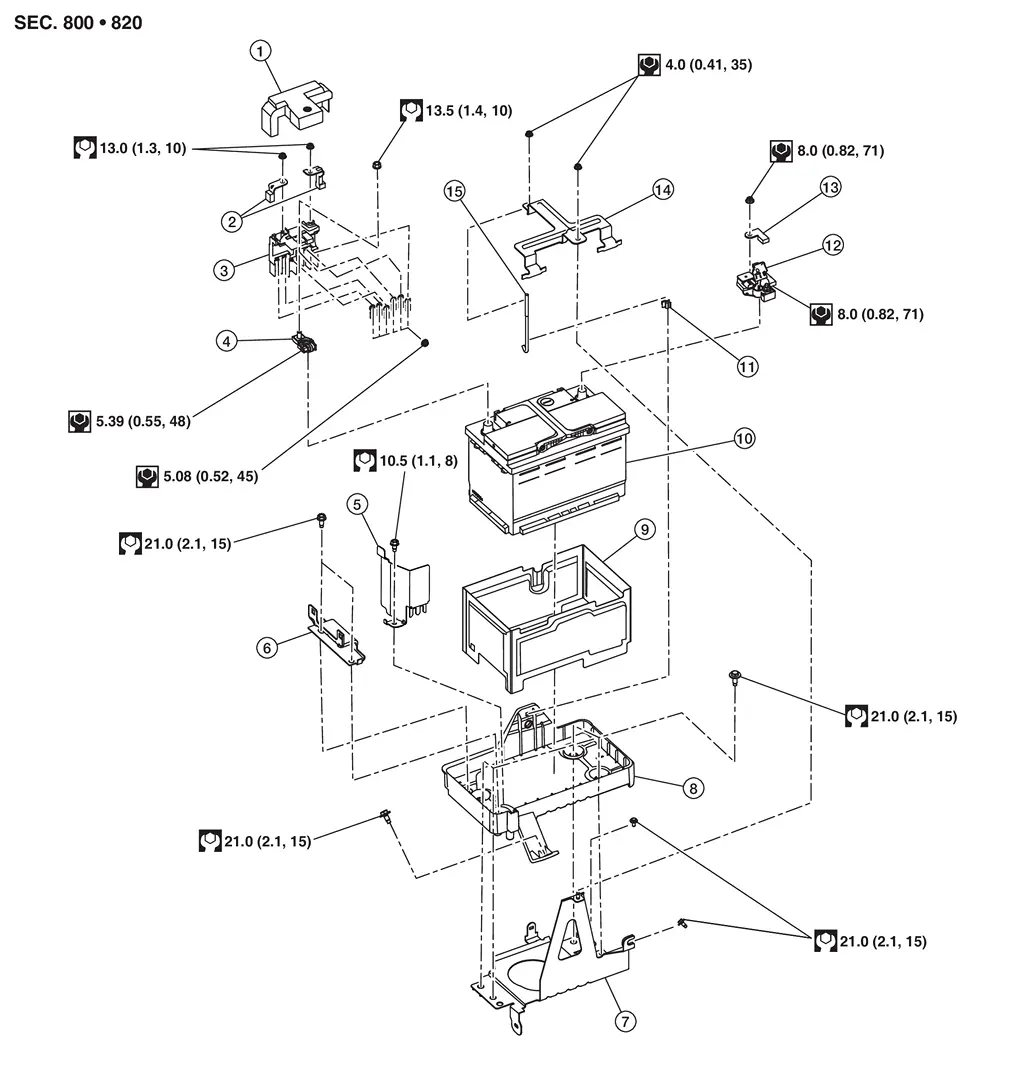
| 1. | Battery positive terminal cover | 2. | Positive cable | 3. | Battery terminal with fusible link |
| 4. | Battery positive terminal | 5. | Battery protector | 6. | Battery mounting bracket |
| 7. | Battery tray 1 | 8. | Battery tray 2 | 9. | Battery cover |
| 10. | 12V battery | 11. | Battery fix rod clip | 12. | 12V battery current sensor |
| 13. | Negative cable | 14. | Battery fix frame | 15. | Battery fix rod |
 |
: Nissan Ariya Vehicle front |
Removal and Installation
REMOVAL
Remove 12V battery. Refer to Removal and Installation.
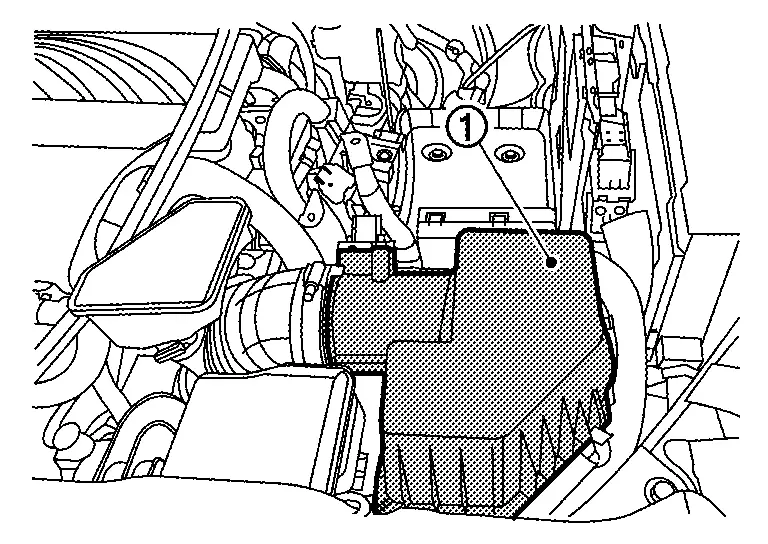
Remove air cleaner cover  .
.
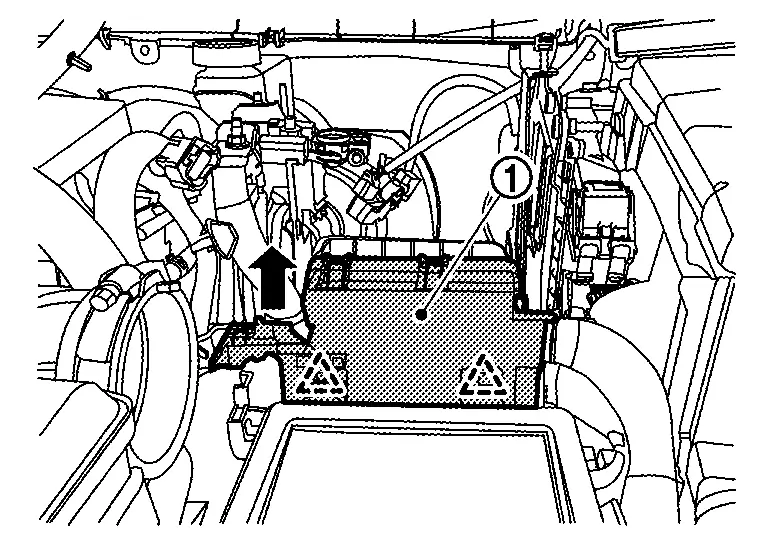
Press the pawl of engine room harness and pull up engine room harness in the direction of the arrow.
 |
: Pawl |
Remove battery mounting bracket mounting bolts  , and then remove the battery mounting bracket from the battery tray 2.
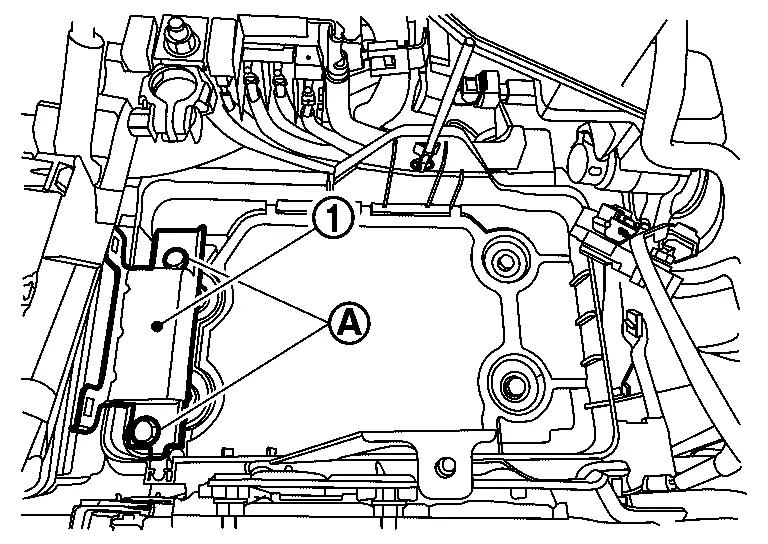
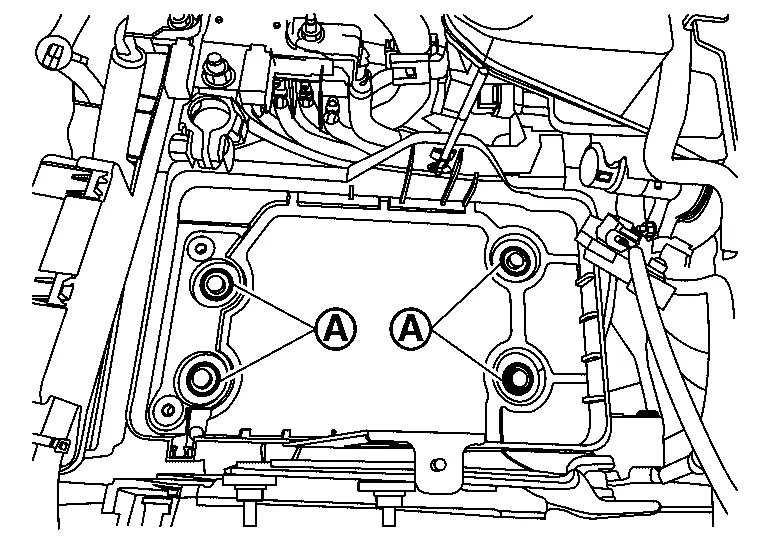
Remove battery tray 2 mounting bolts from battery tray 2.
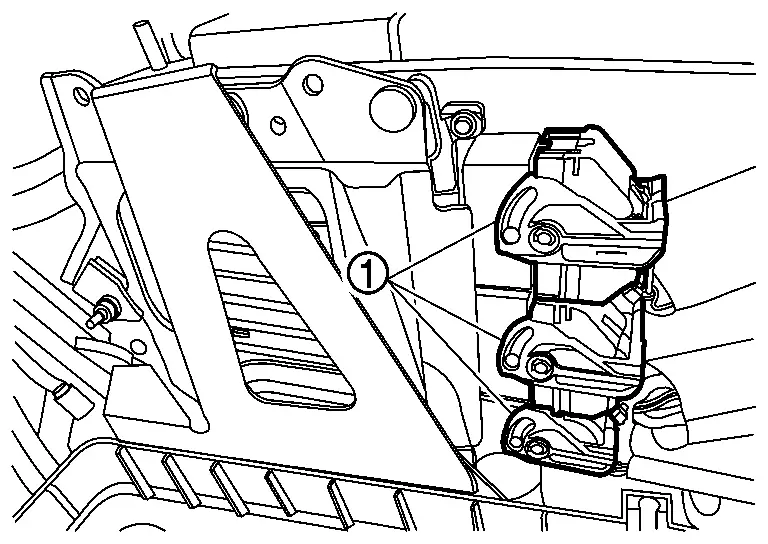
Disconnect ECM connector  from ECM.
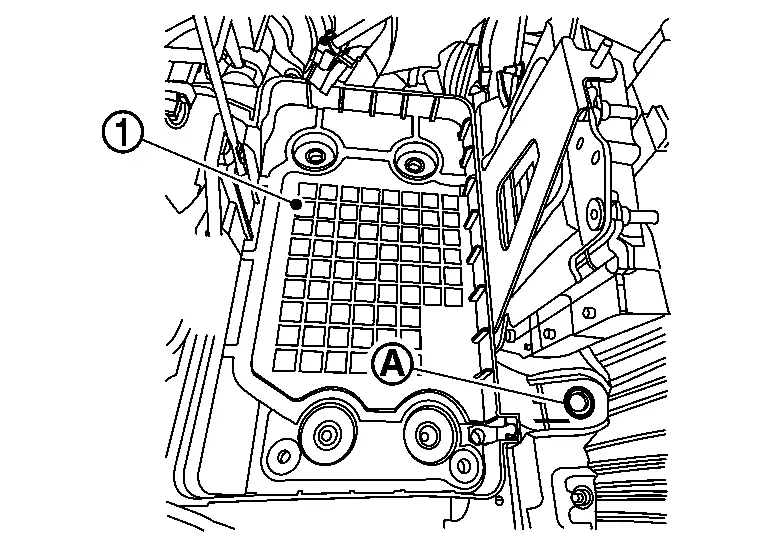
Remove battery tray 2 mounting bolt , and then remove the battery tray 2 from the battery tray 1.
Remove battery fix rod  from battery tray 2 .
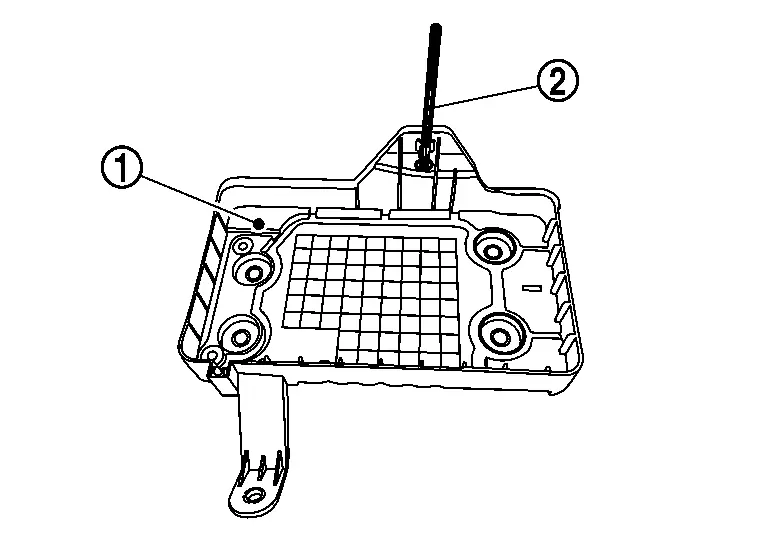
Remove battery tray 1 mounting bolts from battery tray 1.
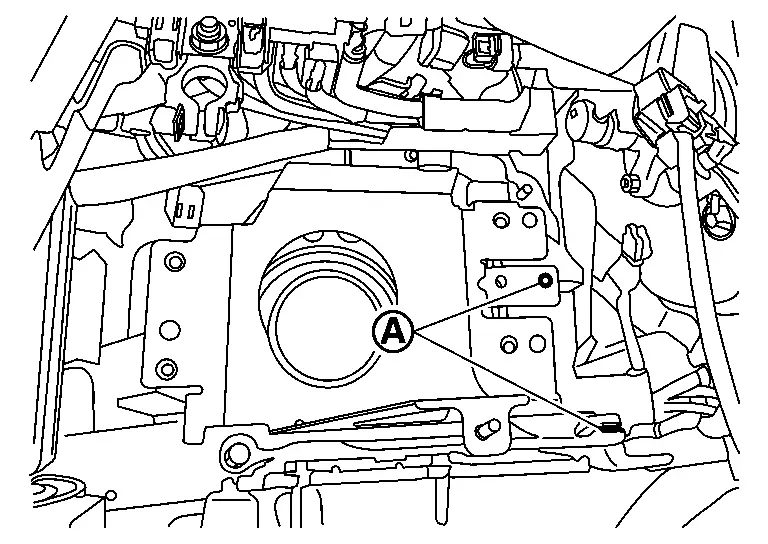
Remove harness clip , and then remove the battery tray 1 from the Nissan Ariya vehicle.
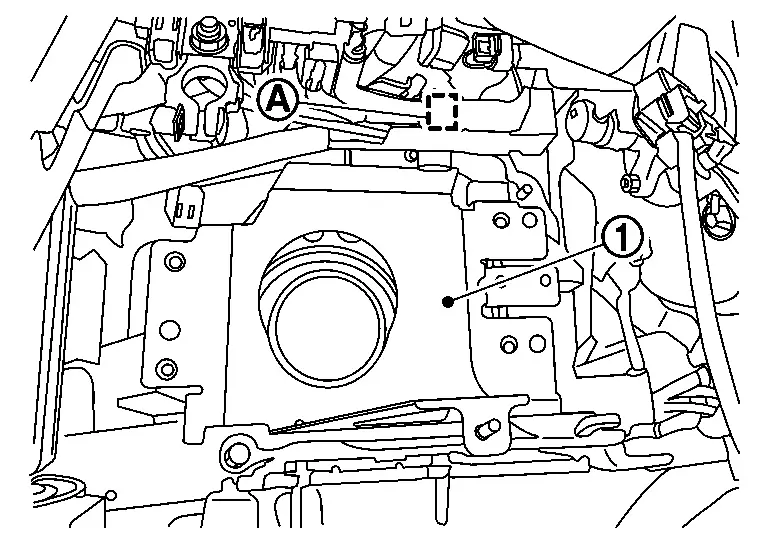
INSTALLATION
Installation is in the reverse order of removal.
CAUTION:
Perform Required Procedure After Battery Disconnection.
Other materials:
Intelligent Around View Monitor. Symptom Diagnosis
Intelligent Around View Monitor
Symptom Table
INTELLIGENT AROUND VIEW MONITOR SYSTEM Symptoms Check items Probable malfunction location
Screen is
not switched to camera image, when camera switch is pressed and when
shift position is shifted to the reverse position.
“AVM� is not dis ...
Removal and Installation. Driver Knee Air Bag Module
Exploded View
Steering member
Driver knee air bag module
: Always replace after every disassembly.
: N·m (kg-m, in-lb)
Removal and Installation
WARNING:
Always observe the following items for preventing accidental activation.
Before servicing, pla ...
Dtc/circuit Diagnosis. Unlock Sensor
Diagnosis Procedure
CHECK UNLOCK SENSOR INPUT SIGNAL
Ignition switch OFF.
Disconnect front door lock assembly LH connector.
Check voltage between front door lock assembly LH harness connector and ground.
(+) (–)
Voltage
(Approx.)
Front door lock assembly LH
Connector T ...