
Nissan Rogue (T33) 2021-Present Service Manual: Removal and Installation :: Battery
Exploded View
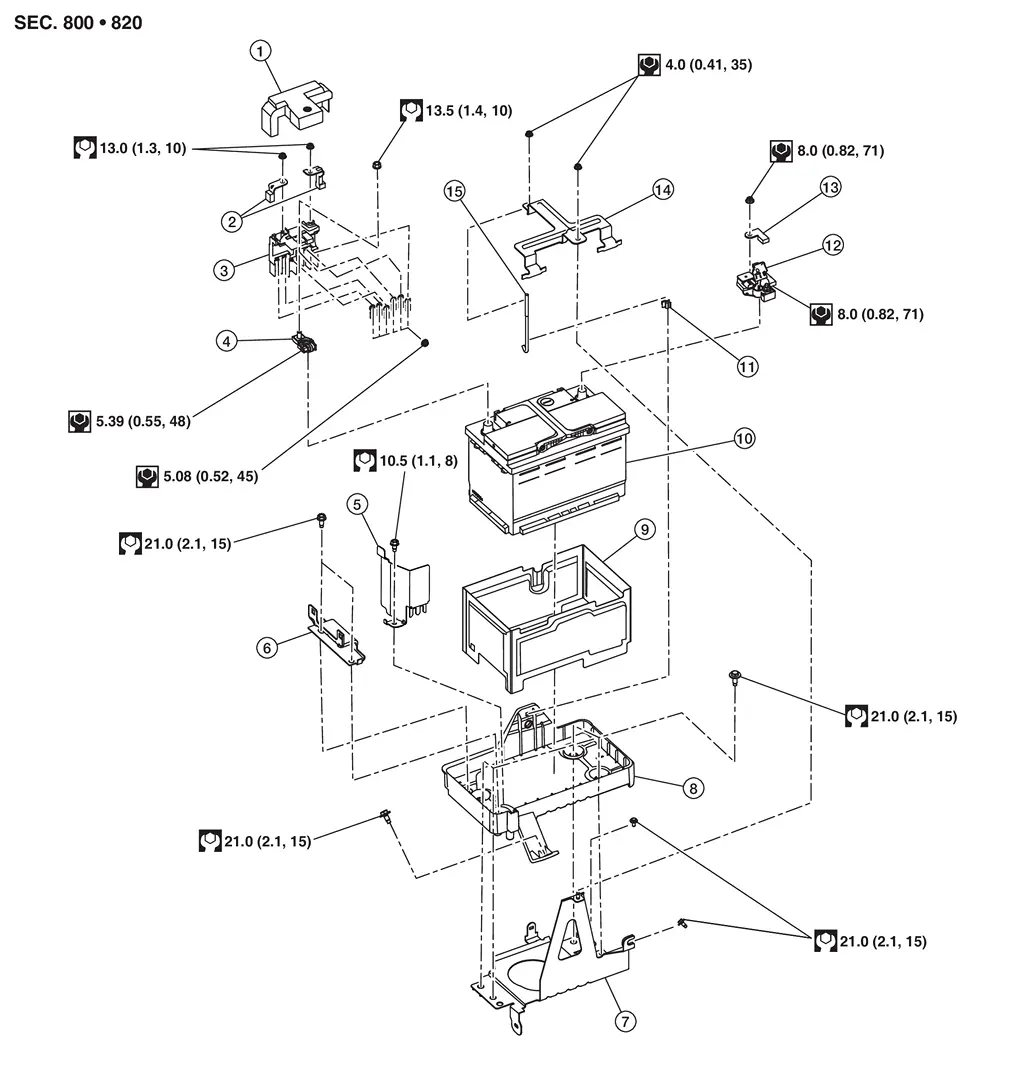
| 1. | Battery positive terminal cover | 2. | Positive cable | 3. | Battery terminal with fusible link |
| 4. | Battery positive terminal | 5. | Battery protector | 6. | Battery mounting bracket |
| 7. | Battery tray 1 | 8. | Battery tray 2 | 9. | Battery cover |
| 10. | 12V battery | 11. | Battery fix rod clip | 12. | 12V battery current sensor |
| 13. | Negative cable | 14. | Battery fix frame | 15. | Battery fix rod |
 |
: Nissan Ariya Vehicle front |
Removal and Installation
REMOVAL
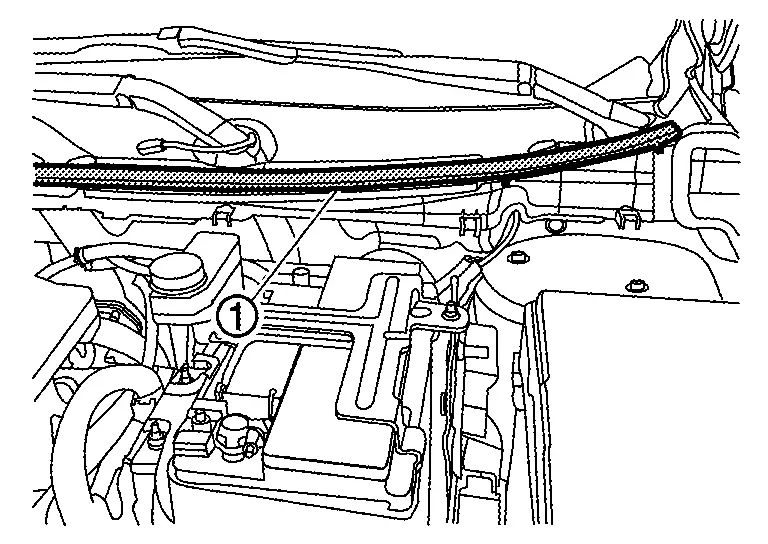
Remove cowl top seal  .
.
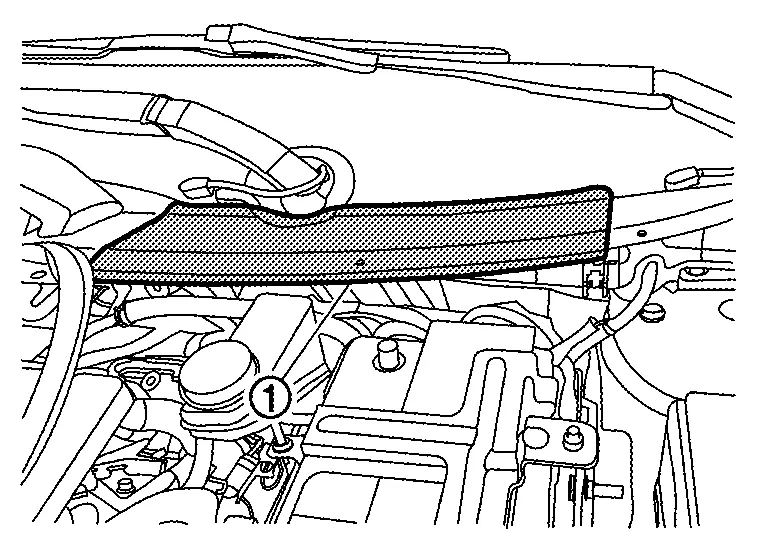
Remove cowl top cover . Refer to Removal and Installation.
Disconnect the 12V battery cable from the negative terminal.
CAUTION:
To prevent damage to the parts, disconnect the 12V battery cable from the negative terminal first.
Disconnect the 12V battery cable from the positive terminal.
Remove battery fix frame mounting nuts  and battery fix frame .
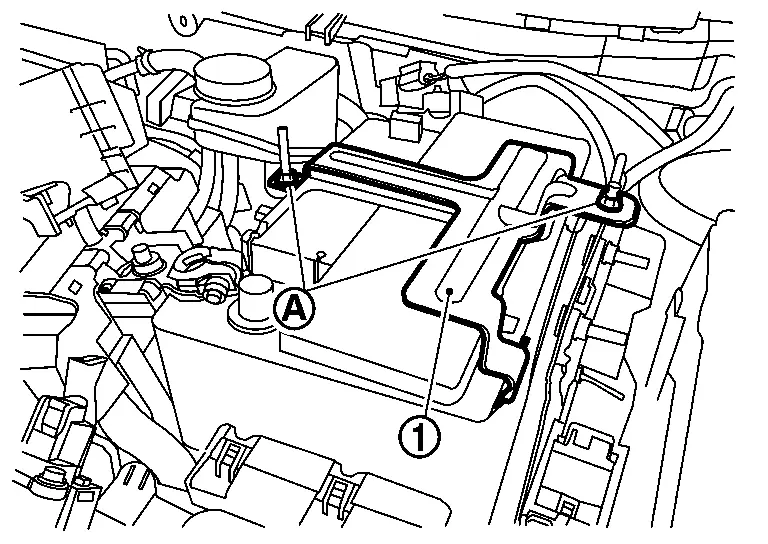
Remove 12V battery.
INSTALLATION
Installation is in the reverse order of removal.
CAUTION:
To install the 12V battery, carefully read the following instructions.
-
To prevent damage to the parts, connect the 12V battery cable to the positive terminal first.
-
After connecting 12V battery cables, to securely supply 12V battery voltage, ensure that they are tightly clamped to 12V battery terminals for good contact.
-
To securely supply 12V battery voltage, check 12V battery terminal for poor connection caused by corrosion.
Perform Required Procedure After Battery Disconnection.
Other materials:
Automatic Brake Hold. Basic Inspection. Diagnosis and Repair Work Flow
Diagnosis and Repair Work Flow
Work Flow
DETAILED FLOWINTERVIEW FROM THE CUSTOMER
Clarify customer complaints before inspection. First of all, perform
an interview utilizing Diagnostic Work Sheet and reproduce the symptom
as well as fully understand it. Ask customer about his/her complaints
...
Traffic Sign Recognition (TSR)
Basic information
The Traffic Sign Recognition system in the Nissan Rogue provides real-time information on the most recently detected speed limit. Using the front multi-sensing camera mounted near the windshield, the system reads road signs and shows them on the vehicle information display. On ...
Protection contre la corrosion
Facteurs de corrosion les plus courants
Accumulation de poussière humide, de sable et de débris dans les panneaux de carrosserie, les orifices et les zones peu ventilées.
Dommages de la peinture ou des revêtements protecteurs causés par des projections de gravillons ou de petits accidents ...