
Nissan Rogue (T33) 2021-Present Service Manual: Action Test
Ldw
Work Procedure
-
Perform action test to verify the customer's concern.
-
Perform action test and check the system operation after system diagnosis.
WARNING:
Be careful of traffic conditions and safety around the vehicle when performing road test.
CAUTION:
-
Fully understand the following items well before the road test;
-
System description: System Description
-
Handling precaution: Handling Precaution
-
CHECK LDW SYSTEM SETTING
-
Start the engine.
-
Check that the LDW system setting can be enabled/disabled on the information display.
-
Turn OFF the ignition switch and wait for 30 seconds or more.
-
Check that the previous setting is saved when the engine starts again.
>>
GO TO 2.
ACTION TEST FOR LDW
-
Enable the setting of the LDW system on the information display.
-
Turn LDW system ON.
-
Check the LDW operation according to the following table.
7 inch Information Display Condition Action Display on information display Steering vibration LDW OFF — 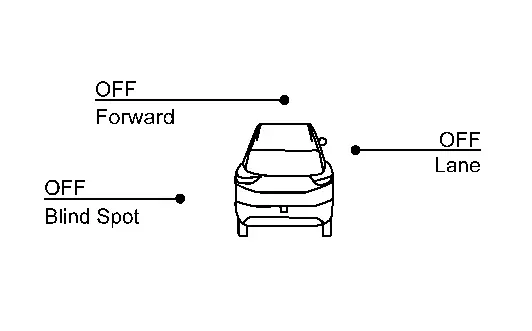
OFF LDW ON Nissan Ariya Vehicle speed is less than approx. 55 km/h (34 MPH) — LDW system indicator : White
Speaker icon : White
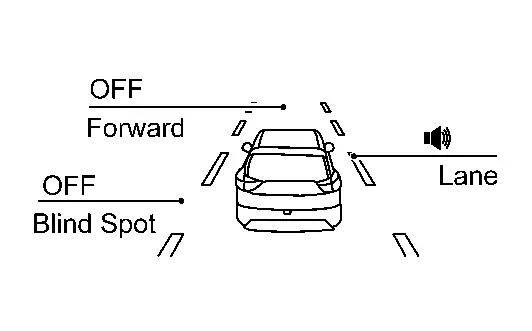
OFF Nissan Ariya Vehicle speed is approx. 55 km/h (34 MPH) or more Vehicle closes to lane marker Turn signal is OFF or ON (Opposite to the deviate side) — Yellow (Blink)
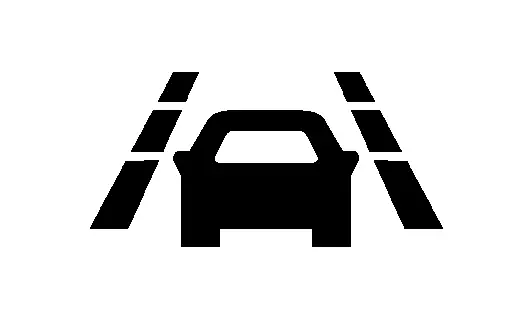
ON LDW system indicator : Yellow (Blink)
Speaker icon : White
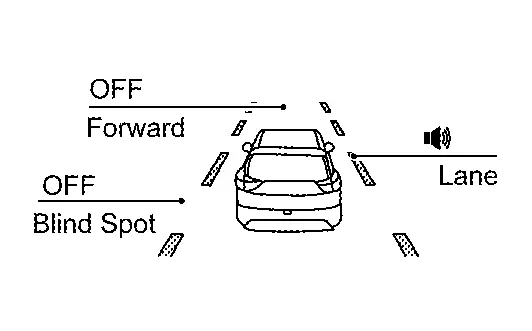
Turn signal is ON(Deviate side) — LDW system indicator : White
Speaker icon : White
OFF FULL TFT METER Condition Action Display on information display Steering vibration LDW OFF — 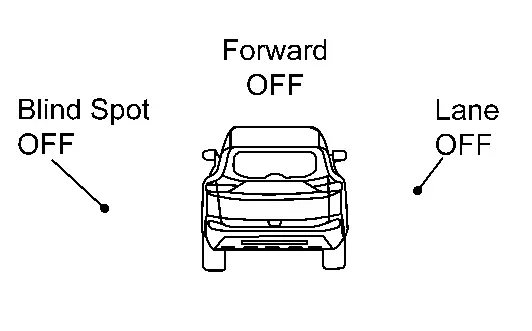
OFF LDW ON Nissan Ariya Vehicle speed is less than approx. 55 km/h (34 MPH) — LDW system indicator : White
Speaker icon : White
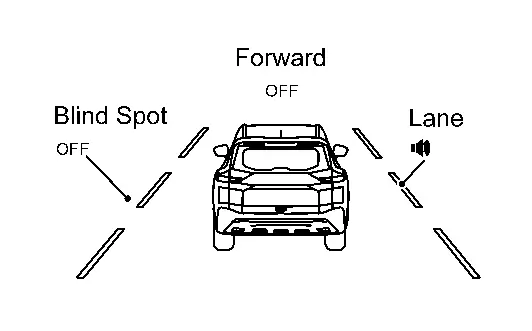
OFF Nissan Ariya Vehicle speed is approx. 55 km/h (34 MPH) or more Vehicle closes to lane marker Turn signal is OFF or ON (Opposite to the deviate side) — Yellow (Blink)
ON LDW system indicator : Yellow (Blink)
Speaker icon : White
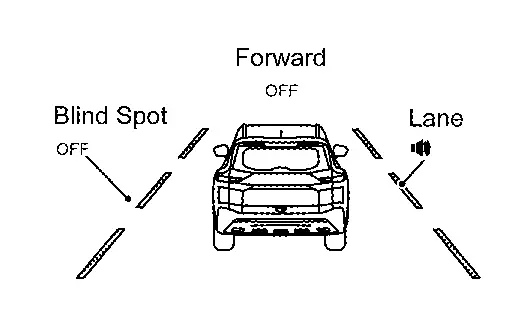
Turn signal is ON(Deviate side) — LDW system indicator : White
Speaker icon : White
OFF  NOTE:
NOTE:
After the operating conditions of warning are satisfied, the warning continues until the Nissan Ariya vehicle speed reaches approximately 55 km/h (34 MPH). Refer to System Description.
>>
INSPECTION END
I-Li
Work Procedure
-
Perform action test to verify the customer's concern.
-
Perform action test and check the system operation after system diagnosis.
WARNING:
Be careful of traffic conditions and safety around the vehicle when performing road test.
CAUTION:
-
Fully understand the following items well before the road test;
-
System description: Refer to System Description.
-
Handling precaution: Refer to Precautions for Intelligent Lane Intervention.
-
CHECK I-LI SYSTEM SETTING
-
Start the engine.
-
Check that the I-LI system setting can be enabled/disabled on the information display.
-
Turn OFF the ignition switch and wait for 30 seconds or more.
-
Check that the previous setting is saved when the engine starts again.
>>
GO TO 2.
ACTION TEST FOR I-LI
-
Enable the setting of the I-LI system on the information display.
-
Turn I-LI system display ON.
-
Check the I-LI operation according to the following table.
7 inch Information Display Condition Action Display on information display Steering vibration I-LI OFF — OFF I-LI ON Nissan Ariya Vehicle speed is less than approx. 60 km/h (37 MPH) — White
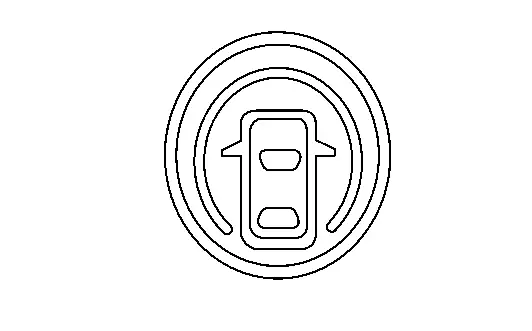
OFF I-LI system indicator: White
Dynamic driver assistance icon: White
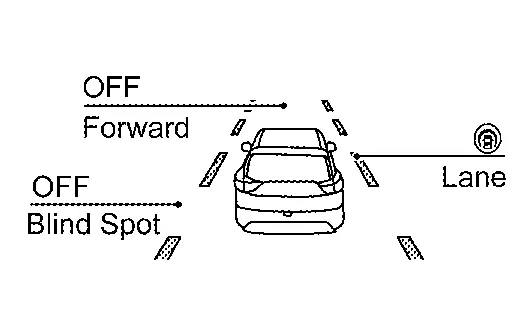
Nissan Ariya Vehicle speed is approx. 60 km/h (37 MPH) or more Vehicle closes to lane marker Turn signal is OFF or ON (Opposite to the deviate side) Yawing control is ON Yellow (Blink)
ON I-LI system indicator: Yellow (Blink)
Dynamic driver assistance icon: White
Turn signal is ON (Deviate side) — I-LI system indicator: White
Dynamic driver assistance icon: White
OFF Nissan Ariya Vehicle closes to lane marker with soft braking — Yawing control is ON Yellow (Blink)
ON I-LI system indicator: Yellow (Blink)
Dynamic driver assistance icon: White
FULL TFT METER Condition Action Display on information display Steering vibration I-LI OFF — OFF I-LI ON Nissan Ariya Vehicle speed is less than approx. 60 km/h (37 MPH) — I-LI system indicator: White
Speaker icon : White
OFF Nissan Ariya Vehicle speed is approx. 60 km/h (37 MPH) or more Vehicle closes to lane marker Turn signal is OFF or ON (Opposite to the deviate side) Yawing control is ON Yellow (Blink)
ON I-LI system indicator: Yellow (Blink)
Speaker icon : White
Turn signal is ON (Deviate side) — I-LI system indicator: White
Speaker icon : White
OFF Nissan Ariya Vehicle closes to lane marker with soft braking — Yawing control is ON Yellow (Blink)
ON I-LI system indicator: Yellow (Blink)
Speaker icon : White
NOTE:
After the operating conditions of warning are satisfied, the warning continues until the Nissan Ariya vehicle speed reaches approximately 60 km/h (37 MPH). Refer to System Description.
>>
INSPECTION END
Bsw
Work Procedure
-
Perform action test to verify the customer's concern.
-
Perform action test and check the system operation after system diagnosis.
CAUTION:
Fully understand the following items well before the road test;
-
System description: System Description
-
Handling precaution: Handling Precaution
CHECK BSW SYSTEM SETTING
-
Start the engine.
-
Check that the BSW system setting can be enabled/disabled on the information display.
-
Turn OFF the ignition switch and wait for 5 seconds or more.
-
Check that the previous setting is saved when the engine starts again.
>>
GO TO 2.
BSW SYSTEM ACTION TEST
-
Enable the setting of the BSW system on the information display.
-
Turn BSW system ON.
-
Check BSW operation according to the following table.
7 inch Information Display Condition Action Indication on the BSW indicator Display on information display Buzzer BSW OFF — OFF OFF BSW ON Nissan Ariya Vehicle speed is less than approx. 29 km/h (18 MPH) — OFF BSW system indicator : White
Speaker icon : White
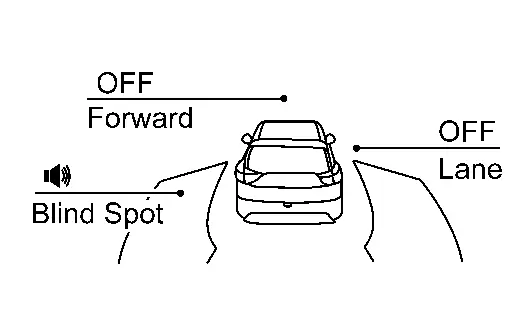
OFF Nissan Ariya Vehicle speed is approx. 32 km/h (20 MPH) or more Vehicle is not detected — OFF BSW system indicator : White
Speaker icon : White
OFF Nissan Ariya Vehicle is detected Turn signal is OFF — ON BSW system indicator : White
Speaker icon : White
OFF Nissan Ariya Vehicle is detected before turn signal operates Turn signal is ON (Nissan Ariya vehicle detected direction) — Blink Yellow (Blink)
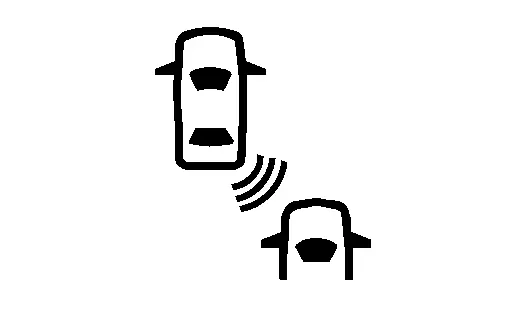
Short continuous beeps BSW system indicator : Yellow (Blink)
Speaker icon : White
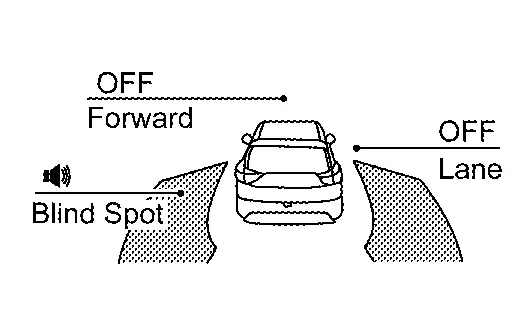
Nissan Ariya Vehicle is detected after turn signal operates Turn signal is ON (vehicle detected direction) — Blink Yellow (Blink)
OFF BSW system indicator : Yellow (Blink)
Speaker icon : White
FULL TFT METER Condition Action Indication on the BSW indicator Display on information display Buzzer BSW OFF — OFF OFF BSW ON Nissan Ariya Vehicle speed is less than approx. 29 km/h (18 MPH) — OFF BSW system indicator : White
Speaker icon : White
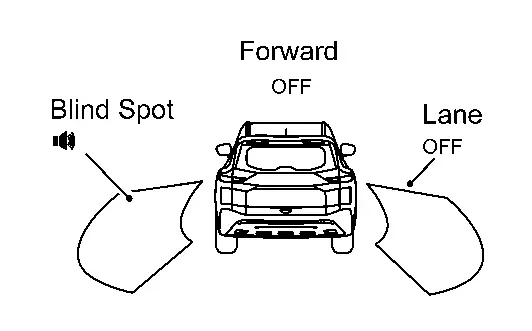
OFF Nissan Ariya Vehicle speed is approx. 32 km/h (20 MPH) or more Vehicle is not detected — OFF BSW system indicator : White
Speaker icon : White
OFF Nissan Ariya Vehicle is detected Turn signal is OFF — ON BSW system indicator : White
Speaker icon : White
OFF Nissan Ariya Vehicle is detected before turn signal operates Turn signal is ON (Nissan Ariya vehicle detected direction) — Blink Yellow (Blink)
Short continuous beeps BSW system indicator : Yellow (Blink)
Speaker icon : White
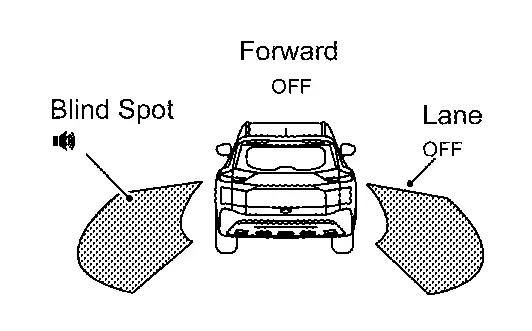
Nissan Ariya Vehicle is detected after turn signal operates Turn signal is ON (vehicle detected direction) — Blink Yellow (Blink)
OFF BSW system indicator : Yellow (Blink)
Speaker icon : White
NOTE:
-
If Nissan Ariya vehicle speed exceeds approximately 32 km/h (20 MPH), BSW function operates until the vehicle speed becomes lower than approximately 29 km/h (18 MPH).
-
Time shown in the figure is approximate time.
-
>>
INSPECTION END
I-Bsi
Work Procedure
-
Perform action test to verify the customer's concern.
-
Perform action test and check the system operation after system diagnosis.
NOTE:
Perform the I-BSI system action test after checking that the I-LI system operates normally because the I-BSI system shares components with the I-LI system.
WARNING:
Be careful of traffic conditions and safety around the vehicle when performing road test.
CAUTION:
Fully understand the following items well before the road test;
-
System description: Refer to System Description.
-
Handling precaution: Refer to Precautions for I-BSI.
LDW/I-LI SYSTEM ACTION TEST
Perform the LDW/I-LI system action test.
-
LDW: Refer to System Description.
-
I-LI: Refer to System Description.
>>
GO TO 2.
CHECK I-BSI SYSTEM SETTING
-
Start the engine.
-
Check that the I-BSI system setting can be enabled/disabled on the information display.
-
Turn OFF the ignition switch and wait for 5 seconds or more.
-
Check that the previous setting is saved when the engine starts again.
>>
INSPECTION END
Tsr
Work Procedure
-
Perform action test to verify the customer's concern.
-
Perform action test and check the system operation after system diagnosis.
WARNING:
Be careful of traffic conditions and safety around the vehicle when performing road test.
CAUTION:
-
Fully understand the following items well before the road test;
-
System description for TSR: Refer to System Description.
-
Handling precaution: Refer to Precautions for Traffic Sign Recognition.
-
CHECK TSR SYSTEM SETTING
-
Start the engine.
-
After starting the engine wait for 30 seconds or more.
-
Enable the setting of the TSR system on the information display.
-
Turn OFF the ignition switch and wait for 5 seconds or more.
-
Check that the previous setting is saved when the engine starts again.
>>
GO TO 2.
ACTION TEST FOR TSR
-
Enable the setting of the TSR system on the information display.
-
Check the TSR operation according to the following table.
System status Condition Display on information display Display on Head Up Display TSR OFF — — — TSR ON Road sign not detected — — Road sign detected (except for speed limit signs) This is an example. For details of displayed signs, Refer to System Description.
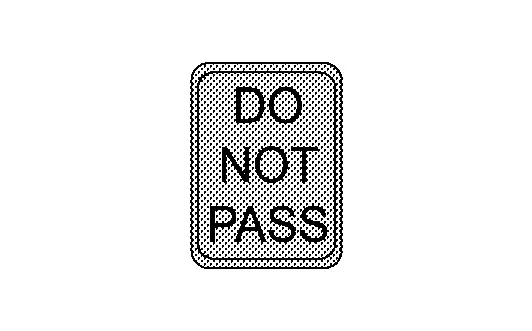
This is an example. For details of displayed signs, Refer to System Description.
Road sign detected (Speed limit signs) This is an example. For details of displayed signs, Refer to System Description.
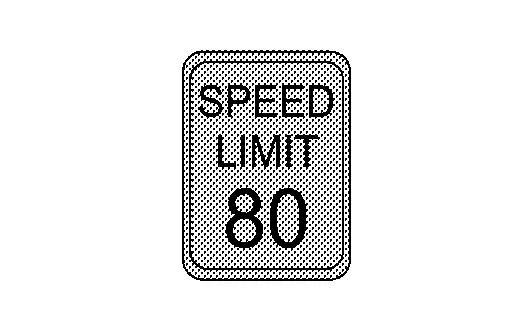
This is an example. For details of displayed signs, Refer to System Description.
>>
INSPECTION END
Rcta
Work Procedure
-
Perform action test to verify the customer's concern.
-
Perform action test and check the system operation after system diagnosis.
WARNING:
Be careful of traffic conditions and safety around the vehicle when performing road test.
CAUTION:
-
Fully understand the following items well before the road test;
-
System description for RCTA: Refer to System Description.
-
Handling precaution: Refer to Precautions for Rear Cross Traffic Alert.
-
CHECK RCTA SYSTEM SETTING
-
Start the engine.
-
After start the engine wait for 30 seconds or more.
-
Enable the setting of the RCTA system on the information display.
-
Turn OFF the ignition switch and wait for 5 seconds or more.
-
Check that the previous setting is saved when the engine starts again.
>>
GO TO 2.
ACTION TEST FOR RCTA
-
Enable the setting of the RCTA system on the information display.
-
Check the RCTA operation according to the following table.
Condition Action Indication on the BSW indicator Display on information display Buzzer RCTA OFF — OFF — OFF RCTA ON Shift lever is in any position other than reverse — OFF — OFF Shift lever is in reverse Nissan Ariya Vehicle speed is less then approx. 8 km/h (5 MPH) Vehicle is not detected — OFF — OFF Nissan Ariya Vehicle is detected — Blink — ON Nissan Ariya Vehicle speed is approx. 8 km/h (5 MPH) or more Vehicle is detected — — — —
>>
INSPECTION END
I-Da
Work Procedure
-
Perform action test to verify the customer's concern.
-
Perform action test and check the system operation after system diagnosis.
WARNING:
Be careful of traffic conditions and safety around the vehicle when performing road test.
CAUTION:
-
Fully understand the following items well before the road test;
-
System description for I-DA: Refer to System Description.
-
Handling precaution: Refer to Precautions for Intelligent Driver Alertness.
-
CHECK I-DA SYSTEM SETTING
-
Start the engine.
-
After starting the engine wait for 30 seconds or more.
-
Check that the I-DA system setting can be enabled/disabled on the information display.
-
Turn OFF the ignition switch and wait for 5 seconds or more.
-
Check that the previous setting is saved when the engine starts again.
>>
GO TO 2.
ACTION TEST FOR I-DA
-
Enable the setting of the I-DA system on the information display.
-
Check the I-DA operation according to the following table.
Nissan Ariya Vehicle condition/ Driver’s operation Display on combination meter I-DA OFF — I-DA ON 
>>
INSPECTION END
Other materials:
Automatic Air Conditioning. Removal and Installation
A/c Switch Assembly
Exploded View
A/C switch assembly
Center ventilator finisher
: Pawl
: Nissan Ariya Vehicle front
Removal and Installation
REMOVALRemove center ventilator finisher. Refer to Removal and Installation.
Remove A/C switch assembly fixi ...
Assistance au freinage
Assistance au freinage
Lorsque la force exercée sur la pédale de frein dépasse un certain seuil, le système d’assistance au freinage du Nissan Rogue s’active automatiquement.
Dans ce cas, la force de freinage appliquée devient supérieure à celle d’un système conventionnel, même ...
C1f48-62 Abs/tcs/vdc System
Without Propilot Assist 2.1
DTC Description
DTC DETECTION LOGIC DTC
CONSULT screen terms
(Trouble diagnosis content) DTC detection condition
C1F48
62
ABS/TCS/VDC CIRC
(Anti-lock braking system/Traction control system/Nissan Ariya Vehicle dynamics control system circuit)
...