
Nissan Rogue (T33) 2021-Present Service Manual: Removal and Installation :: Back Door Lock
Exploded View
Without automatic back door system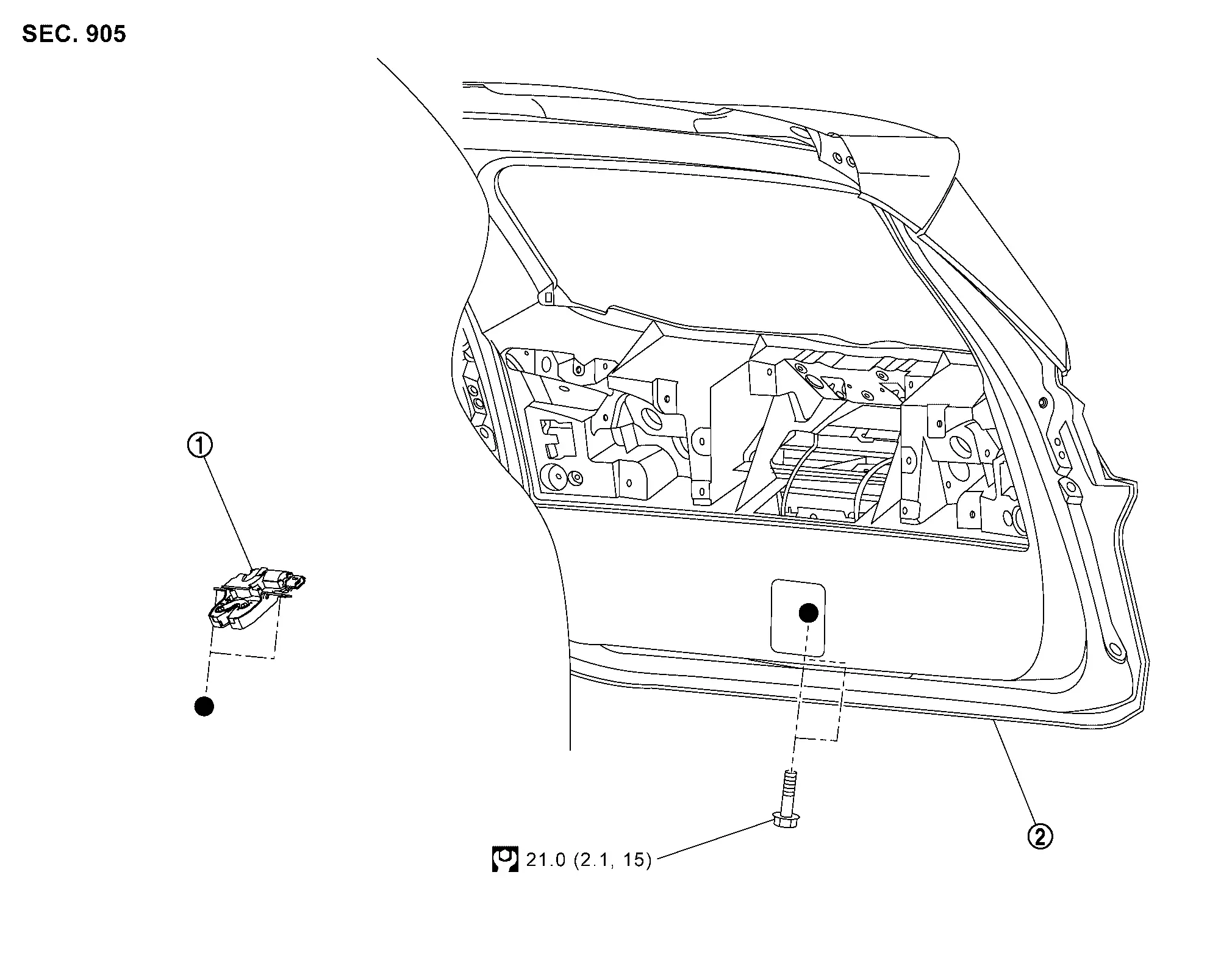
 |
Back door lock assembly |  |
Back door panel | ||
 |
: N·m (kg-m, ft-lb) | ||||
 : Indicates that the part is connected at points with same symbol in actual Nissan Ariya vehicle. : Indicates that the part is connected at points with same symbol in actual Nissan Ariya vehicle. |
|||||
With automatic back door system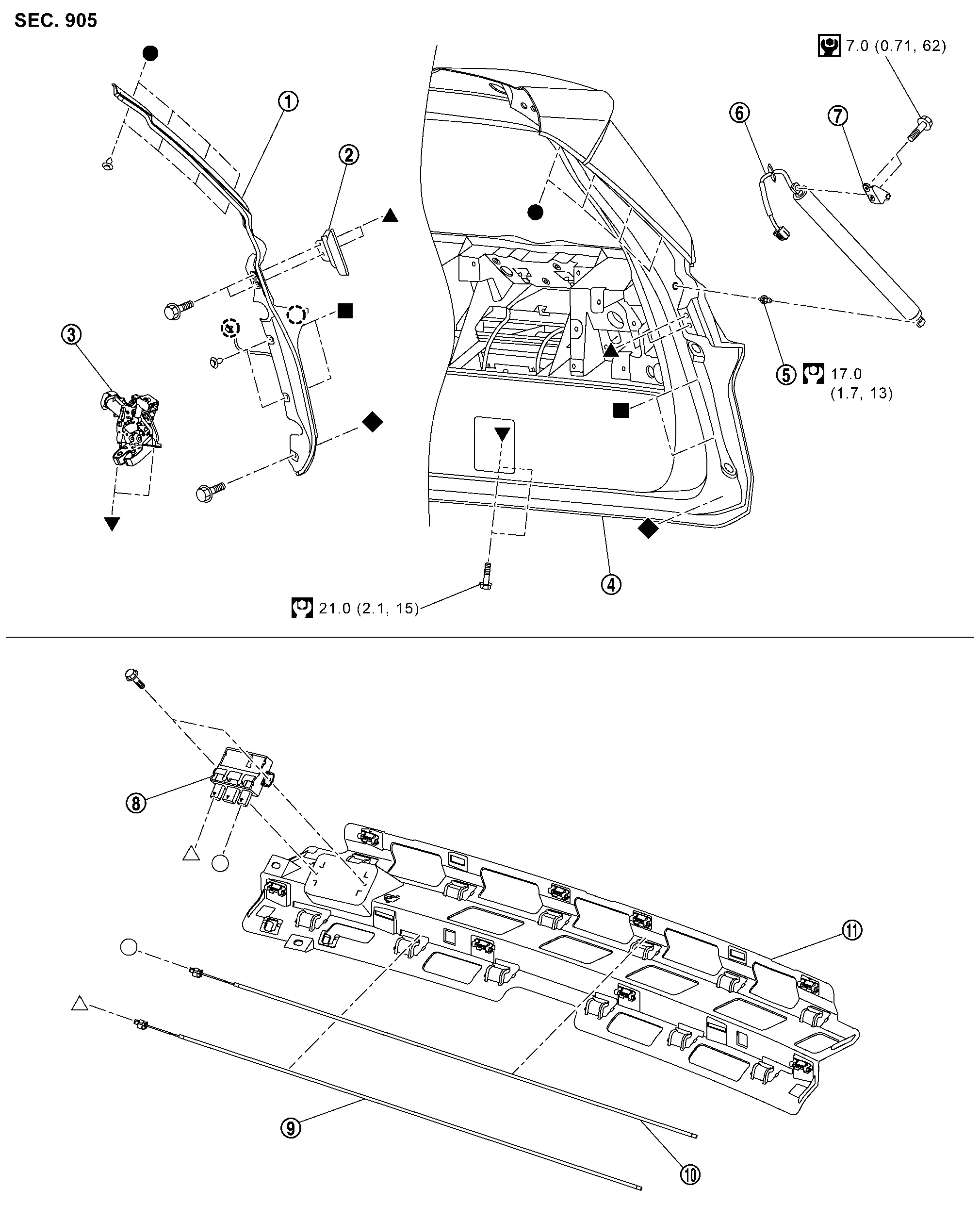
|
Back door touch sensor | |
Back door side wedge |  |
Back door lock & closure assembly |
 |
Back door panel |  |
Stud ball |  |
Spindle unit |
 |
Spindle unit bracket |  |
Hands free sensor control unit |  |
Hands free sensor lower |
 |
Hands free sensor upper |  |
Rear bumper bracket | ||
 |
: N·m (kg-m, in-lb) | ||||
|
: N·m (kg-m, ft-lb) | ||||
,  , ,  , ,  , ,  , ,  , ,  : Indicates that the part is connected at points with same symbol in actual Nissan Ariya vehicle. : Indicates that the part is connected at points with same symbol in actual Nissan Ariya vehicle. |
|||||
Back Door Lock
Removal and Installation
REMOVAL
Back door lock assembly
Remove back door inner finisher. Refer to Removal and Installation.
Disconnect back door lock assembly harness connector.
Remove back door lock assembly mounting bolts, and then remove back door lock assembly from back door panel.
Remove back door inner finisher. Refer to Removal and Installation.
Disconnect back door lock & closure assembly harness connector.
Remove back door lock & closure assembly mounting bolts, and then remove back door lock & closure assembly from back door panel.
INSTALLATION
Note the following item, and then install in the reverse order of removal.
CAUTION:
After installation, check back door lock. Refer to Inspection.
Inspection
After opening and closing the back door, check that door is fixed to the vehicle body normally.
Check the lock/unlock operation of door lock.
Unlock procedures
UNLOCK PROCEDURES
 NOTE:
NOTE:
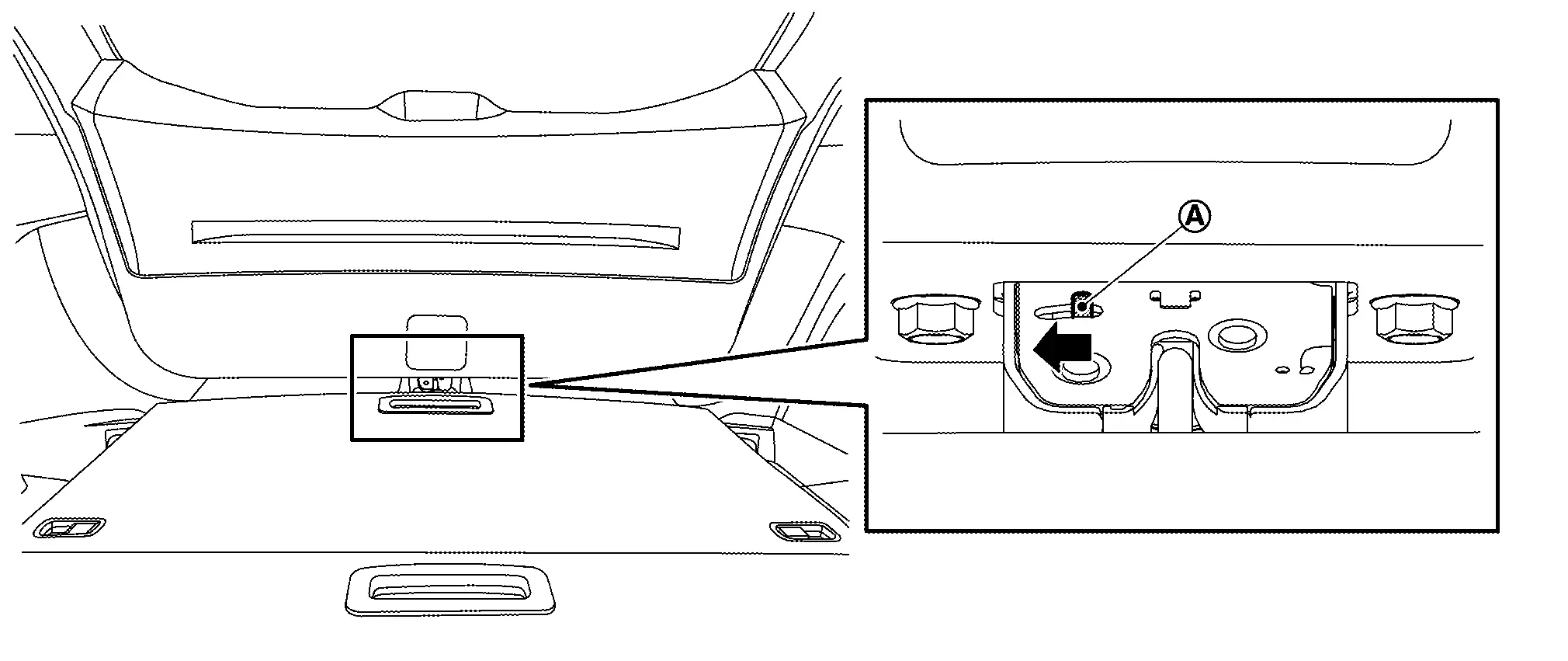
Release lock according to the following procedures when lock cannot be unlocked due to a malfunction of back door lock or battery discharge.
Operated opener lever  of back door lock assembly / back door lock & closure assembly to unlock back door lock.
Spindle Unit
Removal and Installation
REMOVAL
WARNING:
Support back door with a proper material and use protective tape or shop cloth to protect back door and body from falling and damage when removing and installing spindle unit.
Disconnect battery cables from 12V battery negative terminal and sub battery negative terminal. Refer to Removal and Installation.
Remove luggage side upper finisher. Refer to Removal and Installation.
Disconnect spindle unit harness connector .
-
Left side
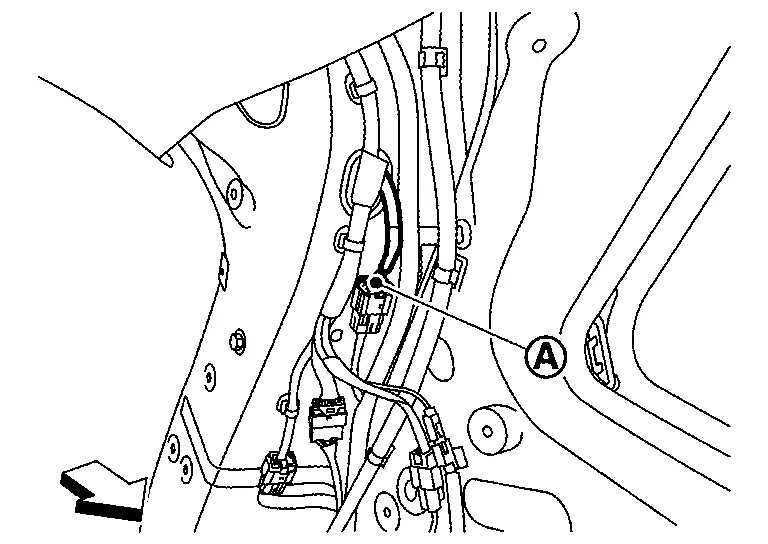

: Nissan Ariya Vehicle front -
Right side
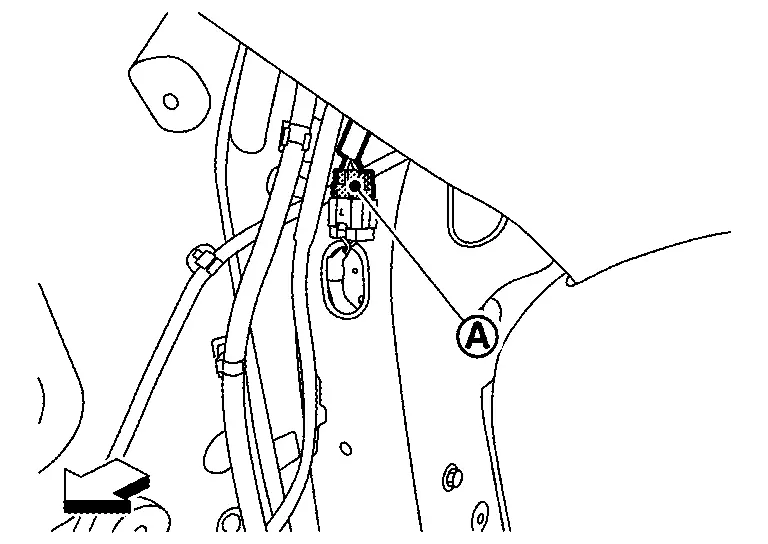
: Nissan Ariya Vehicle front
Remove harness grommet from back main center pillar, and then pull out spindle unit harness from Nissan Ariya vehicle body.
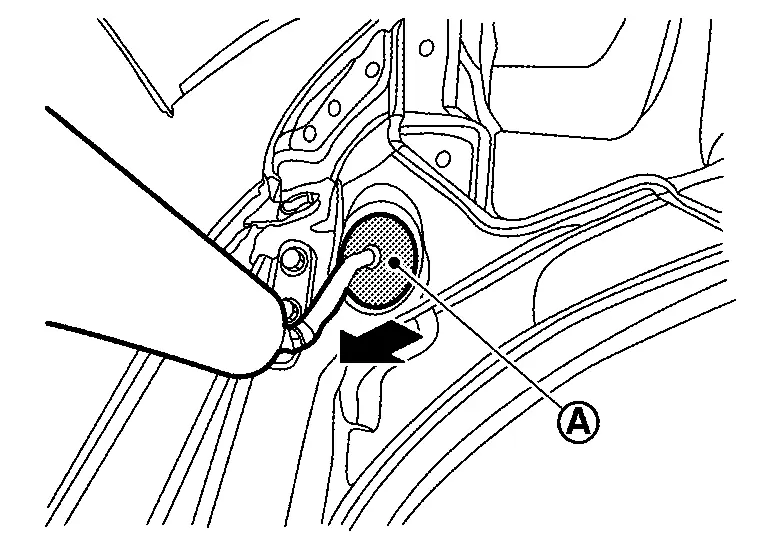
Support back door panel with a proper material to prevent it from falling.
WARNING:
Injury may occur if back door panel is not supported with appropriate material when removing back door assembly.
Remove metal clip located on connection between spindle unit and stud ball to using a remover tool (A) according to the numerical order 1→2 indicated by arrows as shown in figure.
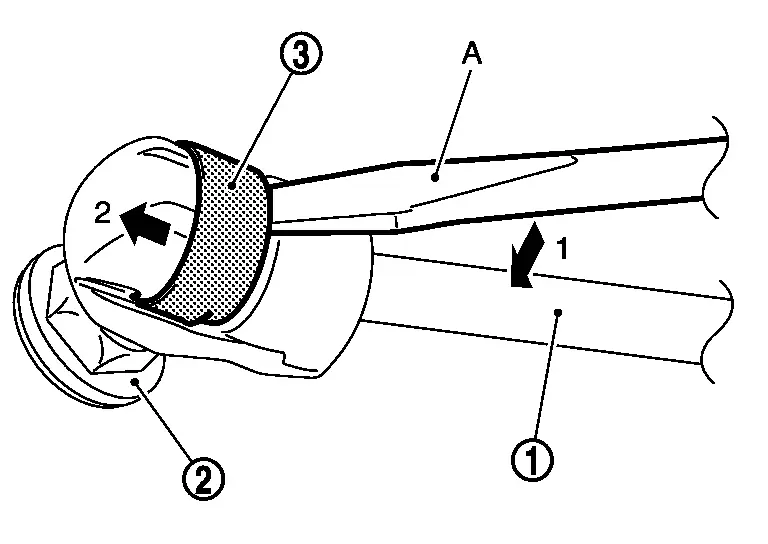
Disengage spindle unit from stud ball bracket.
Repeat the same operation to disengage spindle unit from stud ball of spindle unit bracket, and then remove spindle unit.
INSTALLATION
Note the following items, and then install in the reverse order of removal.
CAUTION:
-
Perform calibration of automatic back door position information. Refer to Work Procedure.
-
After installation, check back door lock. Refer to Inspection.
Touch Sensor
Removal and Installation
REMOVAL
Remove back door inner finisher. Refer to Removal and Installation.
Disconnect back door touch sensor harness connector , and then disengage back door touch sensor harness connector fixing clip  .
.
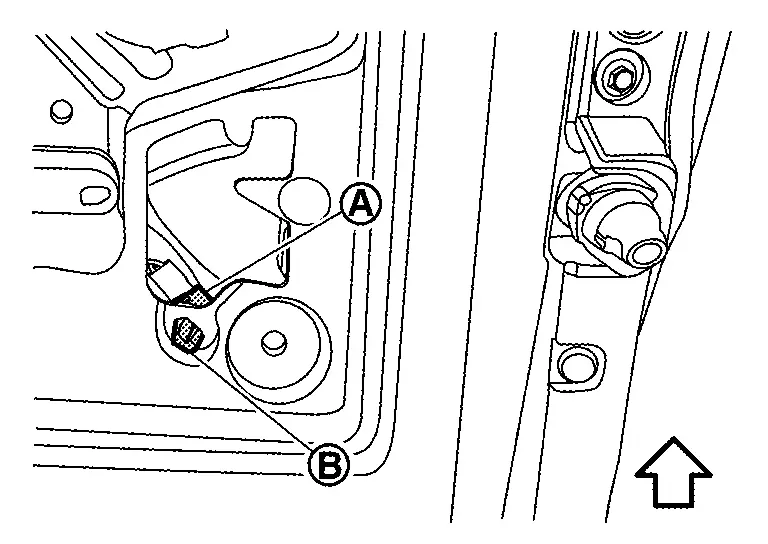
|
: Nissan Ariya Vehicle front |
Remove back door touch sensor fixing clip.
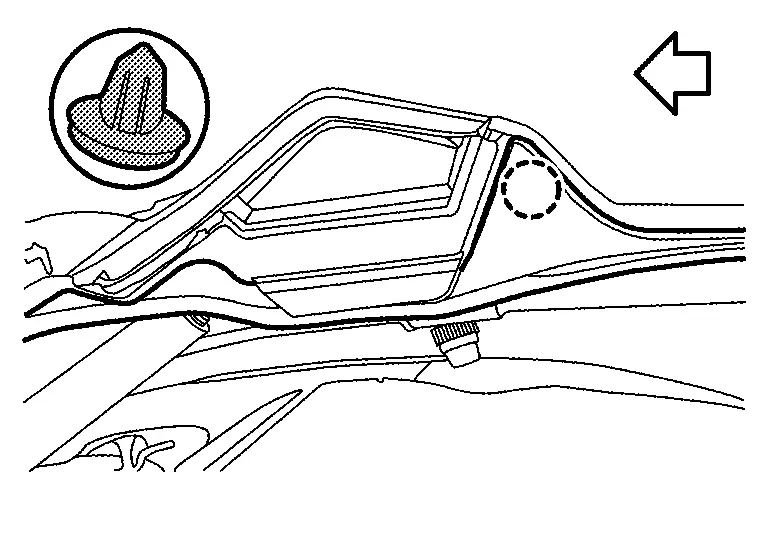
 |
: Clip |
|
: Nissan Ariya Vehicle front |
Remove back door touch sensor mounting bolts and fixing clips.
Remove harness grommet from back door panel, and then pull out back door touch sensor harness from back door panel and remove back door touch sensor.
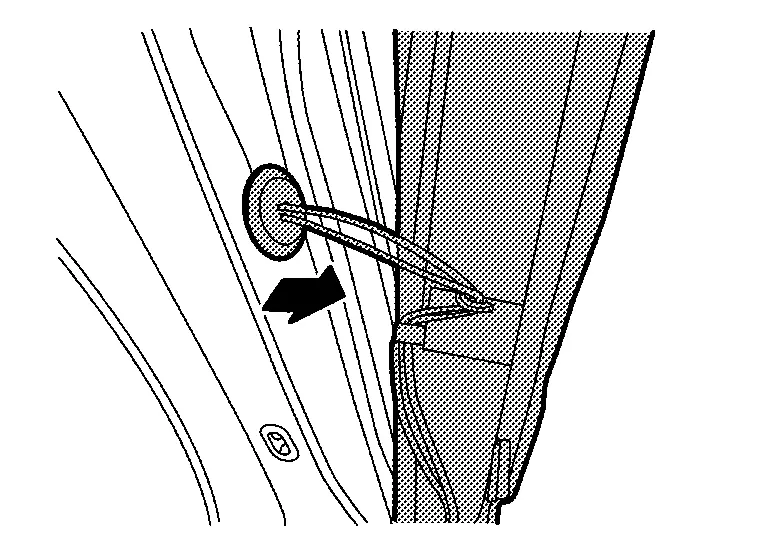
INSTALLATION
Note the following items, and then install in the reverse order of removal.
CAUTION:
-
When installing, install fixing clips and tighten mounting bolts according to numerical order 1→10 as shown in figure.
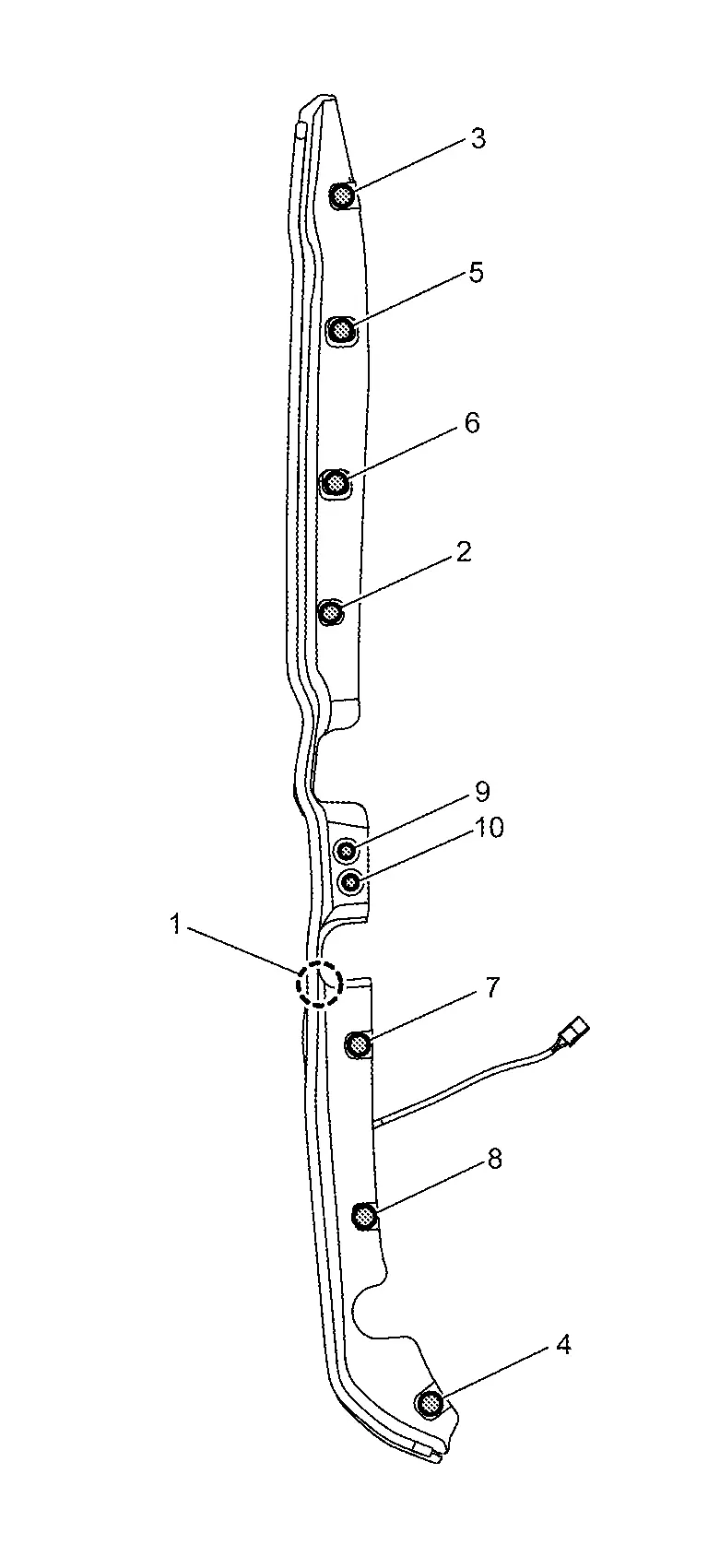
: Clip -
After installing, check that there is no clearance between back door touch sensor and back door panel.
-
After installation, check that back door turns over normally by back door touch sensor.
-
After installation, check door lock. Refer to Inspection.
Hands Free Sensor Control Unit
Removal and Installation
REMOVAL
Remove rear bumper fascia. Refer to Removal and Installation.
Disconnect hands free sensor harness connectors, and then remove hands free sensor upper and lower from rear bumper bracket.
Remove hands free sensor control unit mounting bolts, and then remove hands free sensor control unit.
INSTALLATION
Note the following item, and then install in the reverse order of removal.
CAUTION:
-
After installation, check door lock. Refer to Inspection.
-
Never confuse hands free sensor upper (white harness) and hands free sensor lower (yellow harness).
Other materials:
Operation
Vehicle-To-Vehicle Distance Control Mode Function
7 Inch Information Display
Operation
SWITCH NAME AND FUNCTION No. Switch name Description
ProPILOT Assist MAIN switch
ProPILOT Assist MAIN switch to activate the system (Press for less than 1.5 seconds)
CANCEL switch
Pressi ...
System Description. System
Eps System
System Description
SYSTEM DIAGRAM Parts name Function
Power steering control module
Refer to STEERING GEAR ASSEMBLY.
EPS motor
Refer to STEERING GEAR ASSEMBLY.
Power steering torque sensor
Refer to STEERING GEAR ASSEMBLY.
ECM
Transmits mainly the foll ...
Removal and Installation. Inside Key Antenna
Japan Production Models
Removal and Installation
REMOVALRemove luggage rear plate. Refer to Removal and Installation.
Remove inside key antenna fixing clips , and then remove inside key antenna .
INSTALLATIONNote the following items, and then install in the reverse order of removal.CAUTION:
N ...