
Nissan Rogue (T33) 2021-Present Service Manual: Removal and Installation :: 12v Battery Current Sensor
Exploded View
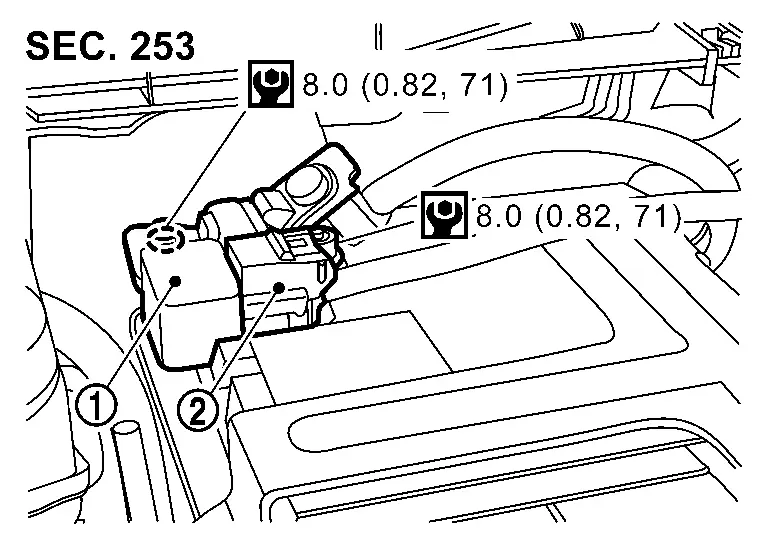
 |
: 12V battery current sensor |
 |
: Harness connector |
 |
: N·m (kg-m, in-lb) |
Removal and Installation
REMOVAL
Disconnect the 12V battery current sensor connector .
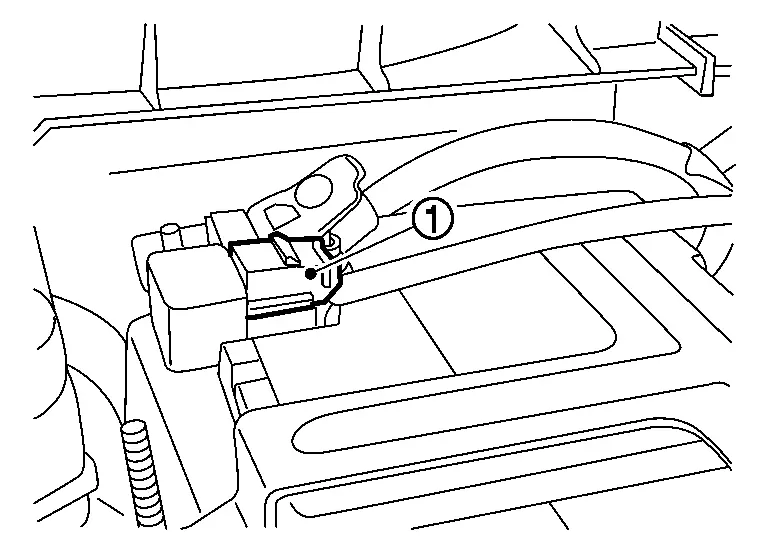
Remove negative cable mounting nut  , and then remove the negative cable .
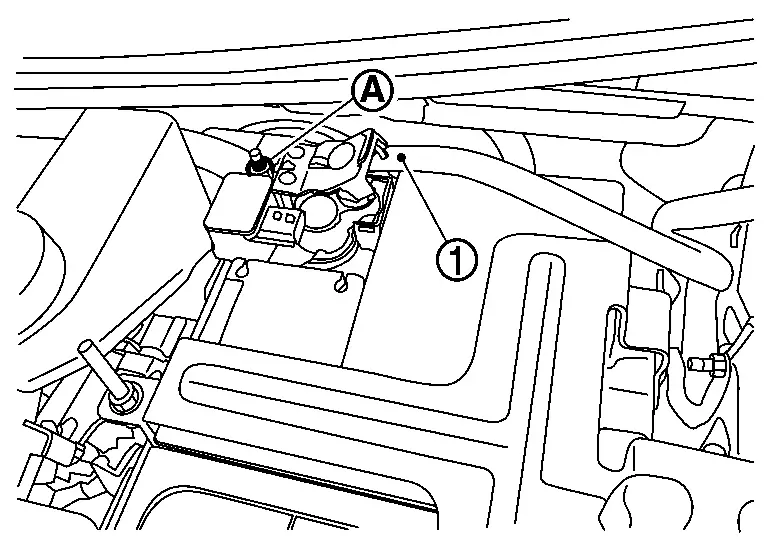
Loosen 12V battery current sensor mounting nut , and then remove the 12V battery current sensor .

INSTALLATION
Installation is in the reverse order of removal.
CAUTION:
Perform Required Procedure After Battery Disconnection.
Other materials:
Removal and Installation. Rear Wheel House Protector
Exploded View
Rear wheel house protector
Spring nut
: Nissan Ariya Vehicle front
Removal and Installation
REMOVALRemove rear fillet molding rear. Refer to Removal and Installation.
Remove rear parting seal. Refer to Removal and Installation.
Remove rear defle ...
Remplacement des roues et des pneus
Permutation des pneus
NISSAN recommande de permuter régulièrement les pneus du Nissan Rogue selon les intervalles indiqués dans le programme d’entretien officiel afin d’assurer une usure uniforme, une meilleure longévité des pneus et un comportement routier optimal.
(Reportez-vo ...
C1077-55 Dds Switch
DTC Description
DTC DETECTION LOGIC DTC No.
CONSULT screen terms
(Trouble diagnosis content) DTC detection condition
C1077
55
DDS switch
(DDS switch)
Diagnosis condition
When ignition switch is ON.
When the power supply voltage is normal.
Signal (terminal)
...