
Nissan Rogue (T33) 2021-Present Service Manual: Operation
I-Fcw
7 Inch Information Display
Operation
SWITCH NAME AND FUNCTION
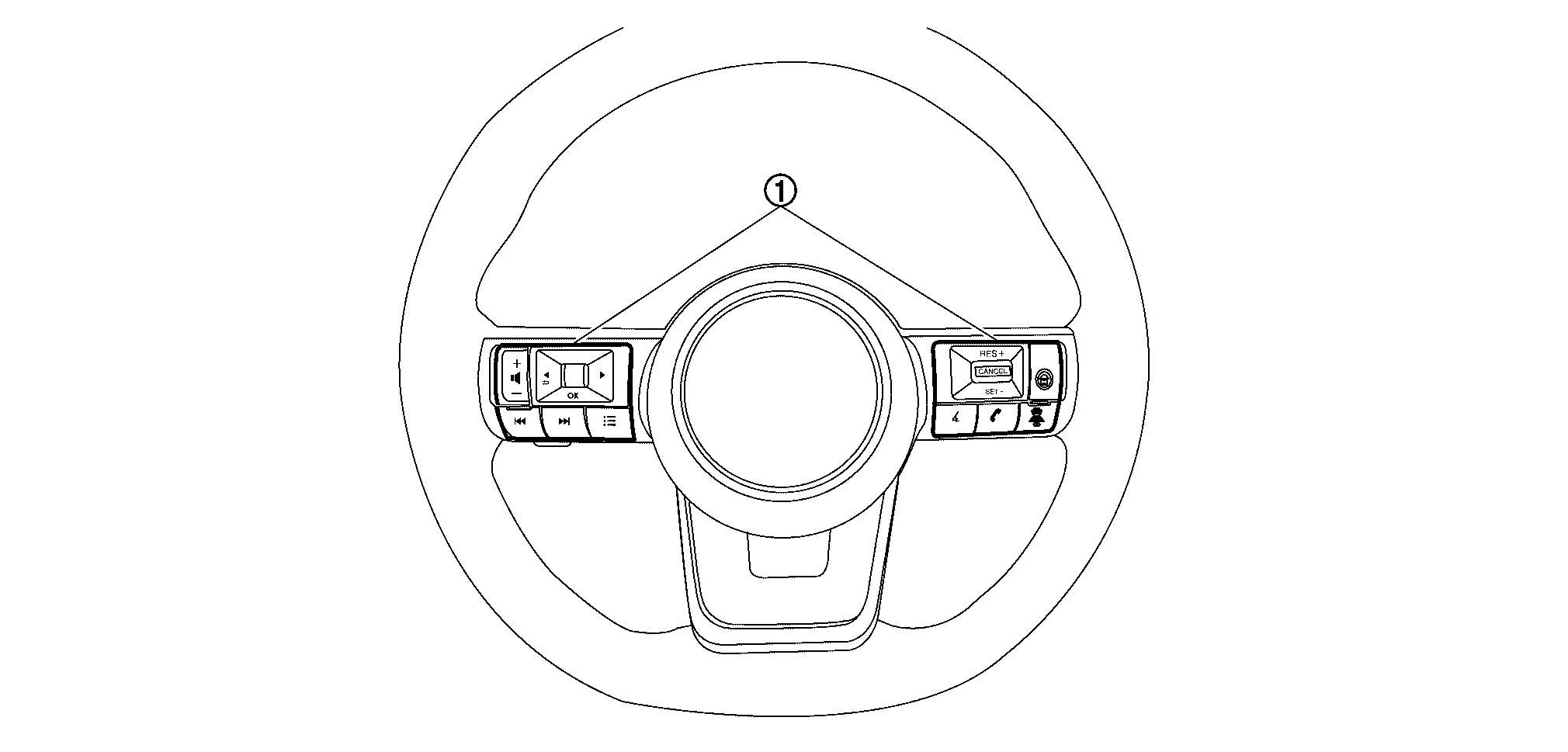
| No. | Switch name | Description |
|---|---|---|
 |
Steering switch |
|
SYSTEM DISPLAY
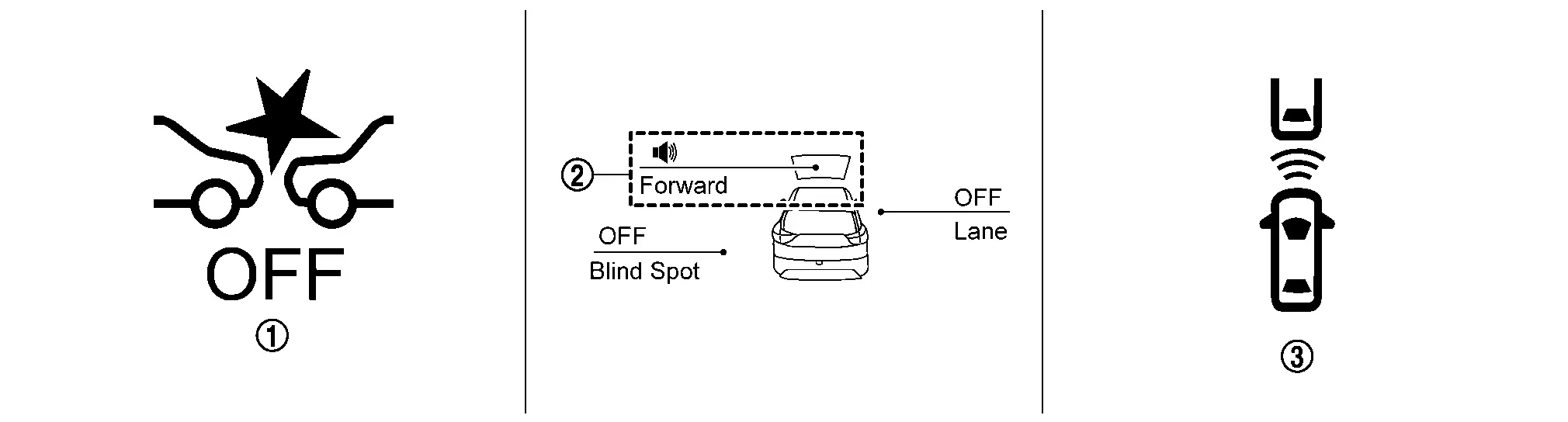
| No. | Switch name | Description |
|---|---|---|
|
AEB warning lamp |
|
 |
I-FCW system indicator |
|
 |
Nissan Ariya Vehicle ahead indicator (Information display) |
|
DISPLAY AND WARNING
System Display
| Condition | Action | Display on information display | Warning lamp | Buzzer | |
|---|---|---|---|---|---|
| I-FCW OFF | — |
|
ON | OFF | |
| I-FCW ON | There is not a possibility of a collision with the Nissan Ariya vehicle ahead | — |
I-FCW system indicator: White Speaker icon: White
|
OFF | OFF |
| There is a possibility of a collision with the Nissan Ariya vehicle ahead | — |
Yellow (Blink)
|
OFF | Beep | |
|
I-FCW system indicator: Yellow (Blink) Speaker icon: White
|
|||||
| I-FCW system malfunction | The I-FCW system is automatically canceled* |
Malfunction See Owner's Manual |
ON | Beep | |
|
The I-FCW system is automatically canceled* |
Forward Driving Aids temporarily disabled Front Sensor blocked See Owner's Manual |
ON | OFF | |
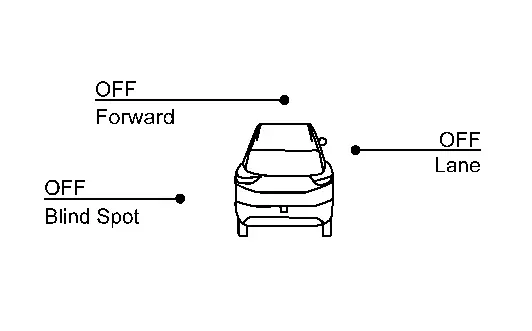
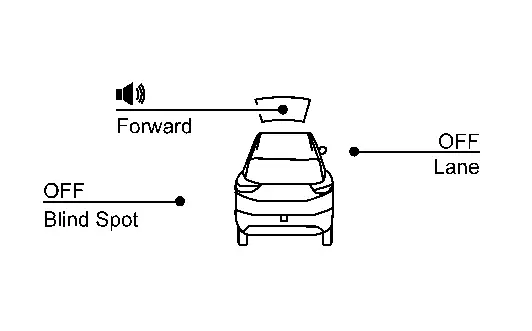
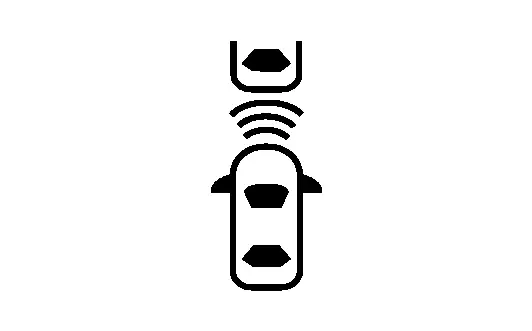
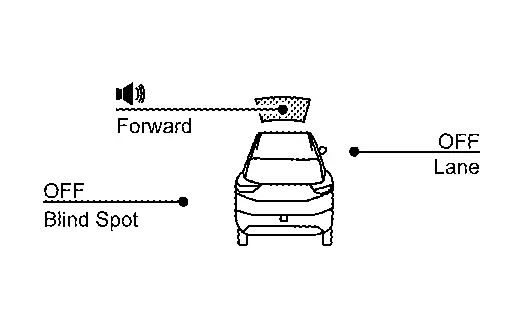
*: The system operates if the ignition switch is turned OFF⇒ON after the condition improves
Full Tft Meter
Operation
SWITCH NAME AND FUNCTION
| No. | Switch name | Description |
|---|---|---|
|
Steering switch |
|
SYSTEM DISPLAY
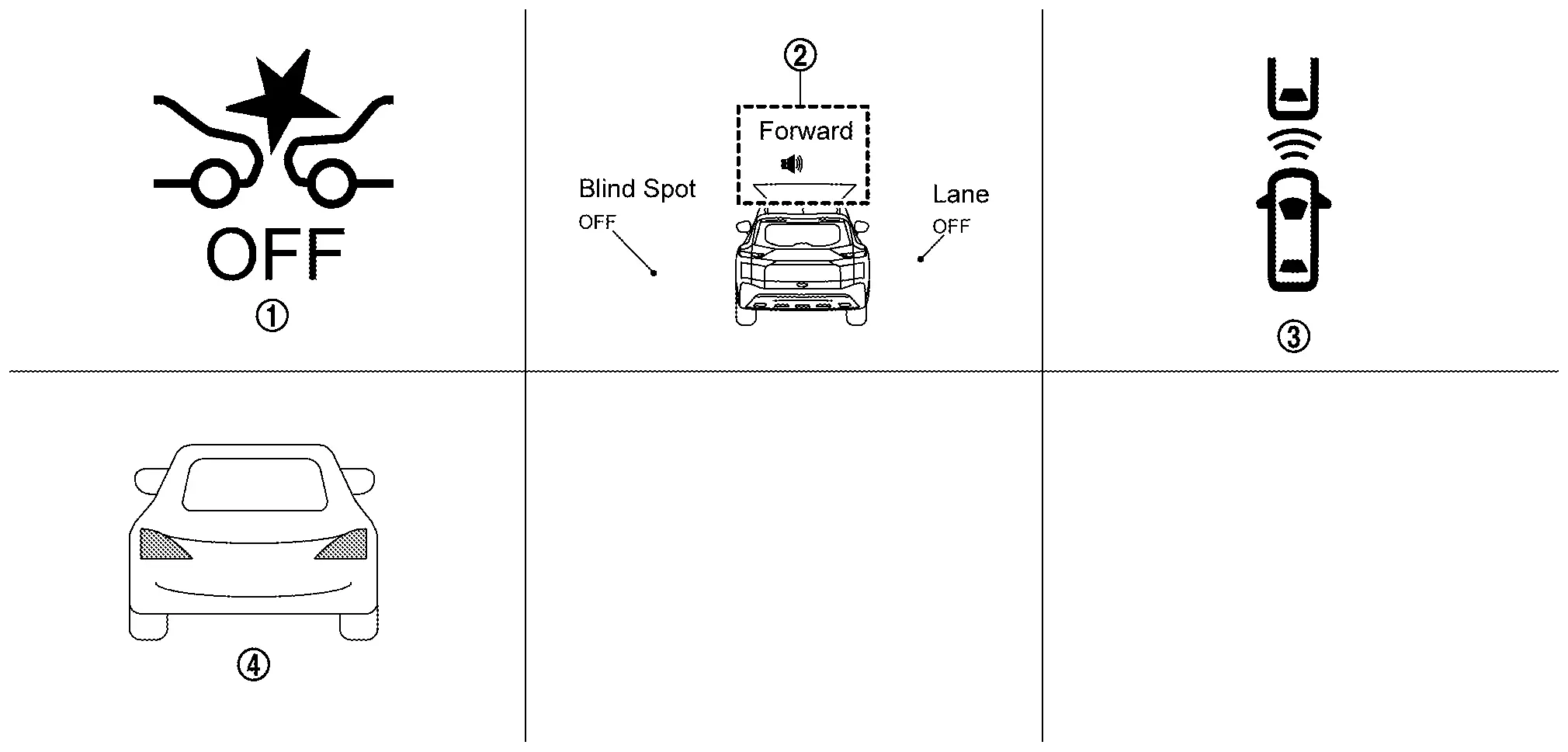
| No. | Switch name | Description |
|---|---|---|
|
AEB warning lamp |
|
|
I-FCW system indicator |
|
|
Nissan Ariya Vehicle ahead indicator (Information display) |
|
 |
Nissan Ariya Vehicle ahead indicator (Head Up Display) |
|
DISPLAY AND WARNING
System Display
| Condition | Action | Display on information display | Display on Head Up Display | Warning lamp | Buzzer | |
|---|---|---|---|---|---|---|
| I-FCW OFF | — |
|
— | ON | OFF | |
| I-FCW ON | There is not a possibility of a collision with the Nissan Ariya vehicle ahead | — |
I-FCW system indicator: White Speaker icon: White
|
— | OFF | OFF |
| There is a possibility of a collision with the Nissan Ariya vehicle ahead | — |
Yellow (Blink)
|
Yellow (Blink)
|
OFF | Beep | |
|
I-FCW system indicator: Yellow (Blink) Speaker icon: White
|
||||||
| I-FCW system malfunction | The I-FCW system is automatically canceled* |
Malfunction See Owner's Manual |
— | ON | Beep | |
|
The I-FCW system is automatically canceled* |
Forward Driving Aids temporarily disabled Front Sensor blocked See Owner's Manual |
— | ON | OFF | |
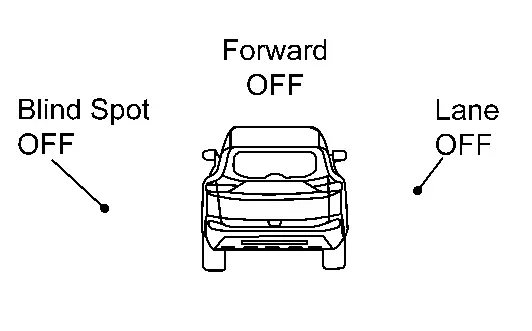
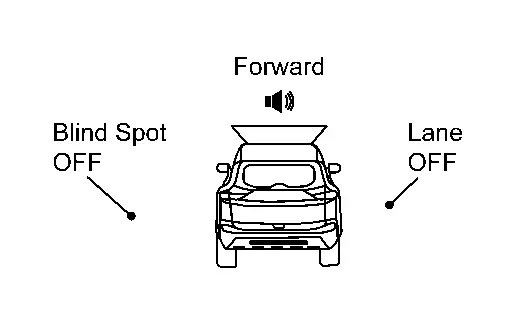
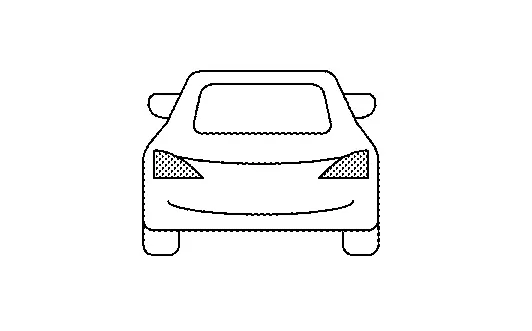
*: The system operates if the ignition switch is turned OFF⇒ON after the condition improves
Ldw
7 Inch Information Display
Operation
Switch Name and Function
| No. | Switch name | Description |
|---|---|---|
|
Steering switch |
|
SYSTEM DISPLAY
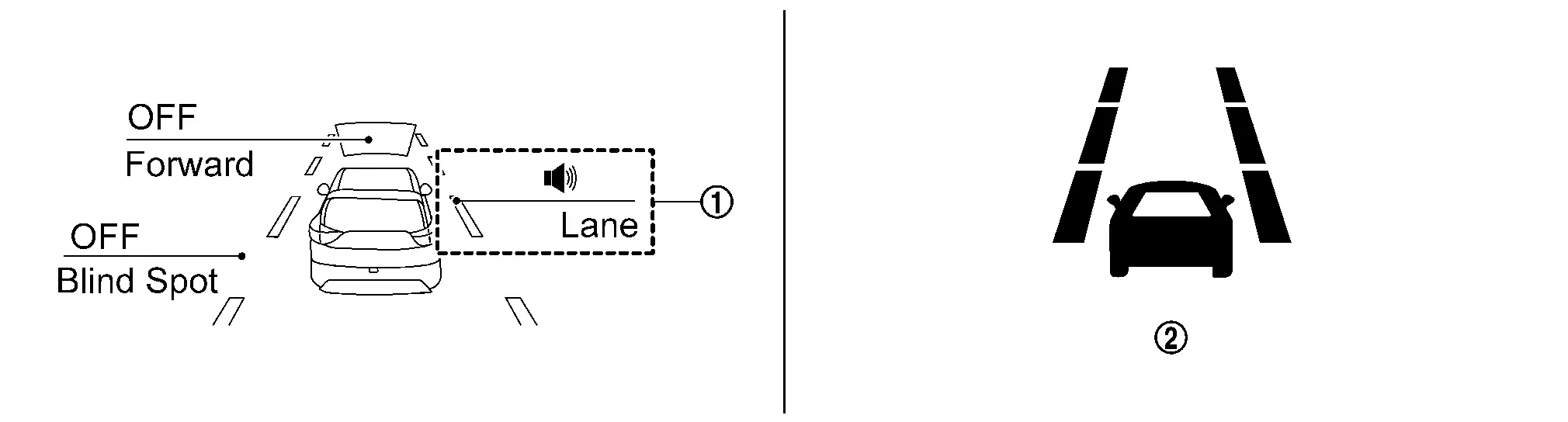
| No. | Switch name | Description |
|---|---|---|
|
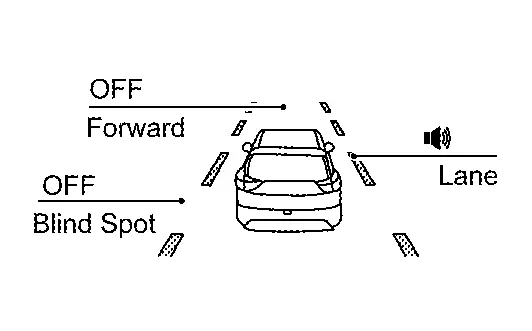
LDW system indicator | Indicates that LDW system is ON |
|
LDW indicator | Displayed when LDW is activated |
DISPLAY AND WARNING
System Display
| Condition | Action | Display on information display | Steering vibration | |||
|---|---|---|---|---|---|---|
| LDW OFF | — |
|
OFF | |||
| LDW ON | Nissan Ariya Vehicle speed is less than approx. 55 km/h (34 MPH) | — |
LDW system indicator : White Speaker icon : White
|
OFF | ||
| Nissan Ariya Vehicle speed is approx. 55 km/h (34 MPH) or more | Vehicle closes to lane marker | Turn signal is OFF or ON (Opposite to the deviate side) | — |
Yellow (Blink)
|
ON | |
|
LDW system indicator : Yellow (Blink) Speaker icon : White
|
||||||
| Turn signal is ON(Deviate side) | — |
LDW system indicator : White Speaker icon : White
|
OFF | |||
| LDW is malfunction |
The LDW system is automatically canceled.
The system operates if the ignition switch is turned OFF⇒ON after the condition improves |
Not Available System Malfunction |
OFF | |||
| Front camera unit high temperature |
The LDW system is automatically canceled.
The system operates if the ignition switch is turned OFF⇒ON after the condition improves |
Unavailable Camera Temperature High |
OFF | |||
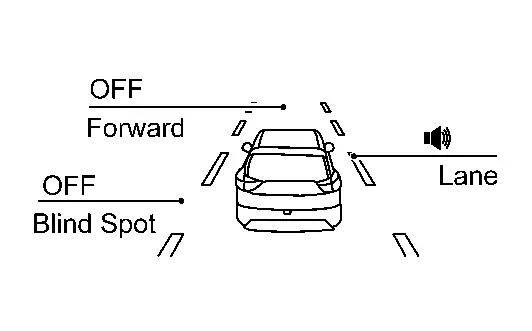
 NOTE:
NOTE:
After the operating conditions of warning are satisfied, the warning continues until the Nissan Ariya vehicle speed reaches approximately 55 km/h (34 MPH). Refer to System Description.
Full Tft Meter
Operation
Switch Name and Function
| No. | Switch name | Description |
|---|---|---|
|
Steering switch |
|
SYSTEM DISPLAY
| No. | Switch name | Description |
|---|---|---|
|
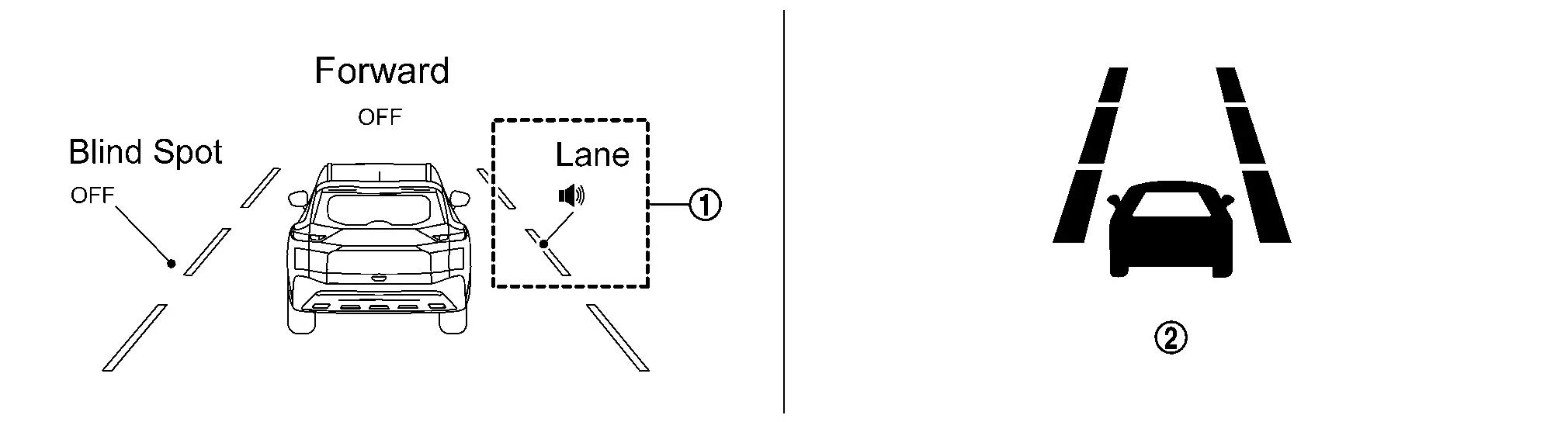
LDW system indicator | Indicates that LDW system is ON |
|
LDW indicator | Displayed when LDW is activated |
DISPLAY AND WARNING
System Display
| Condition | Action | Display on information display | Steering vibration | |||
|---|---|---|---|---|---|---|
| LDW OFF | — |
|
OFF | |||
| LDW ON | Nissan Ariya Vehicle speed is less than approx. 55 km/h (34 MPH) | — |
LDW system indicator : White Speaker icon : White
|
OFF | ||
| Nissan Ariya Vehicle speed is approx. 55 km/h (34 MPH) or more | Vehicle closes to lane marker | Turn signal is OFF or ON (Opposite to the deviate side) | — |
Yellow (Blink)
|
ON | |
|
LDW system indicator : Yellow (Blink) Speaker icon : White
|
||||||
| Turn signal is ON(Deviate side) | — |
LDW system indicator : White Speaker icon : White
|
OFF | |||
| LDW is malfunction |
The LDW system is automatically canceled.
The system operates if the ignition switch is turned OFF⇒ON after the condition improves |
Not Available System Malfunction |
OFF | |||
| Front camera unit high temperature |
The LDW system is automatically canceled.
The system operates if the ignition switch is turned OFF⇒ON after the condition improves |
Unavailable Camera Temperature High |
OFF | |||
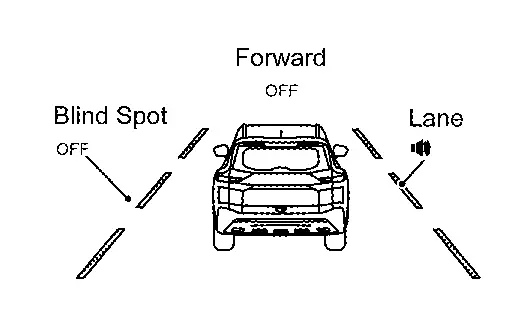
NOTE:
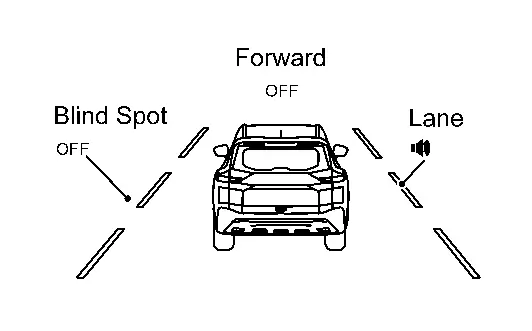
After the operating conditions of warning are satisfied, the warning continues until the Nissan Ariya vehicle speed reaches approximately 55 km/h (34 MPH). Refer to System Description.
I-Li
7 Inch Information Display
Operation
Switch Name and Function
| No. | Switch name | Description |
|---|---|---|
|
Steering switch |
|
SYSTEM DISPLAY
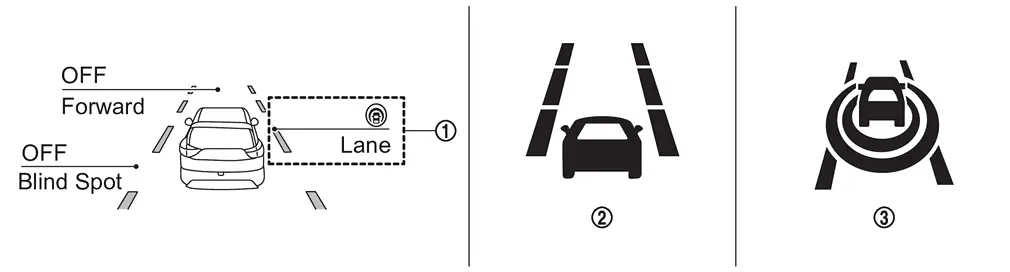
| No. | Switch name | Description |
|---|---|---|
|
I-LI system indicator | Indicates that I-LI system is ON |
|
LDW indicator |
|
|
I-LI indicator | Indicates that I-LI system is ON |
DISPLAY AND WARNING
System Display
When the ProPILOT Assist switch is pressed while the engine is running, the I-LI system operates.
| Condition | Action | Display on information display | Steering vibration | |||
|---|---|---|---|---|---|---|
| I-LI OFF | — |
|
OFF | |||
| I-LI ON | Nissan Ariya Vehicle speed is less than approx. 60 km/h (37 MPH) | — |
White
|
OFF | ||
|
I-LI system indicator: White Dynamic driver assistance icon: White
|
||||||
| Nissan Ariya Vehicle speed is approx. 60 km/h (37 MPH) or more | Vehicle closes to lane marker | Turn signal is OFF or ON (Opposite to the deviate side) | Yawing control is ON |
Yellow (Blink)
|
ON | |
|
I-LI system indicator: Yellow (Blink) Dynamic driver assistance icon: White
|
||||||
| Turn signal is ON (Deviate side) | — |
I-LI system indicator: White Dynamic driver assistance icon: White
|
OFF | |||
| Nissan Ariya Vehicle closes to lane marker with soft braking | — | Yawing control is ON |
Yellow (Blink)
|
ON | ||
|
I-LI system indicator: Yellow (Blink) Dynamic driver assistance icon: White
|
||||||
| I-LI is malfunction |
The I-LI system is automatically canceled.
The system operates if the ignition switch is turned OFF⇒ON after the condition improves |
Yellow
|
OFF | |||
| Malfunction See Owner's Manual | ||||||
| Front camera unit high temperature |
The I-LI system is automatically canceled.
The system operates if the ignition switch is turned OFF⇒ON after the condition improves |
Unavailable Camera Temperature High |
OFF | |||
| When the VDC or ABS (Including the TCS) operates |
The I-LI system is automatically canceled.
The system operates if the ignition switch is turned OFF⇒ON after the condition improves |
Unavailable Slippery Road |
OFF | |||
|
The I-LI system is automatically canceled.
The system operates if the ignition switch is turned OFF⇒ON after the condition improves |
Currently Unavailable | OFF | |||
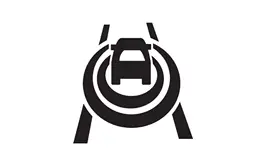
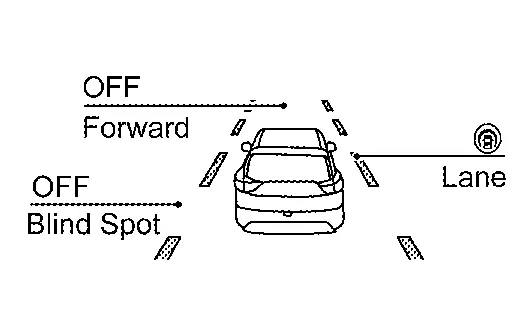
NOTE:
After the operating conditions of warning are satisfied, the warning continues until the Nissan Ariya vehicle speed reaches approximately 60 km/h (37 MPH). Refer to System Description.
Full Tft Meter
Operation
Switch Name and Function
| No. | Switch name | Description |
|---|---|---|
|
Steering switch |
|
SYSTEM DISPLAY
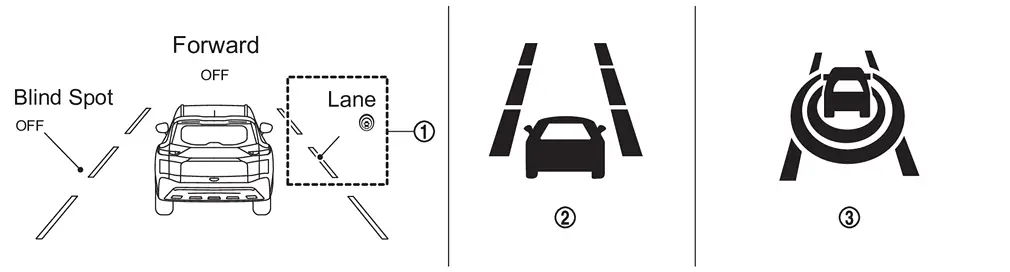
| No. | Switch name | Description |
|---|---|---|
|
I-LI system indicator | Indicates that I-LI system is ON |
|
LDW indicator |
|
|
I-LI Indicator | Indicates that I-LI system is ON |
DISPLAY AND WARNING
System Display
When the ProPILOT Assist switch is pressed while the engine is running, the I-LI system operates.
| Condition | Action | Display on information display | Steering vibration | |||
|---|---|---|---|---|---|---|
| I-LI OFF | — |
|
OFF | |||
| I-LI ON | Nissan Ariya Vehicle speed is less than approx. 60 km/h (37 MPH) | — |
White
|
OFF | ||
|
I-LI system indicator: White Dynamic driver assistance icon : White
|
||||||
| Nissan Ariya Vehicle speed is approx. 60 km/h (37 MPH) or more | Vehicle closes to lane marker | Turn signal is OFF or ON (Opposite to the deviate side) | Yawing control is ON |
Yellow (Blink)
|
ON | |
|
I-LI system indicator: Yellow (Blink) Dynamic driver assistance icon : White
|
||||||
| Turn signal is ON (Deviate side) | — |
I-LI system indicator: White Dynamic driver assistance icon : White
|
OFF | |||
| Nissan Ariya Vehicle closes to lane marker with soft braking | — | Yawing control is ON |
Yellow (Blink)
|
ON | ||
|
I-LI system indicator: Yellow (Blink) Dynamic driver assistance icon : White
|
||||||
| I-LI is malfunction |
The I-LI system is automatically canceled.
The system operates if the ignition switch is turned OFF⇒ON after the condition improves |
Yellow
|
OFF | |||
|
Malfunction See Owner's Manual |
||||||
| Front camera unit high temperature |
The I-LI system is automatically canceled.
The system operates if the ignition switch is turned OFF⇒ON after the condition improves |
Unavailable Camera Temperature High |
OFF | |||
| When the VDC or ABS (Including the TCS) operates |
The I-LI system is automatically canceled.
The system operates if the ignition switch is turned OFF⇒ON after the condition improves |
Unavailable Slippery Road |
OFF | |||
|
The I-LI system is automatically canceled.
The system operates if the ignition switch is turned OFF⇒ON after the condition improves |
Currently Unavailable | OFF | |||
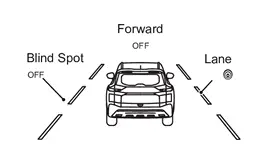
NOTE:
After the operating conditions of warning are satisfied, the warning continues until the Nissan Ariya vehicle speed reaches approximately 60 km/h (37 MPH). Refer to System Description.
Bsw
7 Inch Information Display
Operation
Switch Name and Function
| No. | Switch name | Description |
|---|---|---|
|
Steering switch |
|
SYSTEM DISPLAY
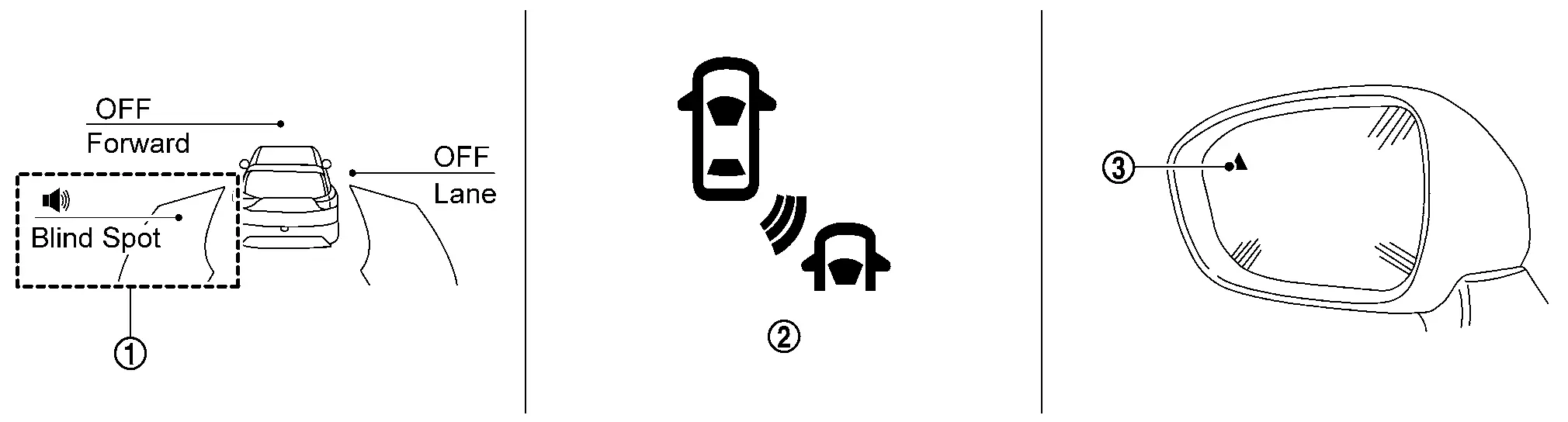
| No. | Switch name | Description |
|---|---|---|
|
BSW system indicator | Indicates that BSW system is ON |
|
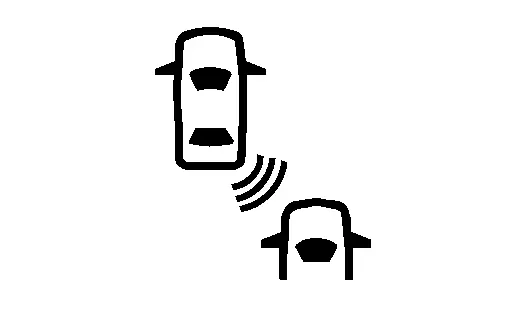
BSW indicator |
|
|
BSW indicator LH/RH |
|
DISPLAY AND WARNING
System Display
| Condition | Action | Indication on the BSW indicator | Display on information display | Buzzer | |||
|---|---|---|---|---|---|---|---|
| BSW OFF | — | OFF |
|
OFF | |||
| BSW ON | Nissan Ariya Vehicle speed is less than approx. 29 km/h (18 MPH) | — | OFF |
BSW system indicator : White Speaker icon : White
|
OFF | ||
| Nissan Ariya Vehicle speed is approx. 32 km/h (20 MPH) or more | Vehicle is not detected | — | OFF |
BSW system indicator : White Speaker icon : White
|
OFF | ||
| Nissan Ariya Vehicle is detected | Turn signal is OFF | — | ON |
BSW system indicator : White Speaker icon : White
|
OFF | ||
| Nissan Ariya Vehicle is detected before turn signal operates | Turn signal is ON (Nissan Ariya vehicle detected direction) | — | Blink |
Yellow (Blink)
|
Short continuous beeps | ||
|
BSW system indicator : Yellow (Blink) Speaker icon : White
|
|||||||
| Nissan Ariya Vehicle is detected after turn signal operates | Turn signal is ON (vehicle detected direction) | — | Blink |
Yellow (Blink)
|
OFF | ||
|
BSW system indicator : Yellow (Blink) Speaker icon : White
|
|||||||
| BSW is malfunction |
The BSW system is automatically canceled.
The system operates if the ignition switch is turned OFF⇒ON after the condition improves |
OFF |
Yellow
|
OFF | |||
|
Malfunction See Owner's Manual |
|||||||
| Dirt around the side radar |
The BSW system is automatically canceled.
The system operates if the ignition switch is turned OFF⇒ON after the condition improves |
OFF |
Unavailable Side Radar Obstruction |
OFF | |||
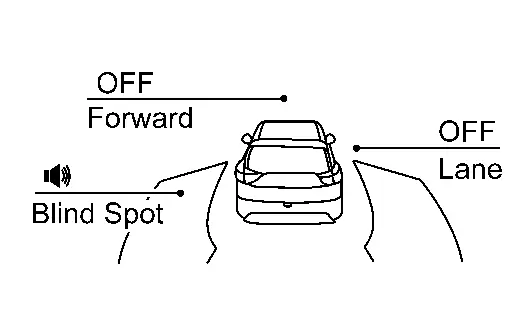
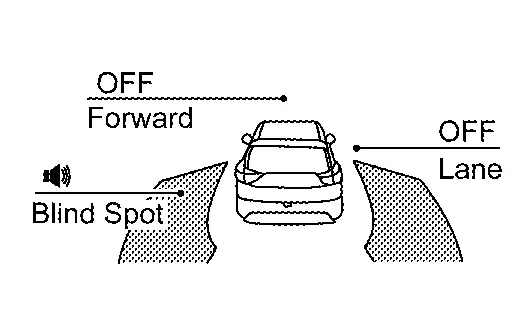
NOTE:
-
If vehicle speed exceeds approximately 32 km/h (20 MPH), BSW function operates until the Nissan Ariya vehicle speed becomes lower than approximately 29 km/h (18 MPH).
-
Time shown in the figure is approximate time.
Full Tft Meter
Operation
Switch Name and Function
| No. | Switch name | Description |
|---|---|---|
|
Steering switch |
|
SYSTEM DISPLAY
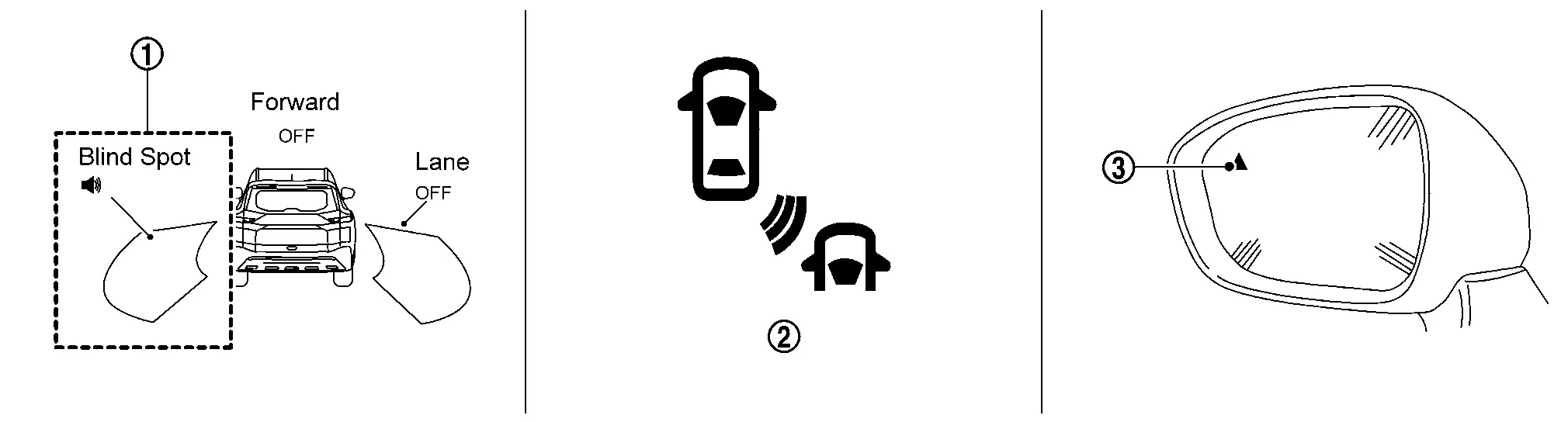
| No. | Switch name | Description |
|---|---|---|
|
BSW system indicator | Indicates that BSW system is ON |
|
BSW indicator |
|
|
BSW indicator LH/RH |
|
DISPLAY AND WARNING
System Display
| Condition | Action | Indication on the BSW indicator | Display on information display | Buzzer | |||
|---|---|---|---|---|---|---|---|
| BSW OFF | — | OFF |
|
OFF | |||
| BSW ON | Nissan Ariya Vehicle speed is less than approx. 29 km/h (18 MPH) | — | OFF |
BSW system indicator : White Speaker icon : White
|
OFF | ||
| Nissan Ariya Vehicle speed is approx. 32 km/h (20 MPH) or more | Vehicle is not detected | — | OFF |
BSW system indicator : White Speaker icon : White
|
OFF | ||
| Nissan Ariya Vehicle is detected | Turn signal is OFF | — | ON |
BSW system indicator : White Speaker icon : White
|
OFF | ||
| Nissan Ariya Vehicle is detected before turn signal operates | Turn signal is ON (Nissan Ariya vehicle detected direction) | — | Blink |
Yellow (Blink)
|
Short continuous beeps | ||
|
BSW system indicator : Yellow (Blink) Speaker icon : White
|
|||||||
| Nissan Ariya Vehicle is detected after turn signal operates | Turn signal is ON (vehicle detected direction) | — | Blink |
Yellow (Blink)
|
OFF | ||
|
BSW system indicator : Yellow (Blink) Speaker icon : White
|
|||||||
| BSW is malfunction |
The BSW system is automatically canceled.
The system operates if the ignition switch is turned OFF⇒ON after the condition improves |
OFF |
Yellow
|
OFF | |||
|
Malfunction See Owner's Manual |
|||||||
| Dirt around the side radar |
The BSW system is automatically canceled.
The system operates if the ignition switch is turned OFF⇒ON after the condition improves |
OFF |
Unavailable Side Radar Obstruction |
OFF | |||
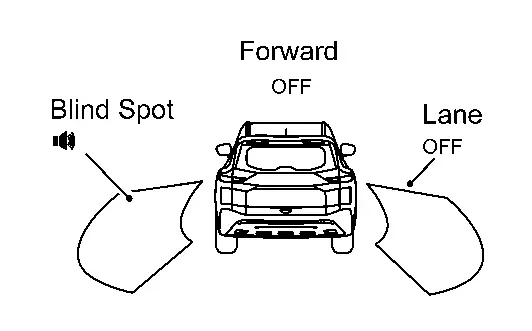
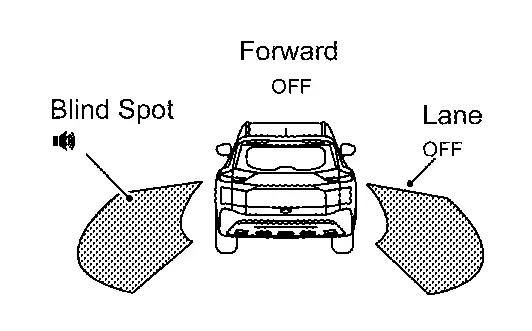
NOTE:
-
If vehicle speed exceeds approximately 32 km/h (20 MPH), BSW function operates until the Nissan Ariya vehicle speed becomes lower than approximately 29 km/h (18 MPH).
-
Time shown in the figure is approximate time.
I-Bsi
7 Inch Information Display
Operation
Switch Name and Function
| No. | Switch name | Description |
|---|---|---|
|
Steering switch |
|
SYSTEM DISPLAY
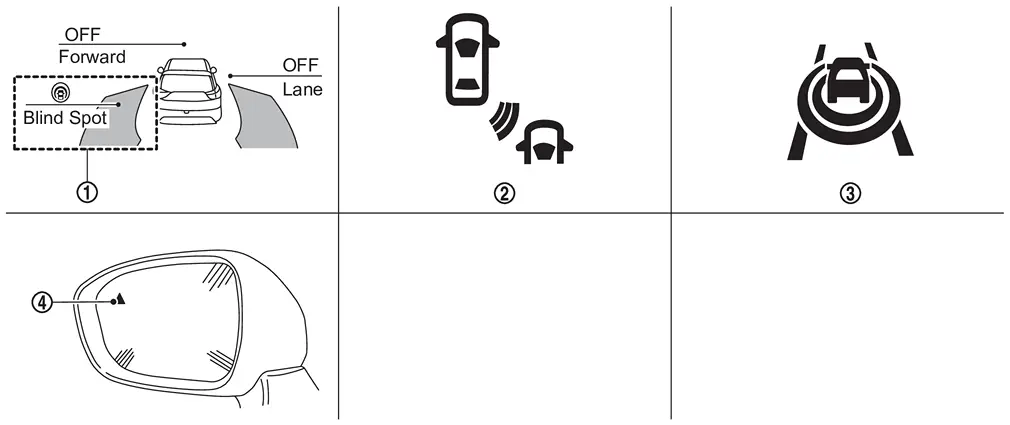
| No. | Switch name | Description |
|---|---|---|
|
I-BSI system indicator | Indicates that I-BSI system is ON |
|
I-BSI indicator |
|
 |
I-BSI ON indicator | Indicate that I-BSI system is ON |
|
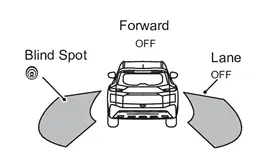
Blind Spot Warning/I-BSI indicator LH/RH | Illuminates when detect other Nissan Ariya vehicles beside vehicle in an adjacent lane |
DISPLAY AND WARNING
System Display
| Condition | Action | Indication on the BSW indicator | Display on information display | Buzzer | |||
|---|---|---|---|---|---|---|---|
| I-BSI OFF | — | OFF |
|
OFF | |||
| I-BSI ON | Nissan Ariya Vehicle speed is less than approx. 60 km/h (37 MPH) | — | OFF |
White
|
OFF | ||
|
I-BSI system indicator : White Dynamic driver assistance icon : White
|
|||||||
| Nissan Ariya Vehicle speed is approx. 60 km/h (37 MPH) or more | Vehicle is not detected | — | OFF |
White
|
OFF | ||
|
I-BSI system indicator : White Dynamic driver assistance icon : White
|
|||||||
| Nissan Ariya Vehicle is detected | Vehicle does not approach to adjacent lane | — | ON |
White
|
OFF | ||
|
I-BSI system indicator : White Dynamic driver assistance icon : White
|
|||||||
| Nissan Ariya Vehicle approaches to adjacent lane | Yawing control is ON | ON |
Yellow (Blink)
|
ON | |||
|
I-BSI system indicator : Yellow (Blink) Dynamic driver assistance icon : White
|
|||||||
| I-BSI is malfunction | The I-BSI system is automatically canceled. | OFF |
Yellow
|
ON | |||
|
Malfunction See Owner's Manual |
|||||||
| When the VDC or ABS (including the TCS) operates |
The I-BSI system is automatically canceled.
The system operates if the dynamic driver assistance switch is turned OFF⇒ON after the condition improves |
OFF |
Unavailable Slippery Road |
ON | |||
|
The I-BSI system is automatically canceled.
The system operates if the dynamic driver assistance switch is turned OFF⇒ON after the condition improves |
OFF | Currently Unavailable | ON | |||
| Front camera unit high temperature |
The I-BSI system is automatically canceled.
The system operates if the dynamic driver assistance switch is turned OFF⇒ON after the condition improves |
OFF |
Unavailable Camera Temperature High |
ON | |||
| Dirt around the side radar |
The I-BSI system is automatically canceled.
The system operates if the dynamic driver assistance switch is turned OFF⇒ON after the condition improves |
OFF |
Unavailable Side Radar Obstruction |
ON | |||
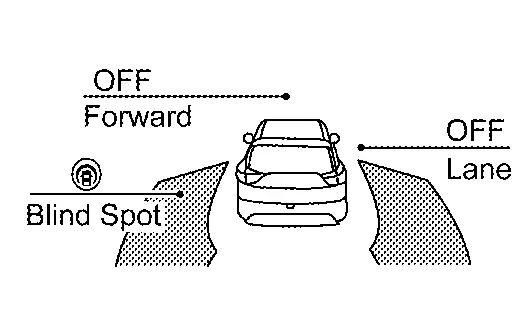
NOTE:
-
If vehicle speed exceeds approximately 32 km/h (20 MPH), BSW function operates until the Nissan Ariya vehicle speed becomes lower than approximately 29 km/h (18 MPH).
-
Time shown in the figure is approximate time.
-
Always I-BSI system operates together with BSW system. Whenever I-BSI system is turned ON by pushing the dynamic driver assistance switch, BSW system also be turned on even if the BSW system is turned off.
Full Tft Meter
Operation
Switch Name and Function
| No. | Switch name | Description |
|---|---|---|
|
Steering switch |
|
SYSTEM DISPLAY
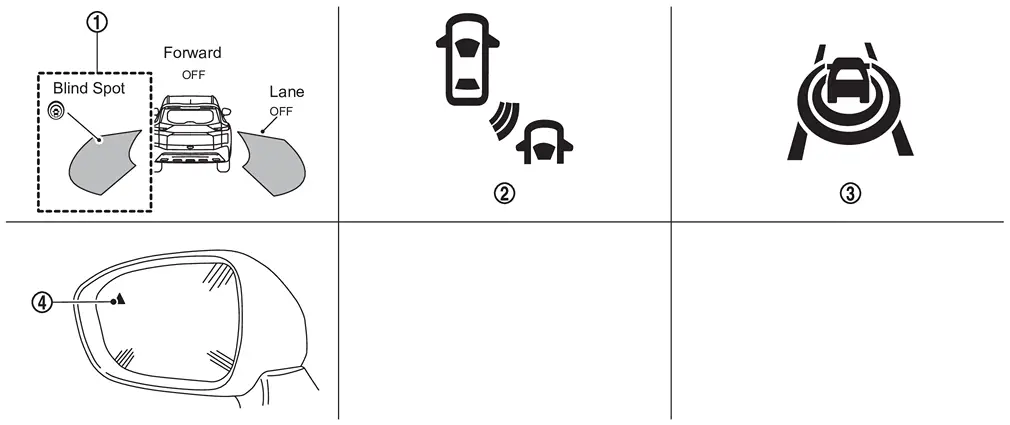
| No. | Switch name | Description |
|---|---|---|
|
I-BSI system indicator | Indicates that I-BSI system is ON |
|
I-BSI indicator |
|
|
I-BSI ON indicator | Indicates that I-BSI system is ON |
|
Blind Spot Warning/I-BSI indicator LH/RH | Illuminates when detect other Nissan Ariya vehicles beside vehicle in an adjacent lane |
DISPLAY AND WARNING
System Display
| Condition | Action | Indication on the BSW indicator | Display on information display | Buzzer | |||
|---|---|---|---|---|---|---|---|
| I-BSI OFF | — | OFF |
|
OFF | |||
| I-BSI ON | Nissan Ariya Vehicle speed is less than approx. 60 km/h (37 MPH) | — | OFF |
White
|
OFF | ||
|
I-BSI system indicator : White Dynamic driver assistance icon : White
|
|||||||
| Nissan Ariya Vehicle speed is approx. 60 km/h (37 MPH) or more | Vehicle is not detected | — | OFF |
White
|
OFF | ||
|
I-BSI system indicator : White Dynamic driver assistance icon : White
|
|||||||
| Nissan Ariya Vehicle is detected | Vehicle does not approach to adjacent lane | — | ON |
White
|
OFF | ||
|
I-BSI system indicator : White Dynamic driver assistance icon : White
|
|||||||
| Nissan Ariya Vehicle approaches to adjacent lane | Yawing control is ON | ON |
Yellow (Blink)
|
ON | |||
|
I-BSI system indicator : Yellow (Blink) Dynamic driver assistance icon : White
|
|||||||
| I-BSI is malfunction | The I-BSI system is automatically canceled. | OFF |
Yellow
|
ON | |||
|
Malfunction See Owner's Manual |
|||||||
| When the VDC or ABS (including the TCS) operates |
The I-BSI system is automatically canceled.
The system operates if the dynamic driver assistance switch is turned OFF⇒ON after the condition improves |
OFF |
Unavailable Slippery Road |
ON | |||
|
The I-BSI system is automatically canceled.
The system operates if the dynamic driver assistance switch is turned OFF⇒ON after the condition improves |
OFF | Currently Unavailable | ON | |||
| Front camera unit high temperature |
The I-BSI system is automatically canceled.
The system operates if the dynamic driver assistance switch is turned OFF⇒ON after the condition improves |
OFF |
Unavailable Camera Temperature High |
ON | |||
| Dirt around the side radar |
The I-BSI system is automatically canceled.
The system operates if the dynamic driver assistance switch is turned OFF⇒ON after the condition improves |
OFF |
Unavailable Side Radar Obstruction |
ON | |||
NOTE:
-
If vehicle speed exceeds approximately 32 km/h (20 MPH), BSW function operates until the Nissan Ariya vehicle speed becomes lower than approximately 29 km/h (18 MPH).
-
Time shown in the figure is approximate time.
-
Always I-BSI system operates together with BSW system. Whenever I-BSI system is turned ON by pushing the dynamic driver assistance switch, BSW system also be turned on even if the BSW system is turned off.
Rcta
7 Inch Information Display
Operation
Switch Name and Function
| No. | Switch name | Description |
|---|---|---|
|
Steering switch |
|
SYSTEM DISPLAY
| No. | Switch name | Description |
|---|---|---|
|
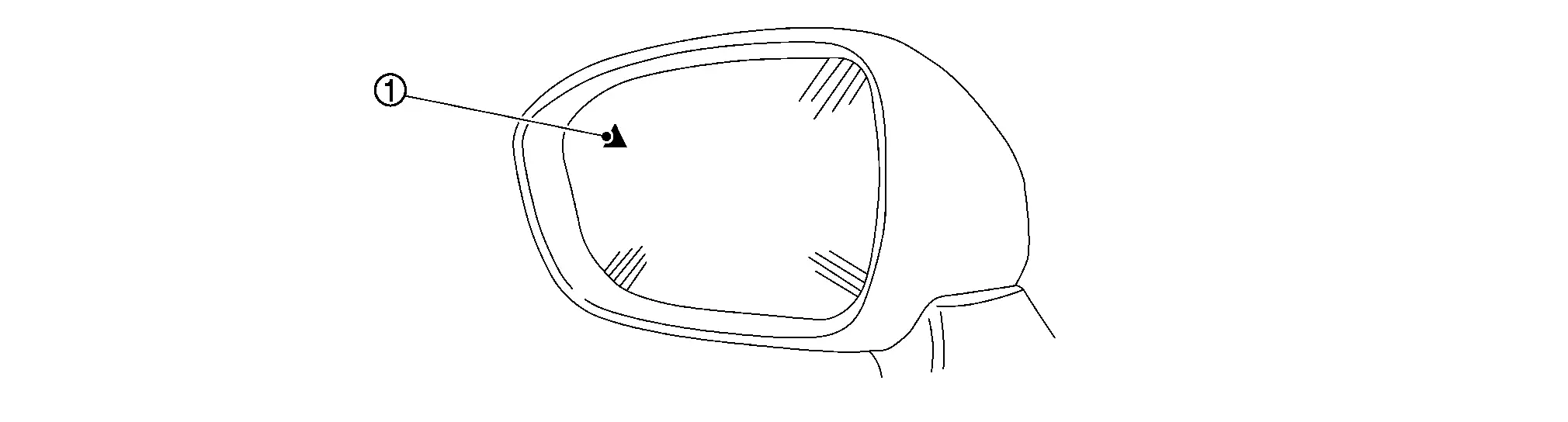
BSW indicator LH/RH |
The indicator is shared with BSW |
DISPLAY AND WARNING
System Display
| Condition | Action | Indication on the BSW indicator | Display on information display | Buzzer | |||
|---|---|---|---|---|---|---|---|
| RCTA OFF | — | OFF | — | OFF | |||
| RCTA ON | Shift lever is in any position other than reverse | — | OFF | — | OFF | ||
| Shift lever is in reverse | Nissan Ariya Vehicle speed is less then approx. 8 km/h (5 MPH) | Vehicle is not detected | — | OFF | — | OFF | |
| Nissan Ariya Vehicle is detected | — | Blink | — | ON | |||
| Nissan Ariya Vehicle speed is approx. 8 km/h (5 MPH) or more | Vehicle is detected | — | — | — | — | ||
| RCTA is malfunction |
The RCTA system is automatically canceled.
The system operates if the ignition switch is turned OFF⇒ON after the condition improves |
— | Malfunction | — | |||
| Dirt around the side radar |
The RCTA system is automatically canceled.
The system operates if the ignition switch is turned OFF⇒ON after the condition improves |
— |
Unavailable Side Radar Obstruction |
— | |||
Full Tft Meter
Operation
Switch Name and Function
| No. | Switch name | Description |
|---|---|---|
|
Steering switch |
|
SYSTEM DISPLAY
| No. | Switch name | Description |
|---|---|---|
|
BSW indicator LH/RH |
The indicator is shared with BSW |
DISPLAY AND WARNING
System Display
| Condition | Action | Indication on the BSW indicator | Display on information display | Buzzer | |||
|---|---|---|---|---|---|---|---|
| RCTA OFF | — | OFF | — | OFF | |||
| RCTA ON | Shift lever is in any position other than reverse | — | OFF | — | OFF | ||
| Shift lever is in reverse | Nissan Ariya Vehicle speed is less then approx. 8 km/h (5 MPH) | Vehicle is not detected | — | OFF | — | OFF | |
| Nissan Ariya Vehicle is detected | — | Blink | — | ON | |||
| Nissan Ariya Vehicle speed is approx. 8 km/h (5 MPH) or more | Vehicle is detected | — | — | — | — | ||
| RCTA is malfunction |
The RCTA system is automatically canceled.
The system operates if the ignition switch is turned OFF⇒ON after the condition improves |
— | Malfunction | — | |||
| Dirt around the side radar |
The RCTA system is automatically canceled.
The system operates if the ignition switch is turned OFF⇒ON after the condition improves |
— |
Unavailable Side Radar Obstruction |
— | |||
Tsr
Operation
SWITCH NAME AND FUNCTION
| No. | Switch name | Description |
|---|---|---|
|
Steering switch |
|
SYSTEM DISPLAY
| No. | Display item | Description |
|---|---|---|
|
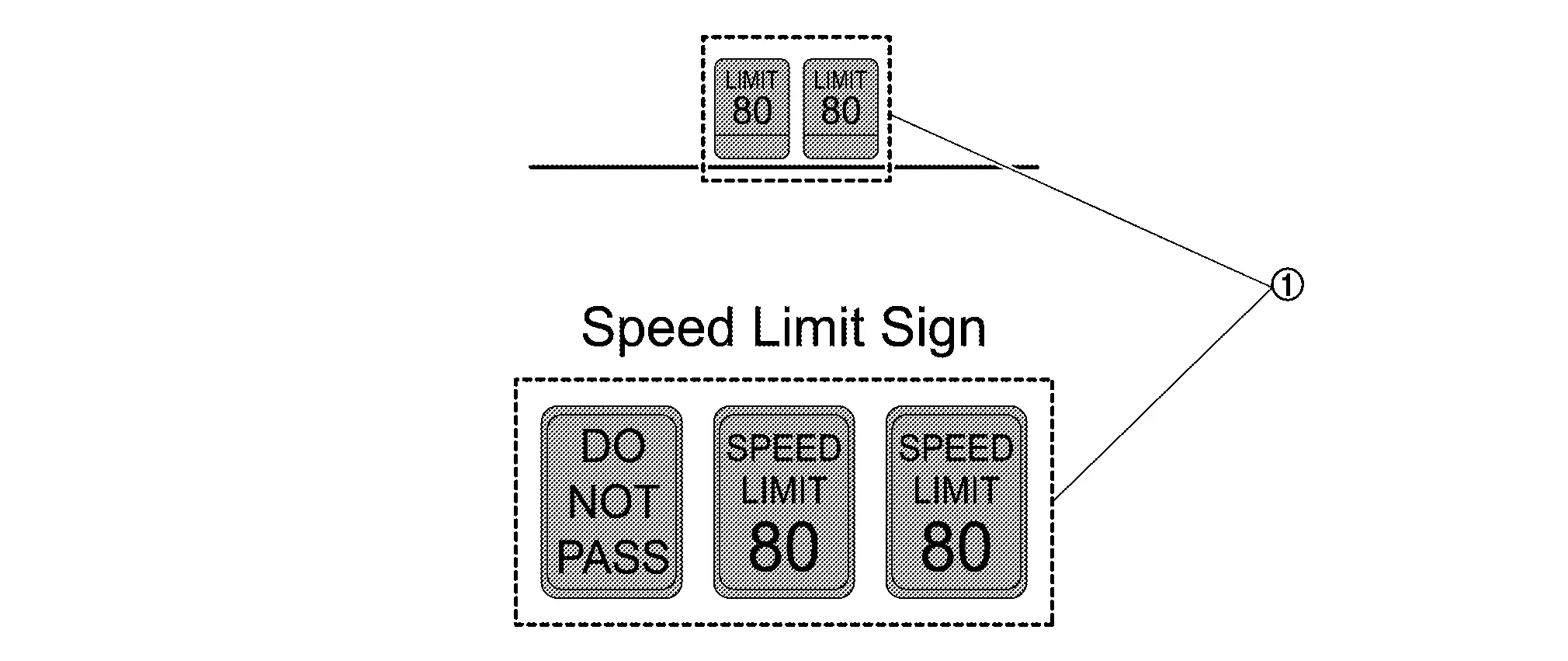
Road sign indicator | Displays road signs detected by the front camera unit |
DISPLAY AND WARNING
System Display
The TSR systems operate when ON is selected with the combination meter.
| System status | Condition | Display on information display | Display on Head Up Display |
|---|---|---|---|
| TSR OFF | — | — | — |
| TSR ON | Road sign not detected | — | — |
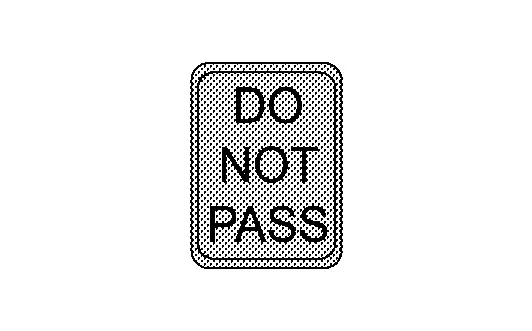
| Road sign detected (except for speed limit signs) |
This is an example. For details of displayed signs, Refer to System Description.
|
This is an example. For details of displayed signs, Refer to System Description.
|
|
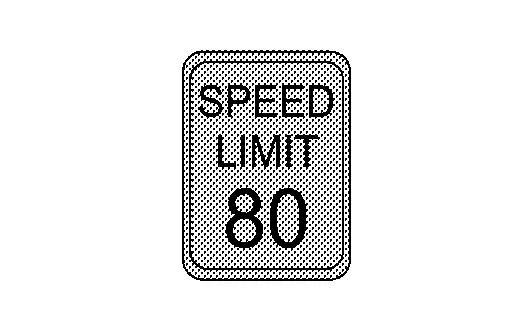
| Road sign detected (Speed limit signs) |
This is an example. For details of displayed signs, Refer to System Description.
|
This is an example. For details of displayed signs, Refer to System Description.
|
|
| TSR is malfunction | The TSR system is automatically canceled. |
Malfunction See Owner’s Manual |
— |
I-Da
7 Inch Information Display
Operation
SWITCH NAME AND FUNCTION
| No. | Switch name | Description |
|---|---|---|
|
Steering switch |
|
DISPLAY AND WARNING
| Nissan Ariya Vehicle condition/ Driver’s operation | Display on combination meter | |||
|---|---|---|---|---|
| I-DA OFF | — | |||
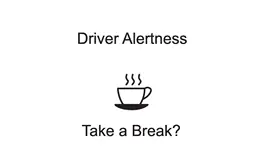
| I-DA ON |
|
|||
| I-DA is malfunction |
Malfunction See Owner's Manual |
|||
Full Tft Meter
Operation
SWITCH NAME AND FUNCTION
| No. | Switch name | Description |
|---|---|---|
|
Steering switch |
|
DISPLAY AND WARNING
| Nissan Ariya Vehicle condition/ Driver’s operation | Display on combination meter | |||
|---|---|---|---|---|
| I-DA OFF | — | |||
| I-DA ON |
|
|||
| I-DA is malfunction |
Malfunction See Owner's Manual |
|||
Driver Monitor System
Operation
System Display
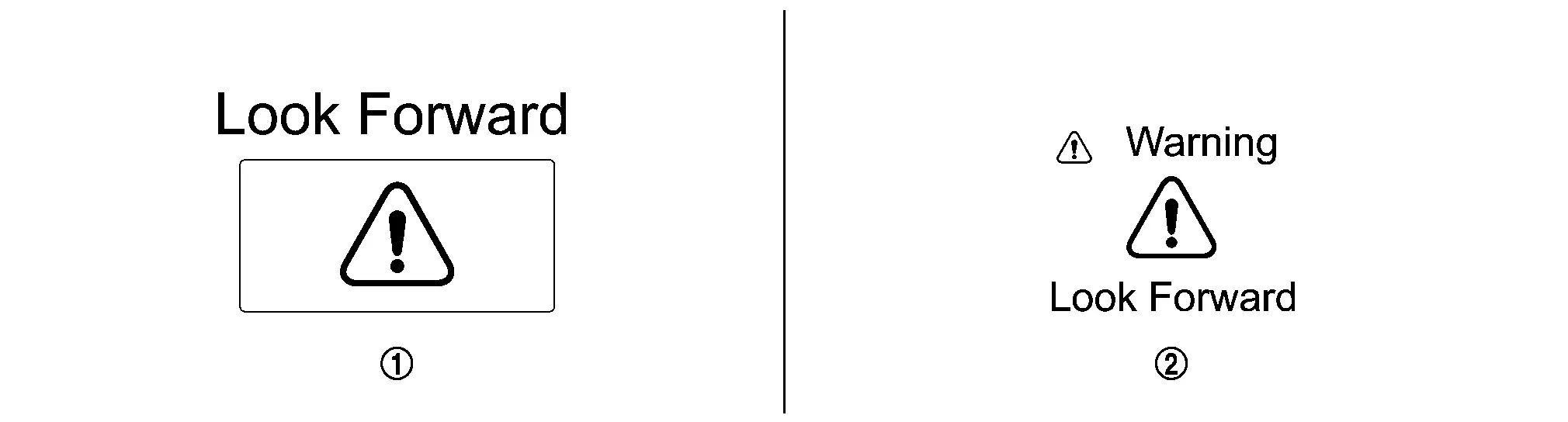
| No. | Name | Description |
|---|---|---|
|
Driver monitor warning display (Head Up Display) | Displays when judging that driver does not pay attention to situation ahead. |
|
Driver monitor warning display (Nissan Ariya Vehicle information display) | Displays when judging that driver does not pay attention to situation ahead. |
NOTE:
The driver monitor is active in all driving modes, not just when ProPILOT Assist 2.1 is active.
Display and warning
| Condition | Nissan Ariya Vehicle information display | Head Up Display | Buzzer | |
|---|---|---|---|---|
| When the system judges that the driver dozes or looks aside by closing eyes or turning face away from the front for a certain period of time while driving. |
|
|
ON | |
| Driver monitor system is malfunction | Driver Monitor Camera Malfunction | — | — | |


Other materials:
Dtc/circuit Diagnosis. Lifting Switch
Component Function Check
CHECK FUNCTION
CONSULT
Ignition switch ON.
Select “Lifting switch (Up)” and “Lifting switch (Down)” in “Data monitor” mode of “DRIVER SEAT”.
Check lifting switch signal under the following conditions.
Monitor item Condition Status
...
Kr15ddt. Unit Removal and Installation. Engine Assembly
Engine Assembly
Exploded View
Torque rod RH
Torque rod RH bracket
Engine mounting insulator (RH)
Engine mounting insulator (LH)
Torque rod LH
Comply with the installation procedure when tightening. Refer to Removal and Installation.
: N·m (kg ...
Basic information
WARNING
Radio waves from the Nissan Rogue Intelligent Key may interfere with electric medical equipment. Users with pacemakers should consult the manufacturer about possible effects.
The Intelligent Key emits radio waves when buttons are pressed. FAA guidelines warn that these signals may affect ...