
Nissan Rogue (T33) 2021-Present Service Manual: Operation
Head up Display
Switch Name and Function
Head Up Display Switch
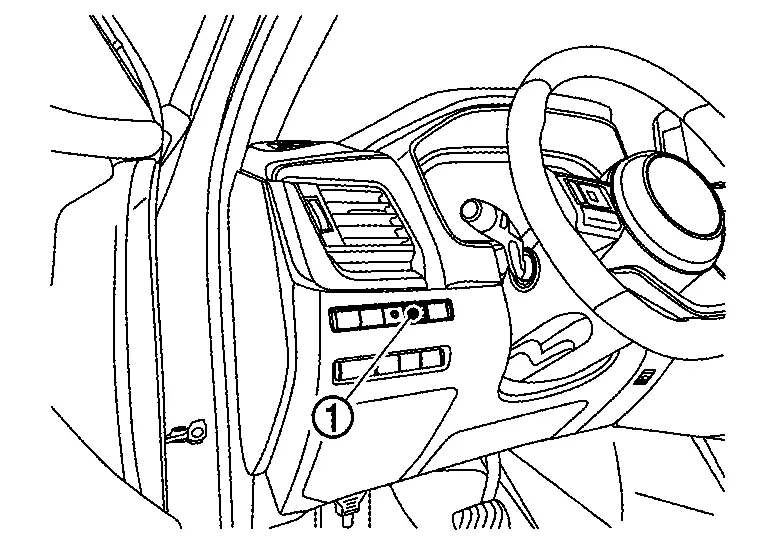
| No. | Switch name | Description |
|---|---|---|
 |
Head Up Display switch |
If the Head Up Display system is turned off, it will remain off even if the Nissan Ariya vehicle is restarted |
 NOTE:
NOTE:
Display Setting
Each setting of Head Up Display can be set with combination meter setting items, "Head-Up Display".
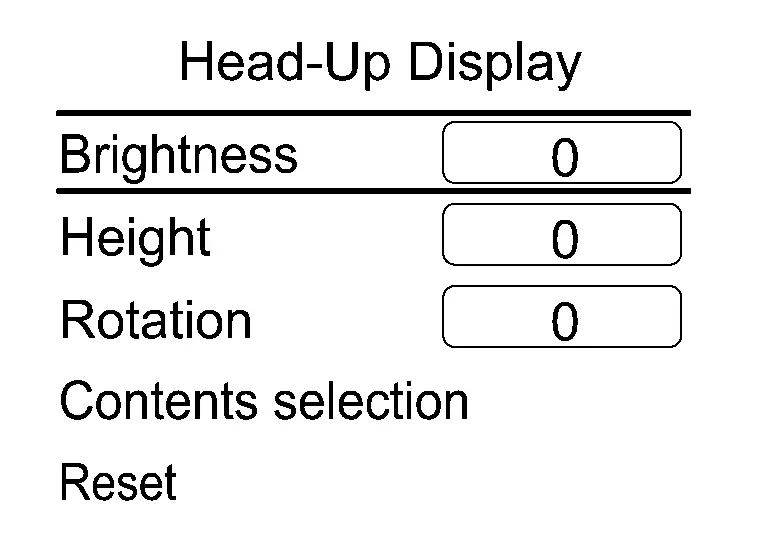
| Name | Description |
|---|---|
| Brightness | Adjust the display screen position |
| Height | |
| Rotation | |
| Contents selection |
The following display items can be select
The items displayed depend on Nissan Ariya vehicle specifications. |
| Reset | Reset the display settings |
Other materials:
Preparation
Special Service Tool
The actual shape of the tools may differ from those illustrated here.
Tool number
(TechMate No.)
Tool name Description
KV10115801
(NI-38956)
Oil filter wrench
Removing and installing oil filter
a: 64.3 mm (2.531 in)
KV311039S0
( — )
Chargin ...
Torque Converter and Converter Housing Oil Seal
Exploded View
1.
Torque converter
2.
Converter housing oil seal
3.
Transaxle assembly
: Always replace after every disassembly.
: Apply CVT fluid
Disassembly
Remove transaxle assembly. Refer to Removal and Installation.
Remove torque converter from transaxle as ...
Dtc/circuit Diagnosis. Eps Warning Lamp
Component Function Check
CHECK THE ILLUMINATION OF THE ELECTRIC POWER STEERING WARNING LAMP
Check that the electric power steering warning lamp turns ON when
ignition switch ON. Then, electric power steering warning lamp turns OFF
after the engine is started.
Is the inspection result normal?
...