
Nissan Rogue (T33) 2021-Present Service Manual: Handling Precaution
Head Up Display
WARNING:
-
Never adjust properly the brightness and position of the displayed Head Up Display (HUD) image may interfere with the drivers ability to see through the windshield glass which could cause an accident leading to severe injury or death.
-
Never use the HUD for extended periods of time as that can cause you to not see other Nissan Ariya vehicles, pedestrians or objects, which could cause an accident leading to severe injury or death.
 NOTE:
NOTE:
-
Do not place any type of liquid on or near the projector. Doing so may cause malfunction of the equipment.
-
Do not touch any internal parts of the projector. Doing so may cause malfunction of the equipment.
-
To prevent scratches to the projector glass, do not place any sharp objects on or near the projector opening.
-
Do not place any objects on the instrument panel which may obstruct the HUD display.
-
Emergency information may display even if the HUD is turned off.
-
The HUD has a built-in illuminance sensor
 that controls the brightness of the displayed image. If the illuminance
sensor is blocked with an object, the display darkens, making it
difficult to see.
that controls the brightness of the displayed image. If the illuminance
sensor is blocked with an object, the display darkens, making it
difficult to see.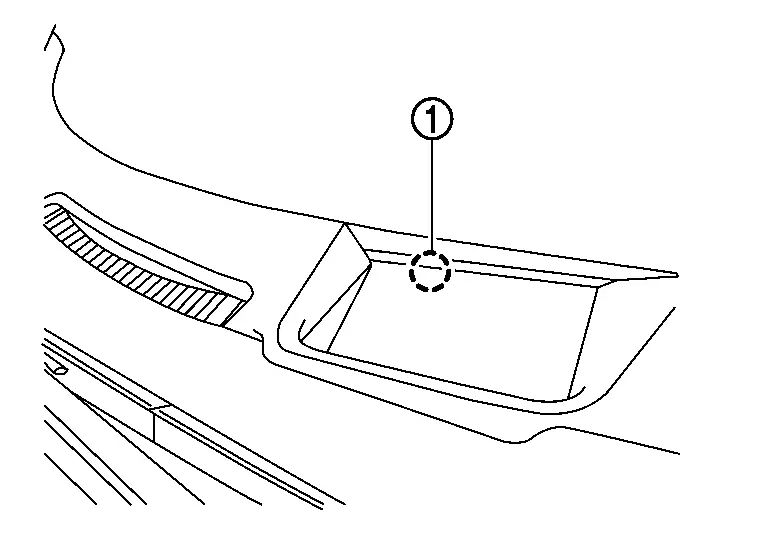
Other materials:
P06e6 Internal Control Module
DTC Description
DESCRIPTIONECM supplies a voltage of 5 V to some of the
sensors systematically divided into 3 groups, respectively.
Accordingly, when a short circuit develops in a sensor power source, a
malfunction may occur simultaneously in the sensors belonging to the
same group as the s ...
Dtc/circuit Diagnosis. C1731-68 Tire Pressure Sensor Fl
DTC Description
NOTE:
The Signal Tech II Tool [– (NI-50190)] can be used to
perform the following functions: Refer to the Signal Tech II User Guide
for additional information.
Activate and display TPMS sensor IDs
Display tire pressure reported by the TPMS sensor
Read TPMS DTCs ...
Hvac Branch Line Circuit
Diagnosis Procedure
CHECK CONNECTOR
Turn the ignition switch OFF.
Disconnect the battery cable from the negative terminal.
Check the terminals and connectors of the A/C amp. for damage, bend and loose connection (unit side and connector side).
Is the inspection result normal?
Y ...