
Nissan Rogue (T33) 2021-Present Service Manual: Kr15ddt :: Removal and Installation
Ecm
ECM : Exploded View
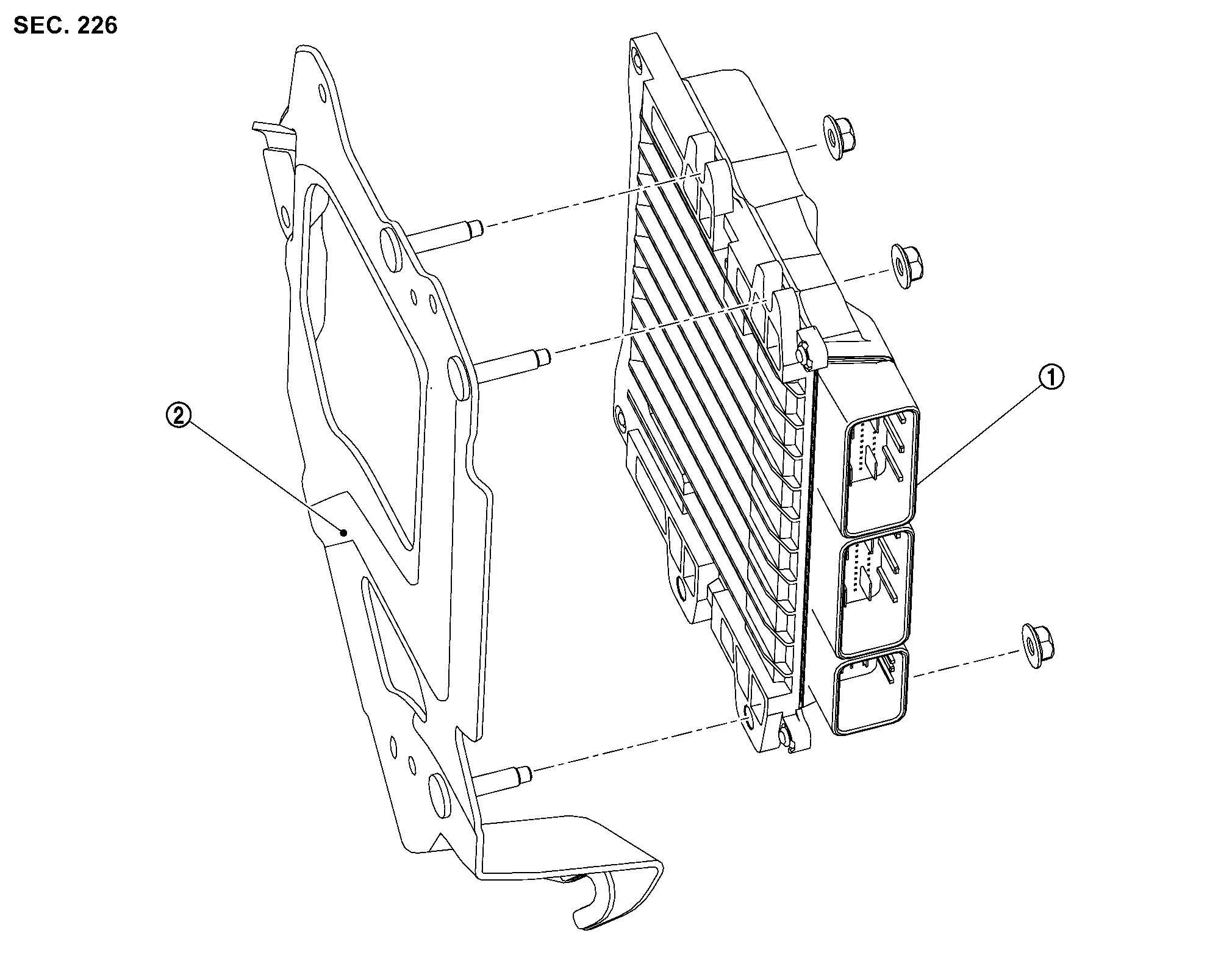
| 1. | ECM | 2. | Bracket |
ECM : Removal & Installation
CAUTION:
-
Perform ADDITIONAL SERVICE WHEN REPLACING ECM. Refer to Work Procedure.
-
When replacing the ECM, a new ECM must be used. The functions controlled by the ECM do not operate properly if an ECM from another Nissan Ariya vehicle is used.
-
Perform "ELECTRIC INTAKE VALVE TIMING CONTROL LEARNING". Refer to Work Procedure.
REMOVAL
Remove the battery. Refer to Removal and Installation.
Disconnect the harness connectors from the ECM. Refer to Harness Connector (lever locking type).
Remove the battery tray. Refer to BATTERY TRAY ; Removal and Installation.
Remove the ECM and bracket assembly.
Remove the nuts and ECM from the bracket.
INSTALLATION
Installation is in the reverse order of removal.
CAUTION:
Perform "ADDITIONAL SERVICE WHEN REPLACING ECM". Refer to Work Procedure.
Electric Intake Valve Timing Control Module
ELECTRIC INTAKE VALVE TIMING CONTROL MODULE : Exploded View
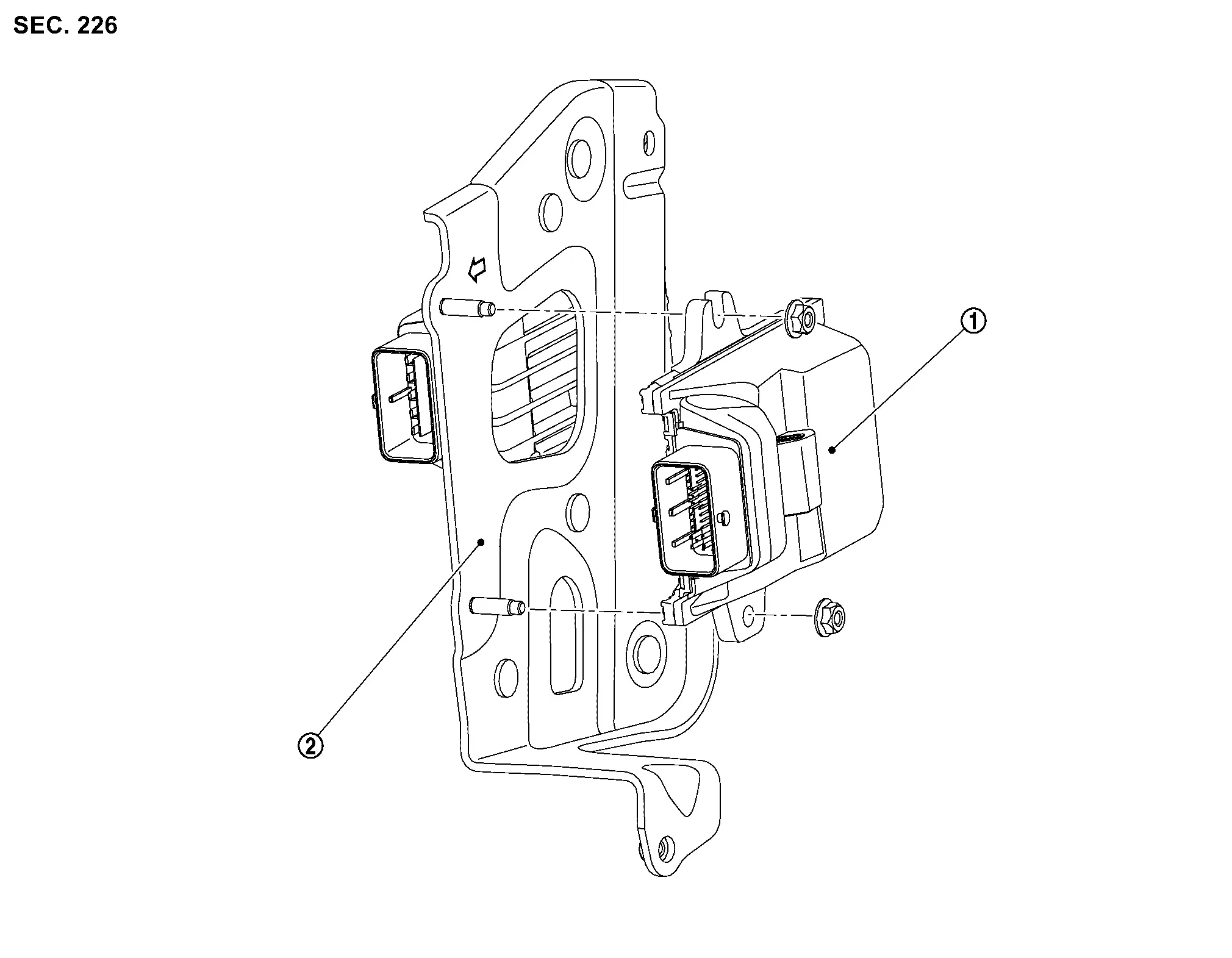
| 1. | Electric intake valve timing control module | 2. | Bracket |
ELECTRIC INTAKE VALVE TIMING CONTROL MODULE : Removal & Installation
CAUTION:
Perform "ELECTRIC INTAKE VALVE TIMING CONTROL LEARNING". Refer to Work Procedure.
REMOVAL
Disconnect negative battery terminals, then wait at least three minutes. Refer to Removal and Installation.
Partially remove the fender protector (LH). Refer to Exploded View.
Remove the relay box.
Disconnect the harness connector from the electric intake valve timing control module and VCR control module.
Remove the electric intake valve timing control module and VCR control module bracket.
Remove the electric intake valve timing control module nuts.
Remove the electric intake valve timing control module.
INSTALLATION
Installation is in the reverse order of removal.
CAUTION:
Perform "ELECTRIC INTAKE VALVE TIMING CONTROL LEARNING". Refer to Work Procedure.
Vcr Control Module
VCR CONTROL MODULE : Exploded View
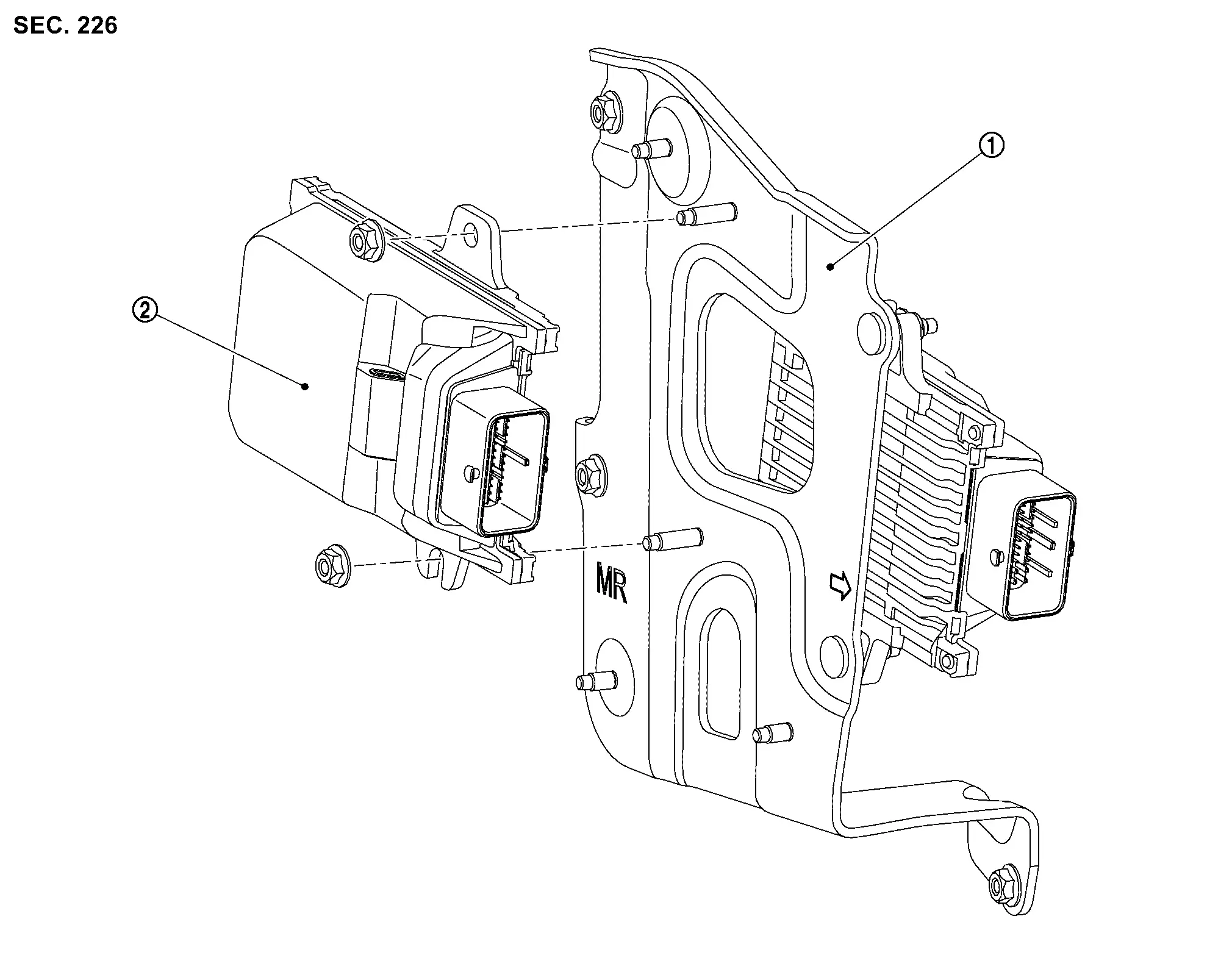
| 1. | Bracket | 2. | VCR control module |
VCR CONTROL MODULE : Removal & Installation
CAUTION:
Perform "VARIABLE COMPRESSION RATIO BASE POSITION LEARNING". Refer to Work Procedure.
REMOVAL
Disconnect negative battery terminals, then wait at least three minutes. Refer to Exploded View.
Partially remove the fender protector (LH). Refer to Exploded View.
Remove the relay box.
Disconnect the harness connector from the VCR control module.
Remove the VCR control module nuts.
Remove the VCR control module.
INSTALLATION
Installation is in the reverse order of removal.
CAUTION:
Perform "VARIABLE COMPRESSION RATIO BASE POSITION LEARNING". Refer to Work Procedure.
Start/stop Off Switch
Removal and Installation
Removal
Remove the instrument lower panel LH. Refer to Removal and Installation.
Remove screws from switch bracket and instrument panel LH.
Release pawls from switch and remove stop/start off switch from the switch bracket.
Installation
Installation is in the reverse order of removal.
Other materials:
Periodic Maintenance. Body Maintenance
Locks, Hinges and Hood Latch
Lubricating
For hood illustration. Refer to Exploded View.For hood lock illustration. Refer to Exploded View.For front door illustration. Refer to Exploded View.For rear door illustration. Refer to Exploded View.For back door illustration. Refer to Exploded View.For ba ...
Dtc/circuit Diagnosis. Door Switch
Component Function Check
CHECK FUNCTION
CONSULT
Select “Door switch driver�, “Door switch assist�, “Door switch rear
left� and “Door switch rear right� in “Data monitor� mode of "BCM [DOOR
LOCK]".
Check that the function operates normally according to the followin ...
It Can Communication 2 Circuit
Diagnosis Procedure
CHECK NETWORK DIAGNOSIS
Check the "Network diagnosis" results from CONSULT to see that the diagnostic CAN communication circuit have no malfunction.
Are the diagnostic CAN communication circuit normal?
YES>>
GO TO 2.
NO>>
Check and repair diagnostic CAN commu ...