
Nissan Rogue (T33) 2021-Present Service Manual: Wireless Charger :: Removal and Installation
Wireless Charger Unit
Removal and Installation
REMOVAL
Remove the console finisher assembly. Refer to Removal and Installation.
Press the wireless charger unit pawl from the back of the console finisher assembly to remove the wireless charger unit  .
.
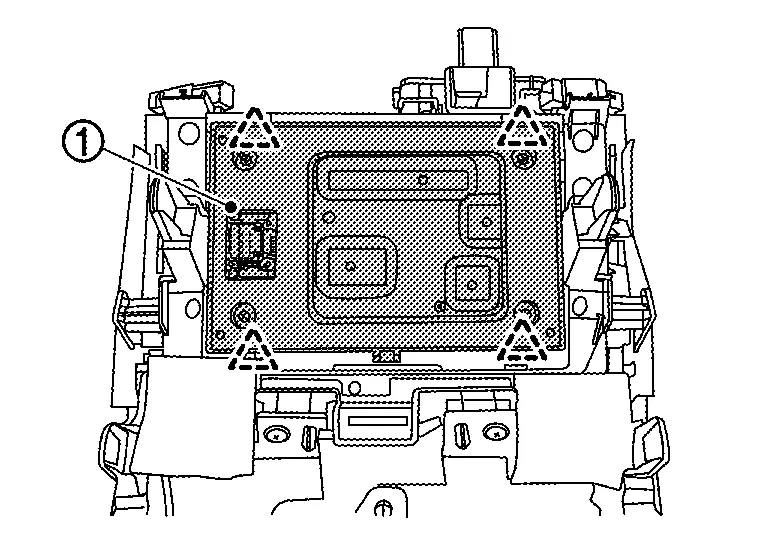
 |
: Pawl |
INSTALLATION
Note the following, and install in the reverse order of removal.
Align the cut outs of wireless charger unit and console finisher assembly.
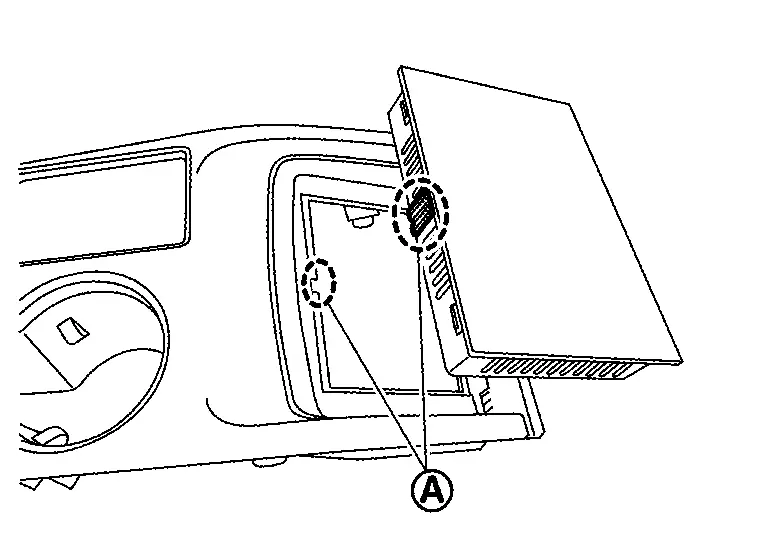
 |
: Cut out |
Wireless Charger Indicator
Removal and Installation
REMOVAL
Remove the console finisher assembly. Refer to Removal and Installation.
Remove the screw to remove the wireless charger indicator .
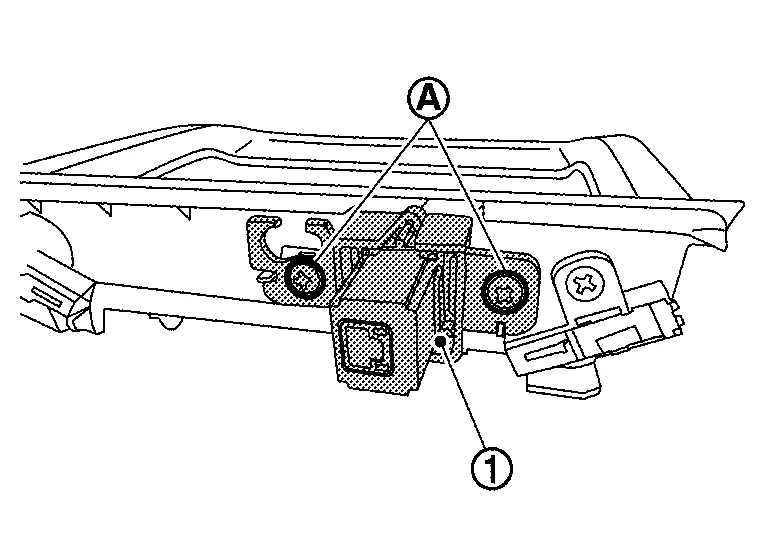
Remove the pawls to remove the wireless charger indicator from the bracket.
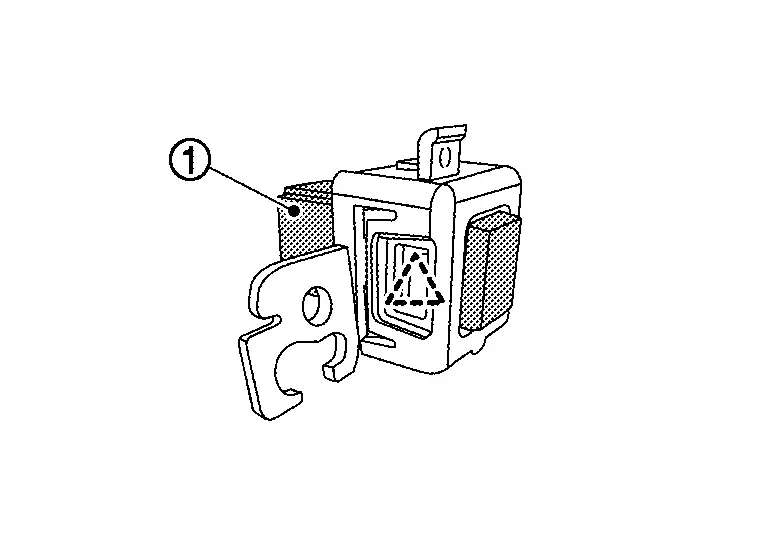
|
: Pawl |
INSTALLATION
Note the following, and install in the reverse order of removal.
Align the cut outs of wireless charger indicator and bracket.
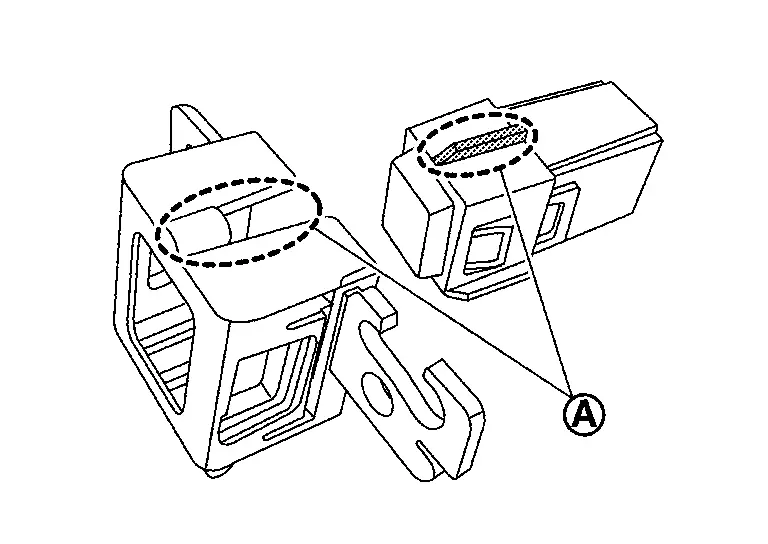
|
: Cut out |
Other materials:
Symptom Diagnosis. Heated Steering Wheel System Does Not Activate
Description
The heated steering wheel does not warm up.
The heated steering wheel system cannot be turned OFF.
Diagnosis Procedure
PERFORM SELF DIAGNOSTIC RESULT
CONSULT
Ignition switch ON.
Select “Self Diagnostic Result� mode of “HVAC�.
Check DTC.
Is DT ...
Removal and Installation. Bcm
Removal and Installation
CAUTION:
When replacing the BCM, always replace it with a new one. The
functions controlled by the BCM does not operate properly in case of
reuse of the BCM from another Nissan Ariya vehicle.
Be sure to perform the following items must be performed when replac ...
B2e1b-97 Automatic Ecall
DTC Description
DTC DETECTION LOGIC DTC No. CONSULT screen terms DTC detection condition
B2E1B-97
Automatic eCall locked
Diagnosis condition
When ignition switch is ON
Signal (terminal)
—
Threshold
Automatic report function of the TCU is activated
Diagnosis dela ...