
Nissan Rogue (T33) 2021-Present Service Manual: Type B :: Removal and Installation
Combination Meter
Exploded View
REMOVAL
Refer to Exploded View.
DISASSEMBLY
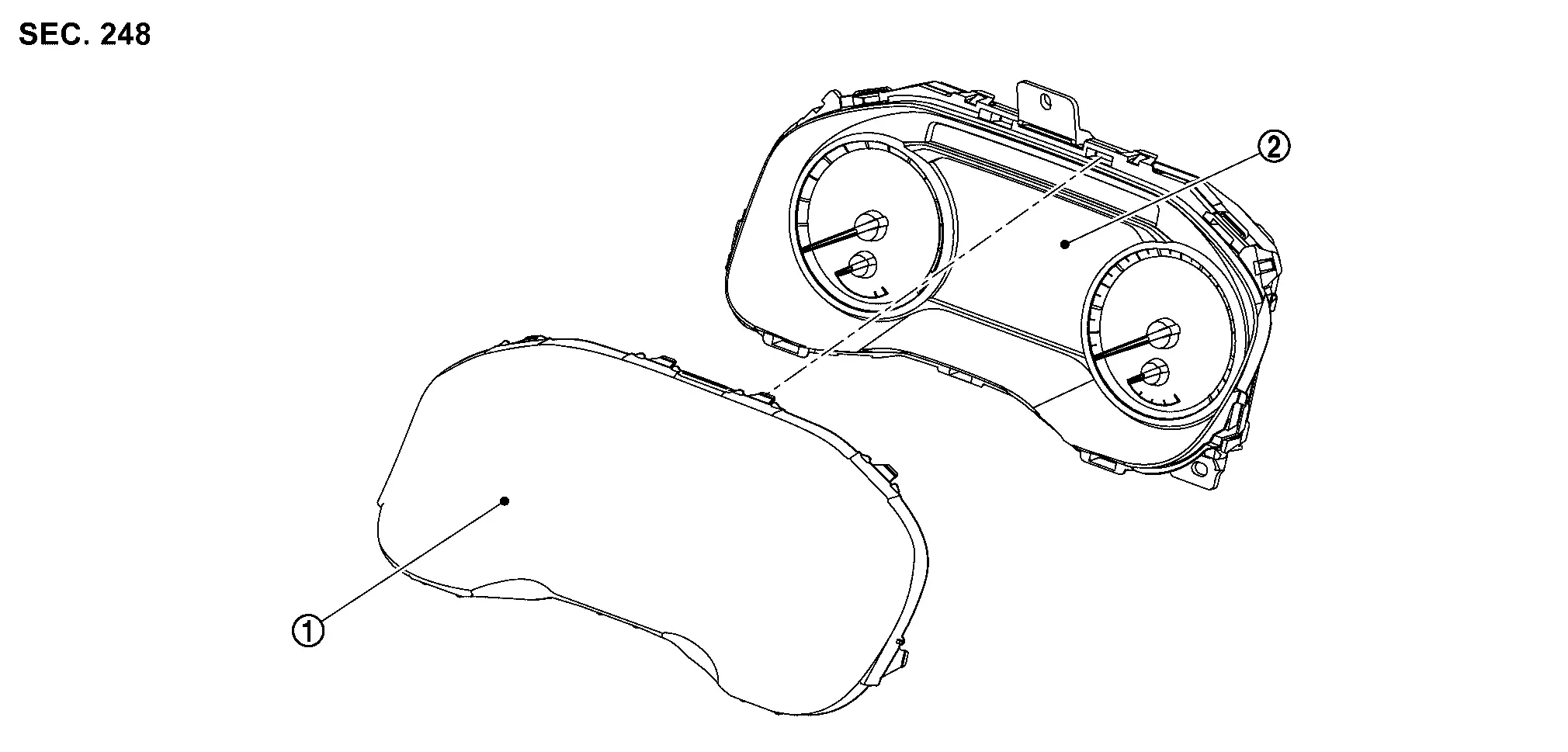
 |
Front cover |  |
Meter control unit |
Removal and Installation
CAUTION:
-
When replacing the combination meter, always replace it with a new one. The functions controlled by the combination meter does not operate properly in case of reuse of the combination meter from another Nissan Ariya vehicle.
-
Be sure to perform the configuration when replacing combination meter. Refer to Work Procedure.
REMOVAL
 NOTE:
NOTE:
Do not swap combination meter modules between Nissan Ariya vehicles for any reason.
Disconnect the battery cable from the negative terminal.
Remove cluster lid A. Refer to Removal and Installation.
Remove the mounting screws  of the combination meter .
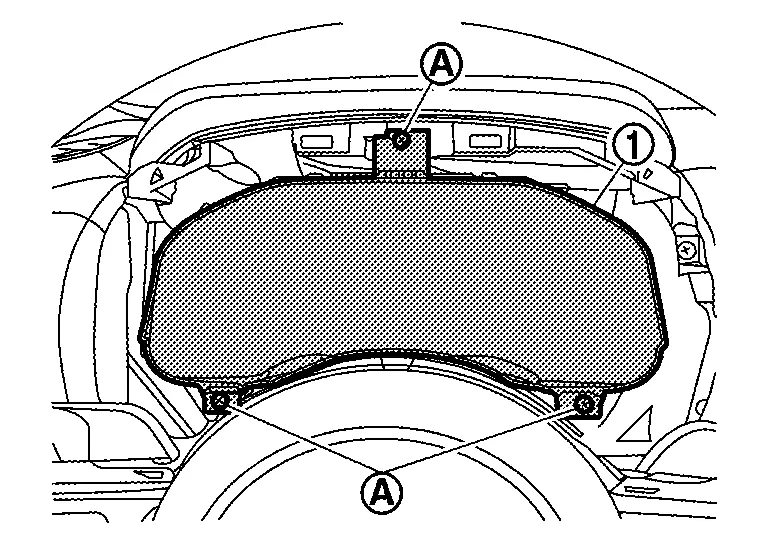
Pull the combination meter outward, then disconnect harness connector and remove.
CAUTION:
Never damage the front cover.
INSTALLATION
Installation is in the reverse order of removal.
CAUTION:
-
Never damage the front cover.
-
When replacing the combination meter, always replace it with a new one. The functions controlled by the combination meter does not operate properly in case of reuse of the combination meter from another Nissan Ariya vehicle.
-
Be sure to perform the configuration when replacing combination meter. Refer to Work Procedure.
NOTE:
Do not swap combination meter modules between Nissan Ariya vehicles for any reason.
Disassembly and Assembly
DISASSEMBLY
Disengage the pawls of combination meter to allow the front cover  to become slightly released.
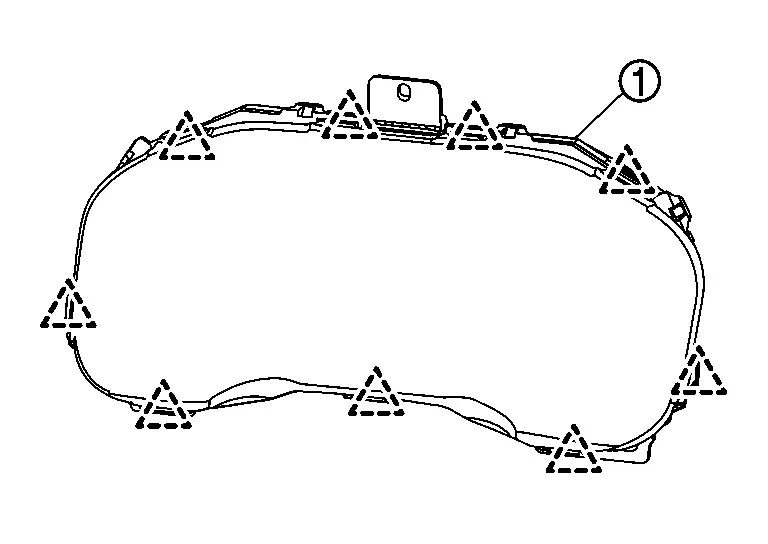
CAUTION:
Never damage the front cover.
 |
: Pawl |
Pull the front cover straight to remove it from the meter control unit.
CAUTION:
-
Never damage the front cover.
-
Never touch the inside of front cover, pointer, the display and the printed area of the dial during the work.
-
Keep away from magnetic sources.
ASSEMBLY
Install the front cover straight to the unified meter control unit and engage all the pawl.
CAUTION:
-
Never damage the front cover.
-
Never touch the inside of front cover, pointer, the display and the printed area of the dial during the work.
-
Keep away from magnetic sources.
Meter Speaker
Removal and Installation
REMOVAL
Remove instrument garnish. Refer to Removal and Installation.
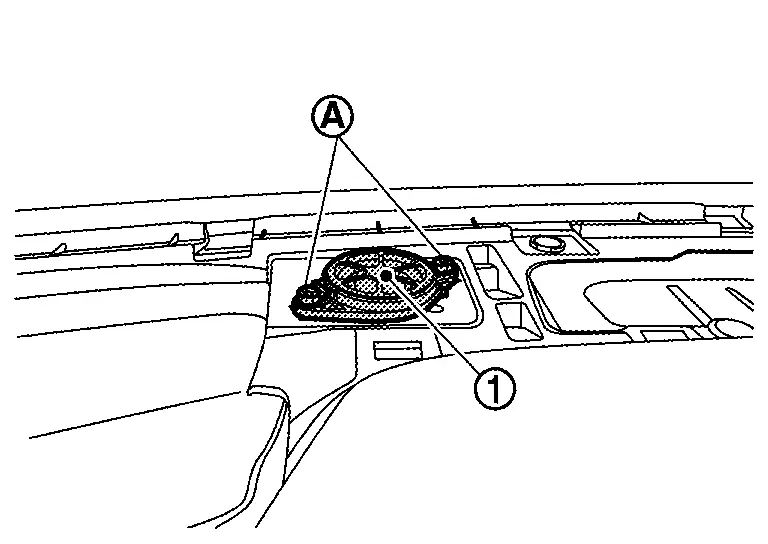
Remove the meter speaker mounting screws, and remove the meter speaker .
INSTALLATION
Install in the reverse order of removal.
Illumination Control Switch
Removal and Installation
REMOVAL
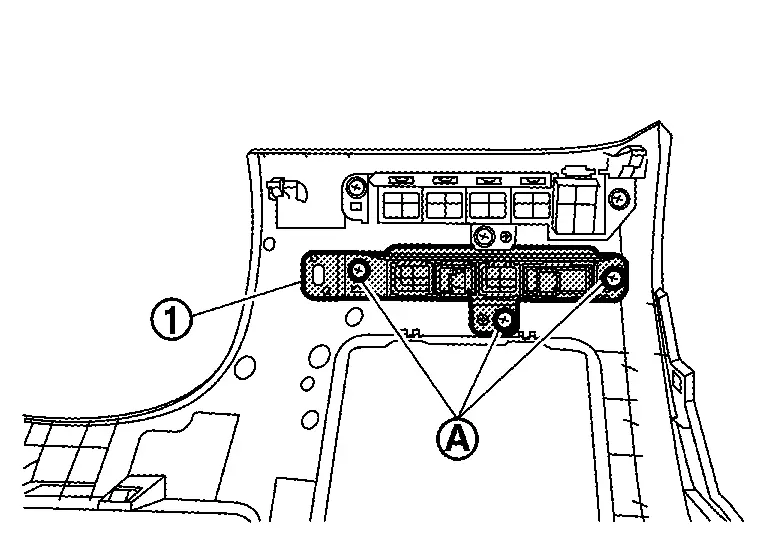
Remove the instrument lower panel LH. Refer to Removal and Installation.
Remove screws to remove switch bracket .
Disengage fixing pawl with removal tool to remove illumination control switch from switch bracket.
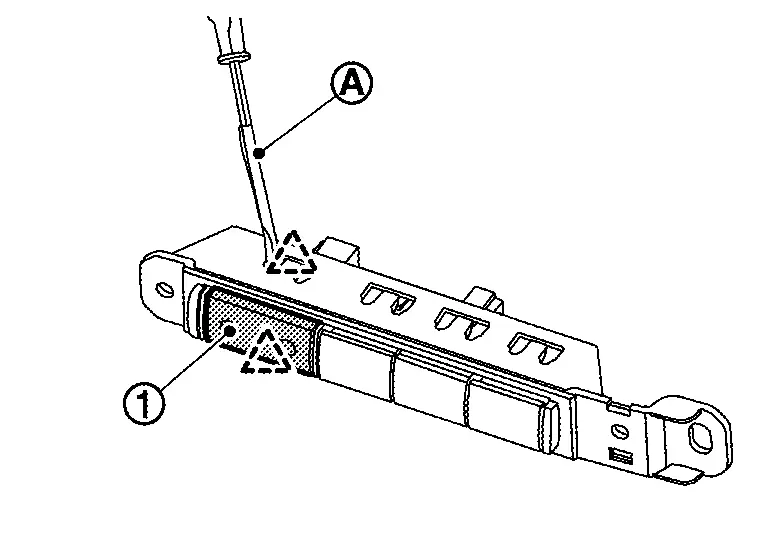
|
:Pawl |
INSTALLATION
Install in the reverse order of removal.
Steering Switches
Removal and Installation
REMOVAL
Refer to Removal and Installation.
NOTE:
Always remove steering switch together with steering wheel.
INSTALLATION
Installation is in the reverse order of removal.
Ambient Sensor
Removal and Installation
REMOVAL
Disengage fixing pawl.
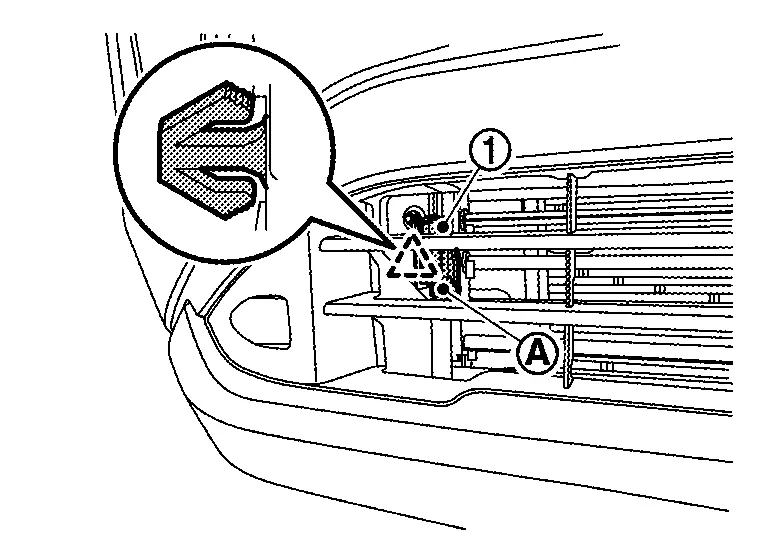
|
: Pawl |
Disconnect harness connector to remove ambient sensor .
INSTALLATION
Install in the reverse order of removal.
Oil Level Sensor
Removal and Installation
REMOVAL
Refer to Exploded View.
INSTALLATION
Install in the reverse order of removal.
Other materials:
Dtc/circuit Diagnosis. C1731-68 Tire Pressure Sensor Fl
DTC Description
NOTE:
The Signal Tech II Tool [– (NI-50190)] can be used to
perform the following functions: Refer to the Signal Tech II User Guide
for additional information.
Activate and display TPMS sensor IDs
Display tire pressure reported by the TPMS sensor
Read TPMS DTCs ...
Intelligent Around View Monitor. Symptom Diagnosis
Intelligent Around View Monitor
Symptom Table
INTELLIGENT AROUND VIEW MONITOR SYSTEM Symptoms Check items Probable malfunction location
Screen is
not switched to camera image, when camera switch is pressed and when
shift position is shifted to the reverse position.
“AVM� is not dis ...
Removal and Installation. Bcm
Removal and Installation
CAUTION:
When replacing the BCM, always replace it with a new one. The
functions controlled by the BCM does not operate properly in case of
reuse of the BCM from another Nissan Ariya vehicle.
Be sure to perform the following items must be performed when replac ...