
Nissan Rogue (T33) 2021-Present Service Manual: Telematics System :: Removal and Installation
Tcu
Exploded View
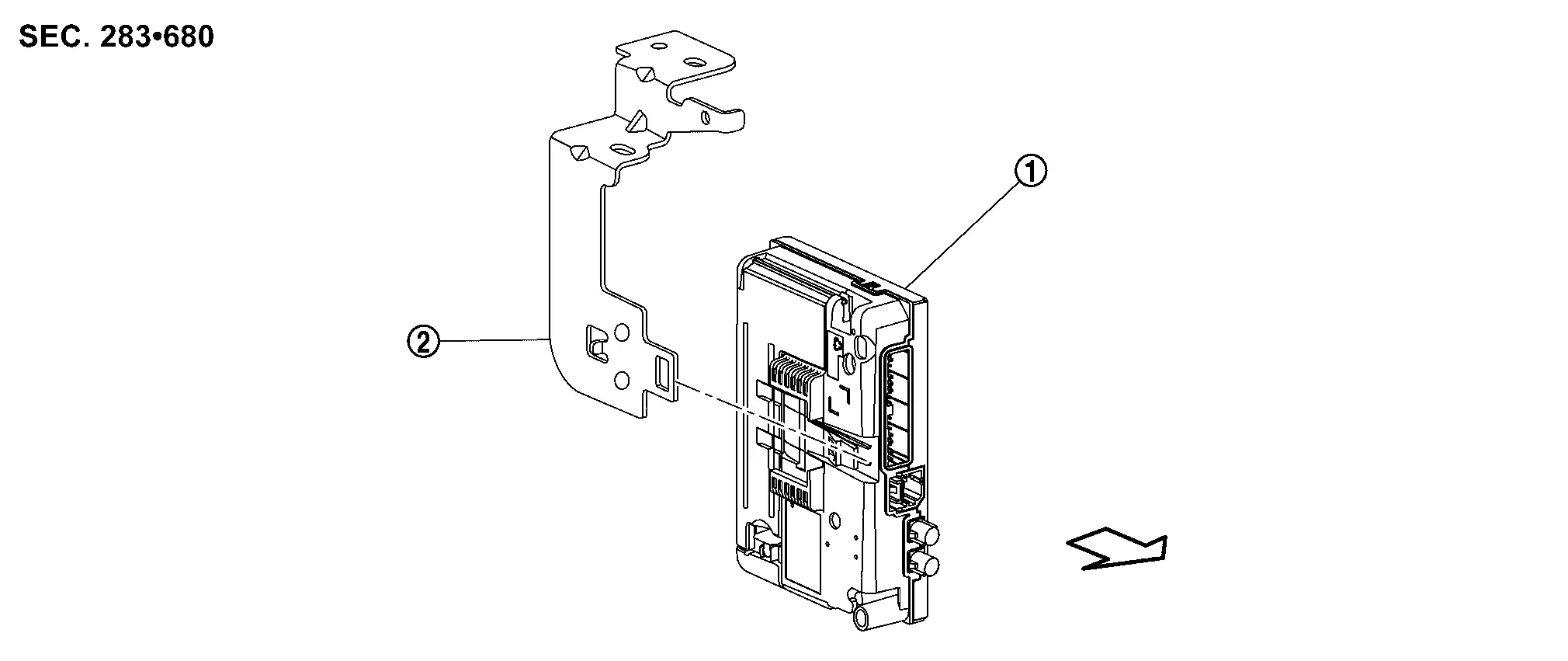
 |
TCU |  |
Bracket |
 |
: Nissan Ariya Vehicle front |
Removal & Installation
REMOVAL
CAUTION:
Before replacing TCU, perform “ADDITIONAL SERVICE WHEN REPLACING TCU". For details, refer to Work Procedure
Remove the glove box. Refer to Removal and Installation.
Remove the passenger knee air bag module to secure working space. Refer to Removal and Installation.
Remove the pawl holding  the TCU .
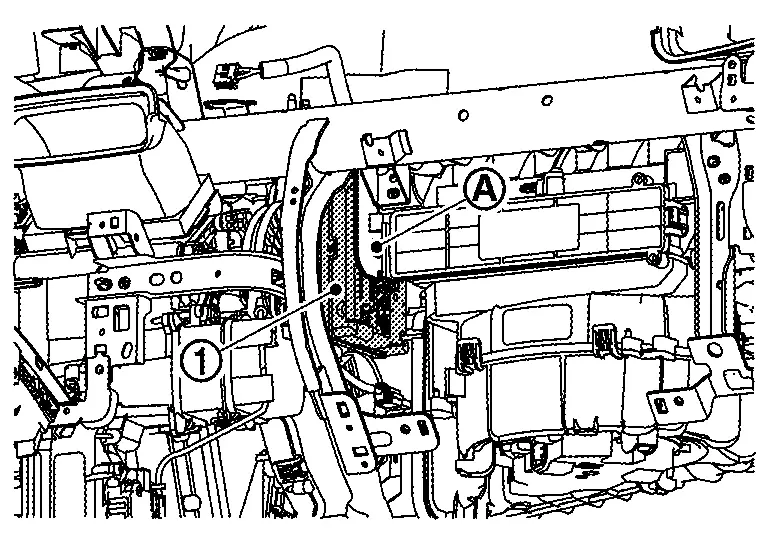
Remove the TCU from the bracket.
Disconnect the TCU harness connectors.
 NOTE:
NOTE:
To remove the bracket, remove the instrument panel assembly.
INSTALLATION
Installation is in the reverse order of removal.
CAUTION:
Before replacing TCU, perform “ADDITIONAL SERVICE WHEN REPLACING TCU". For details, refer to Work Procedure
Microphone
Removal and Installation
REMOVAL
Remove the map lamp assembly. Refer to Removal and Installation.
Release the microphone pawls, then remove the microphone.
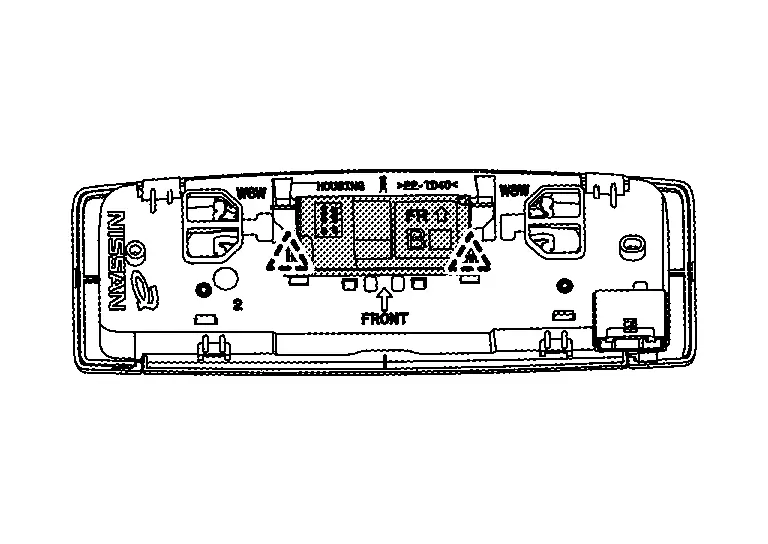
 |
:pawl |
INSTALLATION
Installation is in the reverse order of removal.
Telematics Switch
Removal & Installation
REMOVAL
Remove the map lamp assembly. Refer to Removal and Installation.
Release the telematics switch pawls, then remove the telematics switch.
Models with moonroof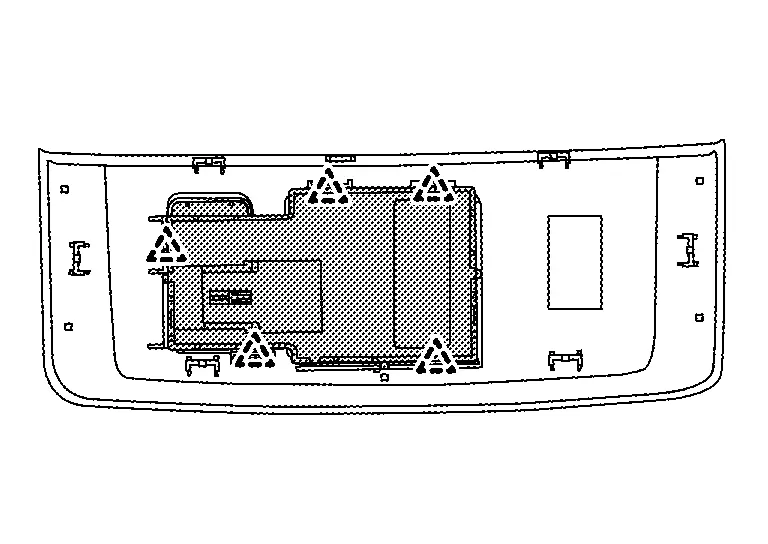
|
: pawl |
Models without moonroof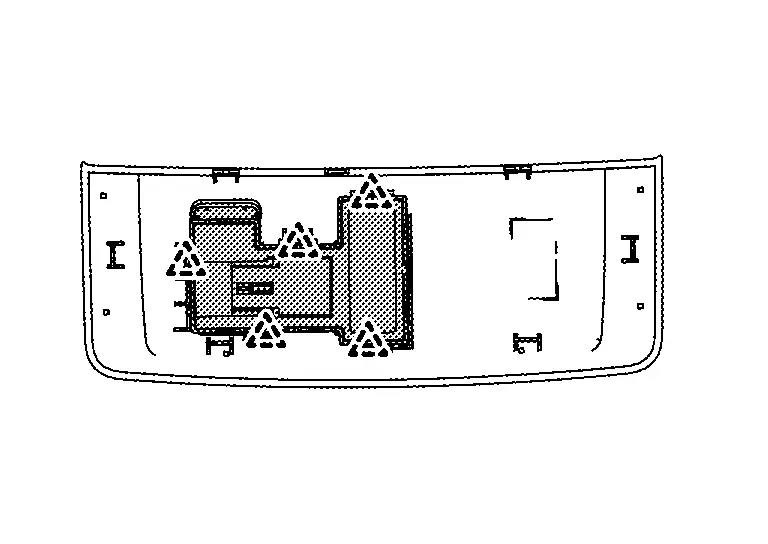
INSTALLATION
Installation is the reverse order of removal.
Telematics Antenna
Feeder Layout
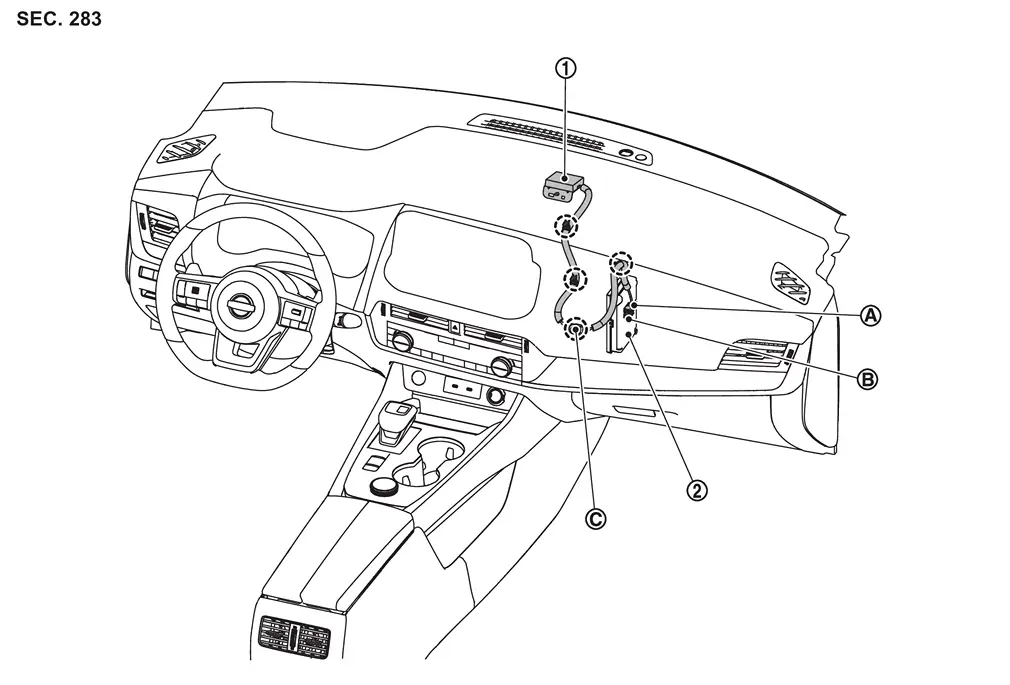
| 1. | Telematics antenna | 2. | TCU | ||
| A | Connector M174 | B | Connector M175 | C | Connector M176 |
Removal & Installation
REMOVAL
Remove the instrument panel assembly. Refer to Removal and Installation.
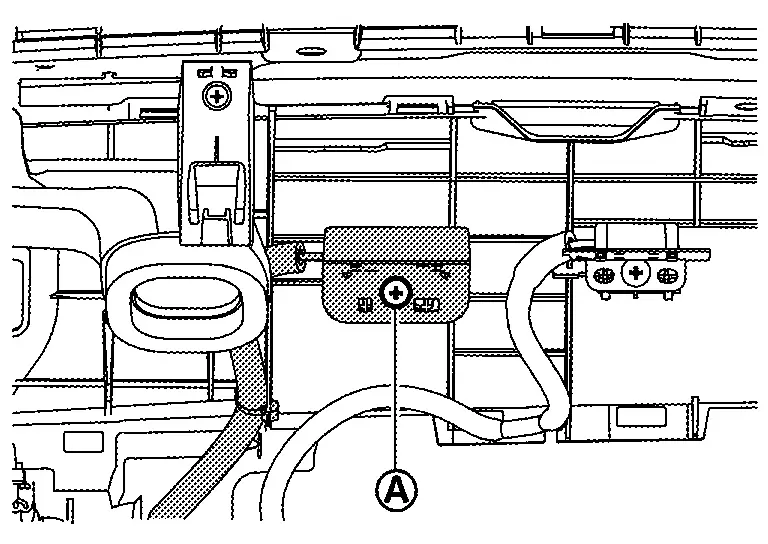
Remove the screw to remove the telematics antenna from the instrument panel.
INSTALLATION
Installation is in the reverse order of removal.
Other materials:
Torque Converter and Converter Housing Oil Seal
Exploded View
1.
Torque converter
2.
Converter housing oil seal
3.
Transaxle assembly
: Always replace after every disassembly.
: Apply CVT fluid
Disassembly
Remove transaxle assembly. Refer to Removal and Installation.
Remove torque converter from transaxle as ...
Wiring Diagram. Harness Layout
Outline
Harness Layout
Refer to Harness Layout.
Engine Room Harness
Harness Layout
ENGINE ROOM HARNESS - BATTERY VIEW (WITH ProPILOT Assist 2.1)Refer to Harness Layout.ENGINE ROOM HARNESS - BATTERY VIEW (WITHOUT ProPILOT Assist 2.1)Refer to Harness Layout.ENGINE ROOM HARNESS - CABIN VIEW (WITH Pr ...
P2123 App Sensor
DTC Description
DTC DETECTION LOGIC DTC
CONSULT screen terms
(Trouble diagnosis content)
DTC detection condition
P2123
00
APP SEN 1/CIRC
(Throttle/Pedal position sensor/switch D circuit high)
Diagnosis condition
Engine running at idle
Signal (terminal)
Accelerator ...