
Nissan Rogue (T33) 2021-Present Service Manual: Simplified Confirmation by Birds-Eye View Screen
Work Procedure
If the front grille upper is removed or replaced, perform the simplified confirmation by birds-eye view screen.
CAUTION:
-
This procedure should only be performed if the front grille upper has been removed or replaced.
-
Perform camera calibration when removing or replacing each camera, removing the camera mounting parts (front bumper mall center, door mirror, etc.), or replacing the around view monitor control unit. Refer to Work Procedure (WITHOUT ProPILOT ASSIST 2.1) or Work Procedure (WITH ProPILOT ASSIST 2.1).
TAKE A SCREENSHOT OF THE BIRDS-EYE VIEW SCREEN 1
-
Draw white lines with a width of 10 cm (3.9 in) or more as shown in the figure and place the Nissan Ariya vehicle.
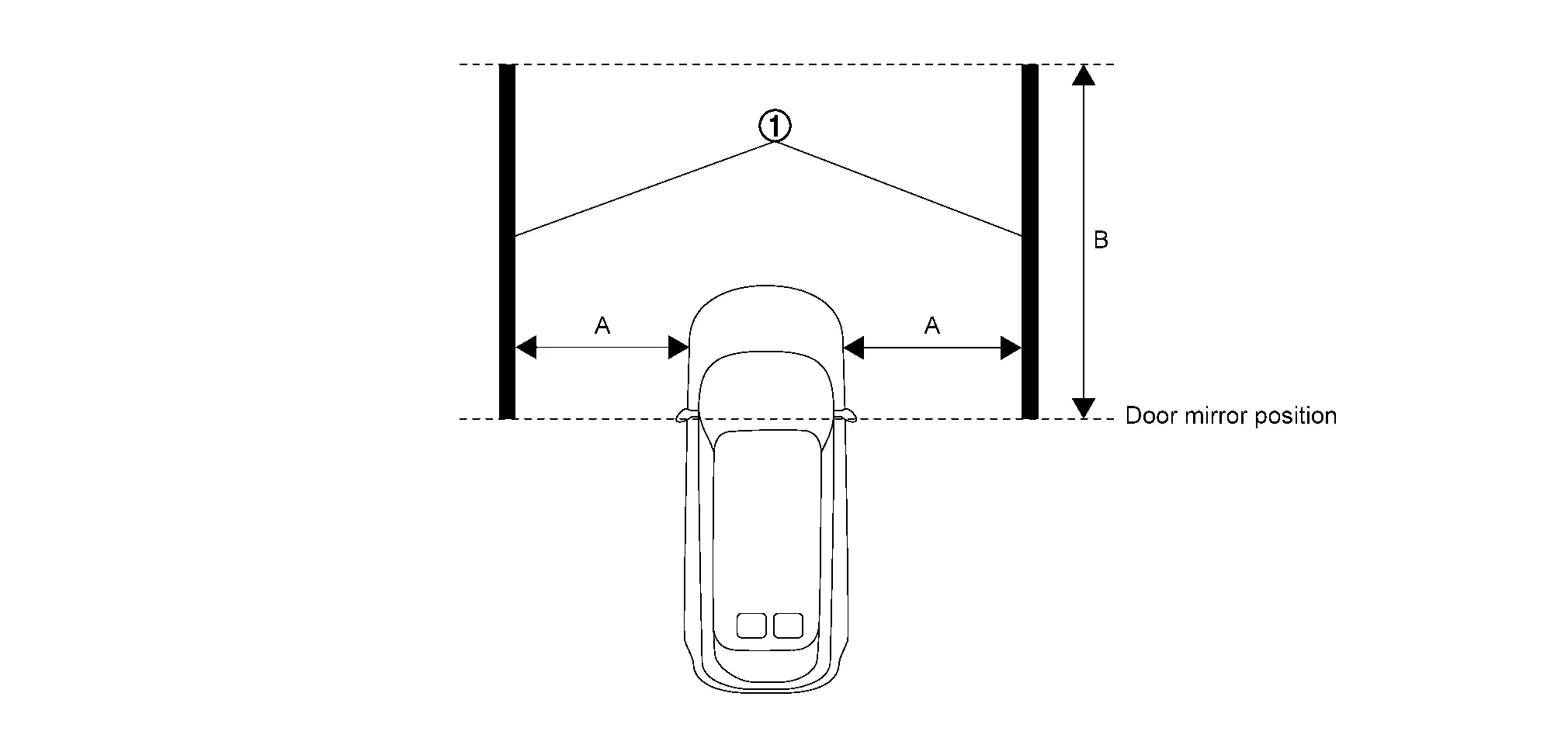

White lines
[10 cm (3.9 in) or more in width]A : 2 m (78.7 in) B : 3 m (118.1 in) -
Activate the around view monitor and display the birds-eye view screen.
-
Take a screenshot of the birds-eye view screen in the state shown in the figure.
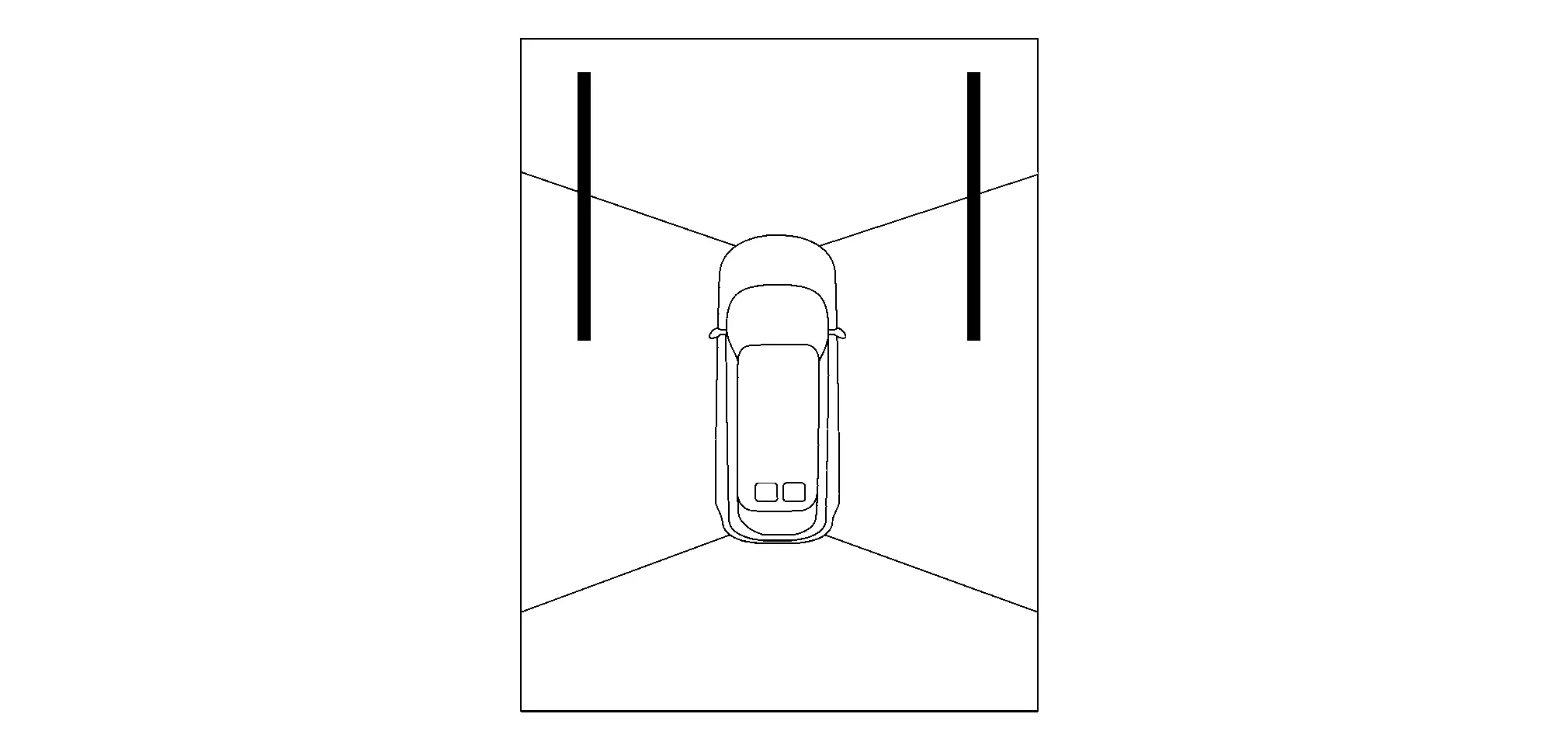
 NOTE:
NOTE:
A screenshot of the birds-eye view screen can be taken by following the steps below.
-
Insert the USB memory into the USB port.
NOTE:
Using a USB memory with an access lamp makes it easier to determine the communication status of the USB memory.
-
While pressing the camera switch, quickly turn the volume dial 3 clicks in the order of right→left→right (switches to system diagnostic mode).
-
Select “Display Diagnosis�.
-
Select “Screenshot to USB� and turn ON the screenshot.
-
Display the birds-eye view screen.
-
Press the camera switch.
-
Wait at least 10 seconds until the data is written to the USB memory.
-
>>
GO TO 2.
REMOVAL OR REPLACEMENT OF FRONT GRILL UPPER
Remove or replace the front grill upper. Refer to Removal and Installation.
>>
GO TO 3.
TAKE A SCREENSHOT OF THE BIRDS-EYE VIEW SCREEN 2
Take a screenshot of the birds-eye view screen again in the state of the figure.
>>
GO TO 4.
SCREENSHOT COMPARISON OF BIRDS-EYE VIEW SCREEN
Compare the screenshots of the birds-eye view screen before and after
removing or replacing the front grill upper, and check if the white
lines in the figure is misaligned.
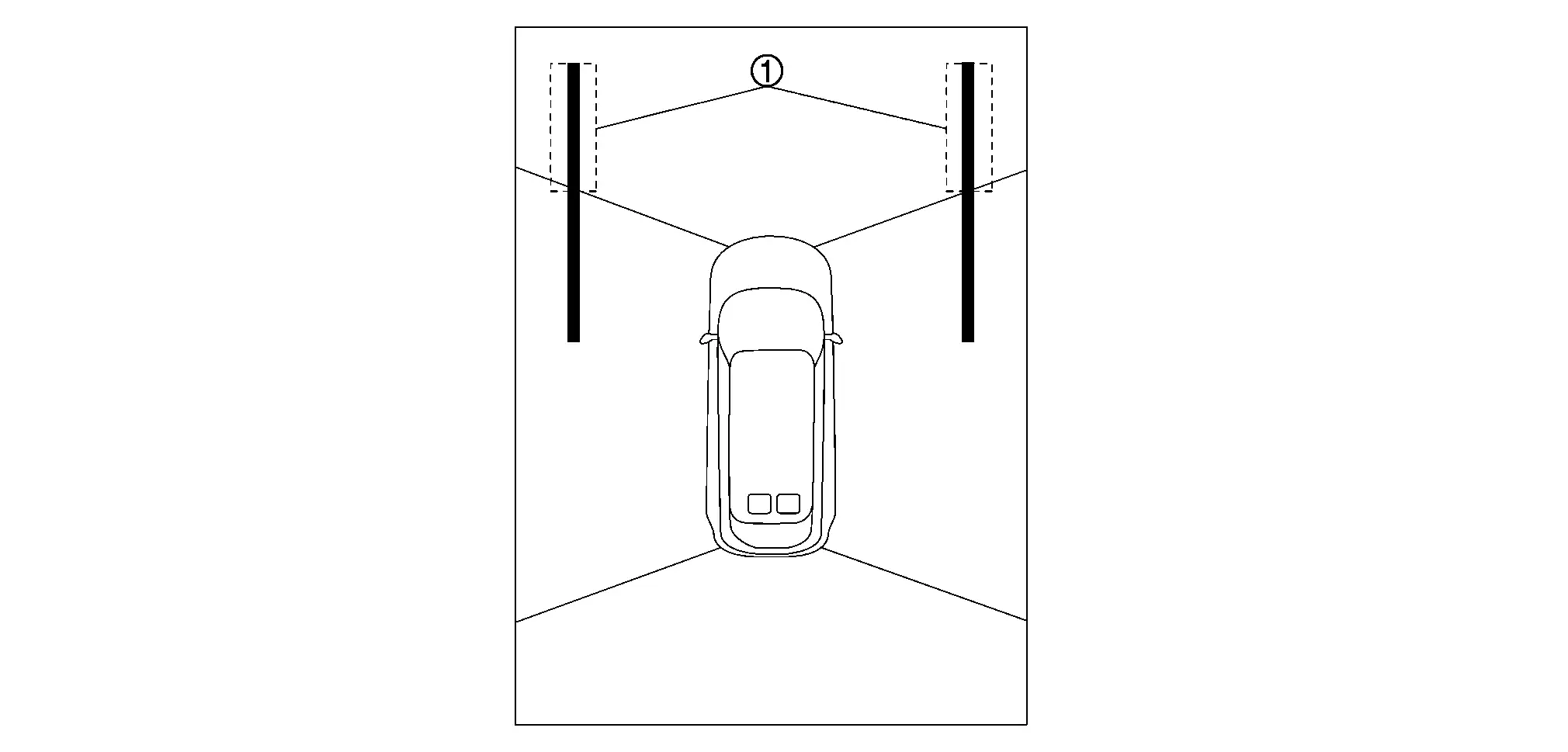
Is there a gap in the white lines?
YES>>Perform camera calibration. Refer to Work Procedure (WITHOUT ProPILOT ASSIST 2.1) or Work Procedure (WITH ProPILOT ASSIST 2.1).
NO>>Work End.
Other materials:
B2c96-49 Light Sensor
DTC Description
DTC DETECTION LOGIC DTC No.
CONSULT screen items
(Trouble diagnosis content) DTC detection condition
B2C96-49
Light sensor
(Light sensor)
Diagnosis condition
When engine running and with lighting switch AUTO
Signal (terminal)
Optical sensor signal
Thre ...
Fuel Efficient Driving Tips
Follow these Fuel Efficient Driving Tips to
help maximize fuel economy in your
Nissan Rogue.
1. Use smooth accelerator and brake input.
Avoid rapid acceleration and sudden stops.
Apply the accelerator and brakes smoothly.
Maintain a consistent speed and coast when possible.
2. Maintain steady ...
P0365 Exhaust Camshaft Position Sensor
DTC Description
DTC DETECTION LOGIC
Exhaust camshaft position sensor signal is not sent to ECM during engine running.
The pulse signal sent from the exhaust camshaft position sensor to ECM is not in the normal pattern during engine running.
DTC
CONSULT screen terms
(Trouble diagnos ...