
Nissan Rogue (T33) 2021-Present Owner’s Manual & User Guide: Security systems
Basic information
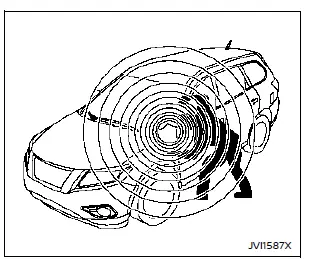
Your vehicle includes two types of security systems designed to help protect the Nissan Rogue from unauthorized access:
- Vehicle security system (if so equipped)
- NISSAN Vehicle Immobilizer System
Vehicle Security System
Basic information
The vehicle security system activates both visual and audio alarms if any door, the hood, or the liftgate is opened while the system is armed. This system does not detect motion or vibration—it only responds to unauthorized entry.
The system helps deter theft of the Nissan Rogue, but it cannot fully prevent the theft of the vehicle or its components. Always lock your vehicle, never leave the keys inside, and secure it even when stepping away briefly.
Stay aware of your surroundings and try to park in well-lit, secure areas whenever possible.
Additional anti-theft devices—such as component locks, tracking systems, and identification markers—are available from automotive stores or your NISSAN dealer. Some of these features may also qualify you for insurance discounts.
How to arm the vehicle security system
1. Close all windows. The system can still be armed even if they remain open.
2. Remove the keys from the vehicle.
3. Close all doors, the hood, and the liftgate. Lock the doors using the Intelligent Key or the request switch (if equipped).
Even if the driver or passengers remain inside the Nissan Rogue, the system will activate once all doors, hood, and liftgate are locked with the ignition switch OFF. Switching the ignition to ON will deactivate the system.
Vehicle security system activation
The system triggers the following alarm response:
- The headlights or hazard lights will flash, and the horn will sound intermittently.
- The alarm will stop after about 30 seconds, but will reactivate if the vehicle is tampered with again.
The alarm activates when:
- Any door, the hood, or the liftgate is opened without using the Intelligent Key—even if unlocked manually from inside.
How to stop an activated alarm
The alarm can be stopped by pressing the UNLOCK
 button on the Intelligent Key, using the door request switch (if equipped), or turning the ignition switch to the ON position.
NISSAN Vehicle Immobilizer System
The NISSAN Vehicle Immobilizer System prevents the engine of the Nissan Rogue from starting without a registered Intelligent Key.
If the engine does not start with the registered key, interference may be caused by:
- Another Intelligent Key
- Automated toll road device
- Automated payment device
- Other devices transmitting similar signals
To start the engine, follow these steps:
1. Move any devices that may be causing interference away from the Intelligent Key.
2. Attempt to start the engine again.
If the engine starts after removing interference, keep the Intelligent Key separate from other transmitting devices to prevent future issues.
Statement related to section 15 of FCC rules for NISSAN Vehicle Immobilizer System (CONT ASSY-SMART KEYLESS)
NOTE:
FCC Notice — For USA:
This device complies with Part 15 of the FCC Rules. Operation is subject to the following conditions: (1) this device may not cause harmful interference; and (2) this device must accept any interference received, including interference that may cause undesired operation.
NOTE:
Any changes or modifications not approved by the party responsible for compliance may void the user’s authority to operate the equipment.
For Canada:
This device contains licence-exempt transmitter(s)/receiver(s) complying with Innovation, Science and Economic Development Canada’s RSS requirements. Operation is subject to the following conditions: (1) this device may not cause interference, and (2) it must accept any interference, including interference that may cause undesired operation.
Other materials:
B2223-1c Combination Meter
DTC Description
DTC DETECTION LOGIC DTC No.
CONSULT screen terms
(Trouble diagnosis content) DTC detected condition
B2223-1C
Combination meter
(Combination meter)
Diagnosis condition
When ignition switch is ON.
Signal (terminal)
—
Threshold
TFT error is detected ...
Configuration
Description
Vehicle specification needs to be written with CONSULT because it is
not written after replacing the ABS actuator and electric unit (control
unit).The configuration requires network connection. CONSULT
connects to network and then it downloads the configuration data from
the ser ...
Seat belts with pretensioners (front and
rear outboard seats)
WARNING
The pretensioners cannot be
reused after activation. They must
be replaced together with the
retractor and buckle as a complete
unit in your Nissan Rogue.
If the vehicle becomes involved in
a collision but a pretensioner is
not activated, be sure to have the
pretensioner system ins ...