
Nissan Rogue (T33) 2021-Present Service Manual: Removal and Installation :: Steering Wheel
Exploded View
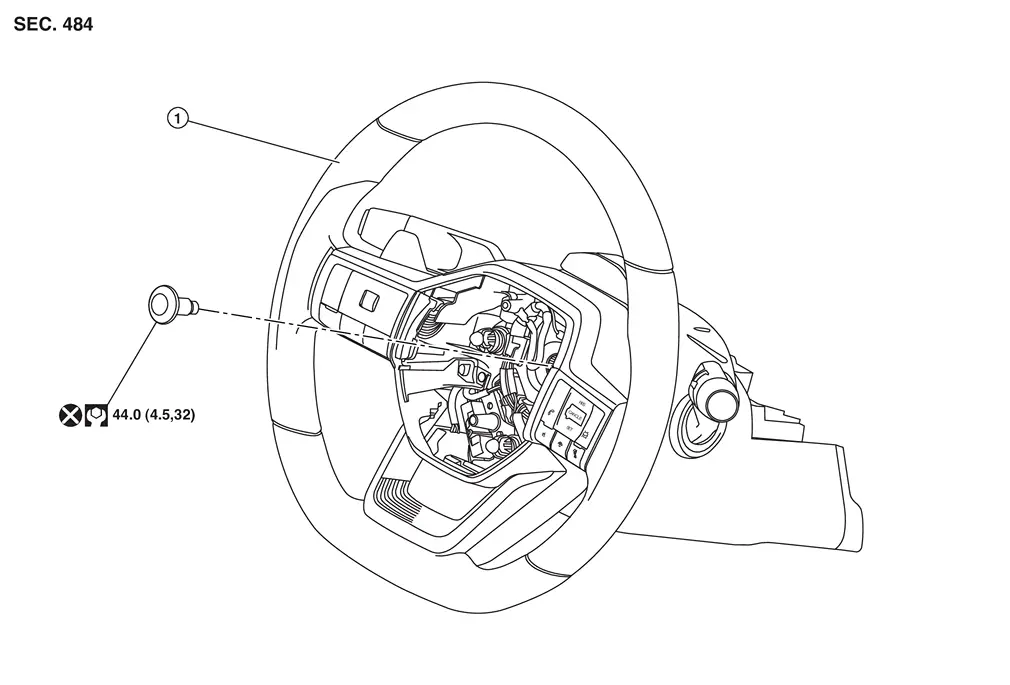
 |
Steering wheel | ||||
 |
: N·m (kg-m, ft-lb) | ||||
 |
: Always replace after every disassembly. | ||||
Removal and Installation
REMOVAL
Set vehicle to the straight-ahead position.
Remove driver air bag module. Refer to Removal and Installation.
Remove steering wheel bolt after steering is locked.
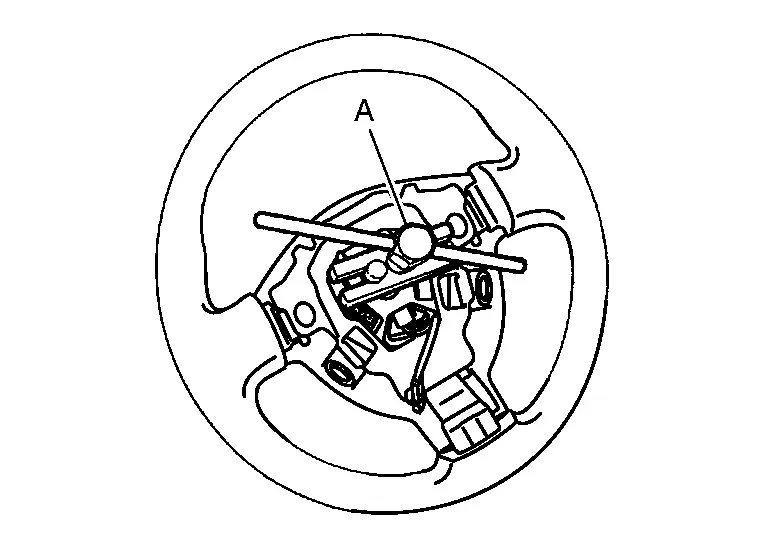
Remove steering wheel with the steering wheel puller (commercial service tool) (A).
 NOTE:
NOTE:
-
Put paint marks on the steering wheel and the steering column shaft head for supporting accurate positioning during the installation procedure.
-
Secure the spiral cable with tape so that the spiral cable case and the spiral cable rotating part stay aligned. This will avoid the neutral position alignment procedure during steering wheel installation.
INSTALLATION
Installation is in the reverse order of removal.
CAUTION:
-
Never twist spiral cable excessively after it becomes tight. Twisting may cause the spiral cable to be torn off. If the spiral cable isn't in the neutral position, align the neutral position of the spiral cable. Refer to Removal and Installation.
-
Perform the "ADJUSTMENT OF STEERING ANGLE SENSOR NEUTRAL POSITION". Refer to Description.
-
Never reuse steering wheel mounting bolt.
-
Perform steering torque calibration after removal and installation or replacing the steering wheel. Refer to Work Procedure.
-
If a malfunction with ProPILOT Assist 1.1 was corrected, perform the "ACTION TEST". Refer to Work Procedure (ProPILOT Assist 1.1 and a 7 inch Information Display) or to Work Procedure (ProPILOT Assist 1.1 and a FULL TFT METER).
-
If a malfunction with ProPILOT Assist 2.1 was corrected, perform the "ACTION TEST". Refer to Work Procedure (ProPILOT Assist 2.1).
Other materials:
Bougies d'allumage
Informations de base
AVERTISSEMENT
Avant toute intervention, assurez-vous que le moteur est arrêté, que le contact d’allumage est coupé et que le frein de stationnement est correctement serré.
MISE EN GARDE
Utilisez toujours une douille adaptée pour le démontage des bougies d’allum ...
Dtc/circuit Diagnosis. B2490-19 Front Seat Heater Lh
DTC Description
DTC DETECTION LOGIC DTC No.
CONSULT screen items
(Trouble diagnosis content) DTC detection condition
B2490-19
FRONT SEAT HEATER LH
(Front seat heater LH)
Diagnosis condition
Engine running
Signal (terminal)
—
Threshold
CPU in front seat heater LH ...
System
Engine Control System
System Description
SYSTEM DIAGRAMSYSTEM DESCRIPTION
The adopted system enables comprehensive engine control. ECM (engine
control module) performs various controls such as fuel injection
control, ignition timing control, idling engine speed control, EVAP
purge contr ...