
Nissan Rogue (T33) 2021-Present Service Manual: Removal and Installation :: Rear Door Finisher
Exploded View
With rear door sunshade models
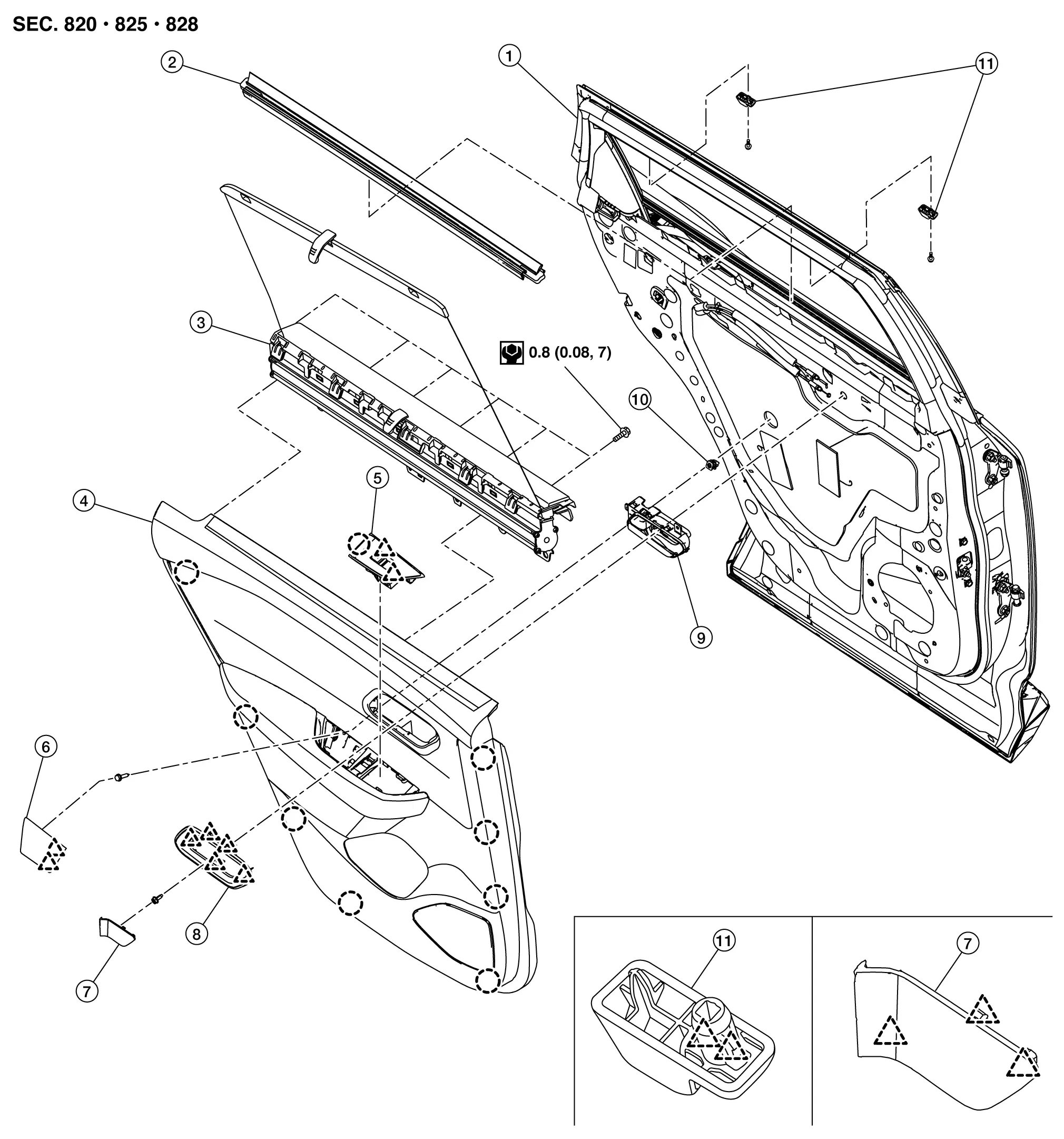
| 1. | Rear door panel | 2. | Inside seal | 3. | Rear door sunshade |
| 4. | Rear door finisher | 5. | Power window switch finisher | 6. | Pull handle cap |
| 7. | Inside handle cap | 8. | Inside handle finisher | 9. | Inside handle |
| 10. | Grommet | 11. | Shade hook | — | — |
 |
: Clip | ||||
 |
: Pawl | ||||
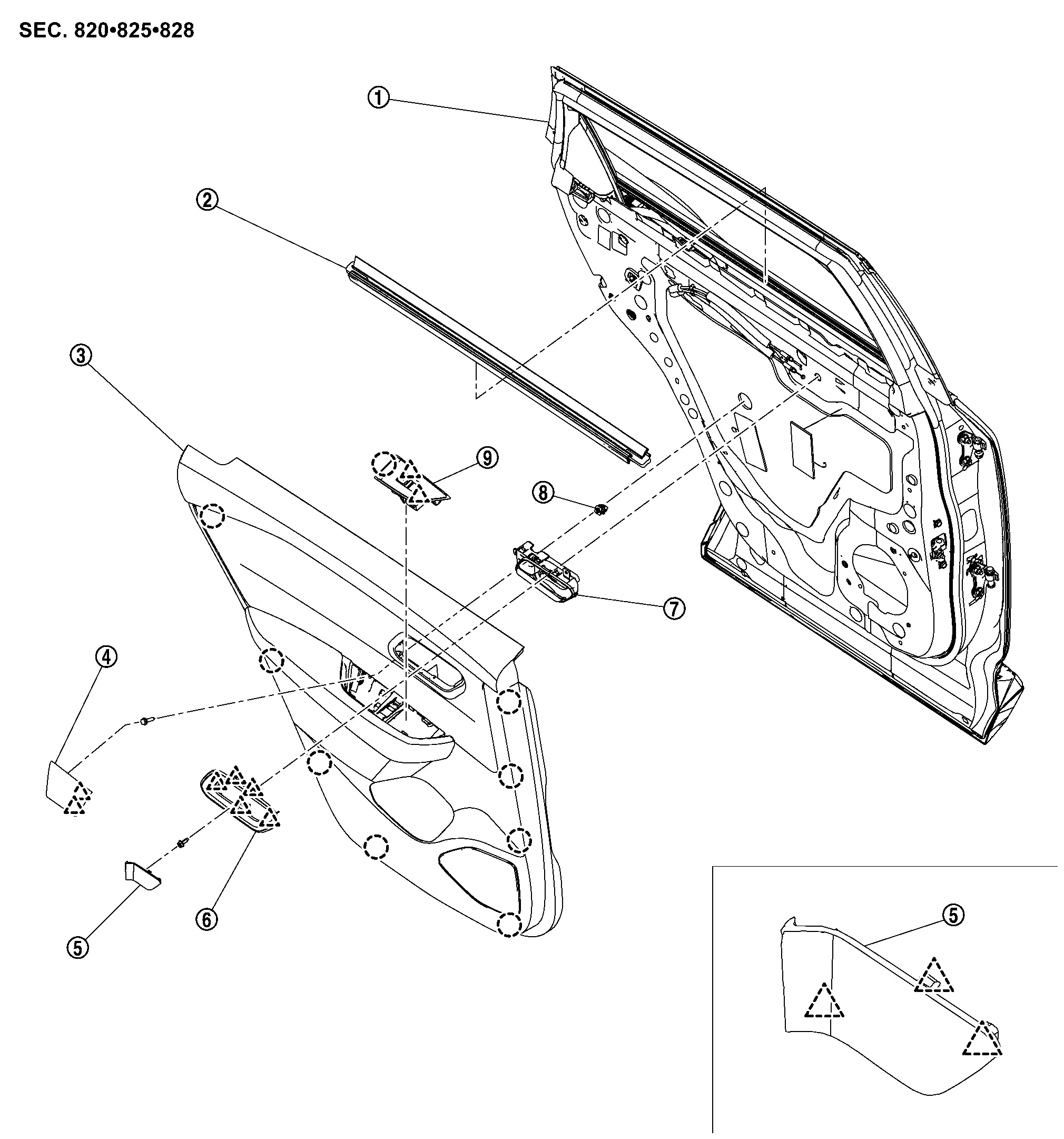
Without rear door sunshade models
 |
Rear door panel |  |
Inside seal |  |
Rear door finisher |
 |
Pull handle cap |  |
Inside handle cap |  |
Inside handle finisher |
 |
Inside handle |  |
Grommet |  |
Power window switch finisher |
|
: Clip | ||||
|
: Pawl | ||||
Removal and Installation
CAUTION:
Never damage the rear door panel.
REMOVAL
Fully open rear door.
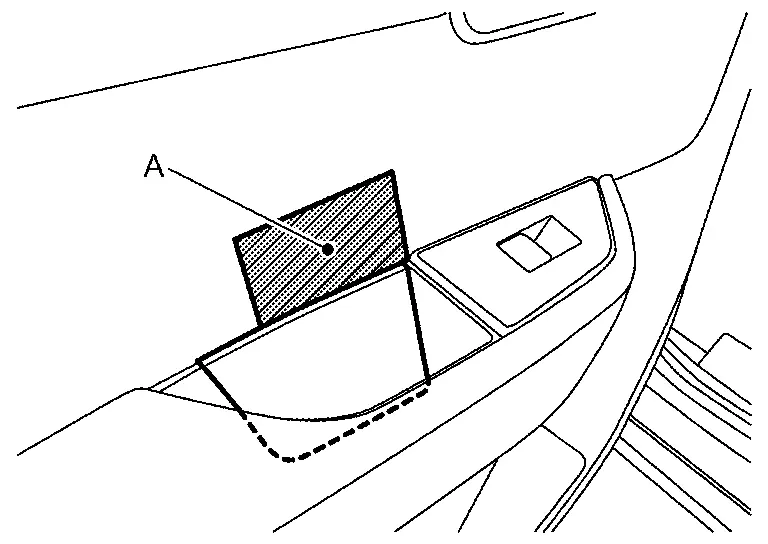
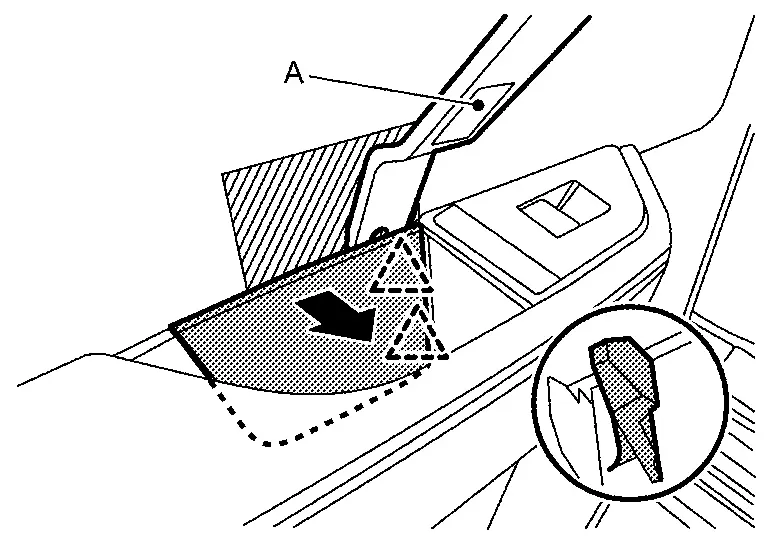
Remove pull handle cap.Apply protective tape (A) on rear door finisher to protect it from damage.
|
: Pawl |
Remove power window switch finisher.Apply protective tape (A) on rear door finisher to protect it from damage.
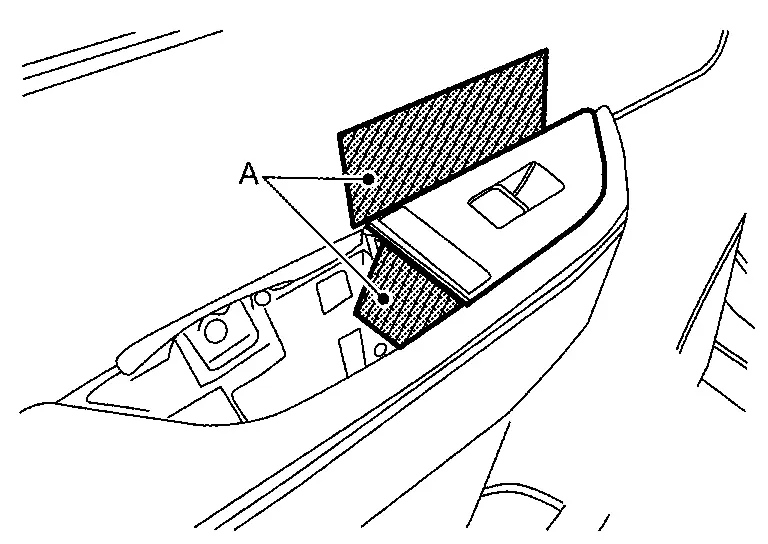
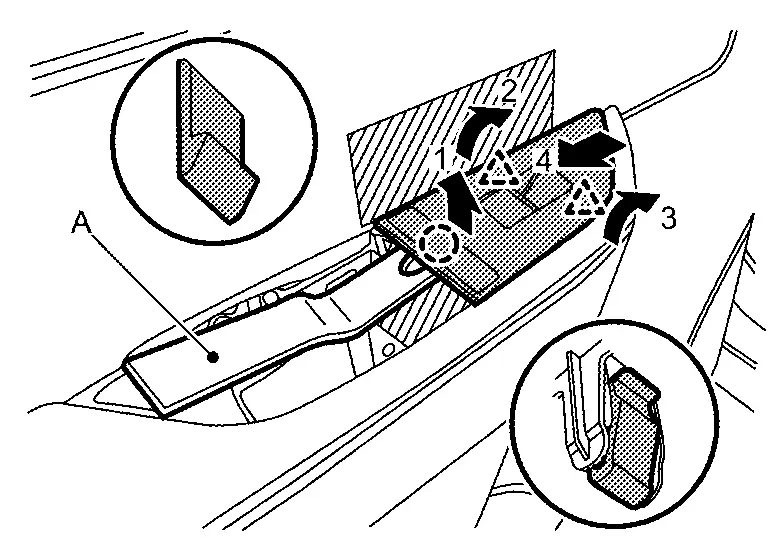
|
: Clip |
|
: Pawl |
Remove inside handle cap.Apply protective tape (A) on inside handle to protect it from damage.
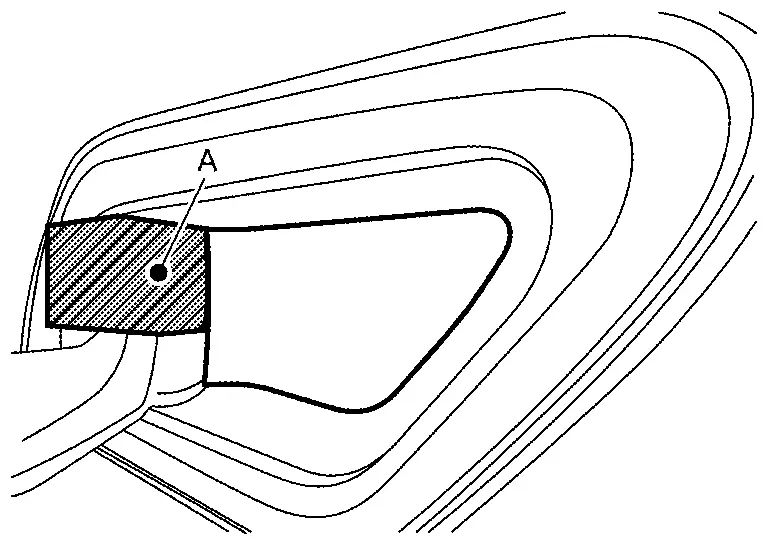
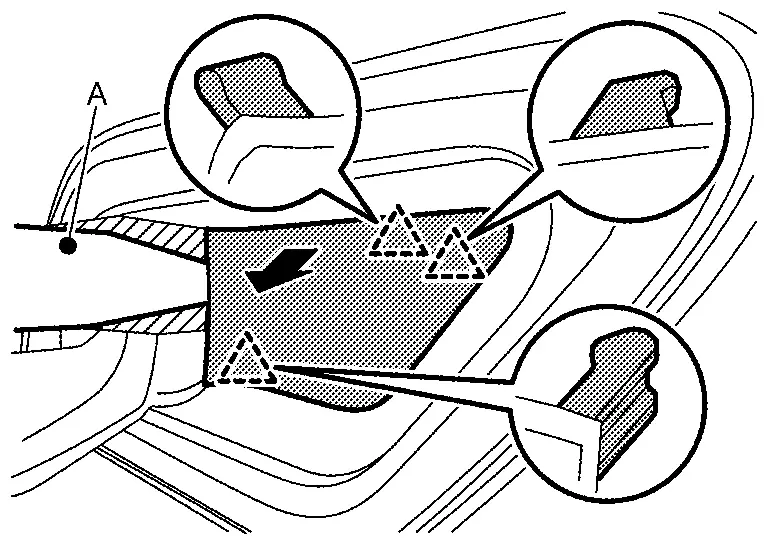
|
: Pawl |
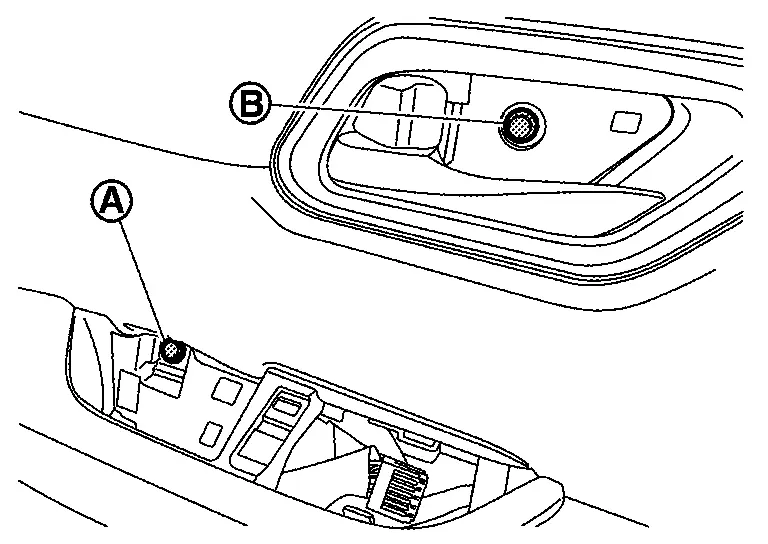
Remove rear door finisher mounting screw (A) and mounting bolt (B).
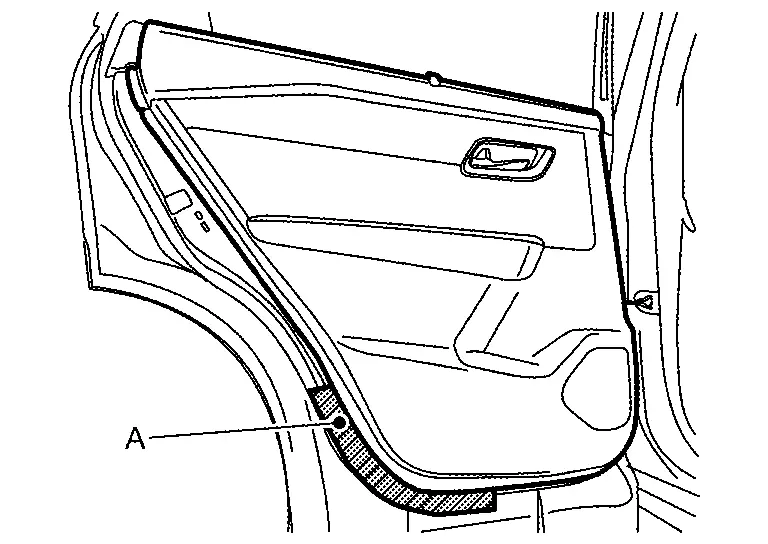
Apply protective tape (A) on rear door panel to protect it from damage.
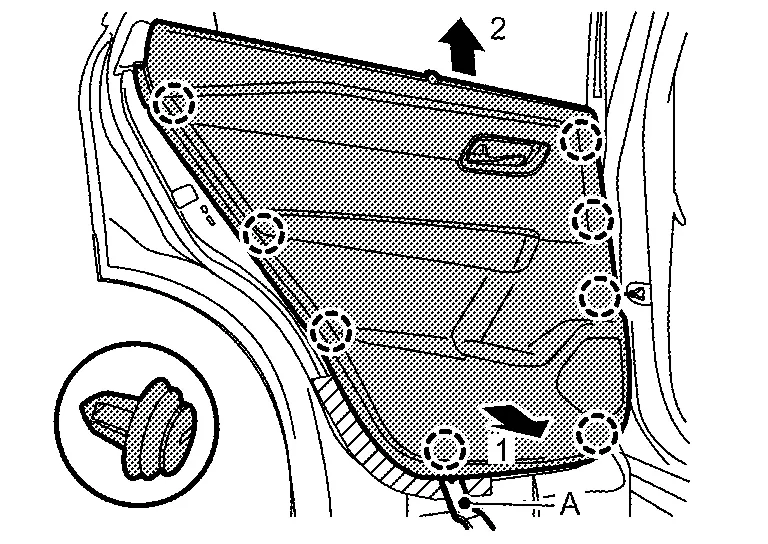
Disengage rear door finisher fixing clips using a remover tool (A) according to numerical order 1→2 indicated by arrows as shown in the figure.
|
: Clip |
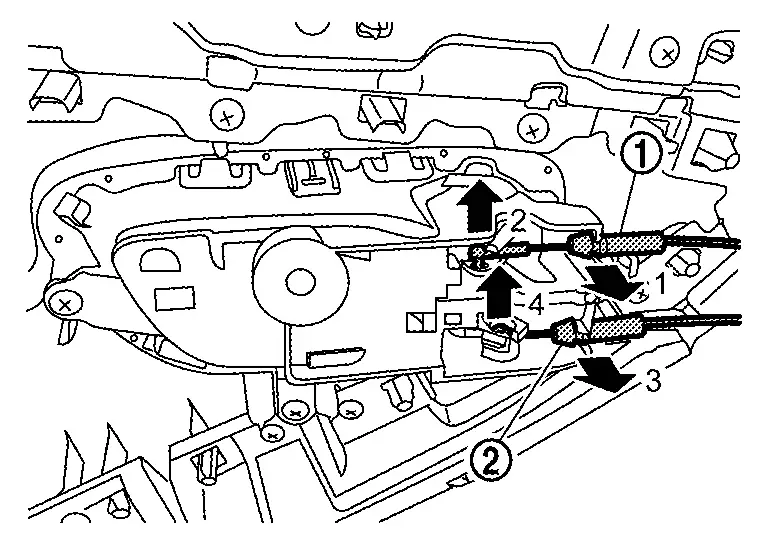
Disconnect lock knob cable (1) and inside handle cable (2) from inside handle according to numerical order 1→4 indicated by arrows as shown in the figure, and then remove rear door finisher.
Disengage rear door weather-strip (1), and then remove inside seal (2), according to numerical order 1→2 indicated by arrows as shown in the figure,.
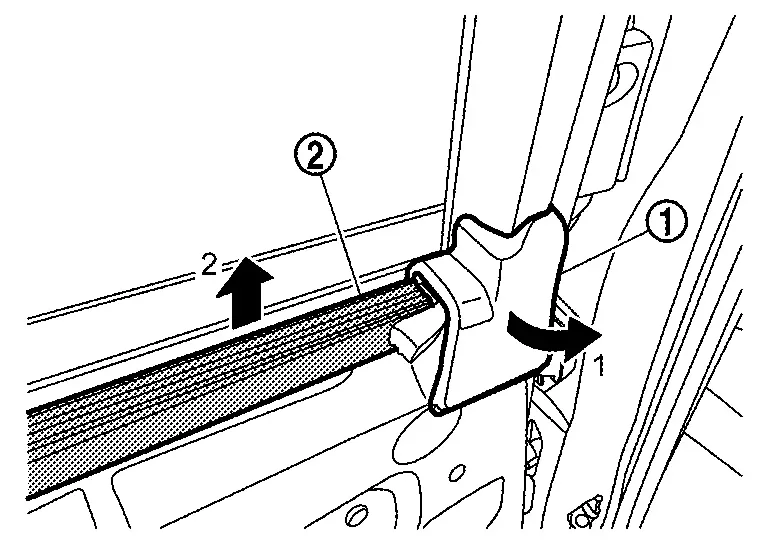
INSTALLATION
Installation is in the reverse order of removal.
CAUTION:
-
Visually check clips for deformation and damage during installation. Replace with new ones if necessary.
-
Check in advance that clips are accurately aligned with the portions on rear door panel, and then install by pressing in.
-
Never install lock knob cable while it is twisted.
REAR DOOR SHADE ASSEMBLY
REMOVAL
Remove rear door finisher. Refer to Removal and Installation.
Remove screws (A).
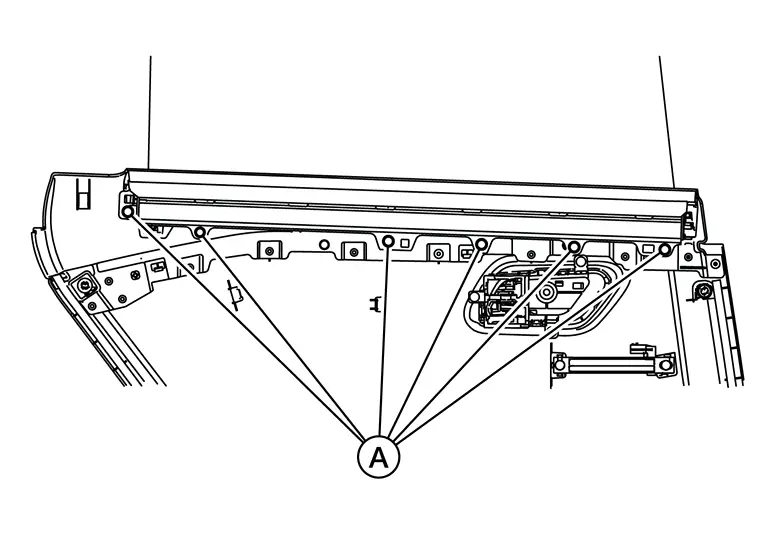
Remove rear door shade assembly.
INSTALLATION
Installation is in the reverse order.
REAR DOOR SHADE HOOK
REMOVAL
Remove shade hook mounting bolt (A).
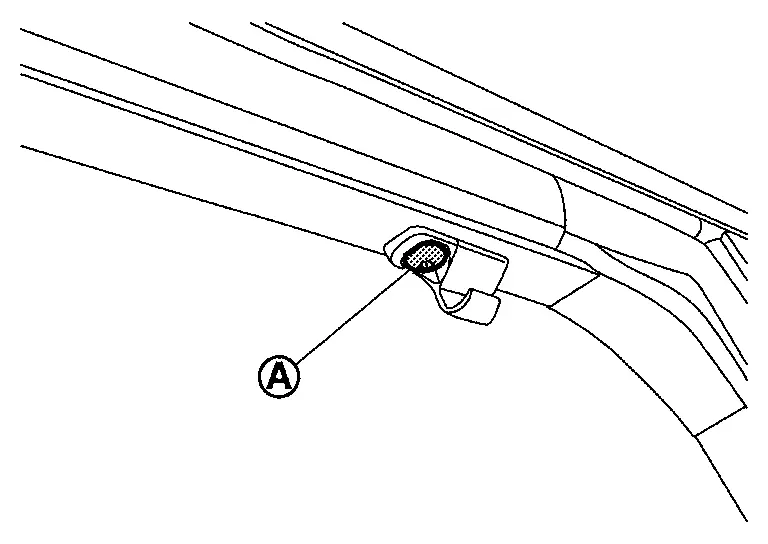
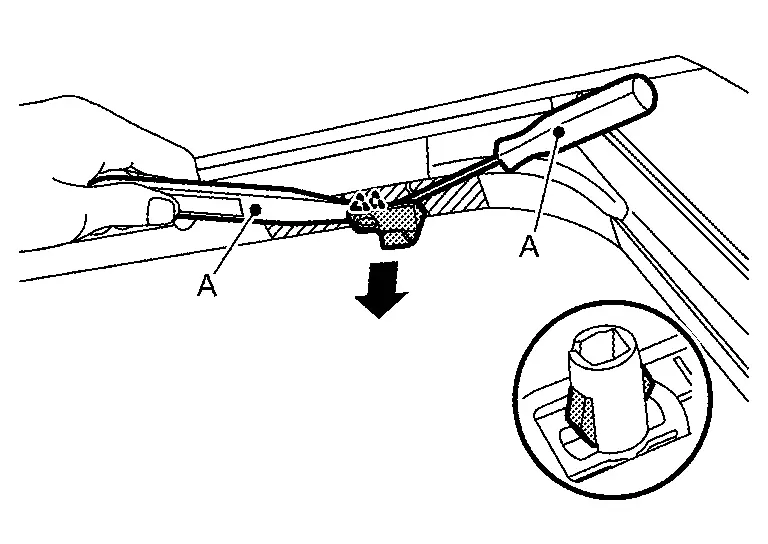
Apply protective tapes (A) on rear door panel to protect it from damage.
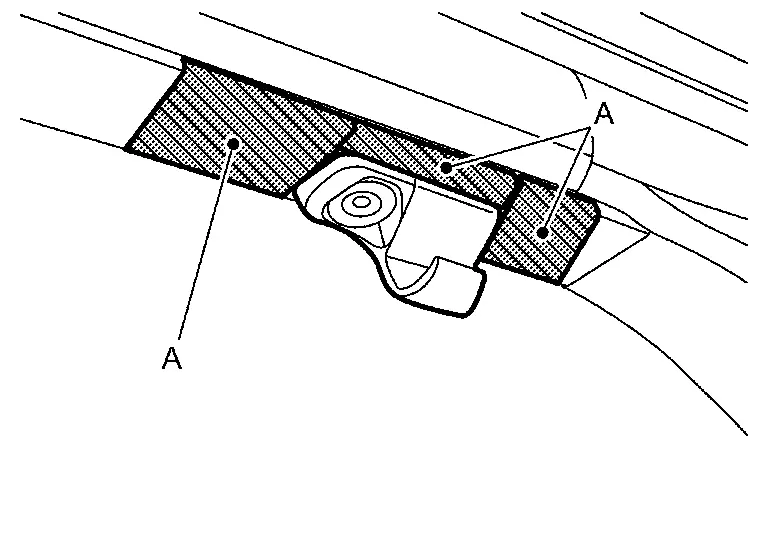
Release shade hook pawls using a suitable tool (A), and then remove shade hook.
|
:Pawl |
INSTALLATION
Installation is in the reverse order of removal.
Other materials:
Preparation
Commercial Service Tools
Tool Description
Power tool
Loosening screws
Sealant or/and Lubricant
Name Description
Primer (3M K500, K520 or equivalent)
Primer for attaching sonar sensor holder to bumper
...
Adas Control Unit. Basic Inspection
Additional Service When Replacing Adas Control Unit 2
Without Propilot Assist 2.1
Work Procedure
Always perform the additional service after replacing the ADAS control unit 2.ADAS CONTROL UNIT 2 CONFIGURATION
Perform saving Nissan Ariya vehicle internal information according to "Replace ECU" i ...
Laser Branch Line Circuit
Diagnosis Procedure
CHECK CONNECTOR
Turn the ignition switch OFF.
Disconnect the battery cable from the negative terminal.
Check the following terminals and connectors for damage, bend and loose connection (unit side and connector side).
Distance sensor
Harness connector B2 ...