
Nissan Rogue (T33) 2021-Present Service Manual: Removal and Installation :: Front Door Finisher
Exploded View
Driver side
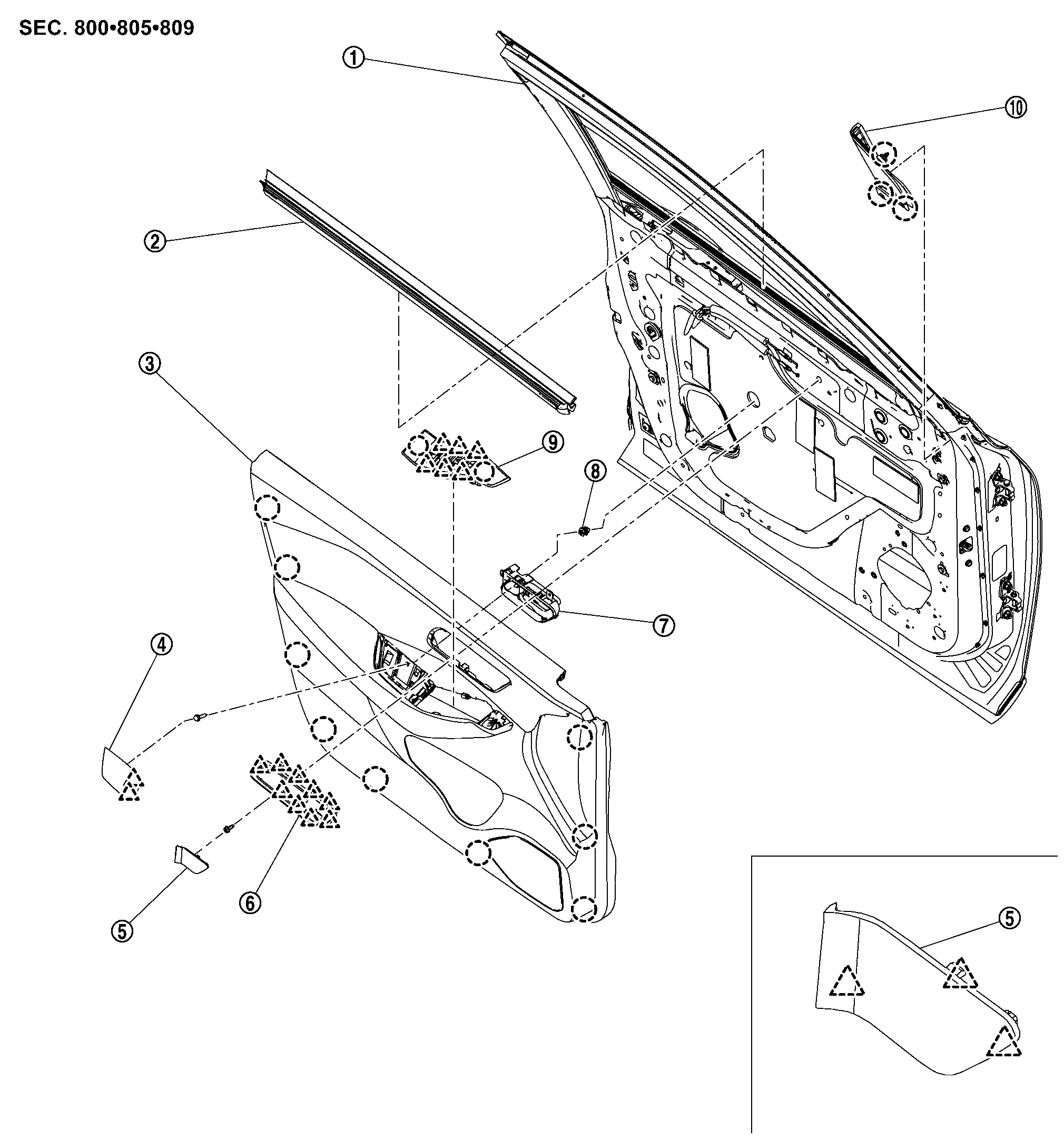
 |
Front door panel |  |
Inside seal |  |
Front door finisher |
 |
Pull handle cap |  |
Inside handle cap |  |
Inside handle finisher |
 |
Inside handle |  |
Grommet |  |
Power window switch finisher |
 |
Door corner cover | ||||
 |
: Clip | ||||
 |
: Pawl | ||||
Passenger side
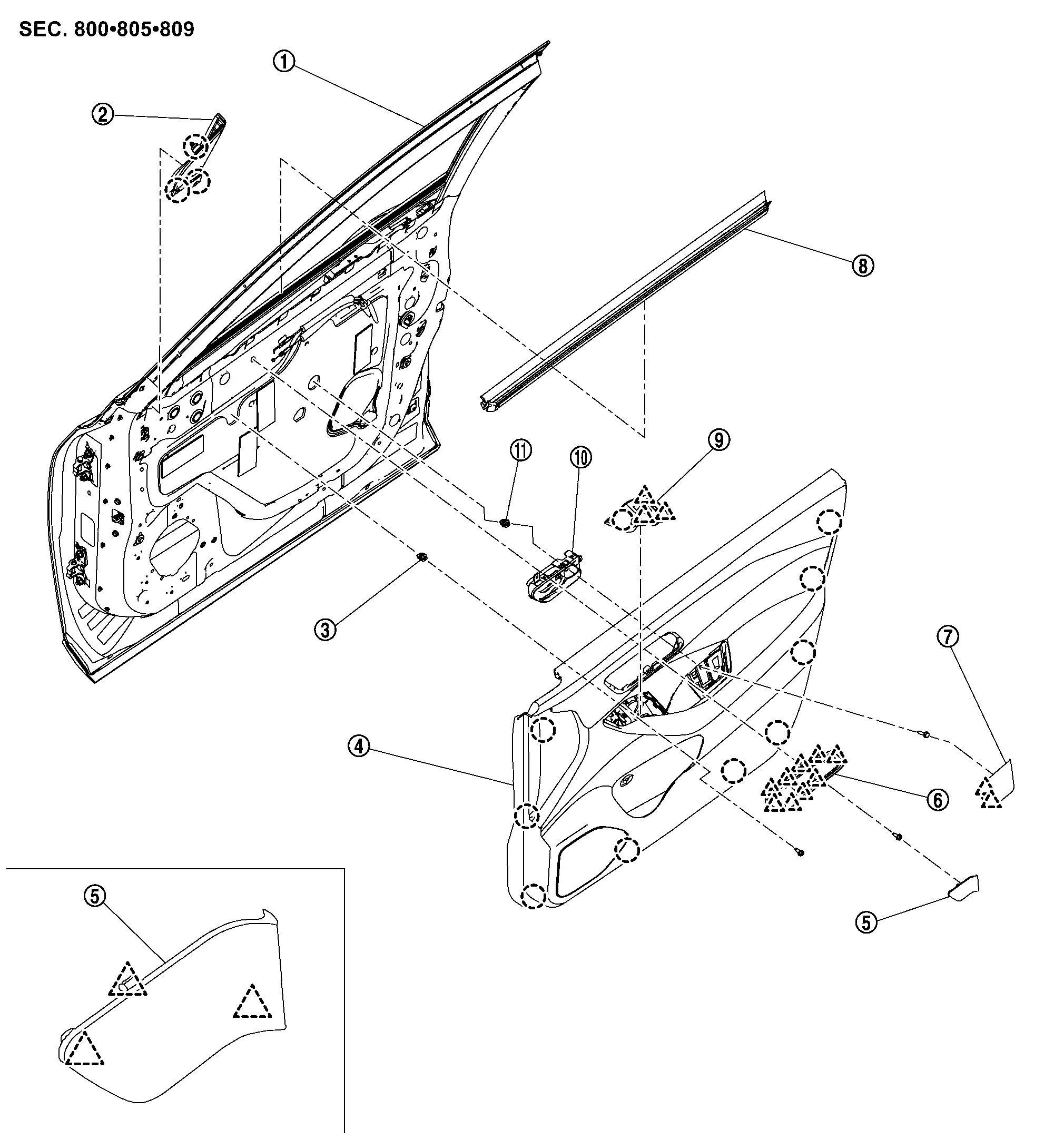
|
Front door panel | |
Door corner cover | |
Grommet |
|
Front door finisher | |
Inside handle cap | |
Inside handle finisher |
|
Pull handle cap | |
Inside seal | |
Power window switch finisher |
|
Inside handle |  |
Grommet | ||
|
: Clip | ||||
|
: Pawl | ||||
Removal and Installation
CAUTION:
Never damage the front door panel.
REMOVAL
Driver Side
Fully open driver side front door.
Remove pull handle cap.Apply protective tape (A) on front door finisher to protect it from damage.
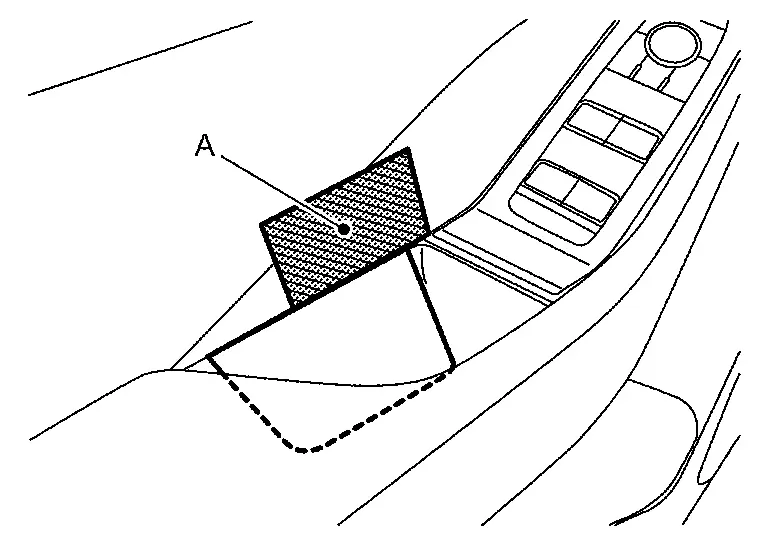
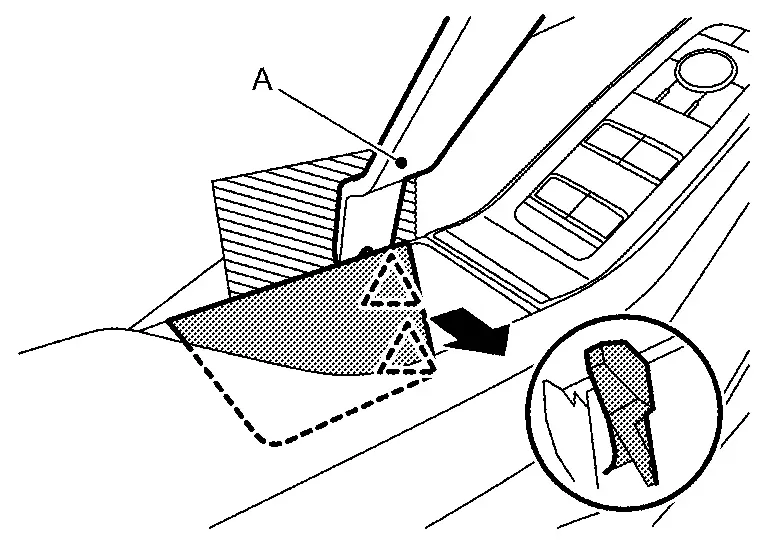
|
: Pawl |
Remove power window switch finisher.Apply protective tapes (A) on front door finisher to protect it from damage.
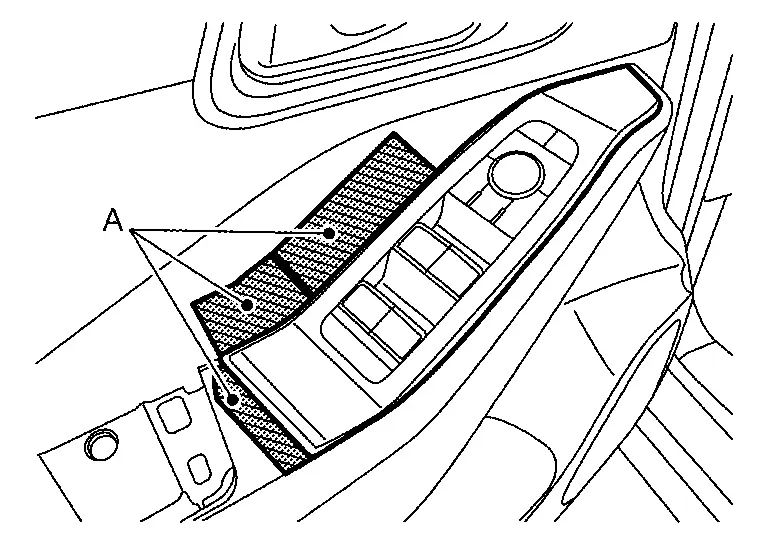
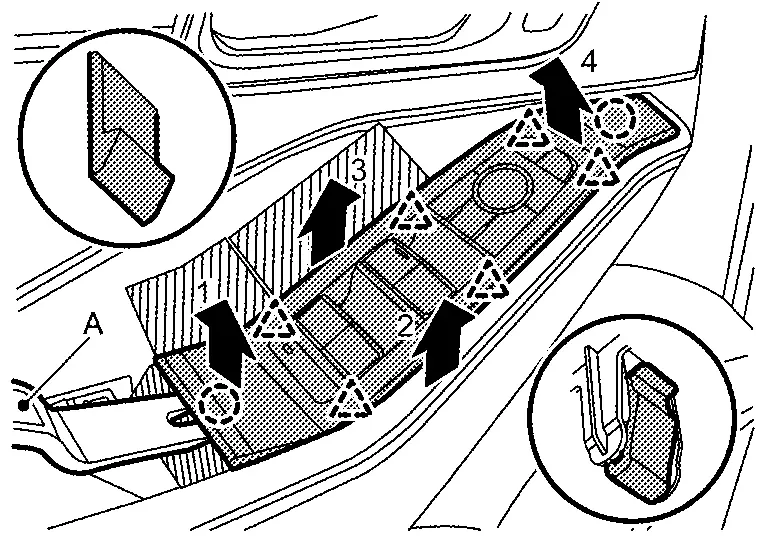
|
: Clip |
|
: Pawl |
Remove inside handle cap.Apply protective tape (A) on inside handle to protect it from damage.
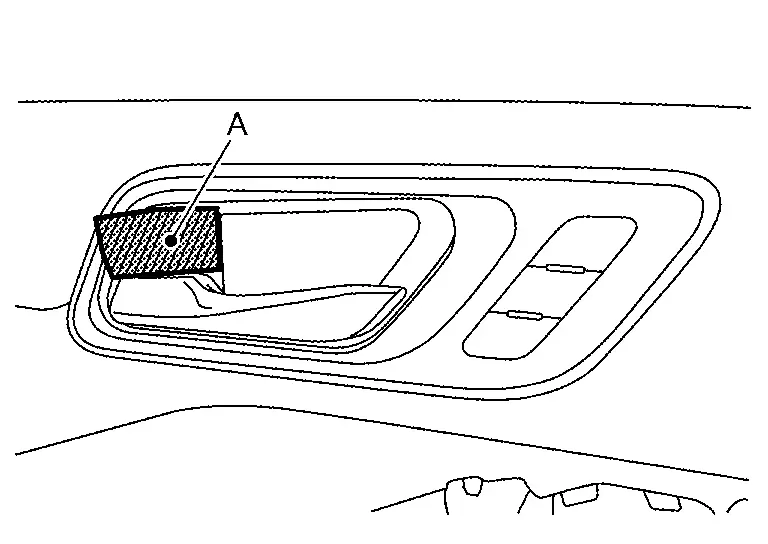
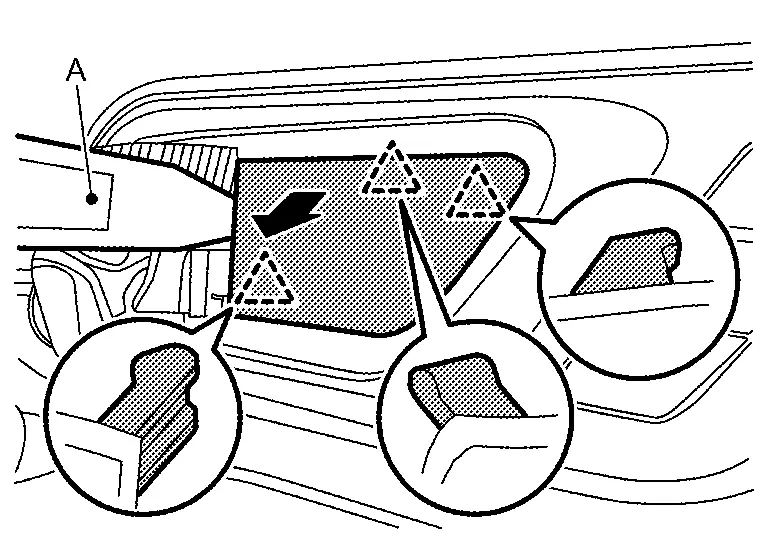
|
: Pawl |
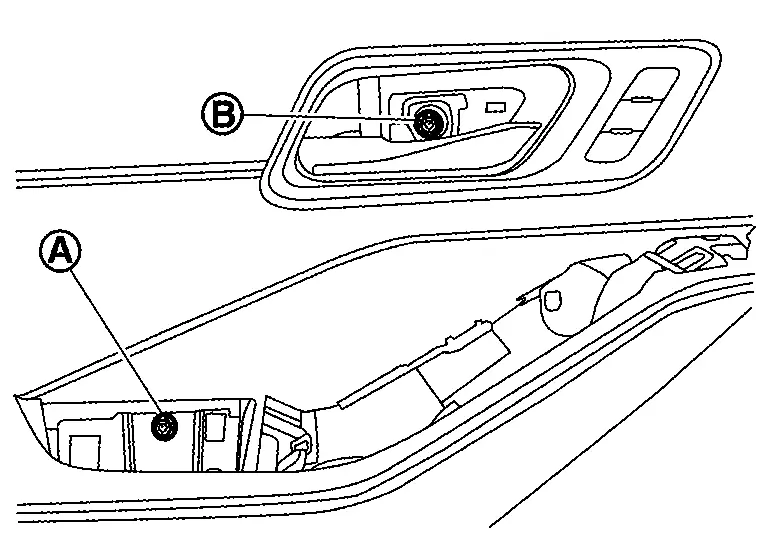
Remove front door finisher mounting screw (A) and mounting bolt (B).
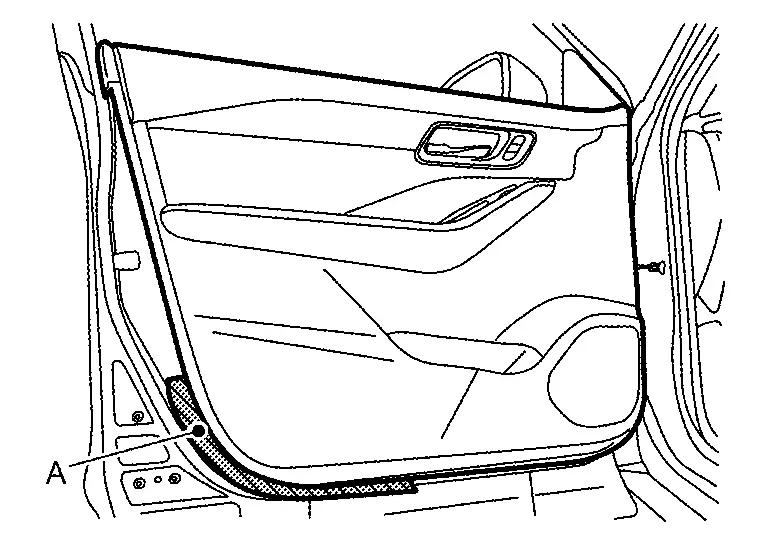
Apply protective tape (A) on front door panel to protect it from damage.
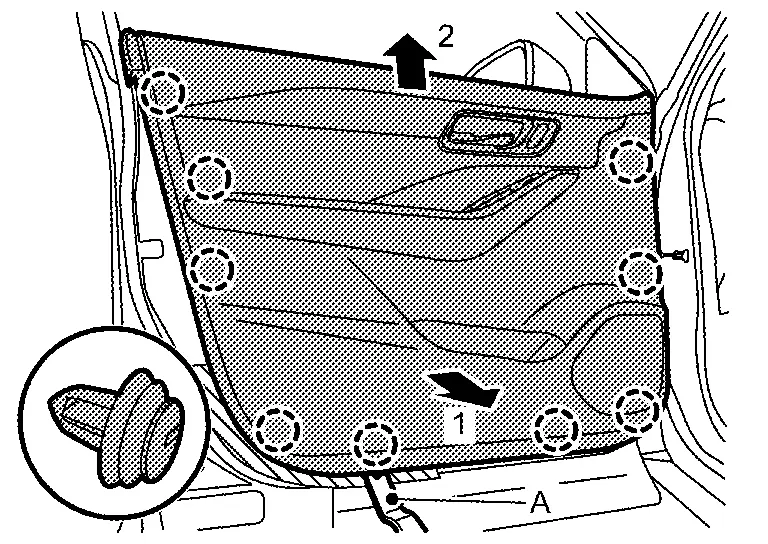
Disengage front door finisher fixing clips using a remover tool (A) according to numerical order 1→2 indicated by arrows as shown in the figure.
|
: Clip |
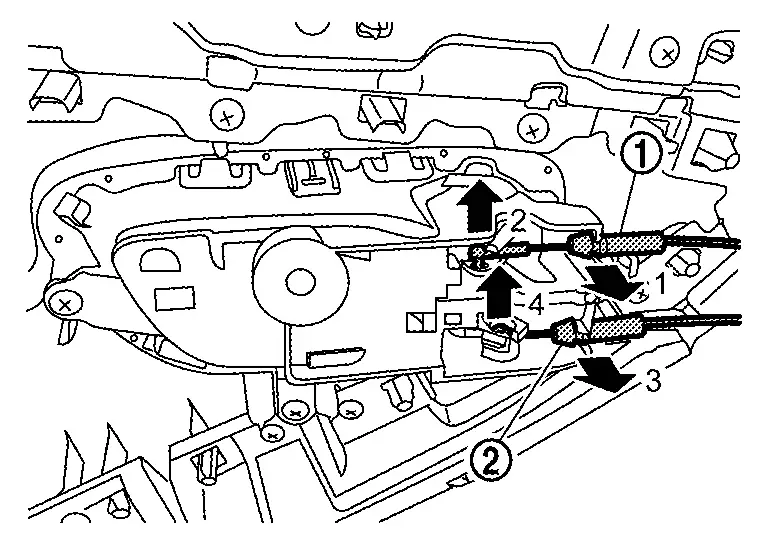
Disconnect lock knob cable (1) and inside handle cable (2) from inside handle according to numerical order 1→4 indicated by arrows as shown in the figure.
Disconnect harness connectors, and then remove front door finisher.
Remove door corner coverApply protective tapes (A) on front door panel to protect it from damage.
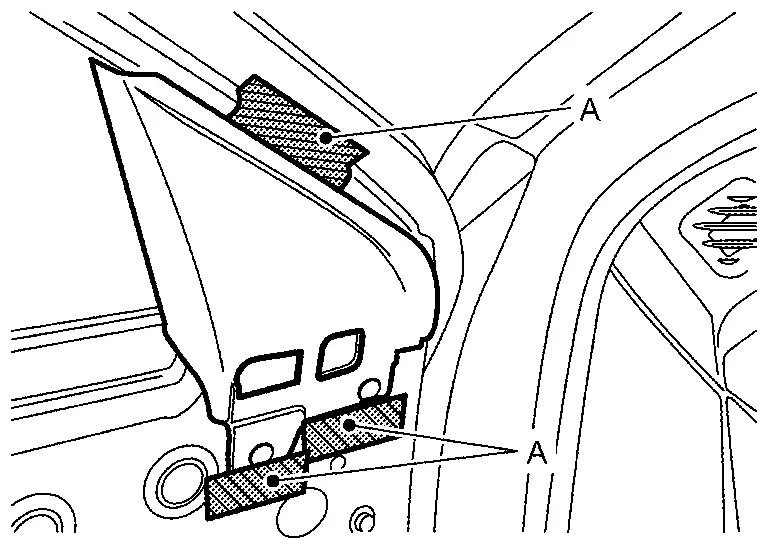
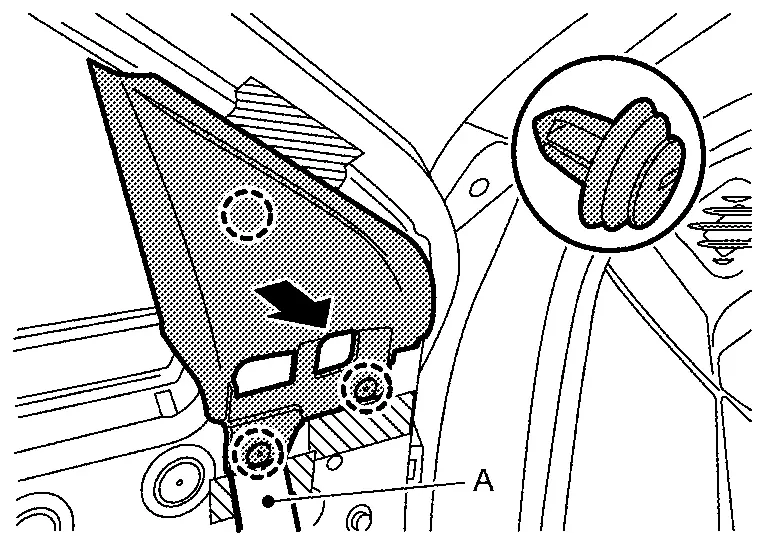
|
: Clip |
Disengage front door weather-strip (1), and then remove inside seal (2) according to numerical order 1→2 indicated by arrows as shown in the figure.
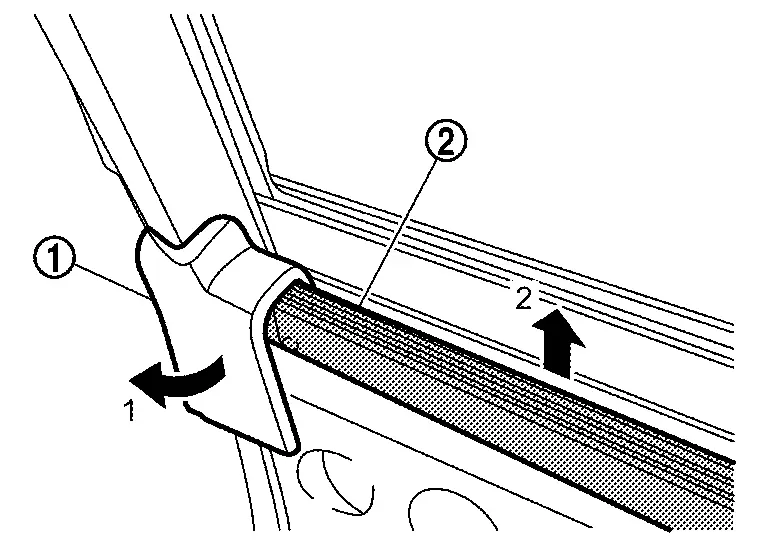
Passenger Side
Fully open passenger side front door.
Remove pull handle cap.Apply protective tape (A) on front door finisher to protect it from damage.
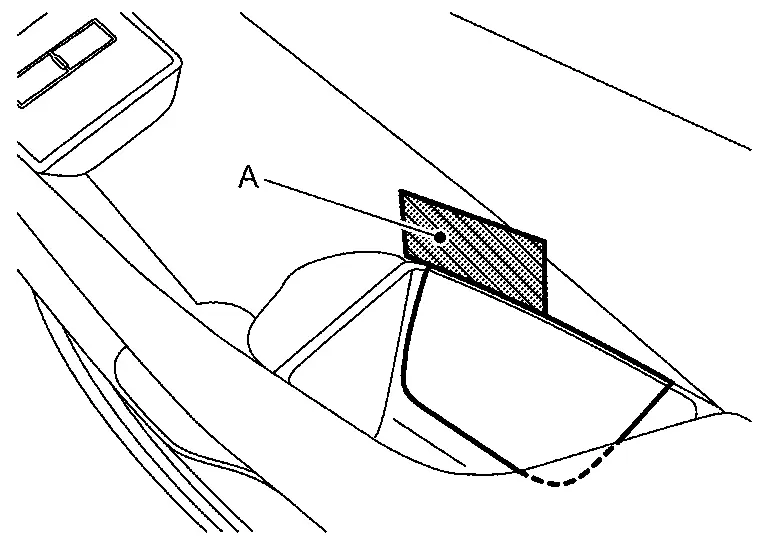
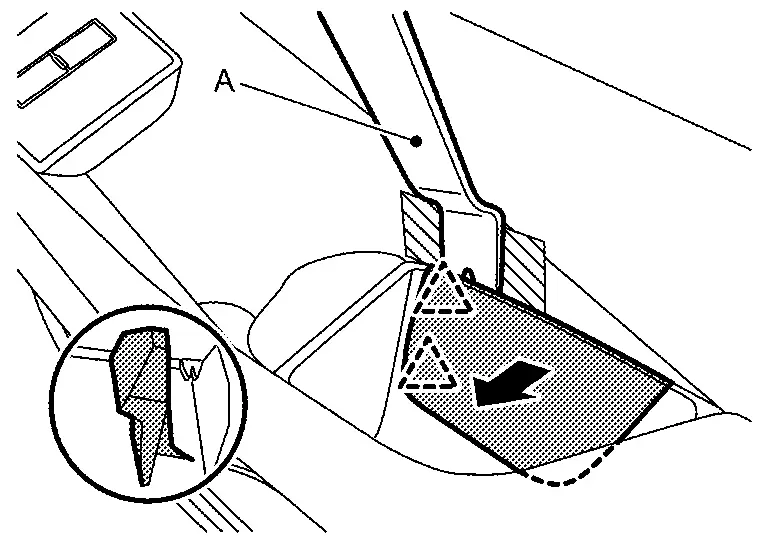
|
: Pawl |
Remove power window switch finisher.Apply protective tape (A) on front door finisher to protect it from damage.
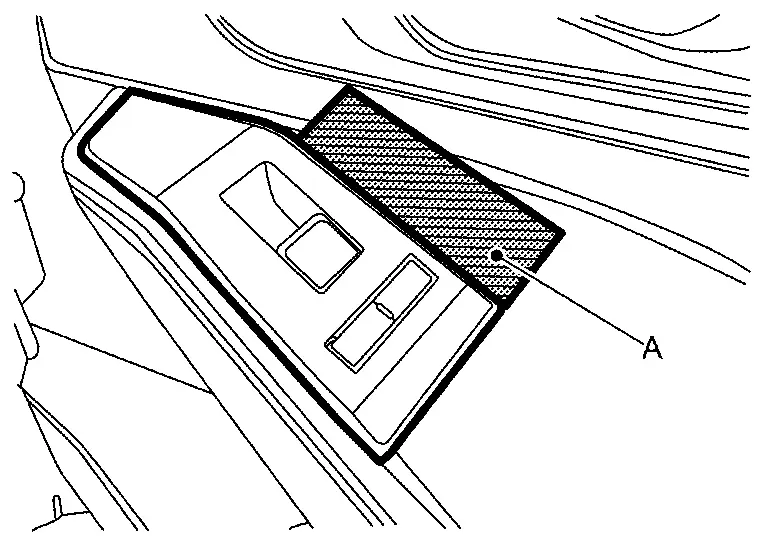
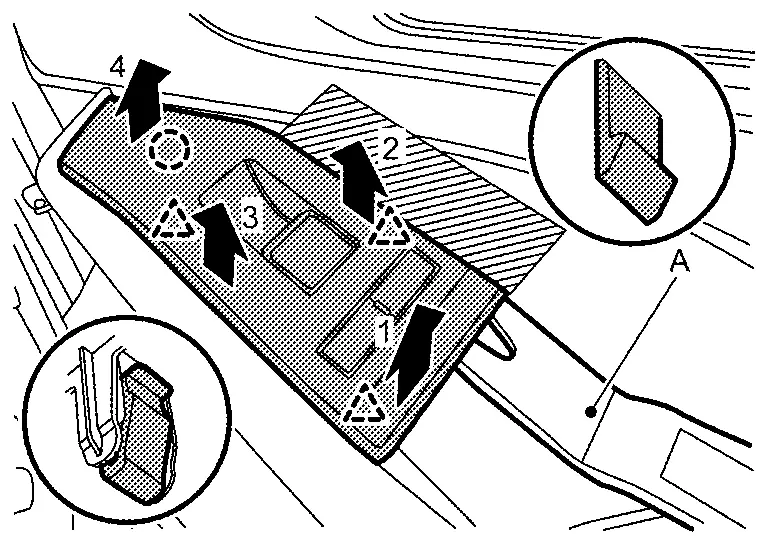
|
: Clip |
|
: Pawl |
Remove inside handle cap.Apply protective tape (A) on inside handle to protect it from damage.
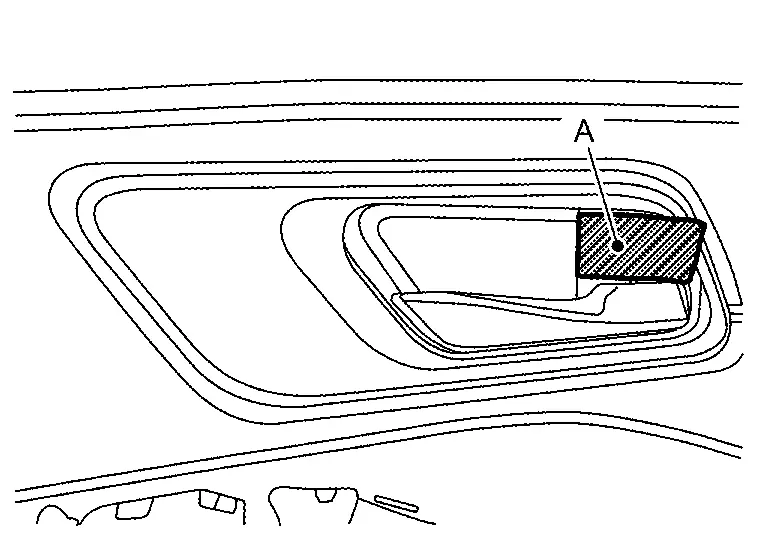
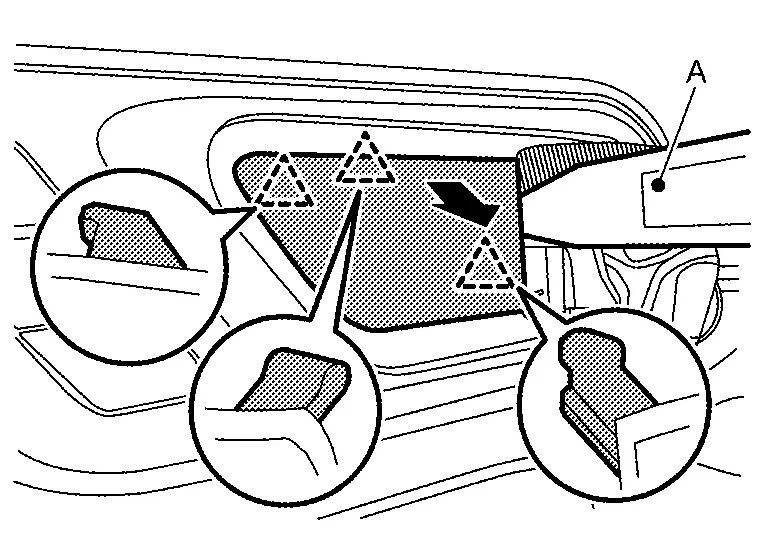
|
: Pawl |
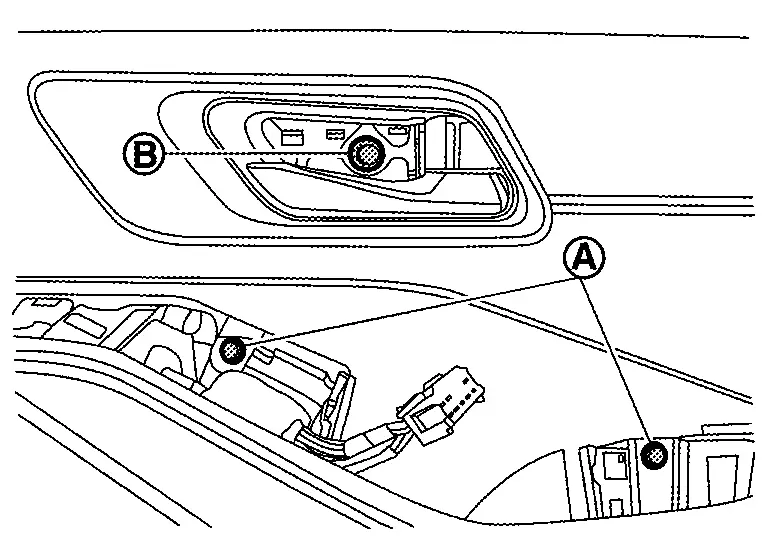
Remove front door finisher mounting screws (A) and mounting bolt (B).
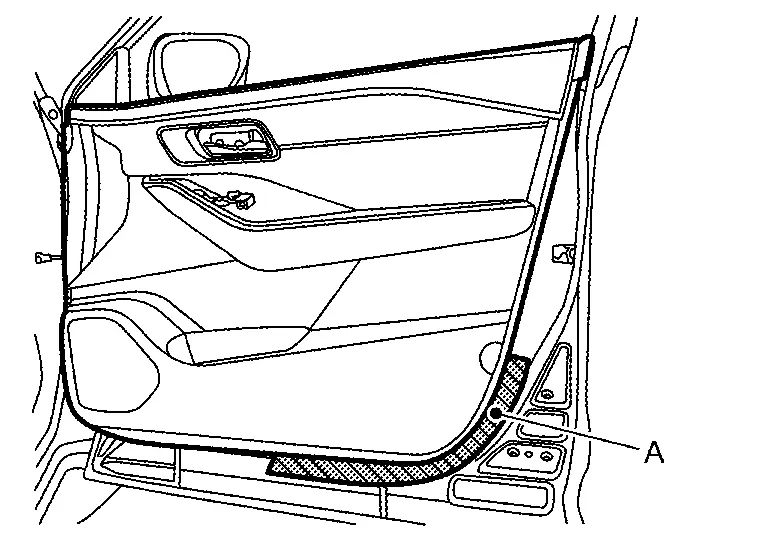
Apply protective tape (A) on front door panel to protect it from damage.
Disengage front door finisher fixing clips using a remover tool (A) according to numerical order 1→2 indicated by arrows as shown in the figure.
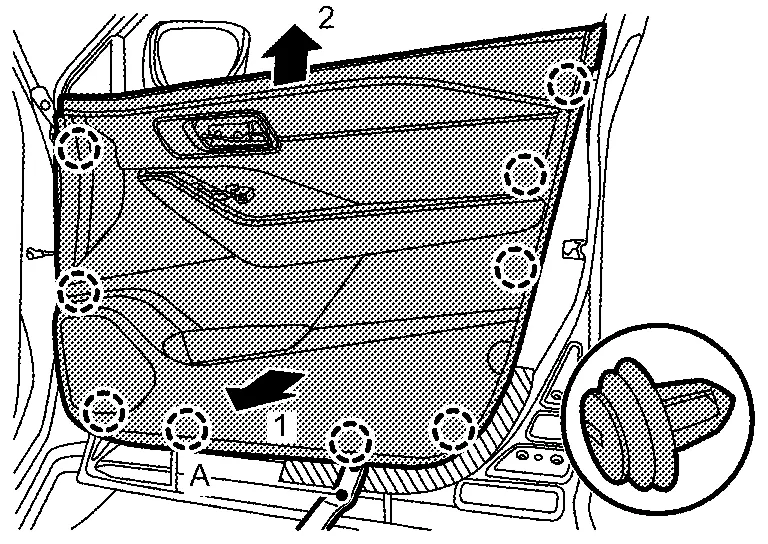
|
: Clip |
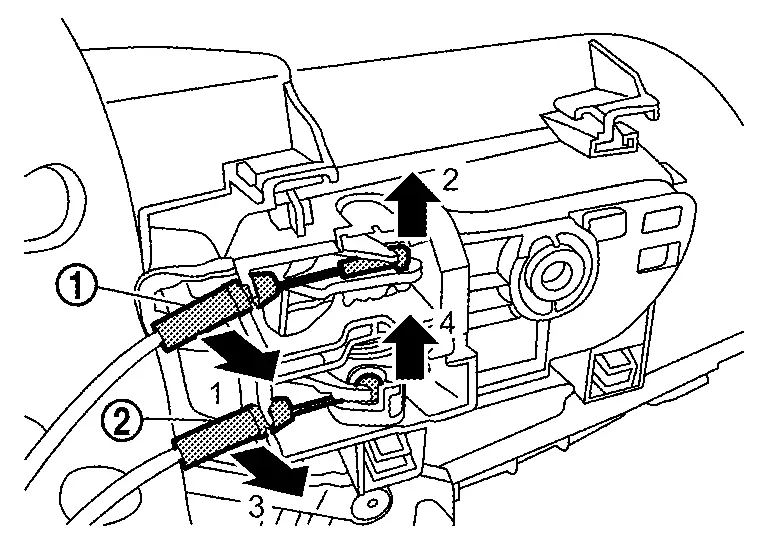
Disconnect lock knob cable (1) and inside handle cable (2) from inside handle according to numerical order 1→4 indicated by arrows as shown in the figure, and then remove front door finisher.
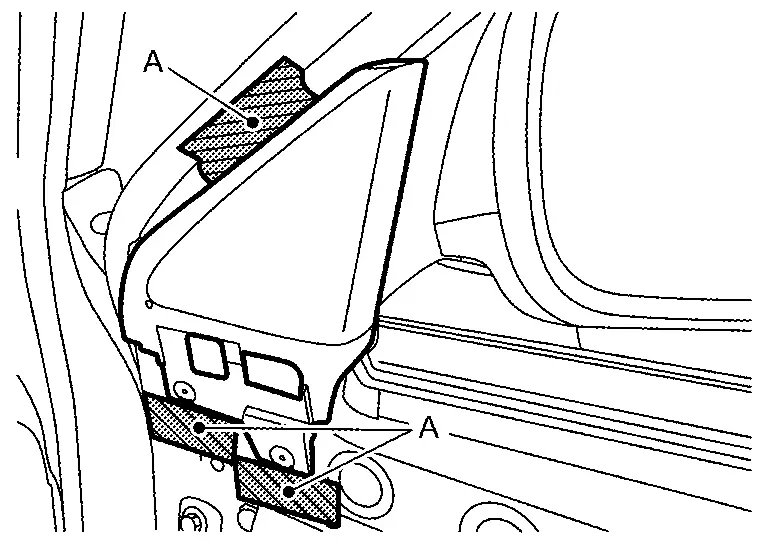
Apply protective tapes (A) on front door panel to protect it from damage.
Disengage door corner cover fixing clips using a remover tool (A), and then remove door corner cover.
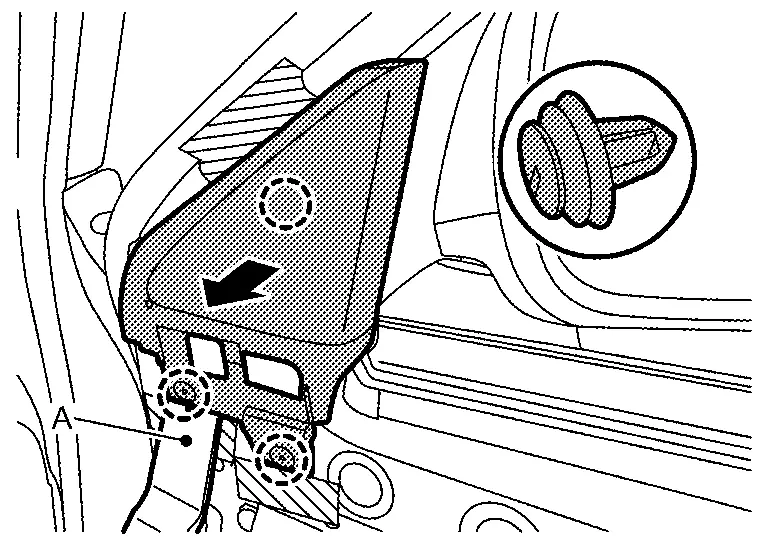
|
: Clip |
Disengage front door weather-strip (1), and then remove inside seal (2) according to numerical order 1→2 indicated by arrows as shown in the figure.
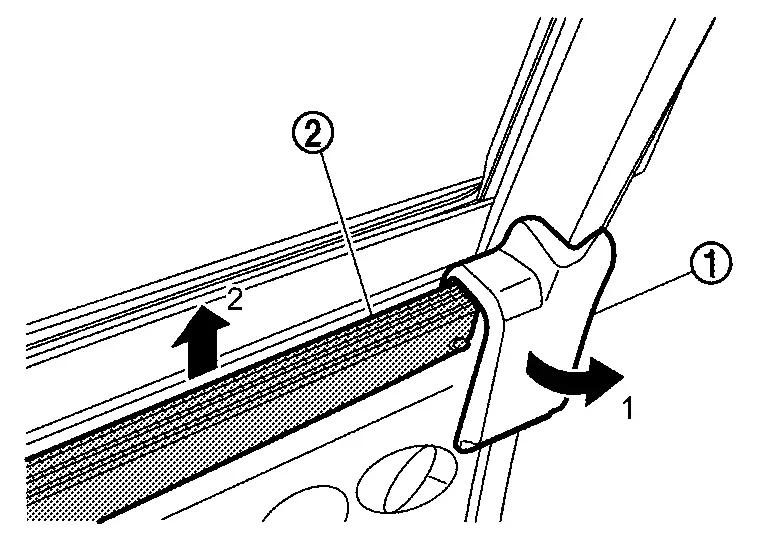
INSTALLATION
Note the following items, and then install in the reverse order of removal.
CAUTION:
-
Visually check clips for deformation and damage during installation. Replace with new ones if necessary.
-
Check in advance that clips are accurately aligned with the portions on front door panel, and then install by pressing in.
-
Never install lock knob cable while it is twisted.
Other materials:
Removal and Installation. Back Door
Exploded View
Roof seal
Back door weather-strip
Back door hinge LH
Back door stay LH*
Stud ball
Back door bumper rubber upper
Back door bumper rubber lower
Back door striker
TORX bolt
Back door panel
Back door stay RH*
Back door hinge RH ...
B2c96-49 Light Sensor
DTC Description
DTC DETECTION LOGIC DTC No.
CONSULT screen items
(Trouble diagnosis content) DTC detection condition
B2C96-49
Light sensor
(Light sensor)
Diagnosis condition
When engine running and with lighting switch AUTO
Signal (terminal)
Optical sensor signal
Thre ...
Sièges arrière
Les sièges arrière du Nissan Rogue sont conçus pour accueillir les passagers avec un bon niveau de confort, tout en offrant une modularité utile pour le transport de bagages. Avant toute manipulation (inclinaison ou rabattement), vérifiez que la zone est dégagée.
Inclinaison (si le véhicu ...