
Nissan Rogue (T33) 2021-Present Service Manual: Removal and Installation :: Rear Shock Absorber
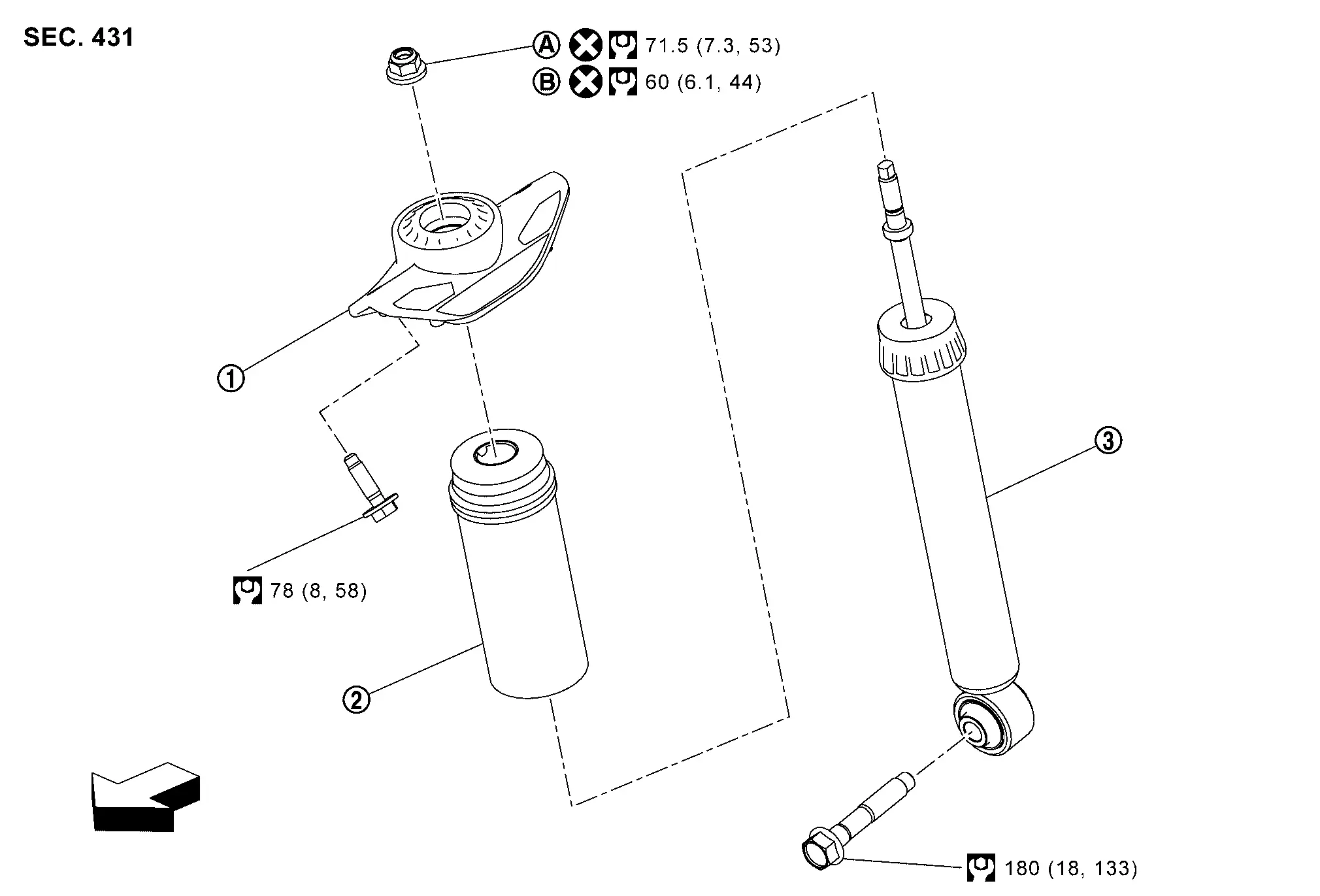
Exploded View
 |
Shock absorber mounting bracket |  |
Bound bumper |  |
Shock absorber |
 |
Japan production models |  |
North America production models | ||
 |
: Nissan Ariya Vehicle front | ||||
 |
: N·m (kg-m, ft-lb) | ||||
 |
: Always replace after every disassembly. | ||||
Removal and Installation
REMOVAL
Remove tires. Refer to Exploded View.
Set jack under front lower link.
CAUTION:
-
Check the stable condition when using a jack.
-
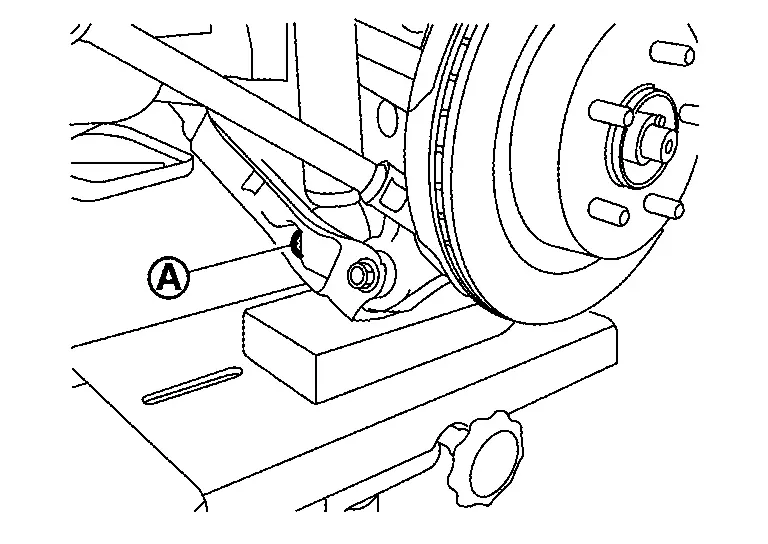
Never damage front lower link with a jack (A).
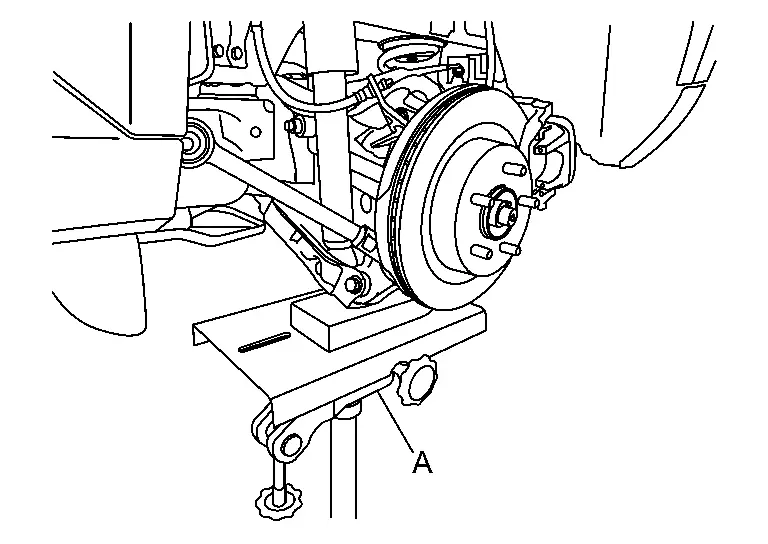
Remove shock absorber mounting bolt (lower side).
Remove shock absorber mounting bolts (Upper side).
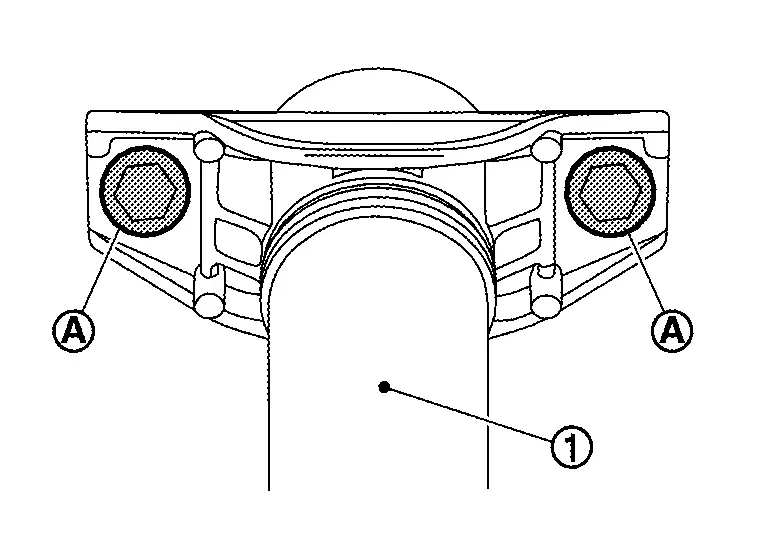
Remove shock absorber.
Perform inspection after removal. Refer to Inspection.
INSTALLATION
Note the following, and install in the reverse order of removal.
-
Perform final tightening of fixing parts at the vehicle installation position (rubber bushing), under unladen conditions with tires on level ground.
-
Perform inspection after installation. Refer to Inspection.
-
After replacing the shock absorber, always follow the disposal procedure to discard the shock absorber. Refer to Disposal.
Disassembly and Assembly
DISASSEMBLY
Remove rear shock absorber. Refer to Removal and Installation.
Secure rear shock absorber in vice.
CAUTION:
-
Do not damage shock absorber piston rod when removing components from shock absorber.
-
Do not set the cylindrical part of the rear shock absorber in a vise.
When removing piston rod lock nut use Tool (B) to hold piston rod while using Tool (A) to loosen piston rod lock nut.
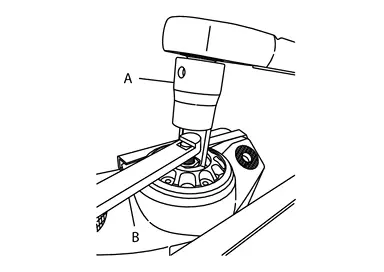
| Tool number (A) | :NI-53363 |
| Tool number (B) | :NI-53362 |
ASSEMBLY
Install dust cover onto shock absorber mounting.
Install shock absorber onto shock absorber mounting.
Use Tool (B) to hold piston rod while using Tool (A) to tighten piston rod lock nut to specification.
| Tool number (A) | :NI-53363 |
| Tool number (B) | :NI-53362 |
Remove shock absorber from vise.
CAUTION:
-
Do not damage shock absorber piston rod when removing components from shock absorber.
-
Do not set the cylindrical part of the rear shock absorber in a vise.
Inspection
INSPECTION AFTER DISASSEMBLY
Check the following items, and replace the part if necessary.
-
Shock absorber and bushing for deformation, cracks, and other damage.
-
Piston rod for damage, uneven wear, and distortion.
-
Oil leakage
INSPECTION AFTER REMOVAL
Check rear shock absorber for deformation, crack, and damage. Replace it if necessary.
INSPECTION AFTER INSTALLATION
Check wheel alignment. Refer to Inspection.
Disposal
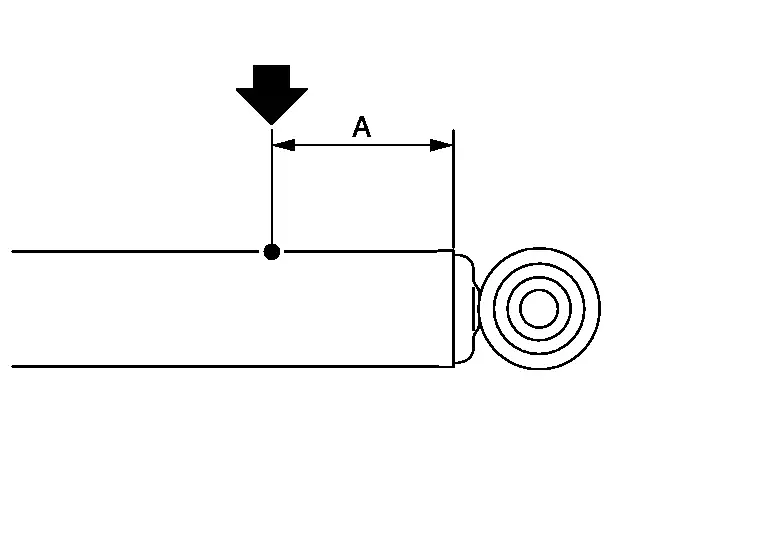
Set shock absorber horizontally to the ground with the piston rod fully extracted.
Drill 2 – 3 mm (0.08 – 0.12 in) hole at the position ( ) from top as shown in the figure to release gas gradually.
CAUTION:
-
Wear eye protection (safety glasses).
-
Wear gloves.
-
Be careful with metal chips or oil blown out by the compressed gas.
 NOTE:
NOTE:
-
Drill vertically in this direction show by arrow.
-
Directly to the outer tube avoiding brackets.
-
The gas is clear, colorless, odorless, and harmless.
| A | : 20 – 30 mm (0.79 – 1.18 in) |
Position the drilled hole downward and drain oil by moving the piston rod several times.
CAUTION:
Dispose of drained oil according to the law and local regulations.
Other materials:
Dtc/circuit Diagnosis. B2ccf-04 Passenger Door Mirror Control Module
DTC Description
DTC DETECTION LOGIC DTC No.
CONSULT screen terms
(Trouble diagnosis content) DTC detection condition
B2CCF-04
Passenger door mirror control module
(Passenger door mirror control module)
Diagnosis condition
Ignition switch is ON or OFF (auto ACC status).
Signal ...
Lower Anchors and Tethers for CHildren (LATCH) system
LATCH system anchor location
Basic information
Your Nissan Rogue includes special anchor points for LATCH-compatible child restraints. This system may also be called ISOFIX. With LATCH, you do not need to use the seat belt unless the combined weight of the child plus restraint exceeds 65 lbs ( ...
Removal and Installation. Automatic Back Door Lock and Close Switch Assembly
Removal and Installation
REMOVALRemove automatic back door lock and close switch
assembly and automatic back door close switch finisher. Refer to
Removal and Installation.
Remove automatic back door lock and close switch assembly fixing screws and then remove automatic back door lock and clos ...