
Nissan Rogue (T33) 2021-Present Service Manual: Removal and Installation :: Rear Bumper
Exploded View
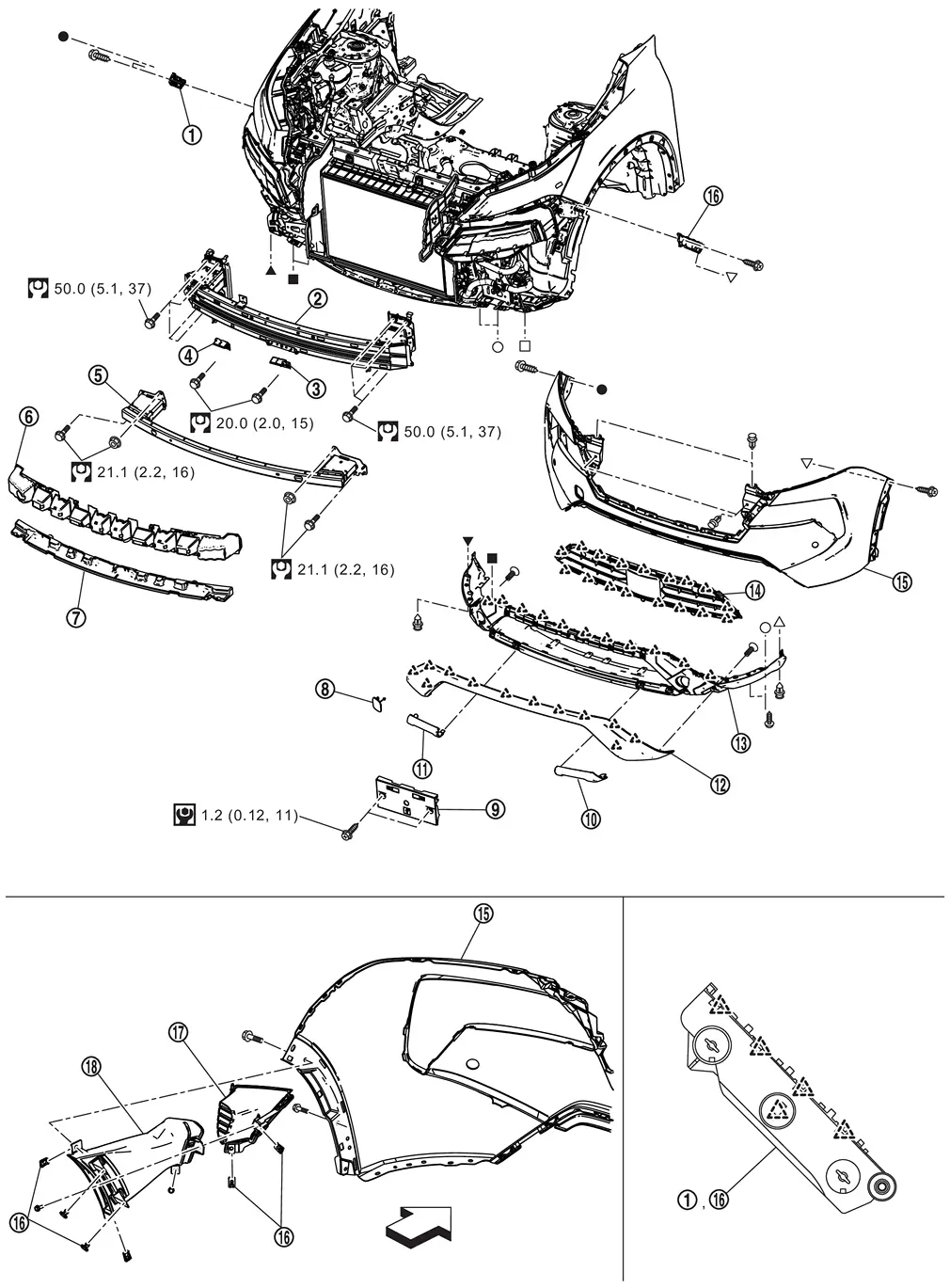
| 1. | Rear bumper side bracket LH | 2. | Grommet | 3. | Rear bumper fascia RH |
| 4. | Rear bumper fascia LH | 5. | Rear bumper fascia trim LH | 6. | Rear bumper fascia trim RH |
| 7. | Rear bumper fascia | 8. | Rear bumper finisher | 9. | Rear bumper molding (if equipped) |
| 10. | Rear bumper cover | 11. | Reflex reflector LH | 12. | Reflex reflector RH |
| 13. | Rear bumper reinforcement | 14. | Rear bumper stay RH | 15. | Rear bumper side bracket RH |
| 16. | Rear bumper stay LH | 17. | Spring nut | 18. | Rear bumper bracket (if equipped) |
| 19. | Bumper clip (if equipped) | — | — | ||
 |
: Pawl | ||||
 |
: Always replace after every disassembly. | ||||
 |
: N·m (kg-m, ft-lb) | ||||
 , ,  , ,  , ,  , ,  , ,  , ,  , ,  , ,  : Indicates that the part is connected at points with same symbol in actual Nissan Ariya vehicle. : Indicates that the part is connected at points with same symbol in actual Nissan Ariya vehicle. |
|||||
Removal and Installation
CAUTION:
Bumper fascia is made of resin. Never apply strong force to it, and be careful to prevent contact with oil.
REMOVAL
Fully open back door.
Remove rear combination lamp (body side). Refer to Removal and Installation.
Remove rear fillet molding rear. Refer to Removal and Installation.
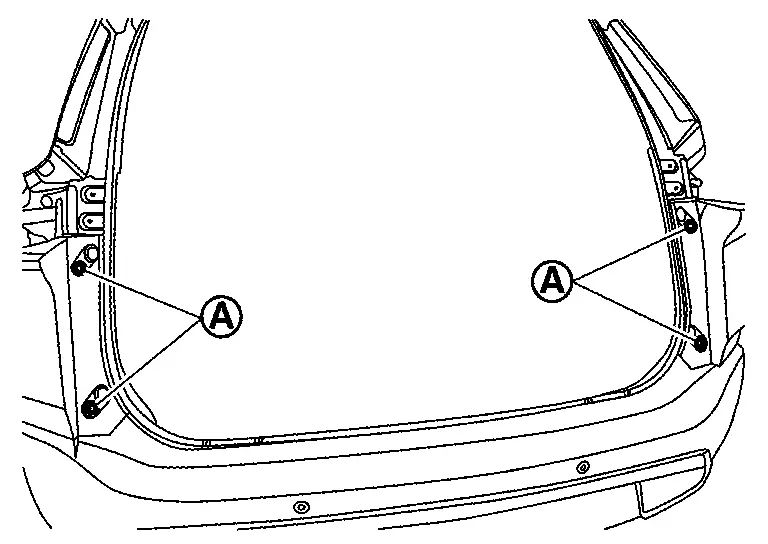
Remove rear bumper fascia fixing screws (A).
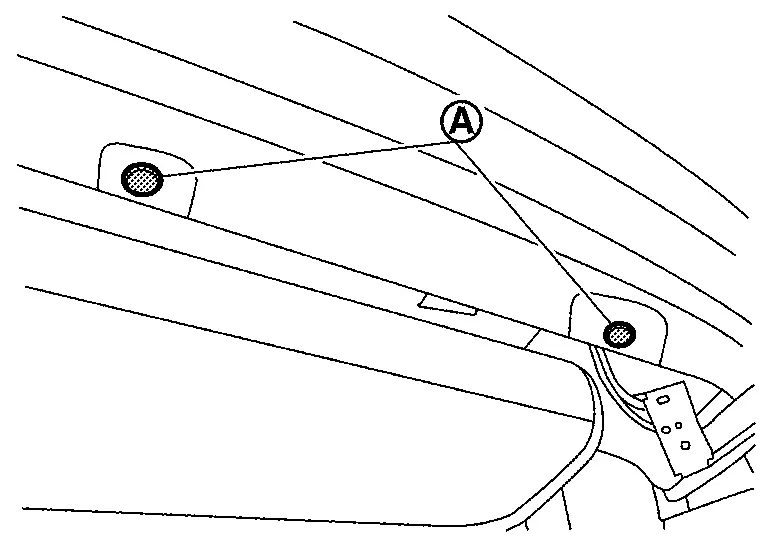
Remove rear bumper fascia fixing clips (A).
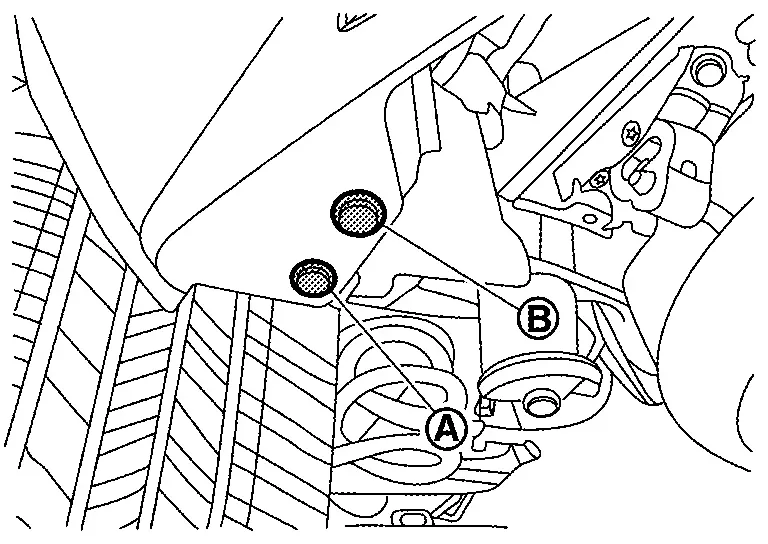
Remove rear bumper fascia mounting bolt (A) and fixing clip (B).
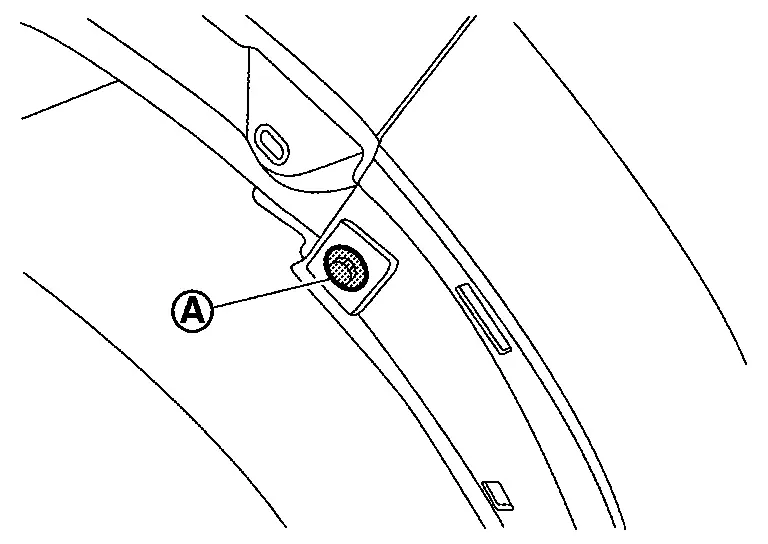
Remove rear bumper fascia fixing screw (A).
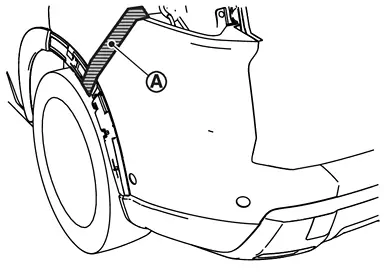
Apply protective tape (A) on the part to protect it from damage.
Pull rear bumper fascia side toward the Nissan Ariya vehicle side to disengage the fitting of rear bumper side bracket and rear bumper fascia side according to the numerical order 1→2 as shown by the arrows in the figure.
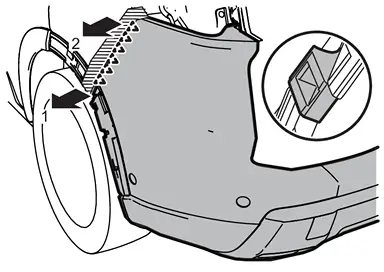
CAUTION:
When removing rear bumper fascia, 2 workers are required so as to prevent it from dropping.
|
: Pawl |
Disconnect harness connectors.
Remove rear bumper fascia.
CAUTION:
When removing rear bumper fascia, 2 workers are required so as to prevent it from dropping.
Remove the following parts after removing rear bumper fascia.
-
Hands free sensor control unit (if equipped). Refer to Removal and Installation.
-
Rear sonar sensor. Refer to Removal and Installation.
-
Rear side radar. Refer toRemoval and Installation.
-
Reflex reflector. Refer to Removal and Installation.
-
Rear bumper bracket
-
Rear bumper fascia LH and RH
-
Rear bumper finisher
-
Rear bumper molding
-
Rear bumper cover
Remove rear bumper side bracket fixing screws and pawl, and then remove rear bumper side bracket.
Remove rear bumper reinforcement mounting nuts, and then remove rear bumper reinforcement.
Remove rear bumper stay mounting bolts, and then remove rear bumper stay.
INSTALLATION
Installation is in the reverse order of removal.
 NOTE:
NOTE:
-
The following table shows the specified values for checking normal installation status.
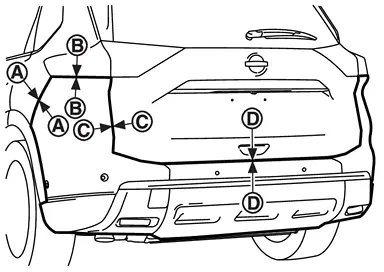
-
Fitting adjustment cannot be performed.
Portion Clearance Surface height difference Rear bumper fascia – Body side outer panel A
–
A0.1 – 1.3 mm
(0.004 – 0.051 in)(−1.7) – (+0.3) mm
[(−0.067) – (+0.012) in]Rear bumper fascia – Rear combination lamp (body side) B
–
B0.1 – 3.9 mm
(0.004 – 0.154 in)(−2.5) – (+1.3) mm
[(−0.098) – (+0.051) in]Rear bumper fascia – Back door panel C
–
C2.6 – 6.8 mm
(0.102 – 0.268 in)(−4.4) – (+0.2) mm
[(−0.173) – (+0.008) in]D
–
D5.4 – 9.8 mm
(0.213 – 0.386 in)— -
After installation, perform side radar alignment. Refer to Work Procedure.
Other materials:
Dtc/circuit Diagnosis. B14e3-02 Wheel Sensor
DTC Description
DTC DETECTION LOGIC DTC No. CONSULT screen terms DTC detection condition
B14E3
02
Wheel sensor
Diagnosis condition
Ignition switch is ON.
Signal (terminal)
Rear right wheel sensor signal
Threshold
When a malfunction is detected in rear right wheel se ...
Removal and Installation. Moonroof Motor Assembly
Exploded View
Refer to Exploded View.
Removal and Installation
REMOVALCAUTION:
Before removing moonroof motor, check that glass lid is fully closed.
After removing moonroof motor, never attempt to rotate moonroof motor assembly as a single unit.
Remove headlining to make work space ...
Periodic Maintenance. Brake Booster
Inspection
OPERATIONDepress the brake pedal several times at
5-second intervals with the engine stopped. Start the engine with the
brake pedal fully depressed. Check that the clearance between brake
pedal and dash lower panel decreases.AIR TIGHTRun the engine at idle for 1 minute to apply vac ...