
Nissan Rogue (T33) 2021-Present Service Manual: Removal and Installation :: Front Grille
Exploded View
WITHOUT ROCK CREEK®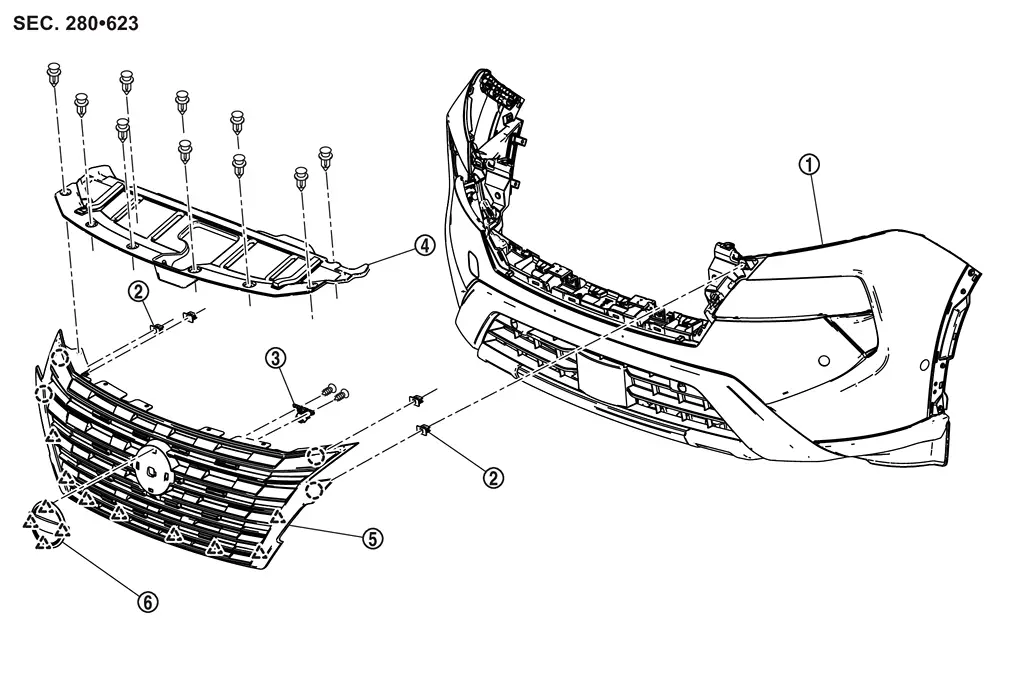
| 1. | Front bumper fascia | 2. | Grommet | 3. | Front camera (if equipped) |
| 4. | Front grille cover | 5. | Front grille | 6. | Front emblem |
 |
: Clip | ||||
 |
: Pawl | ||||
WITH ROCK CREEK®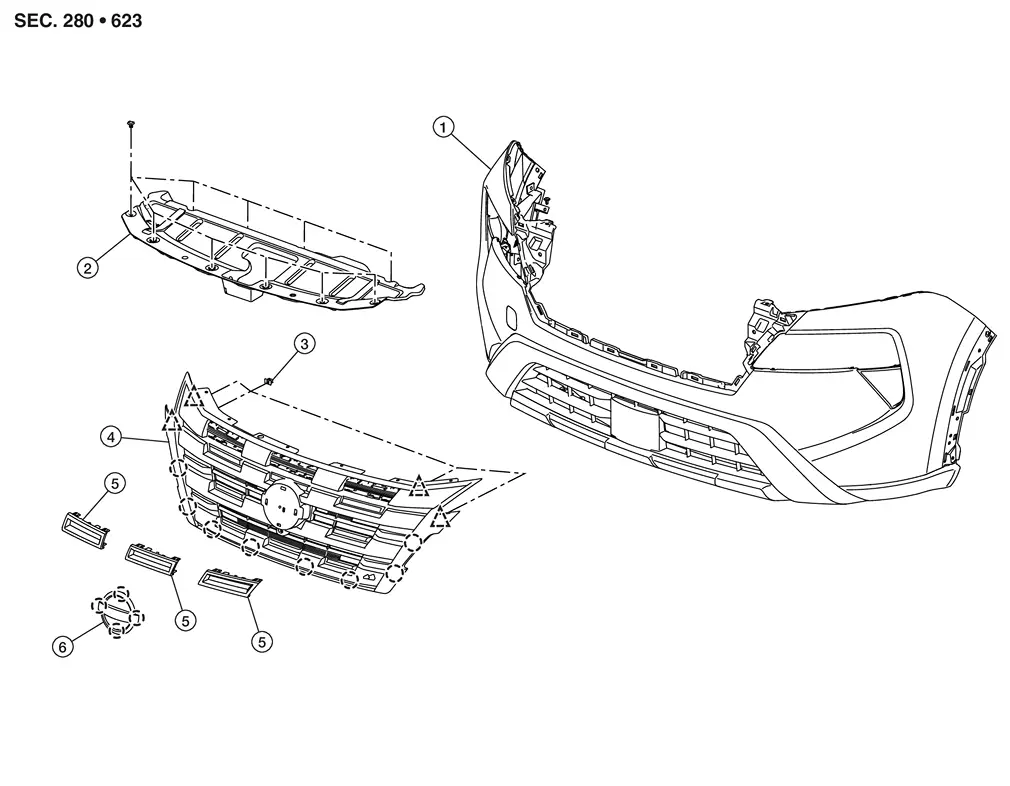
| 1. | Front bumper fascia | 2. | Front grille cover | 3. | Grommet |
| 4. | Front grille | 5. | Front grille inserts | 6. | Front emblem |
|
: Clip | ||||
|
: Pawl | ||||
Removal and Installation
REMOVAL
Fully open hood assembly.
Remove license plate bracket fixing screws, and then remove license plate bracket.
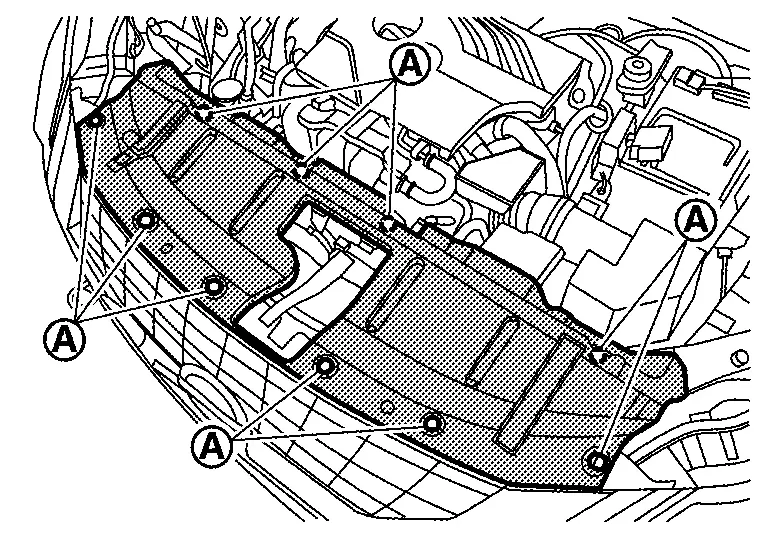
Remove front grille cover fixing clips  , and then remove front grille cover.
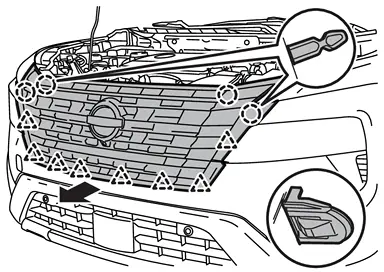
Disengage front grille fixing clips and pawls from back side while pulling front grille toward Nissan Ariya vehicle front.
|
: Clip |
|
: Pawl |
Disconnect front camera harness connector. (if so equipped)
Remove front grille.
Remove the following parts after removing front grille.
-
Front camera (if so equipped). Refer to Removal and Installation.
-
Front emblem
INSTALLATION
Installation in the reverse order of removal.
If equipped with front camera, perform camera image calibration. Refer to Work Procedure (WITHOUT ProPILOT Assist 2.1) or Work Procedure (WITH ProPILOT Assist 2.1).
CAUTION:
Perform the calibration and perform the writing to the around view monitor control unit when removing and replacing each camera, removing the camera mounting parts (front grille, door mirror, etc.) and replacing the around view monitor control unit.
Other materials:
Symptom Diagnosis. Entry/exit Assist Function Does Not Operate
Diagnosis Procedure
CHECK SYSTEM SETTING
Check system setting. Refer to Description.
Check entry/exit assist function operation.
Does it operate normally?
YES>>
Entry/exit assist function is normal.
NO>>
GO TO 2.
CHECK DOOR SWITCH (FRONT LH)
Check door switch (fro ...
P119c Fuel Rail Pressure Sensor
DTC Description
DTC DETECTION LOGIC DTC
CONSULT screen terms
(Trouble diagnosis content)
DTC detection condition
P119C
00
FUEL PRESSURE SENSOR
(Fuel pressure sensor)
Diagnosis condition
Battery voltage: 8 V or more
Engine speed: 600 rpm or more
Engine coola ...
Symptom Diagnosis. Door Does Not Lock/unlock with Intelligent Key
Description
All doors do not lock/unlock using Intelligent Key button.NOTE:
Before starting diagnosis check that vehicle condition is
as shown in “Conditions of Nissan Ariya vehicle�, and check each
symptom.
SYMPTOM TABLE (BOTH INTELLIGENT KEYS HAVE THE SAME SYMPTOMS) Door lock operation ...