
Nissan Rogue (T33) 2021-Present Service Manual: Removal and Installation :: Parting Seal
Exploded view
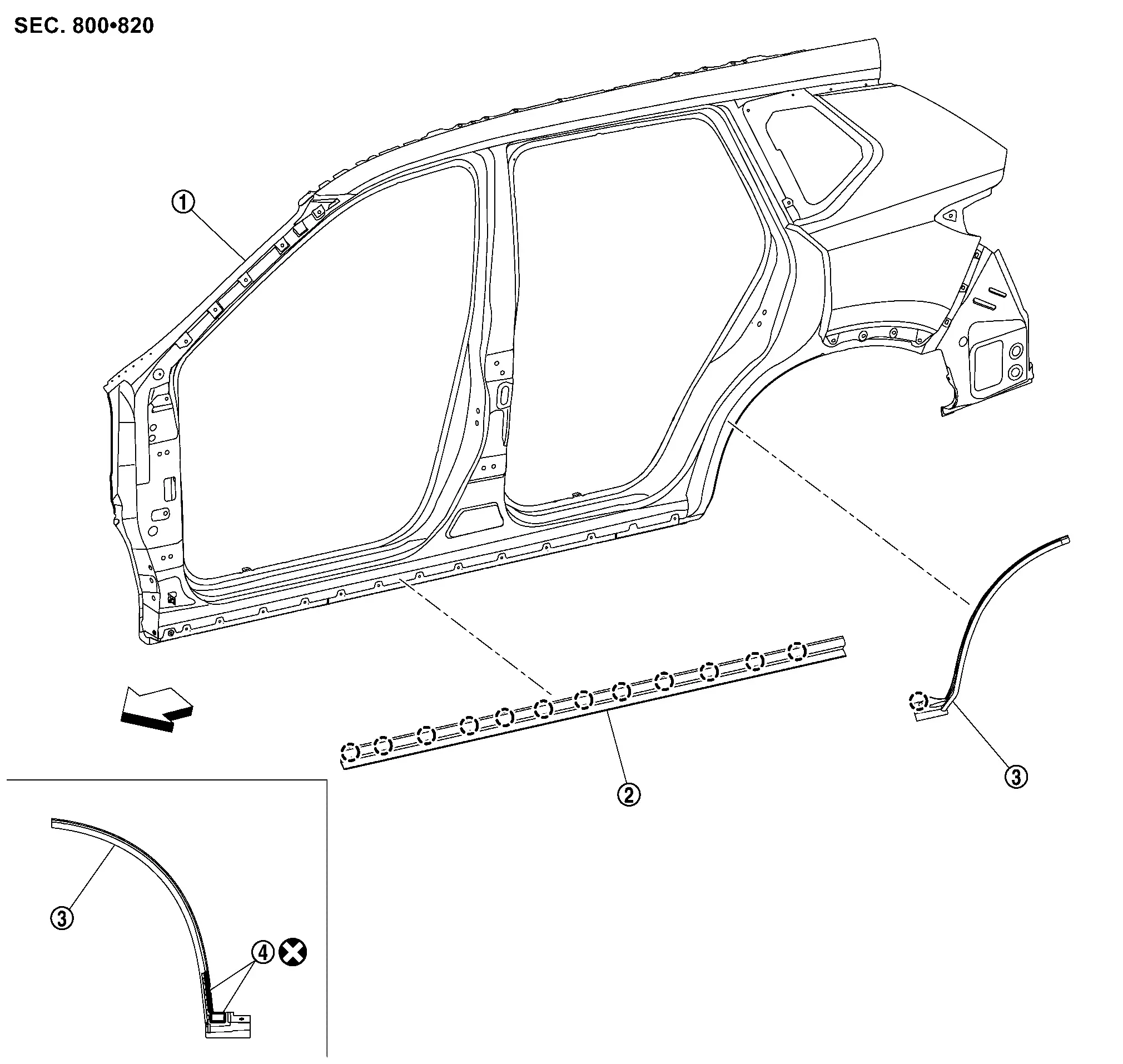
 |
Body side outer panel |  |
Front parting seal |  |
Rear parting seal |
 |
Double-sided tape [t: 0.8 mm (0.031 in)] |
||||
 |
:Clip | ||||
 |
:Nissan Ariya Vehicle front | ||||
 |
: Always replace after every disassembly. | ||||
Removal and Installation
REMOVAL
Front Parting Seal
Remove rear parting seal.
Remove front parting seal fixing clips, and then remove front parting seal.
Rear Parting Seal
Remove rear parting seal fixing clip.
Cut double-sided tape using a cutter.
Remove rear parting seal.
INSTALLATION
Installation is in the reverse order of removal.
CAUTION:
-
When installing, visually check the parting seal and the clips, then replace them with new parts it they are damaged.
-
When installing parting seal, check that blind clips are securely fitted in door panel holes, and then press them in.
-
Always replace double-sided tape with a new one, it rear parting seal is reused.
-
Remove double-sided tape remaining on body side outer panel and back of rear parting seal with a double-sided tape remover, after removing rear parting seal.
-
Degrease body side outer panel mounting surface for rear parting seal.
-
Paint grain or dust on mounting surface of rear parting seal may spoil exterior appearance if it remains. Clean the mounting surface and check that no paint grain or dust remains, before starting the operation.
-
Never wash the Nissan Ariya vehicle within 24 hours after installing so as to keep adhesive.
Other materials:
P1098 Humidity Temperature Sensor
DTC Description
DTC DETECTION LOGIC DTC
CONSULT screen terms
(Trouble diagnosis content)
DTC detection condition
P1098
00
Humidity temperature sensor
(Humidity temperature sensor Range/Performance)
Diagnosis condition
Engine cold start
Signal (terminal)
�
T ...
Torque Converter and Converter Housing Oil Seal
Exploded View
1.
Torque converter
2.
Converter housing oil seal
3.
Transaxle assembly
: Always replace after every disassembly.
: Apply CVT fluid
Disassembly
Remove transaxle assembly. Refer to Removal and Installation.
Remove torque converter from transaxle as ...
Preparation
Special Service Tool
The actual shape of the tools may differ from those illustrated here.
Tool number
(TechMate No.)
Tool name Description
KV10115801
(NI-38956)
Oil filter wrench
Removing and installing oil filter
a: 64.3 mm (2.531 in)
KV311039S0
( — )
Chargin ...