
Nissan Rogue (T33) 2021-Present Service Manual: Removal and Installation :: Outside Key Antenna
Rear Door
Removal and Installation
REMOVAL
Remove rear door finisher. Refer to Removal and Installation.
Remove the outside key antenna (rear door) fixing screws  , and then remove outside key antenna (rear door)
  .
.
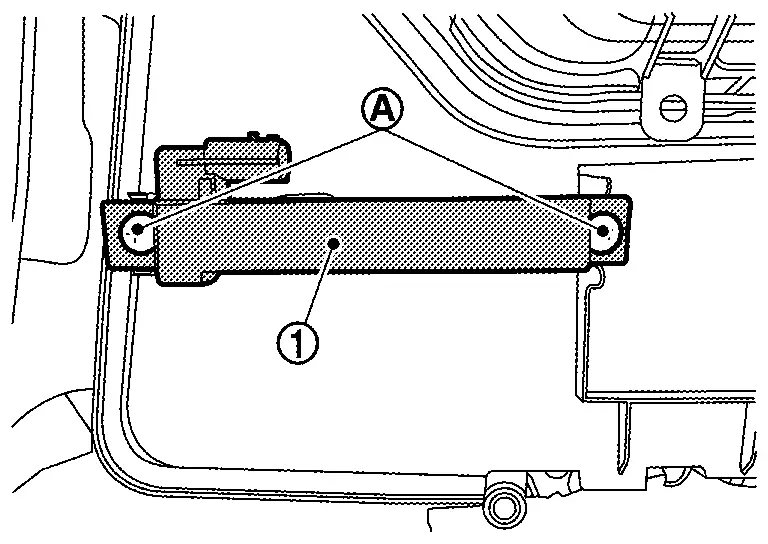
INSTALLATION
Installation is in the reverse order of removal.
Rear Bumper
Removal and Installation
REMOVAL
Remove rear bumper fascia. Refer to Removal and Installation.
Remove the outside key antenna (rear bumper) fixing clips , and then remove outside key antenna (rear bumper) .
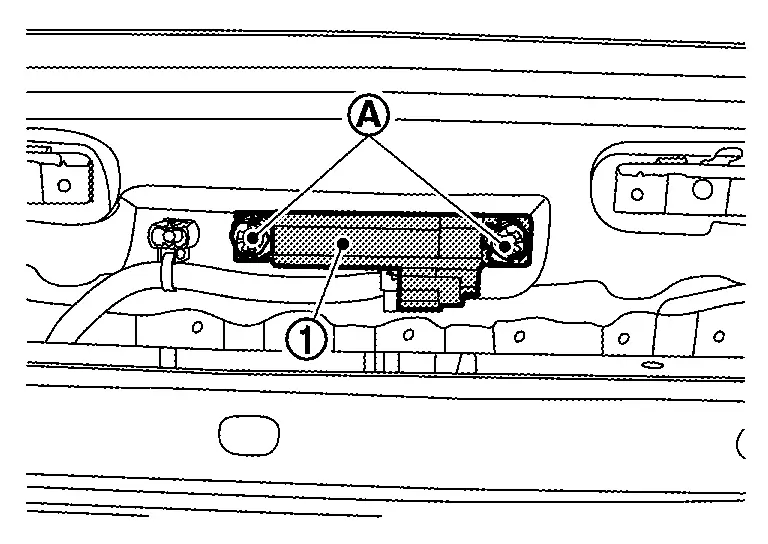
INSTALLATION
Installation is in the reverse order of removal.
Other materials:
System Description. Component Parts
Air Bag Module
Driver Air Bag Module
Driver air bag module is built into steering wheel.
Driver air bag module mainly consists of air bag (A) and inflator (B) which inflates air bag.
Driver air bag inflates by breaking steering wheel center pad surface (A).
Passenger Air Bag ...
P052a Intake Valve Timing Control
DTC Description
DTC DETECTION LOGIC DTC
CONSULT screen terms
(Trouble diagnosis content) DTC detection condition
P052A
00
CAMSHAFT POSITION TIMING B1
(Cold start “A� camshaft position timing over-advanced bank 1)
Diagnosis condition
Cold condition
Signal (terminal)
...
Available views (models with 3D view)
WARNING
The distance guide lines and the vehicle width guide lines should be used as a reference only when the Nissan Rogue is on a paved, level surface. The apparent distance on the monitor may differ from the actual spacing between the vehicle and surrounding objects.
Use the displayed lines an ...