
Nissan Rogue (T33) 2021-Present Service Manual: Removal and Installation :: Inside Mirror
Exploded View
AUTO ANTI-DAZZLING
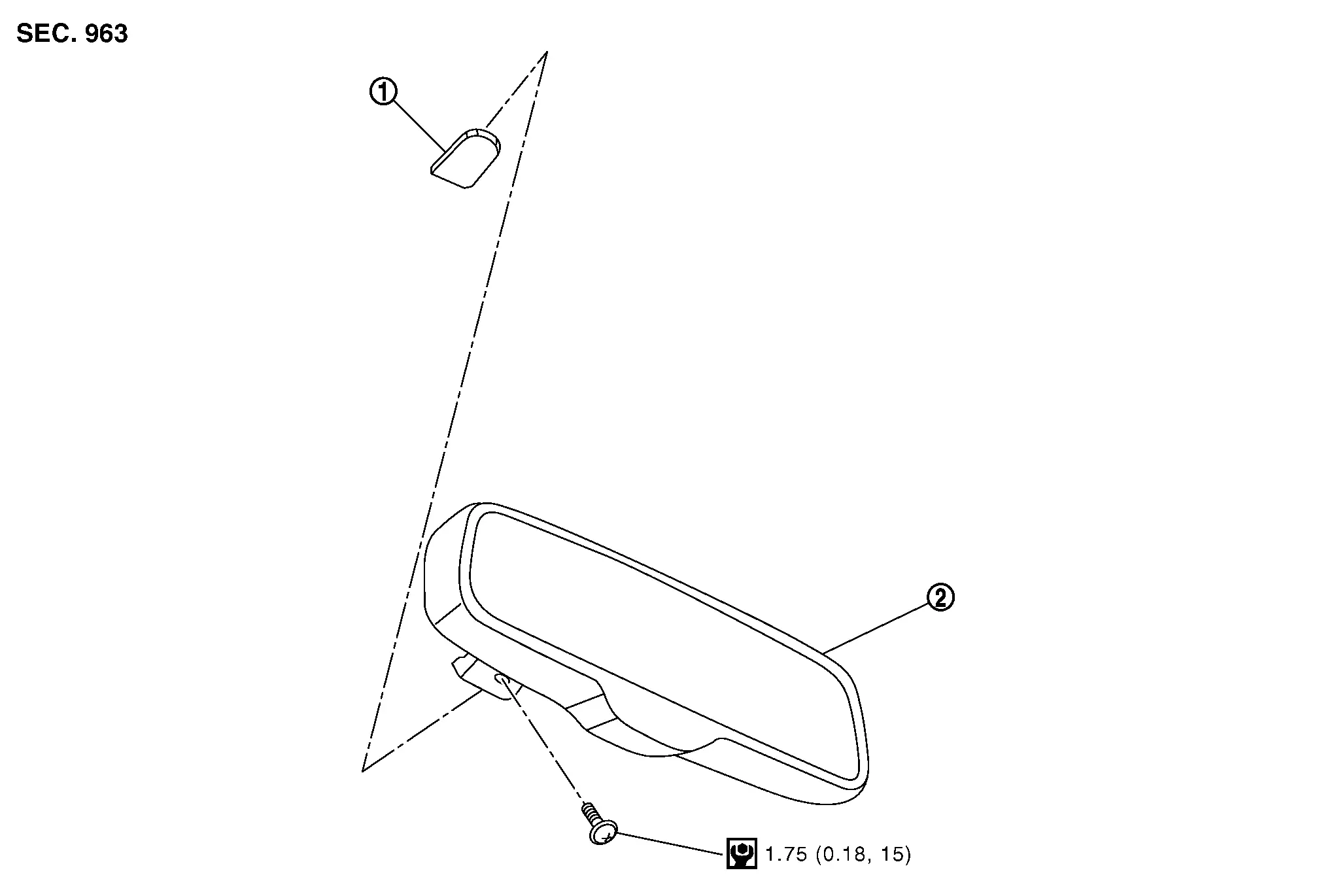
 |
Inside mirror base |  |
Inside mirror assembly | ||
 |
: Nm (kg-m, in-lb) | ||||
MANUAL ANTI-DAZZLING
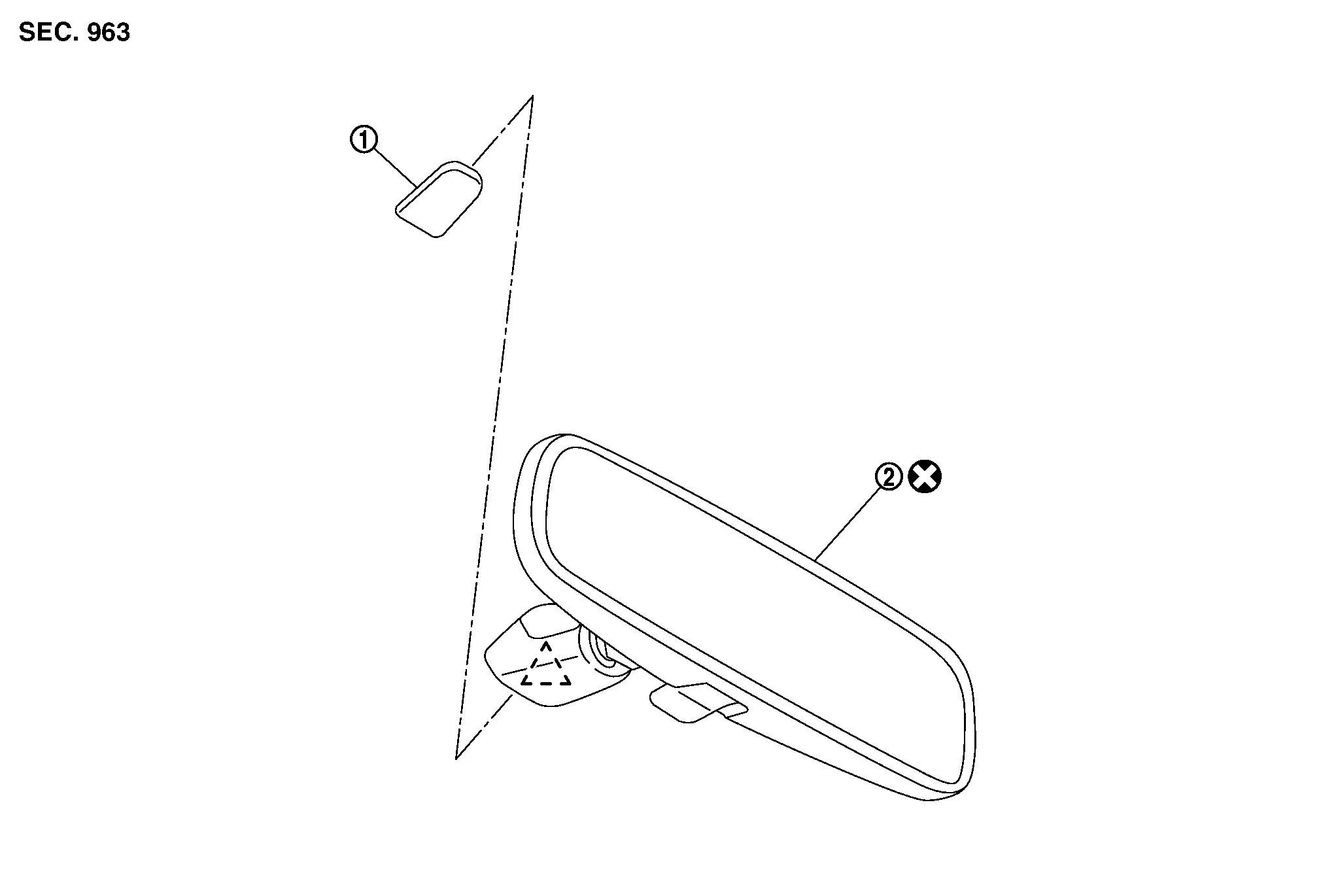
|
Inside mirror base | |
Inside mirror assembly | ||
 |
: Pawl | ||||
 |
: Always replace after every disassembly. | ||||
Removal and Installation
REMOVAL
CAUTION:
Never damage the windshield glass.
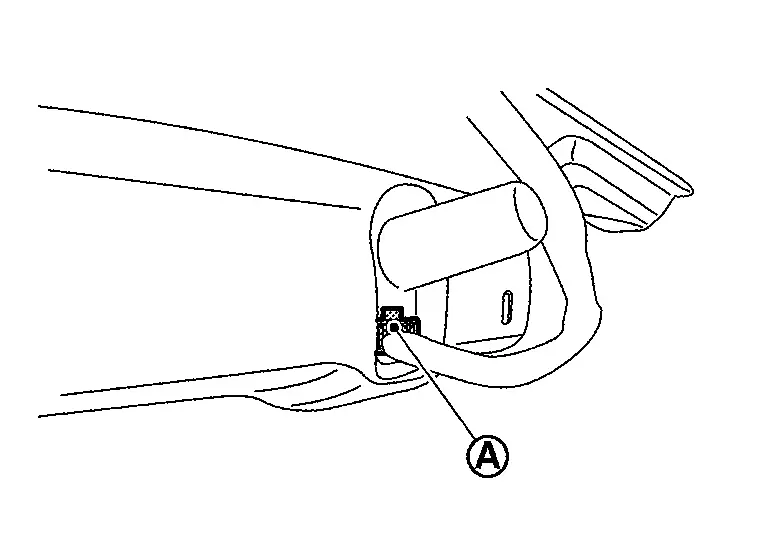
Auto Anti-Dazzling
Disconnect inside mirror harness connector  .
.
Remove inside mirror assembly mounting TORX bolt .
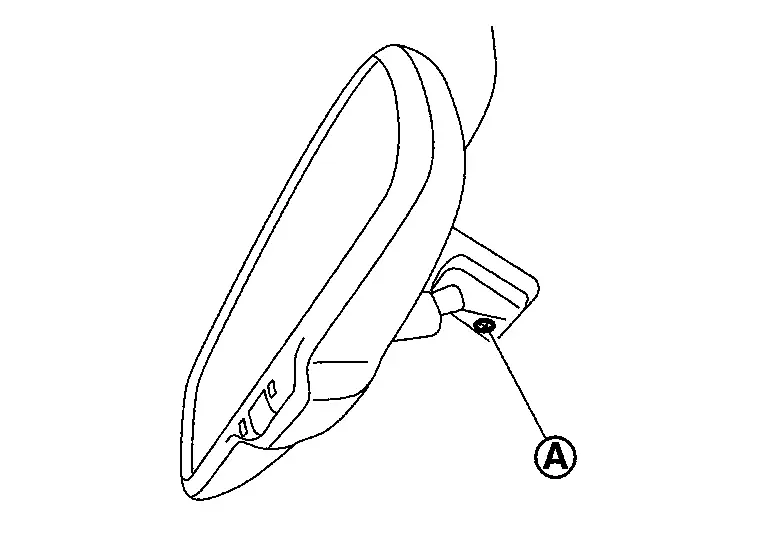
Remove inside mirror assembly as shown by the arrow in the figure.
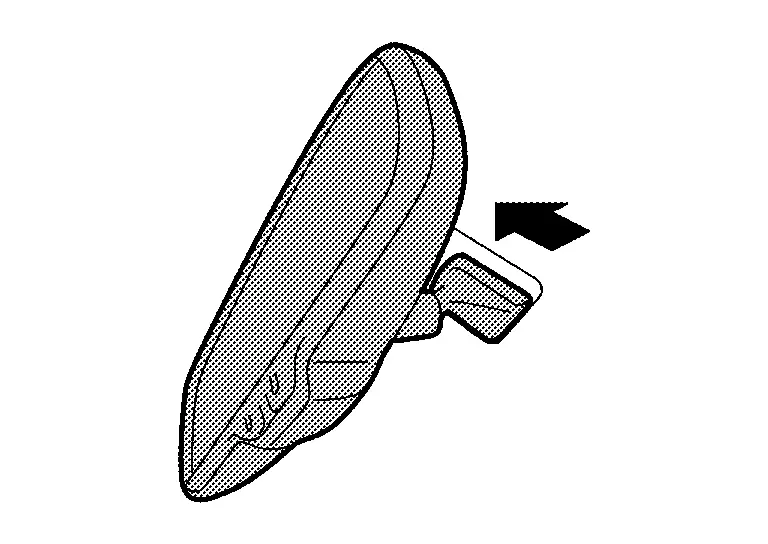
CAUTION:
Never use excessive force to remove the inside mirror assembly because it is inserted tightly into the inside mirror base.
Manual Anti-Dazzling
Disengage inside mirror assembly fixing pawl using a remover tool (A), and then remove inside mirror assembly.
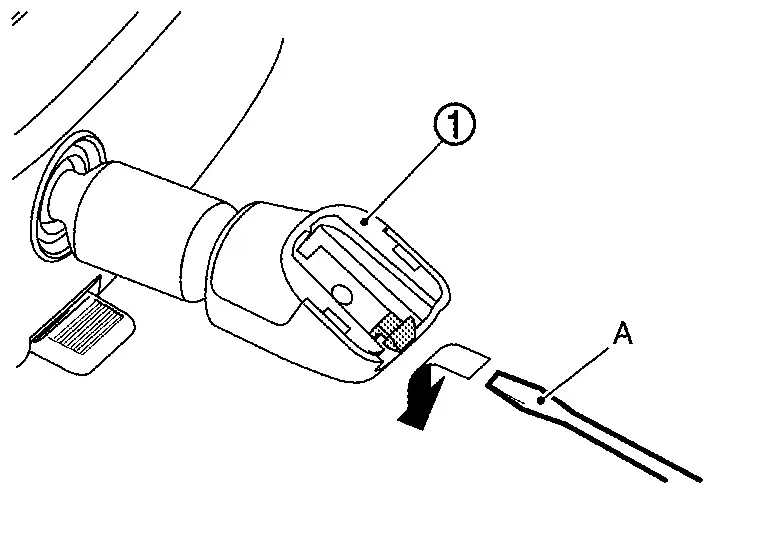
CAUTION:
-
Use a remover tool wrapped in tape.
-
Never use excessive force to remove the inside mirror assembly because it is inserted tightly into the inside mirror base.
INSTALLATION
Note the following items, and then install in the reverse order of removal.
Auto Anti-Dazzling
CAUTION:
Tighten inside mirror assembly fixing TORX bolt to the specified torque. Refer to Exploded View.
Manual Anti-Dazzling
CAUTION:
Replace inside mirror assembly with a new part after removal. Never reuse inside mirror assembly.
Other materials:
System Description. Component Parts
Air Bag Module
Driver Air Bag Module
Driver air bag module is built into steering wheel.
Driver air bag module mainly consists of air bag (A) and inflator (B) which inflates air bag.
Driver air bag inflates by breaking steering wheel center pad surface (A).
Passenger Air Bag ...
B20a2-87 Headlamp (rh) Lin Communication
DTC Description
DTC DETECTION LOGIC DTC No.
CONSULT screen items
(Trouble diagnosis content) DTC detection condition
B20A2–87
Headlamp (RH) LIN communication
[Headlamp (right hand) local interconnect network communication]
[MISSING MESSAGE]
Diagnosis condition
Ignition switch ...
Dtc/circuit Diagnosis. Communication Signal Circuit
Component Function Check
CHECK SUNSHADE FUNTION
Check sunshade open/close operations with sunshade switch.
Is the inspection result normal?
YES>>
Inspection End.
NO>>
Refer to Diagnosis Procedure.
Diagnosis Procedure
CHECK COMMUNICATION SIGNAL
Ignition switch OFF.
Di ...