
Nissan Rogue (T33) 2021-Present Service Manual: Removal and Installation :: Front Pillar Finisher
Exploded View
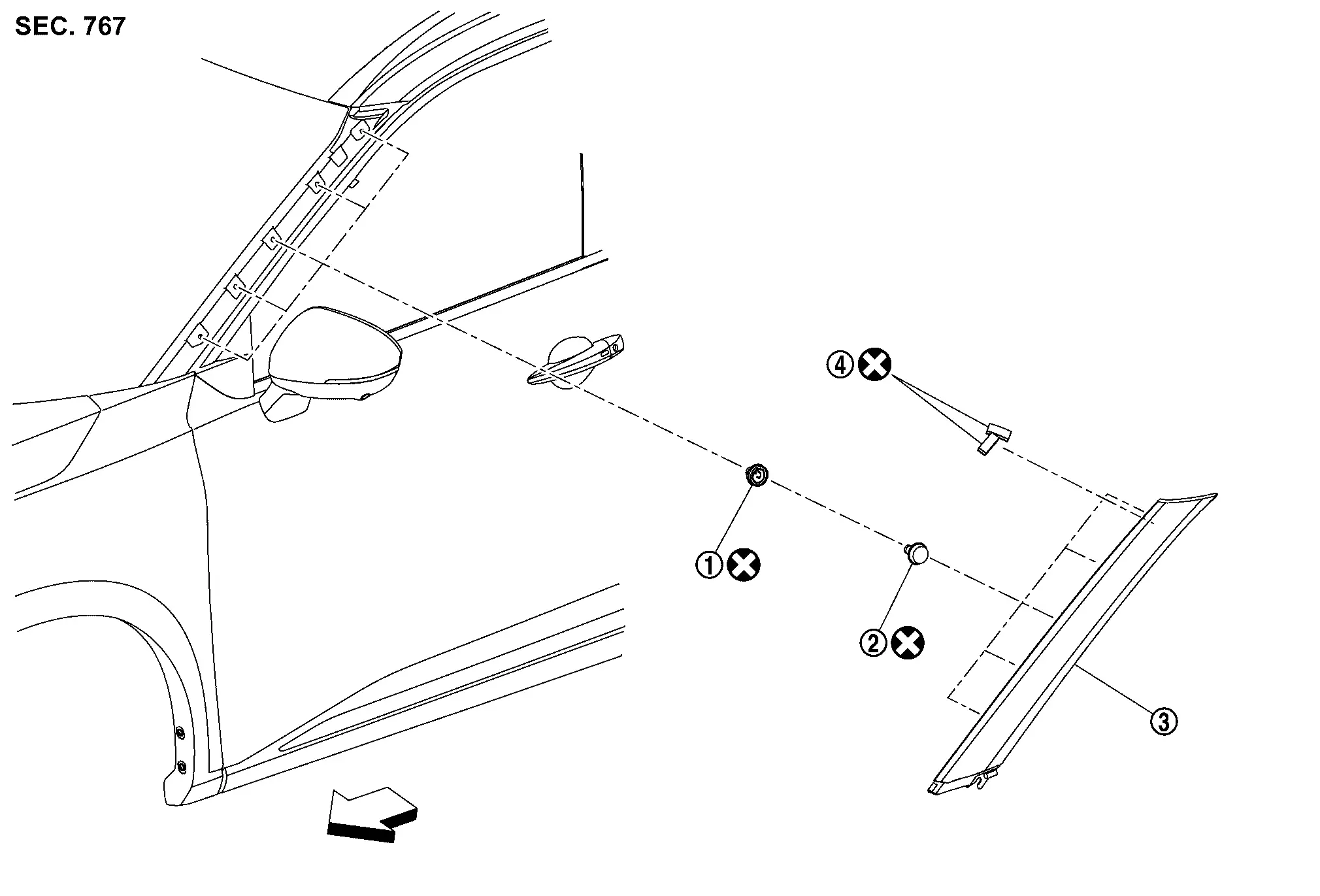
 |
Grommet |  |
Clip |  |
Front pillar finisher |
 |
Rubber | ||||
 |
: Nissan Ariya Vehicle front | ||||
 |
: Always replace after every disassembly. | ||||
Removal and Installation
REMOVAL
Fully open front door.
Remove fender cover. Refer to Removal and Installation.
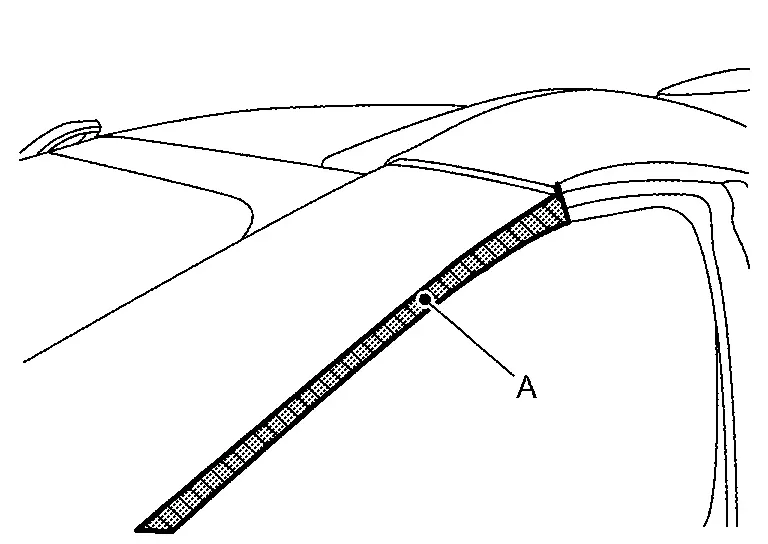
Apply protective tape (A) on the part to protect it from damage.
Disengage front pillar finisher fixing clips using a remover tool (A), and then cut double-sided tape of rubber.
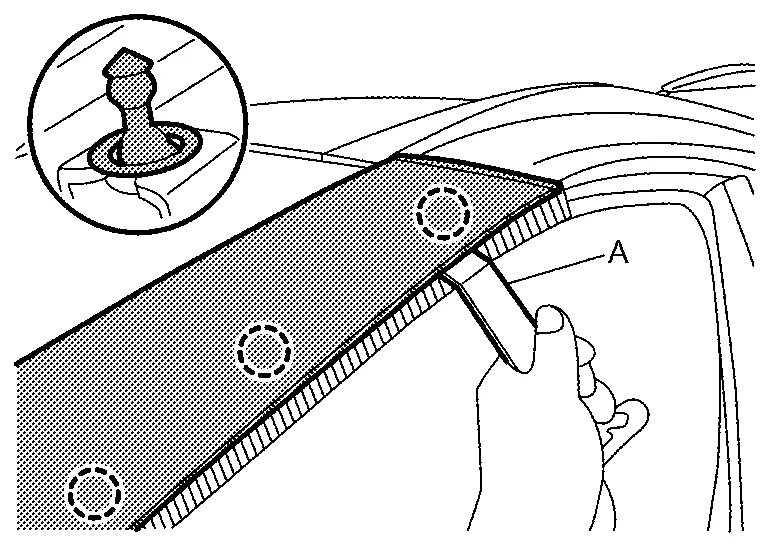
 |
: Clip |
Remove front pillar finisher from clip  as shown by the arrow in the figure.
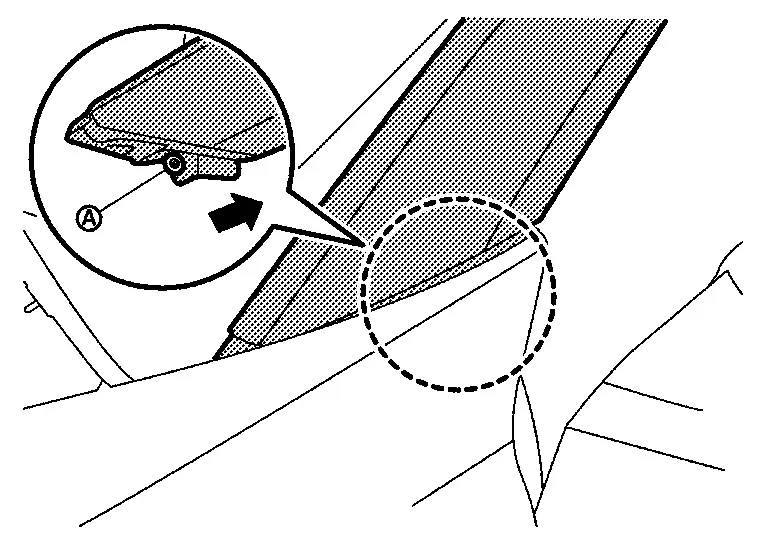
INSTALLATION
Installation is in the reverse order of removal.
CAUTION:
-
Never reuse rubber, clip and grommet.
-
Clean the mounting surface and check that no paint grain or dust remains, before starting the operation.
-
Degrease body side outer panel mounting surface for front pillar finisher.
-
Apply primer to the rubber mounting surface.
-
Never wash the Nissan Ariya vehicle within 24 hours after installing so as to keep adhesive.
Other materials:
Manual Air Conditioning. Precaution. Precautions
Precautions
Precaution for Supplemental Restraint System (SRS) "AIR BAG" and "SEAT BELT PRE-TENSIONER"
The Supplemental Restraint System such as “AIR BAG� and “SEAT BELT
PRE-TENSIONER�, used along with a front seat belt, helps to reduce the
risk or severity of injury to the driver and ...
Dtc/circuit Diagnosis. B242a-98 Closure Motor
DTC Description
DTC DETECTION LOGIC DTC No.
CONSULT screen items
(Trouble diagnosis content) DTC Detection Condition
B242A-98
Closure motor
(Closure motor)
Diagnosis condition
When back door closure function operate
Signal (terminal)
—
Threshold
When thermal prot ...
U0155 Can Communication (combination Meter)
DTC Description
CAN (Controller Area Network) is a serial communication line for real
time application. It is an on-Nissan Ariya vehicle multiplex
communication line with high data communication speed and excellent
malfunction detection ability. Many electronic control units are
equipped on ...