
Nissan Rogue (T33) 2021-Present Service Manual: Removal and Installation :: Emblem
Exploded view
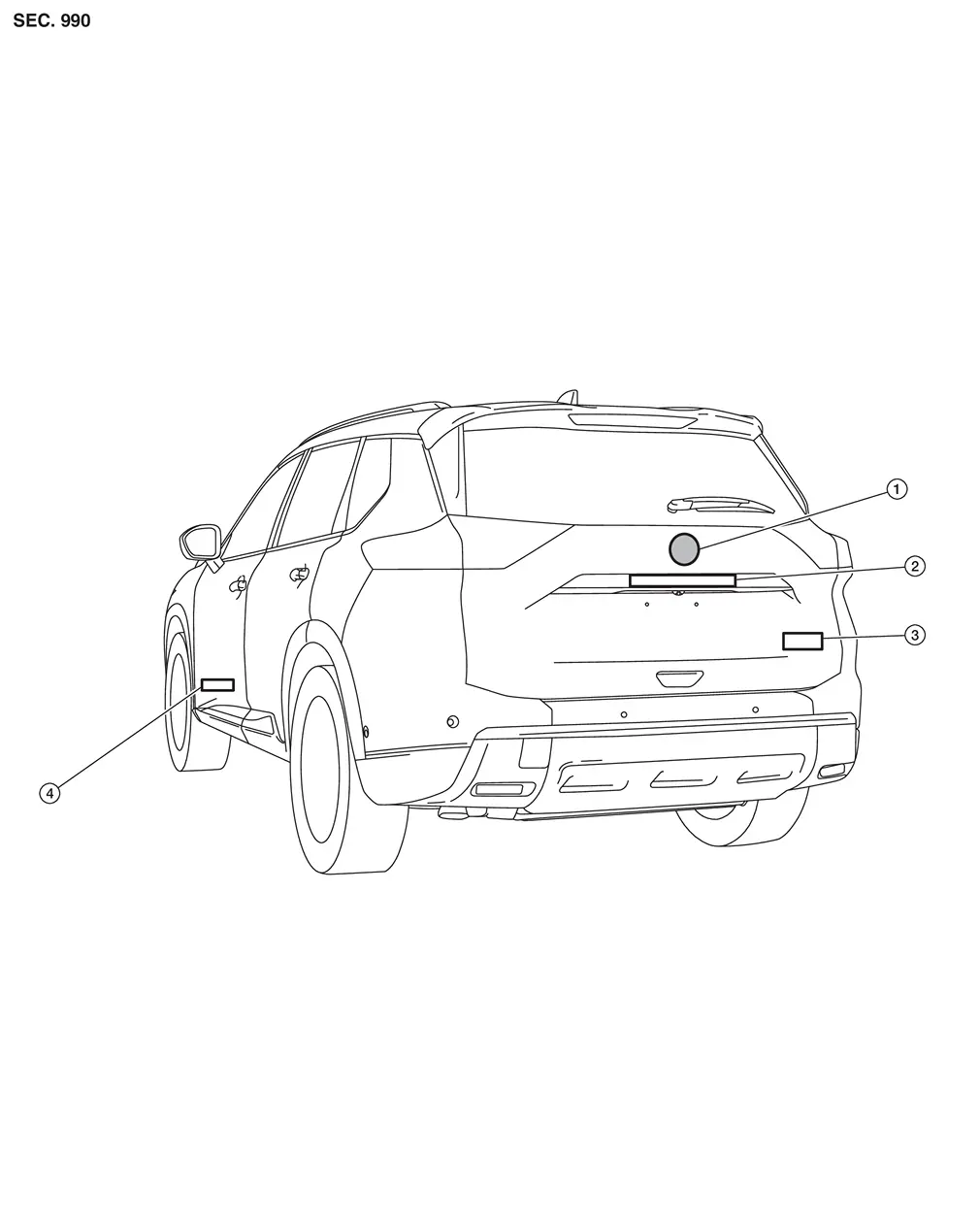
| 1. | Emblem A | 2. | Emblem B | 3. | Emblem C (if equipped) |
| 4. | Emblem D (if equipped) |
Removal and Installation
REMOVAL
Remove emblem from the panel while warming using an industrial dryer
CAUTION:
Remove the panel so as not to damage the paint.
INSTALLATION
CAUTION:
-
Never reuse the emblem which was peeled.
-
Degrease the panel emblem mount.
-
If paint bumps, dust, etc., adhere to the emblem mounting surface, it may cause a defective appearance.
 NOTE:
NOTE:
-
Refer to the figure below for the emblem mounting position.
-
For the left and right center position of emblem A, measure between the left and right ends of the back door assembly, put out the center of the back door assembly, and attach emblem A.
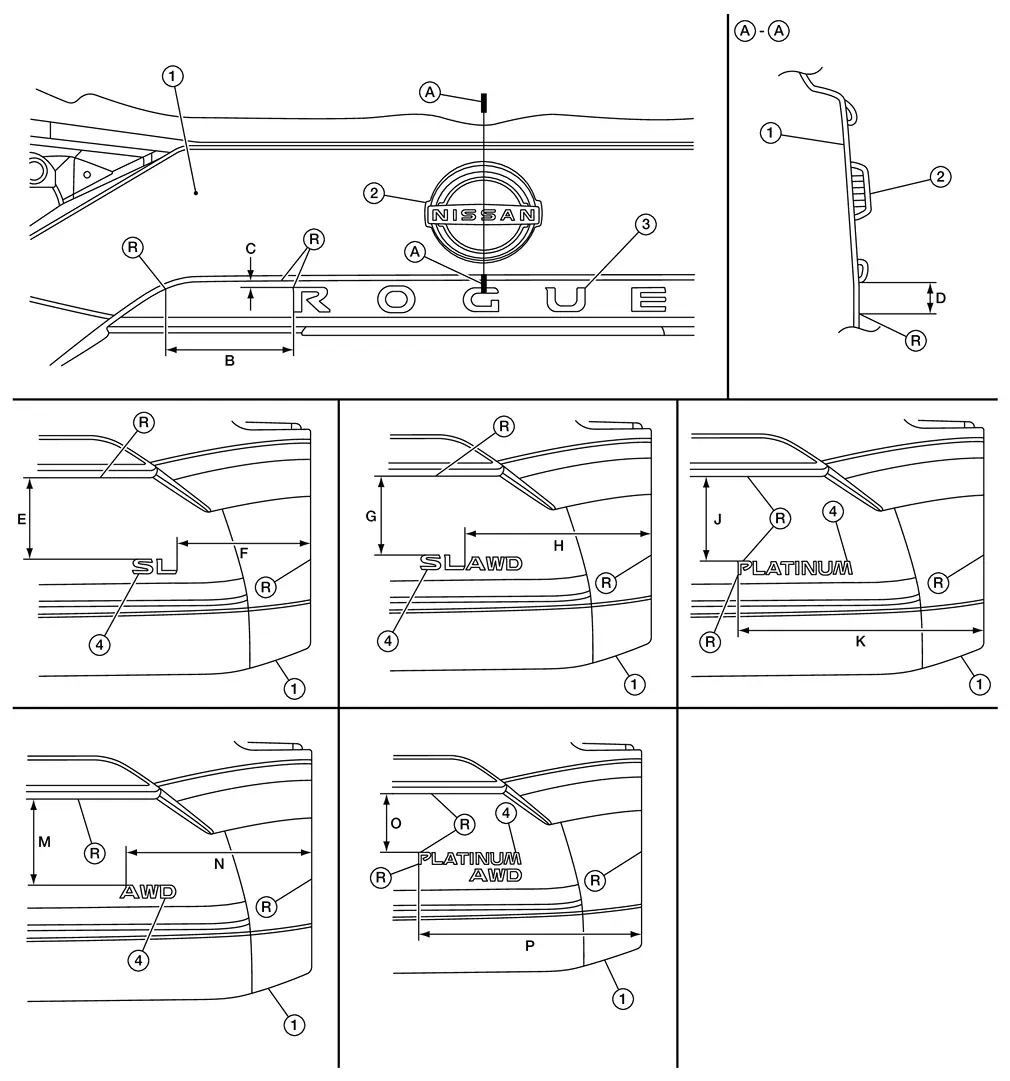
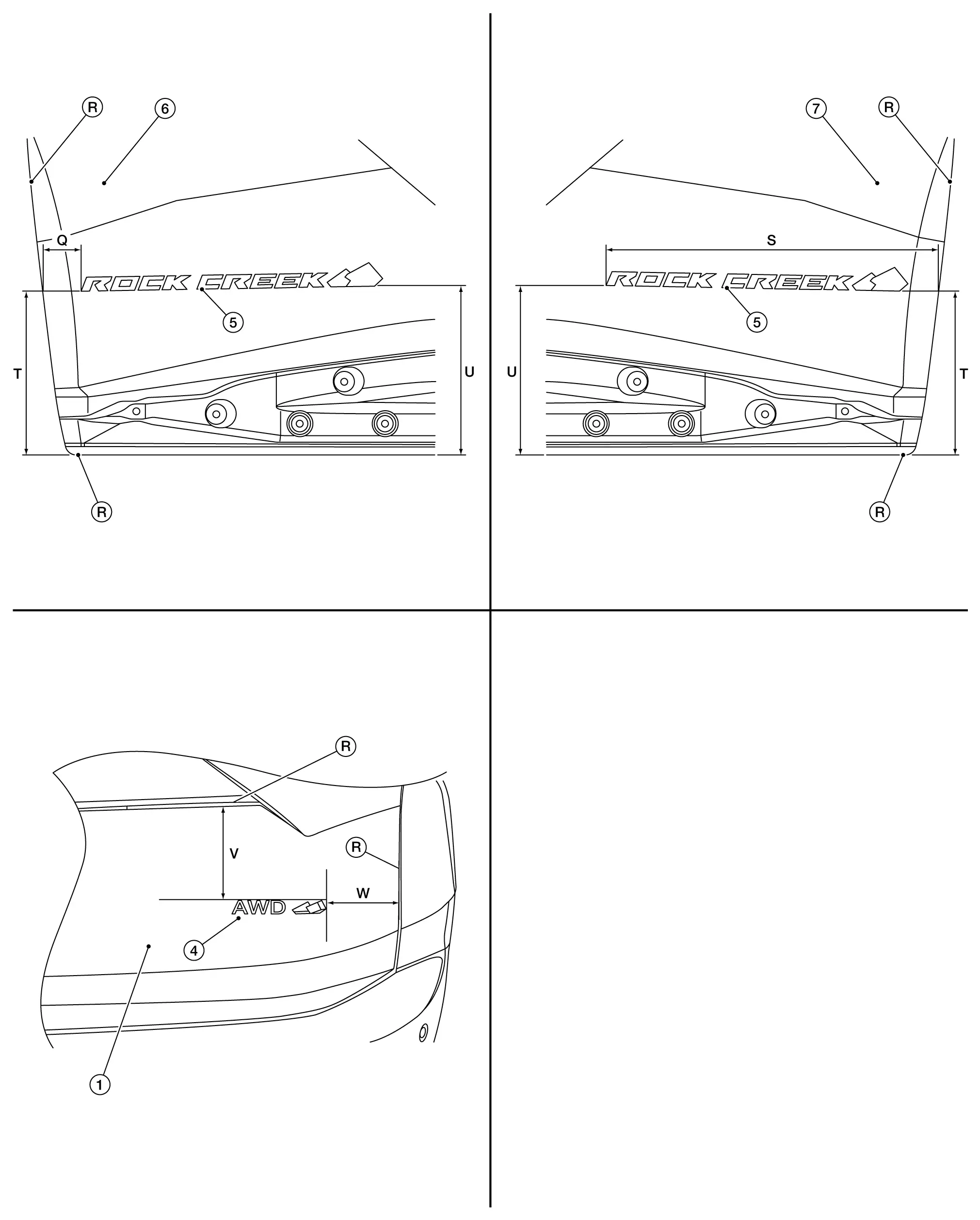
1. Back door panel 2. Emblem A 3. Emblem B 4. Emblem C (if equipped) 5. Emblem D (if equipped) 6. Driver door assembly 7. Passenger door assembly 
R end
B : 141.4 mm (5.567 in) C : 7.7 mm (0.303 in) D : 17.4 mm (0.685 in) E : 135.8 mm (5.346 in) F : 223.1 mm (8.783 in) G : 135.0 mm (5.315 in) H : 312.3 mm (12.295 in) J : 138.9 mm (5.468 in) K : 398.0 mm (15.669 in) M : 141.0 mm (5.551 in) N : 299.7 mm (11.799 in) O : 109.9 mm (4.327 in) P : 398.9 mm (15.705 in) Q : 38.1 mm (1.50 in) S : 412.7 mm (16.25 in) T : 201.3 mm (7.93 in) U : 209.5 mm (8.25 in) V : 127.0 mm (5.00 in) W : 139.7 mm (5.50 in)
Other materials:
U2118-87 Can Comm Circuit
DTC Description
DTC DETECTION LOGIC DTC No. CONSULT screen terms DTC detection condition
U2118
87
CAN communication error (Intelligent Key unit)
Diagnosis condition
When ignition switch is ON.
Signal (terminal)
CAN communication signal
Threshold
Not receiving from i ...
C10af-01 Pressure Sensor
DTC Description
DTC DETECTION LOGIC DTC No.
CONSULT screen terms
(Trouble diagnosis content) DTC detection condition
C10AF
01
Pressure sensor
(Pressure sensor)
Diagnosis condition
During driving below 15 km/h (9.4 MPH) (no braking)
When the power supply voltage is nor ...
Back-Up Lamp Circuit
Component Function Check
CHECK BACK-UP LAMP OPERATION
Start the engine.
With operating the shift selector, check that the back-up lamp is turned ON.
Shift selector position: R range
: Back-up lamp ON
Shift selector position: Other than above
: Back-up lamp OFF
Is th ...