
Nissan Rogue (T33) 2021-Present Service Manual: Removal and Installation :: Drive Mode Switch
Exploded View
2WD MODELS
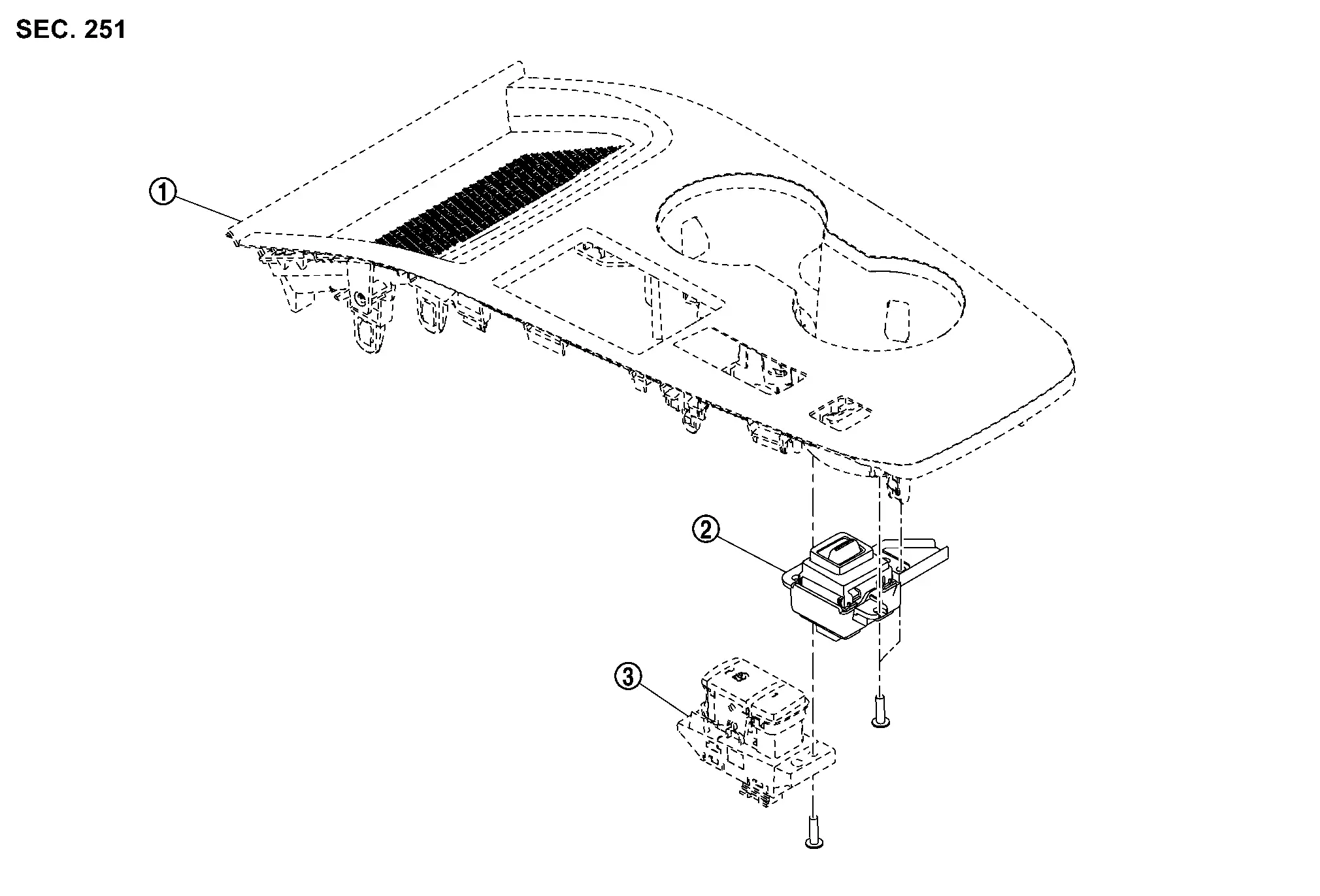
 |
Console finisher |  |
Drive mode select switch |  |
Parking brake switch |
AWD MODELS
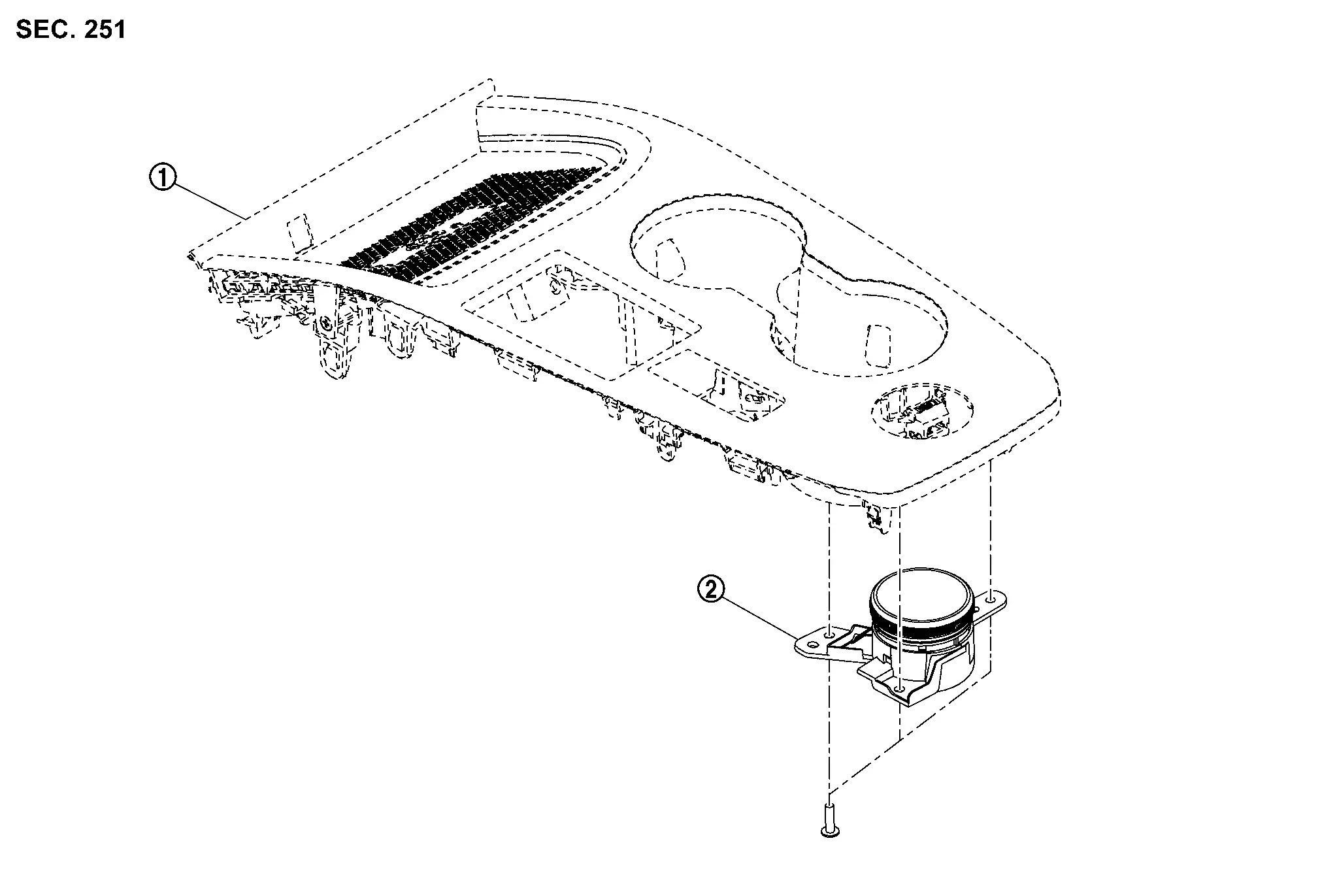
|
Console finisher | |
Drive mode select switch |
Removal and Installation
CAUTION:
Use waste to protect parts potential to interfere from being scratched.
REMOVAL
Remove console finisher. Refer to Removal and Installation.
Remove parking brake switch. Refer to Removal and Installation.
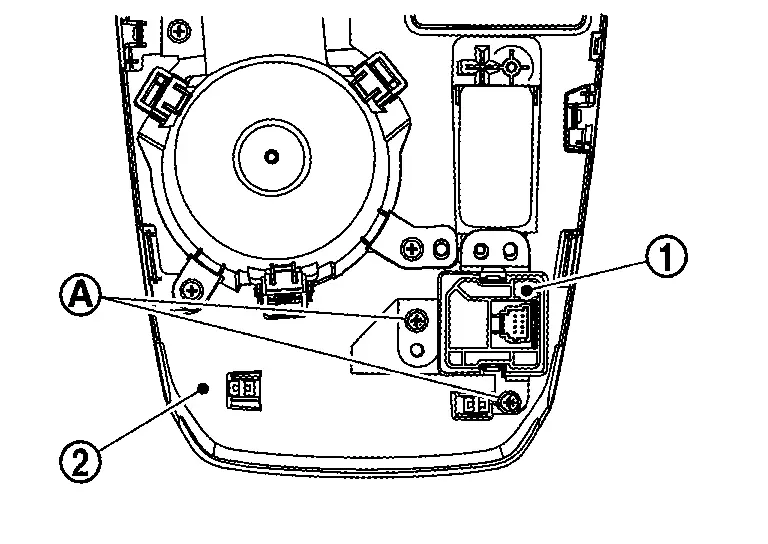
Remove drive mode select switch fixing screws  , and then remove drive mode select switch from console finisher . (2WD models)
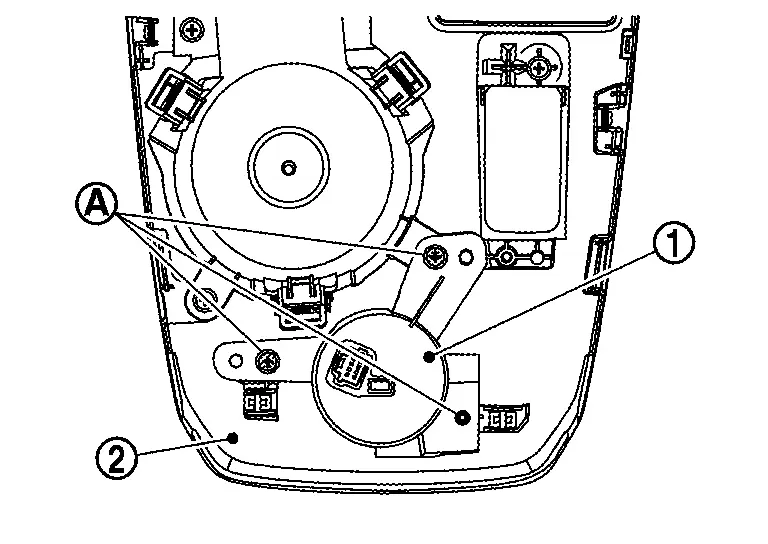
Remove drive mode select switch fixing screws , and then remove drive mode select switch from console finisher . (AWD models)
INSTALLATION
Install in the reverse order of removal.
Other materials:
Steering Assist
Basic information
Steering Assist is a part of the ProPILOT Assist Systems available on the Nissan Rogue. Read the entire ProPILOT Assist section before using this system, including how to operate it and how to understand the display information.
Steering Assist uses a forward-facing camera to detec ...
Precaution. Tow Truck Towing
Tow Truck Towing
WARNING:
Never ride in a vehicle that is being towed.
Never get under your Nissan Ariya vehicle after it has been lifted by a tow truck.
CAUTION:
All applicable state or Provincial (in Canada) laws and local laws regarding the towing operation must be obeyed.
...
Active Noise Control Unit
Reference Value
VALUES ON THE DIAGNOSIS TOOL Monitor Item Condition Value/Status
Active sound control operating condition
Active sound control system is not operating.
Off
Active sound control system is operating.
On
Active noise control operating condition
Active noise c ...