
Nissan Rogue (T33) 2021-Present Service Manual: Removal and Installation :: Door Sash Molding
Exploded View
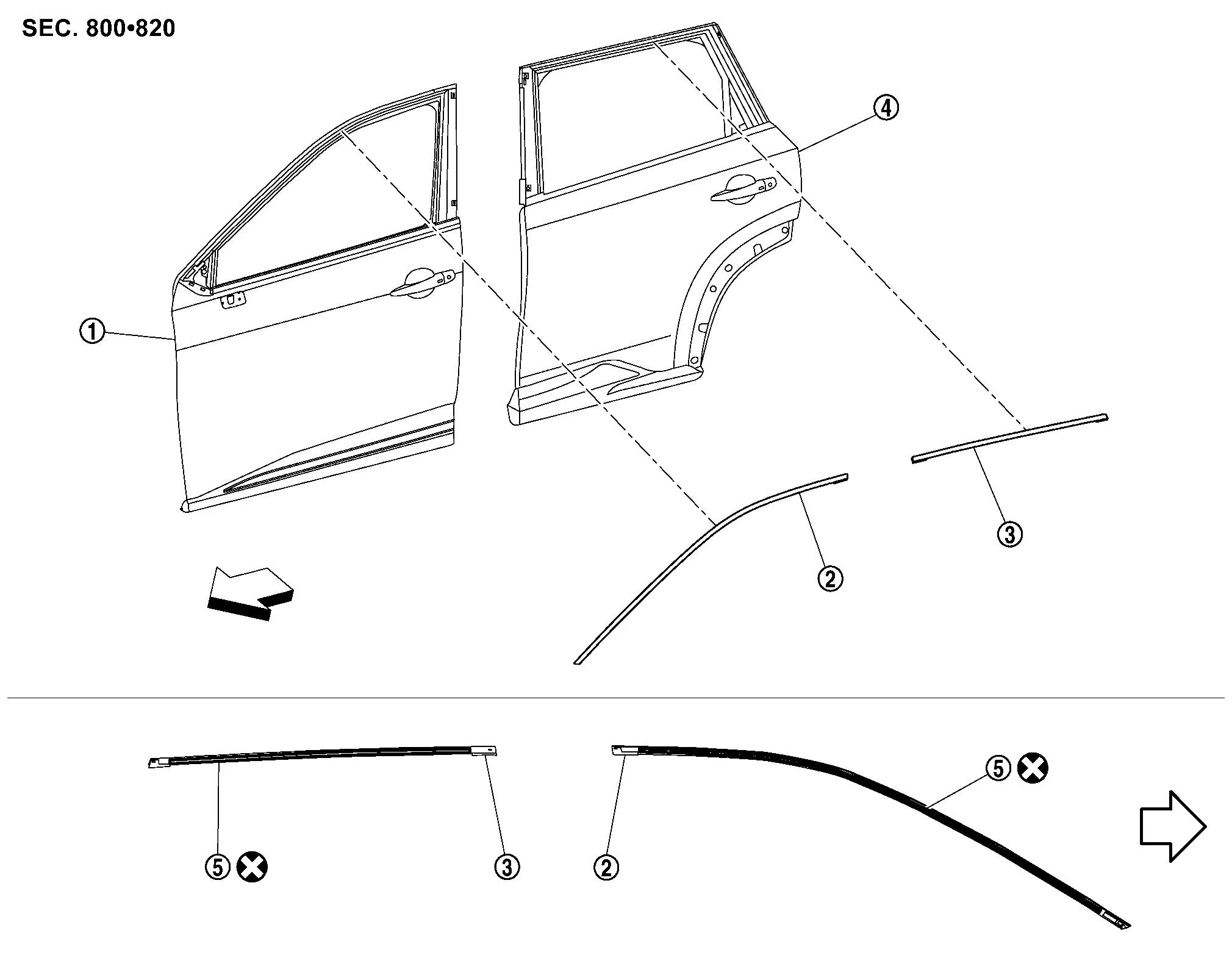
 |
Front door panel |  |
Front door sash molding |  |
Rear door sash molding |
 |
Rear door panel |  |
Double-sided tape [t: 1.6 mm (0.063 in)] | ||
 |
: Nissan Ariya Vehicle front | ||||
 |
: Always replace after every disassembly. | ||||
Front Door Sash Molding
Removal and Installation
REMOVAL
Remove front door sash cover front and rear. Refer to Removal and Installation.
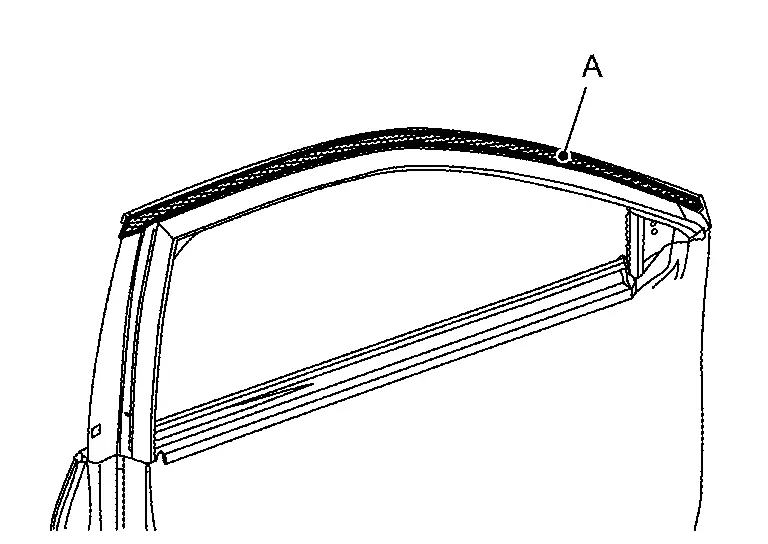
Apply protective tape (A) on the part to protect it from damage.
Insert a remover tool (A) between front door panel and front door sash molding, cut double-sided tape using a cutter (B) while lifting front door sash molding.
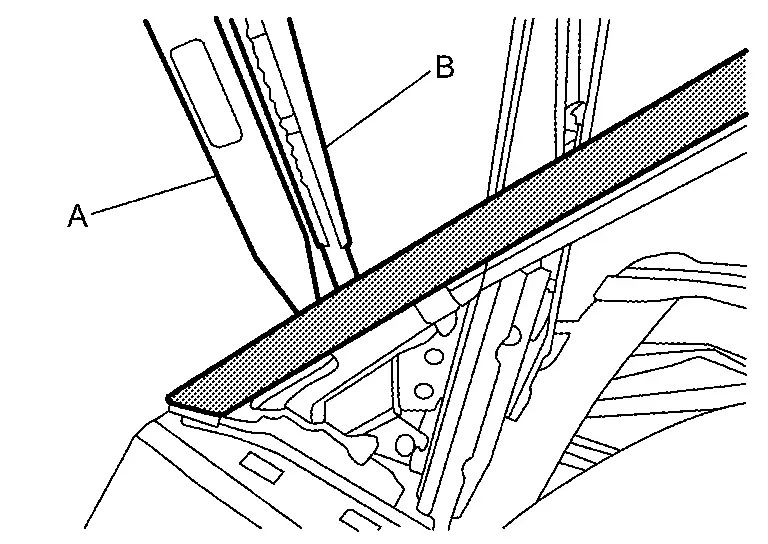
CAUTION:
Never use a material for remover tool which could damage door panel.
Remove front door sash molding.
INSTALLATION
Installation is in the reverse order of removal.
CAUTION:
-
Always replace double-sided tape with a new one, it front door sash molding is reused.
-
Remove double-sided tape remaining on front door panel and back of front door sash molding with a double-sided tape remover, after removing front door sash molding.
-
Degrease front door panel mounting surface for front door sash molding.
-
Paint grain or dust on mounting surface of front door sash molding may spoil exterior appearance if it remains. Clean the mounting surface and check that no paint grain or dust remains, before starting the operation.
-
Never wash the Nissan Ariya vehicle within 24 hours after installing so as to keep adhesive.
Rear Door Sash Molding
Removal and Installation
REMOVAL
Remove rear door sash cover front and rear. Refer to Removal and Installation.
Apply protective tape (A) on the part to protect it from damage.
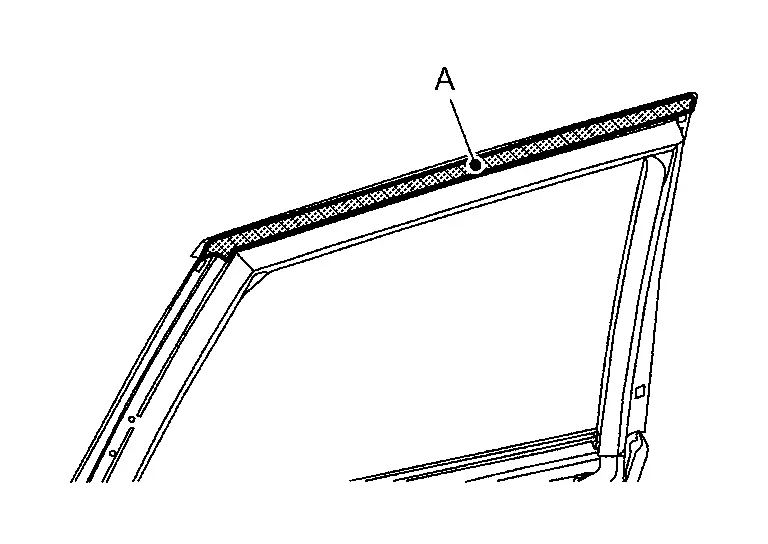
Insert a remover tool (A) between rear door panel and rear door sash molding, cut double-sided tape using a cutter (B) while lifting rear door sash molding.
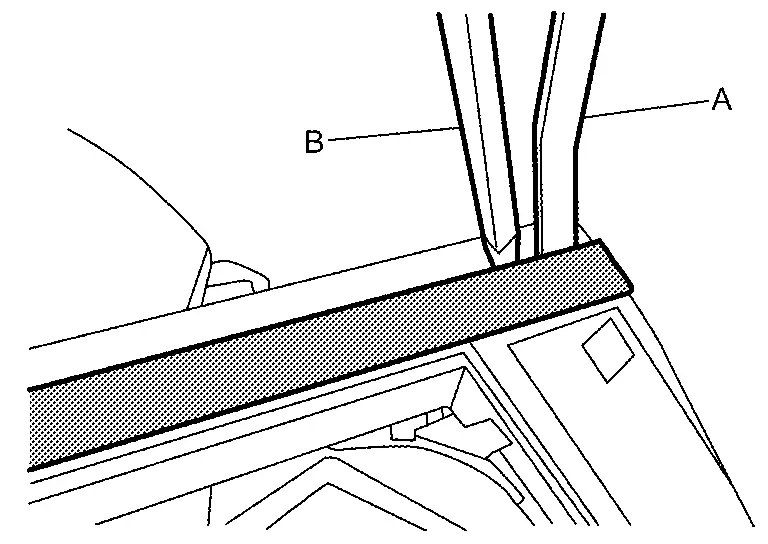
CAUTION:
Never use a material for remover tool which could damage door panel.
Remove rear door sash molding.
INSTALLATION
Installation is in the reverse order of removal.
CAUTION:
-
Always replace double-sided tape with a new one, it rear door sash molding is reused.
-
Remove double-sided tape remaining on rear door panel and back of rear door sash molding with a double-sided tape remover, after removing rear door sash molding.
-
Degrease rear door panel mounting surface for rear door sash molding.
-
Paint grain or dust on mounting surface of rear door sash molding may spoil exterior appearance if it remains. Clean the mounting surface and check that no paint grain or dust remains, before starting the operation.
-
Never wash the Nissan Ariya vehicle within 24 hours after installing so as to keep adhesive.
Other materials:
Dtc/circuit Diagnosis. Power Supply and Ground Circuit
Diagnosis Procedure
CHECK FUSE
Ignition switch OFF.
Check that the following fuses are not blown (open):
With type A meter Unit Location Fuse No. Capacity
28
Battery power supply
30
5 A
135
Battery power supply (door lock 1)
12
10 A
136
Battery power ...
C1f03-23 Operation Sw Circ
Without Propilot Assist 2.1
DTC Description
DTC DETECTION LOGIC DTC
CONSULT screen terms
(Trouble diagnosis content) DTC detection condition
C1F03
23
OPERATION SW CIRC
(Operation switch circuit)
Diagnosis condition
When engine is running
When ProPILOT Assis ...
Periodic Maintenance. Body Maintenance
Locks, Hinges and Hood Latch
Lubricating
For hood illustration. Refer to Exploded View.For hood lock illustration. Refer to Exploded View.For front door illustration. Refer to Exploded View.For rear door illustration. Refer to Exploded View.For back door illustration. Refer to Exploded View.For ba ...