
Nissan Rogue (T33) 2021-Present Service Manual: Removal and Installation :: Combination Switch
Removal and Installation
REMOVAL
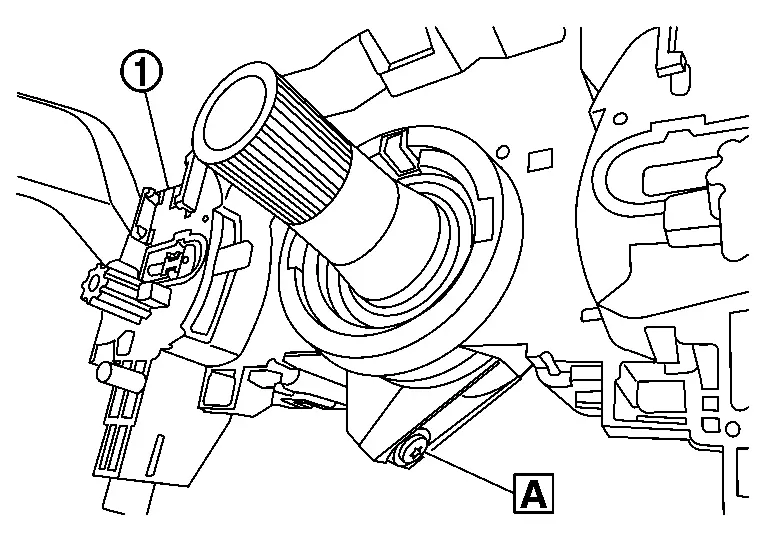
Remove steering angle sensor. Refer to Removal and Installation.
Disconnect harness connector from combination switch.
Remove the combination switch  mounting screw
  .
.
Pull out the combination switch by moving it alternately on the right and left side.
CAUTION:
Never deformation and damage the pawls.
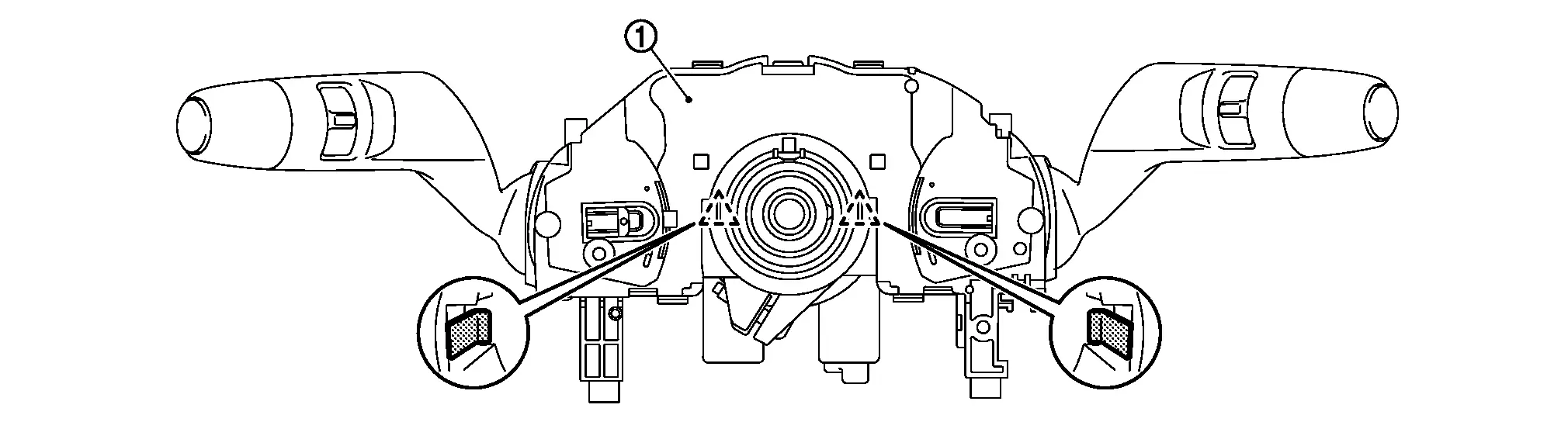
 |
: Pawl |
INSTALLATION
Install in the reverse order of removal.
CAUTION:
-
Never reuse combination switch. Always replace it with a new one when it is removed.
-
Visually check the pawls for deformation and damage during installation. Replace with new ones if necessary.
-
Insert the combination switch so that the protrusion
of the combination switch and the cut-out  of the steering column
  match together.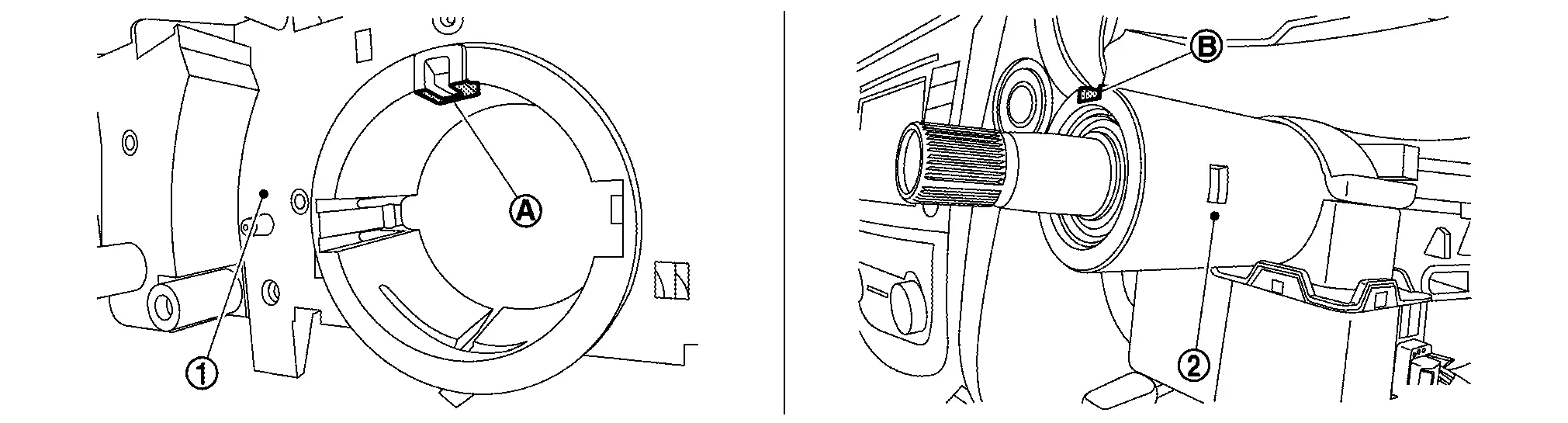
Other materials:
Symptom Diagnosis. Automatic Back Door Operation Does Not Operate
All Switches
Description
Automatic back door open/close function does not operate using all switches.
Diagnosis Procedure
CHECK OPERATION
Fully close the back door manually.
Check auto open/close function using automatic back door switch.
Is the inspection result normal?
YES>& ...
Dtc/circuit Diagnosis. Power Supply and Ground Circuit
Diagnosis Procedure
CHECK FUSE
Ignition switch OFF.
Check that the following fuses are not blown (open):
With type A meter Unit Location Fuse No. Capacity
28
Battery power supply
30
5 A
135
Battery power supply (door lock 1)
12
10 A
136
Battery power ...
P0500 Vss
DTC Description
DESCRIPTIONECM receives vehicle speed signals from two
different paths via CAN communication line: One is from the ABS actuator
and electric unit (control unit) via the combination unit and the other
is from TCM.DTC DETECTION LOGIC DTC
CONSULT screen terms
(Trouble diagno ...