
Nissan Rogue (T33) 2021-Present Service Manual: Primary Speed Sensor
Exploded View
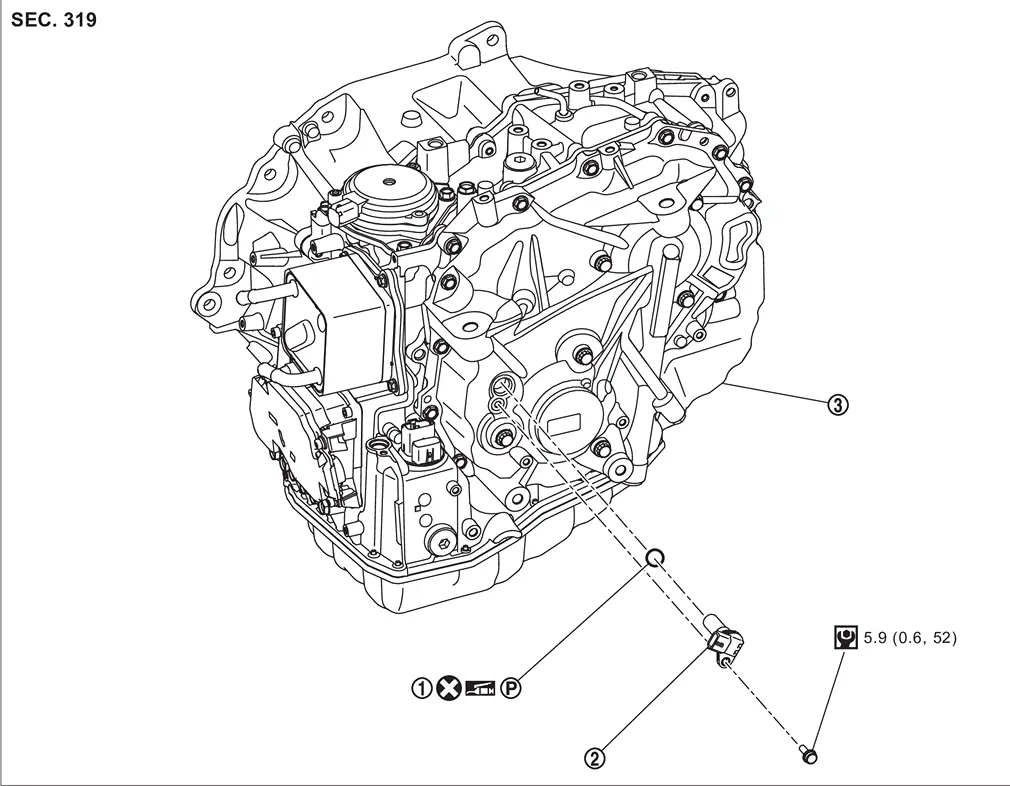
| 1. | O-ring | 2. | Primary speed sensor | 3. | Transaxle assembly |
 : N·m (kg-m, in-lb)
 : Always replace after every disassembly.
 : Apply petroleum jelly.
Removal and Installation
REMOVAL
| Never Reuse These Parts | Part Code | For additional information: |
|---|---|---|
| Seal-O-ring | 31051J | Exploded View |
Remove front fender protector. Refer to Removal and Installation.
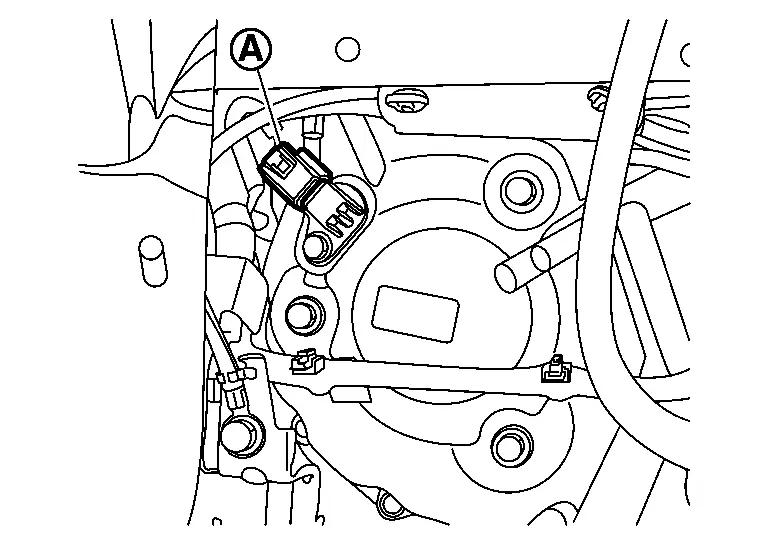
Disconnect the harness connector (A) from the primary speed sensor.
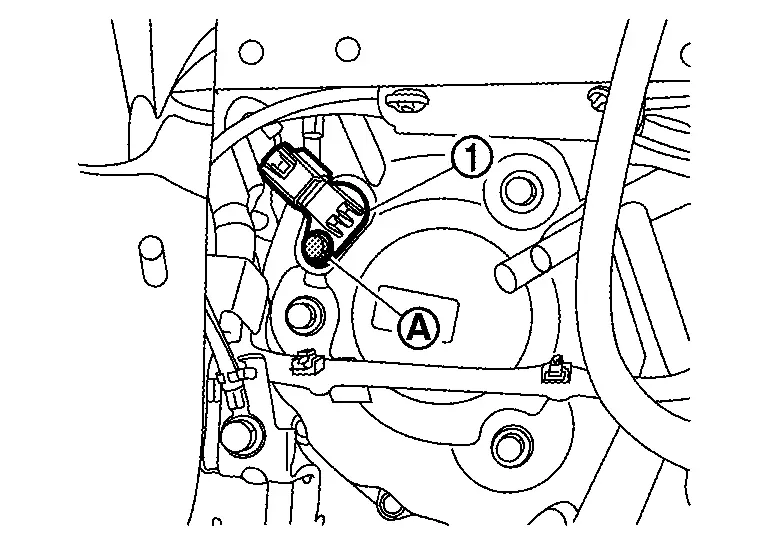
Remove primary speed sensor mounting bolt (A) , and then remove primary speed sensor (1).
CAUTION:
Never impact primary speed sensor.
Remove the O-ring from the primary speed sensor.
INSTALLATION
Installation is in the reverse order of removal.
CAUTION:
-
Never reuse O-ring.
-
Apply CVT fluid to the O-ring.
Inspection and Adjustment
Check for CVT fluid leakage. Refer to Inspection.
Adjust CVT fluid level. Refer to Adjustment.
Other materials:
Information Display (combination Meter)
Door Open Warning
DESIGN/PURPOSEInformation display warns the driver that each door is open or is not fully closed. Symbol Message
–
SYNCHRONIZATION WITH MASTER WARNING LAMPSynchronization is applied.Refer to Master Warning Lamp.SYSTEM DIAGRAMSIGNAL PATH
BCM transmits door switch ...
U2e52-87 Can Comm Circuit
DTC Description
DTC DETECTION LOGIC DTC No. CONSULT screen terms DTC detection condition
U2E52
87
CAN communication error (ADAS control unit)
Diagnosis condition
When ignition switch is ON.
Signal (terminal)
CAN communication signal
Threshold
Not receiving from ADAS c ...
Door Lock Function
System Description
SYSTEM DIAGRAMDoor lock function controls operation function of the following items.
Door lock and unlock function (door request switch)
Selective unlock function (door request switch)
Reminder function (door request switch)
Auto door lock function (door request ...