
Nissan Rogue (T33) 2021-Present Service Manual: Operation
Operation
SWITCH NAME AND FUNCTION
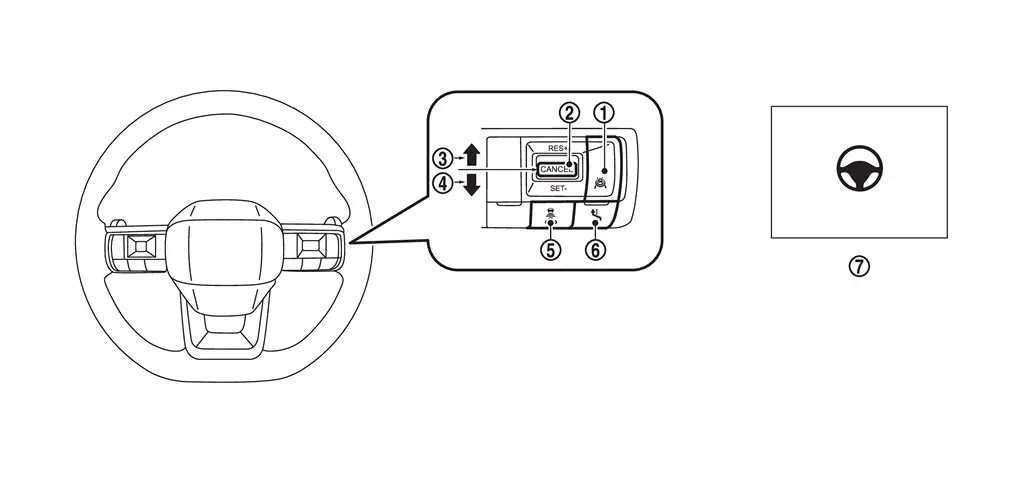
| No. | Switch name | Description |
|---|---|---|
 |
ProPILOT Assist switch | ProPILOT Assist switch to activate the system |
 |
CANCEL switch | Pressing the switch cancels ProPILOT Assist 2.1 control |
 |
RES± switch (RES+ operation) |
Resumes set speed or increases speed incrementally
|
 |
RES± switch (RES- operation) |
Resumes set speed or decreases speed incrementally
|
 |
DISTANCE switch | Changes the following distance from: Long, Middle, Short |
 |
Lane Change Assist switch | Accepts or declines a lane change assist suggestion |
 |
Steering Assist switch | Turns the Steering Assist function ON or OFF |
SYSTEM DISPLAY AND WARNING
SYSTEM DISPLAY (ON THE INFORMATION DISPLAY)
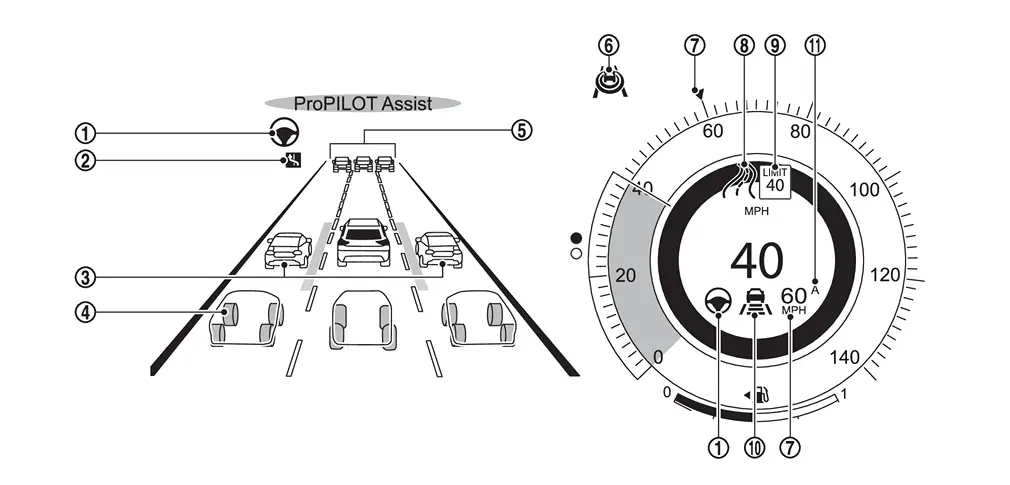
| No. | Display name | Description |
|---|---|---|
|
Steering Assist indicator | Indicates the status of the Steering Assist function. |
|
Lane Change Assist Indicator | Icon is displayed when Lane Change Assist feature is available. |
|
Side detection | Indicates that a Nissan Ariya vehicle is detected in the side spot. |
|
Surrounding Nissan Ariya Vehicle Display |
Displays other detected vehicles, including passenger Nissan Ariya vehicles, trucks and motorcycles. The multi-lane display is only available on HD* mapped, limited access freeway. (When driving at speeds more than approximately 60 km/h (37 MPH).) *: HD map data can be used with a subscription service which requires owner consent to activate. The subscription must be active to use these features. |
|
Nissan Ariya Vehicle ahead detection indicator | Displays whether the system detects a Nissan Ariya vehicle ahead. |
|
ProPILOT Assist 2.1 status indicator | Indicates the status of ProPILOT Assist 2.1. |
|
Nissan Ariya Vehicle Set Speed Indicator | Indicates the vehicle set speed. |
 |
Road information indicator | Indicates the detected road information. |
 |
Detected road sign (speed limit) indicator | Indicates the currently detected speed limit. |
 |
Intelligent Cruise Control (ICC) Status Indicator | Displays the status of the speed control including the distance setting and detection of a lead Nissan Ariya vehicle. |
 |
Speed Limit Adjust Indicator (A) | Indicates the detected speed limit will be automatically applied to the Nissan Ariya vehicle set speed. |
SYSTEM DISPLAY (ON THE HEAD UP DISPLAY)
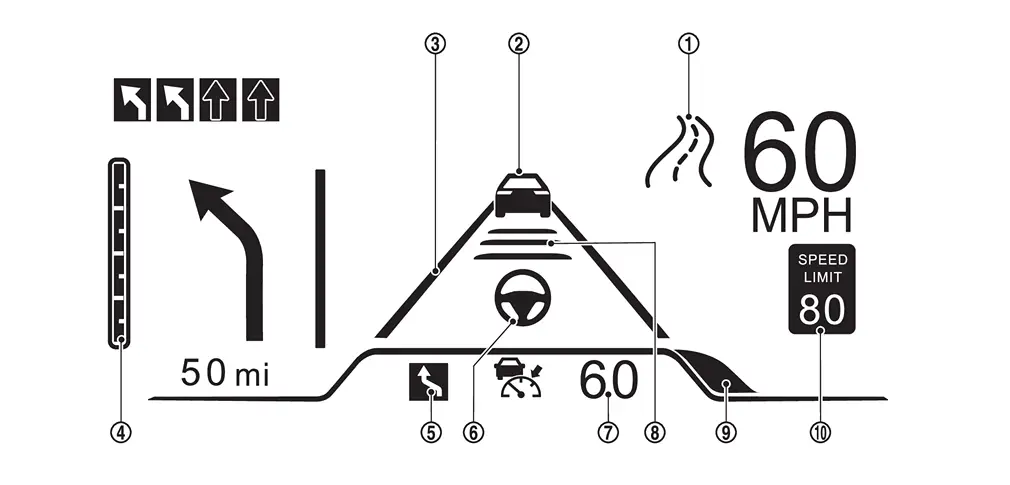
| No. | Display name | Description |
|---|---|---|
|
Road information indicator | Indicates the detected road information. |
|
Nissan Ariya Vehicle ahead detection indicator | Displays whether the system detects a Nissan Ariya vehicle ahead. |
|
Lane marker indicator | Notifies the driver of the lane detection status. |
|
Navigation indicator | Display the remaining distance to the intersection or branch with a scale. |
|
Lane Change Assist Indicator | Icon is displayed when Lane Change Assist feature is available. |
|
Steering Assist indicator | Indicates the status of the Steering Assist function. |
|
Nissan Ariya Vehicle Set Speed Indicator | Indicates the vehicle set speed. |
|
Intelligent Cruise Control (ICC) Status Indicator | Displays the status of the speed control including the distance setting and detection of a lead Nissan Ariya vehicle. |
|
Side detection | Indicates that a Nissan Ariya vehicle is detected in the side spot. |
|
Speed limit indicator | Indicates speed limit signs detected by the Traffic Sign Recognition. |
ProPILOT Assist 2.1 operation display
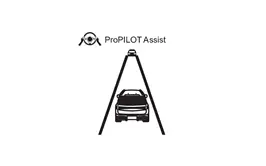
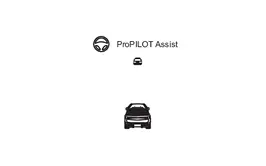
ProPILOT Assist 2.1 displays three operating states in color (blue, green, white) and steering wheel assist function display.
| Display | Color | Description |
|---|---|---|
|
|
Blue |
|
|
Steering wheel assist function display
|
||
|
|
Green |
|
|
Steering wheel assist function display
|
||
|
|
White |
|
|
Steering wheel assist function display
|
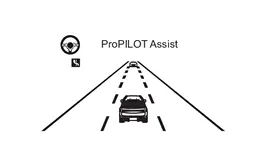

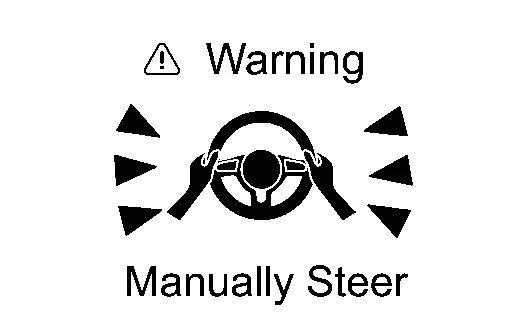
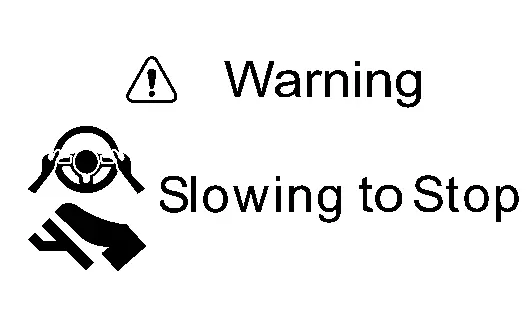
ProPILOT Assist 2.1 warning message
If a warning message is displayed, follow the "Description/Action" below.
| Display | Display condition | Description/Action | Buzzer |
|---|---|---|---|
|
|
When judging that driver is not paying attention to the situations ahead |
|
ON |
|
|
When driver does not hold steering wheel or not operate steering wheel
|
|
ON |
|
|
|
|
ON |
|
|
When decelerating or making emergency stop of Nissan Ariya vehicle because of no steering operation by driver |
|
ON |


| Display | Message | Possible cause | Description/Action | Buzzer |
|---|---|---|---|---|
|
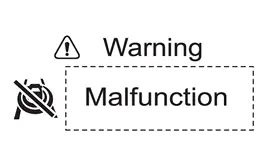
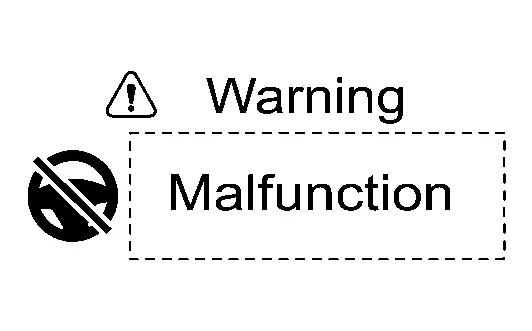
(Example)
|
Malfunction | When ProPILOT Assist 2.1 is abnormal | Check detected DTC and perform diagnosis of corresponding DTC. If condition is not improved, charge 12 V battery. | ON |
|
Unavailable Front Radar Obstructed |
When snow or ice mud adheres around the distance sensor installed to Nissan Ariya vehicle front | Stop at safe place, turn off ignition switch once, remove dirt from distance sensor and its surroundings, and restart. | ON | |
|
Unavailable Seatbelt is Unfastened |
When driver's seat belt is not fastened | When driver's seat belt is not fastened, ProPILOT Assist 2.1 cannot be used. | ON | |
|
Unavailable Parking Brake is ON |
When electric parking brake is operated | When electric parking brake is operated, ProPILOT Assist 2.1 cannot be used. | ON | |
|
Unavailable Slippery Road |
|
ProPILOT Assist 2.1 cannot be used in situations when VDC/TCS is operated or tire spins. | ON | |
| Currently Unavailable |
|
ProPILOT Assist 2.1 cannot be used in situations when drive mode is set to SNOW or when VDC is turned off. | ON | |
|
(Example)
|
Malfunction | When lane keeping function is abnormal | Stop at safe place, turn off ignition switch once restart, and then turn on ProPILOT Assist 2.1 system again. | ON |
|
Unavailable Adverse Weather |
When windshield wiper is operated at high speed | When weather condition is improved, lane keeping function can be used. | ON | |
|
Unavailable Low Visibility |
|
When weather condition is improved, lane keeping function can be used. | ON | |
|
Unavailable Camera Temperature High |
When temperature of front camera unit and its surroundings is high | When weather condition is improved, lane keeping function can be used. | ON | |
|
(Example)
|
Take Nissan Ariya Vehicle Control System Malfunction |
When ProPILOT Assist 2.1 is abnormal |
|
ON |
|
Take Nissan Ariya Vehicle Control Front Radar Blocked |
When snow, ice, mud, etc. adhere to the area around distance sensor |
|
ON | |
|
Unavailable Side Radar Obstruction |
When snow, ice, mud, etc. adhere to the area around side radar |
|
ON | |
|
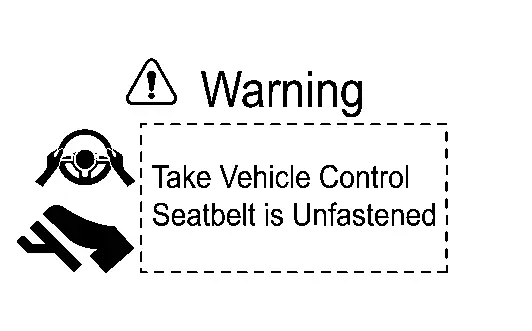
Take Nissan Ariya Vehicle Control Seatbelt is Unfastened |
When driver unfasten seat belt |
|
ON | |
|
Take Nissan Ariya Vehicle Control Parking Brake is ON |
When electric parking brake is applied |
|
ON | |
|
Take Nissan Ariya Vehicle Control Currently Unavailable |
|
|
ON | |
|
Take Nissan Ariya Vehicle Control Slippery Road |
|
|
ON | |
| Take Steering Control |
|
|
ON | |
|
Manually Steer Lane Marking Not Detected |
When lane marker cannot be detected |
|
ON | |
|
Manually Steer Adverse Weather |
When windshield wiper is operated at high speed |
|
ON | |
|
Manually Steer Low Camera Visibility |
|
|
ON | |
|
Manually Steer Front Camera Temp High |
When temperature of front camera unit and its surroundings is high |
|
ON | |
|
Manually Steer Toll Gate Ahead |
When tollhouse is ahead |
|
ON | |
|
Manually Steer Lane Ends Ahead |
When point where number of lanes decreases is ahead |
|
ON | |
|
Manually Steer Sharp Bend Ahead |
When sharp curve is ahead |
|
ON | |
|
Manually Steer Intersection Ahead |
When intersection is ahead |
|
ON | |
| Take Steering Control |
|
|
ON | |
|
(Example)
|
Hands On Wheel Outside Speed Range |
When travelling beyond the Nissan Ariya vehicle speed detected by road sign detection function | Immediately hold steering wheel and operate. | ON |
| Take Steering Control |
|
Immediately hold steering wheel and operate. | ON | |
|
Hands On Wheel Lane Ends |
When approaching point where number of lanes are decreased | Immediately hold steering wheel and operate. | ON | |
|
Hands On Wheel Merging Point |
When approaching the travelling lane merges | Immediately hold steering wheel and operate. | ON | |
| Take Steering Control | When section with traffic restrictions such as construction section is detected | Immediately hold steering wheel and operate. | ON | |
|
Hands On Wheel No HD map Information |
|
Immediately hold steering wheel and operate. | ON | |
|
Hands On Wheel GPS Unavailable |
|
Immediately hold steering wheel and operate. | ON | |
|
Hands On Wheel Adverse Weather |
When windshield wiper is operated at slow speed | Immediately hold steering wheel and operate. | ON | |
|
Hands On Wheel No Median Barrier |
When approaching a two-way traffic section | Immediately hold steering wheel and operate. | ON | |
|
Hands On Wheel Can't See Face Clearly |
When driver cannot be recognized |
|
ON | |
| Hands On Wheel | When approach warning is activated |
|
ON | |
|
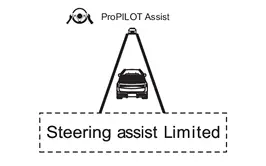
Steering Assist Limited System Malfunction |
When some of the steering support function cannot be operated due to abnormality of ProPILOT Assist 2.1 system |
|
ON | |
|
Steering Assist Limited Side Radar Obstructed |
When some of the steering support function cannot be operated because snow, ice, mud, etc. adhere to the area around side radar |
|
ON | |
|
Steering Assist Limited Can't See Face Clearly |
When driver cannot be recognized | When driver is not recognized, some of steering support function cannot be used. | ON | |
|
Steering Assist Limited HD map Unavailable |
When some of steering support function cannot be operated because information from navigation is not transmitted | Stop at safe place, turn off ignition switch, restart and then turn on ProPILOT Assist 2.1 system again. | ON | |
|
Steering Assist Limited HD Map License Expired |
When HD map license is not contracted | Explain to customer. | ON | |
|
Lane Change Assist Canceled Below Operational Speed |
When lane change support is canceled because Nissan Ariya vehicle speed is lower than 60 km/h (37 MPH) approx. | Change lane by operating steering wheel. | ON | |
|
Lane Change Assist Canceled Nissan Ariya Vehicle Detected |
When lane change support function is canceled because Nissan Ariya vehicle is detected in the target lane | Change lane by operating steering wheel. | ON | |
| Lane Change Assist Canceled | When overtaking support function is canceled because adjacent lane is not detected | Change lane by operating steering wheel. | ON | |
| Lane Change Assist Canceled | When approaching to exit or road split while adjacent lane cannot be detected | Change lane by operating steering wheel. | ON | |
| Lane Change Assist Canceled |
|
Change lane by operating steering wheel. | ON |
Other materials:
Preparation
Commercial Service Tools
Tool Description
Power tool
Loosening screws
Sealant or/and Lubricant
Name Description
Primer (3M K500, K520 or equivalent)
Primer for attaching sonar sensor holder to bumper
...
Variable Compression Ratio Motor
Component Inspection
CHECK VCR MOTOR
Turn ignition switch OFF.
Disconnect VCR motor harness connector.
Check the continuity between VCR motor terminals as per the following.
VCR motor Continuity
Terminal
2
3
Existed
1
3
1
Check harness for short ...
Adas Control Unit. Basic Inspection
Additional Service When Replacing Adas Control Unit 2
Without Propilot Assist 2.1
Work Procedure
Always perform the additional service after replacing the ADAS control unit 2.ADAS CONTROL UNIT 2 CONFIGURATION
Perform saving Nissan Ariya vehicle internal information according to "Replace ECU" i ...