
Nissan Rogue (T33) 2021-Present Service Manual: Multi Av (av Control Unit)
B1300-29 Display Error
DTC Description
DTC DETECTION LOGIC
| DTC No. |
CONSULT screen terms (Trouble diagnosis content) | DTC detection condition | ||
|---|---|---|---|---|
| B1300-29 |
Bad Display Signal (Internal Display Error) |
Diagnosis condition |
|
|
| Signal (terminal) | LVDS | |||
| Threshold | Communication error | |||
| Diagnosis delay time | 2 seconds or more | |||
POSSIBLE CAUSE
-
LVDS cable connection error (12 inch (31 cm) display to AV control unit)
-
AV control unit (with Maps)
-
AV control unit to 12 inch (31 cm) display
FAIL-SAFE
Reduced NissanConnect function.
CONFIRMATION PROCEDURE
PERFORM DTC CONFIRMATION PROCEDURE
 With CONSULT
-
Turn ignition switch ON.
-
Turn ignition switch OFF and wait at least 4 minutes or more.
-
Turn ignition switch ON and wait at least 1 minute or more.
-
Select “Self Diagnostic Result” mode of “MULTI AV” using CONSULT.
-
Check DTC.
Is DTC “B1300-29” detected?
YES>>Proceed to Diagnosis Procedure.
NO-1>>To check malfunction symptom before repair: Refer to Intermittent Incident.
NO-2>>Confirmation after repair: INSPECTION END
Diagnosis Procedure
CHECK LVDS CABLE CONNECTORS
-
Turn ignition switch OFF.
-
Visually check the LVDS cable connector between 12.3 inch (31 cm) display and AV control unit. Refer to Exploded View.
Is the inspection result normal?
YES>>GO TO 2.
NO>>Repair or replace LVDS cable.
CHECK LVDS CABLE CONNECTION
-
Check that LVDS cables are securily connected to 12.3 inch (31 cm) display and AV control unit.
Is the inspection result normal?
YES>>GO TO 3.
NO>>Connect cables securily. Perform DTC confirmation procedure again. Refer to DTC Description.
PERFORM DTC CONFIRMATION PROCEDURE AGAIN
With CONSULT
-
Turn ignition switch ON.
-
Erase DTC.
-
Perform DTC confirmation procedure again. Refer to DTC Description.
Is DTC B1300-29 detected again?
YES>>Replace display (12.3 inch (31 cm) unit).
NO>>INSPECTION END
B1306-56 Ecu Signal
DTC Description
DTC DETECTION LOGIC
| DTC No. |
CONSULT screen terms (Trouble diagnosis content) | DTC detection condition | |
|---|---|---|---|
| B1306-56 | ECU Signal | Diagnosis condition | When ignition switch is ON |
| Signal (terminal) | Internal | ||
| Threshold | Transmit or receive is abnormal | ||
| Diagnosis delay time | 2 seconds or more | ||
POSSIBLE CAUSE
Internal ECU fault
FAIL-SAFE
Reduced AV control unit function.
CONFIRMATION PROCEDURE
PERFORM DTC CONFIRMATION PROCEDURE
With CONSULT
-
Turn ignition switch ON.
-
Turn ignition switch OFF and wait at least 4 minutes or more.
-
Turn ignition switch ON and wait at least 1 minute or more.
-
Select “Self Diagnostic Result” mode of “MULTI AV” using CONSULT.
-
Check DTC.
Is DTC “B1306-56” detected?
YES>>Proceed to Diagnosis Procedure.
NO-1>>To check malfunction symptom before repair: Refer to Intermittent Incident
NO-2>>Confirmation after repair: INSPECTION END
Diagnosis Procedure
PERFORM DTC CONFIRMATION PROCEDURE AGAIN
With CONSULT
-
Turn ignition switch ON.
-
Erase DTC.
-
Turn ignition switch OFF.
-
Perform DTC confirmation procedure again. Refer toDTC Description.
Is DTC B1306-56 detected again?
YES>>Replace the AV control unit. Refer to Removal and Installation.
NO>>INSPECTION END
B1307-07 Ecu Signal
DTC Description
DTC DETECTION LOGIC
| DTC No. |
CONSULT screen terms (Trouble diagnosis content) | DTC detection condition | |
|---|---|---|---|
| B1307-07 | ECU Signal | Diagnosis condition | When ignition switch is ON |
| Signal (terminal) | Internal | ||
| Threshold | Transmit or receive is abnormal | ||
| Diagnosis delay time | 2 seconds or more | ||
POSSIBLE CAUSE
Internal ECU fault
FAIL-SAFE
Reduced AV control unit function.
CONFIRMATION PROCEDURE
PERFORM DTC CONFIRMATION PROCEDURE
With CONSULT
-
Turn ignition switch ON.
-
Turn ignition switch OFF and wait at least 4 minutes or more.
-
Turn ignition switch ON and wait at least 1 minute or more.
-
Select “Self Diagnostic Result” mode of “MULTI AV” using CONSULT.
-
Check DTC.
Is DTC “B1307-07” detected?
YES>>Proceed to Diagnosis Procedure.
NO-1>>To check malfunction symptom before repair: Refer to Intermittent Incident
NO-2>>Confirmation after repair: INSPECTION END
Diagnosis Procedure
PERFORM DTC CONFIRMATION PROCEDURE AGAIN
With CONSULT
-
Turn ignition switch ON.
-
Erase DTC.
-
Turn ignition switch OFF.
-
Perform DTC confirmation procedure again. Refer toDTC Description.
Is DTC B1307-07 detected again?
YES>>Replace the AV control unit. Refer to Removal and Installation.
NO>>INSPECTION END
B1309-11 Av Control Unit
DTC Description
DTC DETECTION LOGIC
| DTC No. |
CONSULT screen terms (Trouble diagnosis content) | DTC detection condition | |
|---|---|---|---|
| B1309-11 |
AV control unit (AV control unit) |
Diagnosis condition | When ignition switch is ON. |
| Signal (terminal) | Amp. ON signal circuit | ||
| Threshold | Short to ground circuit | ||
| Diagnosis delay time | 30 seconds or more | ||
POSSIBLE CAUSE
Amp. ON signal circuit
FAIL-SAFE
No sound from the speakers
CONFIRMATION PROCEDURE
PERFORM DTC CONFIRMATION PROCEDURE
With CONSULT
-
Turn ignition switch ON.
-
Turn ignition switch OFF and wait for 4 minutes.
-
Turn ignition switch ON and wait at least 1 minute or more.
-
Select “Self Diagnostic Result” mode of “MULTI AV” using CONSULT.
-
Check DTC.
Is DTC B1309-11 detected?
YES>>Proceed to Diagnosis Procedure.
NO-1>>To check malfunction symptom before repair: Refer to Intermittent Incident.
NO-2>>Confirmation after repair: INSPECTION END
Diagnosis Procedure
PERFORM DTC CONFIRMATION PROCEDURE AGAIN
With CONSULT
-
Turn ignition switch ON.
-
Erase DTC.
-
Perform DTC confirmation procedure again. Refer to DTC Description.
Is DTC B1309-11 detected again?
YES>>Replace AV control unit. Refer to Removal and Installation.
NO>>INSPECTION END
B1309-12 Av Control Unit
DTC Description
DTC DETECTION LOGIC
| DTC No. |
CONSULT screen terms (Trouble diagnosis content) | DTC detection condition | |
|---|---|---|---|
| B1309-12 |
AV control unit (AV control unit) |
Diagnosis condition | When ignition switch is ON. |
| Signal (terminal) | Amp. ON signal circuit between AV control unit and BOSE amp. | ||
| Threshold | Short to power supply circuit | ||
| Diagnosis delay time | 30 seconds or more | ||
POSSIBLE CAUSE
Amp. ON signal circuit
FAIL-SAFE
No sound from the speakers
CONFIRMATION PROCEDURE
PERFORM DTC CONFIRMATION PROCEDURE
With CONSULT
-
Turn ignition switch ON.
-
Turn ignition switch OFF and wait for 4 minutes.
-
Turn ignition switch ON and wait at least 1 minute or more.
-
Select “Self Diagnostic Result” mode of “MULTI AV” using CONSULT.
-
Check DTC.
Is DTC B1309-12 detected?
YES>>Proceed to Diagnosis Procedure.
NO-1>>To check malfunction symptom before repair: Refer to Intermittent Incident.
NO-2>>Confirmation after repair: INSPECTION END
Diagnosis Procedure
PERFORM DTC CONFIRMATION PROCEDURE AGAIN
With CONSULT
-
Turn ignition switch ON.
-
Erase DTC.
-
Perform DTC confirmation procedure again. Refer to DTC Description.
Is DTC B1309-12 detected again?
YES>>Replace AV control unit. Refer to Removal and Installation.
NO>>INSPECTION END
B130b-11 Rear Door Speaker Rh
DTC Description
DTC DETECTION LOGIC
| DTC No. |
CONSULT screen terms (Trouble diagnosis content) | DTC detection condition | ||
|---|---|---|---|---|
| B130B–11 |
Rear RH speaker (Rear right speaker) |
Diagnosis condition | When ignition switch is ON. | |
| Signal (terminal) | Sound signal (between AV control unit and rear door speaker RH) | |||
| Threshold | Short to ground circuit | |||
| Diagnosis delay time | 1 second or more | |||
POSSIBLE CAUSE
-
Rear door speaker RH circuit
-
Rear door speaker RH
FAIL-SAFE
No sound from rear door speaker RH.
CONFIRMATION PROCEDURE
PERFORM DTC CONFIRMATION PROCEDURE
With CONSULT
-
Turn ignition switch ON.
-
Turn ignition switch OFF and wait at least 4 minutes or more.
-
Turn ignition switch ON and wait at least 1 minute or more.
-
Select “Self Diagnostic Result” mode of “MULTI AV” using CONSULT.
-
Check DTC.
Is DTC “B130B-11” detected?
YES>>Proceed to Diagnosis Procedure.
NO-1>>To check malfunction symptom before repair: Refer to Intermittent Incident
NO-2>>Confirmation after repair: INSPECTION END
Diagnosis Procedure
CHECK SOUND SIGNAL CIRCUITS FOR SHORT TO GROUND
-
Turn ignition switch OFF.
-
Disconnect AV control unit harness connector and rear door speaker RH harness connector.
-
Check the continuity between rear door speaker RH harness connector and ground.
Rear door speaker RH Ground Continuity Connector Terminal D302 1 Not existed 2
Is the inspection result normal?
YES>>Replace rear door speaker RH. Refer to Removal and Installation.
NO>>Repair or replace harness or connectors.
B130b-12 Rear Door Speaker Rh
DTC Description
DTC DETECTION LOGIC
| DTC No. |
CONSULT screen terms (Trouble diagnosis content) | DTC detection condition | ||
|---|---|---|---|---|
| B130B‐12 |
Rear RH speaker (Rear right speaker) |
Diagnosis condition | When ignition switch is ON. | |
| Signal (terminal) | Sound signal (between AV control unit and rear door speaker RH) | |||
| Threshold | Short to power supply circuit | |||
| Diagnosis delay time | 1 second or more | |||
POSSIBLE CAUSE
-
Rear door speaker RH circuit
-
Rear door speaker RH
FAIL-SAFE
No sound from rear door speaker RH.
CONFIRMATION PROCEDURE
PERFORM DTC CONFIRMATION PROCEDURE
With CONSULT
-
Turn ignition switch ON.
-
Turn ignition switch OFF and wait at least 4 minutes or more.
-
Turn ignition switch ON and wait at least 1 minute or more.
-
Select “Self Diagnostic Result” mode of “MULTI AV” using CONSULT.
-
Check DTC.
Is DTC “B130B‐12” detected?
YES>>Proceed to Diagnosis Procedure.
NO-1>>To check malfunction symptom before repair: Refer to Intermittent Incident.
NO-2>>Confirmation after repair: INSPECTION END
Diagnosis Procedure
CHECK SOUND SIGNAL CIRCUIT FOR SHORT TO POWER SUPPLY
-
Turn ignition switch OFF.
-
Disconnect AV control unit harness connector and rear door speaker RH harness connector.
-
Turn ignition switch ON.
-
Check the voltage between rear door speaker RH harness connector and ground.
(+) (-) Voltage Rear door speaker RH Connector Terminal D302 1 Ground 0 V 2
Is the inspection result normal?
YES>>Replace rear door speaker RH. Refer to Removal and Installation.
NO>>Repair or replace harness or connectors.
B130b-13 Rear Door Speaker Rh
DTC Description
DTC DETECTION LOGIC
| DTC No. |
CONSULT screen terms) Trouble diagnosis content) | DTC detection condition | ||
|---|---|---|---|---|
| B130B‐13 |
Rear RH speaker (Rear right speaker) |
Diagnosis condition | When ignition switch is ON. | |
| Signal (terminal) | Sound signal (between AV control unit and rear door speaker RH) | |||
| Threshold | Open circuit | |||
| Diagnosis delay time | 1 second or more | |||
POSSIBLE CAUSE
-
Rear door speaker RH circuit
-
Rear door speaker RH
FAIL-SAFE
No sound from rear door speaker RH.
CONFIRMATION PROCEDURE
PERFORM DTC CONFIRMATION PROCEDURE
With CONSULT
-
Turn ignition switch ON.
-
Turn ignition switch OFF and wait at least 4 minutes or more.
-
Turn ignition switch ON and wait at least 1 minute or more.
-
Select “Self Diagnostic Result” mode of “MULTI AV” using CONSULT.
-
Check DTC.
Is DTC “B130B-13” detected?
YES>>Proceed to Diagnosis Procedure.
NO-1>>To check malfunction symptom before repair: Refer to Intermittent Incident
NO-2>>Confirmation after repair: INSPECTION END
Diagnosis Procedure
CHECK SOUND SIGNAL CIRCUITS FOR OPEN
-
Turn ignition switch OFF.
-
Disconnect AV control unit harness connector and rear door speaker RH harness connector.
-
Check the continuity between AV control unit harness connector and rear door speaker RH harness connector.
AV control unit Rear door speaker RH Continuity Connector Terminal Connector Terminal M101 (8" color display)
M121 (12.3" color display)13 D302 1 Existed 14 2
Is the inspection result normal?
YES>>Replace rear door speaker RH. Refer to Removal and Installation.
NO>>Repair or replace harness or connectors.
B130b-1c Rear Door Speaker Rh
DTC Description
DTC DETECTION LOGIC
| DTC No. |
CONSULT screen terms (Trouble diagnosis content) | DTC detection condition | ||
|---|---|---|---|---|
| B130B‐1C |
Rear RH speaker (Rear right speaker) |
Diagnosis condition | When ignition switch is ON. | |
| Signal (terminal) | Sound signal (between AV control unit and rear door speaker RH) | |||
| Threshold | Short circuit | |||
| Diagnosis delay time | 1 second or more | |||
POSSIBLE CAUSE
-
Rear door speaker RH circuit
-
Rear door speaker RH
FAIL-SAFE
No sound from rear door speaker RH.
CONFIRMATION PROCEDURE
PERFORM DTC CONFIRMATION PROCEDURE
With CONSULT
-
Turn ignition switch ON.
-
Turn ignition switch OFF and wait at least 4 minutes or more.
-
Turn ignition switch ON and wait at least 1 minute or more.
-
Select “Self Diagnostic Result” mode of “MULTI AV” using CONSULT.
-
Check DTC.
Is DTC “B130B-1C” detected?
YES>>Proceed to Diagnosis Procedure.
NO-1>>To check malfunction symptom before repair: Refer to Intermittent Incident
NO-2>>Confirmation after repair: INSPECTION END
Diagnosis Procedure
CHECK SOUND SIGNAL CIRCUITS FOR SHORT
-
Turn ignition switch OFF.
-
Disconnect AV control unit harness connector and rear door speaker RH harness connector.
-
Check the continuity between the terminals of rear door speaker RH connector.
Rear door speaker RH Continuity Connector Terminal D302 1 2 Not existed
Is the inspection result normal?
YES>>Replace rear door speaker RH. Refer to Removal and Installation.
NO>>Repair or replace harness or connectors.
B130d-11 Front Door Speaker Rh
DTC Description
DTC DETECTION LOGIC
| DTC No. |
CONSULT screen terms (Trouble diagnosis content) | DTC detection condition | ||
|---|---|---|---|---|
| B130D–11 |
Front RH speaker (Front right speaker) |
Diagnosis condition | When ignition switch is ON. | |
| Signal (terminal) | Sound signal (between AV control unit and front door speaker RH) | |||
| Threshold | Short to ground circuit | |||
| Diagnosis delay time | 1 second or more | |||
POSSIBLE CAUSE
-
Front door speaker RH circuit
-
Front door speaker RH
FAIL-SAFE
No sound from front door speaker RH.
CONFIRMATION PROCEDURE
PERFORM DTC CONFIRMATION PROCEDURE
With CONSULT
-
Turn ignition switch ON.
-
Turn ignition switch OFF and wait at least 4 minutes or more.
-
Turn ignition switch ON and wait at least 1 minute or more.
-
Select “Self Diagnostic Result” mode of “MULTI AV” using CONSULT.
-
Check DTC.
Is DTC “B130D–11” detected?
YES>>Proceed to Diagnosis Procedure.
NO-1>>To check malfunction symptom before repair: Refer to Intermittent Incident
NO-2>>Confirmation after repair: INSPECTION END
Diagnosis Procedure
CHECK SOUND SIGNAL CIRCUITS FOR SHORT TO GROUND
-
Turn ignition switch OFF.
-
Disconnect AV control unit harness connector and front door speaker RH harness connector.
-
Check the continuity between front door speaker RH harness connector and ground.
Front door speaker RH Ground Continuity Connector Terminal D104 1 Not existed 2
Is the inspection result normal?
YES>>Replace front door speaker RH. Refer to Removal and Installation.
NO>>Repair or replace harness or connectors.
B130d-12 Front Door Speaker Rh
DTC Description
DTC DETECTION LOGIC
| DTC No. |
CONSULT screen terms (Trouble diagnosis content) | DTC detection condition | ||
|---|---|---|---|---|
| B130D‐12 |
Front RH speaker (Front right speaker) |
Diagnosis condition | When ignition switch is ON. | |
| Signal (terminal) | Sound signal (between AV control unit and front door speaker RH) | |||
| Threshold | Short to power supply circuit | |||
| Diagnosis delay time | 1 second or more | |||
POSSIBLE CAUSE
-
Front door speaker RH circuit
-
Front door speaker RH
FAIL-SAFE
No sound from front door speaker RH.
CONFIRMATION PROCEDURE
PERFORM DTC CONFIRMATION PROCEDURE
With CONSULT
-
Turn ignition switch ON.
-
Turn ignition switch OFF and wait at least 4 minutes or more.
-
Turn ignition switch ON and wait at least 1 minute or more.
-
Select “Self Diagnostic Result” mode of “MULTI AV” using CONSULT.
-
Check DTC.
Is DTC “B130D‐12” detected?
YES>>Proceed to Diagnosis Procedure.
NO-1>>To check malfunction symptom before repair: Refer to Intermittent Incident
NO-2>>Confirmation after repair: INSPECTION END
Diagnosis Procedure
CHECK SOUND SIGNAL CIRCUIT FOR SHORT TO POWER SUPPLY
-
Turn ignition switch OFF.
-
Disconnect AV control unit harness connector and front door speaker RH harness connector.
-
Turn ignition switch ON.
-
Check the voltage between front door speaker RH harness connector and ground.
(+) (-) Voltage Front door speaker RH Connector Terminal D104 1 Ground 0 V 2
Is the inspection result normal?
YES>>Replace front door speaker RH. Refer to Removal and Installation.
NO>>Repair or replace harness or connectors.
B130d-13 Front Door Speaker Rh
DTC Description
DTC DETECTION LOGIC
| DTC No. |
CONSULT screen terms (Trouble diagnosis content) | DTC detection condition | ||
|---|---|---|---|---|
| B130D‐13 |
Front RH speaker (Front right speaker) |
Diagnosis condition | When ignition switch is ON. | |
| Signal (terminal) | Sound signal (between AV control unit and front door speaker RH) | |||
| Threshold | Open circuit | |||
| Diagnosis delay time | 1 second or more | |||
POSSIBLE CAUSE
-
Front door speaker RH circuit
-
Front door speaker RH
FAIL-SAFE
No sound from front door speaker RH.
CONFIRMATION PROCEDURE
PERFORM DTC CONFIRMATION PROCEDURE
With CONSULT
-
Turn ignition switch ON.
-
Turn ignition switch OFF and wait at least 4 minutes or more.
-
Turn ignition switch ON and wait at least 1 minute or more.
-
Select “Self Diagnostic Result” mode of “MULTI AV” using CONSULT.
-
Check DTC.
Is DTC “B130D‐13” detected?
YES>>Proceed to Diagnosis Procedure.
NO-1>>To check malfunction symptom before repair: Refer to Intermittent Incident
NO-2>>Confirmation after repair: INSPECTION END
Diagnosis Procedure
CHECK SOUND SIGNAL CIRCUITS FOR OPEN
-
Turn ignition switch OFF.
-
Disconnect AV control unit harness connector and front door speaker RH harness connector.
-
Check the continuity between AV control unit harness connector and front door speaker RH harness connector.
AV control unit Front door speaker RH Continuity Connector Terminal Connector Terminal M101 11 D104 1 Existed 12 2
Is the inspection result normal?
YES>>Replace front door speaker RH. Refer to Removal and Installation.
NO>>Repair or replace harness or connectors.
B130d-1c Front Door Speaker Rh
DTC Description
DTC DETECTION LOGIC
| DTC No. |
CONSULT screen terms (Trouble diagnosis content) | DTC detection condition | ||
|---|---|---|---|---|
| B130D‐1C |
Front RH speaker (Front right speaker) |
Diagnosis condition | When ignition switch is ON. | |
| Signal (terminal) | Sound signal (AV control unit and front door speaker RH) | |||
| Threshold | Short circuit | |||
| Diagnosis delay time | 1 second or more | |||
POSSIBLE CAUSE
-
Front door speaker RH circuit
-
Front door speaker RH
FAIL-SAFE
No sound from front door speaker RH.
CONFIRMATION PROCEDURE
PERFORM DTC CONFIRMATION PROCEDURE
With CONSULT
-
Turn ignition switch ON.
-
Turn ignition switch OFF and wait at least 4 minutes or more.
-
Turn ignition switch ON and wait at least 1 minute or more.
-
Select “Self Diagnostic Result” mode of “MULTI AV” using CONSULT.
-
Check DTC.
Is DTC “B130D‐1C” detected?
YES>>Proceed to Diagnosis Procedure.
NO-1>>To check malfunction symptom before repair: Refer to Intermittent Incident
NO-2>>Confirmation after repair: INSPECTION END
Diagnosis Procedure
CHECK SOUND SIGNAL CIRCUITS FOR SHORT
-
Turn ignition switch OFF.
-
Disconnect AV control unit harness connector, front door speaker RH and front speaker RH harness connector.
-
Check the continuity between the terminals of front door speaker RH connector.
Front door speaker RH Continuity Connector Terminal D104 1 2 Not existed
Is the inspection result normal?
YES>>Replace front door speaker RH. Refer to Removal and Installation.
NO>>Repair or replace harness or connectors.
B130f-11 Front Door Speaker Lh
DTC Description
DTC DETECTION LOGIC
| DTC No. |
CONSULT screen terms (Trouble diagnosis content) | DTC detection condition | ||
|---|---|---|---|---|
| B130F‐11 |
Front LH speaker (Front left speaker) |
Diagnosis condition | When ignition switch is ON. | |
| Signal (terminal) | Sound signal (AV control unit and front door speaker LH) | |||
| Threshold | Short to ground circuit | |||
| Diagnosis delay time | 1 second or more | |||
POSSIBLE CAUSE
-
Front door speaker LH circuit
-
Front door speaker LH
FAIL-SAFE
No sound from front door speaker LH.
CONFIRMATION PROCEDURE
PERFORM DTC CONFIRMATION PROCEDURE
With CONSULT
-
Turn ignition switch ON.
-
Turn ignition switch OFF and wait at least 4 minutes or more.
-
Turn ignition switch ON and wait at least 1 minute or more.
-
Select “Self Diagnostic Result” mode of “MULTI AV” using CONSULT.
-
Check DTC.
Is DTC “B130F‐11” detected?
YES>>Proceed to Diagnosis Procedure.
NO-1>>To check malfunction symptom before repair: Refer to Intermittent Incident
NO-2>>Confirmation after repair: INSPECTION END
Diagnosis Procedure
CHECK SOUND SIGNAL CIRCUITS FOR SHORT TO GROUND
-
Turn ignition switch OFF.
-
Disconnect AV control unit harness connector and front door speaker LH harness connector.
-
Check the continuity between front door speaker LH harness connector and ground.
Front door speaker LH Ground Continuity Connector Terminal D7 1 Not existed 2
Is the inspection result normal?
YES>>Replace front door speaker LH. Refer to Removal and Installation.
NO>>Repair or replace harness or connectors.
B130f-12 Front Door Speaker Lh
DTC Description
DTC DETECTION LOGIC
| DTC No. |
CONSULT screen terms (Trouble diagnosis content) | DTC detection condition | ||
|---|---|---|---|---|
| B130F‐12 |
Front LH speaker (Front left speaker) |
Diagnosis condition | When ignition switch is ON. | |
| Signal (terminal) | Sound signal (AV control unit and front door speaker LH) | |||
| Threshold | Short to power supply circuit | |||
| Diagnosis delay time | 1 second or more | |||
POSSIBLE CAUSE
-
Front door speaker LH circuit
-
Front door speaker LH
FAIL-SAFE
No sound from front door speaker LH.
CONFIRMATION PROCEDURE
PERFORM DTC CONFIRMATION PROCEDURE
With CONSULT
-
Turn ignition switch ON.
-
Turn ignition switch OFF and wait at least 4 minutes or more.
-
Turn ignition switch ON and wait at least 1 minute or more.
-
Select “Self Diagnostic Result” mode of “MULTI AV” using CONSULT.
-
Check DTC.
Is DTC “B130F‐12” detected?
YES>>Proceed to Diagnosis Procedure.
NO-1>>To check malfunction symptom before repair: Refer to Intermittent Incident
NO-2>>Confirmation after repair: INSPECTION END
Diagnosis Procedure
CHECK SOUND SIGNAL CIRCUIT FOR SHORT TO POWER SUPPLY
-
Turn ignition switch OFF.
-
Disconnect AV control unit harness connector and front door speaker LH harness connector.
-
Turn ignition switch ON.
-
Check the voltage between front door speaker LH harness connector and ground.
(+) (-) Voltage Front door speaker LH Connector Terminal D7 1 Ground 0 V 2
Is the inspection result normal?
YES>>Replace front door speaker LH. Refer to Removal and Installation.
NO>>Repair or replace harness or connectors.
B130f-13 Front Door Speaker Lh
DTC Description
DTC DETECTION LOGIC
| DTC No. |
CONSULT screen terms (Trouble diagnosis content) | DTC detection condition | ||
|---|---|---|---|---|
| B130F‐13 |
Front LH speaker (Front left speaker) |
Diagnosis condition | When ignition switch is ON. | |
| Signal (terminal) | Sound signal (AV control unit and front door speaker LH) | |||
| Threshold | Open circuit | |||
| Diagnosis delay time | 1 second or more | |||
POSSIBLE CAUSE
-
Front door speaker LH circuit
-
Front door speaker LH
FAIL-SAFE
No sound from front door speaker LH.
CONFIRMATION PROCEDURE
PERFORM DTC CONFIRMATION PROCEDURE
With CONSULT
-
Turn ignition switch ON.
-
Turn ignition switch OFF and wait at least 4 minutes or more.
-
Turn ignition switch ON and wait at least 1 minute or more.
-
Select “Self Diagnostic Result” mode of “MULTI AV” using CONSULT.
-
Check DTC.
Is DTC “B130F‐13” detected?
YES>>Proceed to Diagnosis Procedure.
NO-1>>To check malfunction symptom before repair: Refer to Intermittent Incident
NO-2>>Confirmation after repair: INSPECTION END
Diagnosis Procedure
CHECK SOUND SIGNAL CIRCUITS FOR OPEN
-
Turn ignition switch OFF.
-
Disconnect AV control unit harness connector and front door speaker LH harness connector.
-
Check the continuity between AV control unit harness connector and front door speaker LH harness connector.
AV control unit Front door speaker LH Continuity Connector Terminal Connector Terminal M101 2 D7 1 Existed 3 2
Is the inspection result normal?
YES>>Replace front door speaker LH. Refer to Removal and Installation.
NO>>Repair or replace harness or connectors.
B130f-1c Front Door Speaker Lh
DTC Description
DTC DETECTION LOGIC
| DTC No. |
CONSULT screen terms (Trouble diagnosis content) | DTC detection condition | ||
|---|---|---|---|---|
| B130F‐1C |
Front LH speaker (Front left speaker) |
Diagnosis condition | When ignition switch is ON. | |
| Signal (terminal) | Sound signal (AV control unit and front door speaker LH) | |||
| Threshold | Short circuit | |||
| Diagnosis delay time | 1 second or more | |||
POSSIBLE CAUSE
-
Front door speaker LH circuit
-
Front door speaker LH
FAIL-SAFE
No sound from front door speaker LH.
CONFIRMATION PROCEDURE
PERFORM DTC CONFIRMATION PROCEDURE
With CONSULT
-
Turn ignition switch ON.
-
Turn ignition switch OFF and wait at least 4 minutes or more.
-
Turn ignition switch ON and wait at least 1 minute or more.
-
Select “Self Diagnostic Result” mode of “MULTI AV” using CONSULT.
-
Check DTC.
Is DTC “B130F‐1C” detected?
YES>>Proceed to Diagnosis Procedure.
NO-1>>To check malfunction symptom before repair: Refer to Intermittent Incident
NO-2>>Confirmation after repair: INSPECTION END
Diagnosis Procedure
CHECK SOUND SIGNAL CIRCUITS FOR SHORT
-
Turn ignition switch OFF.
-
Disconnect AV control unit harness connector, front door speaker LH and front speaker LH harness connector.
-
Check the continuity between the terminals of front door speaker LH connector.
Front door speaker LH Continuity Connector Terminal D7 1 2 Not existed
Is the inspection result normal?
YES>>Replace front door speaker LH. Refer to Removal and Installation.
NO>>Repair or replace harness or connectors.
B1311-11 Rear Door Speaker Lh
DTC Description
DTC DETECTION LOGIC
| DTC No. |
CONSULT screen terms (Trouble diagnosis content) | DTC detection condition | ||
|---|---|---|---|---|
| B1311‐11 |
Rear LH speaker (Rear left speaker) |
Diagnosis condition | When ignition switch is ON. | |
| Signal (terminal) | Sound signal (AV control unit and rear door speaker LH) | |||
| Threshold | Short to ground circuit | |||
| Diagnosis delay time | 1 second or more | |||
POSSIBLE CAUSE
-
Rear door speaker LH circuit
-
Rear door speaker LH
FAIL-SAFE
No sound from rear door speaker LH.
CONFIRMATION PROCEDURE
PERFORM DTC CONFIRMATION PROCEDURE
With CONSULT
-
Turn ignition switch ON.
-
Turn ignition switch OFF and wait at least 4 minutes or more.
-
Turn ignition switch ON and wait at least 1 minute or more.
-
Select “Self Diagnostic Result” mode of “MULTI AV” using CONSULT.
-
Check DTC.
Is DTC “B1311‐11” detected?
YES>>Proceed to Diagnosis Procedure.
NO-1>>To check malfunction symptom before repair: Refer to Intermittent Incident
NO-2>>Confirmation after repair: INSPECTION END
Diagnosis Procedure
CHECK SOUND SIGNAL CIRCUITS FOR SHORT TO GROUND
-
Turn ignition switch OFF.
-
Disconnect AV control unit harness connector and rear door speaker LH harness connector.
-
Check the continuity between rear door speaker LH harness connector and ground.
Rear door speaker LH Ground Continuity Connector Terminal D202 1 Not existed 2
Is the inspection result normal?
YES>>Replace rear door speaker LH. Refer to Removal and Installation.
NO>>Repair or replace harness or connectors.
B1311-12 Rear Door Speaker Lh
DTC Description
DTC DETECTION LOGIC
| DTC No. |
CONSULT screen terms (Trouble diagnosis content) | DTC detection condition | ||
|---|---|---|---|---|
| B1311‐12 |
Rear LH speaker (Rear left speaker) |
Diagnosis condition | When ignition switch is ON. | |
| Signal (terminal) | Sound signal (AV control unit and rear door speaker LH) | |||
| Threshold | Short to power supply circuit | |||
| Diagnosis delay time | 1 second or more | |||
POSSIBLE CAUSE
-
Rear door speaker LH circuit
-
Rear door speaker LH
FAIL-SAFE
No sound from rear door speaker LH.
CONFIRMATION PROCEDURE
PERFORM DTC CONFIRMATION PROCEDURE
With CONSULT
-
Turn ignition switch ON.
-
Turn ignition switch OFF and wait at least 4 minutes or more.
-
Turn ignition switch ON and wait at least 1 minute or more.
-
Select “Self Diagnostic Result” mode of “MULTI AV” using CONSULT.
-
Check DTC.
Is DTC “B1311‐12” detected?
YES>>Proceed to Diagnosis Procedure.
NO-1>>To check malfunction symptom before repair: Refer to Intermittent Incident
NO-2>>Confirmation after repair: INSPECTION END
Diagnosis Procedure
CHECK SOUND SIGNAL CIRCUIT FOR SHORT TO POWER SUPPLY
-
Turn ignition switch OFF.
-
Disconnect AV control unit harness connector and rear door speaker LH harness connector.
-
Turn ignition switch ON.
-
Check the voltage between rear door speaker LH harness connector and ground.
(+) (-) Voltage Rear door speaker LH Connector Terminal D202 1 Ground 0 V 2
Is the inspection result normal?
YES>>Replace rear door speaker LH. Refer to Removal and Installation.
NO>>Repair or replace harness or connectors.
B1311-13 Rear Door Speaker Lh
DTC Description
DTC DETECTION LOGIC
| DTC No. |
CONSULT screen terms (Trouble diagnosis content) | DTC detection condition | ||
|---|---|---|---|---|
| B1311‐13 |
Rear LH speaker (Rear left speaker) |
Diagnosis condition | When ignition switch is ON. | |
| Signal (terminal) | Sound signal (AV control unit and rear door speaker LH) | |||
| Threshold | Open circuit | |||
| Diagnosis delay time | 1 second or more | |||
POSSIBLE CAUSE
-
Rear door speaker LH circuit
-
Rear door speaker LH
FAIL-SAFE
No sound from rear door speaker LH.
CONFIRMATION PROCEDURE
PERFORM DTC CONFIRMATION PROCEDURE
With CONSULT
-
Turn ignition switch ON.
-
Turn ignition switch OFF and wait at least 4 minutes or more.
-
Turn ignition switch ON and wait at least 1 minute or more.
-
Select “Self Diagnostic Result” mode of “MULTI AV” using CONSULT.
-
Check DTC.
Is DTC “B1311‐13” detected?
YES>>Proceed to Diagnosis Procedure.
NO-1>>To check malfunction symptom before repair: Refer to Intermittent Incident
NO-2>>Confirmation after repair: INSPECTION END
Diagnosis Procedure
CHECK SOUND SIGNAL CIRCUITS FOR OPEN
-
Turn ignition switch OFF.
-
Disconnect AV control unit harness connector and rear door speaker LH harness connector.
-
Check the continuity between AV control unit harness connector and rear door speaker LH harness connector.
AV control unit Rear door speaker LH Continuity Connector Terminal Connector Terminal M101 (8" color display)
M121 (12.3" color display)4 D202 1 Existed 5 2
Is the inspection result normal?
YES>>Replace rear door speaker LH. Refer to Removal and Installation.
NO>>Repair or replace harness or connectors.
B1311-1c Rear Door Speaker Lh
DTC Description
DTC DETECTION LOGIC
| DTC No. |
CONSULT screen terms (Trouble diagnosis content) | DTC detection condition | ||
|---|---|---|---|---|
| B1311‐1C |
Rear LH speaker (Rear left speaker) |
Diagnosis condition | When ignition switch is ON. | |
| Signal (terminal) | Sound signal (AV control unit and rear door speaker LH) | |||
| Threshold | Short circuit | |||
| Diagnosis delay time | 1 second or more | |||
POSSIBLE CAUSE
-
Rear door speaker LH circuit
-
Rear door speaker LH
FAIL-SAFE
No sound from rear door speaker LH.
CONFIRMATION PROCEDURE
PERFORM DTC CONFIRMATION PROCEDURE
With CONSULT
-
Turn ignition switch ON.
-
Turn ignition switch OFF and wait at least 4 minutes or more.
-
Turn ignition switch ON and wait at least 1 minute or more.
-
Select “Self Diagnostic Result” mode of “MULTI AV” using CONSULT.
-
Check DTC.
Is DTC “B1311‐1C” detected?
YES>>Proceed to Diagnosis Procedure.
NO-1>>To check malfunction symptom before repair: Refer to Intermittent Incident
NO-2>>Confirmation after repair: INSPECTION END
Diagnosis Procedure
CHECK SOUND SIGNAL CIRCUITS FOR SHORT
-
Turn ignition switch OFF.
-
Disconnect AV control unit harness connector and rear door speaker LH harness connector.
-
Check the continuity between the terminals of rear door speaker LH connector.
Rear door speaker LH Continuity Connector Terminal D202 1 2 Not existed
Is the inspection result normal?
YES>>Replace rear door speaker LH. Refer to Removal and Installation.
NO>>Repair or replace harness or connectors.
B1314-11 Wifi Antenna
DTC Description
DTC DETECTION LOGIC
| DTC No. |
CONSULT screen terms (Trouble diagnosis content) | DTC detection condition | |
|---|---|---|---|
| B1317-11 |
WiFi antenna connection (WiFi antenna connection) |
Diagnosis condition | When ignition switch is ON. |
| Signal (terminal) | WiFi antenna signal | ||
| Threshold | Short to ground circuit | ||
| Diagnosis delay time | 30 seconds or more | ||
POSSIBLE CAUSE
-
WiFi antenna is not connected
-
Harness or connector (WiFi antenna signal circuit is shorted to ground)
-
WiFi radio antenna (12.3 inch display)
FAIL-SAFE
WiFi signal is not received.
CONFIRMATION PROCEDURE
PERFORM DTC CONFIRMATION PROCEDURE
With CONSULT
-
Turn ignition switch ON.
-
Turn ignition switch OFF and wait for 4 minutes.
-
Turn ignition switch ON and wait at least 1 minute or more.
-
Select “Self Diagnostic Result” mode of “MULTI AV” using CONSULT.
-
Check DTC.
Is DTC B1314-11 detected?
YES>>Proceed to Diagnosis Procedure.
NO-1>>To check malfunction symptom before repair: Refer to Intermittent Incident.
NO-2>>Confirmation after repair: INSPECTION END
Diagnosis Procedure
CHECK WIFI ANTENNA CONNECTOR
-
Turn ignition switch OFF.
-
Disconnect AV control unit and display unit WiFi connectors.
-
Visually check WiFi antenna cable and connectors.
Is the inspection result normal?
YES>>GO TO 2.
NO>>Repair or replace malfunctioning parts.
CHECK WIFI ANTENNA SIGNAL CIRCUIT SHORT TO GROUND
-
Check the continuity between AV control unit connector and ground.
AV control unit Ground Continuity Connector Terminal M193 89 No
Is the inspection result normal?
YES>>Replace 12.3 inch (31 cm) display. Refer to Removal and Installation.
NO>>Replace WiFi antenna cable.
B1314-13 Wifi Antenna
DTC Description
DTC DETECTION LOGIC
| DTC No. |
CONSULT screen terms (Trouble diagnosis content) | DTC detection condition | |
|---|---|---|---|
| B1314-13 |
WiFi antenna connection (WiFi antenna connection) |
Diagnosis condition | When ignition switch is ON |
| Signal (terminal) | WiFi radio antenna signal | ||
| Threshold | Open circuit | ||
| Diagnosis delay time | 30 seconds or more | ||
POSSIBLE CAUSE
-
WiFi antenna is not connected
-
Harness or connector is open
-
12.3 inch (31 cm) display
FAIL-SAFE
WiFi signal not received.
CONFIRMATION PROCEDURE
PERFORM DTC CONFIRMATION PROCEDURE
With CONSULT
-
Turn ignition switch ON.
-
Turn ignition switch OFF and wait for 4 minutes.
-
Turn ignition switch ON and wait at least 1 minute or more.
-
Select “Self Diagnostic Result” mode of “MULTI AV” using CONSULT.
-
Check DTC.
Is DTC B1314-13 detected?
YES>>Proceed to Diagnosis Procedure.
NO-1>>To check malfunction symptom before repair: Refer to Intermittent Incident.
NO-2>>Confirmation after repair: INSPECTION END
Diagnosis Procedure
CHECK WIFI ANTENNA CONNECTOR
-
Turn ignition switch OFF.
-
Disconnect AV control unit and display unit WiFi connectors.
-
Visually check WiFi antenna harness.
Is the inspection result normal?
YES>>GO TO 2
NO>>Repair or replace malfunctioning parts.
CHECK WIFI ANTENNA CIRCUIT CONTINUITY
-
Check the continuity between WiFi harness connectors.
AV control unit Display unit Continuity Connector Terminal Connector Terminal M193 89 M123 14 Yes
Is the inspection result normal?
YES>>Replace 12.3 inch (31 cm) display. Refer to Removal and Installation.
NO>>Replace WiFi antenna.
B1315-11 Am/fm Radio Antenna
DTC Description
DTC DETECTION LOGIC
| DTC No. |
CONSULT screen terms (Trouble diagnosis content) | DTC detection condition | |
|---|---|---|---|
| B1315-11 |
AM/FM 1 antenna (AM/FM 1 antenna) |
Diagnosis condition | When ignition switch is ON. |
| Signal (terminal) | AM/FM main | ||
| Threshold | Short to ground circuit | ||
| Diagnosis delay time | 1 second or more | ||
POSSIBLE CAUSE
-
Harness or connector (Antenna amp. ON signal circuit is short to ground)
-
Antenna amp.
FAIL-SAFE
Radio is not received.
CONFIRMATION PROCEDURE
PERFORM DTC CONFIRMATION PROCEDURE
With CONSULT
-
Turn ignition switch ON.
-
Turn ignition switch OFF and wait for 4 minutes.
-
Turn ignition switch ON and wait at least 1 minute or more.
-
Select “Self Diagnostic Result” mode of “MULTI AV” using CONSULT.
-
Check DTC.
Is DTC B1315-11 detected?
YES>>Proceed to Diagnosis Procedure.
NO-1>>To check malfunction symptom before repair: Refer to Intermittent Incident.
NO-2>>Confirmation after repair: INSPECTION END
Diagnosis Procedure
CHECK ANTENNA CONNECTOR
-
Turn ignition switch OFF.
-
Visually inspect radio antenna, antenna feeder and antenna connector.
Is the inspection result normal?
YES>>GO TO 2.
NO>>Repair or replace malfunctioning parts.
CHECK ANTENNA CIRCUIT CONTINUITY
-
Disconnect AV control unit harness connector and antenna base harness connector.
-
Check continuity between AV control unit harness connector and ground.
AV control unit Ground Continuity Connector Terminal M183 (with 8" color display
M142 (with 12.3" color display83 No
Is the inspection result normal?
YES>>Replace roof antenna. Refer to Removal and Installation.
NO>>Repair or replace malfunctioning parts.
B1315-13 Am/fm Radio Antenna
DTC Description
DTC DETECTION LOGIC
| DTC No. |
CONSULT screen terms (Trouble diagnosis content) | DTC detection condition | |
|---|---|---|---|
| B1315-13 |
AM/FM 1 antenna (AM/FM 1 antenna) |
Diagnosis condition | When ignition switch is ON. |
| Signal (terminal) | AM-FM main | ||
| Threshold | Open circuit | ||
| Diagnosis delay time | 1second or more | ||
POSSIBLE CAUSE
-
Radio antenna is not connected
-
Harness or connector
-
Roof antenna
FAIL-SAFE
Radio is not received
CONFIRMATION PROCEDURE
PERFORM DTC CONFIRMATION PROCEDURE
With CONSULT
-
Turn ignition switch ON.
-
Turn ignition switch OFF and wait for 4 minutes.
-
Turn ignition switch ON and wait at least 1 minute or more.
-
Select “Self Diagnostic Result” mode of “MULTI AV” using CONSULT.
-
Check DTC.
Is DTC B1315-13 detected?
YES>>Proceed to Diagnosis Procedure.
NO-1>>To check malfunction symptom before repair: Refer to Intermittent Incident.
NO-2>>Confirmation after repair:INSPECTION END
Diagnosis Procedure
CHECK ANTENNA CONNECTOR
-
Turn ignition switch OFF.
-
Visually inspect radio antenna, antenna feeder and antenna connector.
Is the inspection result normal?
YES>>GO TO 2.
NO>>Repair or replace malfunctioning parts.
CHECK ANTENNA CIRCUIT CONTINUITY
-
Disconnect AV control unit harness connector and antenna base harness connector.
-
Check continuity between AV control unit harness connector and antenna base harness connector.
AV control unit Antenna base Continuity Connector Terminal Connector Terminal M183 (with 8" display)
M142 (with 12.3" display)83 R102 (with 8" color display or 12.3" color display without ProPILOT Assist 2.1)
R105 (with 12.3" color display and ProPILOT Assist 2.1)3 Yes
Is the inspection result normal?
YES>>Replace roof antenna. Refer to Removal and Installation.
NO>>Repair or replace antenna feeder.
B1317-11 Satellite Radio Antenna
DTC Description
DTC DETECTION LOGIC
| DTC No. |
CONSULT screen terms (Trouble diagnosis content) | DTC detection condition | |
|---|---|---|---|
| B1317-11 |
XM antenna connection (XM antenna connection) |
Diagnosis condition | When ignition switch is ON. |
| Signal (terminal) | Satellite radio antenna signal | ||
| Threshold | Short to ground circuit | ||
| Diagnosis delay time | 30 seconds or more | ||
POSSIBLE CAUSE
-
Satellite radio antenna is not connected
-
Harness or connector (Satellite radio antenna signal circuit is short to ground)
-
Satellite radio antenna
FAIL-SAFE
Satellite radio is not received.
CONFIRMATION PROCEDURE
PERFORM DTC CONFIRMATION PROCEDURE
With CONSULT
-
Turn ignition switch ON.
-
Turn ignition switch OFF and wait for 4 minutes.
-
Turn ignition switch ON and wait at least 1 minute or more.
-
Select “Self Diagnostic Result” mode of “MULTI AV” using CONSULT.
-
Check DTC.
Is DTC B1317-11 detected?
YES>>Proceed to Diagnosis Procedure.
NO-1>>To check malfunction symptom before repair: Refer to Intermittent Incident.
NO-2>>Confirmation after repair: INSPECTION END
Diagnosis Procedure
CHECK ROOF ANTENNA CONNECTOR
-
Turn ignition switch OFF.
-
Visually check roof antenna and antenna feeder.
Is the inspection result normal?
YES>>GO TO 2.
NO>>Repair or replace malfunctioning parts.
CHECK SATELLITE RADIO ANTENNA SIGNAL CIRCUIT SHORT TO GROUND
-
Disconnect AV control unit harness connector and antenna base harness connector.
-
Check the continuity between AV control unit harness connector and ground.
AV control unit Ground Continuity Connector Terminal M188 (with 8" display)
M165 (with 12.3" display)85 No
Is the inspection result normal?
YES>>Replace roof antenna. Refer to Removal and Installation.
NO>>Repair or replace malfunctioning parts.
B1317-13 Satellite Radio Antenna
DTC Description
DTC DETECTION LOGIC
| DTC No. |
CONSULT screen terms (Trouble diagnosis content) | DTC detection condition | |
|---|---|---|---|
| B1317-13 |
XM antenna connection (XM antenna connection) |
Diagnosis condition | When ignition switch is ON |
| Signal (terminal) | Satellite radio antenna signal | ||
| Threshold | Open circuit | ||
| Diagnosis delay time | 30 seconds or more | ||
POSSIBLE CAUSE
-
Satellite radio antenna is not connected
-
Harness or connector (satellite radio signal antenna circuit is open)
-
Satellite radio antenna
FAIL-SAFE
Satellite radio is not received.
CONFIRMATION PROCEDURE
PERFORM DTC CONFIRMATION PROCEDURE
With CONSULT
-
Turn ignition switch ON.
-
Turn ignition switch OFF and wait for 4 minutes.
-
Turn ignition switch ON and wait at least 1 minute or more.
-
Select “Self Diagnostic Result” mode of “MULTI AV” using CONSULT.
-
Check DTC.
Is DTC B1317-13 detected?
YES>>Proceed to Diagnosis Procedure.
NO-1>>To check malfunction symptom before repair: Refer to Intermittent Incident.
NO-2>>Confirmation after repair: INSPECTION END
Diagnosis Procedure
CHECK SATELLITE RADIO ANTENNA CONNECTOR
-
Turn ignition switch OFF.
-
Visually check satellite radio antenna and antenna feeder.
Is the inspection result normal?
YES>>GO TO 2
NO>>Repair or replace malfunctioning parts.
CHECK SATELLITE RADIO ANTENNA CIRCUIT CONTINUITY
-
Disconnect AV control unit harness connector and antenna base harness connector.
-
Check the continuity between AV control unit harness connector and antenna base harness connector.
AV control unit Antenna base Continuity Connector Terminal Connector Terminal M188 (with 8" display)
M165 (with 12.3" display)85 R102 (with 8" color display or 12.3" color display without ProPILOT Assist 2.1)
R104 (with 12.3" color display and ProPILOT Assist 2.1)1 Yes
Is the inspection result normal?
YES>>Replace roof antenna. Refer to Removal and Installation.
NO>>Repair or replace antenna feeder.
B131a-8f Cgw
DTC Description
DTC DETECTION LOGIC
| DTC No. |
CONSULT screen terms (Trouble diagnosis content) | DTC detection condition | ||
|---|---|---|---|---|
| B131A-8F |
CGW (Central Gateway) |
Diagnosis condition |
|
|
| Signal (terminal) | CGW | |||
| Threshold | Communication error | |||
| Diagnosis delay time | 2 seconds or more | |||
POSSIBLE CAUSE
-
CGW connection error
-
AV control module
FAIL-SAFE
Reduced AV unit function.
CONFIRMATION PROCEDURE
PERFORM DTC CONFIRMATION PROCEDURE
With CONSULT
-
Turn ignition switch ON.
-
Turn ignition switch OFF and wait at least 4 minutes or more.
-
Turn ignition switch ON and wait at least 1 minute or more.
-
Select “Self Diagnostic Result” mode of “MULTI AV” using CONSULT.
-
Check DTC.
Is DTC “B13DA-8F” detected?
YES>>Proceed to Diagnosis Procedure.
NO-1>>To check malfunction symptom before repair: Refer to Intermittent Incident.
NO-2>>Confirmation after repair: INSPECTION END
Diagnosis Procedure
PERFORM DTC CONFIRMATION PROCEDURE AGAIN
With CONSULT
-
Turn ignition switch ON.
-
Erase DTC.
-
Perform DTC confirmation procedure again. Refer to DTC Description.
Is DTC B131A-8F detected again?
YES>>Perform the trouble diagnosis for CAN communication system. Refer to Trouble Diagnosis Flow Chart.
NO>>INSPECTION END
B131b-87 Lvds in Aio
DTC Description
DTC DETECTION LOGIC
| DTC No. |
CONSULT screen terms (Trouble diagnosis content) | DTC detection condition | |
|---|---|---|---|
| B131B–87 | LVDS IN AIO Line | Diagnosis condition | When ignition switch is ON |
| Signal (terminal) | LVDS IN AIO signal | ||
| Threshold | Communication error | ||
| Diagnosis delay time | 2 seconds or more | ||
POSSIBLE CAUSE
LVDS communication system.
FAIL-SAFE
The 12.3 inch (31 cm) and audio system does not function properly.
CONFIRMATION PROCEDURE
PERFORM DTC CONFIRMATION PROCEDURE
With CONSULT
-
Turn ignition switch ON.
-
Turn ignition switch OFF and wait at least 4 minutes or more.
-
Turn ignition switch ON and wait at least 1 minute or more.
-
Select “Self Diagnostic Result” mode of “MULTI AV” using CONSULT.
-
Check DTC.
Is DTC “U2175–87” detected?
YES>>Proceed to Diagnosis Procedure.
NO-1>>To check malfunction symptom before repair: Refer to Intermittent Incident.
NO-2>>Confirmation after repair: INSPECTION END
Diagnosis Procedure
PERFORM DTC CONFIRMATION PROCEDURE AGAIN
With CONSULT
-
Turn ignition switch ON.
-
Erase DTC.
-
Perform DTC confirmation procedure again. Refer to DTC Description.
Is DTC B131B-87 detected again?
YES>>Perform the trouble diagnosis for CAN communication system. Refer to Trouble Diagnosis Flow Chart.
NO>>INSPECTION END
B131b-8f Lvds in Aio
DTC Description
DTC DETECTION LOGIC
| DTC No. |
CONSULT screen terms (Trouble diagnosis content) | DTC detection condition | ||
|---|---|---|---|---|
| B131B-8F |
LVDS IN AIO Line (Low voltage differential signaling) |
Diagnosis condition |
|
|
| Signal (terminal) | LVDS | |||
| Threshold | Communication error | |||
| Diagnosis delay time | 2 seconds or more | |||
POSSIBLE CAUSE
-
LVDS cable connection error (12 inch (31 cm) display to AV control unit)
-
AV control unit (with Maps)
-
AV control unit to 12 inch (31 cm) display
FAIL-SAFE
Reduced NissanConnect function.
CONFIRMATION PROCEDURE
PERFORM DTC CONFIRMATION PROCEDURE
With CONSULT
-
Turn ignition switch ON.
-
Turn ignition switch OFF and wait at least 4 minutes or more.
-
Turn ignition switch ON and wait at least 1 minute or more.
-
Select “Self Diagnostic Result” mode of “MULTI AV” using CONSULT.
-
Check DTC.
Is DTC “B131B-8F” detected?
YES>>Proceed to Diagnosis Procedure.
NO-1>>To check malfunction symptom before repair: Refer to Intermittent Incident.
NO-2>>Confirmation after repair: INSPECTION END
Diagnosis Procedure
CHECK LVDS CABLE CONNECTORS
-
Turn ignition switch OFF.
-
Visually check the LVDS cable connector between 12.3 inch (31 cm) display and AV control unit. Refer to Exploded View.
Is the inspection result normal?
YES>>GO TO 2.
NO>>Repair or replace LVDS cable.
CHECK LVDS CABLE CONNECTION
-
Check that LVDS cables are securily connected to 12.3 inch (31 cm) display and AV control unit.
Is the inspection result normal?
YES>>GO TO 3.
NO>>Connect cables securily. Perform DTC confirmation procedure again. Refer to DTC Description.
PERFORM DTC CONFIRMATION PROCEDURE AGAIN
With CONSULT
-
Turn ignition switch ON.
-
Erase DTC.
-
Perform DTC confirmation procedure again. Refer to DTC Description.
Is DTC B131B-8F detected again?
YES>>Replace LVDS cable (12.3 inch (31 cm) display to AV control unit).
NO>>INSPECTION END
B131e-49 Ecu Gnss
DTC Description
DTC DETECTION LOGIC
| DTC No. |
CONSULT screen terms (Trouble diagnosis content) | DTC detection condition | |
|---|---|---|---|
| B131E-49 | ECU GNSS (ECU GPS) | Diagnosis condition | When ignition switch is ON |
| Signal (terminal) | ECU internal | ||
| Threshold | Transmit or receive is abnormal | ||
| Diagnosis delay time | 2 seconds or more | ||
POSSIBLE CAUSE
Internal ECU fault
FAIL-SAFE
Reduced AV control unit function.
CONFIRMATION PROCEDURE
PERFORM DTC CONFIRMATION PROCEDURE
With CONSULT
-
Turn ignition switch ON.
-
Turn ignition switch OFF and wait at least 4 minutes or more.
-
Turn ignition switch ON and wait at least 1 minute or more.
-
Select “Self Diagnostic Result” mode of “MULTI AV” using CONSULT.
-
Check DTC.
Is DTC “B131E-49” detected?
YES>>Proceed to Diagnosis Procedure.
NO-1>>To check malfunction symptom before repair: Refer to Intermittent Incident
NO-2>>Confirmation after repair: INSPECTION END
Diagnosis Procedure
PERFORM DTC CONFIRMATION PROCEDURE AGAIN
With CONSULT
-
Turn ignition switch ON.
-
Erase DTC.
-
Turn ignition switch OFF.
-
Perform DTC confirmation procedure again. Refer to DTC Description.
Is DTC B131E-49 detected again?
YES>>Replace the AV control unit. Refer to Removal and Installation.
NO>>INSPECTION END
B131f-49 Ecu Dsp
DTC Description
DTC DETECTION LOGIC
| DTC No. |
CONSULT screen terms (Trouble diagnosis content) | DTC detection condition | |
|---|---|---|---|
| B131F-49 | ECU DSP | Diagnosis condition | When ignition switch is ON |
| Signal (terminal) | ECU internal | ||
| Threshold | Initialization is abnormal | ||
| Diagnosis delay time | 2 seconds or more | ||
POSSIBLE CAUSE
Internal ECU fault
FAIL-SAFE
Display may not function.
CONFIRMATION PROCEDURE
PERFORM DTC CONFIRMATION PROCEDURE
With CONSULT
-
Turn ignition switch ON.
-
Turn ignition switch OFF and wait at least 4 minutes or more.
-
Turn ignition switch ON and wait at least 1 minute or more.
-
Select “Self Diagnostic Result” mode of “MULTI AV” using CONSULT.
-
Check DTC.
Is DTC “B131F-49” detected?
YES>>Proceed to Diagnosis Procedure.
NO-1>>To check malfunction symptom before repair: Refer to Intermittent Incident
NO-2>>Confirmation after repair: INSPECTION END
Diagnosis Procedure
PERFORM DTC CONFIRMATION PROCEDURE AGAIN
With CONSULT
-
Turn ignition switch ON.
-
Erase DTC.
-
Turn ignition switch OFF.
-
Perform DTC confirmation procedure again. Refer to DTC Description.
Is DTC B131F-49 detected again?
YES>>Replace the AV control unit. Refer to Removal and Installation.
NO>>INSPECTION END
B1321-11 Front Speaker Rh
DTC Description
DTC DETECTION LOGIC
| DTC No. |
CONSULT screen terms (Trouble diagnosis content) | DTC detection condition | ||
|---|---|---|---|---|
| B1321‐11 |
Front RH speaker (Front right speaker) |
Diagnosis condition | When ignition switch is ON. | |
| Signal (terminal) | Sound signal (AV control unit and front speaker RH) | |||
| Threshold | Short to ground circuit | |||
| Diagnosis delay time | 1 second or more | |||
POSSIBLE CAUSE
-
Front speaker RH circuit
-
Front speaker RH
FAIL-SAFE
No sound from front speaker RH.
CONFIRMATION PROCEDURE
PERFORM DTC CONFIRMATION PROCEDURE
With CONSULT
-
Turn ignition switch ON.
-
Turn ignition switch OFF and wait at least 4 minutes or more.
-
Turn ignition switch ON and wait at least 1 minute or more.
-
Select “Self Diagnostic Result” mode of “MULTI AV” using CONSULT.
-
Check DTC.
Is DTC “B1321‐11” detected?
YES>>Proceed to Diagnosis Procedure.
NO-1>>To check malfunction symptom before repair: Refer to Intermittent Incident
NO-2>>Confirmation after repair: INSPECTION END
Diagnosis Procedure
CHECK SOUND SIGNAL CIRCUITS FOR SHORT TO GROUND
-
Turn ignition switch OFF.
-
Disconnect AV control unit harness connector and front speaker RH harness connector.
-
Check the continuity between front speaker RH harness connector and ground.
Front speaker RH Ground Continuity Connector Terminal M87 1 Not existed 2
Is the inspection result normal?
YES>>Replace front speaker RH, refer to Removal and Installation.
NO>>Repair or replace harness or connectors.
B1321-12 Front Speaker Rh
DTC Description
DTC DETECTION LOGIC
| DTC No. |
CONSULT screen terms (Trouble diagnosis content) | DTC detection condition | ||
|---|---|---|---|---|
| B1321‐12 |
Front RH speaker (Front right speaker) |
Diagnosis condition | When ignition switch is ON. | |
| Signal (terminal) | Sound signal (AV control unit and front speaker RH) | |||
| Threshold | Short to power supply circuit | |||
| Diagnosis delay time | 1 second or more | |||
POSSIBLE CAUSE
-
Front speaker RH circuit
-
Front speaker RH
FAIL-SAFE
No sound from front speaker RH.
CONFIRMATION PROCEDURE
PERFORM DTC CONFIRMATION PROCEDURE
With CONSULT
-
Turn ignition switch ON.
-
Turn ignition switch OFF and wait at least 4 minutes or more.
-
Turn ignition switch ON and wait at least 1 minute or more.
-
Select “Self Diagnostic Result” mode of “MULTI AV” using CONSULT.
-
Check DTC.
Is DTC “B1321‐12” detected?
YES>>Proceed to Diagnosis Procedure.
NO-1>>To check malfunction symptom before repair: Refer to Intermittent Incident
NO-2>>Confirmation after repair: INSPECTION END
Diagnosis Procedure
CHECK SOUND SIGNAL CIRCUIT FOR SHORT TO POWER SUPPLY
-
Turn ignition switch OFF.
-
Disconnect AV control unit harness connector and front speaker RH harness connector.
-
Turn ignition switch ON.
-
Check the voltage between front speaker RH harness connector and ground.
(+) (-) Voltage Front speaker RH Connector Terminal M87 1 Ground 0 V 2
Is the inspection result normal?
YES>>Replace front speaker RH. Refer to Removal and Installation.
NO>>Repair or replace harness or connectors.
B1321-13 Front Speaker Rh
DTC Description
DTC DETECTION LOGIC
| DTC No. |
CONSULT screen terms (Trouble diagnosis content) | DTC detection condition | ||
|---|---|---|---|---|
| B1322‐13 |
Front LH speaker (Front left speaker) |
Diagnosis condition | When ignition switch is ON. | |
| Signal (terminal) | Sound signal (AV control unit and front speaker LH) | |||
| Threshold | Open circuit | |||
| Diagnosis delay time | 1 second or more | |||
POSSIBLE CAUSE
-
Front speaker LH circuit
-
Front speaker LH
FAIL-SAFE
No sound from front speaker LH.
CONFIRMATION PROCEDURE
PERFORM DTC CONFIRMATION PROCEDURE
With CONSULT
-
Turn ignition switch ON.
-
Turn ignition switch OFF and wait at least 4 minutes or more.
-
Turn ignition switch ON and wait at least 1 minute or more.
-
Select “Self Diagnostic Result” mode of “MULTI AV” using CONSULT.
-
Check DTC.
Is DTC “B1322‐13” detected?
YES>>Proceed to Diagnosis Procedure.
NO-1>>To check malfunction symptom before repair: Refer to Intermittent Incident
NO-2>>Confirmation after repair: INSPECTION END
Diagnosis Procedure
CHECK SOUND SIGNAL CIRCUITS FOR OPEN
-
Turn ignition switch OFF.
-
Disconnect AV control unit harness connector and front speaker LH harness connector.
-
Check the continuity between AV control unit harness connector and front speaker LH harness connector.
AV control unit Front speaker LH Continuity Connector Terminal Connector Terminal M101 2 M1 1 Existed 3 2
Is the inspection result normal?
YES>>Replace front speaker LH. Refer to Removal and Installation.
NO>>Repair or replace harness or connectors.
B1321-1c Front Speaker Rh
DTC Description
DTC DETECTION LOGIC
| DTC No. |
CONSULT screen terms (Trouble diagnosis content) | DTC detection condition | ||
|---|---|---|---|---|
| B1321‐1C |
Front RH speaker (Front right speaker) |
Diagnosis condition | When ignition switch is ON. | |
| Signal (terminal) | Sound signal (AV control unit and front speaker RH) | |||
| Threshold | Short circuit | |||
| Diagnosis delay time | 1 second or more | |||
POSSIBLE CAUSE
-
Front speaker RH circuit
-
Front speaker RH
FAIL-SAFE
No sound from front speaker RH.
CONFIRMATION PROCEDURE
PERFORM DTC CONFIRMATION PROCEDURE
With CONSULT
-
Turn ignition switch ON.
-
Turn ignition switch OFF and wait at least 4 minutes or more.
-
Turn ignition switch ON and wait at least 1 minute or more.
-
Select “Self Diagnostic Result” mode of “MULTI AV” using CONSULT.
-
Check DTC.
Is DTC “B1321‐1C” detected?
YES>>Proceed to Diagnosis Procedure.
NO-1>>To check malfunction symptom before repair: Refer to Intermittent Incident
NO-2>>Confirmation after repair: INSPECTION END
Diagnosis Procedure
CHECK SOUND SIGNAL CIRCUITS FOR SHORT
-
Turn ignition switch OFF.
-
Disconnect AV control unit harness connector, front speaker RH and front speaker RH harness connector.
-
Check the continuity between the terminals of front speaker RH connector.
Front speaker RH Continuity Connector Terminal M87 1 2 Not existed
Is the inspection result normal?
YES>>Replace front speaker RH. Refer to Removal and Installation.
NO>>Repair or replace harness or connectors.
B1322-11 Front Speaker Lh
DTC Description
DTC DETECTION LOGIC
| DTC No. |
CONSULT screen terms (Trouble diagnosis content) | DTC detection condition | ||
|---|---|---|---|---|
| B1322‐11 |
Front LH speaker (Front left speaker) |
Diagnosis condition | When ignition switch is ON. | |
| Signal (terminal) | Sound signal (AV control unit and front door speaker LH) | |||
| Threshold | Short to ground circuit | |||
| Diagnosis delay time | 1 second or more | |||
POSSIBLE CAUSE
-
Front speaker LH circuit
-
Front speaker LH
FAIL-SAFE
No sound from front speaker LH.
CONFIRMATION PROCEDURE
PERFORM DTC CONFIRMATION PROCEDURE
With CONSULT
-
Turn ignition switch ON.
-
Turn ignition switch OFF and wait at least 4 minutes or more.
-
Turn ignition switch ON and wait at least 1 minute or more.
-
Select “Self Diagnostic Result” mode of “MULTI AV” using CONSULT.
-
Check DTC.
Is DTC “B1322‐11” detected?
YES>>Proceed to Diagnosis Procedure.
NO-1>>To check malfunction symptom before repair: Refer to Intermittent Incident
NO-2>>Confirmation after repair: INSPECTION END
Diagnosis Procedure
CHECK SOUND SIGNAL CIRCUITS FOR SHORT TO GROUND
-
Turn ignition switch OFF.
-
Disconnect AV control unit harness connector and front speaker LH harness connector.
-
Check the continuity between front speaker LH harness connector and ground.
Front speaker LH Ground Continuity Connector Terminal M1 1 Not existed 2
Is the inspection result normal?
YES>>Replace front speaker LH, refer to Removal and Installation.
NO>>Repair or replace harness or connectors.
B1322-12 Front Speaker Lh
DTC Description
DTC DETECTION LOGIC
| DTC No. |
CONSULT screen terms (Trouble diagnosis content) | DTC detection condition | ||
|---|---|---|---|---|
| B1322‐12 |
Front LH speaker (Front left speaker) |
Diagnosis condition | When ignition switch is ON. | |
| Signal (terminal) | Sound signal (AV control unit and front speaker LH) | |||
| Threshold | Short to power supply circuit | |||
| Diagnosis delay time | 1 second or more | |||
POSSIBLE CAUSE
-
Front speaker LH circuit
-
Front speaker LH
FAIL-SAFE
No sound from front speaker LH.
CONFIRMATION PROCEDURE
PERFORM DTC CONFIRMATION PROCEDURE
With CONSULT
-
Turn ignition switch ON.
-
Turn ignition switch OFF and wait at least 4 minutes or more.
-
Turn ignition switch ON and wait at least 1 minute or more.
-
Select “Self Diagnostic Result” mode of “MULTI AV” using CONSULT.
-
Check DTC.
Is DTC “B1322‐12” detected?
YES>>Proceed to Diagnosis Procedure.
NO-1>>To check malfunction symptom before repair: Refer to Intermittent Incident
NO-2>>Confirmation after repair: INSPECTION END
Diagnosis Procedure
CHECK SOUND SIGNAL CIRCUIT FOR SHORT TO POWER SUPPLY
-
Turn ignition switch OFF.
-
Disconnect AV control unit harness connector and front speaker LH harness connector.
-
Turn ignition switch ON.
-
Check the voltage between front speaker LH harness connector and ground.
(+) (-) Voltage Front speaker LH Connector Terminal M1 1 Ground 0 V 2
Is the inspection result normal?
YES>>Replace front speaker LH. Refer to Removal and Installation.
NO>>Repair or replace harness or connectors.
B1322-13 Front Speaker Lh
DTC Description
DTC DETECTION LOGIC
| DTC No. |
CONSULT screen terms (Trouble diagnosis content) | DTC detection condition | ||
|---|---|---|---|---|
| B1322‐13 |
Front LH speaker (Front left speaker) |
Diagnosis condition | When ignition switch is ON. | |
| Signal (terminal) | Sound signal (AV control unit and front speaker LH) | |||
| Threshold | Open circuit | |||
| Diagnosis delay time | 1 second or more | |||
POSSIBLE CAUSE
-
Front speaker LH circuit
-
Front speaker LH
FAIL-SAFE
No sound from front speaker LH.
CONFIRMATION PROCEDURE
PERFORM DTC CONFIRMATION PROCEDURE
With CONSULT
-
Turn ignition switch ON.
-
Turn ignition switch OFF and wait at least 4 minutes or more.
-
Turn ignition switch ON and wait at least 1 minute or more.
-
Select “Self Diagnostic Result” mode of “MULTI AV” using CONSULT.
-
Check DTC.
Is DTC “B1322‐13” detected?
YES>>Proceed to Diagnosis Procedure.
NO-1>>To check malfunction symptom before repair: Refer to Intermittent Incident
NO-2>>Confirmation after repair: INSPECTION END
Diagnosis Procedure
CHECK SOUND SIGNAL CIRCUITS FOR OPEN
-
Turn ignition switch OFF.
-
Disconnect AV control unit harness connector and front speaker LH harness connector.
-
Check the continuity between AV control unit harness connector and front speaker LH harness connector.
AV control unit Front speaker LH Continuity Connector Terminal Connector Terminal M101 2 M1 1 Existed 3 2
Is the inspection result normal?
YES>>Replace front speaker LH. Refer to Removal and Installation.
NO>>Repair or replace harness or connectors.
B1322-1c Front Speaker Lh
DTC Description
DTC DETECTION LOGIC
| DTC No. |
CONSULT screen terms (Trouble diagnosis content) | DTC detection condition | ||
|---|---|---|---|---|
| B1322‐1C |
Front LH speaker (Front left speaker) |
Diagnosis condition | When ignition switch is ON. | |
| Signal (terminal) | Sound signal (AV control unit and front speaker LH) | |||
| Threshold | Short circuit | |||
| Diagnosis delay time | 1 second or more | |||
POSSIBLE CAUSE
-
Front speaker LH circuit
-
Front speaker LH
FAIL-SAFE
No sound from front speaker LH.
CONFIRMATION PROCEDURE
PERFORM DTC CONFIRMATION PROCEDURE
With CONSULT
-
Turn ignition switch ON.
-
Turn ignition switch OFF and wait at least 4 minutes or more.
-
Turn ignition switch ON and wait at least 1 minute or more.
-
Select “Self Diagnostic Result” mode of “MULTI AV” using CONSULT.
-
Check DTC.
Is DTC “B1322‐1C” detected?
YES>>Proceed to Diagnosis Procedure.
NO-1>>To check malfunction symptom before repair: Refer to Intermittent Incident
NO-2>>Confirmation after repair: INSPECTION END
Diagnosis Procedure
CHECK SOUND SIGNAL CIRCUITS FOR SHORT
-
Turn ignition switch OFF.
-
Disconnect AV control unit harness connector, front speaker LH and front speaker LH harness connector.
-
Check the continuity between the terminals of front speaker LH connector.
Front speaker LH Continuity Connector Terminal M1 1 2 Not existed
Is the inspection result normal?
YES>>Replace front speaker LH. Refer to Removal and Installation.
NO>>Repair or replace harness or connectors.
B1324-49 Ecu Cpu
DTC Description
DTC DETECTION LOGIC
| DTC No. |
CONSULT screen terms (Trouble diagnosis content) | DTC detection condition | |
|---|---|---|---|
| B1324-49 | ECU CPU | Diagnosis condition | When ignition switch is ON |
| Signal (terminal) | ECU internal | ||
| Threshold | Initialization is abnormal | ||
| Diagnosis delay time | 2 seconds or more | ||
POSSIBLE CAUSE
Internal ECU fault
FAIL-SAFE
AV unit may not function.
CONFIRMATION PROCEDURE
PERFORM DTC CONFIRMATION PROCEDURE
With CONSULT
-
Turn ignition switch ON.
-
Turn ignition switch OFF and wait at least 4 minutes or more.
-
Turn ignition switch ON and wait at least 1 minute or more.
-
Select “Self Diagnostic Result” mode of “MULTI AV” using CONSULT.
-
Check DTC.
Is DTC “B1324-49” detected?
YES>>Proceed to DTC Description.
NO-1>>To check malfunction symptom before repair: Refer to Intermittent Incident
NO-2>>Confirmation after repair: INSPECTION END
Diagnosis Procedure
PERFORM DTC CONFIRMATION PROCEDURE AGAIN
With CONSULT
-
Turn ignition switch ON.
-
Erase DTC.
-
Turn ignition switch OFF.
-
Perform DTC confirmation procedure again. Refer to DTC Description.
Is DTC B1324-49 detected again?
YES>>Replace the AV control unit. Refer to Removal and Installation.
NO>>INSPECTION END
B1325-49 Ecu A2b
DTC Description
DTC DETECTION LOGIC
| DTC No. |
CONSULT screen terms (Trouble diagnosis content) | DTC detection condition | |
|---|---|---|---|
| B1325-49 | ECU A2B | Diagnosis condition | When ignition switch is ON |
| Signal (terminal) | ECU internal | ||
| Threshold | Audio is abnormal | ||
| Diagnosis delay time | 2 seconds or more | ||
POSSIBLE CAUSE
Internal ECU fault
FAIL-SAFE
Audio may not function or sounds abnormal.
CONFIRMATION PROCEDURE
PERFORM DTC CONFIRMATION PROCEDURE
With CONSULT
-
Turn ignition switch ON.
-
Turn ignition switch OFF and wait at least 4 minutes or more.
-
Turn ignition switch ON and wait at least 1 minute or more.
-
Select “Self Diagnostic Result” mode of “MULTI AV” using CONSULT.
-
Check DTC.
Is DTC “B1325-49” detected?
YES>>Proceed to Diagnosis Procedure.
NO-1>>To check malfunction symptom before repair: Refer to Intermittent Incident
NO-2>>Confirmation after repair: INSPECTION END
Diagnosis Procedure
PERFORM DTC CONFIRMATION PROCEDURE AGAIN
With CONSULT
-
Turn ignition switch ON.
-
Erase DTC.
-
Turn ignition switch OFF.
-
Perform DTC confirmation procedure again. Refer to DTC Description.
Is DTC B1325-49 detected again?
YES>>Replace the AV control unit. Refer to Removal and Installation.
NO>>INSPECTION END
B1326-49 Ecu D-Class Amplifier
DTC Description
DTC DETECTION LOGIC
| DTC No. |
CONSULT screen terms (Trouble diagnosis content) | DTC detection condition | |
|---|---|---|---|
| B1326-49 | ECU D-Class Amplifier | Diagnosis condition | When ignition switch is ON |
| Signal (terminal) | ECU internal | ||
| Threshold | AV operation is abnormal | ||
| Diagnosis delay time | 2 seconds or more | ||
POSSIBLE CAUSE
Internal ECU fault
FAIL-SAFE
Audio may not function or sounds abnormal.
CONFIRMATION PROCEDURE
PERFORM DTC CONFIRMATION PROCEDURE
With CONSULT
-
Turn ignition switch ON.
-
Turn ignition switch OFF and wait at least 4 minutes or more.
-
Turn ignition switch ON and wait at least 1 minute or more.
-
Select “Self Diagnostic Result” mode of “MULTI AV” using CONSULT.
-
Check DTC.
Is DTC “B1326-49” detected?
YES>>Proceed to Diagnosis Procedure.
NO-1>>To check malfunction symptom before repair: Refer to Intermittent Incident
NO-2>>Confirmation after repair: INSPECTION END
Diagnosis Procedure
PERFORM DTC CONFIRMATION PROCEDURE AGAIN
With CONSULT
-
Turn ignition switch ON.
-
Erase DTC.
-
Turn ignition switch OFF.
-
Perform DTC confirmation procedure again. Refer to DTC Description.
Is DTC B1326-49 detected again?
YES>>Replace the AV control unit. Refer to Removal and Installation.
NO>>INSPECTION END
B1328-12 Microphone 1
DTC Description
DTC DETECTION LOGIC
| DTC No. |
CONSULT screen terms (Trouble diagnosis content) | DTC detection condition | |
|---|---|---|---|
| B1328-12 |
External microphone 1 (External microphone 1) |
Diagnosis condition | When ignition switch is ON |
| Signal (terminal) | Microphone signal | ||
| Threshold | 3.0 V or more | ||
| Diagnosis delay time | 1 second or more | ||
POSSIBLE CAUSE
-
Harness or connector
-
AV control unit
FAIL-SAFE
Microphone is inoperative.
CONFIRMATION PROCEDURE
PERFORM DTC CONFIRMATION PROCEDURE
CONSULT
-
Turn ignition switch ON.
-
Turn ignition switch OFF and wait for 4 minutes.
-
Turn ignition switch ON and wait at least 1 minute or more.
-
Select “Self Diagnostic Result” mode of “MULTI AV” using CONSULT.
-
Check DTC.
Is DTC B1328-12 detected?
YES>>Proceed to Diagnosis Procedure.
NO-1>>To check malfunction symptom before repair: Refer to Intermittent Incident.
NO-2>>Confirmation after repair: INSPECTION END
Diagnosis Procedure
PERFORM CONFIRMATION PROCEDURE AGAIN
CONSULT
-
Turn ignition switch ON.
-
Erase DTC.
-
Perform confirmation procedure again. Refer to DTC Description.
Is DTC "B1328‐12" detected again?
YES>>GO TO 2.
NO>>Check the intermittent incident. Refer to Intermittent Incident.
CHECK MICROPHONE SIGNAL CIRCUITS FOR SHORT TO POWER SUPPLY
-
Turn ignition switch OFF.
-
Disconnect AV control unit harness connector and microphone harness connector.
-
Turn ignition switch ON.
-
Check the voltage between AV control unit harness connector and ground.
(+) (-) Voltage AV control unit Connector Terminal M102 (with 8" color display)
M124 (with 12.3" color display)40 Ground 0 V
Is the inspection result normal?
YES>>Replace AV control unit. Refer to Removal and Installation.
NO>>Repair or replace harness or connectors.
B1328-13 Microphone 1
DTC Description
DTC DETECTION LOGIC
| DTC No. |
CONSULT screen terms (Trouble diagnosis content) | DTC detection condition | |
|---|---|---|---|
| B1328-13 |
External microphone 1 (External microphone 1) |
Diagnosis condition | When ignition switch is ON |
| Signal (terminal) | Microphone signal | ||
| Threshold | 1.9 V or less | ||
| Diagnosis delay time | 1 second or more | ||
POSSIBLE CAUSE
-
Microphone is not connected
-
Harness or connector
-
AV control unit
FAIL-SAFE
Microphone is inoperative.
CONFIRMATION PROCEDURE
PERFORM DTC CONFIRMATION PROCEDURE
With CONSULT
-
Turn ignition switch ON.
-
Turn ignition switch OFF and wait for 4 minutes.
-
Turn ignition switch ON and wait at least 1 minute or more.
-
Select “Self Diagnostic Result” mode of “MULTI AV” using CONSULT.
-
Check DTC.
Is DTC B1328-13 detected?
YES>>Proceed to Diagnosis Procedure.
NO-1>>To check malfunction symptom before repair: Refer to Intermittent Incident.
NO-2>>Confirmation after repair: INSPECTION END
Diagnosis Procedure
PERFORM CONFIRMATION PROCEDURE AGAIN
CONSULT
-
Turn ignition switch ON.
-
Erase DTC.
-
Turn ignition switch ON and wait at least 30 seconds or more.
-
Perform confirmation procedure again. Refer to DTC Description.
Is DTC "B1328‐13" detected again?
YES>>GO TO 2.
NO>>Check the intermittent incident, Refer to Intermittent Incident.
CHECK MICROPHONE SIGNAL CIRCUITS
-
Turn ignition switch OFF.
-
Disconnect AV control unit harness connector and microphone harness connector.
-
Check the continuity between AV control unit harness connector and microphone harness connector.
AV control unit Microphone Continuity Connector Terminal Connector Terminal M102 (with 8" color display)
M124 (with 12.3" color display)40 R8 (with 8" color display)
R31 (with 12.3" color display)8 Yes -
Check the continuity between AV control unit harness connector and ground.
AV control unit Ground Continuity Connector Terminal M102 (with 8" color display)
M124 (with 12.3" color display)40 No
Is the inspection result normal?
YES>>Replace AV control unit. Refer to Removal and Installation.
NO>>Repair or replace harness or connectors.
B1329-12 Microphone 2
DTC Description
DTC DETECTION LOGIC
| DTC No. |
CONSULT screen terms (Trouble diagnosis content) | DTC detection condition | |
|---|---|---|---|
| B1329-12 |
External microphone 2 (External microphone 2) |
Diagnosis condition | When ignition switch is ON |
| Signal (terminal) | Microphone signal | ||
| Threshold | 3.0 V or more | ||
| Diagnosis delay time | 1 second or more | ||
POSSIBLE CAUSE
-
Harness or connector
-
AV control unit
FAIL-SAFE
Microphone is inoperative.
CONFIRMATION PROCEDURE
PERFORM DTC CONFIRMATION PROCEDURE
CONSULT
-
Ignition switch ON.
-
Ignition switch OFF and wait for 4 minutes.
-
Ignition switch ON and wait at least 1 minute or more.
-
Select “Self diagnosis result” mode of “MULTI AV”.
-
Check DTC.
Is DTC B1329-12 detected?
YES>>Proceed to Diagnosis Procedure.
NO-1>>To check malfunction symptom before repair: Refer to Intermittent Incident.
NO-2>>Confirmation after repair: Inspection End.
Diagnosis Procedure
PERFORM CONFIRMATION PROCEDURE AGAIN
CONSULT
-
Ignition switch ON.
-
Erase DTC.
-
Perform confirmation procedure again. Refer to DTC Description.
Is DTC B1329‐12 detected again?
YES>>GO TO 2.
NO>>Check the intermittent incident. Refer to Intermittent Incident.
CHECK MICROPHONE SIGNAL CIRCUITS FOR SHORT TO POWER SUPPLY
-
Ignition switch OFF.
-
Disconnect AV control unit harness connector and microphone harness connector.
-
Ignition switch ON.
-
Check the voltage between AV control unit harness connector and ground.
(+) (-) Voltage AV control unit Connector Terminal M124 60 Ground 0 V
Is the inspection result normal?
YES>>Replace AV control unit. Refer to Removal and Installation.
NO>>Repair or replace harness or connectors.
B1329-13 Microphone 2
DTC Description
DTC DETECTION LOGIC
| DTC No. |
CONSULT screen terms (Trouble diagnosis content) | DTC detection condition | |
|---|---|---|---|
| B1329-13 |
External microphone 2 (External microphone 2) |
Diagnosis condition | When ignition switch is ON |
| Signal (terminal) | Microphone signal | ||
| Threshold | 1.9 V or less | ||
| Diagnosis delay time | 1 second or more | ||
POSSIBLE CAUSE
-
Microphone is not connected
-
Harness or connector
-
AV control unit
FAIL-SAFE
Microphone is inoperative.
CONFIRMATION PROCEDURE
PERFORM DTC CONFIRMATION PROCEDURE
CONSULT
-
Ignition switch ON.
-
Ignition switch OFF and wait for 4 minutes.
-
Ignition switch ON and wait at least 1 minute or more.
-
Select “Self diagnosis result” mode of “MULTI AV”.
-
Check DTC.
Is DTC B1328-13 detected?
YES>>Proceed to Diagnosis Procedure.
NO-1>>To check malfunction symptom before repair: Refer to Intermittent Incident.
NO-2>>Confirmation after repair: Inspection End.
Diagnosis Procedure
PERFORM CONFIRMATION PROCEDURE AGAIN
CONSULT
-
Ignition switch ON.
-
Erase DTC.
-
Ignition switch ON and wait at least 30 seconds or more.
-
Perform confirmation procedure again. Refer to DTC Description.
Is DTC B1328‐13 detected again?
YES>>GO TO 2.
NO>>Check the intermittent incident. Refer to Intermittent Incident.
CHECK MICROPHONE SIGNAL CIRCUITS
-
Ignition switch OFF.
-
Disconnect AV control unit harness connector and microphone harness connector.
-
Check the continuity between AV control unit harness connector and microphone harness connector.
AV control unit Microphone Continuity Connector Terminal Connector Terminal M124 60 R31 4 Yes -
Check the continuity between AV control unit harness connector and ground.
AV control unit Ground Continuity Connector Terminal M124 60 No
Is the inspection result normal?
YES>>Replace AV control unit. Refer to Removal and Installation.
NO>>Repair or replace harness or connectors.
B132a-01 Usb
DTC Description
DTC DETECTION LOGIC
| DTC No. |
CONSULT screen terms (Trouble diagnosis content) | DTC detection condition | |
|---|---|---|---|
| B132A-01 |
External USB (External USB) |
Diagnosis condition | When ignition switch is ON |
| Signal (terminal) | USB communication | ||
| Threshold | — | ||
| Diagnosis delay time | 30 seconds or more | ||
POSSIBLE CAUSE
-
USB cable is not connected (between AV control unit and front USB media module)
-
AV control unit
FAIL-SAFE
USB is inoperative.
CONFIRMATION PROCEDURE
PERFORM DTC CONFIRMATION PROCEDURE
With CONSULT
-
Turn ignition switch ON.
-
Turn ignition switch OFF and wait for 4 minutes.
-
Turn ignition switch ON and wait at least 1 minute or more.
-
Select “Self Diagnostic Result” mode of “MULTI AV” using CONSULT.
-
Check DTC.
Is DTC B132A-01 detected?
YES>>Proceed to Diagnosis Procedure.
NO-1>>To check malfunction symptom before repair: Refer to Intermittent Incident.
NO-2>>Confirmation after repair: INSPECTION END
Diagnosis Procedure
PERFORM CONFIRMATION PROCEDURE AGAIN
With CONSULT
-
Turn ignition switch ON.
-
Erase DTC.
-
Perform DTC confirmation procedure again. Refer to DTC Description.
Is DTC B132A–01 detected again?
YES>>Replace AV control unit. Refer to Removal and Installation.
NO>>Check the intermittent incident. Refer to Intermittent Incident.
B132a-13 Usb
DTC Description
DTC DETECTION LOGIC
| DTC No. |
CONSULT screen terms (Trouble diagnosis content) | DTC detection condition | |
|---|---|---|---|
| B132A-13 |
External USB (External USB) |
Diagnosis condition | When ignition switch is ON |
| Signal (terminal) | USB communication | ||
| Threshold | — | ||
| Diagnosis delay time | 30 seconds or more | ||
POSSIBLE CAUSE
-
USB cable is not connected (between AV control unit and front USB media module)
-
USB cable (between AV control unit and front USB media module)
-
AV control unit
FAIL-SAFE
USB is inoperative
CONFIRMATION PROCEDURE
PERFORM DTC CONFIRMATION PROCEDURE
With CONSULT
-
Turn ignition switch ON.
-
Turn ignition switch OFF and wait for 4 minutes.
-
Turn ignition switch ON and wait at least 1 minute or more.
-
Select “Self Diagnostic Result” mode of “MULTI AV” using CONSULT.
-
Check DTC.
Is DTC B132A-13 detected?
YES>>Proceed to Diagnosis Procedure.
NO-1>>To check malfunction symptom before repair: Refer to Intermittent Incident.
NO-2>>Confirmation after repair: INSPECTION END
Diagnosis Procedure
CHECK USB CABLE CONNECTION
-
Turn ignition switch OFF.
-
Check the USB cable connection between AV control unit and front USB media module.
Is the inspection result normal?
YES>>GO TO 2.
NO>>Connect the USB cable connector correctly.
PERFORM CONFIRMATION PROCEDURE AGAIN
With CONSULT
-
Turn ignition switch ON.
-
Erase DTC.
-
Perform DTC confirmation procedure again. Refer to DTC Description.
Is DTC B132A–01 detected again?
YES>>Replace USB cable (between AV control unit and front USB media module).
NO>>Check the intermittent incident. Refer to Intermittent Incident.
B132c-01 Tcu Connection
DTC Description
DTC DETECTION LOGIC
| DTC No. |
CONSULT screen terms (Trouble diagnosis content) | DTC detection condition | |
|---|---|---|---|
| B132C-01 |
TCU connection (TCU connection) |
Diagnosis condition | When ignition switch is ON |
| Signal (terminal) | USB communication | ||
| Threshold | Communication error | ||
| Diagnosis delay time | 30 seconds or more | ||
POSSIBLE CAUSE
-
USB cable is not connected (between AV control unit and TCU)
-
AV control unit
-
TCU
FAIL-SAFE
Telematics system function can not be used.
CONFIRMATION PROCEDURE
PERFORM DTC CONFIRMATION PROCEDURE
With CONSULT
-
Turn ignition switch ON.
-
Turn ignition switch OFF and wait for 4 minutes.
-
Turn ignition switch ON and wait at least 1 minute or more.
-
Select “Self Diagnostic Result” mode of “MULTI AV” using CONSULT.
-
Check DTC.
Is DTC B132C-01 detected?
YES>>Proceed to Diagnosis Procedure.
NO-1>>To check malfunction symptom before repair: Refer to Intermittent Incident.
NO-2>>Confirmation after repair: INSPECTION END
Diagnosis Procedure
CHECK USB CABLE CONNECTOR
-
Turn ignition switch OFF.
-
Visually check the connection of the USB cable connector between AV control unit and TCU.
Is the inspection result normal?
YES>>GO TO 2.
NO>>Connect the USB cable connector correctly.
PERFORM CONFIRMATION PROCEDURE AGAIN (1)
With CONSULT
-
Turn ignition switch ON.
-
Erase DTC.
-
Perform confirmation procedure again. Refer to DTC Description.
Is DTC "B132C‐01" detected again?
YES>>Replace USB cable. GO TO 3.
NO>>INSPECTION END
PERFORM CONFIRMATION PROCEDURE AGAIN (2)
With CONSULT
-
Turn ignition switch ON.
-
Erase DTC.
-
Perform confirmation procedure again. Refer to DTC Description.
Is DTC "B132C‐01" detected again?
YES>>GO TO 4.
NO>>INSPECTION END
CHECK TELEMATICS SYSTEM OPERATION
Check the telematics system function. (Communication status, SOS call, etc.)
Is the telematics system function normal?
YES>>Replace AV control unit. Refer to Removal and Installation.
NO>>Replace TCU. Refer to Removal and Installation.
B132c-13 Tcu Connection
DTC Description
DTC DETECTION LOGIC
| DTC No. |
CONSULT screen terms (Trouble diagnosis content) | DTC detection condition | |
|---|---|---|---|
| B132C-13 |
TCU connection (TCU connection) |
Diagnosis condition | When ignition switch is ON |
| Signal (terminal) | USB communication | ||
| Threshold | Communication error | ||
| Diagnosis delay time | 60 seconds or more | ||
POSSIBLE CAUSE
-
USB cable is not connected (between AV control unit and TCU)
-
USB cable (between AV control unit and TCU)
-
AV control unit
-
TCU
FAIL-SAFE
Telematics system function can not be used.
CONFIRMATION PROCEDURE
PERFORM DTC CONFIRMATION PROCEDURE
With CONSULT
-
Turn ignition switch ON.
-
Turn ignition switch OFF and wait for 4 minutes.
-
Turn ignition switch ON and wait at least 1 minute or more.
-
Select “Self Diagnostic Result” mode of “MULTI AV” using CONSULT.
-
Check DTC.
Is DTC B132C-13 detected?
YES>>Proceed to Diagnosis Procedure.
NO-1>>To check malfunction symptom before repair: Refer to Intermittent Incident.
NO-2>>Confirmation after repair:INSPECTION END
Diagnosis Procedure
CHECK USB CABLE CONNECTOR
-
Turn ignition switch OFF.
-
Visually check the connection of the USB cable connector between AV control unit and TCU.
Is the inspection result normal?
YES>>GO TO 2.
NO>>Connect the USB cable connector correctly.
PERFORM CONFIRMATION PROCEDURE AGAIN (1)
With CONSULT
-
Turn ignition switch ON.
-
Erase DTC.
-
Perform confirmation procedure again. Refer to DTC Description.
Is DTC "B132C‐13" detected again?
YES>>Replace USB cable. GO TO 3.
NO>>INSPECTION END
PERFORM CONFIRMATION PROCEDURE AGAIN (2)
With CONSULT
-
Turn ignition switch ON.
-
Erase DTC.
-
Perform confirmation procedure again. Refer to DTC Description.
Is DTC "B132C‐13" detected again?
YES>>GO TO 4.
NO>>INSPECTION END
CHECK TELEMATICS SYSTEM OPERATION
Check the telematics system function. (Communication status, SOS call, etc.)
Is the telematics system function normal?
YES>>Replace AV control unit. Refer to Removal and Installation.
NO>>Replace TCU. Refer to Removal and Installation.
B132d-49 Ecu Emmc/ufs
DTC Description
DTC DETECTION LOGIC
| DTC No. |
CONSULT screen terms (Trouble diagnosis content) | DTC detection condition | |
|---|---|---|---|
| B132D-49 | ECU eMMC/UFS | Diagnosis condition | When ignition switch is ON |
| Signal (terminal) | ECU internal | ||
| Threshold | AV operation is abnormal | ||
| Diagnosis delay time | 2 seconds or more | ||
POSSIBLE CAUSE
Internal ECU fault
FAIL-SAFE
Audio may not function or sounds abnormal.
CONFIRMATION PROCEDURE
PERFORM DTC CONFIRMATION PROCEDURE
With CONSULT
-
Turn ignition switch ON.
-
Turn ignition switch OFF and wait at least 4 minutes or more.
-
Turn ignition switch ON and wait at least 1 minute or more.
-
Select “Self Diagnostic Result” mode of “MULTI AV” using CONSULT.
-
Check DTC.
Is DTC “B132D-49” detected?
YES>>Proceed to Diagnosis Procedure.
NO-1>>To check malfunction symptom before repair: Refer to Intermittent Incident
NO-2>>Confirmation after repair: INSPECTION END
Diagnosis Procedure
PERFORM DTC CONFIRMATION PROCEDURE AGAIN
With CONSULT
-
Turn ignition switch ON.
-
Erase DTC.
-
Turn ignition switch OFF.
-
Perform DTC confirmation procedure again. Refer to DTC Description.
Is DTC B132D-49 detected again?
YES>>Replace the AV control unit. Refer to Removal and Installation.
NO>>INSPECTION END
B132e-49 Ecu Pmic
DTC Description
DTC DETECTION LOGIC
| DTC No. |
CONSULT screen terms (Trouble diagnosis content) | DTC detection condition | |
|---|---|---|---|
| B132E-49 | ECU PMIC | Diagnosis condition | When ignition switch is ON |
| Signal (terminal) | ECU internal | ||
| Threshold | AV operation is abnormal | ||
| Diagnosis delay time | 2 seconds or more | ||
POSSIBLE CAUSE
Internal ECU fault
FAIL-SAFE
AV module abnormal operation.
CONFIRMATION PROCEDURE
PERFORM DTC CONFIRMATION PROCEDURE
With CONSULT
-
Turn ignition switch ON.
-
Turn ignition switch OFF and wait at least 4 minutes or more.
-
Turn ignition switch ON and wait at least 1 minute or more.
-
Select “Self Diagnostic Result” mode of “MULTI AV” using CONSULT.
-
Check DTC.
Is DTC “B132E-49” detected?
YES>>Proceed to Diagnosis Procedure.
NO-1>>To check malfunction symptom before repair: Refer to Intermittent Incident
NO-2>>Confirmation after repair: INSPECTION END
Diagnosis Procedure
PERFORM DTC CONFIRMATION PROCEDURE AGAIN
With CONSULT
-
Turn ignition switch ON.
-
Erase DTC.
-
Turn ignition switch OFF.
-
Perform DTC confirmation procedure again. Refer to DTC Description.
Is DTC B132E-49 detected again?
YES>>Replace the AV control unit. Refer to Removal and Installation.
NO>>INSPECTION END
B1330-49 Ecu Cp
DTC Description
DTC DETECTION LOGIC
| DTC No. |
CONSULT screen terms (Trouble diagnosis content) | DTC detection condition | |
|---|---|---|---|
| B1330-49 | ECU CP | Diagnosis condition | When ignition switch is ON |
| Signal (terminal) | ECU internal | ||
| Threshold | Display operation is abnormal | ||
| Diagnosis delay time | 2 seconds or more | ||
POSSIBLE CAUSE
Internal ECU fault
FAIL-SAFE
AV module abnormal operation.
CONFIRMATION PROCEDURE
PERFORM DTC CONFIRMATION PROCEDURE
With CONSULT
-
Turn ignition switch ON.
-
Turn ignition switch OFF and wait at least 4 minutes or more.
-
Turn ignition switch ON and wait at least 1 minute or more.
-
Select “Self Diagnostic Result” mode of “MULTI AV” using CONSULT.
-
Check DTC.
Is DTC “B1330-49” detected?
YES>>Proceed to Diagnosis Procedure.
NO-1>>To check malfunction symptom before repair: Refer to Intermittent Incident
NO-2>>Confirmation after repair: INSPECTION END
Diagnosis Procedure
PERFORM DTC CONFIRMATION PROCEDURE AGAIN
With CONSULT
-
Turn ignition switch ON.
-
Erase DTC.
-
Turn ignition switch OFF.
-
Perform DTC confirmation procedure again. Refer to DTC Description.
Is DTC B1330-49 detected again?
YES>>Replace the AV control unit. Refer to Removal and Installation.
NO>>INSPECTION END
B1331-49 Ecu Avm/rvc
DTC Description
DTC DETECTION LOGIC
| DTC No. |
CONSULT screen terms (Trouble diagnosis content) | DTC detection condition | |
|---|---|---|---|
| B1331-49 | ECU AVM/RVC | Diagnosis condition | When ignition switch is ON |
| Signal (terminal) | ECU internal | ||
| Threshold | AV operation is abnormal | ||
| Diagnosis delay time | 2 seconds or more | ||
POSSIBLE CAUSE
Internal ECU fault
FAIL-SAFE
AV module abnormal operation.
CONFIRMATION PROCEDURE
PERFORM DTC CONFIRMATION PROCEDURE
With CONSULT
-
Turn ignition switch ON.
-
Turn ignition switch OFF and wait at least 4 minutes or more.
-
Turn ignition switch ON and wait at least 1 minute or more.
-
Select “Self Diagnostic Result” mode of “MULTI AV” using CONSULT.
-
Check DTC.
Is DTC “B1331-49” detected?
YES>>Proceed to Diagnosis Procedure.
NO-1>>To check malfunction symptom before repair: Refer to Intermittent Incident
NO-2>>Confirmation after repair: INSPECTION END
Diagnosis Procedure
PERFORM DTC CONFIRMATION PROCEDURE AGAIN
With CONSULT
-
Turn ignition switch ON.
-
Erase DTC.
-
Turn ignition switch OFF.
-
Perform DTC confirmation procedure again. Refer to DTC Description.
Is DTC B1331-49 detected again?
YES>>Replace the AV control unit. Refer to Removal and Installation.
NO>>INSPECTION END
B1332-49 Ecu Rvc Cvbs
DTC Description
DTC DETECTION LOGIC
| DTC No. |
CONSULT screen terms (Trouble diagnosis content) | DTC detection condition | |
|---|---|---|---|
| B1332-49 | ECU RVC CVBS | Diagnosis condition | When ignition switch is ON |
| Signal (terminal) | ECU internal | ||
| Threshold | AV operation is abnormal | ||
| Diagnosis delay time | 2 seconds or more | ||
POSSIBLE CAUSE
Internal ECU fault
FAIL-SAFE
AV module abnormal operation.
CONFIRMATION PROCEDURE
PERFORM DTC CONFIRMATION PROCEDURE
With CONSULT
-
Turn ignition switch ON.
-
Turn ignition switch OFF and wait at least 4 minutes or more.
-
Turn ignition switch ON and wait at least 1 minute or more.
-
Select “Self Diagnostic Result” mode of “MULTI AV” using CONSULT.
-
Check DTC.
Is DTC “B1332-49” detected?
YES>>Proceed to Diagnosis Procedure.
NO-1>>To check malfunction symptom before repair: Refer to Intermittent Incident
NO-2>>Confirmation after repair: INSPECTION END
Diagnosis Procedure
PERFORM DTC CONFIRMATION PROCEDURE AGAIN
With CONSULT
-
Turn ignition switch ON.
-
Erase DTC.
-
Turn ignition switch OFF.
-
Perform DTC confirmation procedure again. Refer to DTC Description.
Is DTC B1332-49 detected again?
YES>>Replace the AV control unit. Refer to Removal and Installation.
NO>>INSPECTION END
B1335-8f A2b Communication
DTC Description
DTC DETECTION LOGIC
| DTC No. |
CONSULT screen terms (Trouble diagnosis content) | DTC detection condition | ||
|---|---|---|---|---|
| B1335-8F | A2B Connection | Diagnosis condition |
|
|
| Signal (terminal) | CGW | |||
| Threshold | Communication error | |||
| Diagnosis delay time | 2 seconds or more | |||
POSSIBLE CAUSE
-
CGW connection error
-
AV control module
FAIL-SAFE
Reduced AV unit function.
CONFIRMATION PROCEDURE
PERFORM DTC CONFIRMATION PROCEDURE
With CONSULT
-
Turn ignition switch ON.
-
Turn ignition switch OFF and wait at least 4 minutes or more.
-
Turn ignition switch ON and wait at least 1 minute or more.
-
Select “Self Diagnostic Result” mode of “MULTI AV” using CONSULT.
-
Check DTC.
Is DTC “B1335-8F” detected?
YES>>Proceed to Diagnosis Procedure.
NO-1>>To check malfunction symptom before repair: Refer to Intermittent Incident.
NO-2>>Confirmation after repair: INSPECTION END
Diagnosis Procedure
PERFORM DTC CONFIRMATION PROCEDURE AGAIN
With CONSULT
-
Turn ignition switch ON.
-
Erase DTC.
-
Perform DTC confirmation procedure again. Refer to DTC Description.
Is DTC B1335-8F detected again?
YES>>Perform the trouble diagnosis for CAN communication system. Refer to Trouble Diagnosis Flow Chart.
NO>>INSPECTION END
B1339-8f Rear View Camera
DTC Description
DTC DETECTION LOGIC
| DTC No. |
CONSULT screen terms (Trouble diagnosis content) | DTC detection condition | |
|---|---|---|---|
| B1339-8F |
Rear camera (Rear camera) |
Diagnosis condition | When ignition switch is ON |
| Signal (terminal) | Camera image signal circuit | ||
| Threshold | — | ||
| Diagnosis delay time | 30 seconds or more | ||
POSSIBLE CAUSE
-
Camera image signal circuit
-
Rear view camera
FAIL-SAFE
Rear view camera is inoperative.
CONFIRMATION PROCEDURE
PERFORM DTC CONFIRMATION PROCEDURE
With CONSULT
-
Turn ignition switch ON.
-
Turn ignition switch OFF and wait for 4 minutes.
-
Turn ignition switch ON and wait at least 1 minute or more.
-
Select “Self Diagnostic Result” mode of “MULTI AV” using CONSULT.
-
Check DTC.
Is DTC B1339-8F detected?
YES>>Proceed to Diagnosis Procedure.
NO-1>>To check malfunction symptom before repair: Refer to Intermittent Incident.
NO-2>>Confirmation after repair: INSPECTION END
Diagnosis Procedure
CHECK CAMERA IMAGE SIGNAL CIRCUIT
-
Turn ignition switch OFF.
-
Disconnect AV control unit harness connector and rear view camera harness connector.
-
Check continuity between AV control unit harness connector and rear view camera harness connector.
AV control unit Rear view camera Continuity Connector Terminal Connector Terminal M102 49 D504 1 Existed -
Check continuity between AV control unit harness connector and ground.
AV control unit Ground Continuity Connector Terminal M102 49 Not existed
Is the inspection result normal?
YES>>GO TO 2.
NO>>Repair or replace harness or connectors.
CHECK CAMERA IMAGE SIGNAL
-
Connect AV control unit harness connector and rear view camera harness connector.
-
Turn ignition switch ON.
-
Shift the selector lever to “R” position.
-
Check signal between AV control unit harness connector and ground.
(+) (–) Condition Standard Reference value AV control unit Connector Terminal M102 49 Ground At camera image is displayed. Input the waveform synchronized with the rear view camera image. 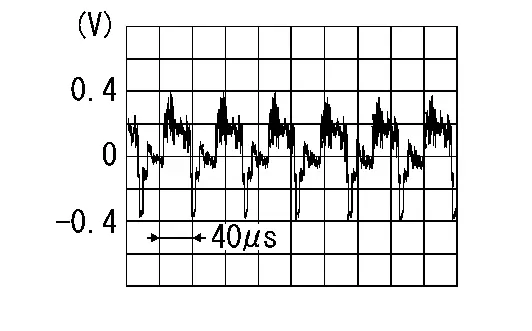
Is the inspection result normal?
YES>>Replace AV control unit. Refer to Removal and Installation.
NO>>Replace rear view camera. Refer to Removal and Installation.
B1341-16 Av Control Unit
DTC Description
DTC DETECTION LOGIC
| DTC No. |
CONSULT screen terms (Trouble diagnosis content) | DTC detection condition | |
|---|---|---|---|
| B1341-16 |
Head unit (Head unit) |
Diagnosis condition | When ignition switch is ON |
| Signal (terminal) | AV control unit power supply circuit | ||
| Threshold | 9.7 V or less | ||
| Diagnosis delay time | 15 seconds or more | ||
POSSIBLE CAUSE
-
AV control unit power supply circuit
-
AV control unit
FAIL-SAFE
Shut down for battery protection one minute after low voltage condition.
CONFIRMATION PROCEDURE
PERFORM DTC CONFIRMATION PROCEDURE
With CONSULT
-
Turn ignition switch ON.
-
Turn ignition switch OFF and wait for 4 minutes.
-
Turn ignition switch ON and wait at least 1 minute or more.
-
Select “Self Diagnostic Result” mode of “MULTI AV” using CONSULT.
-
Check DTC.
Is DTC B1341-16 detected?
YES>>Proceed to Diagnosis Procedure.
NO-1>>To check malfunction symptom before repair: Refer to Intermittent Incident.
NO-2>>Confirmation after repair: INSPECTION END
Diagnosis Procedure
CHECK AV CONTROL UNIT POWER SUPPLY CIRCUIT
Check AV control unit power supply circuit. Refer to Diagnosis Procedure.
Is the inspection result normal?
YES>>Replace AV control unit. Refer to Removal and Installation.
NO>>Repair or replace malfunctioning parts.
B1341-17 Av Control Unit
DTC Description
DTC DETECTION LOGIC
| DTC No. |
CONSULT screen terms (Trouble diagnosis content) | DTC detection condition | |
|---|---|---|---|
| B1341-17 |
Head unit (Head unit) |
Diagnosis condition | When ignition switch is ON |
| Signal (terminal) | AV control unit power supply circuit | ||
| Threshold | 19.0 V or more | ||
| Diagnosis delay time | 1.5 seconds or more | ||
POSSIBLE CAUSE
-
Charging system malfunction
-
AV control unit
FAIL-SAFE
-
Do not display on screen.
-
Audio output is stopped.
CONFIRMATION PROCEDURE
PERFORM DTC CONFIRMATION PROCEDURE
With CONSULT
-
Turn ignition switch ON.
-
Turn ignition switch OFF and wait for 4 minutes.
-
Turn ignition switch ON and wait at least 1 minute or more.
-
Select “Self Diagnostic Result” mode of “MULTI AV” using CONSULT.
-
Check DTC.
Is DTC B1341-17 detected?
YES>>Proceed to Diagnosis Procedure.
NO-1>>To check malfunction symptom before repair: Refer to Intermittent Incident.
NO-2>>Confirmation after repair: INSPECTION END
Diagnosis Procedure
CHECK CHARGING SYSTEM
Check charging system.
-
With EXP-800 NI or GR8-1200 NI: Work Flow (With EXP-800 NI or GR8-1200 NI)
-
Without EXP-800 NI or GR8-1200 NI: Work Flow (Without EXP-800 NI or GR8-1200 NI)
Is charging system OK?
YES>>Replace AV control unit. Refer to Removal and Installation.
NO>>Repair charging system malfunction.
B1341-55 Av Head Unit
DTC Description
DTC DETECTION LOGIC
| DTC No. |
CONSULT screen terms (Trouble diagnosis content) | DTC detection condition | ||
|---|---|---|---|---|
| B1341-55 |
Head Unit (Head Unit) |
Diagnosis condition | When ignition switch is ON. | |
| Signal (terminal) | — | |||
| Threshold | Configuration error | |||
| Diagnosis delay time | — | |||
POSSIBLE CAUSE
AV control unit configuration has not been completed. (Suspended)
FAIL-SAFE
—
CONFIRMATION PROCEDURE
PERFORM DTC CONFIRMATION PROCEDURE
With CONSULT
-
Turn ignition switch ON.
-
Turn ignition switch OFF and wait at least 4 minutes or more.
-
Turn ignition switch ON and wait at least 1 minute or more.
-
Select “Self Diagnostic Result” mode of “MULTI AV” using CONSULT.
-
Check DTC.
Is DTC “B13EC-55” detected?
YES>>Proceed to Diagnosis Procedure.
NO-1>>To check malfunction symptom before repair: Refer to Intermittent Incident.
NO-2>>Confirmation after repair: INSPECTION END
Diagnosis Procedure
PERFORM CONFIGURATION PROCEDURE
Perform configuration of AV control unit. Refer to Description.
>>
GO TO 2.
PERFORM CONFIRMATION PROCEDURE AGAIN
With CONSULT
Perform confirmation procedure again. Refer to DTC Description.
Is DTC B13EC-55 detected again?
YES>>Replace AV control unit. Refer to Removal and Installation.
NO>>INSPECTION END
B1341-98 Av Control Unit
DTC Description
DTC DETECTION LOGIC
| DTC No. |
CONSULT screen terms (Trouble diagnosis content) | DTC detection condition | |
|---|---|---|---|
| B1341-98 |
Head unit (Head unit) |
Diagnosis condition | When ignition switch is ON |
| Signal (terminal) | AV control unit temperature | ||
| Threshold | 88 ˚C (190 ˚F) or more | ||
| Diagnosis delay time | 1 second or more | ||
POSSIBLE CAUSE
-
AV control unit temperature is high
-
AV control unit
FAIL-SAFE
The AV control unit shuts down the system after 5 seconds.
CONFIRMATION PROCEDURE
PERFORM DTC CONFIRMATION PROCEDURE
With CONSULT
-
Turn ignition switch ON.
-
Turn ignition switch OFF and wait for 4 minutes.
-
Turn ignition switch ON and wait at least 1 minute or more.
-
Select “Self Diagnostic Result” mode of “MULTI AV” using CONSULT.
-
Check DTC.
Is DTC B1341-98 detected?
YES>>Proceed to Diagnosis Procedure.
NO-1>>To check malfunction symptom before repair: Refer to Intermittent Incident.
NO-2>>Confirmation after repair: INSPECTION END
Diagnosis Procedure
CHECK AV CONTROL UNIT
Visually check around AV control unit for a cause of high temperature.
Is the inspection result normal?
YES>>GO TO 2.
NO>>Remove cause of high temperature.
PERFORM CONFIRMATION PROCEDURE AGAIN
With CONSULT
-
Turn ignition switch ON.
-
Erase DTC.
-
Perform confirmation procedure again. Refer to DTC Description.
Is DTC B1341–98 detected?
YES>>Replace AV control unit. Refer to Removal and Installation.
NO>>INSPECTION END
B1342-62 Ecu Signal Compare
DTC Description
DTC DETECTION LOGIC
| DTC No. |
CONSULT screen terms (Trouble diagnosis content) | DTC detection condition | |
|---|---|---|---|
| B1342-62 | ECU Locked | Diagnosis condition | When ignition switch is ON |
| Signal (terminal) | CAN communication signal | ||
| Threshold | Transmit or receive is abnormal | ||
| Diagnosis delay time | 2 seconds or more | ||
POSSIBLE CAUSE
Internal ECU fault
FAIL-SAFE
Reduced AV control unit function.
CONFIRMATION PROCEDURE
PERFORM DTC CONFIRMATION PROCEDURE
With CONSULT
-
Turn ignition switch ON.
-
Turn ignition switch OFF and wait at least 4 minutes or more.
-
Turn ignition switch ON and wait at least 1 minute or more.
-
Select “Self Diagnostic Result” mode of “MULTI AV” using CONSULT.
-
Check DTC.
Is DTC “B1342-62” detected?
YES>>Proceed to Diagnosis Procedure.
NO-1>>To check malfunction symptom before repair: Refer to Intermittent Incident
NO-2>>Confirmation after repair: INSPECTION END
Diagnosis Procedure
PERFORM DTC CONFIRMATION PROCEDURE AGAIN
With CONSULT
-
Turn ignition switch ON.
-
Erase DTC.
-
Turn ignition switch OFF.
-
Perform DTC confirmation procedure again. Refer to DTC Description.
Is DTC B1342-62 detected again?
YES>>Replace the AV control unit. Refer to Removal and Installation.
NO>>INSPECTION END
B1346-11 Gps Antenna
DTC Description
DTC DETECTION LOGIC
| DTC No. |
CONSULT screen terms (Trouble diagnosis content) | DTC detection condition | |
|---|---|---|---|
| B1346–11 |
GPS antenna connection (GPS antenna connection) |
Diagnosis condition | When ignition switch is ON. |
| Signal (terminal) | GPS antenna signal | ||
| Threshold | Open circuit | ||
| Diagnosis delay time | 3 seconds or more | ||
POSSIBLE CAUSE
-
GPS antenna is not connected
-
GPS antenna
FAIL-SAFE
Vehicle positions of the navigation screen differ.
CONFIRMATION PROCEDURE
PERFORM DTC CONFIRMATION PROCEDURE
-
Turn ignition switch ON.
-
Turn ignition switch OFF and wait at least 4 minute or more.
-
Turn ignition switch ON and wait at least 1 minute or more.
-
Select “Self Diagnostic Result” mode of “MULTI AV” using CONSULT.
-
Check DTC.
Is DTC B1346–11 detected?
YES>>Proceed to Diagnosis Procedure.
NO-1>>To check malfunction symptom before repair: Refer to Intermittent Incident.
NO-2>>Confirmation after repair: INSPECTION END
Diagnosis Procedure
CHECK GPS ANTENNA CONNECTOR
-
Turn ignition switch OFF.
-
Visually check GPS antenna connection.
Is the inspection result normal?
YES>>Replace GPS antenna. Refer to Removal and Installation.
NO>>Repair connection of GPS antenna to AV control unit.
B1346-13 Gps Antenna
DTC Description
DTC DETECTION LOGIC
| DTC No. |
CONSULT screen terms (Trouble diagnosis content) | DTC detection condition | |
|---|---|---|---|
| B1346–13 |
GPS antenna connection (GPS antenna connection) |
Diagnosis condition | When ignition switch is ON. |
| Signal (terminal) | GPS antenna signal | ||
| Threshold | Open circuit | ||
| Diagnosis delay time | 3 seconds or more | ||
POSSIBLE CAUSE
-
GPS antenna is not connected
-
GPS antenna
FAIL-SAFE
Vehicle positions of the navigation screen differ.
CONFIRMATION PROCEDURE
PERFORM DTC CONFIRMATION PROCEDURE
-
Turn ignition switch ON.
-
Turn ignition switch OFF and wait at least 4 minute or more.
-
Turn ignition switch ON and wait at least 1 minute or more.
-
Select “Self Diagnostic Result” mode of “MULTI AV” using CONSULT.
-
Check DTC.
Is DTC B1346–13 detected?
YES>>Proceed to Diagnosis Procedure.
NO-1>>To check malfunction symptom before repair: Refer to Intermittent Incident.
NO-2>>Confirmation after repair: INSPECTION END
Diagnosis Procedure
CHECK GPS ANTENNA CONNECTOR
-
Turn ignition switch OFF.
-
Visually check GPS antenna connection.
Is the inspection result normal?
YES>>Replace GPS antenna. Refer to Removal and Installation.
NO>>Repair connection of GPS antenna to AV control unit.
B1347-49 Bluetooth Module
DTC Description
DTC DETECTION LOGIC
| DTC No. |
CONSULT screen terms (Trouble diagnosis content) | DTC detection condition | |
|---|---|---|---|
| B1347-49 |
Bluetooth module (Bluetooth module) |
Diagnosis condition | When ignition switch is ON |
| Signal (terminal) | — | ||
| Threshold | Internal error | ||
| Diagnosis delay time | 50 seconds or more | ||
POSSIBLE CAUSE
AV control unit internal error (Bluetooth® module)
FAIL-SAFE
Bluetooth® does not operate.
CONFIRMATION PROCEDURE
PERFORM DTC CONFIRMATION PROCEDURE
With CONSULT
-
Turn ignition switch ON.
-
Turn ignition switch OFF and wait for 4 minutes.
-
Turn ignition switch ON and wait at least 1 minute or more.
-
Select “Self Diagnostic Result” mode of “MULTI AV” using CONSULT.
-
Check DTC.
Is DTC B1347-49 detected?
YES>>Proceed to Diagnosis Procedure.
NO-1>>To check malfunction symptom before repair: Refer to Intermittent Incident.
NO-2>>Confirmation after repair: INSPECTION END
Diagnosis Procedure
PERFORM CONFIRMATION PROCEDURE AGAIN
With CONSULT
-
Turn ignition switch ON.
-
Erase DTC.
-
Perform confirmation procedure again. Refer to DTC Description.
Is DTC B1347-49 detected again?
YES>>Replace AV control unit. Refer to Removal and Installation.
NO>>INSPECTION END
B1351-4b Av Control Unit
DTC Description
DTC DETECTION LOGIC
| DTC No. |
CONSULT screen terms (Trouble diagnosis content) | DTC detection condition | |
|---|---|---|---|
| B1351-4B |
AV control unit (AV control unit) |
Diagnosis condition | When ignition switch is ON |
| Signal (terminal) | AV control unit internal temperature | ||
| Threshold | 135 ˚C (275 ˚F) or more | ||
| Diagnosis delay time | 1 second or more | ||
POSSIBLE CAUSE
-
AV control unit temperature is high
-
AV control unit
FAIL-SAFE
AV control unit shuts down and can not start for more than 5 minutes.
CONFIRMATION PROCEDURE
PERFORM DTC CONFIRMATION PROCEDURE
With CONSULT
-
Turn ignition switch ON.
-
Turn ignition switch OFF and wait for 4 minutes.
-
Turn ignition switch ON and wait at least 1 minute or more.
-
Select “Self Diagnostic Result” mode of “MULTI AV” using CONSULT.
-
Check DTC.
Is DTC B1351-4B detected?
YES>>Proceed to Diagnosis Procedure.
NO-1>>To check malfunction symptom before repair: Refer to Intermittent Incident.
NO-2>>Confirmation after repair: INSPECTION END
Diagnosis Procedure
CHECK AV CONTROL UNIT
Visually check around AV control unit for a cause of high temperature.
Is the inspection result normal?
YES>>GO TO 2.
NO>>Remove cause of high temperature.
PERFORM CONFIRMATION PROCEDURE AGAIN
With CONSULT
-
Turn ignition switch ON.
-
Erase DTC.
-
Perform confirmation procedure again. Refer to DTC Description.
Is DTC B1351–4B detected?
YES>>Replace AV control unit. Refer to Removal and Installation.
NO>>INSPECTION END
B1351-49 Ecu D-Class Amp
DTC Description
DTC DETECTION LOGIC
| DTC No. |
CONSULT screen terms (Trouble diagnosis content) | DTC detection condition | |
|---|---|---|---|
| B1351-49 | ECU Amp | Diagnosis condition | When ignition switch is ON |
| Signal (terminal) | — | ||
| Threshold | Function is abnormal | ||
| Diagnosis delay time | 2 seconds or more | ||
POSSIBLE CAUSE
Internal ECU fault
FAIL-SAFE
Reduced AV control unit function.
CONFIRMATION PROCEDURE
PERFORM DTC CONFIRMATION PROCEDURE
With CONSULT
-
Turn ignition switch ON.
-
Turn ignition switch OFF and wait at least 4 minutes or more.
-
Turn ignition switch ON and wait at least 1 minute or more.
-
Select “Self Diagnostic Result” mode of “MULTI AV” using CONSULT.
-
Check DTC.
Is DTC “B1351-49” detected?
YES>>Proceed to Diagnosis Procedure.
NO-1>>To check malfunction symptom before repair: Refer to Intermittent Incident
NO-2>>Confirmation after repair: INSPECTION END
Diagnosis Procedure
PERFORM DTC CONFIRMATION PROCEDURE AGAIN
With CONSULT
-
Turn ignition switch ON.
-
Erase DTC.
-
Turn ignition switch OFF.
-
Perform DTC confirmation procedure again. Refer to DTC Description.
Is DTC B1351-49 detected again?
YES>>Replace the AV control unit. Refer to Removal and Installation.
NO>>INSPECTION END
B1352-47 Ecu Signal
DTC Description
DTC DETECTION LOGIC
| DTC No. |
CONSULT screen terms (Trouble diagnosis content) | DTC detection condition | |
|---|---|---|---|
| B1352-47 | ECU Signal | Diagnosis condition | When ignition switch is ON |
| Signal (terminal) | Internal | ||
| Threshold | Transmit or receive is abnormal | ||
| Diagnosis delay time | 2 seconds or more | ||
POSSIBLE CAUSE
Internal ECU fault
FAIL-SAFE
Reduced AV control unit function.
CONFIRMATION PROCEDURE
PERFORM DTC CONFIRMATION PROCEDURE
With CONSULT
-
Turn ignition switch ON.
-
Turn ignition switch OFF and wait at least 4 minutes or more.
-
Turn ignition switch ON and wait at least 1 minute or more.
-
Select “Self Diagnostic Result” mode of “MULTI AV” using CONSULT.
-
Check DTC.
Is DTC “B1352-47” detected?
YES>>Proceed to Diagnosis Procedure.
NO-1>>To check malfunction symptom before repair: Refer to Intermittent Incident
NO-2>>Confirmation after repair: INSPECTION END
Diagnosis Procedure
PERFORM DTC CONFIRMATION PROCEDURE AGAIN
With CONSULT
-
Turn ignition switch ON.
-
Erase DTC.
-
Turn ignition switch OFF.
-
Perform DTC confirmation procedure again. Refer toDTC Description.
Is DTC B1352-47 detected again?
YES>>Replace the AV control unit. Refer to Removal and Installation.
NO>>INSPECTION END
B1357-29 Ecu Signal
DTC Description
DTC DETECTION LOGIC
| DTC No. |
CONSULT screen terms (Trouble diagnosis content) | DTC detection condition | |
|---|---|---|---|
| B1357-29 | ECU Signal | Diagnosis condition | When ignition switch is ON |
| Signal (terminal) | Internal | ||
| Threshold | Transmit or receive is abnormal | ||
| Diagnosis delay time | 2 seconds or more | ||
POSSIBLE CAUSE
Internal ECU fault
FAIL-SAFE
Reduced AV control unit function.
CONFIRMATION PROCEDURE
PERFORM DTC CONFIRMATION PROCEDURE
With CONSULT
-
Turn ignition switch ON.
-
Turn ignition switch OFF and wait at least 4 minutes or more.
-
Turn ignition switch ON and wait at least 1 minute or more.
-
Select “Self Diagnostic Result” mode of “MULTI AV” using CONSULT.
-
Check DTC.
Is DTC “B1357-29” detected?
YES>>Proceed to Diagnosis Procedure.
NO-1>>To check malfunction symptom before repair: Refer to Intermittent Incident
NO-2>>Confirmation after repair: INSPECTION END
Diagnosis Procedure
PERFORM DTC CONFIRMATION PROCEDURE AGAIN
With CONSULT
-
Turn ignition switch ON.
-
Erase DTC.
-
Turn ignition switch OFF.
-
Perform DTC confirmation procedure again. Refer to DTC Description.
Is DTC B1357-29 detected again?
YES>>Replace the AV control unit. Refer to Removal and Installation.
NO>>INSPECTION END
B1358-29 Ecu Signal
DTC Description
DTC DETECTION LOGIC
| DTC No. |
CONSULT screen terms (Trouble diagnosis content) | DTC detection condition | |
|---|---|---|---|
| B1358-29 | ECU Signal | Diagnosis condition | When ignition switch is ON |
| Signal (terminal) | Internal | ||
| Threshold | Transmit or receive is abnormal | ||
| Diagnosis delay time | 2 seconds or more | ||
POSSIBLE CAUSE
Internal ECU fault
FAIL-SAFE
Reduced AV control unit function.
CONFIRMATION PROCEDURE
PERFORM DTC CONFIRMATION PROCEDURE
With CONSULT
-
Turn ignition switch ON.
-
Turn ignition switch OFF and wait at least 4 minutes or more.
-
Turn ignition switch ON and wait at least 1 minute or more.
-
Select “Self Diagnostic Result” mode of “MULTI AV” using CONSULT.
-
Check DTC.
Is DTC “B1358-29” detected?
YES>>Proceed to Diagnosis Procedure.
NO-1>>To check malfunction symptom before repair: Refer to Intermittent Incident
NO-2>>Confirmation after repair: INSPECTION END
Diagnosis Procedure
PERFORM DTC CONFIRMATION PROCEDURE AGAIN
With CONSULT
-
Turn ignition switch ON.
-
Erase DTC.
-
Turn ignition switch OFF.
-
Perform DTC confirmation procedure again. Refer to DTC Description.
Is DTC B1358-29 detected again?
YES>>Replace the AV control unit. Refer to Removal and Installation.
NO>>INSPECTION END
B1359-06 Ecu Signal
DTC Description
DTC DETECTION LOGIC
| DTC No. |
CONSULT screen terms (Trouble diagnosis content) | DTC detection condition | |
|---|---|---|---|
| B1359-06 | ECU Signal | Diagnosis condition | When ignition switch is ON |
| Signal (terminal) | Internal | ||
| Threshold | Transmit or receive is abnormal | ||
| Diagnosis delay time | 2 seconds or more | ||
POSSIBLE CAUSE
Internal ECU fault
FAIL-SAFE
Reduced AV control unit function.
CONFIRMATION PROCEDURE
PERFORM DTC CONFIRMATION PROCEDURE
With CONSULT
-
Turn ignition switch ON.
-
Turn ignition switch OFF and wait at least 4 minutes or more.
-
Turn ignition switch ON and wait at least 1 minute or more.
-
Select “Self Diagnostic Result” mode of “MULTI AV” using CONSULT.
-
Check DTC.
Is DTC “B1358-29” detected?
YES>>Proceed to Diagnosis Procedure.
NO-1>>To check malfunction symptom before repair: Refer to Intermittent Incident
NO-2>>Confirmation after repair: INSPECTION END
Diagnosis Procedure
PERFORM DTC CONFIRMATION PROCEDURE AGAIN
With CONSULT
-
Turn ignition switch ON.
-
Erase DTC.
-
Turn ignition switch OFF.
-
Perform DTC confirmation procedure again. Refer toDTC Description.
Is DTC B1359-06 detected again?
YES>>Replace the AV control unit. Refer to Removal and Installation.
NO>>INSPECTION END
B135e-49 Ecu Fan
DTC Description
DTC DETECTION LOGIC
| DTC No. |
CONSULT screen terms (Trouble diagnosis content) | DTC detection condition | |
|---|---|---|---|
| B135E-49 | ECU Fan | Diagnosis condition | When ignition switch is ON |
| Signal (terminal) | — | ||
| Threshold | Fan control abnormal | ||
| Diagnosis delay time | 2 seconds or more | ||
POSSIBLE CAUSE
Internal ECU fault
FAIL-SAFE
Fan will not function.
CONFIRMATION PROCEDURE
PERFORM DTC CONFIRMATION PROCEDURE
With CONSULT
-
Turn ignition switch ON.
-
Turn ignition switch OFF and wait at least 4 minutes or more.
-
Turn ignition switch ON and wait at least 1 minute or more.
-
Select “Self Diagnostic Result” mode of “MULTI AV” using CONSULT.
-
Check DTC.
Is DTC “B135E-49” detected?
YES>>Proceed to Diagnosis Procedure.
NO-1>>To check malfunction symptom before repair: Refer to Intermittent Incident
NO-2>>Confirmation after repair: INSPECTION END
Diagnosis Procedure
PERFORM DTC CONFIRMATION PROCEDURE AGAIN
With CONSULT
-
Turn ignition switch ON.
-
Erase DTC.
-
Turn ignition switch OFF.
-
Perform DTC confirmation procedure again. Refer to DTC Description.
Is DTC B135E-49 detected again?
YES>>Replace the AV control unit. Refer to Removal and Installation.
NO>>INSPECTION END
B1360-02 Combination Meter
DTC Description
DTC DETECTION LOGIC
| DTC No. |
CONSULT screen terms (Trouble diagnosis content) | DTC detection condition | |
|---|---|---|---|
| B1360-02 |
Combination meter (Combination meter) |
Diagnosis condition | When ignition switch is ON |
| Signal (terminal) | AV communication signal | ||
| Threshold | Communication error | ||
| Diagnosis delay time | 1 second or more | ||
POSSIBLE CAUSE
-
AV communication circuit is open
-
Combination meter power supply and ground circuit
-
Combination meter
FAIL-SAFE
Steering switch does not operate
CONFIRMATION PROCEDURE
PERFORM DTC CONFIRMATION PROCEDURE
With CONSULT
-
Turn ignition switch ON.
-
Turn ignition switch OFF and wait for 4 minutes.
-
Turn ignition switch ON and wait at least 1 minute or more.
-
Select “Self Diagnostic Result” mode of “MULTI AV” using CONSULT.
-
Check DTC.
Is DTC B1360-02 detected?
YES>>Proceed to Diagnosis Procedure.
NO-1>>To check malfunction symptom before repair: Refer to Intermittent Incident.
NO-2>>Confirmation after repair: INSPECTION END
Diagnosis Procedure
CHECK COMBINATION METER POWER SUPPLY AND GROUND CIRCUIT
Check combination meter power supply and ground circuit. Refer to Diagnosis Procedure (Type A) or Diagnosis Procedure (Type B).
Is the inspection result normal?
YES>>GO TO 2.
NO>>Repair or replace malfunctioning parts.
CHECK AV COMMUNICATION CIRCUIT
-
Turn ignition switch OFF.
-
Disconnect connector of the following unit.
-
AV control unit
-
Combination meter
-
TCU
-
Head up display unit
-
-
Check the continuity between AV control unit harness connector and combination meter harness connector.
AV control unit Combination meter Continuity Connector Terminal Connector Terminal M102 (with 8" color display)
M124 (with 12.3" color display)22 M76 (Type B)
M73 (Type A USA production
M77 (Type A Japan production40 Yes 23 42 39 43
Is the inspection result normal?
YES>>Replace combination meter. Refer to Removal and Installation (Type A) or Removal and Installation (Type B).
NO>>Repair or replace malfunctioning parts.
B1370-02 Integral Switch
DTC Description
DTC DETECTION LOGIC
| DTC No. |
CONSULT screen terms (Trouble diagnosis content) | DTC detection condition | ||
|---|---|---|---|---|
| B1370–02 |
2nd display (Display unit) |
[–] | Diagnosis condition | When ignition switch is ON. |
| Signal (terminal) | — | |||
| Threshold | – | |||
| Diagnosis delay time | 30 seconds or more | |||
POSSIBLE CAUSE
-
AV communication circuit is open
-
Display unit
FAIL-SAFE
Display unit is inoperative
Confirmation Procedure
PERFORM DTC CONFIRMATION PROCEDURE
CONSULT
-
Ignition switch ON.
-
Ignition switch OFF and wait for 4 minutes.
-
Ignition switch ON and wait at least 1 minute or more.
-
Select “Self Diagnostic Result” mode of “MULTI AV”.
-
Check DTC.
Is DTC B1370–02 detected?
YES>>Proceed to DTC Diagnosis Procedure.
NO>>To check malfunction symptom before repair: Refer to Intermittent Incident.
NO>>Confirmation after repair: Inspection End.
DTC Diagnosis Procedure
CHECK DISPLAY UNIT POWER SUPPLY AND GROUND CIRCUIT
Check display unit power supply and ground circuit. Refer to Diagnosis Procedure.
Is the inspection result normal?
YES>>GO TO 2.
NO>>Repair or replace malfunctioning parts.
CHECK AV COMMUNICATION CIRCUIT
-
Ignition switch OFF.
-
Disconnect AV control unit connector and display unit connector.
-
Check the continuity between AV control unit connector and display unit connector.
AV control unit Display unit Continuity Connector Terminal Connector Terminal M124 22 M40 3 Yes 23 42 4 43
Is the inspection result normal?
YES>>Replace display unit Refer to Removal and Installation.
NO>>Repair or replace malfunctioning parts.
B1375-11 Rear View Camera
DTC Description
DTC DETECTION LOGIC
| DTC No. |
CONSULT screen terms (Trouble diagnosis content) | DTC detection condition | |
|---|---|---|---|
| B1375-11 |
Rear camera (Rear camera) |
Diagnosis condition | When ignition switch is ON |
| Signal (terminal) | Camera power supply | ||
| Threshold | Short to ground circuit | ||
| Diagnosis delay time | 30 seconds or more | ||
POSSIBLE CAUSE
-
Camera power supply circuit
-
Rear view camera
FAIL-SAFE
Rear view camera is inoperative.
CONFIRMATION PROCEDURE
PERFORM DTC CONFIRMATION PROCEDURE
With CONSULT
-
Turn ignition switch ON.
-
Turn ignition switch OFF and wait for 4 minutes.
-
Turn ignition switch ON and wait at least 1 minute or more.
-
Select “Self Diagnostic Result” mode of “MULTI AV” using CONSULT.
-
Check DTC.
Is DTC B1375-11 detected?
YES>>Proceed to Diagnosis Procedure.
NO-1>>To check malfunction symptom before repair: Refer to Intermittent Incident.
NO-2>>Confirmation after repair: INSPECTION END
Diagnosis Procedure
CHECK REAR VIEW CAMERA POWER SUPPLY CIRCUITS FOR SHORT TO GROUND
-
Turn ignition switch OFF.
-
Disconnect AV control unit harness connector and rear view camera harness connector.
-
Check the continuity between AV control unit harness connector and ground.
AV control unit Ground Continuity Connector Terminal M102 28 Not existed
Is the inspection result normal?
YES>>Replace rear view camera. Refer to Removal and Installation.
NO>>Repair or replace harness or connectors.
B1375-12 Rear View Camera
DTC Description
DTC DETECTION LOGIC
| DTC No. |
CONSULT screen terms (Trouble diagnosis content) | DTC detection condition | |
|---|---|---|---|
| B1375-12 |
Rear camera (Rear camera) |
Diagnosis condition | When ignition switch is ON |
| Signal (terminal) | Camera power supply | ||
| Threshold | Short to power supply circuit | ||
| Diagnosis delay time | 30 seconds or more | ||
POSSIBLE CAUSE
-
Camera power supply circuit
-
Rear view camera
FAIL-SAFE
Rear view camera is inoperative.
CONFIRMATION PROCEDURE
PERFORM DTC CONFIRMATION PROCEDURE
With CONSULT
-
Turn ignition switch ON.
-
Turn ignition switch OFF and wait for 4 minutes.
-
Turn ignition switch ON and wait at least 1 minute or more.
-
Select “Self Diagnostic Result” mode of “MULTI AV” using CONSULT.
-
Check DTC.
Is DTC B1375-12 detected?
YES>>Proceed to Diagnosis Procedure.
NO-1>>To check malfunction symptom before repair: Refer to Intermittent Incident.
NO-2>>Confirmation after repair: INSPECTION END
Diagnosis Procedure
CHECK REAR VIEW CAMERA POWER SUPPLY CIRCUITS FOR SHORT TO POWER SUPPLY
-
Turn ignition switch OFF.
-
Disconnect AV control unit harness connector and rear view camera harness connector.
-
Turn ignition switch ON.
-
Check the voltage between AV control unit harness connector and ground.
AV control unit Ground Voltage Connector Terminal M102 28 0 V
Is the inspection result normal?
YES>>Replace rear view camera. Refer to Removal and Installation.
NO>>Repair or replace harness or connectors.
B1375-13 Rear View Camera
DTC Description
DTC DETECTION LOGIC
| DTC No. |
CONSULT screen terms (Trouble diagnosis content) | DTC detection condition | |
|---|---|---|---|
| B1375-13 |
Rear camera (Rear camera) |
Diagnosis condition | When ignition switch is ON |
| Signal (terminal) | Camera power supply | ||
| Threshold | Open circuit | ||
| Diagnosis delay time | 30 seconds or more | ||
POSSIBLE CAUSE
-
Camera power supply
-
Rear view camera
FAIL-SAFE
Rear view camera is inoperative.
CONFIRMATION PROCEDURE
PERFORM DTC CONFIRMATION PROCEDURE
With CONSULT
-
Turn ignition switch ON.
-
Turn ignition switch OFF and wait for 4 minutes.
-
Turn ignition switch ON and wait at least 1 minute or more.
-
Select “Self Diagnostic Result” mode of “MULTI AV” using CONSULT.
-
Check DTC.
Is DTC B1375-13 detected?
YES>>Proceed to Diagnosis Procedure.
NO-1>>To check malfunction symptom before repair: Refer to Intermittent Incident.
NO-2>>Confirmation after repair: INSPECTION END
Diagnosis Procedure
CHECK REAR VIEW CAMERA POWER SUPPLY CIRCUITS FOR OPEN
-
Turn ignition switch OFF.
-
Disconnect AV control unit harness connector and rear view camera harness connector.
-
Check continuity between AV control unit harness connector and rear view camera harness connector.
AV control unit Rear view camera Continuity Connector Terminal Connector Terminal M102 28 D504 2 Existed
Is the inspection result normal?
YES>>Replace rear view camera. Refer to Removal and Installation.
NO>>Repair or replace harness or connectors.
B1383-01 Steering Angle Sensor
DTC Description
DTC DETECTION LOGIC
| DTC No. |
CONSULT screen terms (Trouble diagnosis content) | DTC detection condition | |
|---|---|---|---|
| B1383-01 |
Steering angle sensor (Steering angle sensor) |
Diagnosis condition | When ignition switch is ON |
| Signal (terminal) | Steering angle sensor signal (CAN communication signal) | ||
| Threshold | The neutral position registration of the steering angle sensor can not finish | ||
| Diagnosis delay time | 1 second or more | ||
POSSIBLE CAUSE
Neutral position adjustment of the steering angle sensor is incomplete
FAIL-SAFE
Predictive course line is not displayed.
CONFIRMATION PROCEDURE
PERFORM DTC CONFIRMATION PROCEDURE
With CONSULT
-
Turn ignition switch ON.
-
Turn ignition switch OFF and wait for 4 minutes.
-
Turn ignition switch ON and wait at least 1 minute or more.
-
Select “Self Diagnostic Result” mode of “MULTI AV” using CONSULT.
-
Check DTC.
Is DTC B1383-01 detected?
YES>>Proceed to Diagnosis Procedure.
NO-1>>To check malfunction symptom before repair: Refer to Intermittent Incident.
NO-2>>Confirmation after repair: INSPECTION END
Diagnosis Procedure
ADJUST NEUTRAL POSITION OF STEERING ANGLE SENSOR
Adjusts the steering angle sensor neutral position on ABS actuator and electrical unit (control unit) side. Refer to Description.
 NOTE:
NOTE:
When B1383–01 is detected, adjust the predictive course line center position of the steering angle sensor.
>>
GO TO 2.
PERFORM DTC CONFIRMATION PROCEDURE AGAIN
With CONSULT
-
Turn ignition switch ON.
-
Erase DTC.
-
Perform DTC confirmation procedure again. Refer to DTC Description
Is DTC B1383–01 detected again?
YES>>Replace steering angle sensor. Refer to Removal and Installation.
NO>>INSPECTION END
B13cf-73 Control Switch
DTC Description
DTC DETECTION LOGIC
| DTC No. |
CONSULT screen terms (Trouble diagnosis content) | DTC detection condition | |
|---|---|---|---|
| B13CF-73 |
Control switch (Control switch) |
Diagnosis condition | When ignition switch is ON |
| Signal (terminal) | — | ||
| Threshold | — | ||
| Diagnosis delay time | 30 seconds or more | ||
POSSIBLE CAUSE
AV control unit
FAIL-SAFE
If a button jam exists, the complete device is locked for 3 minutes.
CONFIRMATION PROCEDURE
PERFORM DTC CONFIRMATION PROCEDURE
With CONSULT
-
Turn ignition switch ON.
-
Turn ignition switch OFF and wait for 4 minutes.
-
Turn ignition switch ON and wait at least 1 minute or more.
-
Select “Self Diagnostic Result” mode of “MULTI AV” using CONSULT.
-
Check DTC.
Is DTC B13CF-73 detected?
YES>>Proceed to Diagnosis Procedure.
NO-1>>To check malfunction symptom before repair: Refer to Intermittent Incident.
NO-2>>Confirmation after repair: INSPECTION END
Diagnosis Procedure
PERFORM DTC CONFIRMATION PROCEDURE AGAIN
With CONSULT
-
Turn ignition switch ON.
-
Erase DTC.
-
Perform DTC confirmation procedure again. Refer to DTC Description.
Is DTC B13CF–73 detected again?
YES>>With 8-inch (21cm), replace AV control unit. Refer to Removal and Installation. With 12.3-inch (31cm), replace display unit. Refer to Removal and Installation.
NO>>INSPECTION END
B13d9-8f Usb Connection
DTC Description
DTC DETECTION LOGIC
| DTC No. |
CONSULT screen terms (Trouble diagnosis content) | DTC detection condition | |
|---|---|---|---|
| B13D9-8F |
USB communication (USB communication) |
Diagnosis condition | When ignition switch is ON |
| Signal (terminal) | — | ||
| Threshold | — | ||
| Diagnosis delay time | 30 seconds or more | ||
POSSIBLE CAUSE
-
USB communication error
-
USB cable (Between AV control unit and front auxiliary input jack)
FAIL-SAFE
USB is inoperative.
CONFIRMATION PROCEDURE
PERFORM DTC CONFIRMATION PROCEDURE
With CONSULT
-
Turn ignition switch ON.
-
Turn ignition switch OFF and wait for 4 minutes.
-
Turn ignition switch ON and wait at least 1 minute or more.
-
Select “Self Diagnostic Result” mode of “MULTI AV” using CONSULT.
-
Check DTC.
Is DTC B13D9-8F detected?
YES>>Proceed to Diagnosis Procedure.
NO-1>>To check malfunction symptom before repair: Refer to Intermittent Incident.
NO-2>>Confirmation after repair: INSPECTION END
Diagnosis Procedure
PERFORM DTC CONFIRMATION PROCEDURE (1)
With CONSULT
-
Remove the USB device connected to the front USB media module.
-
Turn ignition switch OFF and wait at least 4 minute or more.
-
Turn ignition switch ON and wait at least 1 minute or more.
-
Erase DTC.
-
Turn ignition switch OFF and wait at least 4 minute or more.
-
Turn ignition switch ON and wait at least 1 minute or more.
-
Select “Self Diagnostic Result” mode of “MULTI AV” using CONSULT.
-
Check DTC.
Is DTC B13D9–8F detected?
YES>>Replace front USB media module. Refer to Removal and Installation.
NO>>GO TO 2.
PERFORM DTC CONFIRMATION PROCEDURE (2)
With CONSULT
-
Connect a USB device to the front USB media module.
-
Turn ignition switch OFF and wait at least 4 minute or more.
-
Turn ignition switch ON and wait at least 1 minute or more.
-
Erase DTC.
-
Turn ignition switch OFF and wait at least 4 minute or more.
-
Turn ignition switch ON and wait at least 1 minute or more.
-
Select “Self Diagnostic Result” mode of “MULTI AV” using CONSULT.
-
Check DTC.
Is DTC B13D9–8F detected?
YES>>An error in the USB device connected to the front USB media module.
NO>>INSPECTION END
B13da-8f Avm Lvds
DTC Description
DTC DETECTION LOGIC
| DTC No. |
CONSULT screen terms (Trouble diagnosis content) | DTC detection condition | ||
|---|---|---|---|---|
| B13DA-8F |
LVDS (Low voltage differential signaling) |
Diagnosis condition |
|
|
| Signal (terminal) | LVDS | |||
| Threshold | Communication error | |||
| Diagnosis delay time | 2 seconds or more | |||
POSSIBLE CAUSE
-
LVDS cable connection error (AV control unit to around view monitor control unit)
-
LVDS cable (AV control unit to around view monitor control unit)
FAIL-SAFE
Intelligent around view monitor display is not displayed.
CONFIRMATION PROCEDURE
PERFORM DTC CONFIRMATION PROCEDURE
With CONSULT
-
Turn ignition switch ON.
-
Turn ignition switch OFF and wait at least 4 minutes or more.
-
Turn ignition switch ON and wait at least 1 minute or more.
-
Change the shift position to reverse or press the camera switch to switch to the intelligent around view monitor display.
-
Select “Self Diagnostic Result” mode of “MULTI AV” using CONSULT.
-
Check DTC.
Is DTC “B13DA-8F” detected?
YES>>Proceed to Diagnosis Procedure.
NO-1>>To check malfunction symptom before repair: Refer to Intermittent Incident
NO-2>>Confirmation after repair: INSPECTION END
Diagnosis Procedure
CHECK LVDS CABLE CONNECTION
-
Turn ignition switch OFF.
-
Visually check the LVDS cable connector between AV control unit and around view monitor control unit.
Is the inspection result normal?
YES>>GO TO 2.
NO>>Repair or replace LVDS cable.
PERFORM DTC CONFIRMATION PROCEDURE AGAIN
With CONSULT
-
Turn ignition switch ON.
-
Erase DTC.
-
Perform DTC confirmation procedure again. Refer to DTC Description.
Is DTC B13DA-8F detected again?
YES>>Replace LVDS cable (between AV control unit and around view monitor control unit).
NO>>INSPECTION END
B13dd-87 Lvds in Cp
DTC Description
DTC DETECTION LOGIC
| DTC No. |
CONSULT screen terms (Trouble diagnosis content) | DTC detection condition | |
|---|---|---|---|
| B13DD–87 | LVDS IN CP Line | Diagnosis condition | When ignition switch is ON |
| Signal (terminal) | LVDS IN CP signal | ||
| Threshold | Communication error | ||
| Diagnosis delay time | 2 seconds or more | ||
POSSIBLE CAUSE
LVDS communication system.
FAIL-SAFE
The 12.3 inch (31 cm) and audio system does not function properly.
CONFIRMATION PROCEDURE
PERFORM DTC CONFIRMATION PROCEDURE
With CONSULT
-
Turn ignition switch ON.
-
Turn ignition switch OFF and wait at least 4 minutes or more.
-
Turn ignition switch ON and wait at least 1 minute or more.
-
Select “Self Diagnostic Result” mode of “MULTI AV” using CONSULT.
-
Check DTC.
Is DTC "B13DD–87” detected?
YES>>Proceed to Diagnosis Procedure.
NO-1>>To check malfunction symptom before repair: Refer to Intermittent Incident.
NO-2>>Confirmation after repair: INSPECTION END
Diagnosis Procedure
PERFORM DTC CONFIRMATION PROCEDURE AGAIN
With CONSULT
-
Turn ignition switch ON.
-
Erase DTC.
-
Perform DTC confirmation procedure again. Refer to DTC Description.
Is DTC B13DD-87 detected again?
YES>>Perform the trouble diagnosis for CAN communication system. Refer to Trouble Diagnosis Flow Chart.
NO>>INSPECTION END
B13dd-8f Lvds in Cp
DTC Description
DTC DETECTION LOGIC
| DTC No. |
CONSULT screen terms (Trouble diagnosis content) | DTC detection condition | ||
|---|---|---|---|---|
| B13DD-8F |
LVDS IN CP Line (Low voltage differential signaling) |
Diagnosis condition |
|
|
| Signal (terminal) | LVDS | |||
| Threshold | Communication error | |||
| Diagnosis delay time | 2 seconds or more | |||
POSSIBLE CAUSE
-
LVDS cable connection error (12 inch (31 cm) display to AV control unit)
-
AV control unit (with Maps)
-
AV control unit to 12 inch (31 cm) display
FAIL-SAFE
Reduced NissanConnect function.
CONFIRMATION PROCEDURE
PERFORM DTC CONFIRMATION PROCEDURE
With CONSULT
-
Turn ignition switch ON.
-
Turn ignition switch OFF and wait at least 4 minutes or more.
-
Turn ignition switch ON and wait at least 1 minute or more.
-
Select “Self Diagnostic Result” mode of “MULTI AV” using CONSULT.
-
Check DTC.
Is DTC “B13DD-8F” detected?
YES>>Proceed to Diagnosis Procedure.
NO-1>>To check malfunction symptom before repair: Refer to Intermittent Incident.
NO-2>>Confirmation after repair: INSPECTION END
Diagnosis Procedure
CHECK LVDS CABLE CONNECTORS
-
Turn ignition switch OFF.
-
Visually check the LVDS cable connector between 12.3 inch (31 cm) display and AV control unit. Refer to Exploded View.
Is the inspection result normal?
YES>>GO TO 2.
NO>>Repair or replace LVDS cable.
CHECK LVDS CABLE CONNECTION
-
Check that LVDS cables are securily connected to 12.3 inch (31 cm) display and AV control unit.
Is the inspection result normal?
YES>>GO TO 3.
NO>>Connect cables securily. Perform DTC confirmation procedure again. Refer to DTC Description.
PERFORM DTC CONFIRMATION PROCEDURE AGAIN
With CONSULT
-
Turn ignition switch ON.
-
Erase DTC.
-
Perform DTC confirmation procedure again. Refer to DTC Description.
Is DTC B13DD-8F detected again?
YES>>Replace LVDS cable (12.3 inch (31 cm) display to AV control unit).
NO>>INSPECTION END
B13e0-47 Ecu Signal
DTC Description
DTC DETECTION LOGIC
| DTC No. |
CONSULT screen terms (Trouble diagnosis content) | DTC detection condition | |
|---|---|---|---|
| B13E0-47 | ECU Signal | Diagnosis condition | When ignition switch is ON |
| Signal (terminal) | Internal | ||
| Threshold | Transmit or receive is abnormal | ||
| Diagnosis delay time | 2 seconds or more | ||
POSSIBLE CAUSE
Internal ECU fault
FAIL-SAFE
Reduced AV control unit function.
CONFIRMATION PROCEDURE
PERFORM DTC CONFIRMATION PROCEDURE
With CONSULT
-
Turn ignition switch ON.
-
Turn ignition switch OFF and wait at least 4 minutes or more.
-
Turn ignition switch ON and wait at least 1 minute or more.
-
Select “Self Diagnostic Result” mode of “MULTI AV” using CONSULT.
-
Check DTC.
Is DTC “B13E0-47” detected?
YES>>Proceed to Diagnosis Procedure.
NO-1>>To check malfunction symptom before repair: Refer to Intermittent Incident
NO-2>>Confirmation after repair: INSPECTION END
Diagnosis Procedure
PERFORM DTC CONFIRMATION PROCEDURE AGAIN
With CONSULT
-
Turn ignition switch ON.
-
Erase DTC.
-
Turn ignition switch OFF.
-
Perform DTC confirmation procedure again. Refer toDTC Description.
Is DTC B13E0-47 detected again?
YES>>Replace the AV control unit. Refer to Removal and Installation.
NO>>INSPECTION END
B13e1-06 Av Part Number
DTC Description
DTC DETECTION LOGIC
| DTC No. |
CONSULT screen terms (Trouble diagnosis content) | DTC detection condition | |
|---|---|---|---|
| B13E1-06 | AV Algorythm (Part Number) | Diagnosis condition | When ignition switch is ON |
| Signal (terminal) | ECU internal | ||
| Threshold | AV operation is abnormal | ||
| Diagnosis delay time | 2 seconds or more | ||
POSSIBLE CAUSE
Internal ECU fault
FAIL-SAFE
AV module abnormal operation.
CONFIRMATION PROCEDURE
PERFORM DTC CONFIRMATION PROCEDURE
With CONSULT
-
Turn ignition switch ON.
-
Turn ignition switch OFF and wait at least 4 minutes or more.
-
Turn ignition switch ON and wait at least 1 minute or more.
-
Select “Self Diagnostic Result” mode of “MULTI AV” using CONSULT.
-
Check DTC.
Is DTC “B13E1-06” detected?
YES>>Proceed to Diagnosis Procedure.
NO-1>>To check malfunction symptom before repair: Refer to Intermittent Incident
NO-2>>Confirmation after repair: INSPECTION END
Diagnosis Procedure
PERFORM DTC CONFIRMATION PROCEDURE AGAIN
With CONSULT
-
Turn ignition switch ON.
-
Erase DTC.
-
Turn ignition switch OFF.
-
Perform DTC confirmation procedure again. Refer to DTC Description.
Is DTC B13E1-06 detected again?
YES>>Replace the AV control unit. Refer to Removal and Installation.
NO>>INSPECTION END
B13e5-8f Tcu Connection
DTC Description
DTC DETECTION LOGIC
| DTC No. |
CONSULT screen terms (Trouble diagnosis content) | DTC detection condition | |
|---|---|---|---|
| B13E5-8F |
TCU connection (TCU connection) |
Diagnosis condition | When ignition switch is ON |
| Signal (terminal) | — | ||
| Threshold | — | ||
| Diagnosis delay time | 1 second or more | ||
POSSIBLE CAUSE
TCU
FAIL-SAFE
Telematics system can not be used.
CONFIRMATION PROCEDURE
PERFORM DTC CONFIRMATION PROCEDURE
With CONSULT
-
Turn ignition switch ON.
-
Turn ignition switch OFF and wait for 4 minutes.
-
Turn ignition switch ON and wait at least 1 minute or more.
-
Select “Self Diagnostic Result” mode of “MULTI AV” using CONSULT.
-
Check DTC.
Is DTC B13E5-8F detected?
YES>>Proceed to Diagnosis Procedure.
NO-1>>To check malfunction symptom before repair: Refer to Intermittent Incident.
NO-2>>Confirmation after repair: INSPECTION END
Diagnosis Procedure
PERFORM DTC CONFIRMATION PROCEDURE AGAIN
With CONSULT
-
Turn ignition switch ON.
-
Erase DTC.
-
Perform DTC confirmation procedure again. Refer to DTC Description.
Is DTC B13E5–8F detected again?
YES>>Replace TCU. Refer to Removal and Installation.
NO>>INSPECTION END
B13ec-52 Av Control Unit
DTC Description
DTC DETECTION LOGIC
| DTC No. |
CONSULT screen terms (Trouble diagnosis content) | DTC detection condition | ||
|---|---|---|---|---|
| B13EC-52 |
Factory mode (Factory mode) |
Diagnosis condition | When ignition switch is ON. | |
| Signal (terminal) | — | |||
| Threshold | Status of factory mode (Configuration is incomplete) | |||
| Diagnosis delay time | — | |||
POSSIBLE CAUSE
The AV control unit is in the factory mode (configuration has not been completed)
FAIL-SAFE
A function of AV control unit becomes mismatched with a vehicle specification and destination.
CONFIRMATION PROCEDURE
PERFORM DTC CONFIRMATION PROCEDURE
With CONSULT
-
Turn ignition switch ON.
-
Turn ignition switch OFF and wait at least 4 minutes or more.
-
Turn ignition switch ON and wait at least 1 minute or more.
-
Select “Self Diagnostic Result” mode of “MULTI AV” using CONSULT.
-
Check DTC.
Is DTC “B13EC-52” detected?
YES>>Proceed to Diagnosis Procedure.
NO-1>>To check malfunction symptom before repair: Refer to Intermittent Incident
NO-2>>Confirmation after repair: INSPECTION END
Diagnosis Procedure
PERFORM CONFIRMATION PROCEDURE AGAIN
With CONSULT
-
Turn ignition switch ON.
-
Erase DTC.
-
Perform confirmation procedure again. Refer to DTC Description.
Is DTC B13EC-52 detected again?
YES>>Replace AV control unit. Refer to Removal and Installation.
NO>>INSPECTION END
B13ec-55 Av Control Unit
DTC Description
DTC DETECTION LOGIC
| DTC No. |
CONSULT screen terms (Trouble diagnosis content) | DTC detection condition | ||
|---|---|---|---|---|
| B13EC-55 |
Factory mode (Factory mode) |
Diagnosis condition | When ignition switch is ON. | |
| Signal (terminal) | — | |||
| Threshold | Configuration error | |||
| Diagnosis delay time | — | |||
POSSIBLE CAUSE
AV control unit configuration has not been completed. (Suspended)
FAIL-SAFE
—
CONFIRMATION PROCEDURE
PERFORM DTC CONFIRMATION PROCEDURE
With CONSULT
-
Turn ignition switch ON.
-
Turn ignition switch OFF and wait at least 4 minutes or more.
-
Turn ignition switch ON and wait at least 1 minute or more.
-
Select “Self Diagnostic Result” mode of “MULTI AV” using CONSULT.
-
Check DTC.
Is DTC “B13EC-55” detected?
YES>>Proceed to Diagnosis Procedure.
NO-1>>To check malfunction symptom before repair: Refer to Intermittent Incident
NO-2>>Confirmation after repair: INSPECTION END
Diagnosis Procedure
PERFORM CONFIGURATION PROCEDURE
Perform configuration of AV control unit. Refer to Description.
>>
GO TO 2.
PERFORM CONFIRMATION PROCEDURE AGAIN
With CONSULT
Perform confirmation procedure again. Refer to DTC Description.
Is DTC B13EC-55 detected again?
YES>>Replace AV control unit. Refer to Removal and Installation.
NO>>INSPECTION END
B219d-87 Can Comm Circuit
DTC Description
DTC DETECTION LOGIC
| DTC No. |
CONSULT screen terms (Trouble diagnosis content) | DTC detection condition | |
|---|---|---|---|
| B219D-87 |
CAN comm err (DMC) [Controller area network communication error (chassis control module)] |
Diagnosis condition | When ignition switch is ON |
| Signal (terminal) | CAN communication signal | ||
| Threshold | Communication error | ||
| Diagnosis delay time | 2 seconds or more | ||
POSSIBLE CAUSE
CAN communication system (chassis control module)
FAIL-SAFE
The system using the CAN communication signal from control unit which cannot communicate does not function.
CONFIRMATION PROCEDURE
PERFORM DTC CONFIRMATION PROCEDURE
With CONSULT
-
Turn ignition switch ON.
-
Turn ignition switch OFF and wait at least 4 minutes or more.
-
Turn ignition switch ON and wait at least 1 minute or more.
-
Select “Self Diagnostic Result” mode of “MULTI AV” using CONSULT.
-
Check DTC.
Is DTC “B219D-87” detected?
YES>>Proceed to Diagnosis Procedure.
NO-1>>To check malfunction symptom before repair: Refer to Intermittent Incident
NO-2>>Confirmation after repair: INSPECTION END
Diagnosis Procedure
PERFORM DTC CONFIRMATION PROCEDURE AGAIN
With CONSULT
-
Turn ignition switch ON.
-
Erase DTC.
-
Perform DTC confirmation procedure again. Refer to DTC Description.
Is DTC B219D-87 detected again?
YES>>Perform the trouble diagnosis for CAN communication system. Refer to Trouble Diagnosis Flow Chart.
NO>>INSPECTION END
B2e22-06 Fota
DTC Description
DTC DETECTION LOGIC
| DTC No. |
CONSULT screen terms (Trouble diagnosis content) | DTC detection condition | |
|---|---|---|---|
| B2E22-06 | AV FOTA | Diagnosis condition | When ignition switch is ON |
| Signal (terminal) | Internal | ||
| Threshold | Algorythm failure | ||
| Diagnosis delay time | 2 seconds or more | ||
POSSIBLE CAUSE
Internal ECU fault
FAIL-SAFE
Reduced AV control unit function.
CONFIRMATION PROCEDURE
PERFORM DTC CONFIRMATION PROCEDURE
With CONSULT
-
Turn ignition switch ON.
-
Turn ignition switch OFF and wait at least 4 minutes or more.
-
Turn ignition switch ON and wait at least 1 minute or more.
-
Select “Self Diagnostic Result” mode of “MULTI AV” using CONSULT.
-
Check DTC.
Is DTC “B2E22-06” detected?
YES>>Proceed to Diagnosis Procedure.
NO-1>>To check malfunction symptom before repair: Refer to Intermittent Incident.
NO-2>>Confirmation after repair: INSPECTION END
Diagnosis Procedure
PERFORM DTC CONFIRMATION PROCEDURE AGAIN
With CONSULT
-
Turn ignition switch ON.
-
Erase DTC.
-
Turn ignition switch OFF.
-
Perform DTC confirmation procedure again. Refer to DTC Description.
Is DTC B2E22-06 detected again?
YES>>Replace the AV control unit. Refer to Removal and Installation.
NO>>INSPECTION END
U0079-00 Can Comm Circuit
DTC Description
DTC DETECTION LOGIC
| DTC No. |
CONSULT screen terms (Trouble diagnosis content) | DTC detection condition | |
|---|---|---|---|
| U0079–00 |
Control module communication Bus G Off (Control module communication Bus G Off) |
Diagnosis condition | When ignition switch is ON |
| Signal (terminal) | CAN communication signal | ||
| Threshold | Transmit or receive is abnormal | ||
| Diagnosis delay time | 2 seconds or more | ||
POSSIBLE CAUSE
CAN communication system
FAIL-SAFE
CAN communication does not function.
CONFIRMATION PROCEDURE
PERFORM DTC CONFIRMATION PROCEDURE
With CONSULT
-
Turn ignition switch ON.
-
Turn ignition switch OFF and wait at least 4 minutes or more.
-
Turn ignition switch ON and wait at least 1 minute or more.
-
Select “Self Diagnostic Result” mode of “MULTI AV” using CONSULT.
-
Check DTC.
Is DTC “U0079–00” detected?
YES>>Proceed to Diagnosis Procedure.
NO-1>>To check malfunction symptom before repair: Refer to Intermittent Incident
NO-2>>Confirmation after repair: INSPECTION END
Diagnosis Procedure
PERFORM DTC CONFIRMATION PROCEDURE AGAIN
With CONSULT
-
Turn ignition switch ON.
-
Erase DTC.
-
Perform DTC confirmation procedure again. Refer to DTC Description.
Is DTC U0079–00 detected again?
YES>>Perform the trouble diagnosis for CAN communication system. Refer to Trouble Diagnosis Flow Chart.
NO>>INSPECTION END
U1000-01 Can Communication
DTC Description
DESCRIPTION
CAN (Controller Area Network) is a serial communication line for real-time application. It is an on-Nissan Ariya vehicle multiplex communication line with high data communication speed and excellent error detection ability. Many electronic control units are equipped onto a Nissan Ariya vehicle, and each control unit shares information and links with other control units during operation (not independently). In CAN communication, control units are connected with 2 communication lines (CAN-H, CAN-L) allowing a high rate of information transmission with less wiring. Each control unit transmits/receives data but selectively reads required data only.
CAN Communication Signal Chart. Refer to CAN Communication Signal Chart.
DTC DETECTION LOGIC
| DTC No. |
CONSULT screen terms (Trouble diagnosis content) | DTC detection condition | |
|---|---|---|---|
| U1000-01 |
CAN COMM CIRCUIT (CAN communication circuit) |
Diagnosis condition | When ignition switch is ON |
| Signal (terminal) | CAN communication signal | ||
| Threshold | — | ||
| Diagnosis delay time | 2 seconds or more | ||
POSSIBLE CAUSE
CAN communication system
FAIL-SAFE
The system using the CAN communication signal from control unit which cannot communicate does not function.
CONFIRMATION PROCEDURE
PERFORM DTC CONFIRMATION PROCEDURE
With CONSULT
-
Turn ignition switch ON.
-
Turn ignition switch OFF and wait for 4 minutes.
-
Turn ignition switch ON and wait at least 1 minute or more.
-
Select “Self Diagnostic Result” mode of “MULTI AV” using CONSULT.
-
Check DTC.
Is DTC U1000-01 detected?
YES>>Proceed to Diagnosis Procedure.
NO-1>>To check malfunction symptom before repair: Refer to Intermittent Incident.
NO-2>>Confirmation after repair: INSPECTION END
Diagnosis Procedure
PERFORM DTC CONFIRMATION PROCEDURE AGAIN
With CONSULT
-
Turn ignition switch ON.
-
Erase DTC.
-
DTC confirmation procedure again. Refer to DTC Description.
Is DTC U1000–01 detected again?
YES>>Perform the trouble diagnosis for CAN communication system. Refer to Trouble Diagnosis Flow Chart.
NO>>INSPECTION END
U1000-88 Can Communication
DTC Description
DESCRIPTION
CAN (Controller Area Network) is a serial communication line for real-time application. It is an on-Nissan Ariya vehicle multiplex communication line with high data communication speed and excellent error detection ability. Many electronic control units are equipped onto a Nissan Ariya vehicle, and each control unit shares information and links with other control units during operation (not independently). In CAN communication, control units are connected with 2 communication lines (CAN-H, CAN-L) allowing a high rate of information transmission with less wiring. Each control unit transmits/receives data but selectively reads required data only.
CAN Communication Signal Chart. Refer to CAN Communication Signal Chart.
DTC DETECTION LOGIC
| DTC No. |
CONSULT screen terms (Trouble diagnosis content) | DTC detection condition | |
|---|---|---|---|
| U1000-88 |
CAN COMM CIRCUIT (CAN communication circuit) |
Diagnosis condition | When ignition switch is ON |
| Signal (terminal) | CAN communication signal | ||
| Threshold | — | ||
| Diagnosis delay time | 2 seconds or more | ||
POSSIBLE CAUSE
CAN communication system
FAIL-SAFE
The system using the CAN communication signal from control unit which cannot communicate does not function.
CONFIRMATION PROCEDURE
PERFORM DTC CONFIRMATION PROCEDURE
With CONSULT
-
Turn ignition switch ON.
-
Turn ignition switch OFF and wait for 4 minutes.
-
Turn ignition switch ON and wait at least 1 minute or more.
-
Select “Self Diagnostic Result” mode of “MULTI AV” using CONSULT.
-
Check DTC.
Is DTC U1000-88 detected?
YES>>Proceed to Diagnosis Procedure.
NO-1>>To check malfunction symptom before repair: Refer to Intermittent Incident.
NO-2>>Confirmation after repair: INSPECTION END
Diagnosis Procedure
PERFORM DTC CONFIRMATION PROCEDURE AGAIN
With CONSULT
-
Turn ignition switch ON.
-
Erase DTC.
-
DTC confirmation procedure again. Refer to DTC Description.
Is DTC U1000–88 detected again?
YES>>Perform the trouble diagnosis for CAN communication system. Refer to Trouble Diagnosis Flow Chart.
NO>>INSPECTION END
U1300-01 Av Communication
DTC Description
DTC DETECTION LOGIC
| DTC No. |
CONSULT screen terms (Trouble diagnosis content) | DTC detection condition | |
|---|---|---|---|
| U1300-01 |
AV communication circuit (AV communication circuit) |
Diagnosis condition | When ignition switch is ON |
| Signal (terminal) | AV communication signal | ||
| Threshold | Transmit or receive is abnormal | ||
| Diagnosis delay time | 1 second or more | ||
POSSIBLE CAUSE
AV communication circuit
FAIL-SAFE
The system of ECU which detected abnormalities does not operate.
CONFIRMATION PROCEDURE
PERFORM DTC CONFIRMATION PROCEDURE
With CONSULT
-
Turn ignition switch ON.
-
Turn ignition switch OFF and wait for 4 minutes.
-
Turn ignition switch ON and wait at least 1 minute or more.
-
Select “Self Diagnostic Result” mode of “MULTI AV” using CONSULT.
-
Check DTC.
Is DTC U1300-01 detected?
YES>>Proceed to Diagnosis Procedure.
NO-1>>To check malfunction symptom before repair: Refer to Intermittent Incident.
NO-2>>Confirmation after repair: INSPECTION END
Diagnosis Procedure
CHECK SELF DIAGNOSTIC RESULT
With CONSULT
Check if any DTC other than “U1300–01” is detected in “Self diagnostic result” of “MULTI AV”.
Is any DTC detected?
YES>>Perform diagnosis on the detected DTC and repair or replace the malfunctioning parts. Refer to DTC Index.
NO>>Replace AV control unit. Refer to Removal and Installation.
U1300-88 Av Communication
DTC Description
DTC DETECTION LOGIC
| DTC No. |
CONSULT screen terms (Trouble diagnosis content) | DTC detection condition | |
|---|---|---|---|
| U1300-881 |
AV communication circuit (AV communication circuit) |
Diagnosis condition | When ignition switch is ON |
| Signal (terminal) | AV communication signal | ||
| Threshold | Transmit or receive is abnormal | ||
| Diagnosis delay time | 1 second or more | ||
POSSIBLE CAUSE
AV communication circuit
FAIL-SAFE
The system of ECU which detected abnormalities does not operate.
CONFIRMATION PROCEDURE
PERFORM DTC CONFIRMATION PROCEDURE
With CONSULT
-
Turn ignition switch ON.
-
Turn ignition switch OFF and wait for 4 minutes.
-
Turn ignition switch ON and wait at least 1 minute or more.
-
Select “Self Diagnostic Result” mode of “MULTI AV” using CONSULT.
-
Check DTC.
Is DTC U1300-88 detected?
YES>>Proceed to Diagnosis Procedure.
NO-1>>To check malfunction symptom before repair: Refer to Intermittent Incident.
NO-2>>Confirmation after repair: INSPECTION END
Diagnosis Procedure
CHECK SELF DIAGNOSTIC RESULT
With CONSULT
Check if any DTC other than “U1300–88” is detected in “Self diagnostic result” of “MULTI AV”.
Is any DTC detected?
YES>>Perform diagnosis on the detected DTC and repair or replace the malfunctioning parts. Refer to DTC Index.
NO>>Replace AV control unit. Refer to Removal and Installation.
U2073-87 Can Comm Circuit
DTC Description
DTC DETECTION LOGIC
| DTC No. |
CONSULT screen terms (Trouble diagnosis content) | DTC detection condition | |
|---|---|---|---|
| U2073-87 |
CAN comm err (Central Panel) [Controller area network communication error (Central Panel)] |
Diagnosis condition | When ignition switch is ON |
| Signal (terminal) | CAN communication signal | ||
| Threshold | Communication error | ||
| Diagnosis delay time | 2 seconds or more | ||
POSSIBLE CAUSE
CAN communication system (Central Panel)
FAIL-SAFE
The system using the CAN communication signal from control unit which cannot communicate does not function.
CONFIRMATION PROCEDURE
PERFORM DTC CONFIRMATION PROCEDURE
With CONSULT
-
Turn ignition switch ON.
-
Turn ignition switch OFF and wait at least 4 minutes or more.
-
Turn ignition switch ON and wait at least 1 minute or more.
-
Select “Self Diagnostic Result” mode of “MULTI AV” using CONSULT.
-
Check DTC.
Is DTC “U2073-87” detected?
YES>>Proceed to Diagnosis Procedure.
NO-1>>To check malfunction symptom before repair: Refer to Intermittent Incident
NO-2>>Confirmation after repair: INSPECTION END
Diagnosis Procedure
PERFORM DTC CONFIRMATION PROCEDURE AGAIN
With CONSULT
-
Turn ignition switch ON.
-
Erase DTC.
-
Perform DTC confirmation procedure again. Refer toDTC Description.
Is DTC U2073-87 detected again?
YES>>Perform the trouble diagnosis for CAN communication system. Refer to Trouble Diagnosis Flow Chart.
NO>>INSPECTION END
U2104-87 Can Comm Circuit
DTC Description
DTC DETECTION LOGIC
| DTC No. |
CONSULT screen terms (Trouble diagnosis content) | DTC detection condition | |
|---|---|---|---|
| U2104-87 |
CAN comm err (FWS) [Controller area network communication error (FWS)] |
Diagnosis condition | When ignition switch is ON |
| Signal (terminal) | CAN communication signal | ||
| Threshold | Communication error | ||
| Diagnosis delay time | 2 seconds or more | ||
POSSIBLE CAUSE
CAN communication system (FWS)
FAIL-SAFE
The system using the CAN communication signal from control unit which cannot communicate does not function.
CONFIRMATION PROCEDURE
PERFORM DTC CONFIRMATION PROCEDURE
With CONSULT
-
Turn ignition switch ON.
-
Turn ignition switch OFF and wait at least 4 minutes or more.
-
Turn ignition switch ON and wait at least 1 minute or more.
-
Select “Self Diagnostic Result” mode of “MULTI AV” using CONSULT.
-
Check DTC.
Is DTC “U2104-87” detected?
YES>>Proceed to Diagnosis Procedure.
NO-1>>To check malfunction symptom before repair: Refer to Intermittent Incident
NO-2>>Confirmation after repair: INSPECTION END
Diagnosis Procedure
PERFORM DTC CONFIRMATION PROCEDURE AGAIN
With CONSULT
-
Turn ignition switch ON.
-
Erase DTC.
-
Perform DTC confirmation procedure again. Refer to DTC Description.
Is DTC U2104-87 detected again?
YES>>Perform the trouble diagnosis for CAN communication system. Refer to Trouble Diagnosis Flow Chart.
NO>>INSPECTION END
U2113-87 Can Comm Circuit
DTC Description
DTC DETECTION LOGIC
| DTC No. |
CONSULT screen terms (Trouble diagnosis content) | DTC detection condition | |
|---|---|---|---|
| U2113-87 |
CAN comm err (VSP) [Controller area network communication error (VSP)] |
Diagnosis condition | When ignition switch is ON |
| Signal (terminal) | CAN communication signal | ||
| Threshold | Communication error | ||
| Diagnosis delay time | 2 seconds or more | ||
POSSIBLE CAUSE
CAN communication system (VSP)
FAIL-SAFE
The system using the CAN communication signal from control unit which cannot communicate does not function.
CONFIRMATION PROCEDURE
PERFORM DTC CONFIRMATION PROCEDURE
With CONSULT
-
Turn ignition switch ON.
-
Turn ignition switch OFF and wait at least 4 minutes or more.
-
Turn ignition switch ON and wait at least 1 minute or more.
-
Select “Self Diagnostic Result” mode of “MULTI AV” using CONSULT.
-
Check DTC.
Is DTC “U2113-87” detected?
YES>>Proceed to Diagnosis Procedure.
NO-1>>To check malfunction symptom before repair: Refer to Intermittent Incident
NO-2>>Confirmation after repair: INSPECTION END
Diagnosis Procedure
PERFORM DTC CONFIRMATION PROCEDURE AGAIN
With CONSULT
-
Turn ignition switch ON.
-
Erase DTC.
-
Perform DTC confirmation procedure again. Refer to DTC Description.
Is DTC U2113-87 detected again?
YES>>Perform the trouble diagnosis for CAN communication system. Refer to Trouble Diagnosis Flow Chart.
NO>>INSPECTION END
U2117-87 Can Comm Circuit
DTC Description
DTC DETECTION LOGIC
| DTC No. |
CONSULT screen terms (Trouble diagnosis content) | DTC detection condition | |
|---|---|---|---|
| U2117-87 |
CAN comm err (TCU) [Controller area network communication error (TCU)] |
Diagnosis condition | When ignition switch is ON |
| Signal (terminal) | CAN communication signal | ||
| Threshold | Communication error | ||
| Diagnosis delay time | 2 seconds or more | ||
POSSIBLE CAUSE
CAN communication system (TCU)
FAIL-SAFE
The system using the CAN communication signal from control unit which cannot communicate does not function.
CONFIRMATION PROCEDURE
PERFORM DTC CONFIRMATION PROCEDURE
With CONSULT
-
Turn ignition switch ON.
-
Turn ignition switch OFF and wait at least 4 minutes or more.
-
Turn ignition switch ON and wait at least 1 minute or more.
-
Select “Self Diagnostic Result” mode of “MULTI AV” using CONSULT.
-
Check DTC.
Is DTC “U2117-87” detected?
YES>>Proceed to Diagnosis Procedure.
NO-1>>To check malfunction symptom before repair: Refer to Intermittent Incident
NO-2>>Confirmation after repair: INSPECTION END
Diagnosis Procedure
PERFORM DTC CONFIRMATION PROCEDURE AGAIN
With CONSULT
-
Turn ignition switch ON.
-
Erase DTC.
-
Perform DTC confirmation procedure again. Refer to DTC Description.
Is DTC U2117-87 detected again?
YES>>Perform the trouble diagnosis for CAN communication system. Refer to Trouble Diagnosis Flow Chart.
NO>>INSPECTION END
U2118-87 Can Comm Circuit
DTC Description
DTC DETECTION LOGIC
| DTC No. |
CONSULT screen terms (Trouble diagnosis content) | DTC detection condition | |
|---|---|---|---|
| U2118–87 |
CAN comm err (Intelligent Key) [Controller area network communication error (Intelligent Key)] |
Diagnosis condition | When ignition switch is ON |
| Signal (terminal) | CAN communication signal | ||
| Threshold | Communication error | ||
| Diagnosis delay time | 2 seconds or more | ||
POSSIBLE CAUSE
CAN communication system (Intelligent Key)
FAIL-SAFE
The system using the CAN communication signal from control unit which cannot communicate does not function.
CONFIRMATION PROCEDURE
PERFORM DTC CONFIRMATION PROCEDURE
With CONSULT
-
Turn ignition switch ON.
-
Turn ignition switch OFF and wait at least 4 minutes or more.
-
Turn ignition switch ON and wait at least 1 minute or more.
-
Select “Self Diagnostic Result” mode of “MULTI AV” using CONSULT.
-
Check DTC.
Is DTC “U2118–87” detected?
YES>>Proceed to Diagnosis Procedure.
NO-1>>To check malfunction symptom before repair: Refer to Intermittent Incident
NO-2>>Confirmation after repair: INSPECTION END
Diagnosis Procedure
PERFORM DTC CONFIRMATION PROCEDURE AGAIN
With CONSULT
-
Turn ignition switch ON.
-
Erase DTC.
-
Perform DTC confirmation procedure again. Refer to DTC Description.
Is DTC U2118-87 detected again?
YES>>Perform the trouble diagnosis for CAN communication system. Refer to Trouble Diagnosis Flow Chart.
NO>>INSPECTION END
U2119-87 Can Comm Circuit
DTC Description
DTC DETECTION LOGIC
| DTC No. |
CONSULT screen terms (Trouble diagnosis content) | DTC detection condition | |
|---|---|---|---|
| U2119-87 |
CAN comm err (STBW) [Controller area network communication error (STBW)] |
Diagnosis condition | When ignition switch is ON |
| Signal (terminal) | CAN communication signal | ||
| Threshold | Communication error | ||
| Diagnosis delay time | 2 seconds or more | ||
POSSIBLE CAUSE
CAN communication system (STBW)
FAIL-SAFE
The system using the CAN communication signal from control unit which cannot communicate does not function.
CONFIRMATION PROCEDURE
PERFORM DTC CONFIRMATION PROCEDURE
With CONSULT
-
Turn ignition switch ON.
-
Turn ignition switch OFF and wait at least 4 minutes or more.
-
Turn ignition switch ON and wait at least 1 minute or more.
-
Select “Self Diagnostic Result” mode of “MULTI AV” using CONSULT.
-
Check DTC.
Is DTC “U2119-87” detected?
YES>>Proceed to Diagnosis Procedure.
NO-1>>To check malfunction symptom before repair: Refer to Intermittent Incident
NO-2>>Confirmation after repair: INSPECTION END
Diagnosis Procedure
PERFORM DTC CONFIRMATION PROCEDURE AGAIN
With CONSULT
-
Turn ignition switch ON.
-
Erase DTC.
-
Perform DTC confirmation procedure again. Refer to DTC Description.
Is DTC U2119-87 detected again?
YES>>Perform the trouble diagnosis for CAN communication system. Refer to Trouble Diagnosis Flow Chart.
NO>>INSPECTION END
U2143-87 Can Comm Circuit
DTC Description
DTC DETECTION LOGIC
| DTC No. |
CONSULT screen terms (Trouble diagnosis content) | DTC detection condition | |
|---|---|---|---|
| U2143–87 |
CAN comm err (VCM/HCM) [Controller area network communication error (VCM/HCM)] |
Diagnosis condition | When ignition switch is ON |
| Signal (terminal) | CAN communication signal | ||
| Threshold | Communication error | ||
| Diagnosis delay time | 2 seconds or more | ||
POSSIBLE CAUSE
CAN communication system (VCM/HCM)
FAIL-SAFE
The system using the CAN communication signal from control unit which cannot communicate does not function.
CONFIRMATION PROCEDURE
PERFORM DTC CONFIRMATION PROCEDURE
With CONSULT
-
Turn ignition switch ON.
-
Turn ignition switch OFF and wait at least 4 minutes or more.
-
Turn ignition switch ON and wait at least 1 minute or more.
-
Select “Self Diagnostic Result” mode of “MULTI AV” using CONSULT.
-
Check DTC.
Is DTC “U2143–87” detected?
YES>>Proceed to Diagnosis Procedure.
NO-1>>To check malfunction symptom before repair: Refer to Intermittent Incident
NO-2>>Confirmation after repair: INSPECTION END
Diagnosis Procedure
PERFORM DTC CONFIRMATION PROCEDURE AGAIN
With CONSULT
-
Turn ignition switch ON.
-
Erase DTC.
-
Perform DTC confirmation procedure again. Refer to DTC Description.
Is DTC U2143-87 detected again?
YES>>Perform the trouble diagnosis for CAN communication system. Refer to Trouble Diagnosis Flow Chart.
NO>>INSPECTION END
U2148-87 Can Comm Circuit
DTC Description
DTC DETECTION LOGIC
| DTC No. |
CONSULT screen terms (Trouble diagnosis content) | DTC detection condition | |
|---|---|---|---|
| U2148–87 |
CAN comm err (brake control unit) [Controller area network communication error (brake control unit)] |
Diagnosis condition | When ignition switch is ON |
| Signal (terminal) | CAN communication signal | ||
| Threshold | Communication error | ||
| Diagnosis delay time | 2 seconds or more | ||
POSSIBLE CAUSE
CAN communication system (brake control unit)
FAIL-SAFE
The system using the CAN communication signal from control unit which cannot communicate does not function.
CONFIRMATION PROCEDURE
PERFORM DTC CONFIRMATION PROCEDURE
With CONSULT
-
Turn ignition switch ON.
-
Turn ignition switch OFF and wait at least 4 minutes or more.
-
Turn ignition switch ON and wait at least 1 minute or more.
-
Select “Self Diagnostic Result” mode of “MULTI AV” using CONSULT.
-
Check DTC.
Is DTC “U2148–87” detected?
YES>>Proceed to Diagnosis Procedure.
NO-1>>To check malfunction symptom before repair: Refer to Intermittent Incident
NO-2>>Confirmation after repair: INSPECTION END
Diagnosis Procedure
PERFORM DTC CONFIRMATION PROCEDURE AGAIN
With CONSULT
-
Turn ignition switch ON.
-
Erase DTC.
-
Perform DTC confirmation procedure again. Refer to DTC Description.
Is DTC U2148-87 detected again?
YES>>Perform the trouble diagnosis for CAN communication system. Refer to Trouble Diagnosis Flow Chart.
NO>>INSPECTION END
U214e-87 Can Comm Circuit
DTC Description
DTC DETECTION LOGIC
| DTC No. |
CONSULT screen terms (Trouble diagnosis content) | DTC detection condition | |
|---|---|---|---|
| U214E–87 |
CAN comm err (combination meter) [Controller area network communication error (combination meter)] |
Diagnosis condition | When ignition switch is ON |
| Signal (terminal) | CAN communication signal | ||
| Threshold | Communication error | ||
| Diagnosis delay time | 2 seconds or more | ||
POSSIBLE CAUSE
CAN communication system (combination meter)
FAIL-SAFE
The system using the CAN communication signal from control unit which cannot communicate does not function.
CONFIRMATION PROCEDURE
PERFORM DTC CONFIRMATION PROCEDURE
With CONSULT
-
Turn ignition switch ON.
-
Turn ignition switch OFF and wait at least 4 minutes or more.
-
Turn ignition switch ON and wait at least 1 minute or more.
-
Select “Self Diagnostic Result” mode of “MULTI AV” using CONSULT.
-
Check DTC.
Is DTC “U214E–87” detected?
YES>>Proceed to Diagnosis Procedure.
NO-1>>To check malfunction symptom before repair: Refer to Intermittent Incident
NO-2>>Confirmation after repair: INSPECTION END
Diagnosis Procedure
PERFORM DTC CONFIRMATION PROCEDURE AGAIN
With CONSULT
-
Turn ignition switch ON.
-
Erase DTC.
-
Perform DTC confirmation procedure again. Refer to DTC Description
Is DTC U214E-87 detected again?
YES>>Perform the trouble diagnosis for CAN communication system. Refer to Trouble Diagnosis Flow Chart.
NO>>INSPECTION END
U214f-87 Can Comm Circuit
DTC Description
DTC DETECTION LOGIC
| DTC No. |
CONSULT screen terms (Trouble diagnosis content) | DTC detection condition | |
|---|---|---|---|
| U214F–87 |
CAN comm err (BCM) [Controller area network communication error (BCM)] |
Diagnosis condition | When ignition switch is ON |
| Signal (terminal) | CAN communication signal | ||
| Threshold | Communication error | ||
| Diagnosis delay time | 2 seconds or more | ||
POSSIBLE CAUSE
CAN communication system (BCM)
FAIL-SAFE
The system using the CAN communication signal from control unit which cannot communicate does not function.
CONFIRMATION PROCEDURE
PERFORM DTC CONFIRMATION PROCEDURE
With CONSULT
-
Turn ignition switch ON.
-
Turn ignition switch OFF and wait at least 4 minutes or more.
-
Turn ignition switch ON and wait at least 1 minute or more.
-
Select “Self Diagnostic Result” mode of “MULTI AV” using CONSULT.
-
Check DTC.
Is DTC “U214F–87” detected?
YES>>Proceed to Diagnosis Procedure.
NO-1>>To check malfunction symptom before repair: Refer to Intermittent Incident
NO-2>>Confirmation after repair: INSPECTION END
Diagnosis Procedure
PERFORM DTC CONFIRMATION PROCEDURE AGAIN
With CONSULT
-
Turn ignition switch ON.
-
Erase DTC.
-
Perform DTC confirmation procedure again. Refer to DTC Description.
Is DTC U214F-87 detected again?
YES>>Perform the trouble diagnosis for CAN communication system. Refer to Trouble Diagnosis Flow Chart.
NO>>INSPECTION END
U215b-87 Can Comm Circuit
DTC Description
DTC DETECTION LOGIC
| DTC No. |
CONSULT screen terms (Trouble diagnosis content) | DTC detection condition | |
|---|---|---|---|
| U215B–87 |
CAN comm err (IPDM E/R) [Controller area network communication error (IPDM E/R)] |
Diagnosis condition | When ignition switch is ON |
| Signal (terminal) | CAN communication signal | ||
| Threshold | Communication error | ||
| Diagnosis delay time | 2 seconds or more | ||
POSSIBLE CAUSE
CAN communication system (IPDM E/R)
FAIL-SAFE
The system using the CAN communication signal from control unit which cannot communicate does not function.
CONFIRMATION PROCEDURE
PERFORM DTC CONFIRMATION PROCEDURE
With CONSULT
-
Turn ignition switch ON.
-
Turn ignition switch OFF and wait at least 4 minutes or more.
-
Turn ignition switch ON and wait at least 1 minute or more.
-
Select “Self Diagnostic Result” mode of “MULTI AV” using CONSULT.
-
Check DTC.
Is DTC “U215B–87” detected?
YES>>Proceed to Diagnosis Procedure.
NO-1>>To check malfunction symptom before repair: Refer to Intermittent Incident
NO-2>>Confirmation after repair: INSPECTION END
Diagnosis Procedure
PERFORM DTC CONFIRMATION PROCEDURE AGAIN
With CONSULT
-
Turn ignition switch ON.
-
Erase DTC.
-
Perform DTC confirmation procedure again. Refer to DTC Description.
Is DTC U215B-87 detected again?
YES>>Perform the trouble diagnosis for CAN communication system. Refer to Trouble Diagnosis Flow Chart.
NO>>INSPECTION END
U2162-87 Can Comm Circuit
DTC Description
DTC DETECTION LOGIC
| DTC No. |
CONSULT screen terms (Trouble diagnosis content) | DTC detection condition | |
|---|---|---|---|
| U2162-87 |
CAN comm err (PSDL) [Controller area network communication error (PSDL)] |
Diagnosis condition | When ignition switch is ON |
| Signal (terminal) | CAN communication signal | ||
| Threshold | Communication error | ||
| Diagnosis delay time | 2 seconds or more | ||
POSSIBLE CAUSE
CAN communication system (PSDL)
FAIL-SAFE
The system using the CAN communication signal from control unit which cannot communicate does not function.
CONFIRMATION PROCEDURE
PERFORM DTC CONFIRMATION PROCEDURE
With CONSULT
-
Turn ignition switch ON.
-
Turn ignition switch OFF and wait at least 4 minutes or more.
-
Turn ignition switch ON and wait at least 1 minute or more.
-
Select “Self Diagnostic Result” mode of “MULTI AV” using CONSULT.
-
Check DTC.
Is DTC “U2162-87” detected?
YES>>Proceed to Diagnosis Procedure.
NO-1>>To check malfunction symptom before repair: Refer to Intermittent Incident
NO-2>>Confirmation after repair: INSPECTION END
Diagnosis Procedure
PERFORM DTC CONFIRMATION PROCEDURE AGAIN
With CONSULT
-
Turn ignition switch ON.
-
Erase DTC.
-
Perform DTC confirmation procedure again. Refer toDTC Description.
Is DTC U2162-87 detected again?
YES>>Perform the trouble diagnosis for CAN communication system. Refer to Trouble Diagnosis Flow Chart.
NO>>INSPECTION END
U2164-87 Can Comm Circuit
DTC Description
DTC DETECTION LOGIC
| DTC No. |
CONSULT screen terms (Trouble diagnosis content) | DTC detection condition | |
|---|---|---|---|
| U2164–87 |
CAN comm err (DPC/driver seat) [Controller area network communication error (DPC/driver seat)] |
Diagnosis condition | When ignition switch is ON |
| Signal (terminal) | CAN communication signal | ||
| Threshold | Communication error | ||
| Diagnosis delay time | 2 seconds or more | ||
POSSIBLE CAUSE
CAN communication system (DPC/driver seat)
FAIL-SAFE
The system using the CAN communication signal from control unit which cannot communicate does not function.
CONFIRMATION PROCEDURE
PERFORM DTC CONFIRMATION PROCEDURE
With CONSULT
-
Turn ignition switch ON.
-
Turn ignition switch OFF and wait at least 4 minutes or more.
-
Turn ignition switch ON and wait at least 1 minute or more.
-
Select “Self Diagnostic Result” mode of “MULTI AV” using CONSULT.
-
Check DTC.
Is DTC “U2164–87” detected?
YES>>Proceed to Diagnosis Procedure.
NO-1>>To check malfunction symptom before repair: Refer to Intermittent Incident
NO-2>>Confirmation after repair: INSPECTION END
Diagnosis Procedure
PERFORM DTC CONFIRMATION PROCEDURE AGAIN
With CONSULT
-
Turn ignition switch ON.
-
Erase DTC.
-
Perform DTC confirmation procedure again. Refer to DTC Description.
Is DTC U2164-87 detected again?
YES>>Perform the trouble diagnosis for CAN communication system. Refer to Trouble Diagnosis Flow Chart.
NO>>INSPECTION END
U2165-87 Can Comm Circuit
DTC Description
DTC DETECTION LOGIC
| DTC No. |
CONSULT screen terms (Trouble diagnosis content) | DTC detection condition | |
|---|---|---|---|
| U2165–87 |
CAN comm err (sonar) [Controller area network communication error (sonar)] |
Diagnosis condition | When ignition switch is ON |
| Signal (terminal) | CAN communication signal | ||
| Threshold | Communication error | ||
| Diagnosis delay time | 2 seconds or more | ||
POSSIBLE CAUSE
CAN communication system (sonar)
FAIL-SAFE
The system using the CAN communication signal from control unit which cannot communicate does not function.
CONFIRMATION PROCEDURE
PERFORM DTC CONFIRMATION PROCEDURE
With CONSULT
-
Turn ignition switch ON.
-
Turn ignition switch OFF and wait at least 4 minutes or more.
-
Turn ignition switch ON and wait at least 1 minute or more.
-
Select “Self Diagnostic Result” mode of “MULTI AV” using CONSULT.
-
Check DTC.
Is DTC “U2165–87” detected?
YES>>Proceed to Diagnosis Procedure.
NO-1>>To check malfunction symptom before repair: Refer to Intermittent Incident
NO-2>>Confirmation after repair: INSPECTION END
Diagnosis Procedure
PERFORM DTC CONFIRMATION PROCEDURE AGAIN
With CONSULT
-
Turn ignition switch ON.
-
Erase DTC.
-
Perform DTC confirmation procedure again. Refer to DTC Description.
Is DTC U2165-87 detected again?
YES>>Perform the trouble diagnosis for CAN communication system. Refer to Trouble Diagnosis Flow Chart.
NO>>INSPECTION END
U2167-87 Can Comm Circuit
DTC Description
DTC DETECTION LOGIC
| DTC No. |
CONSULT screen terms (Trouble diagnosis content) | DTC detection condition | |
|---|---|---|---|
| U2167-87 |
CAN comm err (PSD) [Controller area network communication error (PSD)] |
Diagnosis condition | When ignition switch is ON |
| Signal (terminal) | CAN communication signal | ||
| Threshold | Communication error | ||
| Diagnosis delay time | 2 seconds or more | ||
POSSIBLE CAUSE
CAN communication system (PSD)
FAIL-SAFE
The system using the CAN communication signal from control unit which cannot communicate does not function.
CONFIRMATION PROCEDURE
PERFORM DTC CONFIRMATION PROCEDURE
With CONSULT
-
Turn ignition switch ON.
-
Turn ignition switch OFF and wait at least 4 minutes or more.
-
Turn ignition switch ON and wait at least 1 minute or more.
-
Select “Self Diagnostic Result” mode of “MULTI AV” using CONSULT.
-
Check DTC.
Is DTC “U2167-87” detected?
YES>>Proceed to Diagnosis Procedure.
NO-1>>To check malfunction symptom before repair: Refer to Intermittent Incident
NO-2>>Confirmation after repair: INSPECTION END
Diagnosis Procedure
PERFORM DTC CONFIRMATION PROCEDURE AGAIN
With CONSULT
-
Turn ignition switch ON.
-
Erase DTC.
-
Perform DTC confirmation procedure again. Refer toDTC Description.
Is DTC U2167-87 detected again?
YES>>Perform the trouble diagnosis for CAN communication system. Refer to Trouble Diagnosis Flow Chart.
NO>>INSPECTION END
U2169-87 Can Comm Circuit Pbd
DTC Description
DTC DETECTION LOGIC
| DTC No. |
CONSULT screen terms (Trouble diagnosis content) | DTC detection condition | |
|---|---|---|---|
| U2169-87 | CAN comm err (PBD) | Diagnosis condition | When ignition switch is ON |
| Signal (terminal) | CAN communication signal | ||
| Threshold | Communication error | ||
| Diagnosis delay time | 2 seconds or more | ||
POSSIBLE CAUSE
CAN communication system (PBD)
FAIL-SAFE
The system using the CAN communication signal from control unit which cannot communicate does not function.
CONFIRMATION PROCEDURE
PERFORM DTC CONFIRMATION PROCEDURE
With CONSULT
-
Turn ignition switch ON.
-
Turn ignition switch OFF and wait at least 4 minutes or more.
-
Turn ignition switch ON and wait at least 1 minute or more.
-
Select “Self Diagnostic Result” mode of “MULTI AV” using CONSULT.
-
Check DTC.
Is DTC “U2073-87” detected?
YES>>Proceed to Diagnosis Procedure.
NO-1>>To check malfunction symptom before repair: Refer to Intermittent Incident
NO-2>>Confirmation after repair: INSPECTION END
Diagnosis Procedure
PERFORM DTC CONFIRMATION PROCEDURE AGAIN
With CONSULT
-
Turn ignition switch ON.
-
Erase DTC.
-
Perform DTC confirmation procedure again. Refer to DTC Description.
Is DTC U2169-87 detected again?
YES>>Perform the trouble diagnosis for CAN communication system. Refer to Trouble Diagnosis Flow Chart.
NO>>INSPECTION END
U216b-87 Can Comm Circuit
DTC Description
DTC DETECTION LOGIC
| DTC No. |
CONSULT screen terms (Trouble diagnosis content) | DTC detection condition | |
|---|---|---|---|
| U216B–87 |
CAN comm err (front camera) [Controller area network communication error (front camera)] |
Diagnosis condition | When ignition switch is ON |
| Signal (terminal) | CAN communication signal | ||
| Threshold | Communication error | ||
| Diagnosis delay time | 2 seconds or more | ||
POSSIBLE CAUSE
CAN communication system (front camera)
FAIL-SAFE
The system using the CAN communication signal from control unit which cannot communicate does not function.
CONFIRMATION PROCEDURE
PERFORM DTC CONFIRMATION PROCEDURE
With CONSULT
-
Turn ignition switch ON.
-
Turn ignition switch OFF and wait at least 4 minutes or more.
-
Turn ignition switch ON and wait at least 1 minute or more.
-
Select “Self Diagnostic Result” mode of “MULTI AV” using CONSULT.
-
Check DTC.
Is DTC “U216B–87” detected?
YES>>Proceed to Diagnosis Procedure.
NO-1>>To check malfunction symptom before repair: Refer to Intermittent Incident
NO-2>>Confirmation after repair: INSPECTION END
Diagnosis Procedure
PERFORM DTC CONFIRMATION PROCEDURE AGAIN
With CONSULT
-
Turn ignition switch ON.
-
Erase DTC.
-
Perform DTC confirmation procedure again. Refer to DTC Description.
Is DTC U216B-87 detected again?
YES>>Perform the trouble diagnosis for CAN communication system. Refer to Trouble Diagnosis Flow Chart.
NO>>INSPECTION END
U216e-87 Can Comm Circuit
DTC Description
DTC DETECTION LOGIC
| DTC No. |
CONSULT screen terms (Trouble diagnosis content) | DTC detection condition | |
|---|---|---|---|
| U216E–87 | CAN comm err (SRRR) | Diagnosis condition | When ignition switch is ON |
| Signal (terminal) | CAN communication signal | ||
| Threshold | Communication error | ||
| Diagnosis delay time | 2 seconds or more | ||
POSSIBLE CAUSE
CAN communication system (SRRR)
FAIL-SAFE
The system using the CAN communication signal from control unit which cannot communicate does not function.
CONFIRMATION PROCEDURE
PERFORM DTC CONFIRMATION PROCEDURE
With CONSULT
-
Turn ignition switch ON.
-
Turn ignition switch OFF and wait at least 4 minutes or more.
-
Turn ignition switch ON and wait at least 1 minute or more.
-
Select “Self Diagnostic Result” mode of “MULTI AV” using CONSULT.
-
Check DTC.
Is DTC “U216E–87” detected?
YES>>Proceed to Diagnosis Procedure.
NO-1>>To check malfunction symptom before repair: Refer to Intermittent Incident
NO-2>>Confirmation after repair: INSPECTION END
Diagnosis Procedure
PERFORM DTC CONFIRMATION PROCEDURE AGAIN
With CONSULT
-
Turn ignition switch ON.
-
Erase DTC.
-
Perform DTC confirmation procedure again. Refer to DTC Description.
Is DTC U216E-87 detected again?
YES>>Perform the trouble diagnosis for CAN communication system. Refer to Trouble Diagnosis Flow Chart.
NO>>INSPECTION END
U2175-87 Can Comm Circuit
DTC Description
DTC DETECTION LOGIC
| DTC No. |
CONSULT screen terms (Trouble diagnosis content) | DTC detection condition | |
|---|---|---|---|
| U2175–87 |
CAN comm err (AVM) [Controller area network communication error (around view monitor control unit)] |
Diagnosis condition | When ignition switch is ON |
| Signal (terminal) | CAN communication signal | ||
| Threshold | Communication error | ||
| Diagnosis delay time | 2 seconds or more | ||
POSSIBLE CAUSE
CAN communication system (around view monitor control unit)
FAIL-SAFE
The system using the CAN communication signal from control unit which cannot communicate does not function.
CONFIRMATION PROCEDURE
PERFORM DTC CONFIRMATION PROCEDURE
With CONSULT
-
Turn ignition switch ON.
-
Turn ignition switch OFF and wait at least 4 minutes or more.
-
Turn ignition switch ON and wait at least 1 minute or more.
-
Select “Self Diagnostic Result” mode of “MULTI AV” using CONSULT.
-
Check DTC.
Is DTC “U2175–87” detected?
YES>>Proceed to Diagnosis Procedure.
NO-1>>To check malfunction symptom before repair: Refer to Intermittent Incident
NO-2>>Confirmation after repair: INSPECTION END
Diagnosis Procedure
PERFORM DTC CONFIRMATION PROCEDURE AGAIN
With CONSULT
-
Turn ignition switch ON.
-
Erase DTC.
-
Perform DTC confirmation procedure again. Refer to DTC Description.
Is DTC U2175-87 detected again?
YES>>Perform the trouble diagnosis for CAN communication system. Refer to Trouble Diagnosis Flow Chart.
NO>>INSPECTION END
U2176-87 Can Comm Circuit
DTC Description
DTC DETECTION LOGIC
| DTC No. |
CONSULT screen terms (Trouble diagnosis content) | DTC detection condition | |
|---|---|---|---|
| U2176–87 |
CAN comm err (CCM) [Controller area network communication error (chassis control module)] |
Diagnosis condition | When ignition switch is ON |
| Signal (terminal) | CAN communication signal | ||
| Threshold | Communication error | ||
| Diagnosis delay time | 2 seconds or more | ||
POSSIBLE CAUSE
CAN communication system (chassis control module)
FAIL-SAFE
The system using the CAN communication signal from control unit which cannot communicate does not function.
CONFIRMATION PROCEDURE
PERFORM DTC CONFIRMATION PROCEDURE
With CONSULT
-
Turn ignition switch ON.
-
Turn ignition switch OFF and wait at least 4 minutes or more.
-
Turn ignition switch ON and wait at least 1 minute or more.
-
Select “Self Diagnostic Result” mode of “MULTI AV” using CONSULT.
-
Check DTC.
Is DTC “U2176–87” detected?
YES>>Proceed to Diagnosis Procedure.
NO-1>>To check malfunction symptom before repair: Refer to Intermittent Incident
NO-2>>Confirmation after repair: INSPECTION END
Diagnosis Procedure
PERFORM DTC CONFIRMATION PROCEDURE AGAIN
With CONSULT
-
Turn ignition switch ON.
-
Erase DTC.
-
Perform DTC confirmation procedure again. Refer to DTC Description.
Is DTC U2176-87 detected again?
YES>>Perform the trouble diagnosis for CAN communication system. Refer to Trouble Diagnosis Flow Chart.
NO>>INSPECTION END
U2177-87 Can Comm Circuit
DTC Description
DTC DETECTION LOGIC
| DTC No. |
CONSULT screen terms (Trouble diagnosis content) | DTC detection condition | |
|---|---|---|---|
| U2177–87 |
CAN comm err (PSCU) [Controller area network communication error (power steering control module)] |
Diagnosis condition | When ignition switch is ON |
| Signal (terminal) | CAN communication signal | ||
| Threshold | Communication error | ||
| Diagnosis delay time | 2 seconds or more | ||
POSSIBLE CAUSE
CAN communication system (power steering control module)
FAIL-SAFE
The system using the CAN communication signal from control unit which cannot communicate does not function.
CONFIRMATION PROCEDURE
PERFORM DTC CONFIRMATION PROCEDURE
With CONSULT
-
Turn ignition switch ON.
-
Turn ignition switch OFF and wait at least 4 minutes or more.
-
Turn ignition switch ON and wait at least 1 minute or more.
-
Select “Self Diagnostic Result” mode of “MULTI AV” using CONSULT.
-
Check DTC.
Is DTC “U2177–87” detected?
YES>>Proceed to Diagnosis Procedure.
NO-1>>To check malfunction symptom before repair: Refer to Intermittent Incident
NO-2>>Confirmation after repair: INSPECTION END
Diagnosis Procedure
PERFORM DTC CONFIRMATION PROCEDURE AGAIN
With CONSULT
-
Turn ignition switch ON.
-
Erase DTC.
-
Perform DTC confirmation procedure again. Refer to DTC Description.
Is DTC U2177-87 detected again?
YES>>Perform the trouble diagnosis for CAN communication system. Refer to Trouble Diagnosis Flow Chart.
NO>>INSPECTION END
U2181-87 Can Comm Circuit
DTC Description
DTC DETECTION LOGIC
| DTC No. |
CONSULT screen terms (Trouble diagnosis content) | DTC detection condition | |
|---|---|---|---|
| U2181-87 |
CAN comm err (CPLC) [Controller area network communication error (CPLC)] |
Diagnosis condition | When ignition switch is ON |
| Signal (terminal) | CAN communication signal | ||
| Threshold | Communication error | ||
| Diagnosis delay time | 2 seconds or more | ||
POSSIBLE CAUSE
CAN communication system (CPLC)
FAIL-SAFE
The system using the CAN communication signal from control unit which cannot communicate does not function.
CONFIRMATION PROCEDURE
PERFORM DTC CONFIRMATION PROCEDURE
With CONSULT
-
Turn ignition switch ON.
-
Turn ignition switch OFF and wait at least 4 minutes or more.
-
Turn ignition switch ON and wait at least 1 minute or more.
-
Select “Self Diagnostic Result” mode of “MULTI AV” using CONSULT.
-
Check DTC.
Is DTC “U2181-87” detected?
YES>>Proceed to Diagnosis Procedure.
NO-1>>To check malfunction symptom before repair: Refer to Intermittent Incident
NO-2>>Confirmation after repair: INSPECTION END
Diagnosis Procedure
PERFORM DTC CONFIRMATION PROCEDURE AGAIN
With CONSULT
-
Turn ignition switch ON.
-
Erase DTC.
-
Perform DTC confirmation procedure again. Refer toDTC Description.
Is DTC U2181-87 detected again?
YES>>Perform the trouble diagnosis for CAN communication system. Refer to Trouble Diagnosis Flow Chart.
NO>>INSPECTION END
U2187-87 Can Comm Circuit
DTC Description
DTC DETECTION LOGIC
| DTC No. |
CONSULT screen terms (Trouble diagnosis content) | DTC detection condition | |
|---|---|---|---|
| U2187-87 |
CAN comm err (CANHS) [Controller area network communication error (CANHS)] |
Diagnosis condition | When ignition switch is ON |
| Signal (terminal) | CAN communication signal | ||
| Threshold | Communication error | ||
| Diagnosis delay time | 2 seconds or more | ||
POSSIBLE CAUSE
CAN communication system (CANHS)
FAIL-SAFE
The system using the CAN communication signal from control unit which cannot communicate does not function.
CONFIRMATION PROCEDURE
PERFORM DTC CONFIRMATION PROCEDURE
With CONSULT
-
Turn ignition switch ON.
-
Turn ignition switch OFF and wait at least 4 minutes or more.
-
Turn ignition switch ON and wait at least 1 minute or more.
-
Select “Self Diagnostic Result” mode of “MULTI AV” using CONSULT.
-
Check DTC.
Is DTC “U2187-87” detected?
YES>>Proceed to Diagnosis Procedure.
NO-1>>To check malfunction symptom before repair: Refer to Intermittent Incident
NO-2>>Confirmation after repair: INSPECTION END
Diagnosis Procedure
PERFORM DTC CONFIRMATION PROCEDURE AGAIN
With CONSULT
-
Turn ignition switch ON.
-
Erase DTC.
-
Perform DTC confirmation procedure again. Refer to DTC Description.
Is DTC U2187-87 detected again?
YES>>Perform the trouble diagnosis for CAN communication system. Refer to Trouble Diagnosis Flow Chart.
NO>>INSPECTION END
U218c-87 Can Comm Circuit
DTC Description
DTC DETECTION LOGIC
| DTC No. |
CONSULT screen terms (Trouble diagnosis content) | DTC detection condition | |
|---|---|---|---|
| U218C-87 |
CAN comm err (CGW) [Controller area network communication error (chassis control module)] |
Diagnosis condition | When ignition switch is ON |
| Signal (terminal) | CAN communication signal | ||
| Threshold | Communication error | ||
| Diagnosis delay time | 2 seconds or more | ||
POSSIBLE CAUSE
CAN communication system (chassis control module)
FAIL-SAFE
The system using the CAN communication signal from control unit which cannot communicate does not function.
CONFIRMATION PROCEDURE
PERFORM DTC CONFIRMATION PROCEDURE
With CONSULT
-
Turn ignition switch ON.
-
Turn ignition switch OFF and wait at least 4 minutes or more.
-
Turn ignition switch ON and wait at least 1 minute or more.
-
Select “Self Diagnostic Result” mode of “MULTI AV” using CONSULT.
-
Check DTC.
Is DTC “U218C-87” detected?
YES>>Proceed to Diagnosis Procedure.
NO-1>>To check malfunction symptom before repair: Refer to Intermittent Incident
NO-2>>Confirmation after repair: INSPECTION END
Diagnosis Procedure
PERFORM DTC CONFIRMATION PROCEDURE AGAIN
With CONSULT
-
Turn ignition switch ON.
-
Erase DTC.
-
Perform DTC confirmation procedure again. Refer to DTC Description.
Is DTC U218C-87 detected again?
YES>>Perform the trouble diagnosis for CAN communication system. Refer to Trouble Diagnosis Flow Chart.
NO>>INSPECTION END
U218d-87 Can Comm Circuit
DTC Description
DTC DETECTION LOGIC
| DTC No. |
CONSULT screen terms (Trouble diagnosis content) | DTC detection condition | |
|---|---|---|---|
| U218D-87 |
CAN comm err (WCBS) [Controller area network communication error (WCBS)] |
Diagnosis condition | When ignition switch is ON |
| Signal (terminal) | CAN communication signal | ||
| Threshold | Communication error | ||
| Diagnosis delay time | 2 seconds or more | ||
POSSIBLE CAUSE
CAN communication system (WCBS)
FAIL-SAFE
The system using the CAN communication signal from control unit which cannot communicate does not function.
CONFIRMATION PROCEDURE
PERFORM DTC CONFIRMATION PROCEDURE
With CONSULT
-
Turn ignition switch ON.
-
Turn ignition switch OFF and wait at least 4 minutes or more.
-
Turn ignition switch ON and wait at least 1 minute or more.
-
Select “Self Diagnostic Result” mode of “MULTI AV” using CONSULT.
-
Check DTC.
Is DTC “U218D-87” detected?
YES>>Proceed to Diagnosis Procedure.
NO-1>>To check malfunction symptom before repair: Refer to Intermittent Incident
NO-2>>Confirmation after repair: INSPECTION END
Diagnosis Procedure
PERFORM DTC CONFIRMATION PROCEDURE AGAIN
With CONSULT
-
Turn ignition switch ON.
-
Erase DTC.
-
Perform DTC confirmation procedure again. Refer toDTC Description.
Is DTC U218D-87 detected again?
YES>>Perform the trouble diagnosis for CAN communication system. Refer to Trouble Diagnosis Flow Chart.
NO>>INSPECTION END
U218e-87 Can Comm Circuit
DTC Description
DTC DETECTION LOGIC
| DTC No. |
CONSULT screen terms (Trouble diagnosis content) | DTC detection condition | |
|---|---|---|---|
| U218E-87 |
CAN comm err (AAM) [Controller area network communication error (AAM)] |
Diagnosis condition | When ignition switch is ON |
| Signal (terminal) | CAN communication signal | ||
| Threshold | Communication error | ||
| Diagnosis delay time | 2 seconds or more | ||
POSSIBLE CAUSE
CAN communication system (AAM)
FAIL-SAFE
The system using the CAN communication signal from control unit which cannot communicate does not function.
CONFIRMATION PROCEDURE
PERFORM DTC CONFIRMATION PROCEDURE
With CONSULT
-
Turn ignition switch ON.
-
Turn ignition switch OFF and wait at least 4 minutes or more.
-
Turn ignition switch ON and wait at least 1 minute or more.
-
Select “Self Diagnostic Result” mode of “MULTI AV” using CONSULT.
-
Check DTC.
Is DTC “U218E-87” detected?
YES>>Proceed to Diagnosis Procedure.
NO-1>>To check malfunction symptom before repair: Refer to Intermittent Incident
NO-2>>Confirmation after repair: INSPECTION END
Diagnosis Procedure
PERFORM DTC CONFIRMATION PROCEDURE AGAIN
With CONSULT
-
Turn ignition switch ON.
-
Erase DTC.
-
Perform DTC confirmation procedure again. Refer to DTC Description.
Is DTC U218E-87 detected again?
YES>>Perform the trouble diagnosis for CAN communication system. Refer to Trouble Diagnosis Flow Chart.
NO>>INSPECTION END
U2194-87 Can Comm Circuit
DTC Description
DTC DETECTION LOGIC
| DTC No. |
CONSULT screen terms (Trouble diagnosis content) | DTC detection condition | |
|---|---|---|---|
| U2194-87 |
CAN comm err (PSCU) [Controller area network communication error (PSCU)] |
Diagnosis condition | When ignition switch is ON |
| Signal (terminal) | CAN communication signal | ||
| Threshold | Communication error | ||
| Diagnosis delay time | 2 seconds or more | ||
POSSIBLE CAUSE
CAN communication system (PSCU)
FAIL-SAFE
The system using the CAN communication signal from control unit which cannot communicate does not function.
CONFIRMATION PROCEDURE
PERFORM DTC CONFIRMATION PROCEDURE
With CONSULT
-
Turn ignition switch ON.
-
Turn ignition switch OFF and wait at least 4 minutes or more.
-
Turn ignition switch ON and wait at least 1 minute or more.
-
Select “Self Diagnostic Result” mode of “MULTI AV” using CONSULT.
-
Check DTC.
Is DTC “U2194-87” detected?
YES>>Proceed to Diagnosis Procedure.
NO-1>>To check malfunction symptom before repair: Refer to Intermittent Incident
NO-2>>Confirmation after repair: INSPECTION END
Diagnosis Procedure
PERFORM DTC CONFIRMATION PROCEDURE AGAIN
With CONSULT
-
Turn ignition switch ON.
-
Erase DTC.
-
Perform DTC confirmation procedure again. Refer to DTC Description.
Is DTC U2194-87 detected again?
YES>>Perform the trouble diagnosis for CAN communication system. Refer to Trouble Diagnosis Flow Chart.
NO>>INSPECTION END
U2195-87 Can Comm Circuit
DTC Description
DTC DETECTION LOGIC
| DTC No. |
CONSULT screen terms (Trouble diagnosis content) | DTC detection condition | |
|---|---|---|---|
| U2195-87 |
CAN comm err (SCCM) [Controller area network communication error (SCCM)] |
Diagnosis condition | When ignition switch is ON |
| Signal (terminal) | CAN communication signal | ||
| Threshold | Communication error | ||
| Diagnosis delay time | 2 seconds or more | ||
POSSIBLE CAUSE
CAN communication system (SCCM)
FAIL-SAFE
The system using the CAN communication signal from control unit which cannot communicate does not function.
CONFIRMATION PROCEDURE
PERFORM DTC CONFIRMATION PROCEDURE
With CONSULT
-
Turn ignition switch ON.
-
Turn ignition switch OFF and wait at least 4 minutes or more.
-
Turn ignition switch ON and wait at least 1 minute or more.
-
Select “Self Diagnostic Result” mode of “MULTI AV” using CONSULT.
-
Check DTC.
Is DTC “U2195-87” detected?
YES>>Proceed to Diagnosis Procedure.
NO-1>>To check malfunction symptom before repair: Refer to Intermittent Incident
NO-2>>Confirmation after repair: INSPECTION END
Diagnosis Procedure
PERFORM DTC CONFIRMATION PROCEDURE AGAIN
With CONSULT
-
Turn ignition switch ON.
-
Erase DTC.
-
Perform DTC confirmation procedure again. Refer to DTC Description.
Is DTC U2195-87 detected again?
YES>>Perform the trouble diagnosis for CAN communication system. Refer to Trouble Diagnosis Flow Chart.
NO>>INSPECTION END
U21a0-87 Can Comm Circuit
DTC Description
DTC DETECTION LOGIC
| DTC No. |
CONSULT screen terms (Trouble diagnosis content) | DTC detection condition | |
|---|---|---|---|
| U21A0-87 |
CAN comm err (HVAC) [Controller area network communication error (HVAC)] |
Diagnosis condition | When ignition switch is ON |
| Signal (terminal) | CAN communication signal | ||
| Threshold | Communication error | ||
| Diagnosis delay time | 2 seconds or more | ||
POSSIBLE CAUSE
CAN communication system (HVAC)
FAIL-SAFE
The system using the CAN communication signal from control unit which cannot communicate does not function.
CONFIRMATION PROCEDURE
PERFORM DTC CONFIRMATION PROCEDURE
With CONSULT
-
Turn ignition switch ON.
-
Turn ignition switch OFF and wait at least 4 minutes or more.
-
Turn ignition switch ON and wait at least 1 minute or more.
-
Select “Self Diagnostic Result” mode of “MULTI AV” using CONSULT.
-
Check DTC.
Is DTC “U21A0-87” detected?
YES>>Proceed to Diagnosis Procedure.
NO-1>>To check malfunction symptom before repair: Refer to Intermittent Incident
NO-2>>Confirmation after repair: INSPECTION END
Diagnosis Procedure
PERFORM DTC CONFIRMATION PROCEDURE AGAIN
With CONSULT
-
Turn ignition switch ON.
-
Erase DTC.
-
Perform DTC confirmation procedure again. Refer to DTC Description.
Is DTC U21A0-87 detected again?
YES>>Perform the trouble diagnosis for CAN communication system. Refer to Trouble Diagnosis Flow Chart.
NO>>INSPECTION END
U21a3-87 Can Comm Circuit
DTC Description
DTC DETECTION LOGIC
| DTC No. |
CONSULT screen terms (Trouble diagnosis content) | DTC detection condition | |
|---|---|---|---|
| U21A3-87 |
CAN comm err (BLM) [Controller area network communication error (BLM)] |
Diagnosis condition | When ignition switch is ON |
| Signal (terminal) | CAN communication signal | ||
| Threshold | Communication error | ||
| Diagnosis delay time | 2 seconds or more | ||
POSSIBLE CAUSE
CAN communication system (BLM)
FAIL-SAFE
The system using the CAN communication signal from control unit which cannot communicate does not function.
CONFIRMATION PROCEDURE
PERFORM DTC CONFIRMATION PROCEDURE
With CONSULT
-
Turn ignition switch ON.
-
Turn ignition switch OFF and wait at least 4 minutes or more.
-
Turn ignition switch ON and wait at least 1 minute or more.
-
Select “Self Diagnostic Result” mode of “MULTI AV” using CONSULT.
-
Check DTC.
Is DTC “U21A3-87” detected?
YES>>Proceed to Diagnosis Procedure.
NO-1>>To check malfunction symptom before repair: Refer to Intermittent Incident
NO-2>>Confirmation after repair: INSPECTION END
Diagnosis Procedure
PERFORM DTC CONFIRMATION PROCEDURE AGAIN
With CONSULT
-
Turn ignition switch ON.
-
Erase DTC.
-
Perform DTC confirmation procedure again. Refer to DTC Description.
Is DTC U21A3-87 detected again?
YES>>Perform the trouble diagnosis for CAN communication system. Refer to Trouble Diagnosis Flow Chart.
NO>>INSPECTION END
U21b6-87 Can Comm Circuit
DTC Description
DTC DETECTION LOGIC
| DTC No. |
CONSULT screen terms (Trouble diagnosis content) | DTC detection condition | |
|---|---|---|---|
| U21B6-87 |
CAN comm err (RSCUR) [Controller area network communication error (RSCUR)] |
Diagnosis condition | When ignition switch is ON |
| Signal (terminal) | CAN communication signal | ||
| Threshold | Communication error | ||
| Diagnosis delay time | 2 seconds or more | ||
POSSIBLE CAUSE
CAN communication system (RSCUR)
FAIL-SAFE
The system using the CAN communication signal from control unit which cannot communicate does not function.
CONFIRMATION PROCEDURE
PERFORM DTC CONFIRMATION PROCEDURE
With CONSULT
-
Turn ignition switch ON.
-
Turn ignition switch OFF and wait at least 4 minutes or more.
-
Turn ignition switch ON and wait at least 1 minute or more.
-
Select “Self Diagnostic Result” mode of “MULTI AV” using CONSULT.
-
Check DTC.
Is DTC “U21B6-87” detected?
YES>>Proceed toDiagnosis Procedure.
NO-1>>To check malfunction symptom before repair: Refer to Intermittent Incident
NO-2>>Confirmation after repair: INSPECTION END
Diagnosis Procedure
PERFORM DTC CONFIRMATION PROCEDURE AGAIN
With CONSULT
-
Turn ignition switch ON.
-
Erase DTC.
-
Perform DTC confirmation procedure again. Refer toDTC Description.
Is DTC U21B6-87 detected again?
YES>>Perform the trouble diagnosis for CAN communication system. Refer to Trouble Diagnosis Flow Chart.
NO>>INSPECTION END
U21bb-87 Can Comm Circuit
DTC Description
DTC DETECTION LOGIC
| DTC No. |
CONSULT screen terms (Trouble diagnosis content) | DTC detection condition | |
|---|---|---|---|
| U21BB-87 |
CAN comm err (RSCU3R) [Controller area network communication error (RSCU3R)] |
Diagnosis condition | When ignition switch is ON |
| Signal (terminal) | CAN communication signal | ||
| Threshold | Communication error | ||
| Diagnosis delay time | 2 seconds or more | ||
POSSIBLE CAUSE
CAN communication system (RSCU3R)
FAIL-SAFE
The system using the CAN communication signal from control unit which cannot communicate does not function.
CONFIRMATION PROCEDURE
PERFORM DTC CONFIRMATION PROCEDURE
With CONSULT
-
Turn ignition switch ON.
-
Turn ignition switch OFF and wait at least 4 minutes or more.
-
Turn ignition switch ON and wait at least 1 minute or more.
-
Select “Self Diagnostic Result” mode of “MULTI AV” using CONSULT.
-
Check DTC.
Is DTC “U21BB-87” detected?
YES>>Proceed to Diagnosis Procedure.
NO-1>>To check malfunction symptom before repair: Refer to Intermittent Incident
NO-2>>Confirmation after repair: INSPECTION END
Diagnosis Procedure
PERFORM DTC CONFIRMATION PROCEDURE AGAIN
With CONSULT
-
Turn ignition switch ON.
-
Erase DTC.
-
Perform DTC confirmation procedure again. Refer to DTC Description.
Is DTC U21BB-87 detected again?
YES>>Perform the trouble diagnosis for CAN communication system. Refer to Trouble Diagnosis Flow Chart.
NO>>INSPECTION END
U21be-87 Can Comm Circuit
DTC Description
DTC DETECTION LOGIC
| DTC No. |
CONSULT screen terms (Trouble diagnosis content) | DTC detection condition | |
|---|---|---|---|
| U21BE-87 |
CAN comm err (AirSUSP) [Controller area network communication error (AirSUSP)] |
Diagnosis condition | When ignition switch is ON |
| Signal (terminal) | CAN communication signal | ||
| Threshold | Communication error | ||
| Diagnosis delay time | 2 seconds or more | ||
POSSIBLE CAUSE
CAN communication system (AirSUSP)
FAIL-SAFE
The system using the CAN communication signal from control unit which cannot communicate does not function.
CONFIRMATION PROCEDURE
PERFORM DTC CONFIRMATION PROCEDURE
With CONSULT
-
Turn ignition switch ON.
-
Turn ignition switch OFF and wait at least 4 minutes or more.
-
Turn ignition switch ON and wait at least 1 minute or more.
-
Select “Self Diagnostic Result” mode of “MULTI AV” using CONSULT.
-
Check DTC.
Is DTC “U21BE-87” detected?
YES>>Proceed to Diagnosis Procedure.
NO-1>>To check malfunction symptom before repair: Refer to Intermittent Incident
NO-2>>Confirmation after repair: INSPECTION END
Diagnosis Procedure
PERFORM DTC CONFIRMATION PROCEDURE AGAIN
With CONSULT
-
Turn ignition switch ON.
-
Erase DTC.
-
Perform DTC confirmation procedure again. Refer to DTC Description.
Is DTC U21BE-87 detected again?
YES>>Perform the trouble diagnosis for CAN communication system. Refer to Trouble Diagnosis Flow Chart.
NO>>INSPECTION END
U224e-87 Can Comm Circuit
DTC Description
DTC DETECTION LOGIC
| DTC No. |
CONSULT screen terms (Trouble diagnosis content) | DTC detection condition | |
|---|---|---|---|
| U224E–87 |
CAN comm err (combination meter) [Controller area network communication error (combination meter)] |
Diagnosis condition | When ignition switch is ON |
| Signal (terminal) | CAN communication signal | ||
| Threshold | Communication error | ||
| Diagnosis delay time | 2 seconds or more | ||
POSSIBLE CAUSE
CAN communication system (combination meter)
FAIL-SAFE
The system using the CAN communication signal from control unit which cannot communicate does not function.
CONFIRMATION PROCEDURE
PERFORM DTC CONFIRMATION PROCEDURE
With CONSULT
-
Turn ignition switch ON.
-
Turn ignition switch OFF and wait at least 4 minutes or more.
-
Turn ignition switch ON and wait at least 1 minute or more.
-
Select “Self Diagnostic Result” mode of “MULTI AV” using CONSULT.
-
Check DTC.
Is DTC “U224E–87” detected?
YES>>Proceed to Diagnosis Procedure.
NO-1>>To check malfunction symptom before repair: Refer to Intermittent Incident
NO-2>>Confirmation after repair: INSPECTION END
Diagnosis Procedure
PERFORM DTC CONFIRMATION PROCEDURE AGAIN
With CONSULT
-
Turn ignition switch ON.
-
Erase DTC.
-
Perform DTC confirmation procedure again. Refer to DTC Description.
Is DTC U224E-87 detected again?
YES>>Perform the trouble diagnosis for CAN communication system. Refer to Trouble Diagnosis Flow Chart.
NO>>INSPECTION END
U226d-87 Can Comm Circuit
DTC Description
DTC DETECTION LOGIC
| DTC No. |
CONSULT screen terms (Trouble diagnosis content) | DTC detection condition | |
|---|---|---|---|
| U226D–87 |
CAN comm err (TCU) [Controller area network communication error (TCU)] |
Diagnosis condition | When ignition switch is ON |
| Signal (terminal) | CAN communication signal | ||
| Threshold | Communication error | ||
| Diagnosis delay time | 2 seconds or more | ||
POSSIBLE CAUSE
CAN communication system (TCU)
FAIL-SAFE
The system using the CAN communication signal from control unit which cannot communicate does not function.
CONFIRMATION PROCEDURE
PERFORM DTC CONFIRMATION PROCEDURE
With CONSULT
-
Turn ignition switch ON.
-
Turn ignition switch OFF and wait at least 4 minutes or more.
-
Turn ignition switch ON and wait at least 1 minute or more.
-
Select “Self Diagnostic Result” mode of “MULTI AV” using CONSULT.
-
Check DTC.
Is DTC “U226D–87” detected?
YES>>Proceed to Diagnosis Procedure.
NO-1>>To check malfunction symptom before repair: Refer to Intermittent Incident
NO-2>>Confirmation after repair: INSPECTION END
Diagnosis Procedure
PERFORM DTC CONFIRMATION PROCEDURE AGAIN
With CONSULT
-
Turn ignition switch ON.
-
Erase DTC.
-
Perform DTC confirmation procedure again. Refer to DTC Description.
Is DTC U226D-87 detected again?
YES>>Perform the trouble diagnosis for CAN communication system. Refer to Trouble Diagnosis Flow Chart.
NO>>INSPECTION END
U22b8-87 Can Comm Circuit
DTC Description
DTC DETECTION LOGIC
| DTC No. |
CONSULT screen terms (Trouble diagnosis content) | DTC detection condition | |
|---|---|---|---|
| U22B8-87 |
CAN comm err (FCP) [Controller area network communication error (FCP)] |
Diagnosis condition | When ignition switch is ON |
| Signal (terminal) | CAN communication signal | ||
| Threshold | Communication error | ||
| Diagnosis delay time | 2 seconds or more | ||
POSSIBLE CAUSE
CAN communication system (FCP)
FAIL-SAFE
The system using the CAN communication signal from control unit which cannot communicate does not function.
CONFIRMATION PROCEDURE
PERFORM DTC CONFIRMATION PROCEDURE
With CONSULT
-
Turn ignition switch ON.
-
Turn ignition switch OFF and wait at least 4 minutes or more.
-
Turn ignition switch ON and wait at least 1 minute or more.
-
Select “Self Diagnostic Result” mode of “MULTI AV” using CONSULT.
-
Check DTC.
Is DTC “U22B8-87” detected?
YES>>Proceed to Diagnosis Procedure.
NO-1>>To check malfunction symptom before repair: Refer to Intermittent Incident
NO-2>>Confirmation after repair: INSPECTION END
Diagnosis Procedure
PERFORM DTC CONFIRMATION PROCEDURE AGAIN
With CONSULT
-
Turn ignition switch ON.
-
Erase DTC.
-
Perform DTC confirmation procedure again. Refer to DTC Description.
Is DTC U22B8-87 detected again?
YES>>Perform the trouble diagnosis for CAN communication system. Refer to Trouble Diagnosis Flow Chart.
NO>>INSPECTION END
U22b9-87 Can Comm Circuit
DTC Description
DTC DETECTION LOGIC
| DTC No. |
CONSULT screen terms (Trouble diagnosis content) | DTC detection condition | |
|---|---|---|---|
| U22B9-87 |
CAN comm err (RCP) [Controller area network communication error (RCP)] |
Diagnosis condition | When ignition switch is ON |
| Signal (terminal) | CAN communication signal | ||
| Threshold | Communication error | ||
| Diagnosis delay time | 2 seconds or more | ||
POSSIBLE CAUSE
CAN communication system (RCP)
FAIL-SAFE
The system using the CAN communication signal from control unit which cannot communicate does not function.
CONFIRMATION PROCEDURE
PERFORM DTC CONFIRMATION PROCEDURE
With CONSULT
-
Turn ignition switch ON.
-
Turn ignition switch OFF and wait at least 4 minutes or more.
-
Turn ignition switch ON and wait at least 1 minute or more.
-
Select “Self Diagnostic Result” mode of “MULTI AV” using CONSULT.
-
Check DTC.
Is DTC “U22B9-87” detected?
YES>>Proceed to Diagnosis Procedure.
NO-1>>To check malfunction symptom before repair: Refer to Intermittent Incident
NO-2>>Confirmation after repair: INSPECTION END
Diagnosis Procedure
PERFORM DTC CONFIRMATION PROCEDURE AGAIN
With CONSULT
-
Turn ignition switch ON.
-
Erase DTC.
-
Perform DTC confirmation procedure again. Refer to DTC Description.
Is DTC U22B9-87 detected again?
YES>>Perform the trouble diagnosis for CAN communication system. Refer to Trouble Diagnosis Flow Chart.
NO>>INSPECTION END
U2754-88 Ethernet Circuit
DTC Description
DTC Description
DTC DETECTION LOGIC
| DTC No. |
CONSULT screen terms (Trouble diagnosis content) | DTC detection condition | |
|---|---|---|---|
| U2754-88 |
Ethernet circuit (Ethernet circuit) |
Diagnosis condition | When engine is running |
| Signal (terminal) | Ethernet | ||
| Threshold | If AV control unit is not receiving ethernet communication signal from 8CH CAN gateway | ||
| Diagnosis delay time | 5 seconds or more | ||
POSSIBLE CAUSE
-
Ethernet harness
-
AV control unit
-
8CH CAN gateway
FAIL-SAFE
―
CONFIRMATION PROCEDURE
PERFORM DTC CONFIRMATION PROCEDURE
-
Start the engine and wait at least 5 seconds.
-
Perform “All DTC Reading” with CONSULT.
-
Check if the DTC “U2754-88” is detected as the current malfunction in “Self Diagnostic Result” of “MULTI AV”.
Is DTC “U2754-88” detected as the current malfunction?
YES>>Refer to Diagnosis Procedure.
NO-1>>To check malfunction symptom before repair: Refer to Intermittent Incident.
NO-2>>Confirmation after repair: INSPECTION END
Diagnosis Procedure
CHECK CONNECTOR
-
Ignition switch OFF.
-
Check the ethernet harness connectors and terminals of AV control unit and 8CH CAN gateway for damage or looseness.
Is the inspection result normal?
YES>>GO TO 2.
NO>>Repair or replace the malfunction part, securely lock the harness connector.
PERFORM ALL DTC READING
-
Ignition switch ON.
-
Perform “All DTC Reading” with CONSULT.
-
Check if any DTC of ethernet (DTC “U278C-88”) is detected in “Self Diagnostic Result” of “CGW”
Is DTC of ethernet detected?
YES>>Replace the 8CH CAN gateway. (Refer to Removal and Installation), and GO TO 3.
NO>>Replace the 8CH CAN gateway. Refer to Removal and Installation.
PERFORM DTC CONFIRMATION PROCEDURE-1
-
Erases all self-diagnosis results with CONSULT.
-
Perform DTC confirmation procedure again. Refer to DTC Description.
Is DTC “U2754-88” detected as the current malfunction?
YES>>Replace the AV control unit. (Refer to Removal and Installation), and GO TO 4.
NO>>INSPECTION END
PERFORM DTC CONFIRMATION PROCEDURE-2
-
Erases all self-diagnosis results with CONSULT.
-
Perform DTC confirmation procedure again. Refer to DTC Description.
Is DTC “U2754-88” detected as the current malfunction?
YES>>Replace the ethernet harness between AV control unit and 8CH CAN gateway.
NO>>INSPECTION END
U2a10-88 Can Communication
DTC Description
DESCRIPTION
CAN (Controller Area Network) is a serial communication line for real-time application. It is an on-Nissan Ariya vehicle multiplex communication line with high data communication speed and excellent error detection ability. Many electronic control units are equipped onto a Nissan Ariya vehicle, and each control unit shares information and links with other control units during operation (not independently). In CAN communication, control units are connected with 2 communication lines (CAN-H, CAN-L) allowing a high rate of information transmission with less wiring. Each control unit transmits/receives data but selectively reads required data only.
CAN Communication Signal Chart. Refer to CAN Communication Signal Chart.
DTC DETECTION LOGIC
| DTC No. |
CONSULT screen terms (Trouble diagnosis content) | DTC detection condition | |
|---|---|---|---|
| U2A10-88 |
CAN COMM CIRCUIT (CAN communication circuit) |
Diagnosis condition | When ignition switch is ON |
| Signal (terminal) | CAN communication signal | ||
| Threshold | — | ||
| Diagnosis delay time | 2 seconds or more | ||
POSSIBLE CAUSE
CAN communication system
FAIL-SAFE
The system using the CAN communication signal from control unit which cannot communicate does not function.
CONFIRMATION PROCEDURE
PERFORM DTC CONFIRMATION PROCEDURE
With CONSULT
-
Turn ignition switch ON.
-
Turn ignition switch OFF and wait for 4 minutes.
-
Turn ignition switch ON and wait at least 1 minute or more.
-
Select “Self Diagnostic Result” mode of “MULTI AV” using CONSULT.
-
Check DTC.
Is DTC U2A10-88 detected?
YES>>Proceed to Diagnosis Procedure.
NO-1>>To check malfunction symptom before repair: Refer to Intermittent Incident.
NO-2>>Confirmation after repair: INSPECTION END
Diagnosis Procedure
PERFORM DTC CONFIRMATION PROCEDURE AGAIN
With CONSULT
-
Turn ignition switch ON.
-
Erase DTC.
-
DTC confirmation procedure again. Refer toDTC Description.
Is DTC U2A10-88 detected again?
YES>>Perform the trouble diagnosis for CAN communication system. Refer to Trouble Diagnosis Flow Chart.
NO>>INSPECTION END
U2a13-88 Can Communication
DTC Description
DESCRIPTION
CAN (Controller Area Network) is a serial communication line for real-time application. It is an on-Nissan Ariya vehicle multiplex communication line with high data communication speed and excellent error detection ability. Many electronic control units are equipped onto a Nissan Ariya vehicle, and each control unit shares information and links with other control units during operation (not independently). In CAN communication, control units are connected with 2 communication lines (CAN-H, CAN-L) allowing a high rate of information transmission with less wiring. Each control unit transmits/receives data but selectively reads required data only.
CAN Communication Signal Chart. Refer to CAN Communication Signal Chart.
DTC DETECTION LOGIC
| DTC No. |
CONSULT screen terms (Trouble diagnosis content) | DTC detection condition | |
|---|---|---|---|
| U2A13-88 |
CAN COMM CIRCUIT (CAN communication circuit) |
Diagnosis condition | When ignition switch is ON |
| Signal (terminal) | CAN communication signal | ||
| Threshold | — | ||
| Diagnosis delay time | 2 seconds or more | ||
POSSIBLE CAUSE
CAN communication system
FAIL-SAFE
The system using the CAN communication signal from control unit which cannot communicate does not function.
CONFIRMATION PROCEDURE
PERFORM DTC CONFIRMATION PROCEDURE
With CONSULT
-
Turn ignition switch ON.
-
Turn ignition switch OFF and wait for 4 minutes.
-
Turn ignition switch ON and wait at least 1 minute or more.
-
Select “Self Diagnostic Result” mode of “MULTI AV” using CONSULT.
-
Check DTC.
Is DTC U2A13-88 detected?
YES>>Proceed to Diagnosis Procedure.
NO-1>>To check malfunction symptom before repair: Refer to Intermittent Incident.
NO-2>>Confirmation after repair: INSPECTION END
Diagnosis Procedure
PERFORM DTC CONFIRMATION PROCEDURE AGAIN
With CONSULT
-
Turn ignition switch ON.
-
Erase DTC.
-
DTC confirmation procedure again. Refer toDTC Description.
Is DTC U2A13-88 detected again?
YES>>Perform the trouble diagnosis for CAN communication system. Refer to Trouble Diagnosis Flow Chart.
NO>>INSPECTION END
Other materials:
Système d'essuie-glace automatique avec détecteur de pluie du Nissan Rogue
Le Nissan Rogue est doté d'une technologie de détection de précipitations intelligente. Ce système d'essuie-glace automatique, assisté par un capteur de pluie optique situé sur la partie supérieure du pare-brise (derrière le rétroviseur intérieur), est capable d'activer les balais sa ...
Removal and Installation. Automatic Back Door Lock and Close Switch Assembly
Removal and Installation
REMOVALRemove automatic back door lock and close switch
assembly and automatic back door close switch finisher. Refer to
Removal and Installation.
Remove automatic back door lock and close switch assembly fixing screws and then remove automatic back door lock and clos ...
C1f05-54 Front Camera Unit
DTC Description
DTC DETECTION LOGIC DTC
CONSULT screen terms
(Trouble diagnosis content) DTC detection condition
C1F05
54
Front camera unit
(Front camera unit)
Diagnosis condition
When AEB system is ON
When driving the Nissan Ariya vehicle
Signal (te ...