
Nissan Rogue (T33) 2021-Present Owner’s Manual & User Guide: Interior lights
Basic information
CAUTION
- Do not leave the interior light switch on when the engine of your Nissan Rogue is not running for extended periods of time, as this can discharge the battery.
- Always turn off the lights when leaving the vehicle.
Interior light switch
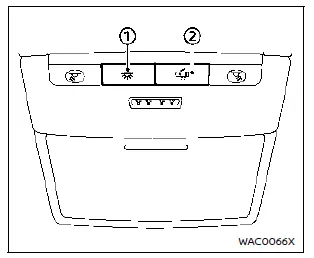
- The interior light can be turned ON at any time, regardless of door position. The light will automatically turn off after a period unless the ignition switch of the Nissan Rogue is in the ON position when any door is opened.
- The interior lights can be set to operate when the doors are opened.
To turn off the interior lights when a door is open, push the switch. In this mode, the interior lights will not illuminate, regardless of door position. The lights turn off when the ignition is switched ON, or when the driver’s door is closed and locked.
Map lights
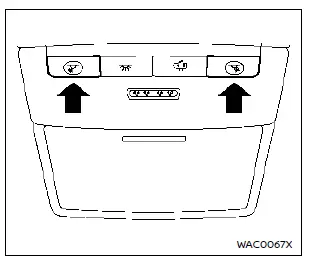
Push the button to turn the map lights on. Push again to turn them off.
The lights will automatically turn off after a period of time if left on, to protect the Nissan Rogue battery from discharging.
Room lights
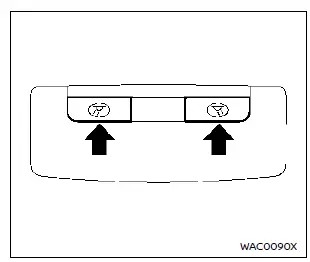
Push the button to turn the room lights on. Push the button again to turn them off.
The lights will turn off after a period when illuminated continuously, preventing battery drain in the Nissan Rogue.
Rear personal lights
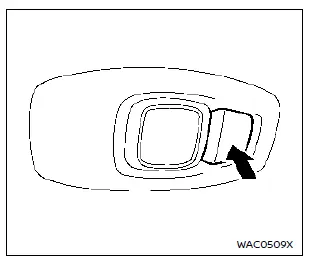
Push the button to turn the rear personal lights on. Push again to turn them off.
The system turns the lights off automatically after some time to prevent battery discharge.
Vanity mirror light
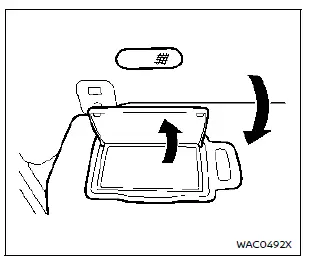
The vanity mirror light illuminates when the cover is opened.
When the cover is closed, the light turns off.
This light will also turn off automatically after a period to help protect the Nissan Rogue battery.
Cargo light
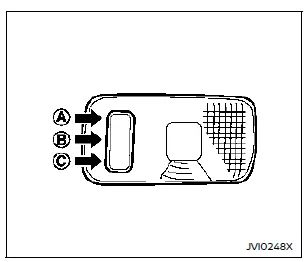
The cargo light has a three-position switch.
ON position
When the switch is in the ON position A, the cargo light remains illuminated at all times.
DOOR position
In the DOOR position B, the cargo light illuminates when the liftgate is opened.
OFF position
In the OFF position C, the cargo light does not turn on under any conditions.
The cargo light will also turn off automatically after a period of time if left illuminated, helping prevent battery drain on the Nissan Rogue.
Other materials:
Symptom Diagnosis. Intelligent Key System Symptoms
Diagnosis Procedure
NOTE:
Perform the self-diagnosis with CONSULT before the symptom diagnosis. Perform the trouble diagnosis if any DTC is detected.
SYMPTOM TABLE 1 (BOTH INTELLIGENT KEYS HAVE THE SAME SYMPTOMS) No. Door lock operation (remote keyless entry)
Door lock operation (request swit ...
System Description. Component Parts
Component Parts Location
With 8" Color Display
No. Component Function
1.
Rear sonar sensor RH inner
Refer to Sonar Sensor.
2.
Rear sonar sensor RH outer
3.
Sonar control unit
Refer to Sonar Control Unit.
4.
Around view monitor control unit
Receives the so ...
Dtc/circuit Diagnosis. U2369-87 Can Comm Err (psd/mhb)
DTC Description
DESCRIPTIONCAN (Controller Area Network) is a serial
communication line for real time applications. It is an on-Nissan Ariya
vehicle multiplex communication line with high data communication speed
and excellent error detection ability. Modern Nissan Ariya vehicle is
equipped ...