
Nissan Rogue (T33) 2021-Present Owner’s Manual & User Guide: Fuses
Engine compartment
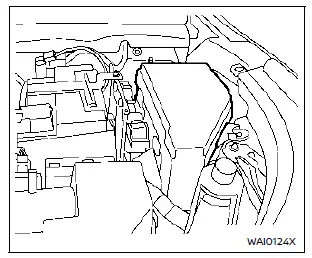
Basic information
WARNING
Never use fuses with a different amperage rating from what is specified on the fuse box cover. Doing so may damage the electrical system or cause a fire.
If electrical equipment in the Nissan Rogue stops working, inspect the fuses for an open element.
1. Be sure the ignition and headlights are turned off.
2. Open the hood.
3. Remove the fuse/fusible link box cover using a suitable tool and pressing the tab.
4. Locate the fuse that needs replacement.
5. Remove it using the puller from the passenger fuse box.
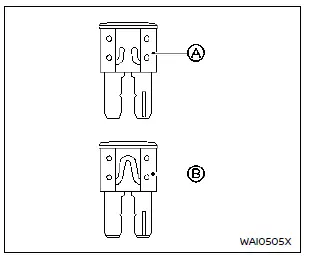
6. If the fuse is open A, replace it with a new fuse B.
7. If the new fuse opens again, have the electrical system inspected by a NISSAN dealer.
Fusible links
If electrical components do not operate and fuses are fine, check the fusible links. Replace only with genuine NISSAN parts. For service, visit a NISSAN dealer.
Passenger compartment
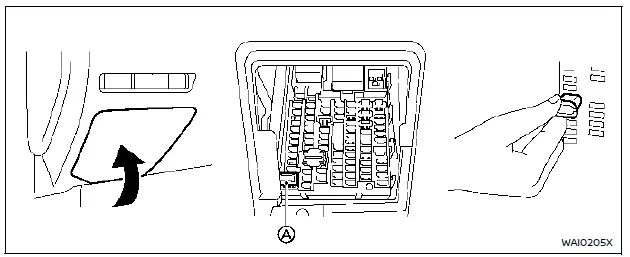
Basic information
WARNING
Never install a fuse with a higher or lower amperage rating than specified. This could damage electronic systems or create a fire hazard.
If any interior electrical feature of the Nissan Rogue fails, check the fuses.
1. Turn off ignition and headlights.
2. Remove the interior fuse box cover.
3. Remove the fuse with the puller A.
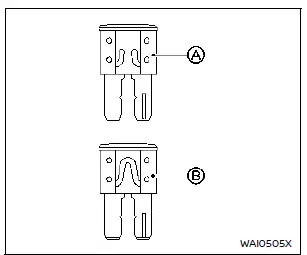
4. If the fuse is open A, replace it with a new fuse B.
5. If the new fuse opens again, professional service is required.
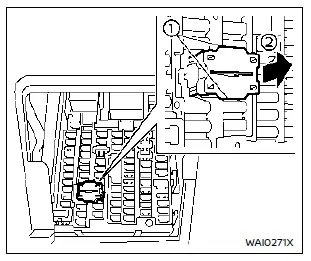
Extended storage switch (if equipped)
This switch is used when the vehicle is being shipped. It is located in the driver-side fuse panel. If electrical functions fail, make sure the extended storage switch is fully pressed into place.
How to put the vehicle into extended storage mode:
1. Start the engine and let it run for over 60 seconds.
2. Remove the fuse box cover.
3. Pinch the locking tabs 1 on the top and bottom of the switch.
4. Pull the switch straight out 2.
5. Turn the engine off.
How to take the vehicle out of extended storage mode:
- Push the extended storage switch fully in.
Other materials:
P0452 Evap Control System Pressure Sensor
DTC Description
DTC DETECTION LOGIC DTC
CONSULT screen terms
(Trouble diagnosis content)
DTC detection condition
P0452
00
EVAP SYS PRES SEN
(EVAP System Pressure Sensor/Switch A Circuit Low)
Diagnosis condition
—
Signal (terminal)
EVAP control system pressure se ...
Exhaust Gas Temperature Sensor
Component Inspection
CHECK EXHAUST GAS TEMPERATURE SENSOR
Turn ignition switch OFF.
Disconnect exhaust gas temperature sensor harness connector.
Check resistance between exhaust gas temperature sensor connector terminals.
Exhaust gas temperature sensor Resistance (kΩ)
Connecto ...
P1c91-14 Sub Starter & Generator
DTC Description
DTC DETECTION LOGIC DTC No. CONSULT screen terms (Trouble diagnosis content) DTC detection condition
P1C91-14
Sub starter & generator
(Sub starter & generator)
Diagnosis condition
Engine running at idle
Signal (terminal)
Battery voltage
Threshold ...