
Nissan Rogue (T33) 2021-Present Service Manual: Drive Plate
Exploded View
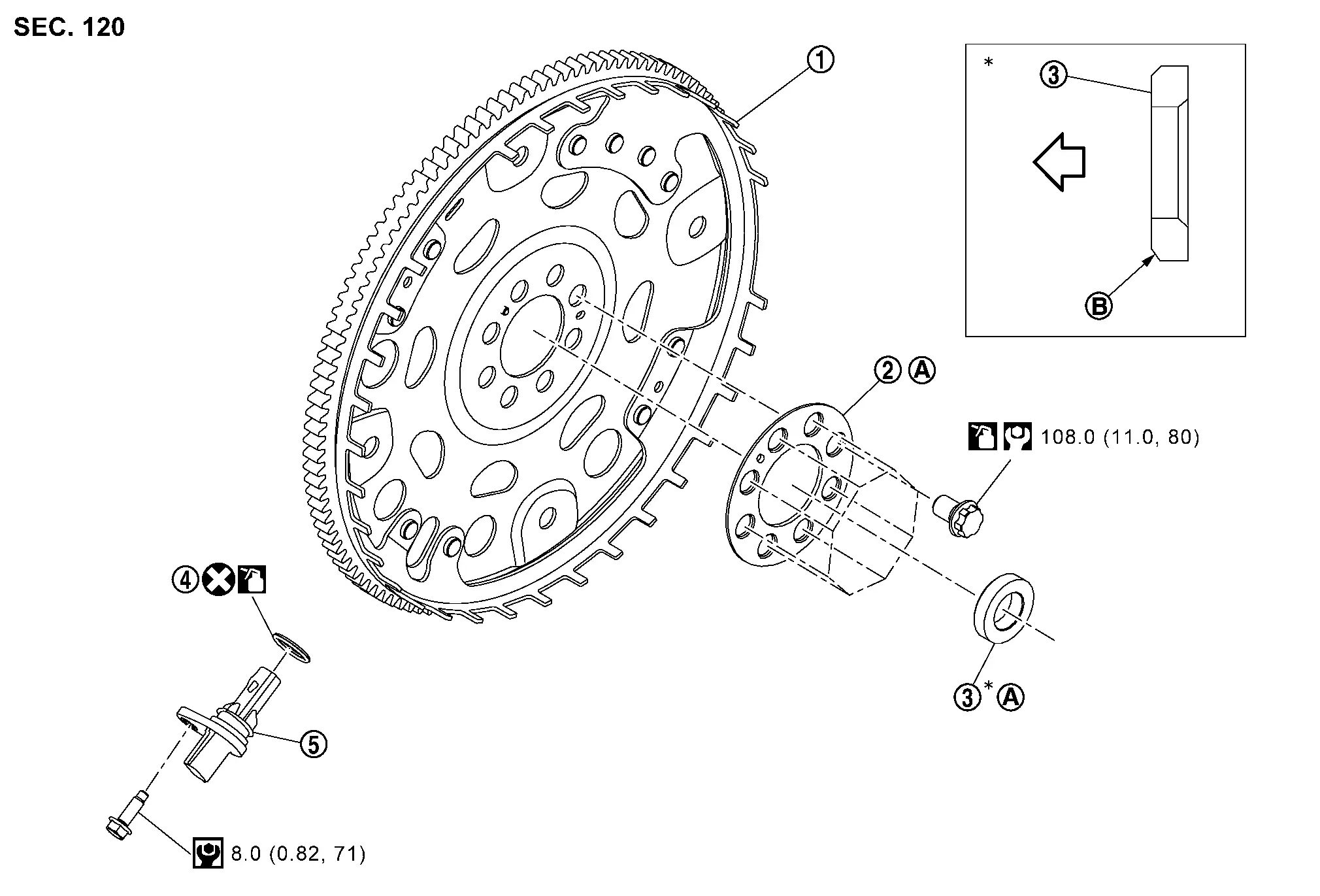
 |
Drive plate |  |
Drive plate reinforcement |  |
Pilot converter |
 |
O-ring (NMK production only) |  |
Crankshaft position sensor | ||
 |
Comply with the assembly procedure when installing. Refer to Removal and Installation. |  |
: Chamfered | ||
 |
: Crankshaft side | ||||
 |
: N·m (kg-m, ft-lb) | ||||
 |
: N·m (kg-m, in-lb) | ||||
 |
: Should be lubricated with oil. | ||||
 |
: Always replace after every disassembly. | ||||
Removal and Installation
REMOVAL
Remove the engine and the transaxle assembly from the vehicle, and separate the transaxle from the engine. Refer to Removal and Installation.
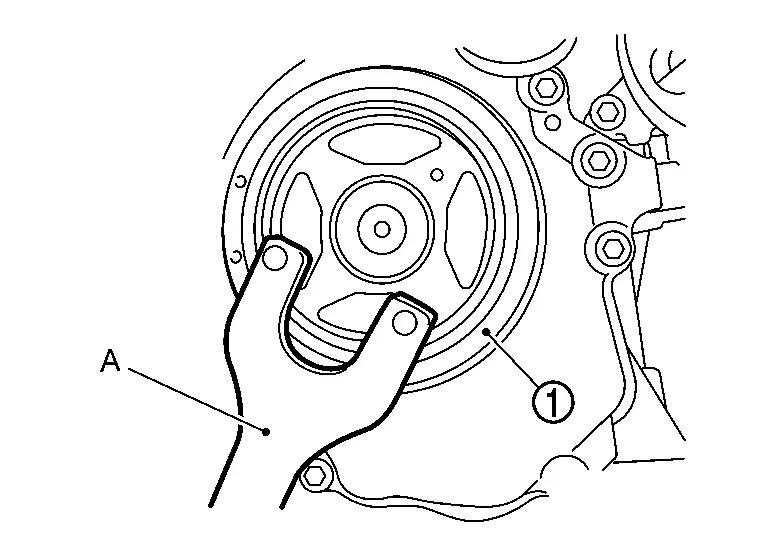
Remove the drive plate using the following procedure:Secure crankshaft pulley with a pulley holder (A).
CAUTION:
-
Do not disassemble drive plate.
-
Do not place drive plate with signal plate facing down.
-
When handling signal plate, take care not to damage or scratch drive plate and signal plate.
-
Handle signal plate in a manner that prevents them from becoming magnetized.
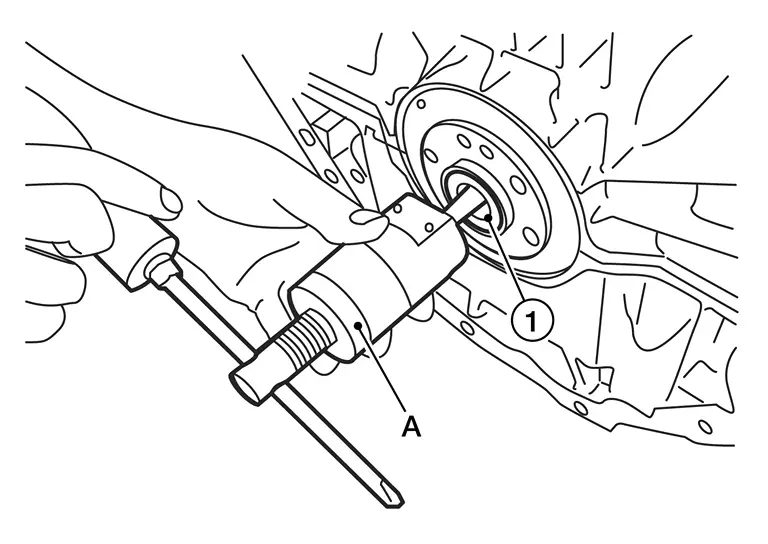
Remove the pilot converter from the rear end of the crankshaft. Use a suitable tool (A) if necessary.
Remove the crankshaft position sensor if necessary.
INSTALLATION
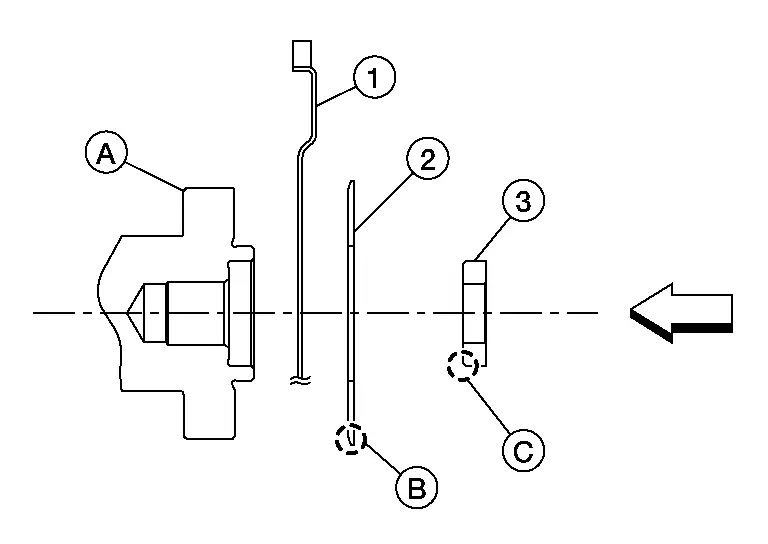
Install drive plate , drive plate reinforcement and pilot converter as shown.
-
Using a suitable drift of 33 mm (1.30 in) in diameter, press fit the pilot converter into the end of the crankshaft
until it stops.CAUTION:
Be careful not to damage or scratch the drive plate and signal plate.
: Rounded 
: Chamfered 
: Engine front
Hand tighten drive plate bolts in a diagonal order over several steps.
Tighten drive plate bolts using a suitable tool in a diagonal order over several steps.
If removed, install the crankshaft position sensor.
Installation of the remaining components is in the reverse order of removal.
CAUTION:
If crankshaft position sensor replaced, perform "ELECTRIC IVT CONTROL ACTUATOR POSITION LEARNING". Refer to Description.
Inspection
DRIVE PLATE DEFLECTION
Appearance of Drive Plate
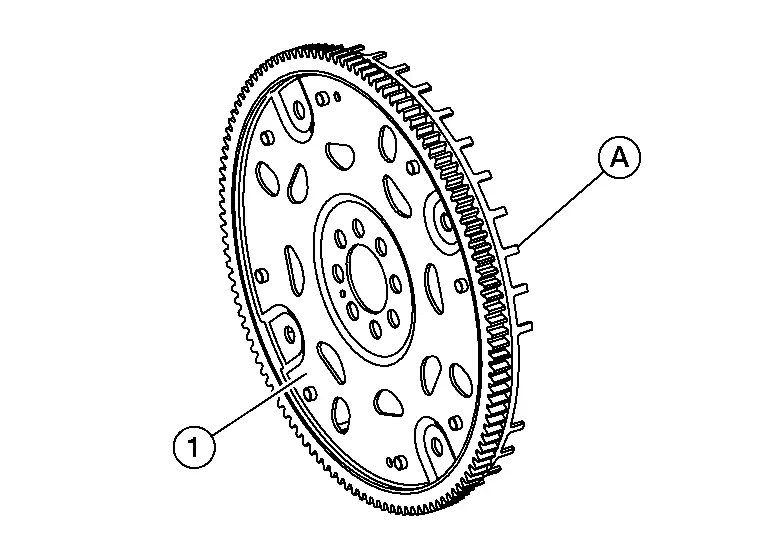
Check the drive plate and signal plate for defamation or damage.
CAUTION:
-
Do not disassemble drive plate.
-
Do not place drive plate with signal plate
facing down. -
When handling signal plate, take care not to damage or scratch it.
-
Handle signal plate that prevents it from becoming magnetized.
Check drive plate signal plate for deformation or damage.
Replace drive plate if dents, scratches or damage exist.
Drive Plate Lateral Run-Out
-
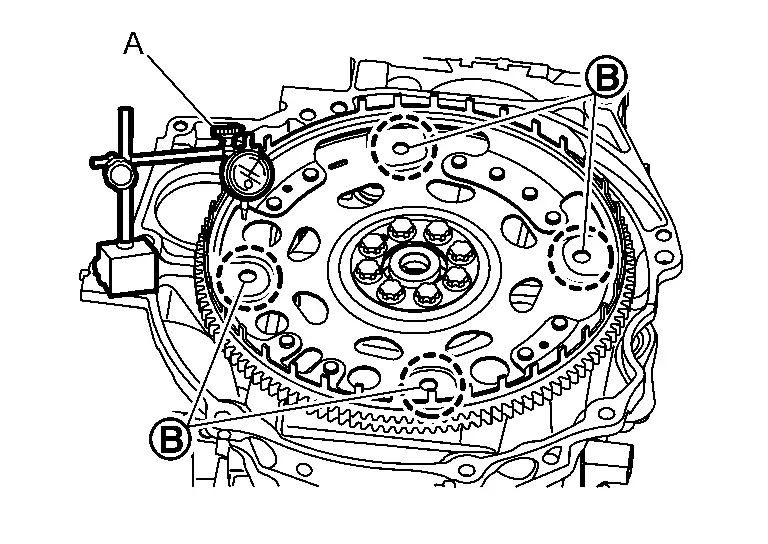
Install drive plate to crankshaft and measure deflection with dial indicator (A).
CAUTION:
-
Do not disassemble drive plate.
-
Do not place drive plate with signal plate facing down.
-
When handling signal plate, take care not to damage or scratch it.
-
Handle signal plate that prevents it from becoming magnetized.
-
If damage is found, replace drive plate.
-
-
Measure deflection on the drive plate to torque converter contact surface
. Measurements should be taken 11.0 - 20.6 mm (0.43 - 0.811 in) from the center of the torque converter bolt hole.Standard : 0.35 mm (0.014 in) or less. -
If the measurement value is outside the reference value, replace drive plate.
Other materials:
C1f00-1c Control Unit
DTC Description
DTC DETECTION LOGIC DTC
CONSULT screen terms
(Trouble diagnosis content) DTC detection condition
C1F00
1C
CONTROL UNIT
(Control unit)
Diagnosis condition
When engine is running
Signal (terminal)
—
Threshold
ADAS control unit 2 internal malfunct ...
Dtc/circuit Diagnosis. B2ccf-04 Passenger Door Mirror Control Module
DTC Description
DTC DETECTION LOGIC DTC No.
CONSULT screen terms
(Trouble diagnosis content) DTC detection condition
B2CCF-04
Passenger door mirror control module
(Passenger door mirror control module)
Diagnosis condition
Ignition switch is ON or OFF (auto ACC status).
Signal ...
Intake Manifold
Exploded View
Electric throttle control actuator
Electric throttle control actuator gasket
Manifold absolute pressure (MAP) sensor
O-ring
Intake manifold support
Intake manifold
Intake manifold gasket
Comply with the assemb ...