
Nissan Rogue (T33) 2021-Present Service Manual: Drive Belt Auto Tensioner and Idler Pulley
With Idle Start/stop System
Exploded View
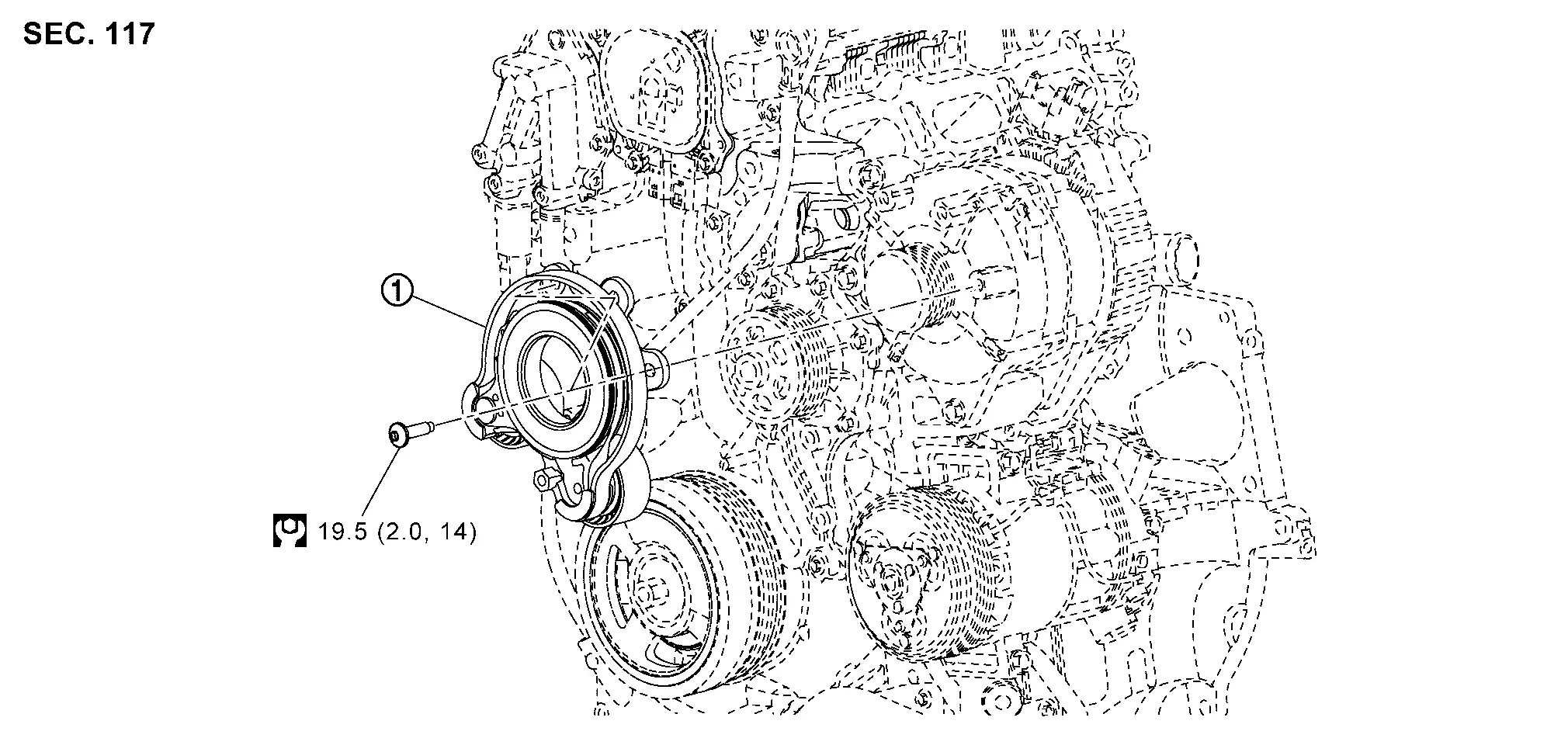
| 1. | Drive belt auto-tensioner | — | — | — | — |
Removal and Installation
REMOVAL
Remove the wheel and tire (front RH). Refer to Removal & Installation.
Remove the splash guard (front RH). Refer to Exploded View.
Remove the front spoiler. Refer to Removal and Installation.
Remove the fender protector (RH) front side clip and keep a service area. Refer to Removal and Installation.
Securely hold the hexagonal part (A) of the drive belt auto-tensioner
(1) with a suitable tool (C), and move it the direction of arrow ( ) (loosening direction of tensioner).
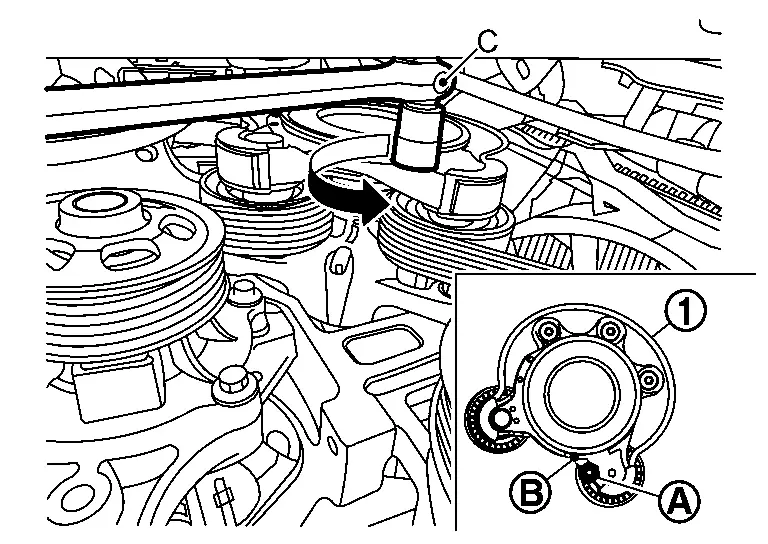
| B. | :Retaining hole |
Turn counterclockwise until the tensioner lock hole.
Insert a rod (C) approximately 4.0 mm (0.157 in.) in diameter through the rear of the drive belt auto-tensioner into retaining hole (B) to lock drive belt auto-tensioner pulley.
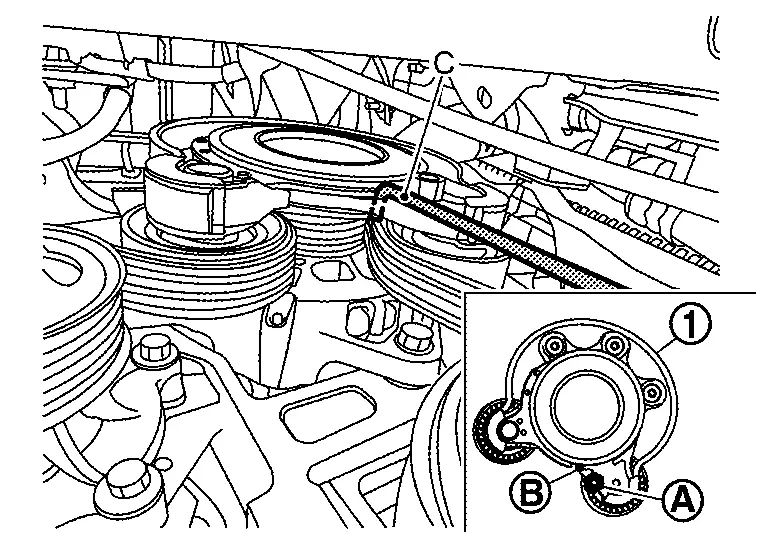
| 1. | :Drive belt auto-tensioner |
| A. | :Hexagonal part |
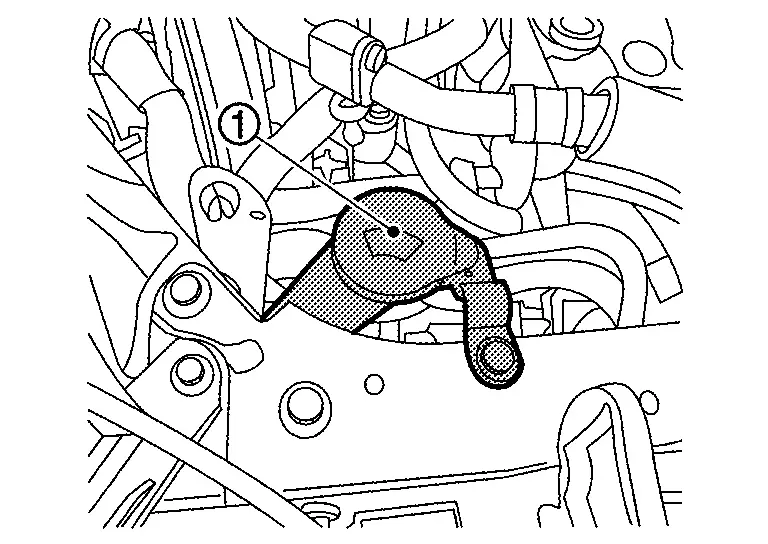
Remove the washer tank inlet (1).
Remove the drive belt auto-tensioner assembly bolts in the reverse sequence shown, and remove the drive belt auto-tensioner assembly (1).
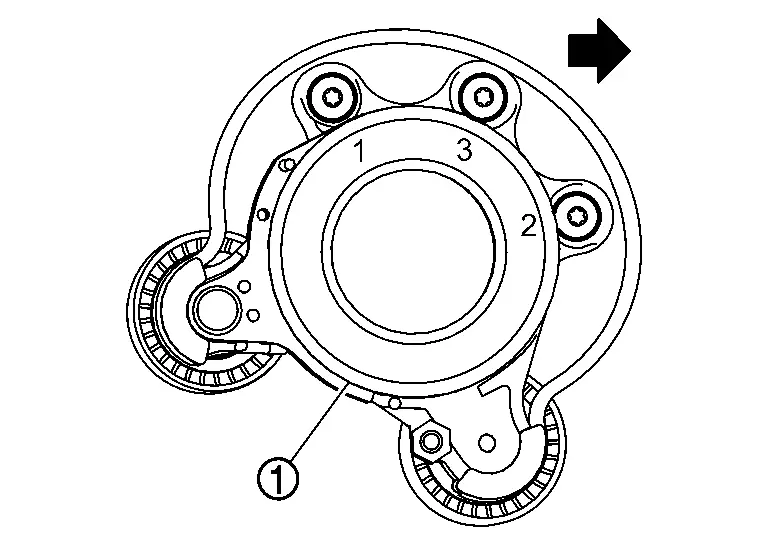
Remove drive belt from drive belt auto-tensioner (if necessary).
-
Keep each drive belt auto-tensioner pulley arm locked after drive belts are removed.
INSTALLATION
If removed, install drive belt onto drive belt auto-tensioner pulley.
Install the drive belt auto-tensioner assembly (1) and tighten the bolts to the specified torque in the sequence shown.
 NOTE:
NOTE:
At this time, check that the drive belt is correctly set on the pulley of the drive belt auto-tensioner assembly.
| Drive belt auto-tensioner bolts | :19.5 Nm (2.0 kg-m,14 ft-lb) |
Install the drive belt onto all of the pulleys.
Release drive belt auto-tensioner assembly, and apply tension to drive belt.
Install the fender protector (RH). Refer to Removal and Installation.
Install the front spoiler. Refer to Removal and Installation.
Install the splash guard (front RH). Refer to Exploded View.
Install the wheel and tire (front RH). Refer to Removal & Installation.
Other materials:
Kr15ddt. System Description. System
System
Warning/indicator (on Information Display)
Low fuel warning
DESIGN/PURPOSEThis warns the driver that the fuel level is low.OPERATION AT COMBINATION METER CAN COMMUNICATION CUT-OFF OR UNUSUAL SIGNALFor
the operation for CAN communications blackout or abnormal signal
reception, refer t ...
P2123 App Sensor
DTC Description
DTC DETECTION LOGIC DTC
CONSULT screen terms
(Trouble diagnosis content)
DTC detection condition
P2123
00
APP SEN 1/CIRC
(Throttle/Pedal position sensor/switch D circuit high)
Diagnosis condition
Engine running at idle
Signal (terminal)
Accelerator ...
Intelligent Key System
System Description
SYSTEM DIAGRAM*1: With automatic back door system models*2: Without automatic back door system models Component Function
Outside key antenna
Refer to Outside Key Antenna
Inside key antenna
Refer to Inside Key Antenna
Push-button ignition switch
NATS antenna ...