
Nissan Rogue (T33) 2021-Present Service Manual: Crankshaft Position Sensor
Component Inspection
CHECK CRANKSHAFT POSITION SENSOR (POS)-1
-
Turn ignition switch OFF.
-
Loosen the fixing bolt of the sensor.
-
Disconnect crankshaft position sensor (POS) harness connector.
-
Remove the sensor.
-
Visually check the sensor for chipping.
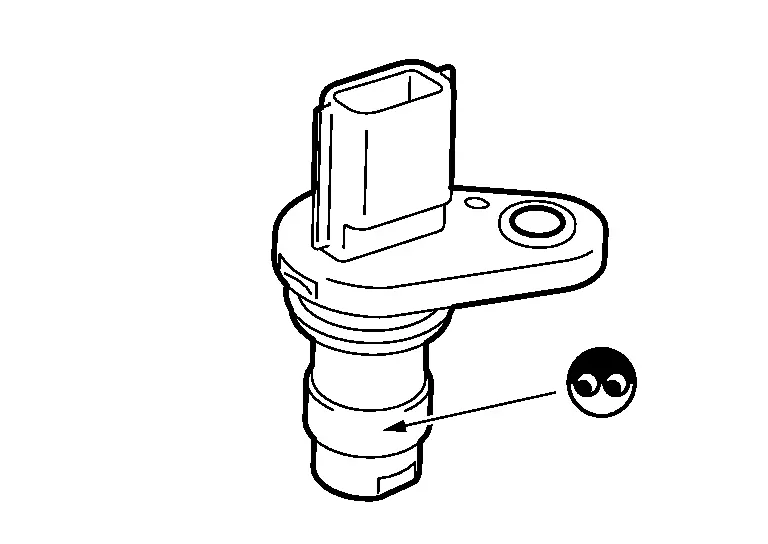
Is the inspection result normal?
YES>>GO TO 2.
NO>>Replace crankshaft position sensor (POS). Refer to ComponentPartsLocation.
CHECK CRANKSHAFT POSITION SENSOR (POS)-2
Check resistance between crankshaft position sensor (POS) terminals as follows.
| CKP sensor 1 | Condition | Resistance | ||
|---|---|---|---|---|
| Terminal | ||||
| 1 | 2 | Temperature | 25°C (77°F) | Except 0 Ω |
| 3 | ||||
| 2 | 3 | |||
Is the inspection result normal?
YES>>INSPECTION END
NO>>Replace crankshaft position sensor (POS). Refer to ComponentPartsLocation.
Other materials:
Service Data and Specifications (sds)
General Specifications
BRAKE SYSTEMJAPAN PRODUCTION MODELS WITHOUT ProPILOT Assist 2.1Unit: mm (in) Front brake
Cylinder bore diameter
60.33 (2.3752)
Pad length × width × thickness
123.6 × 53.5 × 10.5 (4.87 × 2.106 × 0.413)
Rotor outer diameter × thickness
296 × 26.0 ( ...
2wd. Preparation. Preparation
Preparation
Commercial Service Tools
Tool name Description
Ball joint remover
Removing hub bolt
Always Replace with New Parts
Never Reuse These Parts Part CodeFor additional information
Bush - Radius, Axle
43052H
Exploded View
Bush - LWR Link, FR Axle
43052D
E ...
For Side and Rollover Collision
When SRS is activated in a collision
FOR SIDE AND ROLLOVER COLLISION: When SRS is activated in a collisionCAUTION:
Due to varying models and option levels, not all parts listed in the chart below apply to all Nissan Ariya vehicles.
WORK PROCEDURE
Before performing any of the following steps, e ...