
Nissan Rogue (T33) 2021-Present Service Manual: Audio Amp. (bose Speaker Amp.)
B1a01-11 Front Door Speaker Lh
DTC Description
DTC DETECTION LOGIC
| DTC No. |
CONSULT screen terms (Trouble diagnosis content) | DTC detection condition | |
|---|---|---|---|
| B1A01-11 |
Front left door woofer out (Front left door woofer) |
Diagnosis condition | When ignition switch is ON |
| Signal (terminal) | Sound signal (between BOSE speaker amp. and front door speaker LH) | ||
| Threshold | Short to ground circuit | ||
| Diagnosis delay time | 30 seconds or more | ||
POSSIBLE CAUSE
-
Front door speaker LH circuit is malfunction
-
Front door speaker LH
FAIL-SAFE
No sound from front door speaker LH.
CONFIRMATION PROCEDURE
PERFORM DTC CONFIRMATION PROCEDURE
 With CONSULT
-
Turn ignition switch ON.
-
Turn ignition switch OFF and wait for 4 minutes.
-
Turn ignition switch ON and wait at least 1 minute or more.
-
Select “Self Diagnostic Result” mode of “Audio amp.” using CONSULT.
-
Check DTC.
Is DTC B1A01-11 detected?
YES>>Proceed to Diagnosis Procedure.
NO-1>>To check malfunction symptom before repair: Refer to Intermittent Incident.
NO-2>>Confirmation after repair: INSPECTION END
Diagnosis Procedure
CHECK SOUND SIGNAL CIRCUITS FOR SHORT TO GROUND
-
Turn ignition switch OFF.
-
Disconnect BOSE speaker amp. harness connector, front door speaker LH harness connector and front speaker LH harness connector.
-
Check the continuity between front door speaker LH harness connector and ground.
Front door speaker LH Ground Continuity Connector Terminal D9 1 Not existed
Is the inspection result normal?
YES>>Replace front door speaker LH. Refer to Removal and Installation.
NO>>Repair or replace harness or connectors.
B1a01-12 Front Door Speaker Lh
DTC Description
DTC DETECTION LOGIC
| DTC No. |
CONSULT screen terms (Trouble diagnosis content) | DTC detection condition | |
|---|---|---|---|
| B1A01-12 |
Front left door woofer out (Front left door woofer) |
Diagnosis condition | When ignition switch is ON |
| Signal (terminal) | Sound signal (between BOSE speaker amp. and front door speaker LH ) | ||
| Threshold | Short to power supply circuit | ||
| Diagnosis delay time | 30 seconds or more | ||
POSSIBLE CAUSE
-
Front door speaker LH circuit is malfunction
-
Front door speaker LH
FAIL-SAFE
No sound from front door speaker LH.
CONFIRMATION PROCEDURE
PERFORM DTC CONFIRMATION PROCEDURE
With CONSULT
-
Turn ignition switch ON.
-
Turn ignition switch OFF and wait for 4 minutes.
-
Turn ignition switch ON and wait at least 1 minute or more.
-
Select “Self Diagnostic Result” mode of “Audio amp.” using CONSULT.
-
Check DTC.
Is DTC B1A01-12 detected?
YES>>Proceed to Diagnosis Procedure.
NO-1>>To check malfunction symptom before repair: Refer to Intermittent Incident.
NO-2>>Confirmation after repair: INSPECTION END
Diagnosis Procedure
CHECK SOUND SIGNAL CIRCUIT FOR SHORT TO POWER SUPPLY
-
Turn ignition switch OFF.
-
Disconnect BOSE speaker amp. harness connector, front door speaker LH harness connector and front speaker LH harness connector.
-
Turn ignition switch ON.
-
Check the voltage between front door speaker LH harness connector and ground.
(+) (-) Voltage Front door speaker LH Connector Terminal D9 1 Ground 0 V 2
Is the inspection result normal?
YES>>Replace front door speaker LH. Refer to Removal and Installation.
NO>>Repair or replace harness or connectors.
B1a01-13 Front Door Speaker Lh
DTC Description
DTC DETECTION LOGIC
| DTC No. |
CONSULT screen terms (Trouble diagnosis content) | DTC detection condition | |
|---|---|---|---|
| B1A01-13 |
Front left door woofer out (Front left door woofer) |
Diagnosis condition | When ignition switch is ON |
| Signal (terminal) | Sound signal (between BOSE speaker amp. and front door speaker LH) | ||
| Threshold | Open circuit | ||
| Diagnosis delay time | 30 seconds or more | ||
POSSIBLE CAUSE
-
Front door speaker LH circuit is malfunction
-
Front door speaker LH
FAIL-SAFE
No sound from front door speaker LH.
CONFIRMATION PROCEDURE
PERFORM DTC CONFIRMATION PROCEDURE
With CONSULT
-
Turn ignition switch ON.
-
Turn ignition switch OFF and wait for 4 minutes.
-
Turn ignition switch ON and wait at least 1 minute or more.
-
Select “Self Diagnostic Result” mode of “Audio amp.” using CONSULT.
-
Check DTC.
Is DTC B1A01-13 detected?
YES>>Proceed to Diagnosis Procedure.
NO-1>>To check malfunction symptom before repair: Refer to Intermittent Incident.
NO-2>>Confirmation after repair: INSPECTION END
Diagnosis Procedure
CHECK SOUND SIGNAL CIRCUITS FOR OPEN
-
Turn ignition switch OFF.
-
Disconnect BOSE speaker amp. harness connector, front door speaker LH harness connector and front speaker LH harness connector.
-
Check the continuity between BOSE speaker amp. harness connector and front door speaker LH harness connector.
BOSE speaker amp. Front door speaker LH Continuity Connector Terminal Connector Terminal B38 2 D9 1 Existed 6 2
Is the inspection result normal?
YES>>Replace front door speaker LH. Refer to Removal and Installation.
NO>>Repair or replace harness or connectors.
B1a01-1a Front Door Speaker Lh
DTC Description
DTC DETECTION LOGIC
| DTC No. |
CONSULT screen terms (Trouble diagnosis content) | DTC detection condition | |
|---|---|---|---|
| B1A01-1A |
Front left door woofer out (Front left door woofer) |
Diagnosis condition | When ignition switch is ON |
| Signal (terminal) | Sound signal (between BOSE speaker amp. and front door speaker LH) | ||
| Threshold | Short circuit | ||
| Diagnosis delay time | 30 seconds or more | ||
POSSIBLE CAUSE
-
Front door speaker LH circuit is malfunction
-
Front door speaker LH
FAIL-SAFE
No sound from front door speaker LH.
CONFIRMATION PROCEDURE
PERFORM DTC CONFIRMATION PROCEDURE
With CONSULT
-
Turn ignition switch ON.
-
Turn ignition switch OFF and wait for 4 minutes.
-
Turn ignition switch ON and wait at least 1 minute or more.
-
Select “Self Diagnostic Result” mode of “Audio amp.” using CONSULT.
-
Check DTC.
Is DTC B1A01-1A detected?
YES>>Proceed to Diagnosis Procedure.
NO-1>>To check malfunction symptom before repair: Refer to Intermittent Incident.
NO-2>>Confirmation after repair: INSPECTION END
Diagnosis Procedure
CHECK SOUND SIGNAL CIRCUITS FOR SHORT
-
Turn ignition switch OFF.
-
Disconnect BOSE speaker amp. harness connector, front door speaker LH harness connector and front speaker LH harness connector.
-
Check the continuity between the terminals of front door speaker LH connector.
Front door speaker LH Continuity Connector Terminal D9 1 2 Not existed
Is the inspection result normal?
YES>>Replace front door speaker LH. Refer to Removal and Installation.
NO>>Repair or replace harness or connectors.
B1a05-11 Front Door Speaker Rh
DTC Description
DTC DETECTION LOGIC
| DTC No. |
CONSULT screen terms (Trouble diagnosis content) | DTC detection condition | |
|---|---|---|---|
| B1A05-11 |
Front right door woofer out (Front right door woofer) |
Diagnosis condition | When ignition switch is ON |
| Signal (terminal) | Sound signal (between BOSE speaker amp. and front door speaker RH) | ||
| Threshold | Short to ground circuit | ||
| Diagnosis delay time | 30 seconds or more | ||
POSSIBLE CAUSE
-
Front door speaker RH circuit is malfunction
-
Front door speaker RH
FAIL-SAFE
No sound from front door speaker RH.
CONFIRMATION PROCEDURE
PERFORM DTC CONFIRMATION PROCEDURE
With CONSULT
-
Turn ignition switch ON.
-
Turn ignition switch OFF and wait for 4 minutes.
-
Turn ignition switch ON and wait at least 1 minute or more.
-
Select “Self Diagnostic Result” mode of “Audio amp.” using CONSULT.
-
Check DTC.
Is DTC B1A05-11 detected?
YES>>Proceed to Diagnosis Procedure.
NO-1>>To check malfunction symptom before repair: Refer to Intermittent Incident.
NO-2>>Confirmation after repair: INSPECTION END
Diagnosis Procedure
CHECK SOUND SIGNAL CIRCUITS FOR SHORT TO GROUND
-
Turn ignition switch OFF.
-
Disconnect BOSE speaker amp. harness connector, front door speaker RH harness connector and front speaker RH harness connector.
-
Check the continuity between front door speaker RH harness connector and ground.
Front door speaker RH Ground Continuity Connector Terminal D114 1 Not existed
Is the inspection result normal?
YES>>Replace front door speaker RH. Refer to Removal and Installation.
NO>>Repair or replace harness or connectors.
B1a05-12 Front Door Speaker Rh
DTC Description
DTC DETECTION LOGIC
| DTC No. |
CONSULT screen terms (Trouble diagnosis content) | DTC detection condition | |
|---|---|---|---|
| B1A05-12 |
Front right door woofer out (Front right door woofer) |
Diagnosis condition | When ignition switch is ON |
| Signal (terminal) | Sound signal (between BOSE speaker amp. and front door speaker RH ) | ||
| Threshold | Short to power supply circuit | ||
| Diagnosis delay time | 30 seconds or more | ||
POSSIBLE CAUSE
-
Front door speaker RH circuit is malfunction
-
Front door speaker RH
FAIL-SAFE
No sound from front door speaker RH.
CONFIRMATION PROCEDURE
PERFORM DTC CONFIRMATION PROCEDURE
With CONSULT
-
Turn ignition switch ON.
-
Turn ignition switch OFF and wait for 4 minutes.
-
Turn ignition switch ON and wait at least 1 minute or more.
-
Select “Self Diagnostic Result” mode of “Audio amp.” using CONSULT.
-
Check DTC.
Is DTC B1A05-12 detected?
YES>>Proceed to Diagnosis Procedure.
NO-1>>To check malfunction symptom before repair: Refer to Intermittent Incident.
NO-2>>Confirmation after repair: INSPECTION END
Diagnosis Procedure
CHECK SOUND SIGNAL CIRCUIT FOR SHORT TO POWER SUPPLY
-
Turn ignition switch OFF.
-
Disconnect BOSE speaker amp. harness connector, front door speaker RH harness connector and front speaker RH harness connector.
-
Turn ignition switch ON.
-
Check the voltage between front door speaker RH harness connector and ground.
(+) (-) Voltage Front door speaker RH Connector Terminal D114 1 Ground 0 V 2
Is the inspection result normal?
YES>>Replace front door speaker RH. Refer to Removal and Installation.
NO>>Repair or replace harness or connectors.
B1a05-13 Front Door Speaker Rh
DTC Description
DTC DETECTION LOGIC
| DTC No. |
CONSULT screen terms (Trouble diagnosis content) | DTC detection condition | |
|---|---|---|---|
| B1A05-13 |
Front right door woofer out (Front right door woofer) |
Diagnosis condition | When ignition switch is ON |
| Signal (terminal) | Sound signal (between BOSE speaker amp. and front door speaker RH) | ||
| Threshold | Open circuit | ||
| Diagnosis delay time | 30 seconds or more | ||
POSSIBLE CAUSE
-
Front door speaker RH circuit is malfunction
-
Front door speaker RH
FAIL-SAFE
No sound from front door speaker RH.
CONFIRMATION PROCEDURE
PERFORM DTC CONFIRMATION PROCEDURE
With CONSULT
-
Turn ignition switch ON.
-
Turn ignition switch OFF and wait for 4 minutes.
-
Turn ignition switch ON and wait at least 1 minute or more.
-
Select “Self Diagnostic Result” mode of “Audio amp.” using CONSULT.
-
Check DTC.
Is DTC B1A05-13 detected?
YES>>Proceed to Diagnosis Procedure.
NO-1>>To check malfunction symptom before repair: Refer to Intermittent Incident.
NO-2>>Confirmation after repair: INSPECTION END
Diagnosis Procedure
CHECK SOUND SIGNAL CIRCUITS FOR OPEN
-
Turn ignition switch OFF.
-
Disconnect BOSE speaker amp. harness connector, front door speaker RH harness connector and front speaker RH harness connector.
-
Check the continuity between BOSE speaker amp. harness connector and front door speaker RH harness connector.
BOSE speaker amp. Front door speaker RH Continuity Connector Terminal Connector Terminal B38 3 D114 1 Existed 7 2
Is the inspection result normal?
YES>>Replace front door speaker RH. Refer to Removal and Installation.
NO>>Repair or replace harness or connectors.
B1a05-1a Front Door Speaker Rh
DTC Description
DTC DETECTION LOGIC
| DTC No. |
CONSULT screen terms (Trouble diagnosis content) | DTC detection condition | |
|---|---|---|---|
| B1A05-1A |
Front right door woofer out (Front right door woofer) |
Diagnosis condition | When ignition switch is ON |
| Signal (terminal) | Sound signal (between BOSE speaker amp. and front door speaker RH) | ||
| Threshold | Short circuit | ||
| Diagnosis delay time | 30 seconds or more | ||
POSSIBLE CAUSE
-
Front door speaker RH circuit is malfunction
-
Front door speaker RH
FAIL-SAFE
No sound from front door speaker RH.
CONFIRMATION PROCEDURE
PERFORM DTC CONFIRMATION PROCEDURE
With CONSULT
-
Turn ignition switch ON.
-
Turn ignition switch OFF and wait for 4 minutes.
-
Turn ignition switch ON and wait at least 1 minute or more.
-
Select “Self Diagnostic Result” mode of “Audio amp.” using CONSULT.
-
Check DTC.
Is DTC B1A05-1A detected?
YES>>Proceed to Diagnosis Procedure.
NO-1>>To check malfunction symptom before repair: Refer to Intermittent Incident.
NO-2>>Confirmation after repair: INSPECTION END
Diagnosis Procedure
CHECK SOUND SIGNAL CIRCUITS FOR SHORT
-
Turn ignition switch OFF.
-
Disconnect BOSE speaker amp. harness connector, front door speaker RH harness connector and front speaker RH harness connector.
-
Check the continuity between the terminals of front door speaker RH connector.
Front door speaker RH Continuity Connector Terminal D114 1 2 Not existed
Is the inspection result normal?
YES>>Replace front door speaker RH. Refer to Removal and Installation.
NO>>Repair or replace harness or connectors.
B1a0a-11 Instrument Panel Speaker Lh
DTC Description
DTC DETECTION LOGIC
| DTC No. |
CONSULT screen terms (Trouble diagnosis content) | DTC detection condition | |
|---|---|---|---|
| B1A0A-11 |
Front instrument left squawker out (Front inst left squawker) |
Diagnosis condition | When ignition switch is ON |
| Signal (terminal) | Sound signal (between BOSE speaker amp. and instrument panel speaker LH) | ||
| Threshold | Short to ground circuit | ||
| Diagnosis delay time | 30 seconds or more | ||
POSSIBLE CAUSE
-
Instrument panel speaker LH circuit is malfunction
-
Instrument panel speaker LH
FAIL-SAFE
No sound from instrument panel speaker LH.
CONFIRMATION PROCEDURE
PERFORM DTC CONFIRMATION PROCEDURE
With CONSULT
-
Turn ignition switch ON.
-
Turn ignition switch OFF and wait for 4 minutes.
-
Turn ignition switch ON and wait at least 1 minute or more.
-
Select “Self Diagnostic Result” mode of “Audio amp.” using CONSULT.
-
Check DTC.
Is DTC B1A0A-11 detected?
YES>>Proceed to Diagnosis Procedure.
NO-1>>To check malfunction symptom before repair: Refer to Intermittent Incident.
NO-2>>Confirmation after repair: INSPECTION END
Diagnosis Procedure
CHECK SOUND SIGNAL CIRCUITS FOR SHORT TO GROUND
-
Turn ignition switch OFF.
-
Disconnect BOSE speaker amp. harness connector and instrument panel speaker LH harness connector.
-
Check the continuity between instrument panel speaker LH harness connector and ground.
Instrument panel speaker LH Ground Continuity Connector Terminal M20 1 Not existed
Is the inspection result normal?
YES>>Replace instrument panel speaker LH. Refer to Removal and Installation.
NO>>Repair or replace harness or connectors.
B1a0a-12 Instrument Panel Speaker Lh
DTC Description
DTC DETECTION LOGIC
| DTC No. |
CONSULT screen terms (Trouble diagnosis content) | DTC detection condition | |
|---|---|---|---|
| B1A0A-12 |
Front instrument left squawker out (Front inst left squawker) |
Diagnosis condition | When ignition switch is ON |
| Signal (terminal) | Sound signal (between BOSE speaker amp. and instrument panel speaker LH ) | ||
| Threshold | Short to power supply circuit | ||
| Diagnosis delay time | 30 seconds or more | ||
POSSIBLE CAUSE
-
Instrument panel speaker LH circuit is malfunction
-
Instrument panel speaker LH
FAIL-SAFE
No sound from instrument panel speaker LH.
CONFIRMATION PROCEDURE
PERFORM DTC CONFIRMATION PROCEDURE
With CONSULT
-
Turn ignition switch ON.
-
Turn ignition switch OFF and wait for 4 minutes.
-
Turn ignition switch ON and wait at least 1 minute or more.
-
Select “Self Diagnostic Result” mode of “Audio amp.” using CONSULT.
-
Check DTC.
Is DTC B1A0A-12 detected?
YES>>Proceed to Diagnosis Procedure.
NO-1>>To check malfunction symptom before repair: Refer to Intermittent Incident.
NO-2>>Confirmation after repair: INSPECTION END
Diagnosis Procedure
CHECK SOUND SIGNAL CIRCUIT FOR SHORT TO POWER SUPPLY
-
Turn ignition switch OFF.
-
Disconnect BOSE speaker amp. harness connector and instrument panel speaker LH harness connector.
-
Turn ignition switch ON.
-
Check the voltage between instrument panel speaker LH harness connector and ground.
(+) (-) Voltage Instrument panel speaker LH Connector Terminal M20 1 Ground 0 V 2
Is the inspection result normal?
YES>>Replace instrument panel speaker LH. Refer to Removal and Installation.
NO>>Repair or replace harness or connectors.
B1a0a-13 Instrument Panel Speaker Lh
DTC Description
DTC DETECTION LOGIC
| DTC No. |
CONSULT screen terms (Trouble diagnosis content) | DTC detection condition | |
|---|---|---|---|
| B1A0A-13 |
Front instrument left squawker out (Front inst left squawker) |
Diagnosis condition | When ignition switch is ON |
| Signal (terminal) | Sound signal (between BOSE speaker amp. and instrument panel speaker LH) | ||
| Threshold | Open circuit | ||
| Diagnosis delay time | 30 seconds or more | ||
POSSIBLE CAUSE
-
Instrument panel speaker LH circuit is malfunction
-
Instrument panel speaker LH
FAIL-SAFE
No sound from instrument panel speaker LH.
CONFIRMATION PROCEDURE
PERFORM DTC CONFIRMATION PROCEDURE
With CONSULT
-
Turn ignition switch ON.
-
Turn ignition switch OFF and wait for 4 minutes.
-
Turn ignition switch ON and wait at least 1 minute or more.
-
Select “Self Diagnostic Result” mode of “Audio amp.” using CONSULT.
-
Check DTC.
Is DTC B1A0A-13 detected?
YES>>Proceed to Diagnosis Procedure.
NO-1>>To check malfunction symptom before repair: Refer to Intermittent Incident.
NO-2>>Confirmation after repair: INSPECTION END
Diagnosis Procedure
CHECK SOUND SIGNAL CIRCUITS FOR OPEN
-
Turn ignition switch OFF.
-
Disconnect BOSE speaker amp. harness connector and instrument panel speaker LH harness connector.
-
Check the continuity between BOSE speaker amp. harness connector and instrument panel speaker LH harness connector.
BOSE speaker amp. Instrument panel speaker LH Continuity Connector Terminal Connector Terminal B37 15 M20 1 Existed 23 2
Is the inspection result normal?
YES>>Replace instrument panel speaker LH. Refer to Removal and Installation.
NO>>Repair or replace harness or connectors.
B1a0a-1a Instrument Panel Speaker Lh
DTC Description
DTC DETECTION LOGIC
| DTC No. |
CONSULT screen terms (Trouble diagnosis content) | DTC detection condition | |
|---|---|---|---|
| B1A0A-1A |
Front instrument left squawker out (Front inst left squawker) |
Diagnosis condition | When ignition switch is ON |
| Signal (terminal) | Sound signal (between BOSE speaker amp. and instrument panel speaker LH) | ||
| Threshold | Short circuit | ||
| Diagnosis delay time | 30 seconds or more | ||
POSSIBLE CAUSE
-
Instrument panel speaker LH circuit is malfunction
-
Instrument panel speaker LH
FAIL-SAFE
No sound from instrument panel speaker LH.
CONFIRMATION PROCEDURE
PERFORM DTC CONFIRMATION PROCEDURE
With CONSULT
-
Turn ignition switch ON.
-
Turn ignition switch OFF and wait for 4 minutes.
-
Turn ignition switch ON and wait at least 1 minute or more.
-
Select “Self Diagnostic Result” mode of “Audio amp.” using CONSULT.
-
Check DTC.
Is DTC B1A0A-1A detected?
YES>>Proceed to Diagnosis Procedure.
NO-1>>To check malfunction symptom before repair: Refer to Intermittent Incident.
NO-2>>Confirmation after repair: INSPECTION END
Diagnosis Procedure
CHECK SOUND SIGNAL CIRCUITS FOR SHORT
-
Turn ignition switch OFF.
-
Disconnect BOSE speaker amp. harness connector and instrument panel speaker LH harness connector.
-
Check the continuity between the terminals of instrument panel speaker LH connector.
Instrument panel speaker LH Continuity Connector Terminal M20 1 2 Not existed
Is the inspection result normal?
YES>>Replace instrument panel speaker LH. Refer to Removal and Installation.
NO>>Repair or replace harness or connectors.
B1a12-11 Instrument Panel Speaker Rh
DTC Description
DTC DETECTION LOGIC
| DTC No. |
CONSULT screen terms (Trouble diagnosis content) | DTC detection condition | |
|---|---|---|---|
| B1A12-11 |
Front instrument right squawker out (Front inst right squawker) |
Diagnosis condition | When ignition switch is ON |
| Signal (terminal) | Sound signal (between BOSE speaker amp. and instrument panel speaker RH) | ||
| Threshold | Short to ground circuit | ||
| Diagnosis delay time | 30 seconds or more | ||
POSSIBLE CAUSE
-
Instrument panel speaker RH circuit is malfunction
-
Instrument panel speaker RH
FAIL-SAFE
No sound from instrument panel speaker RH.
CONFIRMATION PROCEDURE
PERFORM DTC CONFIRMATION PROCEDURE
With CONSULT
-
Turn ignition switch ON.
-
Turn ignition switch OFF and wait for 4 minutes.
-
Turn ignition switch ON and wait at least 1 minute or more.
-
Select “Self Diagnostic Result” mode of “Audio amp.” using CONSULT.
-
Check DTC.
Is DTC B1A12-11 detected?
YES>>Proceed to Diagnosis Procedure.
NO-1>>To check malfunction symptom before repair: Refer to Intermittent Incident.
NO-2>>Confirmation after repair: INSPECTION END
Diagnosis Procedure
CHECK SOUND SIGNAL CIRCUITS FOR SHORT TO GROUND
-
Turn ignition switch OFF.
-
Disconnect BOSE speaker amp. harness connector and instrument panel speaker RH harness connector.
-
Check the continuity between instrument panel speaker RH harness connector and ground.
Instrument panel speaker RH Ground Continuity Connector Terminal M70 1 Not existed
Is the inspection result normal?
YES>>Replace instrument panel speaker RH. Refer to Removal and Installation.
NO>>Repair or replace harness or connectors.
B1a12-12 Instrument Panel Speaker Rh
DTC Description
DTC DETECTION LOGIC
| DTC No. |
CONSULT screen terms (Trouble diagnosis content) | DTC detection condition | |
|---|---|---|---|
| B1A12-12 |
Front instrument right squawker out (Front inst left squawker) |
Diagnosis condition | When ignition switch is ON |
| Signal (terminal) | Sound signal (between BOSE speaker amp. and front door speaker RH ) | ||
| Threshold | Short to power supply circuit | ||
| Diagnosis delay time | 30 seconds or more | ||
POSSIBLE CAUSE
-
Instrument panel speaker RH circuit is malfunction
-
Instrument panel speaker RH
FAIL-SAFE
No sound from instrument panel speaker RH.
CONFIRMATION PROCEDURE
PERFORM DTC CONFIRMATION PROCEDURE
With CONSULT
-
Turn ignition switch ON.
-
Turn ignition switch OFF and wait for 4 minutes.
-
Turn ignition switch ON and wait at least 1 minute or more.
-
Select “Self Diagnostic Result” mode of “Audio amp.” using CONSULT.
-
Check DTC.
Is DTC B1A12-12 detected?
YES>>Proceed to Diagnosis Procedure.
NO-1>>To check malfunction symptom before repair: Refer to Intermittent Incident.
NO-2>>Confirmation after repair: INSPECTION END
Diagnosis Procedure
CHECK SOUND SIGNAL CIRCUIT FOR SHORT TO POWER SUPPLY
-
Turn ignition switch OFF.
-
Disconnect BOSE speaker amp. harness connector and instrument panel speaker RH harness connector.
-
Turn ignition switch ON.
-
Check the voltage between instrument panel speaker RH harness connector and ground.
(+) (-) Voltage Instrument panel speaker RH Connector Terminal M70 1 Ground 0 V 2
Is the inspection result normal?
YES>>Replace instrument panel speaker RH. Refer to Removal and Installation.
NO>>Repair or replace harness or connectors.
B1a12-13 Instrument Panel Speaker Rh
DTC Description
DTC DETECTION LOGIC
| DTC No. |
CONSULT screen terms (Trouble diagnosis content) | DTC detection condition | |
|---|---|---|---|
| B1A12-13 |
Front instrument right squawker out (Front inst right squawker) |
Diagnosis condition | When ignition switch is ON |
| Signal (terminal) | Sound signal (between BOSE speaker amp. and instrument panel speaker RH) | ||
| Threshold | Open circuit | ||
| Diagnosis delay time | 30 seconds or more | ||
POSSIBLE CAUSE
-
Instrument panel speaker RH circuit is malfunction
-
Instrument panel speaker RH
FAIL-SAFE
No sound from instrument panel speaker RH.
CONFIRMATION PROCEDURE
PERFORM DTC CONFIRMATION PROCEDURE
With CONSULT
-
Turn ignition switch ON.
-
Turn ignition switch OFF and wait for 4 minutes.
-
Turn ignition switch ON and wait at least 1 minute or more.
-
Select “Self Diagnostic Result” mode of “Audio amp.” using CONSULT.
-
Check DTC.
Is DTC B1A12-13 detected?
YES>>Proceed to Diagnosis Procedure.
NO-1>>To check malfunction symptom before repair: Refer to Intermittent Incident.
NO-2>>Confirmation after repair: INSPECTION END
Diagnosis Procedure
CHECK SOUND SIGNAL CIRCUITS FOR OPEN
-
Turn ignition switch OFF.
-
Disconnect BOSE speaker amp. harness connector and instrument panel speaker RH harness connector.
-
Check the continuity between BOSE speaker amp. harness connector and instrument panel speaker RH harness connector.
BOSE speaker amp. Instrument panel speaker RH Continuity Connector Terminal Connector Terminal B37 14 M70 1 Existed 22 2
Is the inspection result normal?
YES>>Replace instrument panel speaker RH. Refer to Removal and Installation.
NO>>Repair or replace harness or connectors.
B1a12-1a Instrument Panel Speaker Rh
DTC Description
DTC DETECTION LOGIC
| DTC No. |
CONSULT screen terms (Trouble diagnosis content) | DTC detection condition | |
|---|---|---|---|
| B1A12-1A |
Front instrument right squawker out (Front inst right squawker) |
Diagnosis condition | When ignition switch is ON |
| Signal (terminal) | Sound signal (between BOSE speaker amp. and instrument panel speaker RH) | ||
| Threshold | Short circuit | ||
| Diagnosis delay time | 30 seconds or more | ||
POSSIBLE CAUSE
-
Instrument panel speaker RH circuit is malfunction
-
Instrument panel speaker RH
FAIL-SAFE
No sound from instrument panel speaker RH.
CONFIRMATION PROCEDURE
PERFORM DTC CONFIRMATION PROCEDURE
With CONSULT
-
Turn ignition switch ON.
-
Turn ignition switch OFF and wait for 4 minutes.
-
Turn ignition switch ON and wait at least 1 minute or more.
-
Select “Self Diagnostic Result” mode of “Audio amp.” using CONSULT.
-
Check DTC.
Is DTC B1A12-1A detected?
YES>>Proceed to Diagnosis Procedure.
NO-1>>To check malfunction symptom before repair: Refer to Intermittent Incident.
NO-2>>Confirmation after repair: INSPECTION END
Diagnosis Procedure
CHECK SOUND SIGNAL CIRCUITS FOR SHORT
-
Turn ignition switch OFF.
-
Disconnect BOSE speaker amp. harness connector and instrument panel speaker RH harness connector.
-
Check the continuity between the terminals of instrument panel speaker RH connector.
Instrument panel speaker RH Continuity Connector Terminal M70 1 2 Not existed
Is the inspection result normal?
YES>>Replace instrument panel speaker RH. Refer to Removal and Installation.
NO>>Repair or replace harness or connectors.
B1a2f-13 Front Speaker Lh
DTC Description
DTC DETECTION LOGIC
| DTC No. |
CONSULT screen terms (Trouble diagnosis content) | DTC detection condition | |
|---|---|---|---|
| B1A2F-13 |
Front left pillar tweeter out (Front left pillar tweeter) |
Diagnosis condition | When ignition switch is ON |
| Signal (terminal) | Sound signal (between BOSE speaker amp. and front speaker LH) | ||
| Threshold | Open circuit | ||
| Diagnosis delay time | 30 seconds or more | ||
POSSIBLE CAUSE
-
Front speaker LH circuit is malfunction
-
Front speaker LH
FAIL-SAFE
No sound from front speaker LH.
CONFIRMATION PROCEDURE
PERFORM DTC CONFIRMATION PROCEDURE
With CONSULT
-
Turn ignition switch ON.
-
Turn ignition switch OFF and wait for 4 minutes.
-
Turn ignition switch ON and wait at least 1 minute or more.
-
Select “Self Diagnostic Result” mode of “Audio amp.” using CONSULT.
-
Check DTC.
Is DTC B1A2F-13 detected?
YES>>Proceed to Diagnosis Procedure.
NO-1>>To check malfunction symptom before repair: Refer to Intermittent Incident.
NO-2>>Confirmation after repair: INSPECTION END
Diagnosis Procedure
CHECK SOUND SIGNAL CIRCUITS FOR OPEN
-
Turn ignition switch OFF.
-
Disconnect BOSE speaker amp. harness connector and front speaker LH harness connector.
-
Check the continuity between BOSE speaker amp. harness connector and front speaker LH harness connector.
BOSE speaker amp. Front speaker LH Continuity Connector Terminal Connector Terminal B38 2 M80 1 Existed 6 2
Is the inspection result normal?
YES>>Replace front speaker LH. Refer to Removal and Installation.
NO>>Repair or replace harness or connectors.
B1a33-13 Front Speaker Rh
DTC Description
DTC DETECTION LOGIC
| DTC No. |
CONSULT screen terms (Trouble diagnosis content) | DTC detection condition | |
|---|---|---|---|
| B1A33-13 |
Front right pillar tweeter out (Front right pillar tweeter) |
Diagnosis condition | When ignition switch is ON |
| Signal (terminal) | Sound signal (between BOSE speaker amp. and front speaker RH) | ||
| Threshold | Open circuit | ||
| Diagnosis delay time | 30 seconds or more | ||
POSSIBLE CAUSE
-
Front speaker RH circuit is malfunction
-
Front speaker RH
FAIL-SAFE
No sound from front speaker RH.
CONFIRMATION PROCEDURE
PERFORM DTC CONFIRMATION PROCEDURE
With CONSULT
-
Turn ignition switch ON.
-
Turn ignition switch OFF and wait for 4 minutes.
-
Turn ignition switch ON and wait at least 1 minute or more.
-
Select “Self Diagnostic Result” mode of “Audio amp.” using CONSULT.
-
Check DTC.
Is DTC B1A33-13 detected?
YES>>Proceed to Diagnosis Procedure.
NO-1>>To check malfunction symptom before repair: Refer to Intermittent Incident.
NO-2>>Confirmation after repair: INSPECTION END
Diagnosis Procedure
CHECK SOUND SIGNAL CIRCUITS FOR OPEN
-
Turn ignition switch OFF.
-
Disconnect BOSE speaker amp. harness connector and front speaker RH harness connector.
-
Check the continuity between BOSE speaker amp. harness connector and front speaker RH harness connector.
BOSE speaker amp. Front speaker RH Continuity Connector Terminal Connector Terminal B38 3 M23 1 Existed 7 2
Is the inspection result normal?
YES>>Replace front speaker RH. Refer to Removal and Installation.
NO>>Repair or replace harness or connectors.
B1a4c-11 Rear Door Speaker Lh
DTC Description
DTC DETECTION LOGIC
| DTC No. |
CONSULT screen terms (Trouble diagnosis content) | DTC detection condition | |
|---|---|---|---|
| B1A4C-11 |
Rear left door speaker out (Rear left door speaker) |
Diagnosis condition | When ignition switch is ON |
| Signal (terminal) | Sound signal (between BOSE speaker amp. and rear door speaker LH) | ||
| Threshold | Short to ground circuit | ||
| Diagnosis delay time | 30 seconds or more | ||
POSSIBLE CAUSE
-
Rear door speaker LH circuit is malfunction
-
Rear door speaker LH
FAIL-SAFE
No sound from rear door speaker LH.
CONFIRMATION PROCEDURE
PERFORM DTC CONFIRMATION PROCEDURE
With CONSULT
-
Turn ignition switch ON.
-
Turn ignition switch OFF and wait for 4 minutes.
-
Turn ignition switch ON and wait at least 1 minute or more.
-
Select “Self Diagnostic Result” mode of “Audio amp.” using CONSULT.
-
Check DTC.
Is DTC B1A4C-11 detected?
YES>>Proceed to Diagnosis Procedure.
NO-1>>To check malfunction symptom before repair: Refer to Intermittent Incident.
NO-2>>Confirmation after repair: INSPECTION END
Diagnosis Procedure
CHECK SOUND SIGNAL CIRCUITS FOR SHORT TO GROUND
-
Turn ignition switch OFF.
-
Disconnect BOSE speaker amp. harness connector and rear door speaker LH harness connector.
-
Check the continuity between rear door speaker LH harness connector and ground.
Rear door speaker LH Ground Continuity Connector Terminal D203 1 Not existed
Is the inspection result normal?
YES>>Replace rear door speaker LH. Refer to Removal and Installation.
NO>>Repair or replace harness or connectors.
B1a4c-12 Rear Door Speaker Lh
DTC Description
DTC DETECTION LOGIC
| DTC No. |
CONSULT screen terms (Trouble diagnosis content) | DTC detection condition | |
|---|---|---|---|
| B1A4C-12 |
Rear left door speaker out (Rear left door speaker) |
Diagnosis condition | When ignition switch is ON |
| Signal (terminal) | Sound signal (between BOSE speaker amp. and rear door speaker LH ) | ||
| Threshold | Short to power supply circuit | ||
| Diagnosis delay time | 30 seconds or more | ||
POSSIBLE CAUSE
-
Rear door speaker LH circuit is malfunction
-
Rear door speaker LH
FAIL-SAFE
No sound from rear door speaker LH.
CONFIRMATION PROCEDURE
PERFORM DTC CONFIRMATION PROCEDURE
With CONSULT
-
Turn ignition switch ON.
-
Turn ignition switch OFF and wait for 4 minutes.
-
Turn ignition switch ON and wait at least 1 minute or more.
-
Select “Self Diagnostic Result” mode of “Audio amp.” using CONSULT.
-
Check DTC.
Is DTC B1A4C-12 detected?
YES>>Proceed to Diagnosis Procedure.
NO-1>>To check malfunction symptom before repair: Refer to Intermittent Incident.
NO-2>>Confirmation after repair: INSPECTION END
Diagnosis Procedure
CHECK SOUND SIGNAL CIRCUIT FOR SHORT TO POWER SUPPLY
-
Turn ignition switch OFF.
-
Disconnect BOSE speaker amp. harness connector and rear door speaker LH harness connector.
-
Turn ignition switch ON.
-
Check the voltage between rear door speaker LH harness connector and ground.
(+) (-) Voltage Rear door speaker LH Connector Terminal D203 1 Ground 0 V 2
Is the inspection result normal?
YES>>Replace rear door speaker LH. Refer to Removal and Installation.
NO>>Repair or replace harness or connectors.
B1a4c-13 Rear Door Speaker Lh
DTC Description
DTC DETECTION LOGIC
| DTC No. |
CONSULT screen terms (Trouble diagnosis content) | DTC detection condition | |
|---|---|---|---|
| B1A4C-13 |
Rear left door speaker out (Rear left door speaker) |
Diagnosis condition | When ignition switch is ON |
| Signal (terminal) | Sound signal (between BOSE speaker amp. and rear door speaker LH) | ||
| Threshold | Open circuit | ||
| Diagnosis delay time | 30 seconds or more | ||
POSSIBLE CAUSE
-
Rear door speaker LH circuit is malfunction
-
Rear door speaker LH
FAIL-SAFE
No sound from rear door speaker LH.
CONFIRMATION PROCEDURE
PERFORM DTC CONFIRMATION PROCEDURE
With CONSULT
-
Turn ignition switch ON.
-
Turn ignition switch OFF and wait for 4 minutes.
-
Turn ignition switch ON and wait at least 1 minute or more.
-
Select “Self Diagnostic Result” mode of “Audio amp.” using CONSULT.
-
Check DTC.
Is DTC B1A4C-13 detected?
YES>>Proceed to Diagnosis Procedure.
NO-1>>To check malfunction symptom before repair: Refer to Intermittent Incident.
NO-2>>Confirmation after repair: INSPECTION END
Diagnosis Procedure
CHECK SOUND SIGNAL CIRCUITS FOR OPEN
-
Turn ignition switch OFF.
-
Disconnect BOSE speaker amp. harness connector and rear door speaker LH harness connector.
-
Check the continuity between BOSE speaker amp. harness connector and rear door speaker LH harness connector.
BOSE speaker amp. Rear door speaker LH Continuity Connector Terminal Connector Terminal B37 13 D203 2 Existed 21 1
Is the inspection result normal?
YES>>Replace rear door speaker LH. Refer to Removal and Installation.
NO>>Repair or replace harness or connectors.
B1a4c-1a Rear Door Speaker Lh
DTC Description
DTC DETECTION LOGIC
| DTC No. |
CONSULT screen terms (Trouble diagnosis content) | DTC detection condition | |
|---|---|---|---|
| B1A4C-1A |
Rear left door speaker out (Rear left door speaker) |
Diagnosis condition | When ignition switch is ON |
| Signal (terminal) | Sound signal (between BOSE speaker amp. and rear door speaker LH) | ||
| Threshold | Short circuit | ||
| Diagnosis delay time | 30 seconds or more | ||
POSSIBLE CAUSE
-
Rear door speaker LH circuit is malfunction
-
Rear door speaker LH
FAIL-SAFE
No sound from rear door speaker LH.
CONFIRMATION PROCEDURE
PERFORM DTC CONFIRMATION PROCEDURE
With CONSULT
-
Turn ignition switch ON.
-
Turn ignition switch OFF and wait for 4 minutes.
-
Turn ignition switch ON and wait at least 1 minute or more.
-
Select “Self Diagnostic Result” mode of “Audio amp.” using CONSULT.
-
Check DTC.
Is DTC B1A4C-1A detected?
YES>>Proceed to Diagnosis Procedure.
NO-1>>To check malfunction symptom before repair: Refer to Intermittent Incident.
NO-2>>Confirmation after repair: INSPECTION END
Diagnosis Procedure
CHECK SOUND SIGNAL CIRCUITS FOR SHORT
-
Turn ignition switch OFF.
-
Disconnect BOSE speaker amp. harness connector and rear door speaker LH harness connector.
-
Check the continuity between the terminals of rear door speaker LH connector.
Rear door speaker LH Continuity Connector Terminal D203 1 2 Not existed
Is the inspection result normal?
YES>>Replace rear door speaker LH. Refer to Removal and Installation.
NO>>Repair or replace harness or connectors.
B1a50-11 Rear Door Speaker Rh
DTC Description
DTC DETECTION LOGIC
| DTC No. |
CONSULT screen terms (Trouble diagnosis content) | DTC detection condition | |
|---|---|---|---|
| B1A50-11 |
Rear right door speaker out (Rear right door speaker) |
Diagnosis condition | When ignition switch is ON |
| Signal (terminal) | Sound signal (between BOSE speaker amp. and rear door speaker RH) | ||
| Threshold | Short to ground circuit | ||
| Diagnosis delay time | 30 seconds or more | ||
POSSIBLE CAUSE
-
Rear door speaker RH circuit is malfunction
-
Rear door speaker RH
FAIL-SAFE
No sound from rear door speaker RH.
CONFIRMATION PROCEDURE
PERFORM DTC CONFIRMATION PROCEDURE
With CONSULT
-
Turn ignition switch ON.
-
Turn ignition switch OFF and wait for 4 minutes.
-
Turn ignition switch ON and wait at least 1 minute or more.
-
Select “Self Diagnostic Result” mode of “Audio amp.” using CONSULT.
-
Check DTC.
Is DTC B1A50-11 detected?
YES>>Proceed to Diagnosis Procedure.
NO-1>>To check malfunction symptom before repair: Refer to Intermittent Incident.
NO-2>>Confirmation after repair:INSPECTION END
Diagnosis Procedure
CHECK SOUND SIGNAL CIRCUITS FOR SHORT TO GROUND
-
Turn ignition switch OFF.
-
Disconnect BOSE speaker amp. harness connector and rear door speaker RH harness connector.
-
Check the continuity between rear door speaker RH harness connector and ground.
Rear door speaker RH Ground Continuity Connector Terminal D303 1 Not existed
Is the inspection result normal?
YES>>Replace rear door speaker RH. Refer to Removal and Installation.
NO>>Repair or replace harness or connectors.
B1a50-12 Rear Door Speaker Rh
DTC Description
DTC DETECTION LOGIC
| DTC No. |
CONSULT screen terms (Trouble diagnosis content) | DTC detection condition | |
|---|---|---|---|
| B1A50-12 |
Rear right door speaker out (Rear right door speaker) |
Diagnosis condition | When ignition switch is ON |
| Signal (terminal) | Sound signal (between BOSE speaker amp. and rear door speaker RH ) | ||
| Threshold | Short to power supply circuit | ||
| Diagnosis delay time | 30 seconds or more | ||
POSSIBLE CAUSE
-
Rear door speaker RH circuit is malfunction
-
Rear door speaker RH
FAIL-SAFE
No sound from rear door speaker RH.
CONFIRMATION PROCEDURE
PERFORM DTC CONFIRMATION PROCEDURE
With CONSULT
-
Turn ignition switch ON.
-
Turn ignition switch OFF and wait for 4 minutes.
-
Turn ignition switch ON and wait at least 1 minute or more.
-
Select “Self Diagnostic Result” mode of “Audio amp.” using CONSULT.
-
Check DTC.
Is DTC B1A50-12 detected?
YES>>Proceed to Diagnosis Procedure.
NO-1>>To check malfunction symptom before repair: Refer to Intermittent Incident.
NO-2>>Confirmation after repair: INSPECTION END
Diagnosis Procedure
CHECK SOUND SIGNAL CIRCUIT FOR SHORT TO POWER SUPPLY
-
Turn ignition switch OFF.
-
Disconnect BOSE speaker amp. harness connector and rear door speaker RH harness connector.
-
Turn ignition switch ON.
-
Check the voltage between rear door speaker RH harness connector and ground.
(+) (-) Voltage Rear door speaker RH Connector Terminal D303 1 Ground 0 V 2
Is the inspection result normal?
YES>>Replace rear door speaker RH. Refer to Removal and Installation.
NO>>Repair or replace harness or connectors.
B1a50-13 Rear Door Speaker Rh
DTC Description
DTC DETECTION LOGIC
| DTC No. |
CONSULT screen terms (Trouble diagnosis content) | DTC detection condition | |
|---|---|---|---|
| B1A50-13 |
Rear right door speaker out (Rear right door speaker) |
Diagnosis condition | When ignition switch is ON |
| Signal (terminal) | Sound signal (between BOSE speaker amp. and rear door speaker RH) | ||
| Threshold | Open circuit | ||
| Diagnosis delay time | 30 seconds or more | ||
POSSIBLE CAUSE
-
Rear door speaker RH circuit is malfunction
-
Rear door speaker RH
FAIL-SAFE
No sound from rear door speaker RH.
CONFIRMATION PROCEDURE
PERFORM DTC CONFIRMATION PROCEDURE
With CONSULT
-
Turn ignition switch ON.
-
Turn ignition switch OFF and wait for 4 minutes.
-
Turn ignition switch ON and wait at least 1 minute or more.
-
Select “Self Diagnostic Result” mode of “Audio amp.” using CONSULT.
-
Check DTC.
Is DTC B1A50-13 detected?
YES>>Proceed to Diagnosis Procedure.
NO-1>>To check malfunction symptom before repair: Refer to Intermittent Incident.
NO-2>>Confirmation after repair: INSPECTION END
Diagnosis Procedure
CHECK SOUND SIGNAL CIRCUITS FOR OPEN
-
Turn ignition switch OFF.
-
Disconnect BOSE speaker amp. harness connector and rear door speaker RH harness connector.
-
Check the continuity between BOSE speaker amp. harness connector and rear door speaker RH harness connector.
BOSE speaker amp. Rear door speaker RH Continuity Connector Terminal Connector Terminal B37 12 D303 1 Existed 20 2
Is the inspection result normal?
YES>>Replace rear door speaker RH. Refer to Removal and Installation.
NO>>Repair or replace harness or connectors.
B1a50-1a Rear Door Speaker Rh
DTC Description
DTC DETECTION LOGIC
| DTC No. |
CONSULT screen terms (Trouble diagnosis content) | DTC detection condition | |
|---|---|---|---|
| B1A50-1A |
Rear right door speaker out (Rear right door speaker) |
Diagnosis condition | When ignition switch is ON |
| Signal (terminal) | Sound signal (between BOSE speaker amp. and rear door speaker RH) | ||
| Threshold | Short circuit | ||
| Diagnosis delay time | 30 seconds or more | ||
POSSIBLE CAUSE
-
Rear door speaker RH circuit is malfunction
-
Rear door speaker RH
FAIL-SAFE
No sound from rear door speaker RH.
CONFIRMATION PROCEDURE
PERFORM DTC CONFIRMATION PROCEDURE
With CONSULT
-
Turn ignition switch ON.
-
Turn ignition switch OFF and wait for 4 minutes.
-
Turn ignition switch ON and wait at least 1 minute or more.
-
Select “Self Diagnostic Result” mode of “Audio amp.” using CONSULT.
-
Check DTC.
Is DTC B1A50-1A detected?
YES>>Proceed to Diagnosis Procedure.
NO-1>>To check malfunction symptom before repair: Refer to Intermittent Incident.
NO-2>>Confirmation after repair: INSPECTION END
Diagnosis Procedure
CHECK SOUND SIGNAL CIRCUITS FOR SHORT
-
Turn ignition switch OFF.
-
Disconnect BOSE speaker amp. harness connector and rear door speaker RH harness connector.
-
Check the continuity between the terminals of rear door speaker RH connector.
Rear door speaker RH Continuity Connector Terminal D303 1 2 Not existed
Is the inspection result normal?
YES>>Replace rear door speaker RH. Refer to Removal and Installation.
NO>>Repair or replace harness or connectors.
B1a69-11 Subwoofer Lh
DTC Description
DTC DETECTION LOGIC
| DTC No. |
CONSULT screen terms (Trouble diagnosis content) | DTC detection condition | |
|---|---|---|---|
| B1A69-11 |
Rear luggage left woofer out (Rear luggage left woofer out) |
Diagnosis condition | When ignition switch is ON |
| Signal (terminal) | Sound signal subwoofer1 (between BOSE speaker amp. and subwoofer) | ||
| Threshold | Short to ground circuit | ||
| Diagnosis delay time | 30 seconds or more | ||
POSSIBLE CAUSE
-
Sound signal subwoofer1 circuit is malfunction
-
Subwoofer
FAIL-SAFE
No sound from subwoofer LH.
CONFIRMATION PROCEDURE
PERFORM DTC CONFIRMATION PROCEDURE
With CONSULT
-
Turn ignition switch ON.
-
Turn ignition switch OFF and wait for 4 minutes.
-
Turn ignition switch ON and wait at least 1 minute or more.
-
Select “Self Diagnostic Result” mode of “Audio amp.” using CONSULT.
-
Check DTC.
Is DTC B1A69-11 detected?
YES>>Proceed to Diagnosis Procedure.
NO-1>>To check malfunction symptom before repair: Refer to Intermittent Incident.
NO-2>>Confirmation after repair: INSPECTION END
Diagnosis Procedure
CHECK SOUND SIGNAL CIRCUITS FOR SHORT TO GROUND
-
Turn ignition switch OFF.
-
Disconnect BOSE speaker amp. harness connector and subwoofer harness connector.
-
Check the continuity between subwoofer harness connector and ground.
Subwoofer Ground Continuity Connector Terminal B66 2 Not existed
Is the inspection result normal?
YES>>Replace subwoofer. Refer to Removal and Installation.
NO>>Repair or replace harness or connectors.
B1a69-12 Subwoofer Lh
DTC Description
DTC DETECTION LOGIC
| DTC No. |
CONSULT screen terms (Trouble diagnosis content) | DTC detection condition | |
|---|---|---|---|
| B1A69-12 |
Rear luggage left woofer out (Rear luggage left woofer out) |
Diagnosis condition | When ignition switch is ON |
| Signal (terminal) | Sound signal subwoofer1 (between BOSE speaker amp. and subwoofer) | ||
| Threshold | Short to power supply circuit | ||
| Diagnosis delay time | 30 seconds or more | ||
POSSIBLE CAUSE
-
Sound signal subwoofer1 circuit is malfunction
-
Subwoofer
FAIL-SAFE
No sound from subwoofer LH.
CONFIRMATION PROCEDURE
PERFORM DTC CONFIRMATION PROCEDURE
With CONSULT
-
Turn ignition switch ON.
-
Turn ignition switch OFF and wait for 4 minutes.
-
Turn ignition switch ON and wait at least 1 minute or more.
-
Select “Self Diagnostic Result” mode of “Audio amp.” using CONSULT.
-
Check DTC.
Is DTC B1A69-12 detected?
YES>>Proceed to Diagnosis Procedure.
NO-1>>To check malfunction symptom before repair: Refer to Intermittent Incident.
NO-2>>Confirmation after repair: INSPECTION END
Diagnosis Procedure
CHECK SOUND SIGNAL CIRCUIT FOR SHORT TO POWER SUPPLY
-
Turn ignition switch OFF.
-
Disconnect BOSE speaker amp. harness connector and subwoofer harness connector.
-
Turn ignition switch ON.
-
Check the voltage between subwoofer harness connector and ground.
(+) (-) Voltage Subwoofer Connector Terminal B66 1 Ground 0 V 2
Is the inspection result normal?
YES>>Replace subwoofer. Refer to Removal and Installation.
NO>>Repair or replace harness or connectors.
B1a69-13 Subwoofer Lh
DTC Description
DTC DETECTION LOGIC
| DTC No. |
CONSULT screen terms (Trouble diagnosis content) | DTC detection condition | |
|---|---|---|---|
| B1A69-13 |
Rear luggage left woofer out (Rear luggage left woofer out) |
Diagnosis condition | When ignition switch is ON |
| Signal (terminal) | Sound signal subwoofer1 (between BOSE speaker amp. and subwoofer) | ||
| Threshold | Open circuit | ||
| Diagnosis delay time | 30 seconds or more | ||
POSSIBLE CAUSE
-
Sound signal subwoofer1 circuit is malfunction
-
Subwoofer
FAIL-SAFE
No sound from subwoofer.
CONFIRMATION PROCEDURE
PERFORM DTC CONFIRMATION PROCEDURE
With CONSULT
-
Turn ignition switch ON.
-
Turn ignition switch OFF and wait for 4 minutes.
-
Turn ignition switch ON and wait at least 1 minute or more.
-
Select “Self Diagnostic Result” mode of “Audio amp.” using CONSULT.
-
Check DTC.
Is DTC B1A69-13 detected?
YES>>Proceed to Diagnosis Procedure.
NO-1>>To check malfunction symptom before repair: Refer to Intermittent Incident.
NO-2>>Confirmation after repair: INSPECTION END
Diagnosis Procedure
CHECK SOUND SIGNAL CIRCUITS FOR OPEN
-
Turn ignition switch OFF.
-
Disconnect BOSE speaker amp. harness connector and subwoofer harness connector.
-
Check the continuity between BOSE speaker amp. harness connector and subwoofer harness connector.
BOSE speaker amp. Subwoofer Continuity Connector Terminal Connector Terminal B38 8 B66 1 Existed 4 2
Is the inspection result normal?
YES>>Replace subwoofer. Refer to Removal and Installation.
NO>>Repair or replace harness or connectors.
B1a69-1a Subwoofer Lh
DTC Description
DTC DETECTION LOGIC
| DTC No. |
CONSULT screen terms (Trouble diagnosis content) | DTC detection condition | |
|---|---|---|---|
| B1A69-1A |
Rear luggage left woofer out (Rear luggage left woofer out) |
Diagnosis condition | When ignition switch is ON |
| Signal (terminal) | Sound signal subwoofer1 (between BOSE speaker amp. and subwoofer) | ||
| Threshold | Short circuit | ||
| Diagnosis delay time | 30 seconds or more | ||
POSSIBLE CAUSE
-
Sound signal subwoofer1 circuit is malfunction
-
Subwoofer
FAIL-SAFE
No sound from subwoofer LH.
CONFIRMATION PROCEDURE
PERFORM DTC CONFIRMATION PROCEDURE
With CONSULT
-
Turn ignition switch ON.
-
Turn ignition switch OFF and wait for 4 minutes.
-
Turn ignition switch ON and wait at least 1 minute or more.
-
Select “Self Diagnostic Result” mode of “Audio amp.” using CONSULT.
-
Check DTC.
Is DTC B1A69-1A detected?
YES>>Proceed to Diagnosis Procedure.
NO-1>>To check malfunction symptom before repair: Refer to Intermittent Incident.
NO-2>>Confirmation after repair: INSPECTION END
Diagnosis Procedure
CHECK SOUND SIGNAL CIRCUITS FOR SHORT
-
Turn ignition switch OFF.
-
Disconnect BOSE speaker amp. harness connector and subwoofer harness connector.
-
Check the continuity between the terminals of subwoofer connector.
Subwoofer Continuity Connector Terminal B66 2 1 Not existed
Is the inspection result normal?
YES>>Replace subwoofer. Refer to Removal and Installation .
NO>>Repair or replace harness or connectors.
B1a71-11 Subwoofer Rh
DTC Description
DTC DETECTION LOGIC
| DTC No. |
CONSULT screen terms (Trouble diagnosis content) | DTC detection condition | |
|---|---|---|---|
| B1A71-11 |
Rear luggage right woofer out (Rear luggage right woofer out) |
Diagnosis condition | When ignition switch is ON |
| Signal (terminal) | Sound signal subwoofer2 (between BOSE speaker amp. and subwoofer) | ||
| Threshold | Short to ground circuit | ||
| Diagnosis delay time | 30 seconds or more | ||
POSSIBLE CAUSE
-
Sound signal subwoofer2 circuit is malfunction
-
Subwoofer
FAIL-SAFE
No sound from subwoofer RH.
CONFIRMATION PROCEDURE
PERFORM DTC CONFIRMATION PROCEDURE
With CONSULT
-
Turn ignition switch ON.
-
Turn ignition switch OFF and wait for 4 minutes.
-
Turn ignition switch ON and wait at least 1 minute or more.
-
Select “Self Diagnostic Result” mode of “Audio amp.” using CONSULT.
-
Check DTC.
Is DTC B1A71-11 detected?
YES>>Proceed to Diagnosis Procedure.
NO-1>>To check malfunction symptom before repair: Refer to Intermittent Incident.
NO-2>>Confirmation after repair: INSPECTION END
Diagnosis Procedure
CHECK SOUND SIGNAL CIRCUITS FOR SHORT TO GROUND
-
Turn ignition switch OFF.
-
Disconnect BOSE speaker amp. harness connector and subwoofer harness connector.
-
Check the continuity between subwoofer harness connector and ground.
Subwoofer Ground Continuity Connector Terminal B66 4 Not existed
Is the inspection result normal?
YES>>Replace subwoofer. Refer to Removal and Installation.
NO>>Repair or replace harness or connectors.
B1a71-12 Subwoofer Rh
DTC Description
DTC DETECTION LOGIC
| DTC No. |
CONSULT screen terms (Trouble diagnosis content) | DTC detection condition | |
|---|---|---|---|
| B1A71-12 |
Rear luggage right woofer out (Rear luggage right woofer out) |
Diagnosis condition | When ignition switch is ON |
| Signal (terminal) | Sound signal subwoofer2 (between BOSE speaker amp. and subwoofer) | ||
| Threshold | Short to power supply circuit | ||
| Diagnosis delay time | 30 seconds or more | ||
POSSIBLE CAUSE
-
Sound signal subwoofer2 circuit is malfunction
-
Subwoofer
FAIL-SAFE
No sound from subwoofer RH.
CONFIRMATION PROCEDURE
PERFORM DTC CONFIRMATION PROCEDURE
With CONSULT
-
Turn ignition switch ON.
-
Turn ignition switch OFF and wait for 4 minutes.
-
Turn ignition switch ON and wait at least 1 minute or more.
-
Select “Self Diagnostic Result” mode of “Audio amp.” using CONSULT.
-
Check DTC.
Is DTC B1A71-12 detected?
YES>>Proceed to Diagnosis Procedure.
NO-1>>To check malfunction symptom before repair: Refer to Intermittent Incident.
NO-2>>Confirmation after repair: INSPECTION END
Diagnosis Procedure
CHECK SOUND SIGNAL CIRCUIT FOR SHORT TO POWER SUPPLY
-
Turn ignition switch OFF.
-
Disconnect BOSE speaker amp. harness connector and subwoofer harness connector.
-
Turn ignition switch ON.
-
Check the voltage between subwoofer harness connector and ground.
(+) (-) Voltage Subwoofer Connector Terminal B66 4 Ground 0 V 3
Is the inspection result normal?
YES>>Replace subwoofer. Refer to Removal and Installation.
NO>>Repair or replace harness or connectors.
B1a71-13 Subwoofer Rh
DTC Description
DTC DETECTION LOGIC
| DTC No. |
CONSULT screen terms (Trouble diagnosis content) | DTC detection condition | |
|---|---|---|---|
| B1A71-13 |
Rear luggage right woofer out (Rear luggage right woofer out) |
Diagnosis condition | When ignition switch is ON |
| Signal (terminal) | Sound signal subwoofer2 (between BOSE speaker amp. and subwoofer) | ||
| Threshold | Open circuit | ||
| Diagnosis delay time | 30 seconds or more | ||
POSSIBLE CAUSE
-
Sound signal subwoofer2 circuit is malfunction
-
Subwoofer
FAIL-SAFE
No sound from subwoofer.
CONFIRMATION PROCEDURE
PERFORM DTC CONFIRMATION PROCEDURE
With CONSULT
-
Turn ignition switch ON.
-
Turn ignition switch OFF and wait for 4 minutes.
-
Turn ignition switch ON and wait at least 1 minute or more.
-
Select “Self Diagnostic Result” mode of “Audio amp.” using CONSULT.
-
Check DTC.
Is DTC B1A71-13 detected?
YES>>Proceed to Diagnosis Procedure.
NO-1>>To check malfunction symptom before repair: Refer to Intermittent Incident.
NO-2>>Confirmation after repair: INSPECTION END
Diagnosis Procedure
CHECK SOUND SIGNAL CIRCUITS FOR OPEN
-
Turn ignition switch OFF.
-
Disconnect BOSE speaker amp. harness connector and subwoofer harness connector.
-
Check the continuity between BOSE speaker amp. harness connector and subwoofer harness connector.
BOSE speaker amp. Subwoofer Continuity Connector Terminal Connector Terminal B37 24 B66 3 Existed 16 4
Is the inspection result normal?
YES>>Replace subwoofer. Refer to Removal and Installation.
NO>>Repair or replace harness or connectors.
B1a71-1a Subwoofer Rh
DTC Description
DTC DETECTION LOGIC
| DTC No. |
CONSULT screen terms (Trouble diagnosis content) | DTC detection condition | |
|---|---|---|---|
| B1A71-1A |
Rear luggage right woofer out (Rear luggage right woofer out) |
Diagnosis condition | When ignition switch is ON |
| Signal (terminal) | Sound signal subwoofer2 (between BOSE speaker amp. and subwoofer) | ||
| Threshold | Short circuit | ||
| Diagnosis delay time | 30 seconds or more | ||
POSSIBLE CAUSE
-
Sound signal subwoofer2 circuit is malfunction
-
Subwoofer
FAIL-SAFE
No sound from subwoofer RH.
CONFIRMATION PROCEDURE
PERFORM DTC CONFIRMATION PROCEDURE
With CONSULT
-
Turn ignition switch ON.
-
Turn ignition switch OFF and wait for 4 minutes.
-
Turn ignition switch ON and wait at least 1 minute or more.
-
Select “Self Diagnostic Result” mode of “Audio amp.” using CONSULT.
-
Check DTC.
Is DTC B1A71-1A detected?
YES>>Proceed to Diagnosis Procedure.
NO-1>>To check malfunction symptom before repair: Refer to Intermittent Incident.
NO-2>>Confirmation after repair: INSPECTION END
Diagnosis Procedure
CHECK SOUND SIGNAL CIRCUITS FOR SHORT
-
Turn ignition switch OFF.
-
Disconnect BOSE speaker amp. harness connector and subwoofer harness connector.
-
Check the continuity between the terminals of subwoofer connector.
Subwoofer Continuity Connector Terminal B66 4 3 Not existed
Is the inspection result normal?
YES>>Replace subwoofer. Refer to Removal and Installation .
NO>>Repair or replace harness or connectors.
B1a80-49 Bose Speaker Amp.
DTC Description
DTC DETECTION LOGIC
| DTC No. |
CONSULT screen terms (Trouble diagnosis content) | DTC detection condition | |
|---|---|---|---|
| B1A80–49 |
ANC UNIT (Active noise control unit) |
Diagnosis condition | When ignition switch is ON |
| Signal (terminal) | — | ||
| Threshold | BOSE speaker amp. malfunction | ||
| Diagnosis delay time | 30 seconds or more | ||
POSSIBLE CAUSE
BOSE speaker amp.
FAIL-SAFE
Amplifier function is stopped.
CONFIRMATION PROCEDURE
PERFORM DTC CONFIRMATION PROCEDURE
With CONSULT
-
Turn ignition switch ON.
-
Turn ignition switch OFF and wait for 4 minutes.
-
Turn ignition switch ON and wait at least 1 minute or more.
-
Select “Self Diagnostic Result” mode of “Audio amp.” using CONSULT.
-
Check DTC.
Is DTC B1A80–49 detected?
YES>>Proceed to Diagnosis Procedure.
NO-1>>To check malfunction symptom before repair: Refer to Intermittent Incident.
NO-2>>Confirmation after repair: INSPECTION END
Diagnosis Procedure
PERFORM DTC CONFIRMATION PROCEDURE AGAIN
-
Turn ignition switch ON.
-
Erase DTC.
-
Perform DTC confirmation procedure again. Refer to DTC Description.
Is DTC B1A80-49 detected again?
YES>>Replace BOSE speaker amp. Refer to Removal and Installation.
NO>>INSPECTION END
B1a80-4b Bose Speaker Amp.
DTC Description
DTC DETECTION LOGIC
| DTC No. |
CONSULT screen terms (Trouble diagnosis content) | DTC detection condition | |
|---|---|---|---|
| B1A80-4B |
ANC UNIT (Active noise control unit) |
Diagnosis condition | When ignition switch is ON |
| Signal (terminal) | Internal temperature | ||
| Threshold | Above 124 ℃ (255 ℉) | ||
| Diagnosis delay time | 1 second or more | ||
POSSIBLE CAUSE
-
BOSE speaker amp. temperature is high
-
BOSE speaker amp.
FAIL-SAFE
Amplifier function is stopped.
CONFIRMATION PROCEDURE
PERFORM DTC CONFIRMATION PROCEDURE
With CONSULT
-
Turn ignition switch ON.
-
Turn ignition switch OFF and wait for 4 minutes.
-
Turn ignition switch ON and wait at least 1 minute or more.
-
Select “Self Diagnostic Result” mode of “Audio amp.” using CONSULT.
-
Check DTC.
Is DTC B1A80-4B detected?
YES>>Proceed to Diagnosis Procedure.
NO-1>>To check malfunction symptom before repair: Refer to Intermittent Incident.
NO-2>>Confirmation after repair: INSPECTION END
Diagnosis Procedure
CHECK AROUND BOSE SPEAKER AMP.
Check whether there is any factor which causes a temperature rise near BOSE speaker amp.
Was there any factor?
YES>>Remove a factor.
NO>>GO TO 2.
PERFORM DTC CONFIRMATION PROCEDURE AGAIN
With CONSULT
-
Move the Nissan Ariya vehicle to a cool place.
-
Turn ignition switch ON.
-
Erase DTC.
-
Perform DTC confirmation procedure again. Refer to DTC Description.
-
Check DTC.
Is DTC "B1A80-4B" detected again?
YES>>Replace BOSE speaker amp. Refer to Removal and Installation.
NO>>INSPECTION END
B1a80-55 Bose Speaker Amp.
DTC Description
DTC DETECTION LOGIC
| DTC No. |
CONSULT screen terms (Trouble diagnosis content) | DTC detection condition | |
|---|---|---|---|
| B1A80-55 |
ANC UNIT (Active noise control unit) |
Diagnosis condition | When ignition switch is ON |
| Signal (terminal) | — | ||
| Threshold | Configuration is incomplete | ||
| Diagnosis delay time | 30 seconds or more | ||
POSSIBLE CAUSE
BOSE speaker amp.
FAIL-SAFE
—
CONFIRMATION PROCEDURE
PERFORM DTC CONFIRMATION PROCEDURE
With CONSULT
-
Turn ignition switch ON.
-
Turn ignition switch OFF and wait for 4 minutes.
-
Turn ignition switch ON and wait at least 1 minute or more.
-
Select “Self Diagnostic Result” mode of “Audio amp.” using CONSULT.
-
Check DTC.
Is DTC B1A80–55 detected?
YES>>Proceed to Diagnosis Procedure.
NO-1>>To check malfunction symptom before repair: Refer to Intermittent Incident.
NO-2>>Confirmation after repair: INSPECTION END
Diagnosis Procedure
PERFORM CONFIGURATION PROCEDURE
Perform configuration of BOSE speaker amp. Refer to Work Procedure.
>>
GO TO 2.
PERFORM CONFIRMATION PROCEDURE AGAIN
With CONSULT
-
Turn ignition switch ON.
-
Erase DTC.
-
Perform confirmation procedure again. Refer to DTC Description.
Is DTC B1A80–55 detected again?
YES>>Replace BOSE speaker amp. Refer to Removal and Installation.
NO>>INSPECTION END
B1f01-62 Engine Speed Signal
DTC Description
DTC DETECTION LOGIC
| DTC No. |
CONSULT screen terms (Trouble diagnosis content) | DTC detection condition | |
|---|---|---|---|
| B1F01-62 |
ENG SPEED SIG ERROR (Engine speed signal error) |
Diagnosis condition | When ignition switch is ON. |
| Signal (terminal) | Engine speed signal | ||
| Threshold | – | ||
| Diagnosis delay time | 30 seconds or more | ||
POSSIBLE CAUSE
-
Harness or connectors (Engine speed signal circuit)
-
BOSE speaker amp.
-
ECM
FAIL-SAFE
Active noise cancellation and active sound enhancement are deactivated
CONFIRMATION PROCEDURE
PERFORM DTC CONFIRMATION PROCEDURE
CONSULT
-
Turn ignition switch ON.
-
Turn ignition switch OFF and wait for 4 minutes.
-
Turn ignition switch ON and wait at least 1 minute or more.
-
Select “Self Diagnostic Result” mode of “Audio amp.” using CONSULT.
-
Check DTC.
Is DTC B1F01–62 detected?
YES>>Proceed to Diagnosis Procedure.
NO-1>>To check malfunction symptom before repair: Intermittent Incident.
NO-2>>Confirmation after repair: INSPECTION END
Diagnosis Procedure
CHECK SELF-DIAGNOSTIC RESULT OF ECM
CONSULT
Check “Self Diagnostic Result” of “ENGINE” using CONSULT.
Are any DTCs displayed?
YES>>Perform trouble diagnosis for detected DTC. Refer to DTC Index.
NO>>GO TO 2
CHECK HARNESS CONTINUITY BETWEEN BOSE SPEAKER AMP. AND ECM
-
Turn ignition switch OFF.
-
Disconnect BOSE speaker amp. harness connector and ECM harness connector.
-
Check the continuity between BOSE speaker amp. harness connector and ECM harness connector.
BOSE speaker amp. ECM Continuity Connector Terminal Connector Terminal B37 21 E21 134 Existed
Is inspection result normal?
YES>>GO TO 3.
NO>>Repair or replace harness or connectors.
CHECK HARNESS CONTINUITY BETWEEN BOSE SPEAKER AMP. AND GROUND
Check the continuity between BOSE speaker amp. harness connector and ground.
| BOSE speaker amp. | Ground | Continuity | |
| Connector | Terminal | ||
| B37 | 21 | Not existed | |
Is inspection result normal?
YES>>GO TO 4.
NO>>Repair or replace harness or connectors.
CHECK VOLTAGE BETWEEN BOSE SPEAKER AMP. AND GROUND
Check the voltage between BOSE speaker amp. harness connector and ground.
| (+) | (−) |
Voltage (Approx.) | |
|---|---|---|---|
| BOSE speaker amp. | |||
| Connector | Terminal | ||
| B37 | 21 | Ground | 0 V |
Is inspection result normal?
YES>>Replace BOSE speaker amp. Refer to Removal and Installation.
NO>>Repair or replace harness or connectors.
B1f05-29 Can Signal Error
DTC Description
DTC DETECTION LOGIC
| DTC No. |
CONSULT screen terms (Trouble diagnosis content) | DTC detection condition | |
|---|---|---|---|
| B1F05-29 |
CAN SIG ERROR/DIAG (CAN signal error/Diagnosis) |
Diagnosis condition | When ignition switch is ON. |
| Signal (terminal) | CAN communication signal | ||
| Threshold | Data error | ||
| Diagnosis delay time | 30 seconds or more | ||
POSSIBLE CAUSE
-
ECM
-
Combination meter
-
Chassis control module
FAIL-SAFE
Active noise cancellation and active sound enhancement are deactivated
CONFIRMATION PROCEDURE
PERFORM DTC CONFIRMATION PROCEDURE
With CONSULT
-
Turn ignition switch ON.
-
Turn ignition switch OFF and wait for 4 minutes.
-
Turn ignition switch ON and wait at least 1 minute or more.
-
Select “Self Diagnostic Result” mode of “Audio amp.” using CONSULT.
-
Check DTC.
Is DTC B1F05-29 detected?
YES>>Proceed to Diagnosis Procedure.
NO-1>>To check malfunction symptom before repair: Refer to Intermittent Incident.
NO-2>>Confirmation after repair: INSPECTION END
Diagnosis Procedure
PERFORM ALL DTC READING
CONSULT
-
Perform “All DTC Reading”.
-
Check diagnosis results.
Are any DTCs detected?
YES>>Perform diagnosis procedure corresponding to DTC indicated.
NO>>INSPECTION END
B1f06-29 Can Signal Error
DTC Description
DTC DETECTION LOGIC
| DTC No. |
CONSULT screen terms (Trouble diagnosis content) | DTC detection condition | |
|---|---|---|---|
| B1F06-29 |
CAN SIG ERROR/ASC (CAN signal error/Active noise cancellation) |
Diagnosis condition | When ignition switch is ON. |
| Signal (terminal) | CAN communication signal | ||
| Threshold | Data error | ||
| Diagnosis delay time | 30 seconds or more | ||
POSSIBLE CAUSE
-
ECM
-
Combination meter
-
Chassis control module
FAIL-SAFE
Active sound enhancement function is stopped.
CONFIRMATION PROCEDURE
PERFORM DTC CONFIRMATION PROCEDURE
With CONSULT
-
Turn ignition switch ON.
-
Turn ignition switch OFF and wait for 4 minutes.
-
Turn ignition switch ON and wait at least 1 minute or more.
-
Select “Self Diagnostic Result” mode of “Audio amp.” using CONSULT.
-
Check DTC.
Is DTC B1F06-29 detected?
YES>>Proceed to Diagnosis Procedure.
NO-1>>To check malfunction symptom before repair: Refer to Intermittent Incident.
NO-2>>Confirmation after repair: INSPECTION END
Diagnosis Procedure
PERFORM ALL DTC READING
CONSULT
-
Perform “All DTC Reading”.
-
Check diagnosis results.
Are any DTCs detected?
YES>>Perform diagnosis procedure corresponding to DTC indicated.
NO>>INSPECTION END
B1f07-29 Can Signal Error
DTC Description
DTC DETECTION LOGIC
| DTC No. |
CONSULT screen terms (Trouble diagnosis content) | DTC detection condition | |
|---|---|---|---|
| B1F07-29 |
CAN signal error/Mode switching (CAN signal error/mode switching) |
Signal (terminal) | When ignition switch is ON |
| Threshold | CAN communication signal | ||
| Diagnosis delay time | Data error | ||
| Signal (terminal) | 30 second or more | ||
POSSIBLE CAUSE
-
ECM
-
Combination meter
FAIL-SAFE
Active sound enhancement function is stopped.
CONFIRMATION PROCEDURE
PERFORM DTC CONFIRMATION PROCEDURE
With CONSULT
-
Turn ignition switch ON.
-
Turn ignition switch OFF and wait for 4 minutes.
-
Turn ignition switch ON and wait at least 1 minute or more.
-
Select “Self Diagnostic Result” mode of “Audio amp.” using CONSULT.
-
Check DTC.
Is DTC B1F07-29 detected?
YES>>Proceed to Diagnosis Procedure.
NO-1>>To check malfunction symptom before repair: Intermittent Incident
NO-2>>Confirmation after repair: INSPECTION END
Diagnosis Procedure
PERFORM ALL DTC READING
CONSULT
-
Perform “All DTC Reading”.
-
Check diagnosis results.
Are any DTCs detected?
YES>>Perform diagnosis procedure corresponding to DTC indicated.
NO>>INSPECTION END
B1f0b-01 Anc Mic1
DTC Description
DTC DETECTION LOGIC
| DTC No. |
CONSULT screen terms (Trouble diagnosis content) | DTC detection condition | |
|---|---|---|---|
| B1F0B-01 |
ANC MIC 1 INPUT (Active noise cancellation microphone 1 input) |
Diagnosis condition | When ignition switch is ON. |
| Signal (terminal) | Active noise control microphone LH signal | ||
| Threshold | Short circuit | ||
| Diagnosis delay time | 30 seconds or more | ||
POSSIBLE CAUSE
-
Harness or connectors [Active noise control microphone (front LH) circuit is short]
-
Active noise control microphone (front LH)
-
BOSE speaker amp.
FAIL-SAFE
Active noise cancellation function is deactivated
CONFIRMATION PROCEDURE
PERFORM DTC CONFIRMATION PROCEDURE
With CONSULT
-
Turn ignition switch ON.
-
Turn ignition switch OFF and wait for 4 minutes.
-
Turn ignition switch ON and wait at least 1 minute or more.
-
Select “Self Diagnostic Result” mode of “Audio amp.” using CONSULT.
-
Check DTC.
Is DTC B1F0B-01 detected?
YES>>Proceed to Diagnosis Procedure
NO-1>>To check malfunction symptom before repair: Refer to Intermittent Incident.
NO-2>>Confirmation after repair: INSPECTION END
Diagnosis Procedure
CHECK ACTIVE NOISE CONTROL MICROPHONE (FRONT LH) CIRCUITS FOR SHORT
-
Turn ignition switch OFF.
-
Disconnect BOSE speaker amp. harness connector and front microphone LH harness connector.
-
Check continuity between BOSE speaker amp. harness connector terminals.
BOSE speaker amp. Continuity Connector Terminal B39 11 19 Not existed
Is the inspection result normal?
YES>>GO TO 2.
NO>>Repair or replace harness or connectors.
CHECK ACTIVE NOISE CONTROL MICROPHONE (FRONT LH) SIGNAL
-
Turn ignition switch OFF.
-
Connect BOSE speaker amp. harness connector and active noise control microphone (front LH) harness connector.
-
Turn ignition switch ON.
-
Check the signal between BOSE speaker amp. harness connector terminals.
BOSE speaker amp. Condition Reference value Connector (+) (−) Terminal B39 11 19 Input interior sound 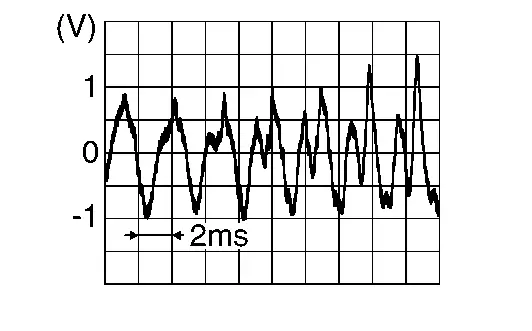
Is the inspection result normal?
YES>>Replace BOSE speaker amp. Refer to Removal and Installation.
NO>>Replace active noise control microphone (front LH). Refer to Removal and Installation.
B1f0b-11 Anc Mic1
DTC Description
DTC DETECTION LOGIC
| DTC No. |
CONSULT screen terms (Trouble diagnosis content) | DTC detection condition | |
|---|---|---|---|
| B1F0B-11 |
ANC MIC 1 INPUT (Active noise cancellation microphone 1 input) |
Diagnosis condition | When ignition switch is ON. |
| Signal (terminal) | Active noise control microphone LH signal | ||
| Threshold | Short to ground circuit | ||
| Diagnosis delay time | 30 seconds or more | ||
POSSIBLE CAUSE
-
Harness or connectors [active noise control microphone (front LH) circuit is short to voltage]
-
Active noise control microphone (front LH)
-
BOSE speaker amp.
FAIL-SAFE
Active noise cancellation function is deactivated
CONFIRMATION PROCEDURE
PERFORM DTC CONFIRMATION PROCEDURE
With CONSULT
-
Turn ignition switch ON.
-
Turn ignition switch OFF and wait for 4 minutes.
-
Turn ignition switch ON and wait at least 1 minute or more.
-
Select “Self Diagnostic Result” mode of “Audio amp.” using CONSULT.
-
Check DTC.
Is DTC B1F0B-11 detected?
YES>>Proceed to Diagnosis Procedure.
NO-1>>To check malfunction symptom before repair: Refer to Intermittent Incident.
NO-2>>Confirmation after repair: INSPECTION END
Diagnosis Procedure
CHECK ACTIVE NOISE CONTROL MICROPHONE (FRONT LH) CIRCUITS FOR SHORT TO GROUND
-
Turn ignition switch OFF.
-
Disconnect BOSE speaker amp. harness connector and active noise control microphone (front LH) harness connector.
-
Check the continuity between BOSE speaker amp. harness connector and ground.
BOSE speaker amp. Ground Continuity Connector Terminal B39 11 Not existed
Is the inspection result normal?
YES>>GO TO 2.
NO>>Repair or replace harness or connectors.
CHECK ACTIVE NOISE CONTROL MICROPHONE (FRONT LH) SIGNAL
-
Turn ignition switch OFF.
-
Connect BOSE speaker amp. harness connector and active noise control microphone (front LH) harness connector.
-
Turn ignition switch ON.
-
Check the signal between BOSE speaker amp. harness connector terminals.
BOSE speaker amp. Condition Reference value Connector (+) (−) Terminal B39 11 19 Input interior sound
Is the inspection result normal?
YES>>Replace BOSE speaker amp. Refer to Removal and Installation.
NO>>Replace active noise control microphone (front LH). Refer to Removal and Installation.
B1f0b-12 Anc Mic1
DTC Description
DTC DETECTION LOGIC
| DTC No. |
CONSULT screen terms (Trouble diagnosis content) | DTC detection condition | |
|---|---|---|---|
| B1F0B-12 |
ANC MIC 1 INPUT (Active noise cancellation microphone 1 input) |
Diagnosis condition | When ignition switch is ON. |
| Signal (terminal) | Active noise control microphone LH signal | ||
| Threshold | Short to power supply circuit | ||
| Diagnosis delay time | 30 seconds or more | ||
POSSIBLE CAUSE
-
Harness or connectors [active noise control microphone (front LH) circuit is short to voltage]
-
Active noise control microphone (front LH)
-
BOSE speaker amp.
FAIL-SAFE
Active noise cancellation function is deactivated
CONFIRMATION PROCEDURE
PERFORM DTC CONFIRMATION PROCEDURE
With CONSULT
-
Turn ignition switch ON.
-
Turn ignition switch OFF and wait for 4 minutes.
-
Turn ignition switch ON and wait at least 1 minute or more.
-
Select “Self Diagnostic Result” mode of “Audio amp.” using CONSULT.
-
Check DTC.
Is DTC B1F0B-12 detected?
YES>>Proceed to Diagnosis Procedure.
NO-1>>To check malfunction symptom before repair: Refer to Intermittent Incident.
NO-2>>Confirmation after repair: INSPECTION END
Diagnosis Procedure
CHECK ACTIVE NOISE CONTROL MICROPHONE (FRONT LH) CIRCUITS FOR SHORT TO VOLTAGE
-
Turn ignition switch OFF.
-
Disconnect BOSE speaker amp. harness connector and active noise control microphone (front LH) harness connector.
-
Turn ignition switch ON.
-
Check voltage between BOSE speaker amp. harness connector and ground.
(+) (−) Voltage
(Approx.)BOSE speaker amp. Connector Terminal B39 11 Ground 0 V
Is the inspection result normal?
YES>>GO TO 2.
NO>>Repair or replace harness or connectors.
CHECK ACTIVE NOISE CONTROL MICROPHONE (FRONT LH) SIGNAL
-
Turn ignition switch OFF.
-
Connect BOSE speaker amp. harness connector and active noise control microphone (front LH) harness connector.
-
Turn ignition switch ON.
-
Check signal between BOSE speaker amp. harness connector terminals.
BOSE speaker amp. Condition Reference value Connector (+) (−) Terminal B39 11 19 Input interior sound
Is the inspection result normal?
YES>>Replace BOSE speaker amp. Refer to Removal and Installation.
NO>>Replace active noise control microphone (front LH). Refer to Removal and Installation.
B1f0b-13 Anc Mic1
DTC Description
DTC DETECTION LOGIC
| DTC No. |
CONSULT screen terms (Trouble diagnosis content) | DTC detection condition | |
|---|---|---|---|
| B1F0B-13 |
ANC MIC 1 INPUT (Active noise cancellation microphone 1 input) |
Diagnosis condition | When ignition switch is ON. |
| Signal (terminal) | Active noise control microphone LH signal | ||
| Threshold | Open circuit | ||
| Diagnosis delay time | 30 seconds or more | ||
POSSIBLE CAUSE
-
Harness or connectors [active noise control microphone (front LH) circuit is open]
-
Active noise control microphone (front LH)
-
BOSE speaker amp.
FAIL-SAFE
Active noise cancellation function is deactivated
CONFIRMATION PROCEDURE
PERFORM DTC CONFIRMATION PROCEDURE
With CONSULT
-
Turn ignition switch ON.
-
Turn ignition switch OFF and wait for 4 minutes.
-
Turn ignition switch ON and wait at least 1 minute or more.
-
Select “Self Diagnostic Result” mode of “Audio amp.” using CONSULT.
-
Check DTC.
Is DTC B1F0B-13 detected?
YES>>Proceed to Diagnosis Procedure.
NO-1>>To check malfunction symptom before repair: Refer to Intermittent Incident.
NO-2>>Confirmation after repair: INSPECTION END
Diagnosis Procedure
CHECK ACTIVE NOISE CONTROL MICROPHONE (FRONT LH) CIRCUITS FOR OPEN
-
Turn ignition switch OFF.
-
Disconnect BOSE speaker amp. harness connector and active noise control microphone (front LH) harness connector.
-
Check continuity between BOSE speaker amp. harness connector and active noise control microphone (front LH) harness connector.
BOSE speaker amp. Active noise control microphone (front LH) Continuity Connector Terminal Connector Terminal B39 11 R24 1 Existed 19 2
Is the inspection result normal?
YES>>GO TO 2.
NO>>Repair or replace harness or connectors.
CHECK ACTIVE NOISE CONTROL MICROPHONE (FRONT LH) SIGNAL
-
Turn ignition switch OFF.
-
Connect BOSE speaker amp. harness connector and active noise control microphone (front LH) harness connector.
-
Turn ignition switch ON.
-
Check signal between BOSE speaker amp. harness connector terminals.
BOSE speaker amp. Condition Reference value Connector (+) (−) Terminal B39 11 19 Input interior sound
Is the inspection result normal?
YES>>Replace BOSE speaker amp. Refer to Removal and Installation.
NO>>Replace active noise control microphone (front LH). Refer to Removal and Installation.
B1f10-01 Anc Mic2
DTC Description
DTC DETECTION LOGIC
| DTC No. |
CONSULT screen terms (Trouble diagnosis content) | DTC detection condition | |
|---|---|---|---|
| B1F10–01 |
ANC MIC2 CIRC OPEN (Active noise cancellation microphone2 circuit open) |
Diagnosis condition | When ignition switch is ON. |
| Signal (terminal) | Active noise control microphone RH signal | ||
| Threshold | Short circuit | ||
| Diagnosis delay time | 30 seconds or more | ||
POSSIBLE CAUSE
-
Harness or connectors [Active noise control microphone (front RH) circuit is short]
-
Active noise control microphone (front RH)
-
BOSE speaker amp.
FAIL-SAFE
Active noise cancellation function is deactivated
CONFIRMATION PROCEDURE
PERFORM DTC CONFIRMATION PROCEDURE
With CONSULT
-
Turn ignition switch ON.
-
Turn ignition switch OFF and wait for 4 minutes.
-
Turn ignition switch ON and wait at least 1 minute or more.
-
Select “Self Diagnostic Result” mode of “Audio amp.” using CONSULT.
-
Check DTC.
Is DTC B1F10-01 detected?
YES>>Proceed to Diagnosis Procedure.
NO-1>>To check malfunction symptom before repair: Refer to Intermittent Incident.
NO-2>>Confirmation after repair: INSPECTION END
Diagnosis Procedure
CHECK ACTIVE NOISE CONTROL MICROPHONE (FRONT RH) CIRCUITS FOR SHORT
-
Turn ignition switch OFF.
-
Disconnect BOSE speaker amp. harness connector and front microphone RH harness connector.
-
Check continuity between BOSE speaker amp. harness connector terminals.
BOSE speaker amp. Continuity Connector Terminal B39 10 18 Not existed
Is the inspection result normal?
YES>>GO TO 2.
NO>>Repair or replace harness or connectors.
CHECK ACTIVE NOISE CONTROL MICROPHONE (FRONT RH) SIGNAL
-
Turn ignition switch OFF.
-
Connect BOSE speaker amp. harness connector and active noise control microphone (front RH) harness connector.
-
Turn ignition switch ON.
-
Check the signal between BOSE speaker amp. harness connector terminals.
BOSE speaker amp. Condition Reference value Connector (+) (−) Terminal B39 10 18 Input interior sound
Is the inspection result normal?
YES>>Replace BOSE speaker amp. Refer to Removal and Installation.
NO>>Replace active noise control microphone (front RH). Refer to Removal and Installation.
B1f10-11 Anc Mic2
DTC Description
DTC DETECTION LOGIC
| DTC No. |
CONSULT screen terms (Trouble diagnosis content) | DTC detection condition | |
|---|---|---|---|
| B1F10–11 |
ANC MIC 2 INPUT (Active noise cancellation microphone 2 input) |
Diagnosis condition | When ignition switch is ON. |
| Signal (terminal) | Active noise control microphone RH signal | ||
| Threshold | Short to ground circuit | ||
| Diagnosis delay time | 30 seconds or more | ||
POSSIBLE CAUSE
-
Harness or connectors [active noise control microphone (front LH) circuit is short to voltage]
-
Active noise control microphone (front LH)
-
BOSE speaker amp.
FAIL-SAFE
Active noise cancellation function is deactivated
CONFIRMATION PROCEDURE
PERFORM DTC CONFIRMATION PROCEDURE
With CONSULT
-
Turn ignition switch ON.
-
Turn ignition switch OFF and wait for 4 minutes.
-
Turn ignition switch ON and wait at least 1 minute or more.
-
Select “Self Diagnostic Result” mode of “Audio amp.” using CONSULT.
-
Check DTC.
Is DTC B1F10-11 detected?
YES>>Proceed to Diagnosis Procedure.
NO-1>>To check malfunction symptom before repair: Refer to Intermittent Incident.
NO-2>>Confirmation after repair: INSPECTION END
Diagnosis Procedure
CHECK ACTIVE NOISE CONTROL MICROPHONE (FRONT RH) CIRCUITS FOR SHORT TO GROUND
-
Turn ignition switch OFF.
-
Disconnect BOSE speaker amp. harness connector and active noise control microphone (front RH) harness connector.
-
Check the continuity between BOSE speaker amp. harness connector and ground.
BOSE speaker amp. Ground Continuity Connector Terminal B39 10 Not existed
Is the inspection result normal?
YES>>GO TO 2.
NO>>Repair or replace harness or connectors.
CHECK ACTIVE NOISE CONTROL MICROPHONE (FRONT RH) SIGNAL
-
Turn ignition switch OFF.
-
Connect BOSE speaker amp. harness connector and active noise control microphone (front RH) harness connector.
-
Turn ignition switch ON.
-
Check the signal between BOSE speaker amp. harness connector terminals.
BOSE speaker amp. Condition Reference value Connector (+) (−) Terminal B39 10 18 Input interior sound
Is the inspection result normal?
YES>>Replace BOSE speaker amp. Refer to Removal and Installation.
NO>>Replace active noise control microphone (front RH). Refer to Removal and Installation.
B1f10-12 Anc Mic2
DTC Description
DTC DETECTION LOGIC
| DTC No. |
CONSULT screen terms (Trouble diagnosis content) | DTC detection condition | |
|---|---|---|---|
| B1F10–12 |
ANC MIC 2 INPUT (Active noise cancellation microphone 2 input) |
Diagnosis condition | When ignition switch is ON. |
| Signal (terminal) | Active noise control microphone RH signal | ||
| Threshold | Short to power supply circuit | ||
| Diagnosis delay time | 30 seconds or more | ||
POSSIBLE CAUSE
-
Harness or connectors [active noise control microphone (front RH) circuit is short to voltage]
-
Active noise control microphone (front RH)
-
BOSE speaker amp.
FAIL-SAFE
Active noise cancellation function is deactivated
CONFIRMATION PROCEDURE
PERFORM DTC CONFIRMATION PROCEDURE
With CONSULT
-
Turn ignition switch ON.
-
Turn ignition switch OFF and wait for 4 minutes.
-
Turn ignition switch ON and wait at least 1 minute or more.
-
Select “Self Diagnostic Result” mode of “Audio amp.” using CONSULT.
-
Check DTC.
Is DTC B1F10-12 detected?
YES>>Proceed toDiagnosis Procedure.
NO-1>>To check malfunction symptom before repair: Refer to Intermittent Incident.
NO-2>>Confirmation after repair: INSPECTION END
Diagnosis Procedure
CHECK ACTIVE NOISE CONTROL MICROPHONE (FRONT RH) CIRCUITS FOR SHORT TO VOLTAGE
-
Turn ignition switch OFF.
-
Disconnect BOSE speaker amp. harness connector and active noise control microphone (front RH) harness connector.
-
Turn ignition switch ON.
-
Check voltage between BOSE speaker amp. harness connector and ground.
(+) (−) Voltage
(Approx.)BOSE speaker amp. Connector Terminal B39 10 Ground 0 V
Is the inspection result normal?
YES>>GO TO 2.
NO>>Repair or replace harness or connectors.
CHECK ACTIVE NOISE CONTROL MICROPHONE (FRONT RH) SIGNAL
-
Turn ignition switch OFF.
-
Connect BOSE speaker amp. harness connector and active noise control microphone (front RH) harness connector.
-
Turn ignition switch ON.
-
Check signal between BOSE speaker amp. harness connector terminals.
BOSE speaker amp. Condition Reference value Connector (+) (−) Terminal B39 10 18 Input interior sound
Is the inspection result normal?
YES>>Replace BOSE speaker amp. Refer to Removal and Installation.
NO>>Replace active noise control microphone (front RH). Refer to Removal and Installation.
B1f10-13 Anc Mic2
DTC Description
DTC DETECTION LOGIC
| DTC No. |
CONSULT screen terms (Trouble diagnosis content) | DTC detection condition | |
|---|---|---|---|
| B1F10–13 |
ANC MIC 2 INPUT (Active noise cancellation microphone 2 input) |
Diagnosis condition | When ignition switch is ON. |
| Signal (terminal) | Active noise control microphone RH signal | ||
| Threshold | Open circuit | ||
| Diagnosis delay time | 30 seconds or more | ||
POSSIBLE CAUSE
-
Harness or connectors [active noise control microphone (front RH) circuit is open]
-
Active noise control microphone (front RH)
-
BOSE speaker amp.
FAIL-SAFE
Active noise cancellation function is deactivated
CONFIRMATION PROCEDURE
PERFORM DTC CONFIRMATION PROCEDURE
With CONSULT
-
Turn ignition switch ON.
-
Turn ignition switch OFF and wait for 4 minutes.
-
Turn ignition switch ON and wait at least 1 minute or more.
-
Select “Self Diagnostic Result” mode of “Audio amp.” using CONSULT.
-
Check DTC.
Is DTC B1F10-13 detected?
YES>>Proceed to Diagnosis Procedure.
NO-1>>To check malfunction symptom before repair: Refer to Intermittent Incident.
NO-2>>Confirmation after repair: INSPECTION END
Diagnosis Procedure
CHECK ACTIVE NOISE CONTROL MICROPHONE (FRONT RH) CIRCUITS FOR OPEN
-
Turn ignition switch OFF.
-
Disconnect BOSE speaker amp. harness connector and active noise control microphone (front RH) harness connector.
-
Check continuity between BOSE speaker amp. harness connector and active noise control microphone (front RH) harness connector.
BOSE speaker amp. Active noise control microphone (front RH) Continuity Connector Terminal Connector Terminal B39 10 R25 1 Existed 18 2
Is the inspection result normal?
YES>>GO TO 2.
NO>>Repair or replace harness or connectors.
CHECK ACTIVE NOISE CONTROL MICROPHONE (FRONT RH) SIGNAL
-
Turn ignition switch OFF.
-
Connect BOSE speaker amp. harness connector and active noise control microphone (front RH) harness connector.
-
Turn ignition switch ON.
-
Check signal between BOSE speaker amp. harness connector terminals.
BOSE speaker amp. Condition Reference value Connector (+) (−) Terminal B39 10 18 Input interior sound
Is the inspection result normal?
YES>>Replace BOSE speaker amp. Refer to Removal and Installation.
NO>>Replace active noise control microphone (front RH). Refer to Removal and Installation.
B1f15-01 Anc Mic3
DTC Description
DTC DETECTION LOGIC
| DTC No. |
CONSULT screen terms (Trouble diagnosis content) | DTC detection condition | ||
|---|---|---|---|---|
| B1F15-01 |
ANC MIC 3 INPUT (Active noise cancellation microphone 3 input) |
Diagnosis condition | When ignition switch is ON. | |
| Signal (terminal) | Active noise control microphone rear signal | |||
| Threshold | Short circuit | |||
| Diagnosis delay time | 30 seconds or more | |||
POSSIBLE CAUSE
-
Harness or connectors [Active noise control microphone (rear) circuit is short]
-
Active noise control microphone (rear)
-
BOSE speaker amp.
FAIL-SAFE
Active noise cancellation function is deactivated
CONFIRMATION PROCEDURE
PERFORM DTC CONFIRMATION PROCEDURE
CONSULT
-
Turn ignition switch ON.
-
Turn ignition switch OFF and wait for 4 minutes.
-
Turn ignition switch ON and wait at least 1 minute or more.
-
Select “Self Diagnostic Result” mode of “Audio amp.” using CONSULT.
-
Check DTC.
Is DTC B1F15-01 detected?
YES>>Proceed to Diagnosis Procedure
NO-1>>To check malfunction symptom before repair: Intermittent Incident
NO-2>>Confirmation after repair: INSPECTION END
Diagnosis Procedure
CHECK ACTIVE NOISE CONTROL MICROPHONE (REAR) CIRCUITS FOR SHORT
-
Turn ignition switch OFF.
-
Disconnect BOSE speaker amp. harness connector and rear microphone harness connector.
-
Check continuity between BOSE speaker amp. harness connector terminals.
BOSE speaker amp. Continuity Connector Terminal B39 9 17 Not existed
Is the inspection result normal?
YES>>GO TO 2.
NO>>Repair or replace harness or connectors.
CHECK ACTIVE NOISE CONTROL MICROPHONE (REAR) SIGNAL
-
Turn ignition switch OFF.
-
Connect BOSE speaker amp. harness connector and active noise control microphone (rear) harness connector.
-
Turn ignition switch ON.
-
Check the signal between BOSE speaker amp. harness connector terminals.
BOSE speaker amp. Condition Reference value Connector (+) (−) Terminal B39 9 17 Input interior sound
Is the inspection result normal?
YES>>Replace BOSE speaker amp. Refer to Removal and Installation.
NO>>Replace active noise control microphone (rear). Refer to Removal and Installation.
B1f15-11 Anc Mic3
DTC Description
DTC DETECTION LOGIC
| DTC No. |
CONSULT screen terms (Trouble diagnosis content) | DTC detection condition | ||
|---|---|---|---|---|
| B1F15-11 |
ANC MIC 3 INPUT (Active noise cancellation microphone 3 input) |
Diagnosis condition | When ignition switch is ON. | |
| Signal (terminal) | Active noise control microphone rear signal | |||
| Threshold | Short to ground circuit | |||
| Diagnosis delay time | 30 seconds or more | |||
POSSIBLE CAUSE
-
Harness or connectors [active noise control microphone (rear) circuit is short to voltage]
-
Active noise control microphone (rear)
-
BOSE speaker amp.
FAIL-SAFE
Active noise cancellation function is deactivated
CONFIRMATION PROCEDURE
PERFORM DTC CONFIRMATION PROCEDURE
CONSULT
-
Turn ignition switch ON.
-
Turn ignition switch OFF and wait for 4 minutes.
-
Turn ignition switch ON and wait at least 1 minute or more.
-
Select “Self Diagnostic Result” mode of “Audio amp.” using CONSULT.
-
Check DTC.
Is DTC B1F15-11 detected?
YES>>Proceed to Diagnosis Procedure.
NO-1>>To check malfunction symptom before repair: Refer to Intermittent Incident.
NO-2>>Confirmation after repair: INSPECTION END
Diagnosis Procedure
CHECK ACTIVE NOISE CONTROL MICROPHONE (REAR) CIRCUITS FOR SHORT TO GROUND
-
Turn ignition switch OFF.
-
Disconnect BOSE speaker amp. harness connector and active noise control microphone (rear) harness connector.
-
Check the continuity between BOSE speaker amp. harness connector and ground.
BOSE speaker amp. Ground Continuity Connector Terminal B39 9 Not existed
Is the inspection result normal?
YES>>GO TO 2.
NO>>Repair or replace harness or connectors.
CHECK ACTIVE NOISE CONTROL MICROPHONE (REAR) SIGNAL
-
Turn ignition switch OFF.
-
Connect BOSE speaker amp. harness connector and active noise control microphone (rear) harness connector.
-
Turn ignition switch ON.
-
Check the signal between BOSE speaker amp. harness connector terminals.
BOSE speaker amp. Condition Reference value Connector (+) (−) Terminal B39 9 17 Input interior sound
Is the inspection result normal?
YES>>Replace BOSE speaker amp. Refer to Removal and Installation.
NO>>Replace active noise control microphone (rear). Refer to Removal and Installation.
B1f15-12 Anc Mic3
DTC Description
DTC DETECTION LOGIC
| DTC No. |
CONSULT screen terms (Trouble diagnosis content) | DTC detection condition | ||
|---|---|---|---|---|
| B1F15-12 |
ANC MIC 3 INPUT (Active noise cancellation microphone 3 input) |
Diagnosis condition | When ignition switch is ON. | |
| Signal (terminal) | Active noise control microphone rear signal | |||
| Threshold | Short to power supply circuit | |||
| Diagnosis delay time | 30 seconds or more | |||
POSSIBLE CAUSE
-
Harness or connectors [active noise control microphone (rear) circuit is short to voltage]
-
Active noise control microphone (rear)
-
BOSE speaker amp.
FAIL-SAFE
—
CONFIRMATION PROCEDURE
PERFORM DTC CONFIRMATION PROCEDURE
CONSULT
-
Turn ignition switch ON.
-
Turn ignition switch OFF and wait for 4 minutes.
-
Turn ignition switch ON and wait at least 1 minute or more.
-
Select “Self Diagnostic Result” mode of “Audio amp.” using CONSULT.
-
Check DTC.
Is DTC B1F15-12 detected?
YES>>Proceed to Diagnosis Procedure.
NO-1>>To check malfunction symptom before repair: Refer to Intermittent Incident.
NO-2>>Confirmation after repair: INSPECTION END
Diagnosis Procedure
CHECK ACTIVE NOISE CONTROL MICROPHONE (REAR) CIRCUITS FOR SHORT TO VOLTAGE
-
Turn ignition switch OFF.
-
Disconnect BOSE speaker amp. harness connector and active noise control microphone (rear) harness connector.
-
Turn ignition switch ON.
-
Check voltage between BOSE speaker amp. harness connector and ground.
(+) (−) Voltage
(Approx.)BOSE speaker amp. Connector Terminal B39 9 Ground 0 V
Is the inspection result normal?
YES>>GO TO 2.
NO>>Repair or replace harness or connectors.
CHECK ACTIVE NOISE CONTROL MICROPHONE (REAR) SIGNAL
-
Turn ignition switch OFF.
-
Connect BOSE speaker amp. harness connector and active noise control microphone (rear) harness connector.
-
Turn ignition switch ON.
-
Check signal between BOSE speaker amp. harness connector terminals.
BOSE speaker amp. Condition Reference value Connector (+) (−) Terminal B39 9 17 Input interior sound
Is the inspection result normal?
YES>>Replace BOSE speaker amp. Refer to Removal and Installation.
NO>>Replace active noise control microphone (rear). Refer to Removal and Installation.
B1f15-13 Anc Mic3
DTC Description
DTC DETECTION LOGIC
| DTC No. |
CONSULT screen terms (Trouble diagnosis content) | DTC detection condition | ||
|---|---|---|---|---|
| B1F15-13 |
ANC MIC 3 INPUT (Active noise cancellation microphone 3 input) |
Diagnosis condition | When ignition switch is ON. | |
| Signal (terminal) | Active noise control microphone rear signal | |||
| Threshold | Open circuit | |||
| Diagnosis delay time | 30 seconds or more | |||
POSSIBLE CAUSE
-
Harness or connectors [active noise control microphone (rear) circuit is open]
-
Active noise control microphone (rear)
-
BOSE speaker amp.
FAIL-SAFE
Active noise cancellation function is deactivated
CONFIRMATION PROCEDURE
PERFORM DTC CONFIRMATION PROCEDURE
CONSULT
-
Turn ignition switch ON.
-
Turn ignition switch OFF and wait for 4 minutes.
-
Turn ignition switch ON and wait at least 1 minute or more.
-
Select “Self Diagnostic Result” mode of “Audio amp.” using CONSULT.
-
Check DTC.
Is DTC B1F15-13 detected?
YES>>Proceed to Diagnosis Procedure.
NO-1>>To check malfunction symptom before repair: Refer to Intermittent Incident.
NO-2>>Confirmation after repair: INSPECTION END
Diagnosis Procedure
CHECK ACTIVE NOISE CONTROL MICROPHONE (REAR) CIRCUITS FOR OPEN
-
Turn ignition switch OFF.
-
Disconnect BOSE speaker amp. harness connector and active noise control microphone (rear) harness connector.
-
Check continuity between BOSE speaker amp. harness connector and active noise control microphone (rear) harness connector.
BOSE speaker amp. Active noise control microphone (rear) Continuity Connector Terminal Connector Terminal B39 9 R26 1 Existed 17 2
Is the inspection result normal?
YES>>GO TO 2.
NO>>Repair or replace harness or connectors.
CHECK ACTIVE NOISE CONTROL MICROPHONE (REAR) SIGNAL
-
Turn ignition switch OFF.
-
Connect BOSE speaker amp. harness connector and active noise control microphone (rear) harness connector.
-
Turn ignition switch ON.
-
Check signal between BOSE speaker amp. harness connector terminals.
BOSE speaker amp. Condition Reference value Connector (+) (−) Terminal B39 9 17 Input interior sound
Is the inspection result normal?
YES>>Replace BOSE speaker amp. Refer to Removal and Installation.
NO>>Replace active noise control microphone (rear). Refer to Removal and Installation.
B1f20-29 Can Signal Error
DTC Description
DTC DETECTION LOGIC
| DTC No. |
CONSULT screen terms (Trouble diagnosis content) | DTC detection condition | |
|---|---|---|---|
| B1F20-29 |
CAN SIG ERROR/ASC (CAN SIG ERROR/Active noise cancellation) |
Diagnosis condition | When ignition switch is ON. |
| Signal (terminal) | CAN communication signal | ||
| Threshold | Data error | ||
| Diagnosis delay time | 30 seconds or more | ||
POSSIBLE CAUSE
-
Combination meter
-
BOSE speaker amp.
FAIL-SAFE
Active sound enhancement function is stopped.
CONFIRMATION PROCEDURE
PERFORM DTC CONFIRMATION PROCEDURE
With CONSULT
-
Turn ignition switch ON.
-
Turn ignition switch OFF and wait for 4 minutes.
-
Turn ignition switch ON and wait at least 1 minute or more.
-
Select “Self Diagnostic Result” mode of “Audio amp.” using CONSULT.
-
Check DTC.
Is DTC B1F20-29 detected?
YES>>Proceed to Diagnosis Procedure.
NO-1>>To check malfunction symptom before repair: Refer to Intermittent Incident.
NO-2>>Confirmation after repair: INSPECTION END
Diagnosis Procedure
CHECK SELF-DIAGNOSTIC RESULT OF COMBINATION METER
With CONSULT
-
Turn ignition switch ON.
-
Erase DTC.
-
Check “Self Diagnostic Result” of “METER/M&A” using CONSULT.
Is any DTC detected?
YES>>Perform trouble diagnosis for detected DTC. Refer to DTC Index.
NO>>GO TO 2.
CHECK INTERMITTENT INCIDENT
Check the intermittent incident. Refer to Intermittent Incident.
>>
GO TO 3.
PERFORM DTC CONFIRMATION PROCEDURE AGAIN
With CONSULT
Perform DTC confirmation procedure again. Refer to DTC Description.
Is DTC B1F20-29 detected again?
YES>>Replace BOSE speaker amp. Refer to Removal and Installation.
NO>>INSPECTION END
B1f21-29 Can Signal Error
DTC Description
DTC DETECTION LOGIC
| DTC No. |
CONSULT screen terms (Trouble diagnosis content) | DTC detection condition | |
|---|---|---|---|
| B1F21-29 |
CAN signal error/ANC (CAN signal error/Active noise cancellation) |
Diagnosis condition | When ignition switch is ON. |
| Signal (terminal) | CAN communication signal | ||
| Threshold | Data error | ||
| Diagnosis delay time | 1 second or less | ||
POSSIBLE CAUSE
-
Combination meter
-
BOSE speaker amp.
FAIL-SAFE
Active noise cancellation and active sound enhancement are deactivated
CONFIRMATION PROCEDURE
PERFORM DTC CONFIRMATION PROCEDURE
With CONSULT
-
Turn ignition switch ON.
-
Turn ignition switch OFF and wait for 4 minutes.
-
Turn ignition switch ON and wait at least 1 minute or more.
-
Select “Self Diagnostic Result” mode of “Audio amp.” using CONSULT.
-
Check DTC.
Is DTC B1F21-29 detected?
YES>>Proceed to Diagnosis Procedure.
NO-1>>To check malfunction symptom before repair: Refer to Intermittent Incident.
NO-2>>Confirmation after repair: INSPECTION END
Diagnosis Procedure
CHECK SELF-DIAGNOSTIC RESULT OF BCM
With CONSULT
-
Turn ignition switch ON.
-
Erase DTC.
-
Check “Self Diagnostic Result” of “METER/M&A” using CONSULT.
Is any DTC detected?
YES>>Perform trouble diagnosis for detected DTC. Refer to DTC Index.
NO>>GO TO 2.
CHECK INTERMITTENT INCIDENT
Check the intermittent incident. Refer to Intermittent Incident.
>>
GO TO 3.
PERFORM DTC CONFIRMATION PROCEDURE AGAIN
With CONSULT
Perform DTC confirmation procedure again. Refer to DTC Description.
Is DTC B1F21-29 detected again?
YES>>Replace BOSE speaker amp. Refer to Removal and Installation.
NO>>INSPECTION END
B1f24-29 Can Signal Error
DTC Description
DTC DETECTION LOGIC
| DTC No. |
CONSULT screen terms (Trouble diagnosis content) | DTC detection condition | |
|---|---|---|---|
| B1F24-29 |
CAN signal error/ASE (CAN signal error/Active sound enhancement) |
Diagnosis condition | When ignition switch is ON. |
| Signal (terminal) | CAN communication signal | ||
| Threshold | Data error | ||
| Diagnosis delay time | 1 second or less | ||
POSSIBLE CAUSE
-
ABS actuator and electric unit (control unit)
-
BOSE speaker amp.
FAIL-SAFE
Active sound enhancement function is deactivated
CONFIRMATION PROCEDURE
PERFORM DTC CONFIRMATION PROCEDURE
With CONSULT
-
Turn ignition switch ON.
-
Turn ignition switch OFF and wait for 4 minutes.
-
Turn ignition switch ON and wait at least 1 minute or more.
-
Select “Self Diagnostic Result” mode of “Audio amp.” using CONSULT.
-
Check DTC.
Is DTC B1F24-29 detected?
YES>>Proceed to Diagnosis Procedure.
NO-1>>To check malfunction symptom before repair: Refer to Intermittent Incident.
NO-2>>Confirmation after repair: INSPECTION END
Diagnosis Procedure
CHECK SELF-DIAGNOSTIC RESULT OF ABS ACTUATOR AND ELECTRIC UNIT (CONTROL UNIT)
With CONSULT
-
Turn ignition switch ON.
-
Erase DTC.
-
Check “Self Diagnostic Result” of “ABS” using CONSULT.
Is any DTC detected?
YES>>Perform trouble diagnosis for detected DTC. Refer to DTC Index.
NO>>GO TO 2.
CHECK INTERMITTENT INCIDENT
Check the intermittent incident. Refer to Intermittent Incident.
>>
GO TO 3.
PERFORM DTC CONFIRMATION PROCEDURE AGAIN
With CONSULT
Perform DTC confirmation procedure again. Refer to DTC Description.
Is DTC B1F24-29 detected again?
YES>>Replace BOSE speaker amp. Refer to Removal and Installation.
NO>>INSPECTION END
B1f26-29 Can Signal Error
DTC Description
DTC DETECTION LOGIC
| DTC No. |
CONSULT screen terms (Trouble diagnosis content) | DTC detection condition | |
|---|---|---|---|
| B1F26-29 |
CAN signal error (TCU) [Controller area network communication error (TCU)] |
Diagnosis condition | When ignition switch is ON. |
| Signal (terminal) | CAN communication signal | ||
| Threshold | Data error | ||
| Diagnosis delay time | 2 seconds or more | ||
POSSIBLE CAUSE
-
TCM
-
BOSE speaker amp.
FAIL-SAFE
Active noise cancellation and active sound enhancement are fixed to a standard mode.
CONFIRMATION PROCEDURE
PERFORM DTC CONFIRMATION PROCEDURE
With CONSULT
-
Turn ignition switch ON.
-
Turn ignition switch OFF and wait for 4 minutes.
-
Turn ignition switch ON and wait at least 1 minute or more.
-
Select “Self Diagnostic Result” mode of “Audio amp.” using CONSULT.
-
Check DTC.
Is DTC B1F26-29 detected?
YES>>Proceed to Diagnosis Procedure.
NO-1>>To check malfunction symptom before repair: Refer to Intermittent Incident.
NO-2>>Confirmation after repair: INSPECTION END
Diagnosis Procedure
CHECK SELF-DIAGNOSTIC RESULT OF TCM
With CONSULT
-
Turn ignition switch ON.
-
Erase DTC.
-
Check “Self Diagnostic Result” of “TRANSMISSION” using CONSULT.
Is any DTC detected?
YES>>Perform trouble diagnosis for detected DTC. Refer to DTC Index.
NO>>GO TO 2.
CHECK INTERMITTENT INCIDENT
Check the intermittent incident. Refer to Intermittent Incident.
>>
GO TO 3.
PERFORM DTC CONFIRMATION PROCEDURE AGAIN
With CONSULT
Perform DTC confirmation procedure again. Refer to DTC Description.
Is DTC B1F26-29 detected again?
YES>>Replace BOSE speaker amp. Refer to Removal and Installation.
NO>>INSPECTION END
U2140-87 Can Comm Circuit
DTC Description
DTC DETECTION LOGIC
| DTC No. |
CONSULT screen terms (Trouble diagnosis content) | DTC detection condition | |
|---|---|---|---|
| U2140–87 |
CAN comm err (ECM) [Controller area network communication error (ECM)] |
Diagnosis condition | When ignition switch is ON |
| Signal (terminal) | CAN communication signal | ||
| Threshold | Communication error | ||
| Diagnosis delay time | 2 seconds or more | ||
POSSIBLE CAUSE
CAN communication system (ECM)
FAIL-SAFE
The system using the CAN communication signal from control unit which cannot communicate does not function.
CONFIRMATION PROCEDURE
PERFORM DTC CONFIRMATION PROCEDURE
With CONSULT
-
Turn ignition switch ON.
-
Turn ignition switch OFF and wait for 4 minutes.
-
Turn ignition switch ON and wait at least 1 minute or more.
-
Select “Self Diagnostic Result” mode of “Audio amp.” using CONSULT.
-
Check DTC.
Is DTC “U2140-87” detected?
YES>>Proceed to Diagnosis Procedure
NO-1>>To check malfunction symptom before repair: Refer to Intermittent Incident.
NO-2>>Confirmation after repair: INSPECTION END
Diagnosis Procedure
PERFORM DTC CONFIRMATION PROCEDURE AGAIN
With CONSULT
-
Turn ignition switch ON.
-
Erase DTC.
-
Perform DTC confirmation procedure again. Refer to DTC Description.
Is DTC U2140-87 detected again?
YES>>Perform the trouble diagnosis for CAN communication system. Refer to Trouble Diagnosis Flow Chart.
NO>>INSPECTION END
U2141-87 Can Comm Circuit
DTC Description
DTC DETECTION LOGIC
| DTC No. |
CONSULT screen terms (Trouble diagnosis content) | DTC detection condition | |
|---|---|---|---|
| U2141–87 |
CAN comm err (TCM) [Controller area network communication error (TCM)] |
Diagnosis condition | When ignition switch is ON |
| Signal (terminal) | CAN communication signal | ||
| Threshold | Communication error | ||
| Diagnosis delay time | 2 seconds or more | ||
POSSIBLE CAUSE
CAN communication system (TCM)
FAIL-SAFE
The system using the CAN communication signal from control unit which cannot communicate does not function.
CONFIRMATION PROCEDURE
PERFORM DTC CONFIRMATION PROCEDURE
With CONSULT
-
Turn ignition switch ON.
-
Turn ignition switch OFF and wait at least 4 minutes or more.
-
Turn ignition switch ON and wait at least 1 minute or more.
-
Select “Self Diagnostic Result” mode of “Audio amp.” using CONSULT.
-
Check DTC.
Is DTC “U2141-87” detected?
YES>>Proceed to Diagnosis Procedure.
NO-1>>To check malfunction symptom before repair: Refer to Intermittent Incident.
NO-2>>Confirmation after repair: INSPECTION END
Diagnosis Procedure
PERFORM DTC CONFIRMATION PROCEDURE AGAIN
With CONSULT
-
Turn ignition switch ON.
-
Erase DTC.
-
Perform DTC confirmation procedure again. Refer to DTC Description.
Is DTC U2141-87 detected again?
YES>>Perform the trouble diagnosis for CAN communication system. Refer to Trouble Diagnosis Flow Chart.
NO>>INSPECTION END
U2148-87 Can Comm Circuit
DTC Description
DTC DETECTION LOGIC
| DTC No. |
CONSULT screen terms (Trouble diagnosis content) | DTC detection condition | |
|---|---|---|---|
| U2148–87 |
CAN comm err (brake control unit) [Controller area network communication error (brake control unit)] |
Diagnosis condition | When ignition switch is ON |
| Signal (terminal) | CAN communication signal | ||
| Threshold | Communication error | ||
| Diagnosis delay time | 2 seconds or more | ||
POSSIBLE CAUSE
CAN communication system (brake control unit)
FAIL-SAFE
The system using the CAN communication signal from control unit which cannot communicate does not function.
CONFIRMATION PROCEDURE
PERFORM DTC CONFIRMATION PROCEDURE
With CONSULT
-
Turn ignition switch ON.
-
Turn ignition switch OFF and wait at least 4 minutes or more.
-
Turn ignition switch ON and wait at least 1 minute or more.
-
Select “Self Diagnostic Result” mode of “Audio amp.” using CONSULT.
-
Check DTC.
Is DTC “U2148–87” detected?
YES>>Proceed to Diagnosis Procedure.
NO-1>>To check malfunction symptom before repair: Refer to Intermittent Incident.
NO-2>>Confirmation after repair: INSPECTION END
Diagnosis Procedure
PERFORM DTC CONFIRMATION PROCEDURE AGAIN
With CONSULT
-
Turn ignition switch ON.
-
Erase DTC.
-
Perform DTC confirmation procedure again. Refer to DTC Description.
Is DTC U2148-87 detected again?
YES>>Perform the trouble diagnosis for CAN communication system. Refer to Trouble Diagnosis Flow Chart.
NO>>INSPECTION END
U214e-87 Can Comm Circuit
DTC Description
DTC DETECTION LOGIC
| DTC No. |
CONSULT screen terms (Trouble diagnosis content) | DTC detection condition | |
|---|---|---|---|
| U214E–87 |
CAN comm err (combination meter) [Controller area network communication error (combination meter)] |
Diagnosis condition | When ignition switch is ON |
| Signal (terminal) | CAN communication signal | ||
| Threshold | Communication error | ||
| Diagnosis delay time | 2 seconds or more | ||
POSSIBLE CAUSE
CAN communication system (combination meter)
FAIL-SAFE
The system using the CAN communication signal from control unit which cannot communicate does not function.
CONFIRMATION PROCEDURE
PERFORM DTC CONFIRMATION PROCEDURE
With CONSULT
-
Turn ignition switch ON.
-
Turn ignition switch OFF and wait for 4 minutes.
-
Turn ignition switch ON and wait at least 1 minute or more.
-
Select “Self Diagnostic Result” mode of “Audio amp.” using CONSULT.
-
Check DTC.
Is DTC “U214E-87” detected?
YES>>Proceed to Diagnosis Procedure.
NO-1>>To check malfunction symptom before repair: Refer to Intermittent Incident.
NO-2>>Confirmation after repair: INSPECTION END
Diagnosis Procedure
PERFORM DTC CONFIRMATION PROCEDURE AGAIN
With CONSULT
-
Turn ignition switch ON.
-
Erase DTC.
-
Perform DTC confirmation procedure again. Refer to DTC Description.
Is DTC U214E-87 detected again?
YES>>Perform the trouble diagnosis for CAN communication system. Refer to Trouble Diagnosis Flow Chart.
NO>>INSPECTION END
U214f-87 Can Comm Circuit
DTC Description
DTC DETECTION LOGIC
| DTC No. |
CONSULT screen terms (Trouble diagnosis content) | DTC detection condition | |
|---|---|---|---|
| U214F–87 |
CAN comm err (BCM) [Controller area network communication error (BCM)] |
Diagnosis condition | When ignition switch is ON |
| Signal (terminal) | CAN communication signal | ||
| Threshold | Communication error | ||
| Diagnosis delay time | 2 seconds or more | ||
POSSIBLE CAUSE
CAN communication system (BCM)
FAIL-SAFE
The system using the CAN communication signal from control unit which cannot communicate does not function.
CONFIRMATION PROCEDURE
PERFORM DTC CONFIRMATION PROCEDURE
With CONSULT
-
Turn ignition switch ON.
-
Turn ignition switch OFF and wait for 4 minutes.
-
Turn ignition switch ON and wait at least 1 minute or more.
-
Select “Self Diagnostic Result” mode of “Audio amp.” using CONSULT.
-
Check DTC.
Is DTC “U214F-87” detected?
YES>>Proceed to Diagnosis Procedure.
NO-1>>To check malfunction symptom before repair: Refer to Intermittent Incident.
NO-2>>Confirmation after repair: INSPECTION END
Diagnosis Procedure
PERFORM DTC CONFIRMATION PROCEDURE AGAIN
With CONSULT
-
Turn ignition switch ON.
-
Erase DTC.
-
Perform DTC confirmation procedure again. Refer to DTC Description.
Is DTC U214F-87 detected again?
YES>>Perform the trouble diagnosis for CAN communication system. Refer to Trouble Diagnosis Flow Chart.
NO>>INSPECTION END
U215b-87 Can Communication
DTC Description
DTC DETECTION LOGIC
| DTC No. |
CONSULT screen terms (Trouble diagnosis content) | DTC detection condition | |
|---|---|---|---|
| U215B-87 |
CAN comm err (IPDM E/R) [Controller area network communication error (IPDM E/R)] |
Diagnosis condition | When ignition switch is ON |
| Signal (terminal) | CAN communication signal | ||
| Threshold | Communication error | ||
| Diagnosis delay time | 2 seconds or more | ||
POSSIBLE CAUSE
CAN communication system (IPDM E/R)
FAIL-SAFE
The system using the CAN communication signal from control unit which cannot communicate does not function.
CONFIRMATION PROCEDURE
PERFORM DTC CONFIRMATION PROCEDURE
With CONSULT
-
Turn ignition switch ON.
-
Turn ignition switch OFF and wait for 4 minutes.
-
Turn ignition switch ON and wait at least 1 minute or more.
-
Select “Self Diagnostic Result” mode of “Audio amp.” using CONSULT.
-
Check DTC.
Is DTC U215B-87 detected?
YES>>Proceed to Diagnosis Procedure.
NO-1>>To check malfunction symptom before repair: Refer to Intermittent Incident.
NO-2>>Confirmation after repair: INSPECTION END
Diagnosis Procedure
PERFORM DTC CONFIRMATION PROCEDURE AGAIN
With CONSULT
-
Turn ignition switch ON.
-
Erase DTC.
-
Perform DTC confirmation procedure again. Refer to DTC Description.
Is DTC U215B-87 detected again?
YES>>Perform the trouble diagnosis for CAN communication system. Refer to Trouble Diagnosis Flow Chart.
NO>>INSPECTION END
Other materials:
Basic information
WARNING
Radio waves from the Nissan Rogue Intelligent Key may interfere with electric medical equipment. Users with pacemakers should consult the manufacturer about possible effects.
The Intelligent Key emits radio waves when buttons are pressed. FAA guidelines warn that these signals may affect ...
Vehicle Can Communication 2 Circuit
Diagnosis Procedure
CHECK NETWORK DIAGNOSIS
Check the "Network diagnosis" results from CONSULT to see that the
Nissan Ariya vehicle CAN communication 4 circuit and diagnostic CAN
communication circuit have no malfunction.
Are the Nissan Ariya vehicle CAN communication 4 circuit and diagnostic ...
B20dd-73 Ign Relay on Circ
DTC Description
IPDM E/R operates the ignition relay when it receives an ignition ON signal from BCM via CAN communication.
Turn the ignition relay OFF by pressing the push-button ignition
switch once when the Nissan Ariya vehicle speed is 2.5 MPH (4 km/h) or
less.
Turn the igniti ...