
Nissan Rogue (T33) 2021-Present Service Manual: Removal and Installation :: Satellite Sensor
Exploded View
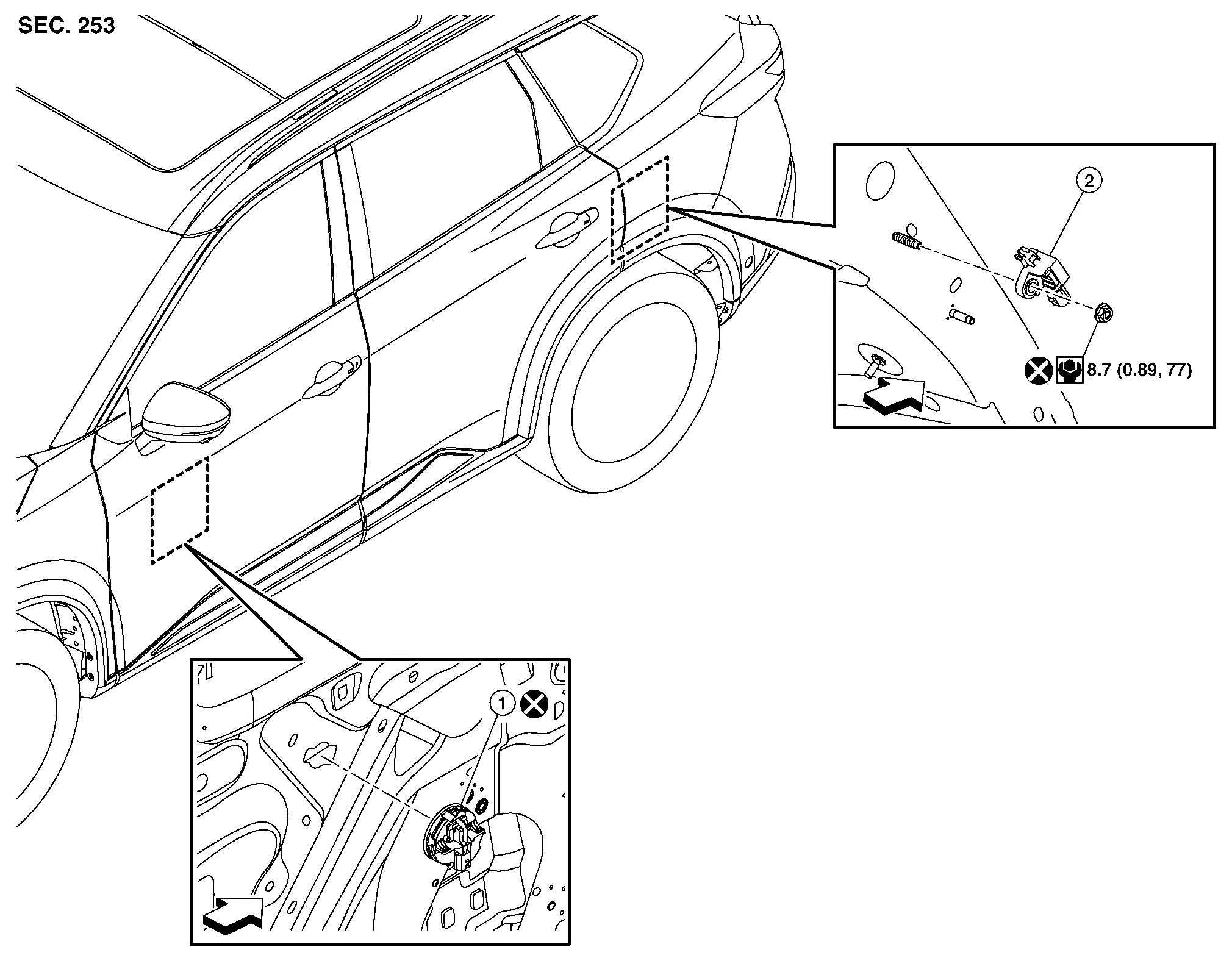
 |
Front door satellite sensor |  |
C-pillar satellite sensor | ||
 |
: Nissan Ariya Vehicle front | ||||
 |
: Always replace after every disassembly. | ||||
 |
: N·m (kg-m, in-lb) | ||||
Removal and Installation
WARNING:
Always observe the following item for preventing accidental activation.
-
Before servicing, place the ignition switch in the OFF position, disconnect battery negative terminal and wait for 3 minutes or more (discharges electricity held in the additional power supply circuit of the air bag diagnosis sensor unit).
REMOVAL
Front Door Satellite Sensor
Remove front door finisher. Refer to Removal and Installation.
Remove front door sealing screen. Refer to Removal and Installation.
Disengage front door satellite sensor lock pin according numerical order 1→2 indicated arrows as shown in figure.
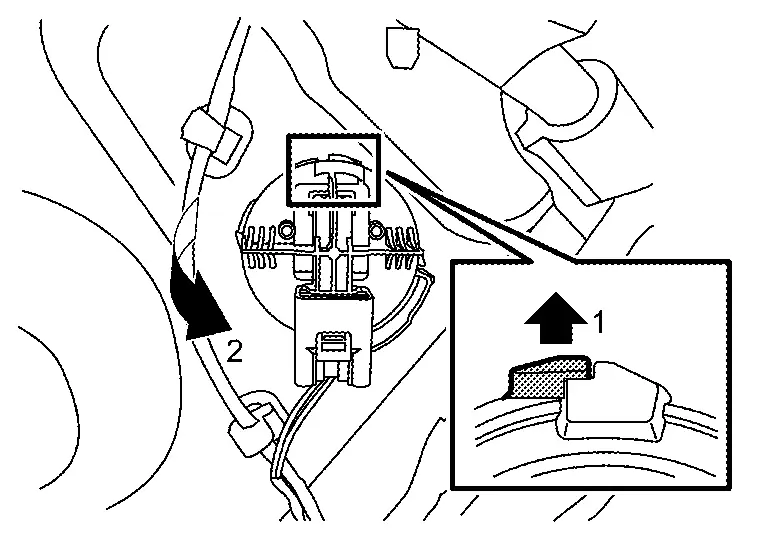
Disconnect front door satellite sensor harness connector, and then remove front door satellite sensor.
CAUTION:
-
Replace satellite sensor of deployed front side air bag module, deployed front center air bag module, deployed rear side air bag module and deployed curtain air bag module.
-
Never damage front door satellite sensor harness.
C-pillar Satellite Sensor
Remove luggage side lower finisher. Refer to Removal and Installation .
Remove C-pillar satellite sensor mounting nut.
Disconnect C-pillar satellite sensor harness connector, and then remove C-pillar satellite sensor.
CAUTION:
-
To prevent damage to the parts, never impact the satellite sensor.
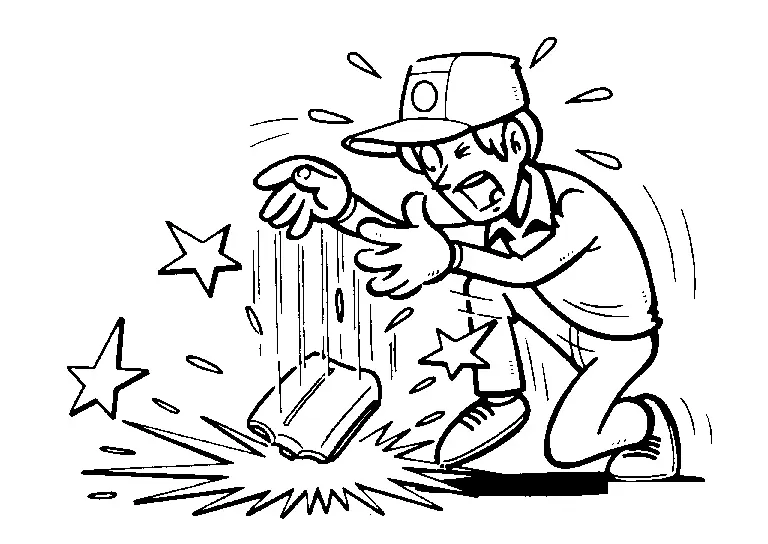
-
Replace satellite sensor if it is dropped or sustains an impact.
-
Replace satellite sensor of deployed front side air bag module, deployed front center air bag module, deployed rear side air bag module and deployed curtain air bag module.
INSTALLATION
Note the following items, and then install in the reverse order of removal.
CAUTION:
-
Never reuse front door satellite sensor after removal, replace with new one.
-
Never reuse B-pillar and C-pillar satellite sensor mounting nut after removal, replace with the new one.
-
Always install normally aligning to the cutout hole, because performance of the satellite sensor excessively fluctuates according to the installation position.
-
After installation is completed, perform self-diagnosis using CONSULT or air bag warning lamp, if the system is normal and ″PAST″ of ″Self Diagnostic Result″ is indicated, always perform ″ERASE″ of ″Self Diagnostic Result″ using CONSULT. Refer to Work Flow.
-
After the work is completed, check that no system malfunction is detected by air bag warning lamp.
Other materials:
Lower Anchors and Tethers for CHildren (LATCH) system
LATCH system anchor location
Basic information
Your Nissan Rogue includes special anchor points for LATCH-compatible child restraints. This system may also be called ISOFIX. With LATCH, you do not need to use the seat belt unless the combined weight of the child plus restraint exceeds 65 lbs ( ...
Uniform tire quality grading
DOT (Department Of Transportation) Quality Grades: all passenger car tires, including those fitted to the Nissan Rogue, must conform to federal safety requirements in addition to these grades.
Where applicable, quality grades are found on the tire sidewall between the tread shoulder and the maximum ...
Kr15ddt. Periodic Maintenance. Fuel System
Fuel System
Hydraulic Layout
2WD 1.
EVAP line (EVAP canister to EVAP canister purge volume control solenoid valve)
2.
Fuel level sensor unit, fuel filter and fuel pump assembly
3.
Fuel filler tube
4.
Fuel tank
5.
EVAP canister
6.
Fuel feed line
7.
High pr ...