
Nissan Rogue (T33) 2021-Present Service Manual: Removal and Installation :: Driver Air Bag Module
Exploded View
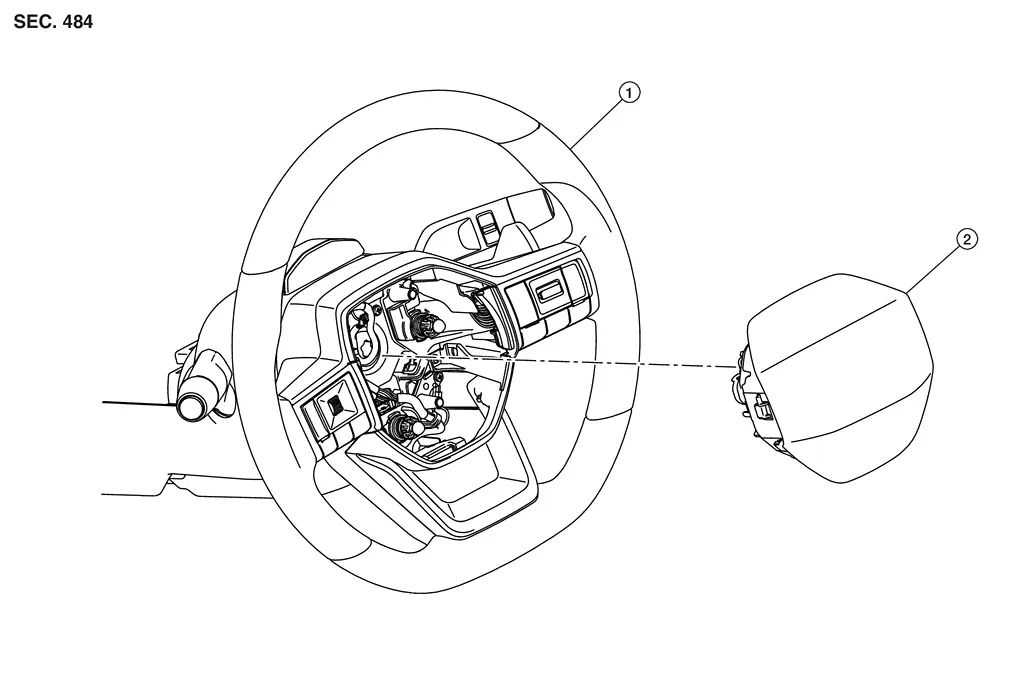
| 1. | Steering wheel | 2. | Driver air bag module |
Removal and Installation
WARNING:
Always observe the following items for preventing accidental activation.
-
Before servicing, place the ignition switch in the OFF position, disconnect main battery negative terminal and wait for 3 minutes or more (discharges electricity held in the additional power supply circuit of the air bag diagnosis sensor unit).
-
Always work from the side of air bag module. Never work in front of it.
REMOVAL
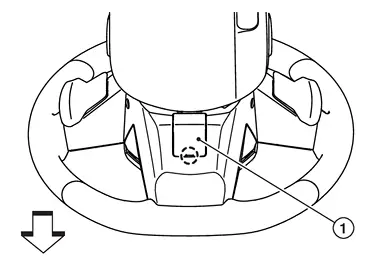
Using suitable tool, release pawl and remove the steering wheel lid (1) from the steering wheel.
 |
: Pawl |
 |
: Nissan Ariya Vehicle front |
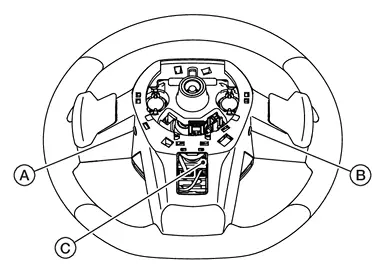
Locate the access holes
 NOTE:
NOTE:
Steering wheel removed for clarity.
| (A) | : Right side access hole |
| (B) | : Left side access hole |
| (C) | : Bottom access hole |
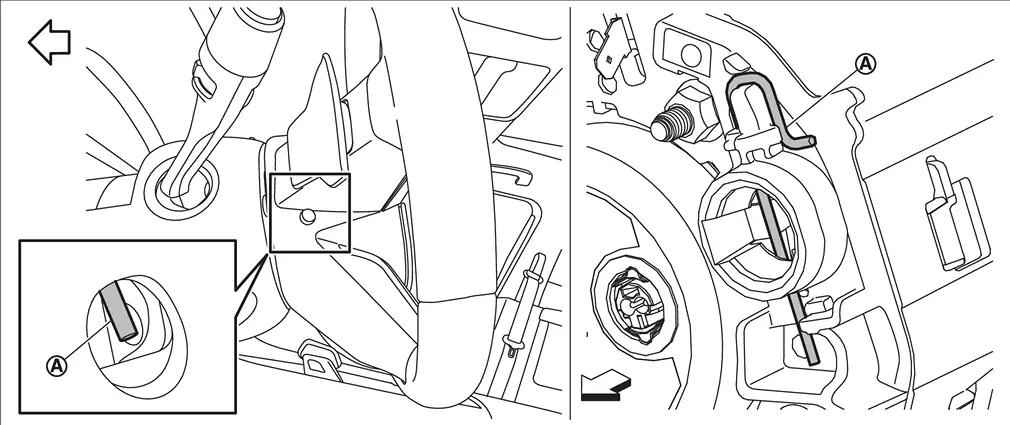
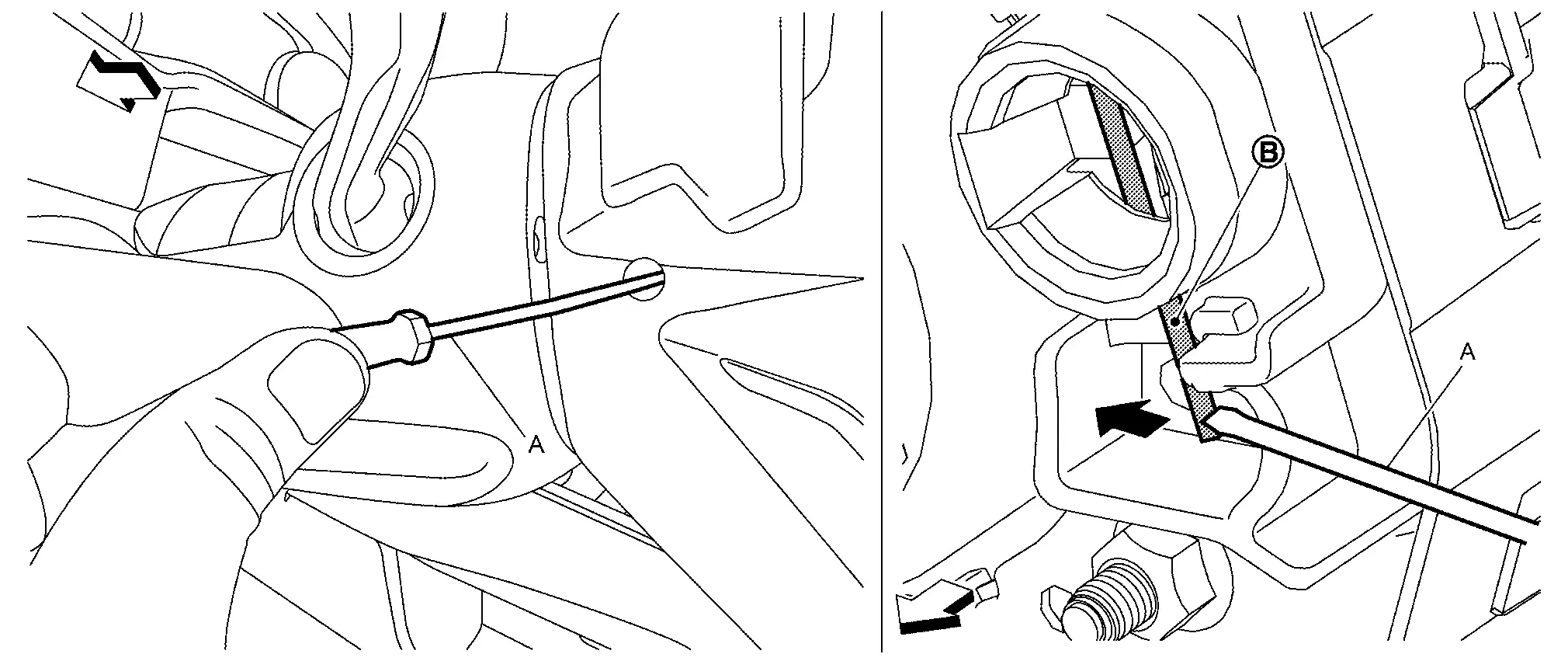
From the holes on left, right and lower of steering wheel, check the position of torsion spring (A) secure the driver air bag module.
|
: Nissan Ariya Vehicle front |
Insert remover tool (A) into a hole of the steering wheel, and then press and disengage torsion spring (B).
|
: Nissan Ariya Vehicle front |
Remove remaining springs in numerical order from 1 to 2.
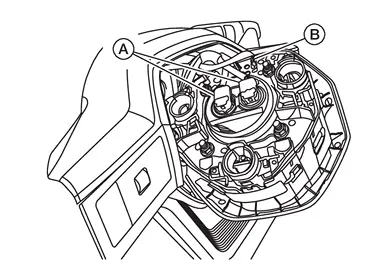
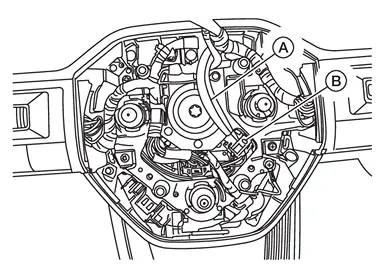
Disconnect driver air bag module harness connectors (A) and horn switch harness terminal (B).
CAUTION:
-
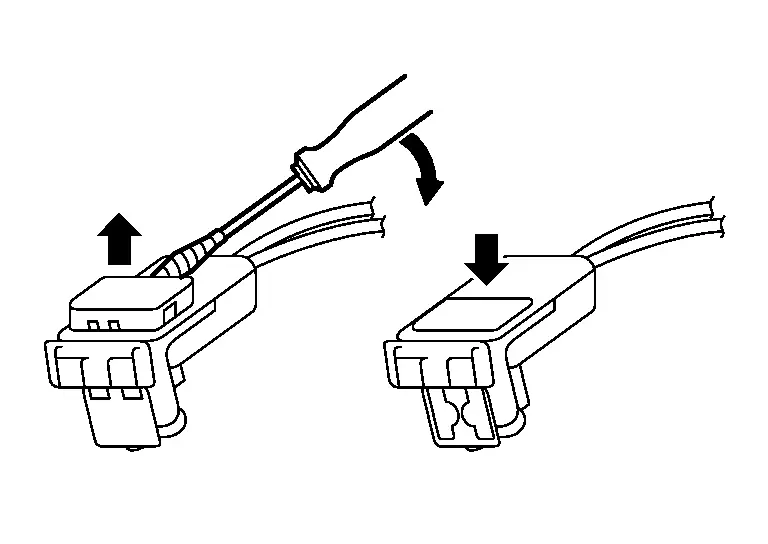
For installing/removing the driver air bag module harness connector, insert thin screwdriver wrapped in tape into notch, lift lock and remove connector.
-
Install connector with lock raised, and push lock into the connector.
-
After installing the connector, check that the lock is pushed securely into it.
Remove driver air bag module.
CAUTION:
-
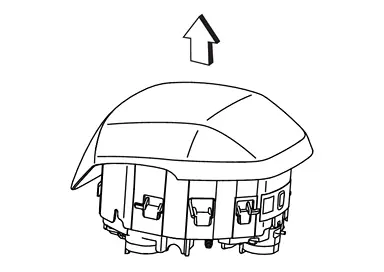
To prevent accidental explosion, always place the driver air bag module with pad side facing upward.
: Upward -
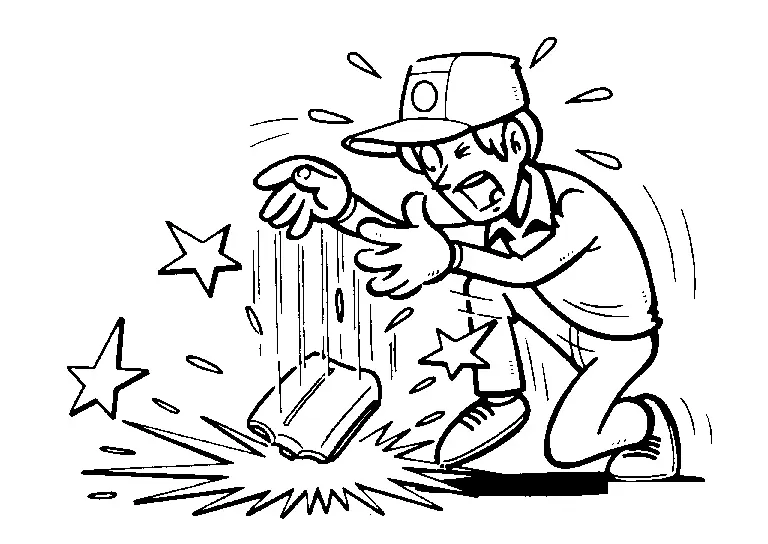
To prevent damage to the parts, never impact the driver air bag module.
-
Replace driver air bag module if it has been dropped or sustained an impact.
-
To prevent accidental explosion, never insert any foreign objects (screwdriver, etc.) into the driver air bag module.
-
To prevent accidental explosion, never disassemble the driver air bag module.
-
To prevent accidental explosion, never expose the driver air bag module to temperatures exceeding 90 °C (194 °F).
-
To prevent damage to the parts, never allow oil, grease, detergent, or water to come in contact with the driver air bag module.
INSTALLATION
Note the following items, and install in the reverse order of removal.
CAUTION:
-
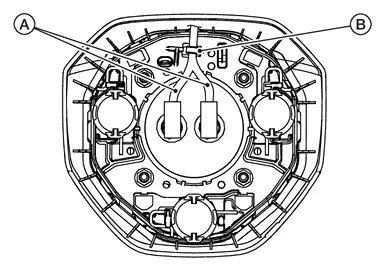
Fix the driver air bag module harnesses (A) to the harness fixing hook (B).
-
Fix the driver air bag module harnesses (A) to the harness fixing hook (B) on the driver air bag module.
-
Press driver air bag module
 until it snaps into place with a clicking sound.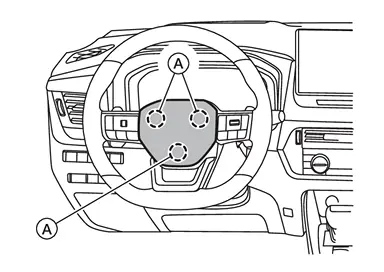
-
Check that horn does not sound when driver air bag module is not pressed.
-
Never damage the harness while installing.
-
After installation is completed, perform self-diagnosis using CONSULT or air bag warning lamp, if the system is normal and ″PAST″ of ″Self Diagnostic Result″ is indicated, always perform ″ERASE″ of″Self Diagnostic Result″ using CONSULT. Refer to Work Flow.
-
After the work is completed, check that no system malfunction is detected by air bag warning lamp in the user mode.
Other materials:
Removal and Installation. Filament
Inspection and Repair
INSPECTIONWhen measuring voltage, wrap tin foil around
the top of the negative probe. Then press the foil against the wire with
your finger.
Attach probe circuit tester (in Volt range) to middle portion of each filament.
If a filament is burned out, circuit teste ...
Kr15ddt. Service Data and Specifications (sds). Service Data and Specifications (sds)
Service Data and Specifications (sds)
A/C compressor
Model
DENSO make
6SAS14C
Type
Variable displacement swash plate
Displacement
cm3 (cu in)/rev
Maximum
140 (8.6)
Direction of rotation
Clockwise (viewed from clutch)
Drive belt
Poly V
Lubricant
Na ...
2wd. Preparation. Preparation
Preparation
Commercial Service Tools
Tool name Description
Ball joint remover
Removing hub bolt
Always Replace with New Parts
Never Reuse These Parts Part CodeFor additional information
Bush - Radius, Axle
43052H
Exploded View
Bush - LWR Link, FR Axle
43052D
E ...