
Nissan Rogue (T33) 2021-Present Service Manual: Removal and Installation :: Back Door Trim
Exploded View
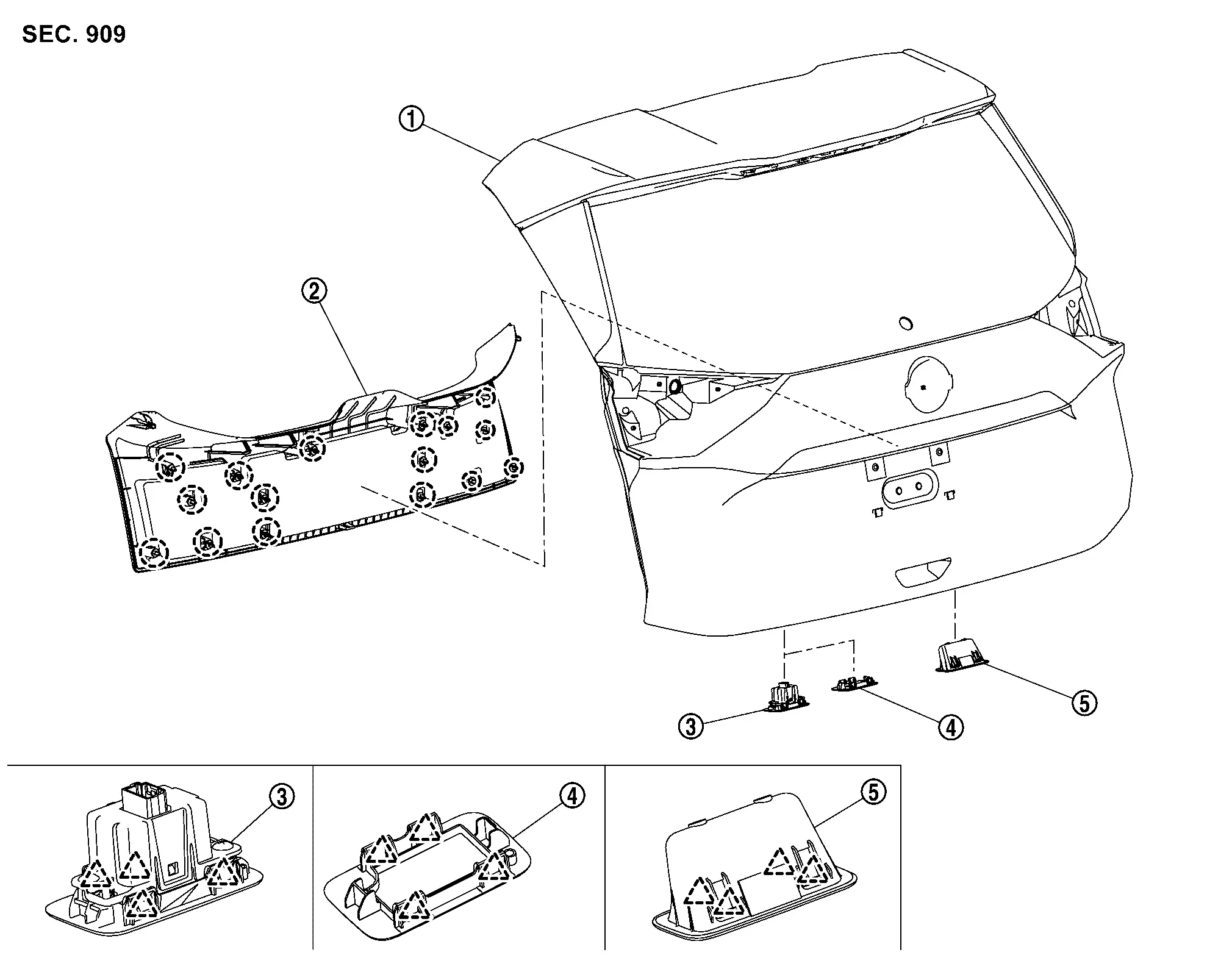
 |
Back door panel |  |
Back door inner finisher |  |
Automatic back door switch finisher (with automatic back door) |
 |
Back door finisher cap (without automatic back door) |  |
Back door pull handle | ||
 |
: Clip | ||||
 |
: Pawl | ||||
Back Door Inner Finisher
Removal and Installation
CAUTION:
Never damage the back door panel.
REMOVAL
Fully open back door.
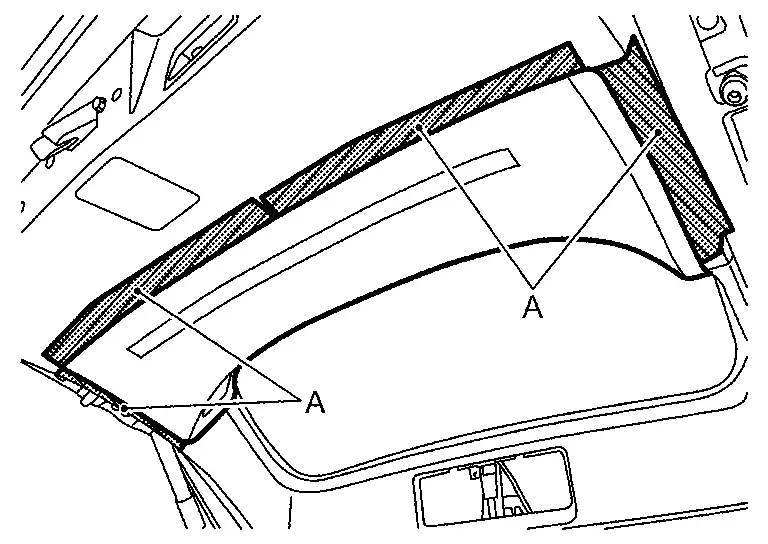
Apply protective tapes (A) on the back door panel to protect it from damage.
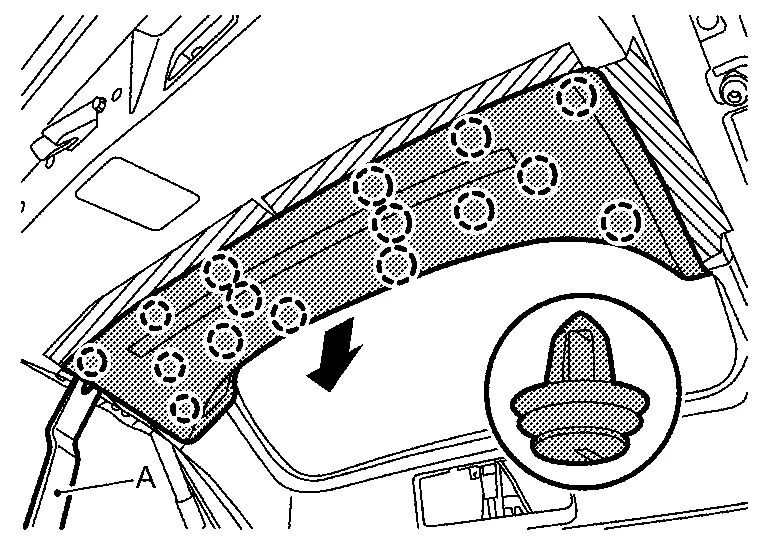
Disengage back door inner finisher fixing clips using a remover tool (A), and then back door inner finisher.
|
: Clip |
INSTALLATION
Note the following items, and then install in the reverse order of removal.
CAUTION:
-
Visually check clips for deformation and damage during installation. Replace with new ones if necessary.
-
Check in advance that clips are accurately aligned with the portions on back door panel, and then install by pressing in.
Automatic Back Door Switch Finisher
Removal and Installation
CAUTION:
Never damage the back door panel.
REMOVAL
Fully open back door.
Apply protective tape (A) on the back door panel to protect it from damage.
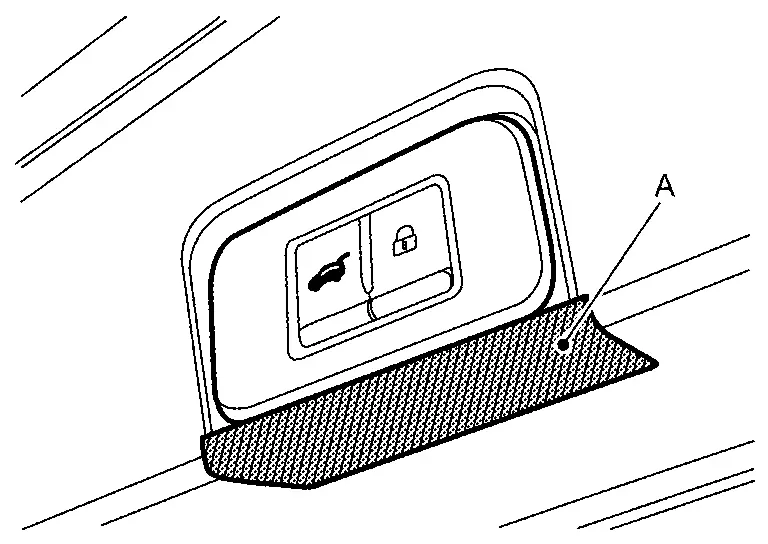
Disengage automatic back door switch finisher fixing pawls using a remover tool (A).
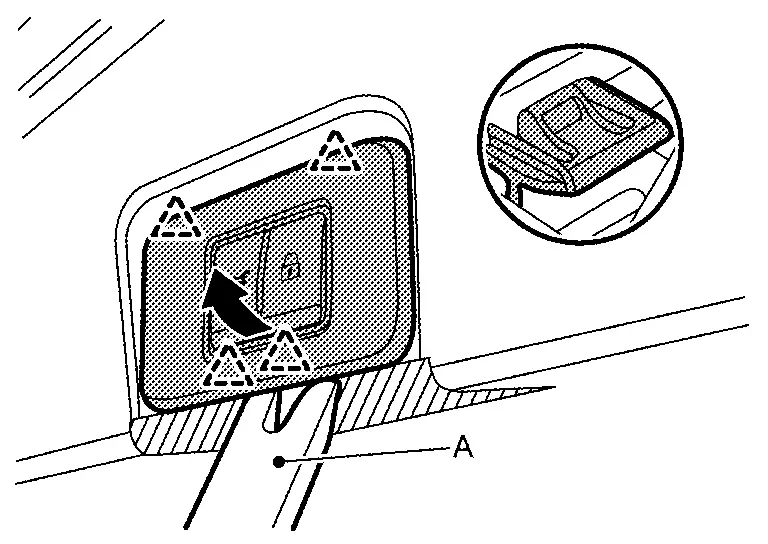
|
: Pawl |
Disconnect harness connector, and then remove automatic back door switch finisher.
INSTALLATION
Note the following item, and then install in the reverse order of removal.
CAUTION:
Check in advance that pawls are accurately aligned with the portions on back door panel, and then install by pressing in.
Back Door Finisher Cap
Removal and Installation
CAUTION:
Never damage the back door panel.
REMOVAL
Fully open back door.
Apply protective tape (A) on the back door panel to protect it from damage.
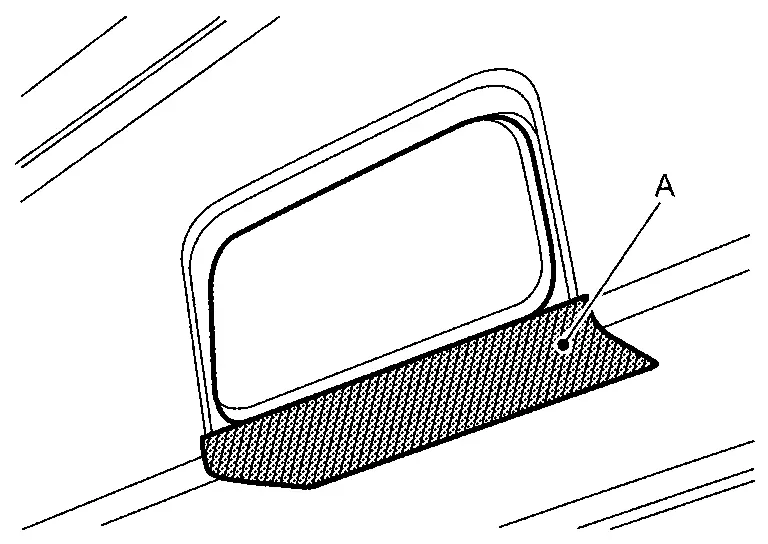
Disengage back door finisher cap fixing pawls using a remover tool (A), and then remove back door finisher cap.
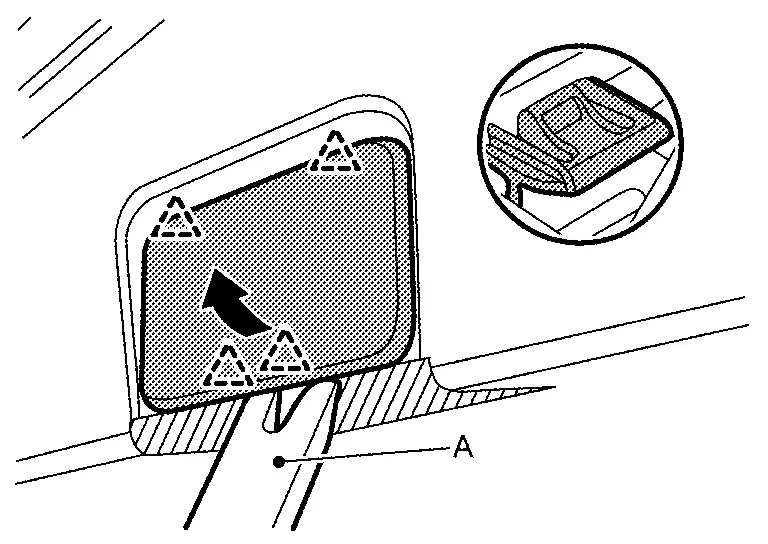
|
: Pawl |
INSTALLATION
Note the following item, and then install in the reverse order of removal.
CAUTION:
Check in advance that pawls are accurately aligned with the portions on back door panel, and then install by pressing in.
Back Door Pull Handle
Removal and Installation
CAUTION:
Never damage the back door panel.
REMOVAL
Fully open back door.
Apply protective tape (A) on the back door panel to protect it from damage.
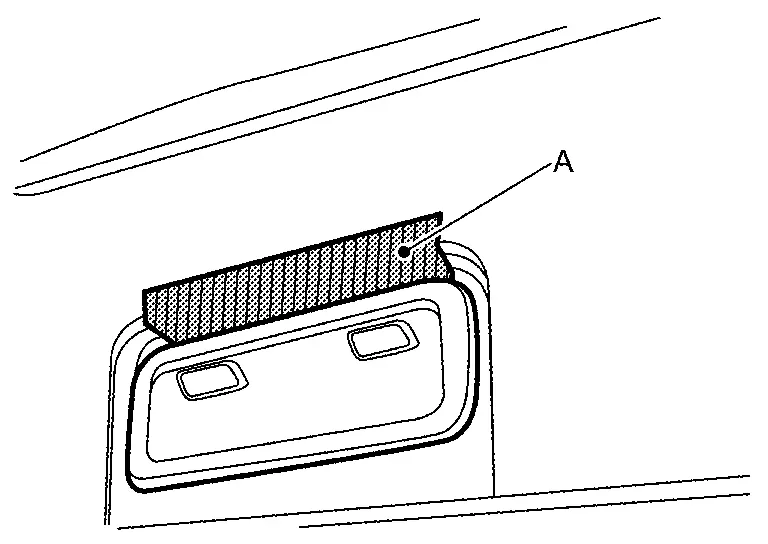
Disengage back door pull handle fixing pawls using a remover tool (A) according to numerical order 1→2 indicated by arrows as shown in the figure, and then remove back door pull handle.
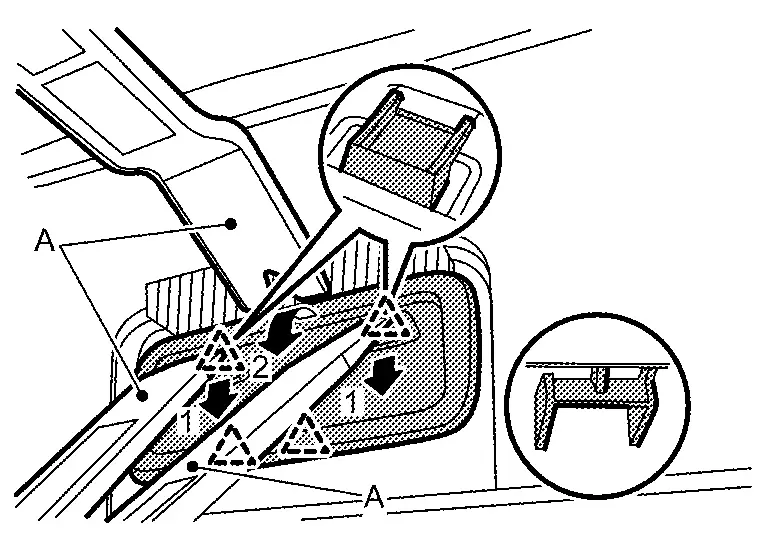
|
: Pawl |
INSTALLATION
Note the following item, and then install in the reverse order of removal.
CAUTION:
Check in advance that pawls are accurately aligned with the portions on back door panel, and then install by pressing in.
Other materials:
Removal and Installation. Washer Tank
Exploded View
Except for Canada 1.
Washer tank cap
2.
Washer tank inlet
3.
O-ring
4.
Washer tank
—
—
—
—
: Nissan Ariya Vehicle front
: N·m (kg-m, in-lb)
For Canada1.
Washer tank cap
2.
Washer tank inlet
3.
O-ring
4.
...
Basic information
CAMERA button
WARNING
Failure to follow the warnings and instructions for proper use of the Intelligent Around View Monitor system on your Nissan Rogue could result in serious injury or death.
The Intelligent Around View Monitor is a convenience system and must not replace safe driving pract ...
U1327-54 Mac Key
DTC Description
DTC DETECTION LOGIC DTC No. CONSULT screen terms DTC detection condition
U1327
54
MAC key update
Diagnosis condition
—
Signal (terminal)
—
Threshold
MAC key is not written after chassis control module replacement.
Diagnosis delay time
— ...