
Nissan Rogue (T33) 2021-Present Service Manual: Removal and Installation :: 12v Sub Battery (lithium Ion Battery)
Exploded View
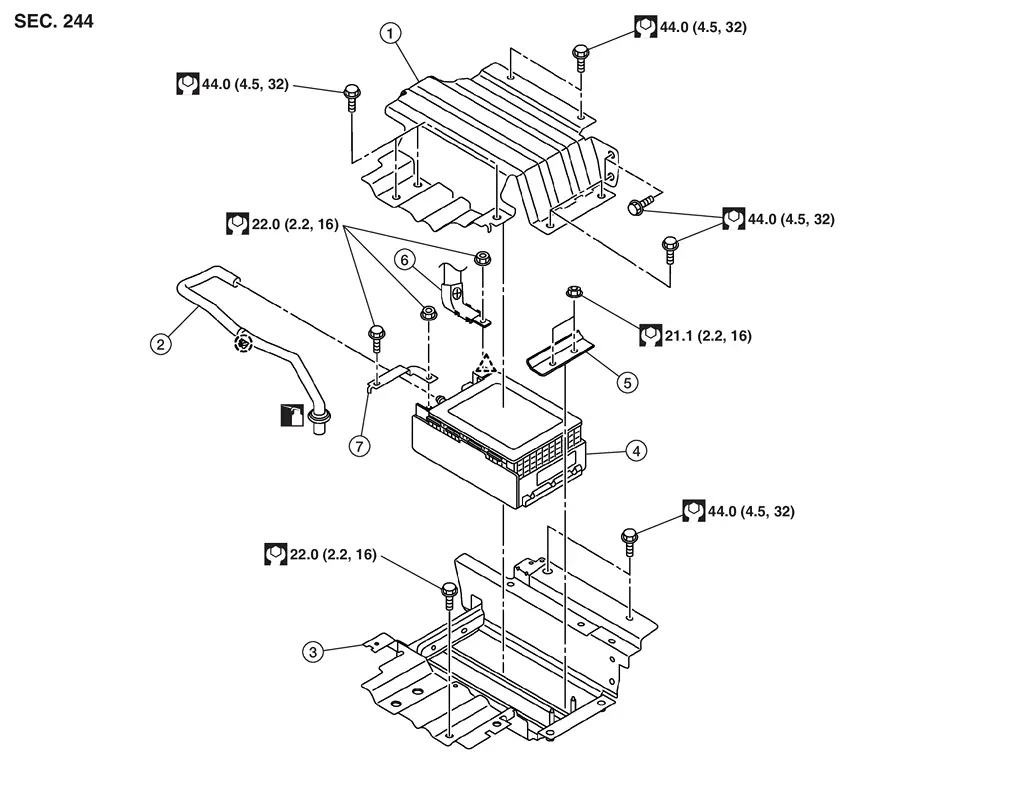
| 1. | Sub battery bracket A | 2. | Sub battery tube | 3. | Sub battery bracket B |
| 4. | 12V sub battery (lithium ion battery) | 5. | Sub battery bracket C | 6. | 12V sub battery (lithium ion battery) positive cable |
| 7. | 12V sub battery (lithium ion battery) negative bracket |  |
: Pawl |  |
: Clip |
Removal and Installation
CAUTION:
After the battery of a vehicle equipped with the Stop/Start System is replaced, the cumulative battery discharge current value stored in ECM must be erased, using CONSULT. Refer to Work Procedure.
REMOVAL
Disconnect 12V battery cable from negative terminal. Refer to Precautions for Removing Battery Terminal.
CAUTION:
To prevent damage to the parts, disconnect 12V battery cable from negative terminal first.
Remove front seat RH. Refer to Removal and Installation.
Remove center pillar lower garnish RH. Refer to Removal and Installation.
Remove the seat cushion assembly. Refer to Removal and Installation.
Unbolt and reposition the seat belt pre-tensioner retractor RH. Refer to Exploded View.
Remove dash side finisher RH. Refer to Removal and Installation.
Lift and reposition front floor carpet and front floor spacer RH. Refer to Exploded View.
Remove rear floor duct 3 RH. Refer to Exploded View.
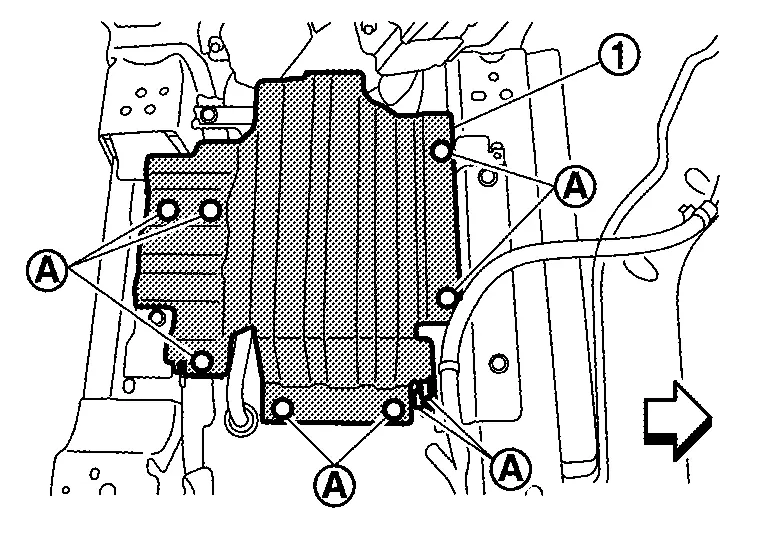
Remove mounting bolts (A), and then remove sub battery bracket A (1).
 |
: Nissan Ariya Vehicle front |
Disconnect the harness connector from the 12V sub battery (lithium ion battery).
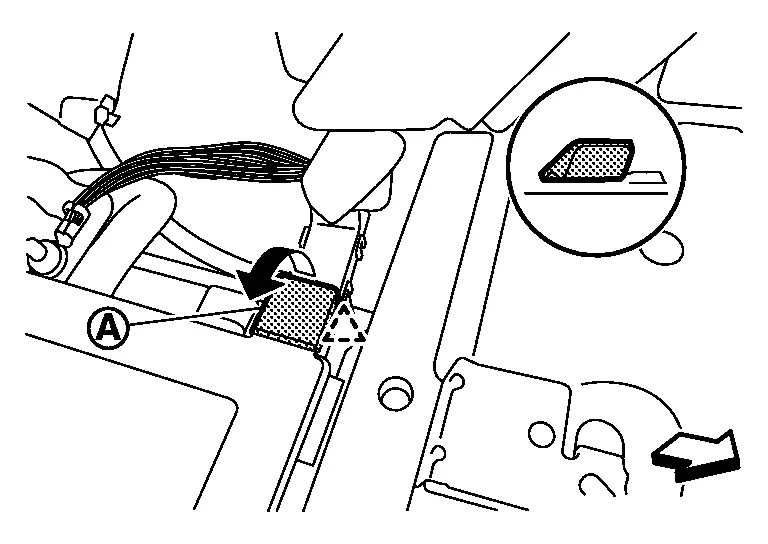
Disengage pawl, and then remove positive terminal cover (A) part of 12V sub battery (lithium ion battery) in the direction of the arrow.
|
: Pawl |
|
: Nissan Ariya Vehicle front |
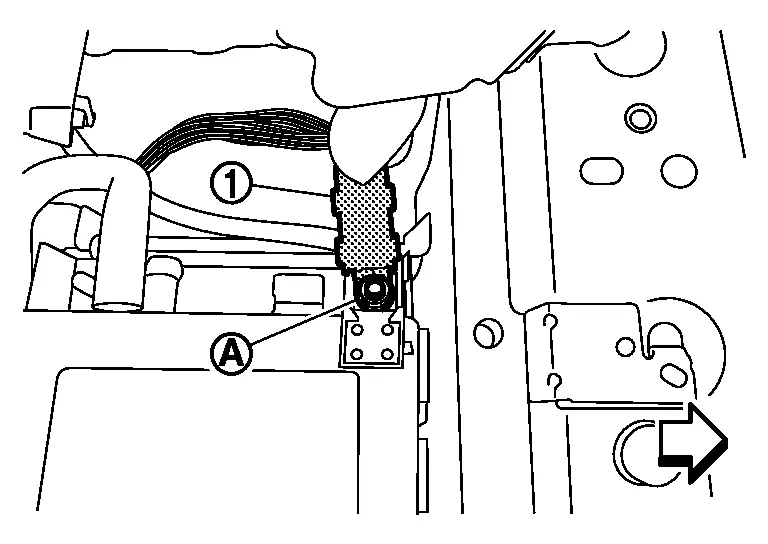
Remove mounting nut (A), and then disconnect 12V sub battery (lithium ion battery) cable (1) from positive terminal.
|
: Nissan Ariya Vehicle front |
Remove nut from 12V sub battery (lithium ion battery) negative bracket.
Remove bolt (A), and then remove 12V sub battery (lithium ion battery) negative bracket (1).
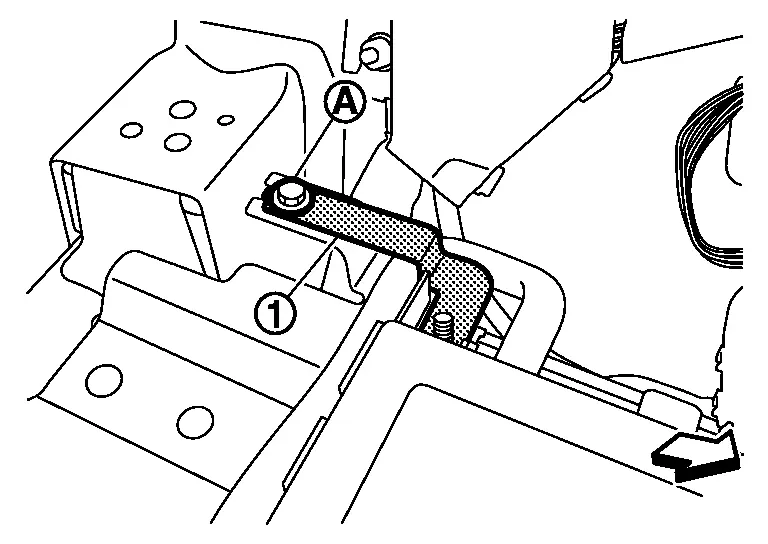
|
: Nissan Ariya Vehicle front |
Disconnect sub battery tube (1) from 12V sub battery [lithium ion battery (2)].
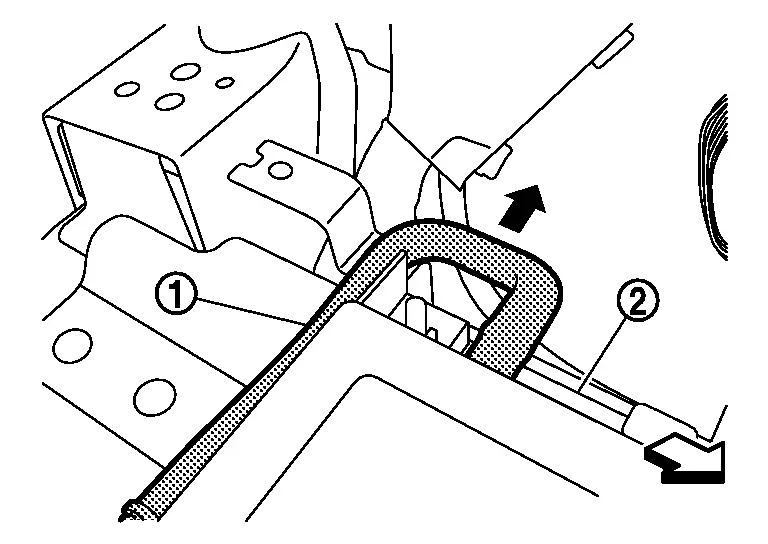
|
: Nissan Ariya Vehicle front |
Remove nuts (A), and then remove sub battery bracket C (1).
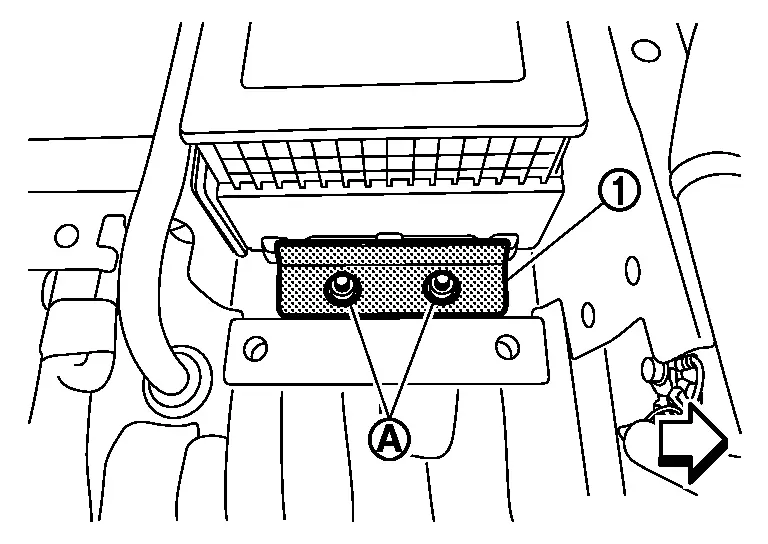
|
: Nissan Ariya Vehicle front |
Remove 12V sub battery (lithium ion battery).
Disengage sub battery tube clip, and then remove sub battery tube (1) from floor panel.
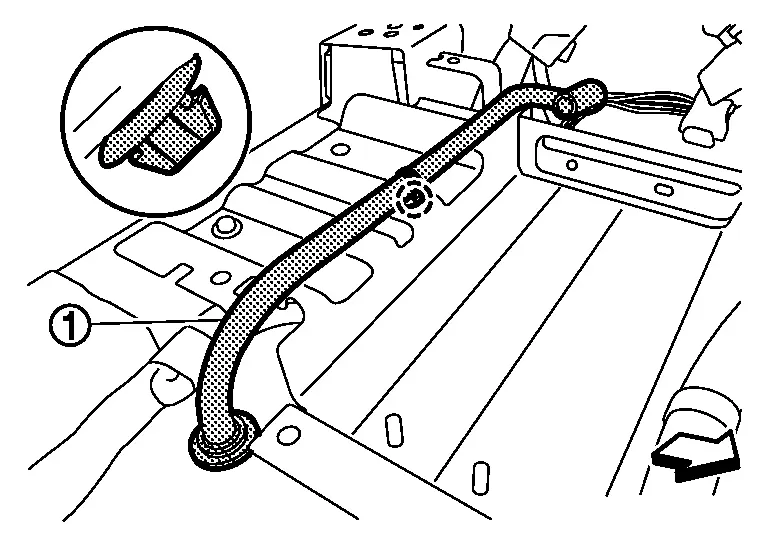
|
: Clip |
|
: Nissan Ariya Vehicle front |
Remove bolts (A/B) and then remove sub battery bracket B (1).
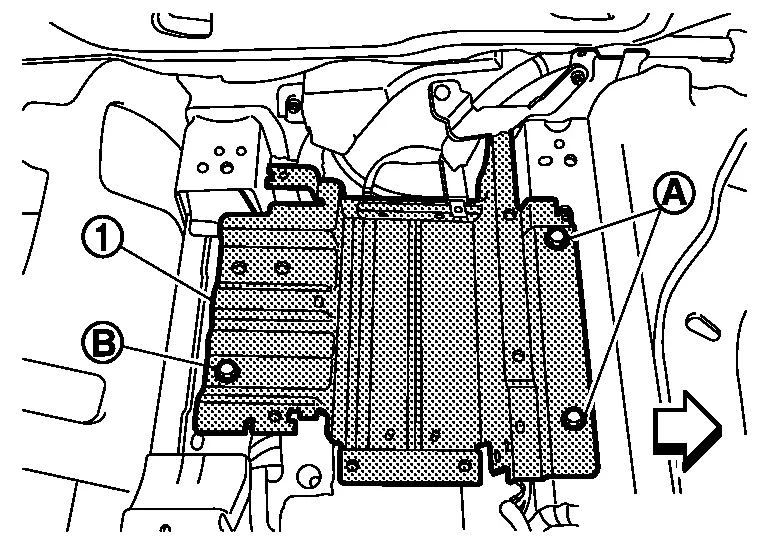
|
: Nissan Ariya Vehicle front |
INSTALLATION
Installation is in the reverse order of removal.
CAUTION:
-
When connecting, connect battery cable to positive terminal first.
-
Reset electronic systems as necessary. Refer to Required Procedure After Battery Disconnection.
Other materials:
Dtc/circuit Diagnosis. U0075-00 Control Module Comm Bus C Off
DTC Description
DESCRIPTIONCAN (Controller Area Network) is a serial
communication line for real time applications. It is an on-Nissan Ariya
vehicle multiplex communication line with high data communication speed
and excellent error detection ability. Modern Nissan Ariya vehicle is
equipped ...
Symptom Diagnosis. Door Does Not Lock/unlock with Intelligent Key
Description
All doors do not lock/unlock using Intelligent Key button.NOTE:
Before starting diagnosis check that vehicle condition is
as shown in “Conditions of Nissan Ariya vehicle�, and check each
symptom.
SYMPTOM TABLE (BOTH INTELLIGENT KEYS HAVE THE SAME SYMPTOMS) Door lock operation ...
Rear Cross Traffic Alert (RCTA)
Basic information
WARNING
Failure to follow the warnings and instructions for proper use of the RCTA system on your Nissan Rogue could result in serious injury or death.
The RCTA system is not a replacement for safe driving practices and is not designed to prevent contact with vehicles or objects ...