
Nissan Rogue (T33) 2021-Present Service Manual: How to Use This Manual :: How to Read Wiring Diagrams
Connector Symbols
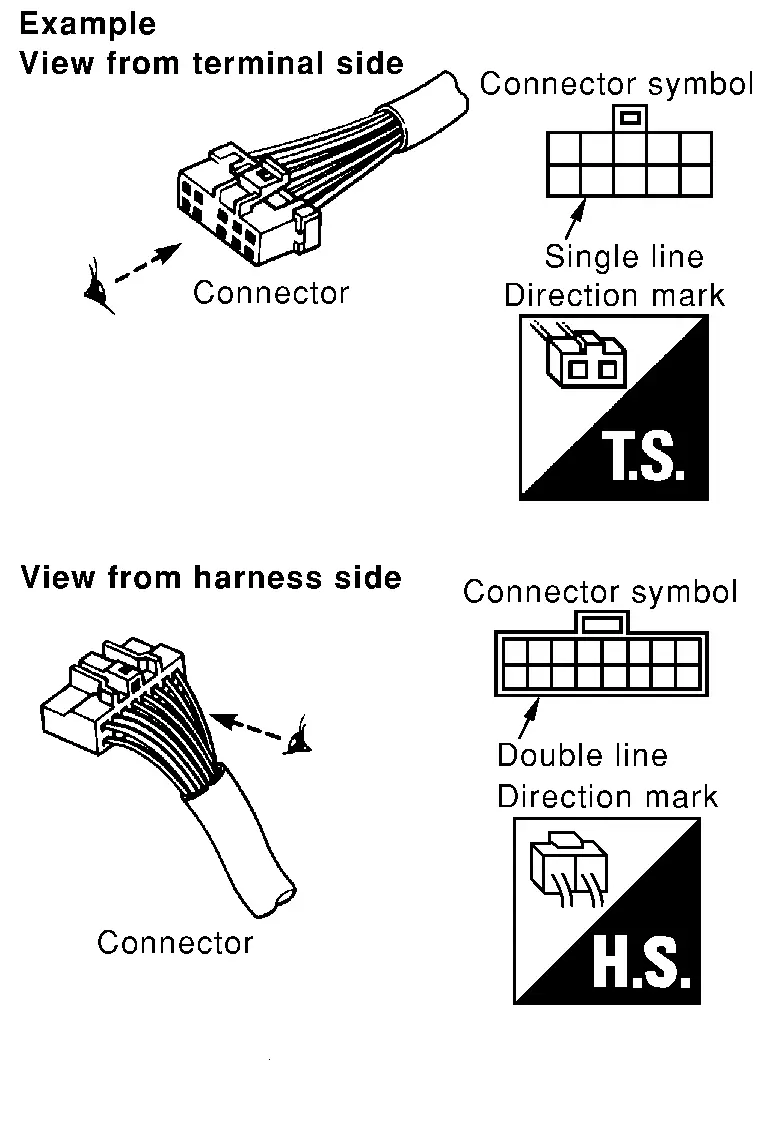
Most of connector symbols in wiring diagrams are shown from the terminal side.
-
Connector symbols shown from the terminal side are enclosed by a single line and followed by the direction mark.
-
Connector symbols shown from the harness side are enclosed by a double line and followed by the direction mark.
-
Certain systems and components, especially those related to OBD, may use a new style slide-locking type harness connector. For description and how to disconnect, refer to PG section, “Description�, “HARNESS CONNECTOR�.
-
Male and female terminals
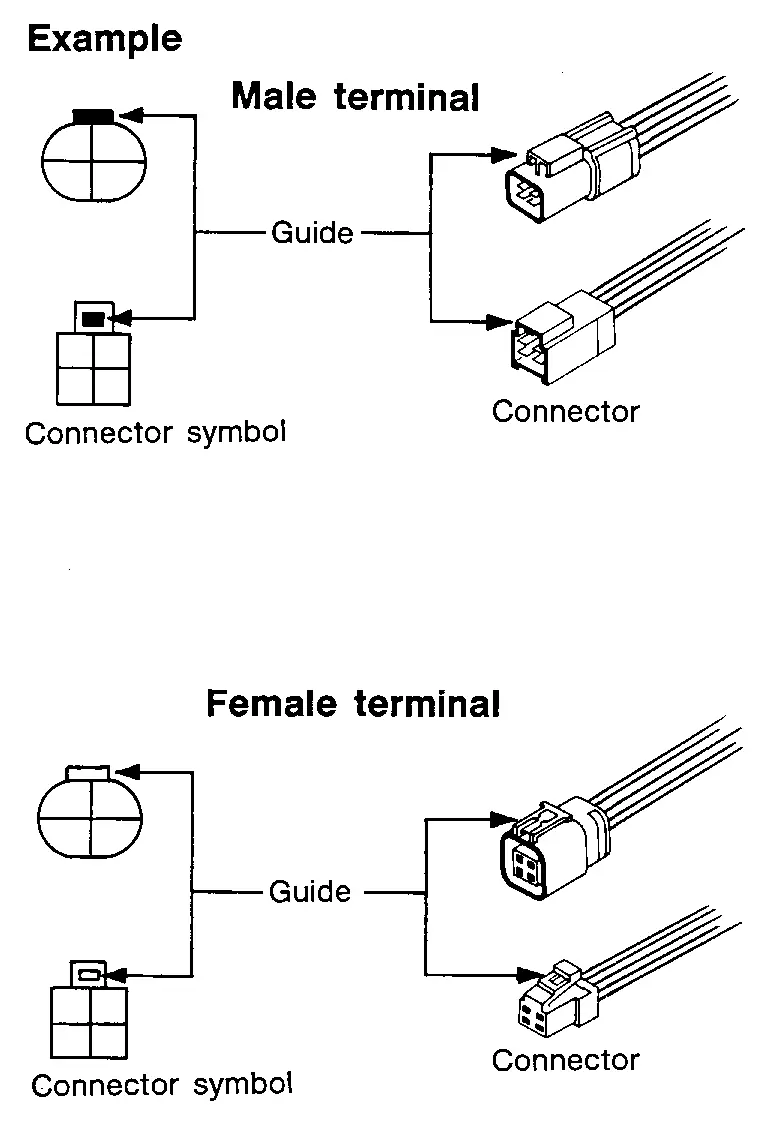
Connector guides for male terminals are shown in black and female terminals in white in wiring diagrams.
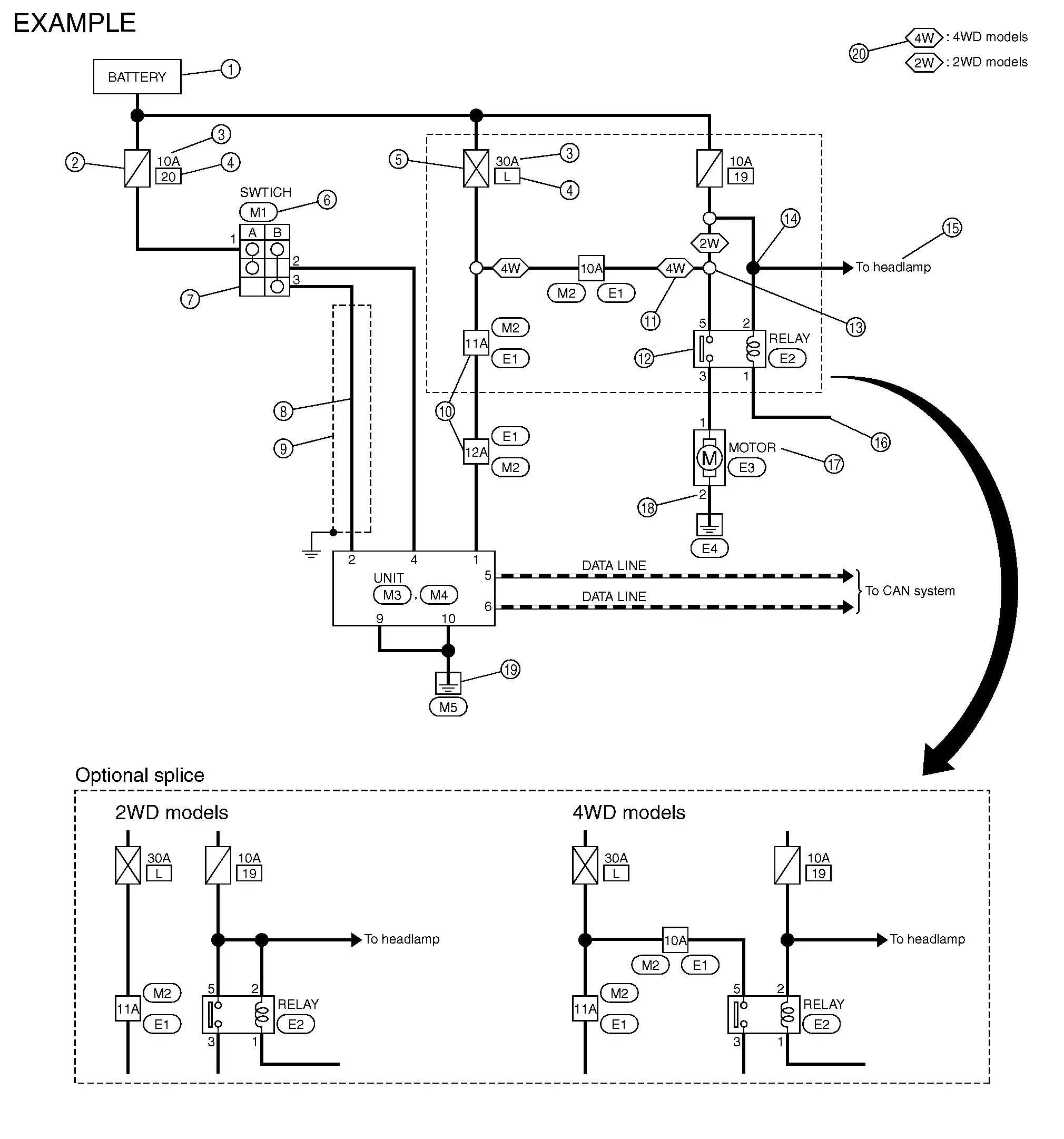
Sample/Wiring Diagram -Example-
Each section includes wiring diagrams.
| Number | Item | Description | |
|---|---|---|---|
 |
Power supply |
|
|
 |
Fuse |
|
|
 |
Current rating of fusible link/fuse |
|
|
 |
Number of fusible link/fuse |
|
|
 |
Fusible link |
|
|
 |
Connector number |
|
|
 |
Switch |
|
|
 |
Circuit (Wiring) |
|
|
 |
Shielded line |
|
|
 |
Connectors |
|
|
 |
Option abbreviation |
|
|
 |
Relay |
|
|
 |
Optional splice |
|
|
 |
Splice |
|
|
 |
System branch |
|
|
 |
Page crossing |
|
|
 |
Component name |
|
|
 |
Terminal number |
|
|
 |
Ground (GND) |
|
|
 |
Explation of option description |
|
|
 �.
�. � means the splice.
SWITCH POSITIONS
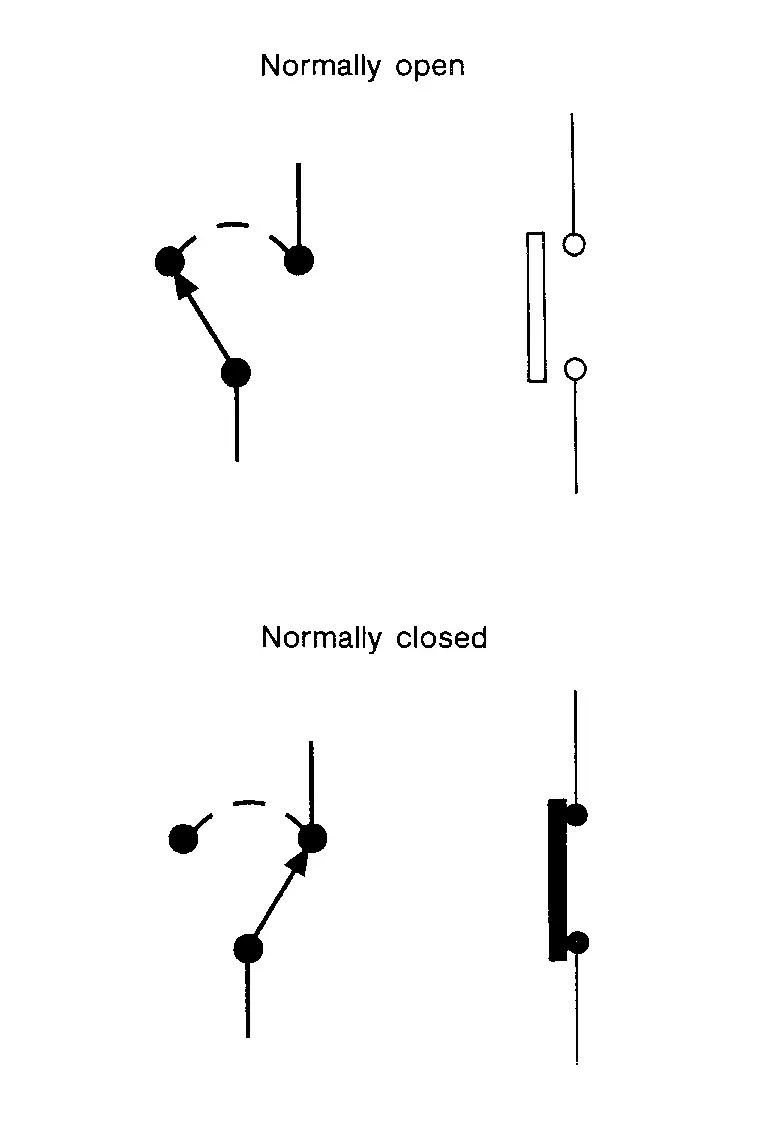
Switches are shown in wiring diagrams as if the vehicle is in the “normal� condition.
A vehicle is in the “normal� condition when:
-
Ignition switch OFF
-
Doors, hood and trunk lid/back door are closed
-
Pedals are not depressed
-
Parking brake is released
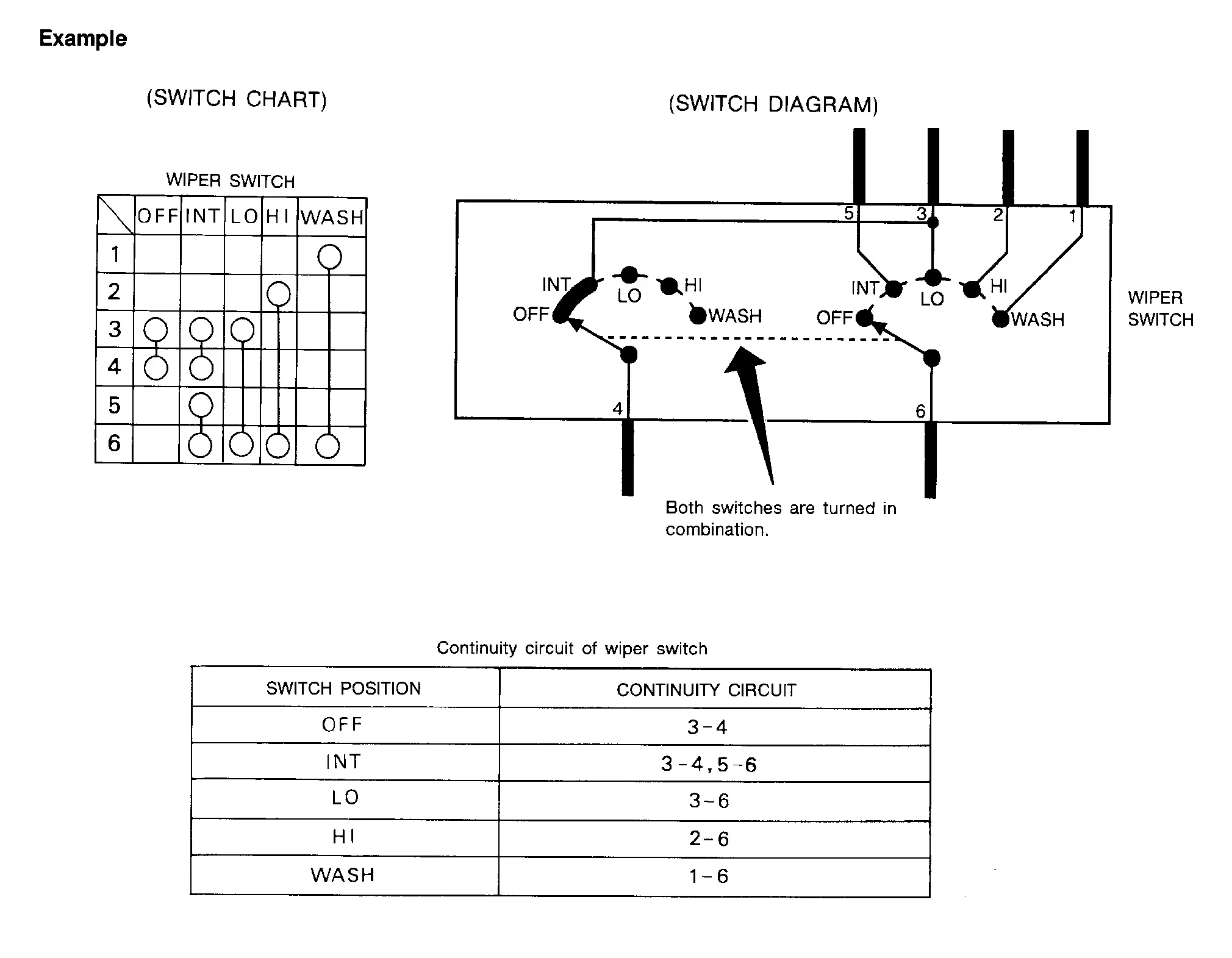
MULTIPLE SWITCH
The continuity of multiple switch is described in two ways as shown below.
-
The switch chart is used in schematic diagrams.
-
The switch diagram is used in wiring diagrams.
Connector Information
HOW TO USE CONNECTOR INFORMATION
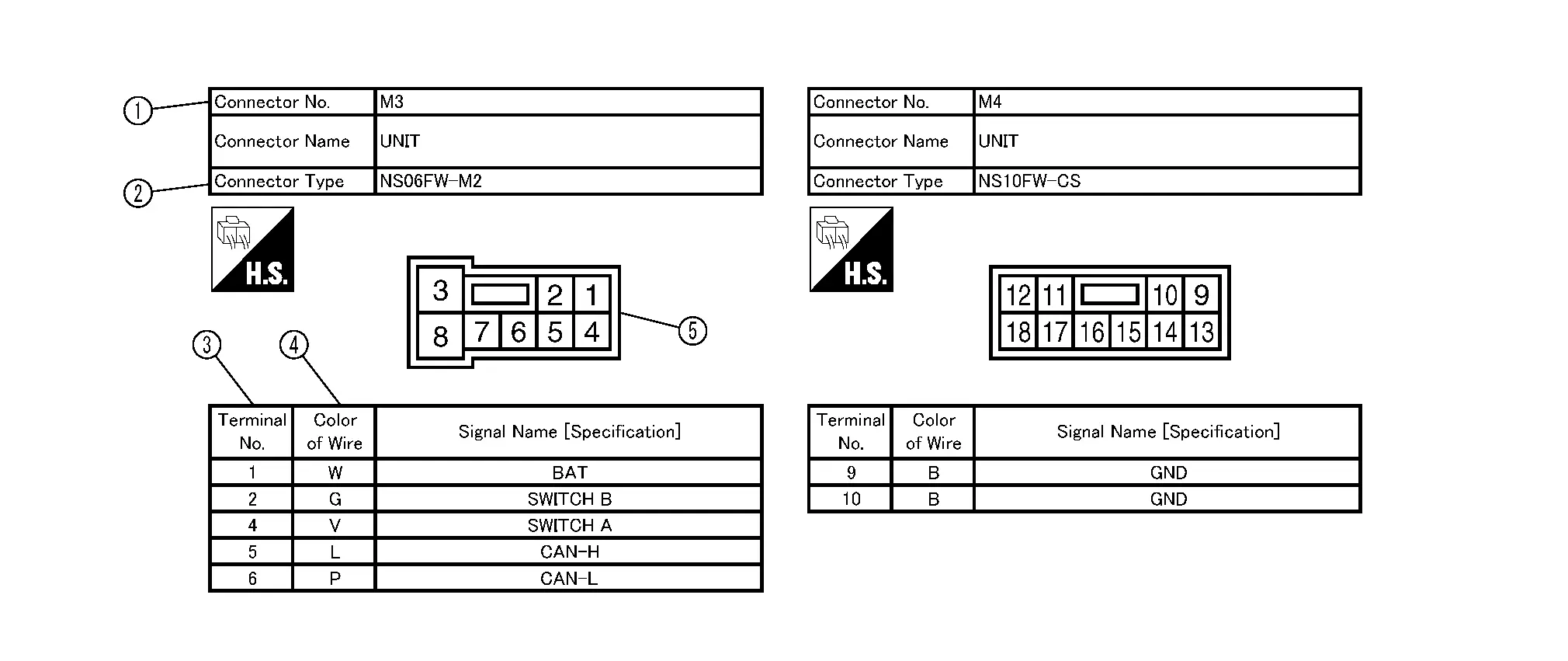
| Number | Item | Description | |
|---|---|---|---|
|
Connector number |
|
|
|
Connector type |
: Special type |
|
|
Terminal number |
|
|
|
Wire color |
|
|
|
B = Black W = White R = Red G = Green L = Blue Y = Yellow LG = Light Green BG or BE = Beige LA = Lavender |
BR = Brown OR or O = Orange P = Pink PU or V (Violet) = Purple GY or GR = Gray SB = Sky Blue CH = Dark Brown DG = Dark Green |
||
|
|||
|
Connector |
|
|
Other materials:
Ecu Diagnosis Information. Power Steering Control Module
Reference Value
VALUES ON THE DIAGNOSIS TOOLNOTE:
The following table includes information (items)
inapplicable to this Nissan Ariya vehicle. For information (items)
applicable to this vehicle, refer to CONSULT display items.
Monitor item Data monitor
Condition Display value
Steering ...
P0420 Three Way Catalyst Function
DTC Description
The ECM monitors the switching frequency ratio of air fuel ratio (A/F) sensor 1 and heated oxygen sensor 2.A
three way catalyst (manifold) with high oxygen storage capacity will
indicate a low switching frequency of heated oxygen sensor 2. As oxygen
storage capacity decreases, ...
Removal and Installation. Terminal Plate
Exploded View
1.
Terminal plate cover
2.
Terminal plate
3.
Terminal plate bracket
A.
Harness (rear)
B.
Harness (center)
C.
Harness (front)
: Pawl
Removal and Installation
REMOVALDisconnect the 12V battery negative a ...