
Nissan Rogue (T33) 2021-Present Service Manual: How to Use This Manual
Description
This volume explains “Removal, Disassembly, Installation, Inspection and Adjustment� and “Trouble Diagnoses�.
Terms
-
The captions WARNING and CAUTION warn you of steps that must be followed to prevent personal injury and/or damage to some part of the Nissan Ariya vehicle.
WARNING indicates the possibility of personal injury if instructions are not followed.
CAUTION indicates the possibility of component damage if instructions are not followed.
BOLD TYPED STATEMENTS except WARNING and CAUTION give you helpful information.
Standard value: Tolerance at inspection and adjustment.
Limit value: The maximum or minimum limit value that should not be exceeded at inspection and adjustment.
Units
-
The UNITS given in this manual are primarily expressed as the SI UNIT (International System of Unit), and alternatively expressed in the metric system and in the yard/pound system.
Also with regard to tightening torque of bolts and nuts, there are descriptions both about range and about the standard tightening torque.
“Example�
Range
Outer Socket Lock Nut : 59 - 78 N·m (6.0 - 8.0 kg-m, 43 - 58 ft-lb) Standard
Drive Shaft Installation Bolt : 44.3 N·m (4.5 kg-m, 33 ft-lb)
Contents
-
THE CONTENTS are listed on the first page of each section.
-
THE TITLE is indicated on the upper portion of each page and shows the part or system.
-
THE PAGE NUMBER of each section consists of two or three letters which designate the particular section and a number (e.g. “BR-5�).
-
THE SMALL ILLUSTRATIONS show the important steps such as inspection, use of special tools, knacks of work and hidden or tricky steps which are not shown in the previous large illustrations.
Assembly, inspection and adjustment procedures for the complicated units such as the automatic transaxle or transmission, etc. are presented in a step-by-step format where necessary.
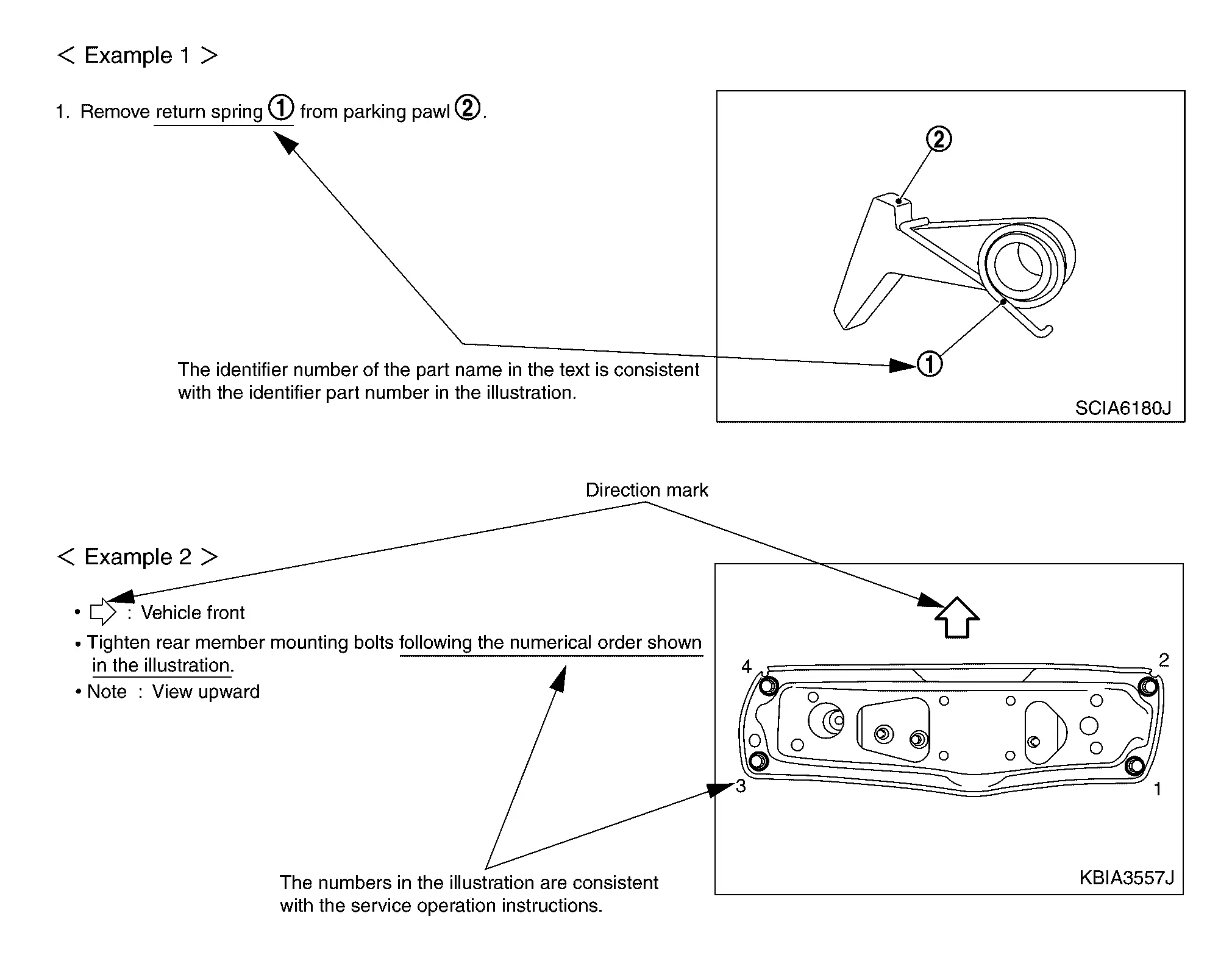
Relation between Illustrations and Descriptions
The following sample explains the relationship between the part description in an illustration, the part name in the text and the service procedures.
Components
-
THE LARGE ILLUSTRATIONS are exploded views (see the following) and contain tightening torques, lubrication points, section number of the PARTS CATALOG (e.g. SEC. 440) and other information necessary to perform repairs.
The illustrations should be used in reference to service matters only. When ordering parts, refer to the appropriate PARTS CATALOG.
Components shown in an illustration may be identified by a circled number. When this style of illustration is used, the text description of the components will follow the illustration.
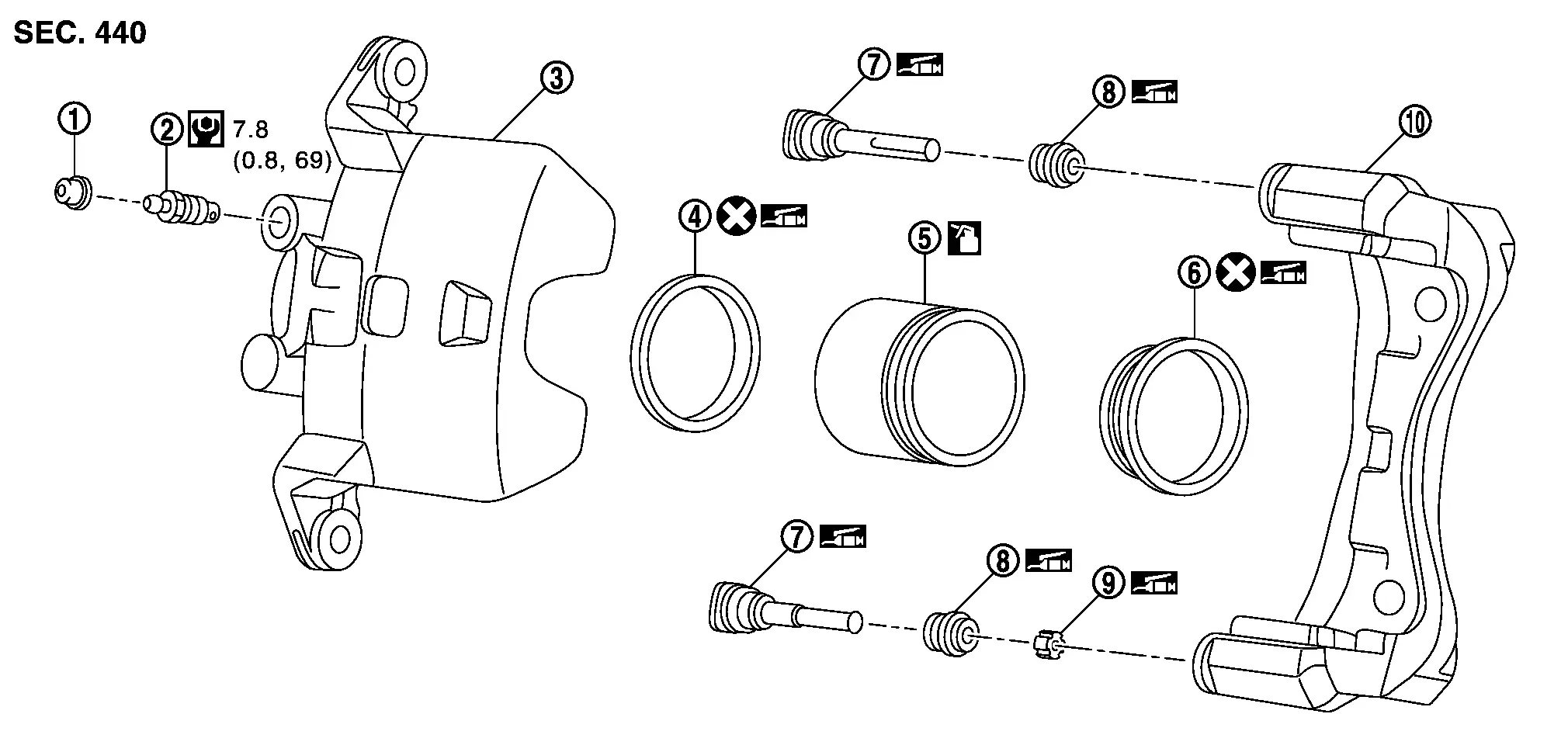
 |
Cap |  |
Bleeder valve |  |
Cylinder body |
 |
Piston seal |  |
Piston |  |
Piston boot |
 |
Sliding pin |  |
Sliding pin boot |  |
Bushing |
 |
Torque member | ||||
 |
: Apply rubber grease. | ||||
 |
: Apply brake fluid. | ||||
 |
: N·m (kg-m, in-lb) | ||||
 |
: Always replace after every disassembly | ||||
SYMBOLS
| SYMBOL | DESCRIPTION | SYMBOL | DESCRIPTION | |
|---|---|---|---|---|
 |
N·m (kg-m, ft-lb) |
Tightening torque The tightening torque specifications of bolts and nuts may be presented as either a range or a standard tightening torque. |
|
Always replace after every disassembly. |
|
N·m (kg-m, in-lb) |  |
Select with proper thickness. | |
|
Should be lubricated with oil. |  |
Adjustment is required. | |
 |
Sealing point |  |
Direction | |
|
Should be lubricated with grease. Unless otherwise indicated, use recommended multi-purpose grease. |  |
Metal clip | |
 |
Apply petroleum jelly. |  |
Clip | |
 |
Sealing point with locking sealant. |  |
Pawl | |
 |
Apply ATF. | |||
Other materials:
Sièges avant
Informations de base
Sur le Nissan Rogue, les sièges avant peuvent être réglés manuellement ou électriquement (selon la version). Un réglage précis améliore le confort, la visibilité et surtout l’efficacité des ceintures de sécurité et des systèmes de retenue. Prenez quelques instant ...
System Description. Component Parts. Moonroof System
Moonroof System
Component Description
No. Component Function
1.
Moonroof switch assembly
Refer to Moonroof Switch Assembly.
2.
Moonroof motor assembly
Refer to Moonroof Motor Assembly.
3.
Front door lock assembly RH (door switch)
Detects door open/close condition ...
Fuel Pump
Component Inspection
CHECK FUEL PUMP
Turn ignition switch OFF.
Disconnect “fuel level sensor unit and fuel pump� harness connector.
Check the resistance between “fuel level sensor unit and fuel pump� terminals as follows.
Fuel level sensor unit and fuel pump Condition Res ...