
Nissan Rogue (T33) 2021-Present Owner’s Manual & User Guide: Hazard warning flasher switch
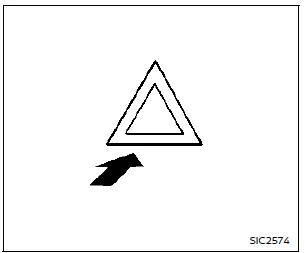
Press the hazard warning flasher switch to alert other drivers when you must stop or park under emergency conditions. All turn signal lights will flash simultaneously.
WARNING
- If you must stop for an emergency, move the vehicle well off the roadway to avoid creating a hazard.
- Do not use the hazard warning flashers while driving unless unavoidable circumstances force you to travel at a very slow speed that may endanger other traffic.
- Turn signal lights will not operate while the hazard warning flashers are on.
The hazard flasher can be operated with the ignition switch in any position.
Some state laws may restrict or prohibit the use of hazard warning flashers while driving.
Connection to Roadside Assistance
If a roadside emergency occurs, Roadside Assistance Service is available. Refer to your Warranty Information Booklet (U.S.) or Warranty & Roadside Assistance Information Booklet (Canada) for complete details.
Other materials:
Removal and Installation. Inside Mirror
Exploded View
AUTO ANTI-DAZZLING
Inside mirror base
Inside mirror assembly
: Nm (kg-m, in-lb)
MANUAL ANTI-DAZZLING
Inside mirror base
Inside mirror assembly
: Pawl
: Always replace after every disassembly.
Removal and Inst ...
Keys
Intelligent Key
Type A (if so equipped)
Type B (if so equipped)
Type C (if so equipped)
Intelligent Key (2 sets)
Mechanical key (inside Intelligent Key) (2 sets)
Key number plate
Basic information
Your Nissan Rogue can be operated only with Intelligent Keys that are programmed to its I ...
Kr15ddt. Removal and Installation
Fuel Level Sensor Unit, Fuel Filter and Fuel Pump Assembly
Exploded View
REMOVAL2WD
Lock ring
Fuel level sensor unit, fuel filter and fuel pump assembly
O-ring
Fuel tank
: Nissan Ariya Vehicle front
: Always replace after every disas ...