
Nissan Rogue (T33) 2021-Present Service Manual: Basic Inspection :: Fuse Inspection
How To Check
-
If fuse is blown, be sure to eliminate cause of malfunction before installing new fuse.
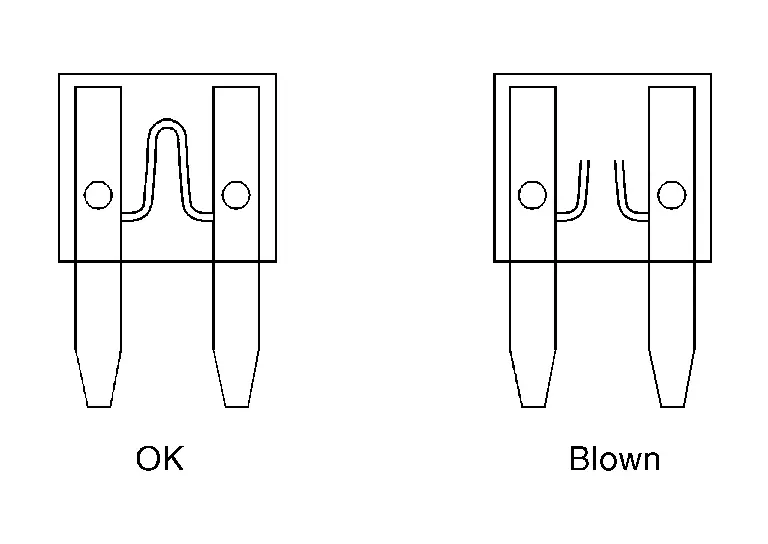
-
Use fuse of specified rating. Never use fuse of more than specified rating.
-
Do not partially install fuse; always insert it into fuse holder properly.
-
Remove fuse for “ELECTRICAL PARTS (BAT)� if Nissan Ariya vehicle is not used for a long period of time.
EXTENDED STORAGE FUSE (IF EQUIPPED)
The following switch may be mounted on the fuse block (Junction Box) for transportation and storage.
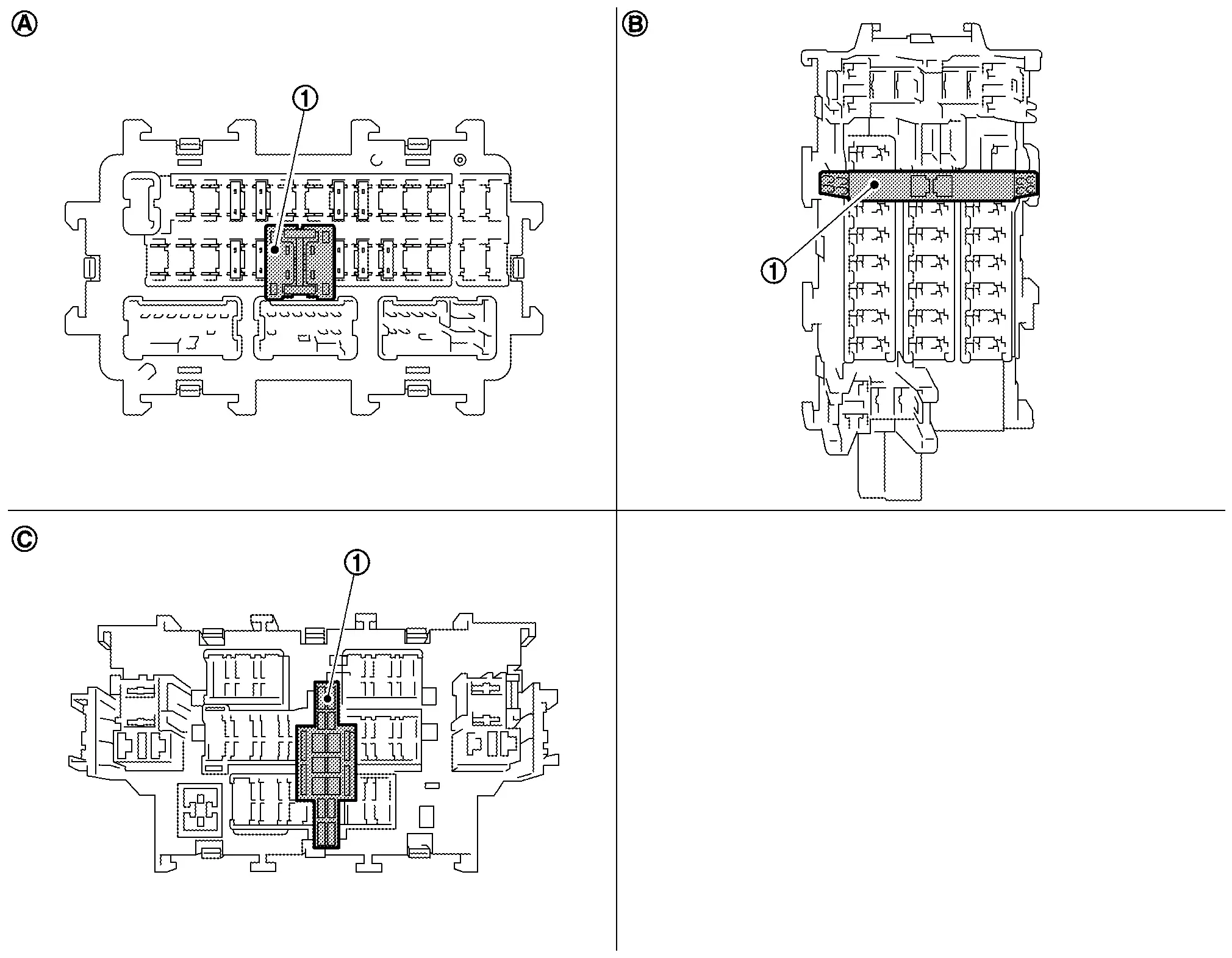
| 1. | Extended storage switch | — | — | — | — |
| A | Type A | B | Type B | C | Type C |
Remove the extended storage switch if it causes the interference when checking fuses.
How To Change From Storage Position To Driver Position
CAUTION:
-
Start the engine and leave the engine running for more than 60 seconds before pulling up extended storage switch up
-
Place ignition switch OFF when pressing in extended storage switch.
-
Under normal conditions, keep the extended storage switch in ON state. Never operate the extended storage switch except when necessary.
-
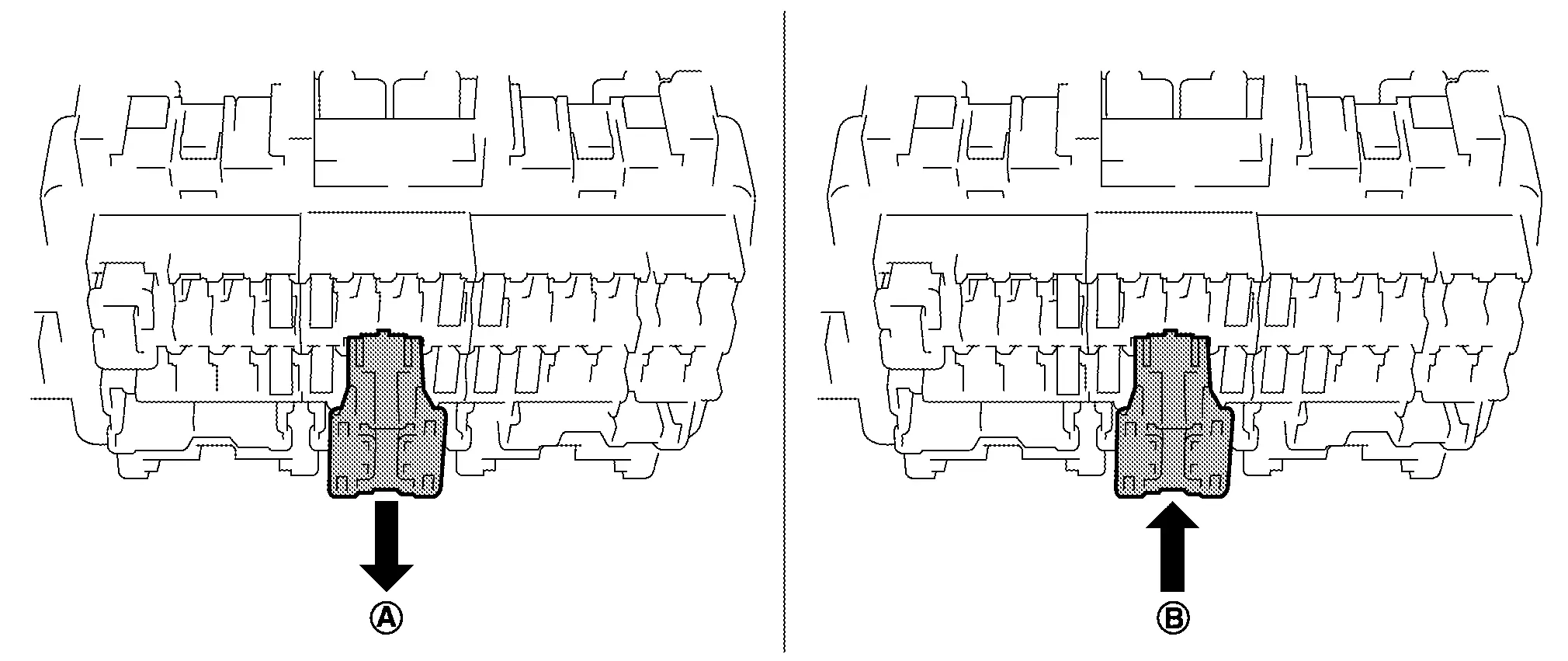
Type A
-
To place extended storage switch in the storage position, pull it up in (A) direction as shown in the figure.
-
To place extended storage switch in the storage, press it in (B) direction as shown in the figure.
-
-
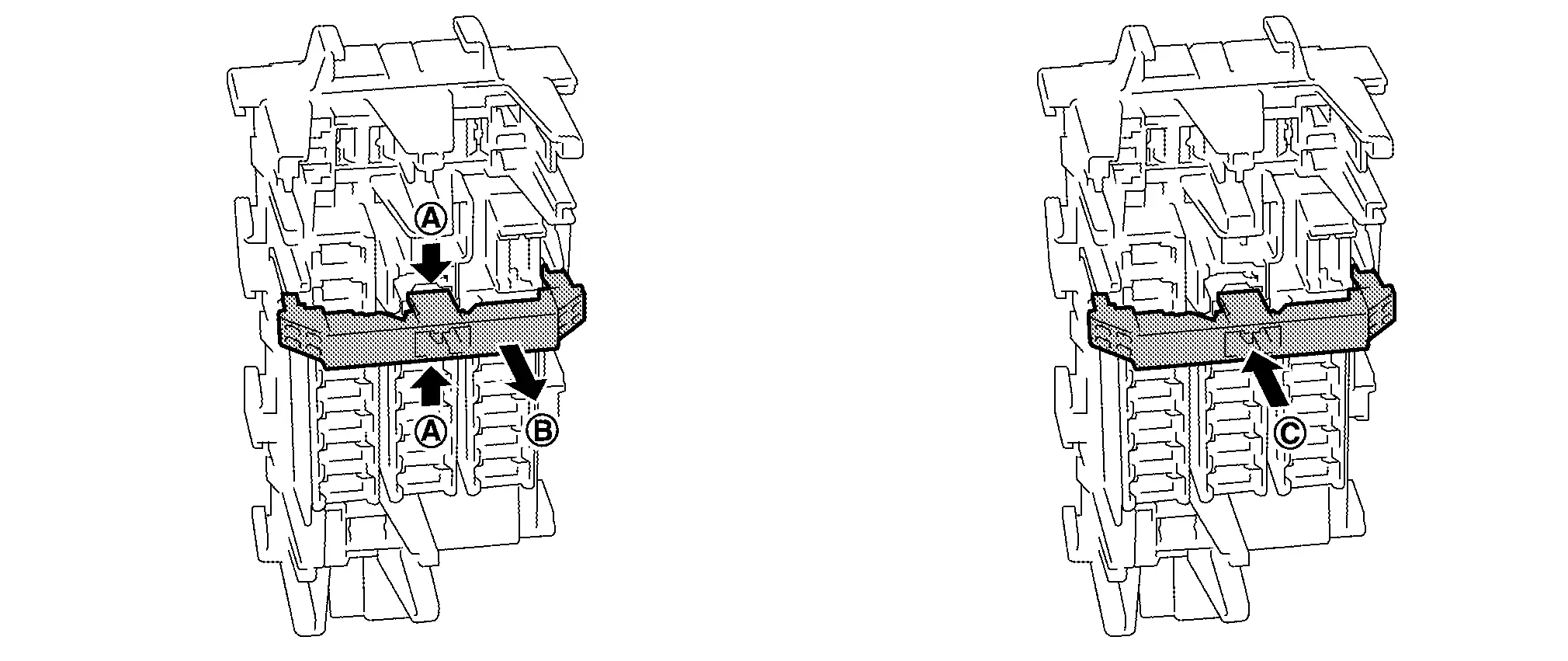
Type B
-
To place extended storage switch in the storage position, hold (A) of the switch and pull up in (B) direction as shown in the figure.
-
To place extended storage switch in driver position, press it in (C) direction as shown in the figure.
-
-
Type C
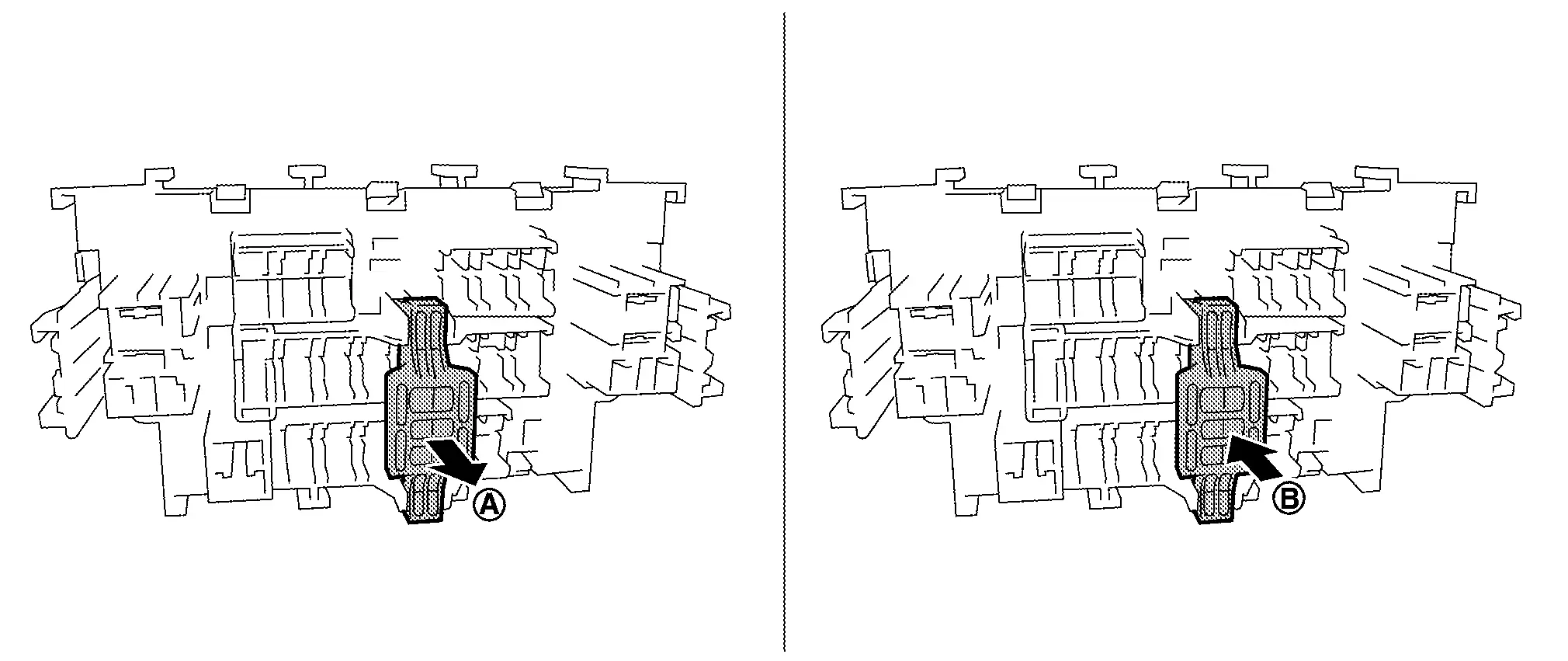
-
To place extended storage switch in storage position, pull it up in (A) direction as shown in the figure.
-
To place extended storage switch in the driver position, press it in (B) direction as shown in the figure.
-
How To Remove Extended Storage Fuse Switch
Type A
-
Ignition switch OFF.
-
Place extended storage switch in the storage position.
-
Press pawl (A) and tilt to disengage the extended storage switch. Press pawl (B) and tilt to remove the extended storage switch.
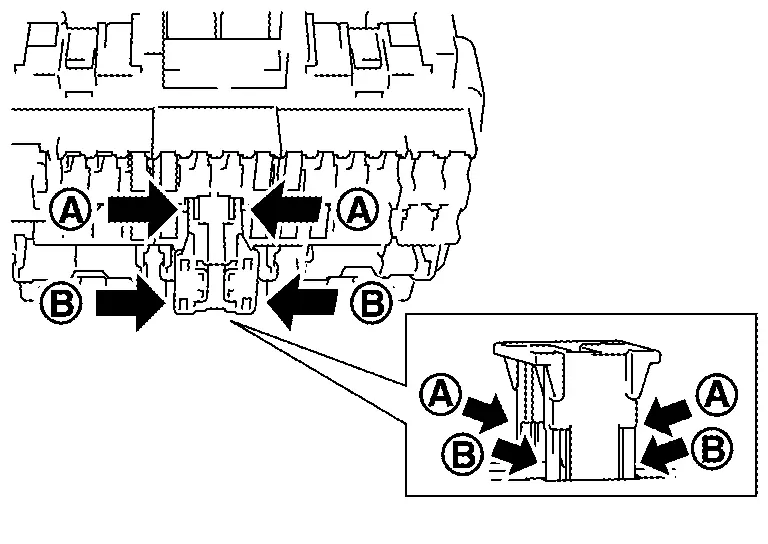
CAUTION:
Never use fuse for bus bar.
 NOTE:
NOTE:
-
Extended storage fuse switch and bus bar are removed together. Remove bus bar from extended storage fuse switch, if necessary.
-
Install removed bus bar to fuse block.
-
Extended storage fuse switch is for transportation and storage. Reinstallation is not required after the removal.
-
Type B
-
Ignition switch OFF.
-
Turn the extended storage fuse switch OFF.
-
Hold (A) and pull up the extended storage fuse switch hard in (B) direction.
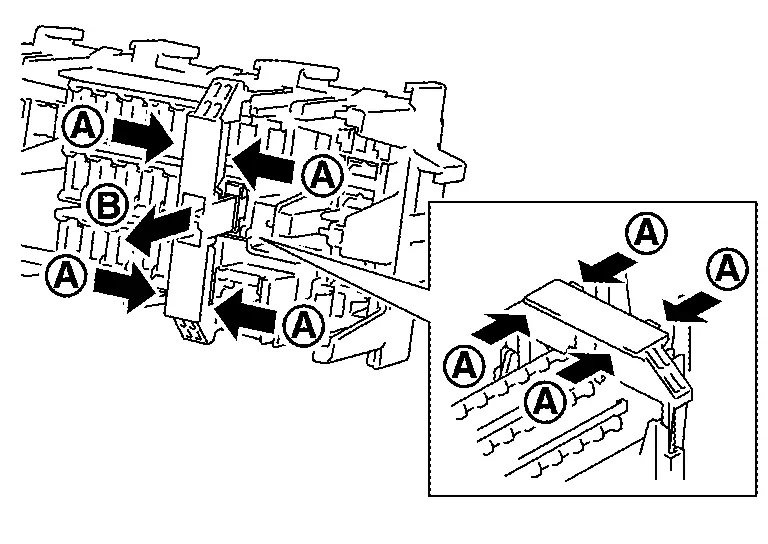
CAUTION:
Never use fuse for bus bar.
NOTE:
-
Extended storage fuse switch and bus bar may be removed together. Remove bus bar from extended storage fuse switch, if necessary.
-
Install removed bus bar to fuse block.
-
Extended storage fuse switch is for transportation and storage. Reinstallation is not required after the removal.
-
Type C
-
Ignition switch OFF.
-
Turn the extended storage fuse switch OFF.
-
Hold (A) and pull up the extended storage fuse switch hard in (B) direction.
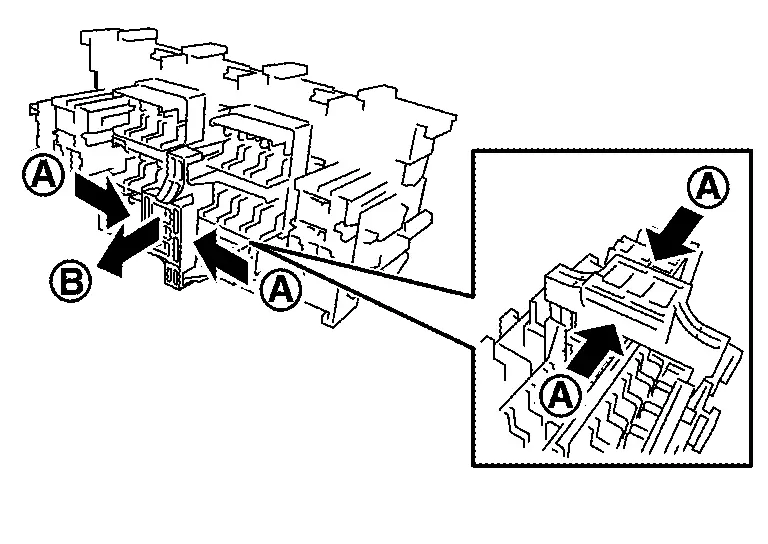
CAUTION:
Never use fuse for bus bar.
NOTE:
-
Extended storage fuse switch and bus bar are removed together. Remove bus bar from extended storage fuse switch, if necessary.
-
Install removed bus bar to fuse block.
-
Extended storage fuse switch is for transportation and storage. Reinstallation is not required after the removal.
-
Other materials:
Fuel Pressure Check
Work Procedure
FUEL PRESSURE RELEASEFUEL PRESSURE RELEASE
With CONSULT
Turn ignition switch ON.
Perform “ENGINE� in “WORK SUPPORT� mode with CONSULT.
Start the engine.
After engine stalls, crank it two or three times to release all fuel pressure.
Turn ignition swit ...
Fusibles
Compartiment moteur
Informations de base
AVERTISSEMENT
N’utilisez jamais un fusible dont l’ampérage est supérieur ou inférieur à la valeur indiquée sur le couvercle de la boîte à fusibles. L’utilisation d’un fusible inadapté peut endommager le circuit électrique, les unit ...
Dtc/circuit Diagnosis. Power Supply and Ground Circuit
Diagnosis Procedure
CHECK FUSE
Ignition switch OFF.
Check that the following fuses are not blown (open):
With type A meter Unit Location Fuse No. Capacity
28
Battery power supply
30
5 A
135
Battery power supply (door lock 1)
12
10 A
136
Battery power ...