
Nissan Rogue (T33) 2021-Present Service Manual: Type a :: Removal and Installation
Combination Meter
Removal and Installation
CAUTION:
-
When replacing the combination meter, always replace it with a new one. The functions controlled by the combination meter does not operate properly in case of reuse of the combination meter from another Nissan Ariya vehicle.
-
Be sure to perform the configuration when replacing combination meter. Refer to Work Procedure.
REMOVAL
 NOTE:
NOTE:
Do not swap combination meter modules between Nissan Ariya vehicles for any reason.
Disconnect the battery cable from the negative terminal.
Remove cluster lid A. Refer to Removal and Installation.
Remove the mounting screws  of the combination meter
  .
.
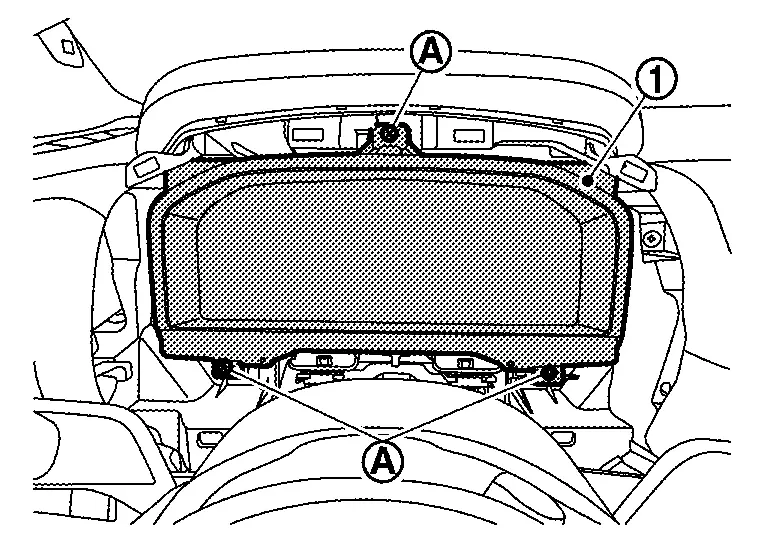
Pull the combination meter outward, then disconnect harness connectors and remove.
CAUTION:
Never damage the display.
INSTALLATION
Installation is in the reverse order of removal.
CAUTION:
-
Never damage the display.
-
When replacing the combination meter, always replace it with a new one. The functions controlled by the combination meter does not operate properly in case of reuse of the combination meter from another Nissan Ariya vehicle.
-
Be sure to perform the configuration when replacing combination meter. Refer to Work Procedure.
NOTE:
Do not swap combination meter modules between Nissan Ariya vehicles for any reason.
Meter Speaker
Removal and Installation
REMOVAL
Remove instrument garnish. Refer to Removal and Installation.
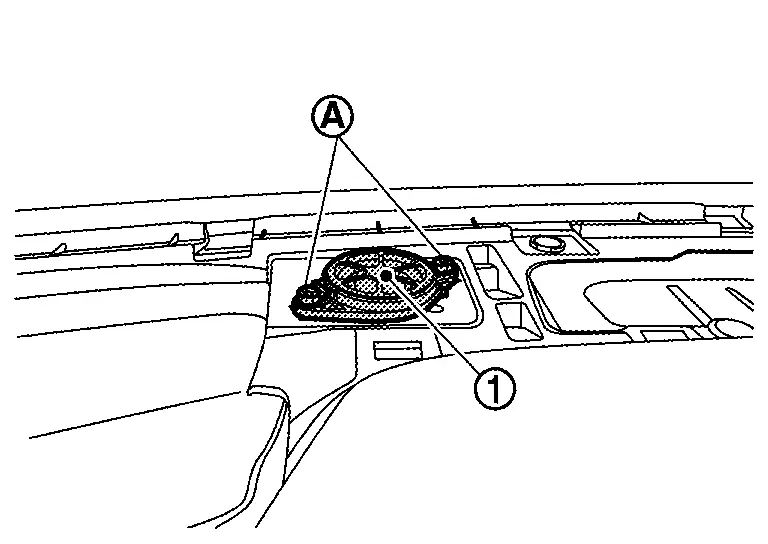
Remove the meter speaker mounting screws, and remove the meter speaker .
INSTALLATION
Install in the reverse order of removal.
Steering Switches
Removal and Installation
REMOVAL
Refer to Removal and Installation.
NOTE:
Always remove steering switch together with steering wheel.
INSTALLATION
Installation is in the reverse order of removal.
Illumination Control Switch
Removal and Installation
REMOVAL
Remove the instrument lower panel LH. Refer to Removal and Installation.
Remove screws to remove switch bracket .
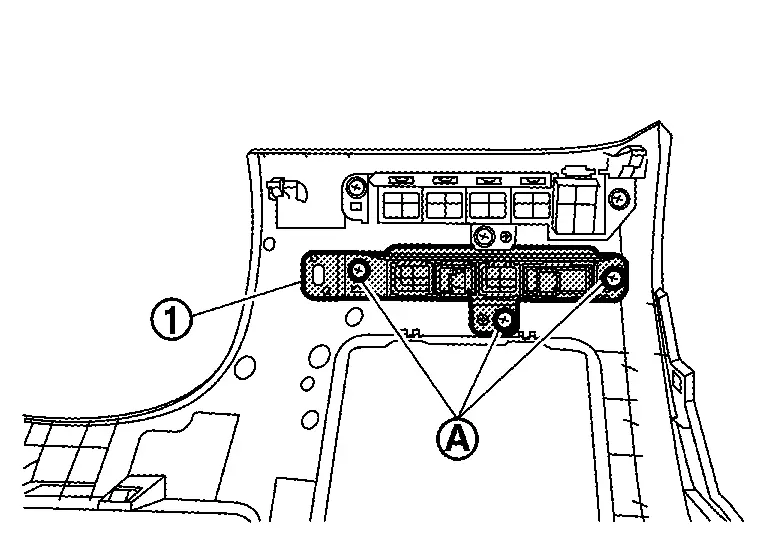
Disengage fixing pawl with removal tool to remove illumination control switch from switch bracket.
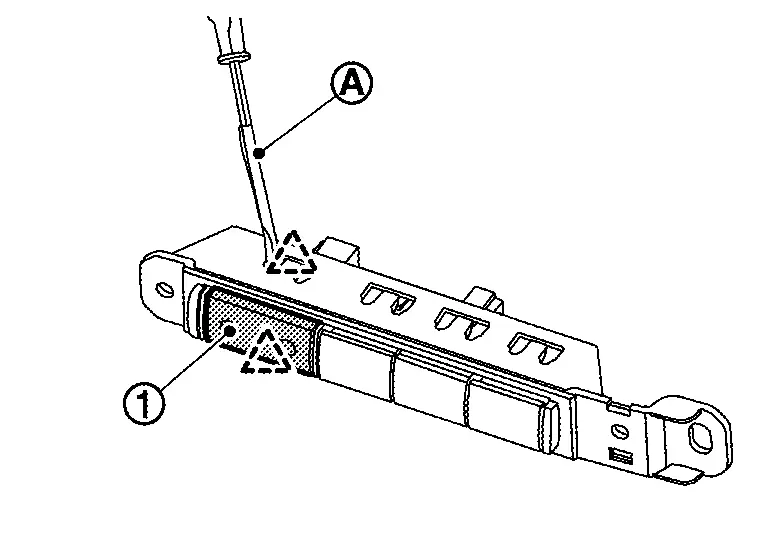
 |
:Pawl |
INSTALLATION
Install in the reverse order of removal.
Ambient Sensor
Removal and Installation
REMOVAL
Disengage fixing pawl.
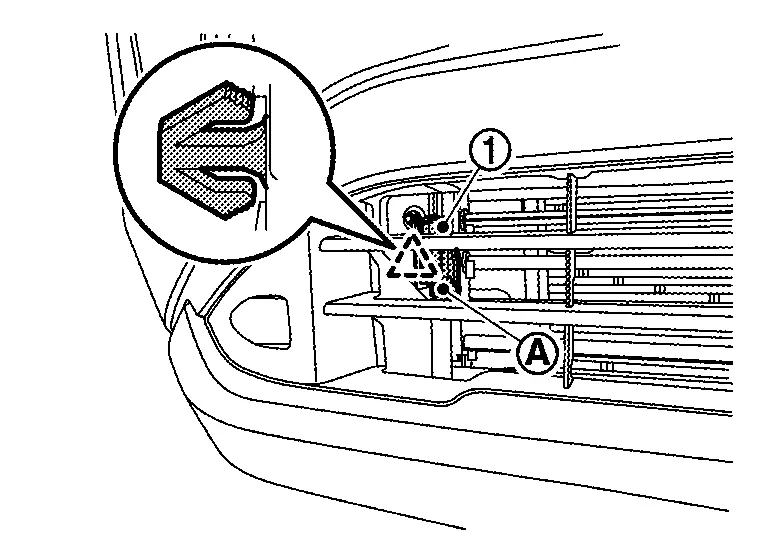
|
: Pawl |
Disconnect harness connector to remove ambient sensor .
INSTALLATION
Install in the reverse order of removal.
Oil Level Sensor
Removal and Installation
REMOVAL
Refer to Exploded View.
INSTALLATION
Install in the reverse order of removal.
Head up Display Unit
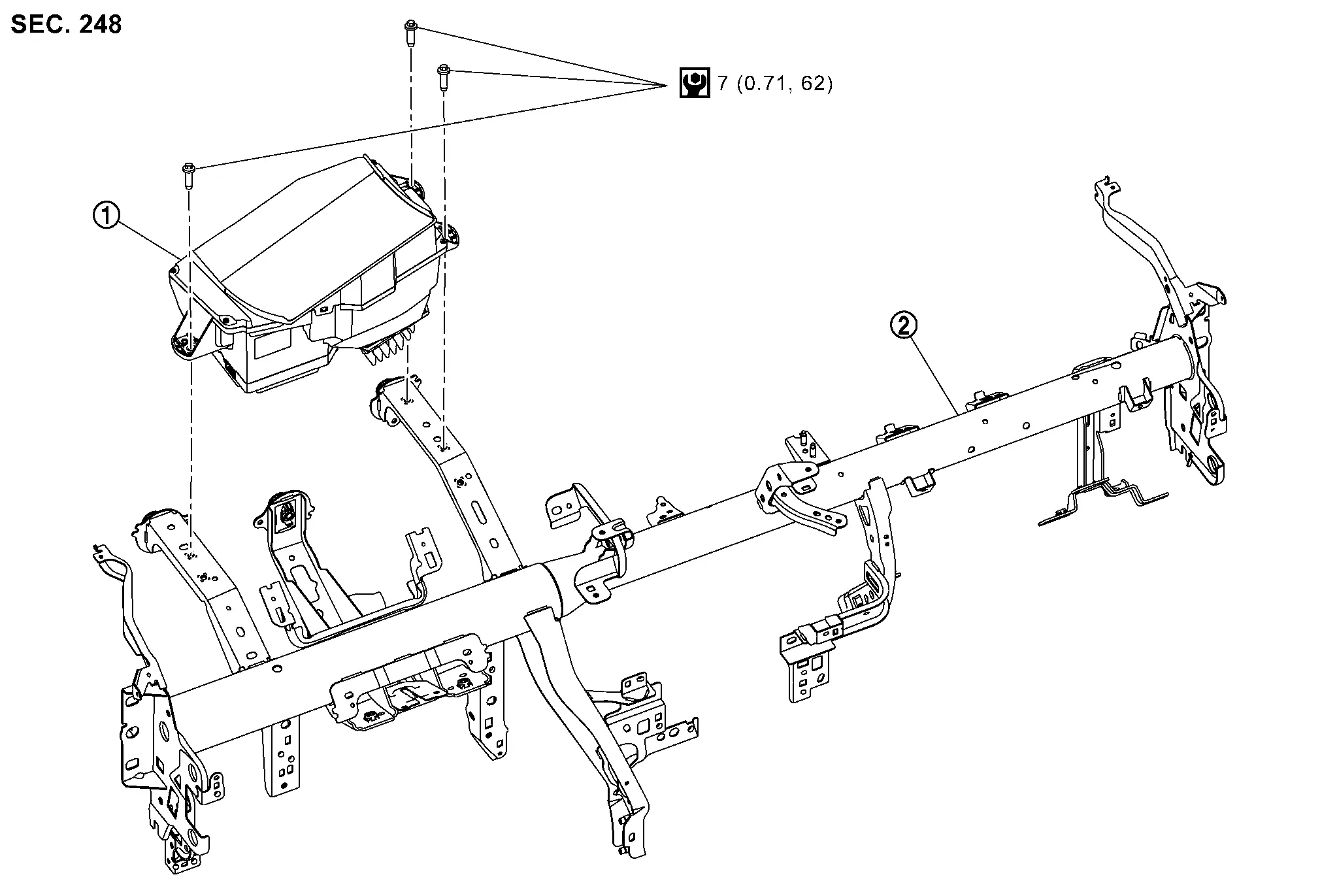
Exploded View
Exploded View
|
Head Up Display unit |  |
Steering member |
Removal and Installation
REMOVAL
-
Remove instrument panel assembly. Refer to Removal and Installation.
-
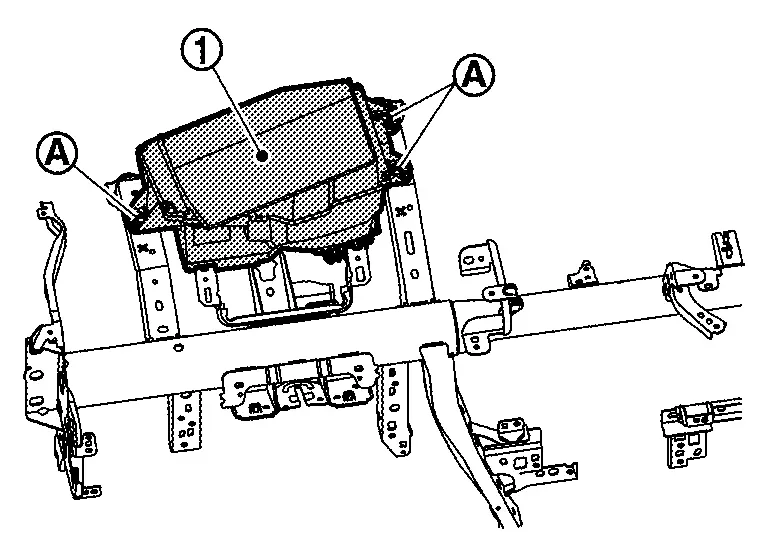
Remove Head Up Display unit mounting bolts
.
-
Disconnect the Head Up Display unit harness connector.
-
Remove Head Up Display unit
.
INSTALLATION
Installation is in the reverse order of removal.
CAUTION:
-
Never damage Head Up Display unit. if damaged for Head Up Display unit., replace it.
-
If replacing Head Up Display unit, be sure to remove protective sheet from the glass surface.
-
Be sure to perform “ADDITIONAL SERVICE WHEN REPLACING HEAD UP DISPLAY UNIT� when replacing Head Up Display. For details, Refer to Work Procedure.
Head up Display Main Switch
Removal and Installation
REMOVAL
Remove the instrument lower panel LH. Refer to Removal and Installation.
Remove screws to remove switch bracket .
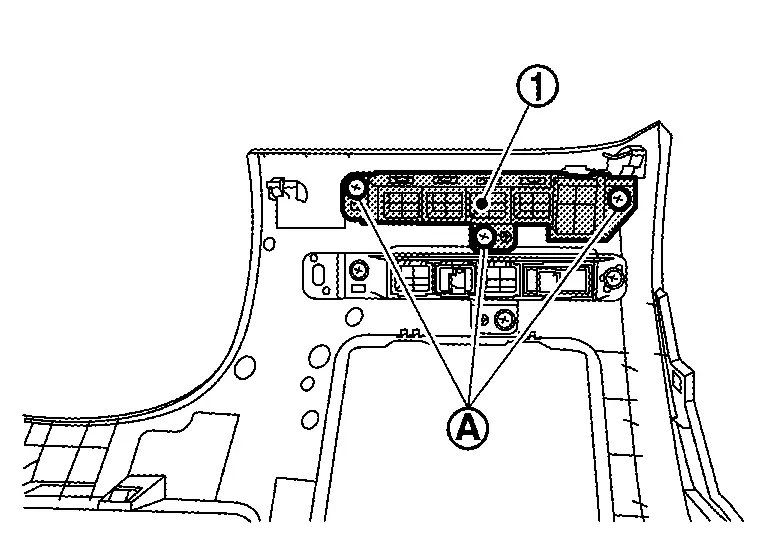
Disengage fixing pawl with removal tool to remove Head up Display main switch from switch bracket.
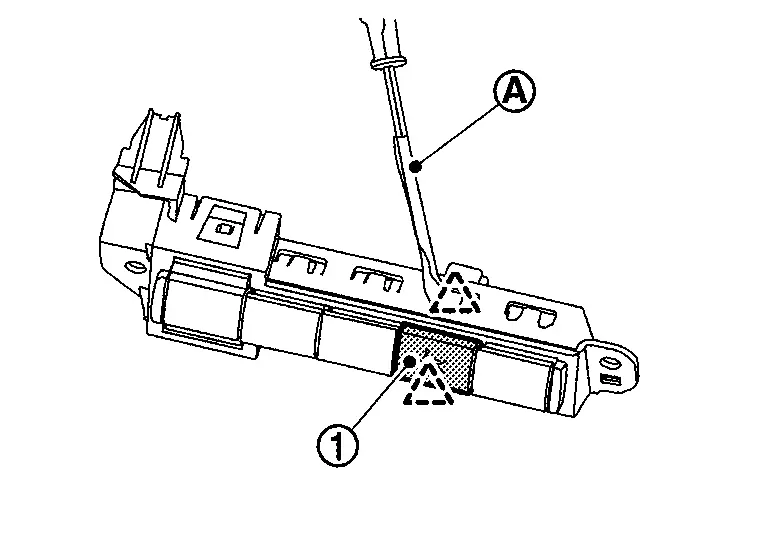
|
:Pawl |
INSTALLATION
Installation is in the reverse order of removal.
Other materials:
Dtc/circuit Diagnosis. B2c20-23 Starter Control Relay
DTC Description
DTC DETECTION LOGIC DTC No.
CONSULT screen items
(Trouble diagnosis content) DTC detecting condition
B2C20-23
Starter control relay
(Starter control relay)
Diagnosis condition
Ignition switch ON
Signal (terminal)
Starter cut relay signal
Starter c ...
Removal and Installation. Mood Lamp (center Console)
Exploded View
Mood lamp (center console) assembly (Bulb type)
Center console assembly
Mood lamp (center console tray) assembly (LED type)
: Pawl
: Nissan Ariya Vehicle front
Removal & Installation
REMOVALCAUTION:
Disconnect the battery negative terminal or rem ...
Basic Inspection. System Setting
Description
The settings of the automatic driving positioner system can be
changed, using information display in the combination meter and the set
switch. Always check the settings before and after replacing driver seat
control unit. For details, refer to Work Procedure.×: ApplicableSetting ...