
Nissan Rogue (T33) 2021-Present Service Manual: Removal and Installation :: Sunshade
Exploded View
Refer to Exploded View.
Removal and Installation
REMOVAL
Remove rear moonroof glass. Refer to Removal and Installation.
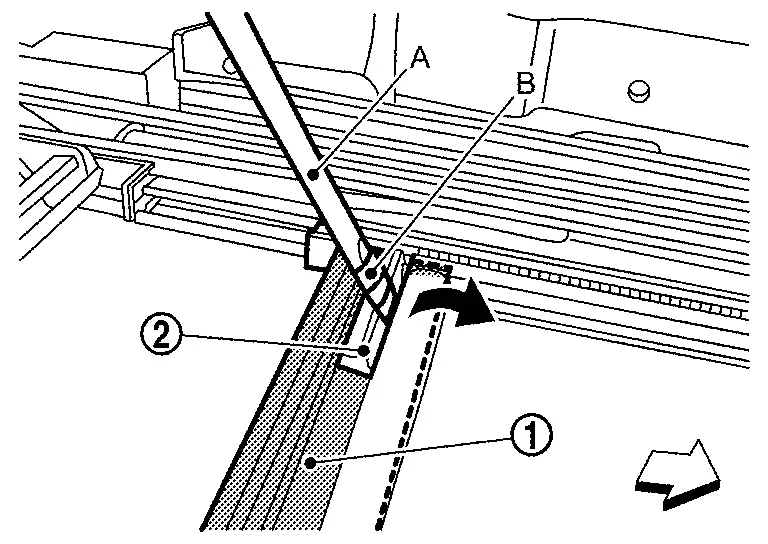
Disengage sunshade stay  using a remover tool (A) from sunshade slider
  as shown by the arrow in the figure.
CAUTION:
Apply protective tape (B) on remover tool to protect parts from damage.
 |
: Nissan Ariya Vehicle front |
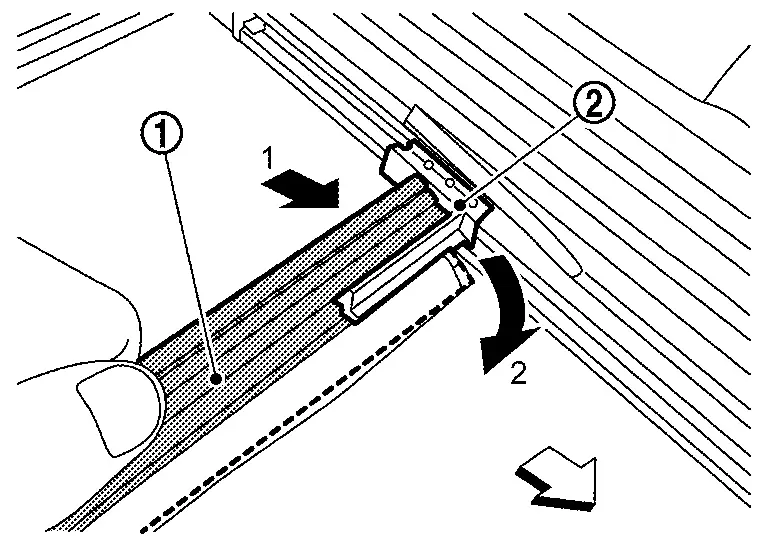
Push sunshade stay according to
numerical order 1→2 indicated by arrows as shown in the figure, and
then remove sunshade stay from sunshade slider .
|
: Nissan Ariya Vehicle front |
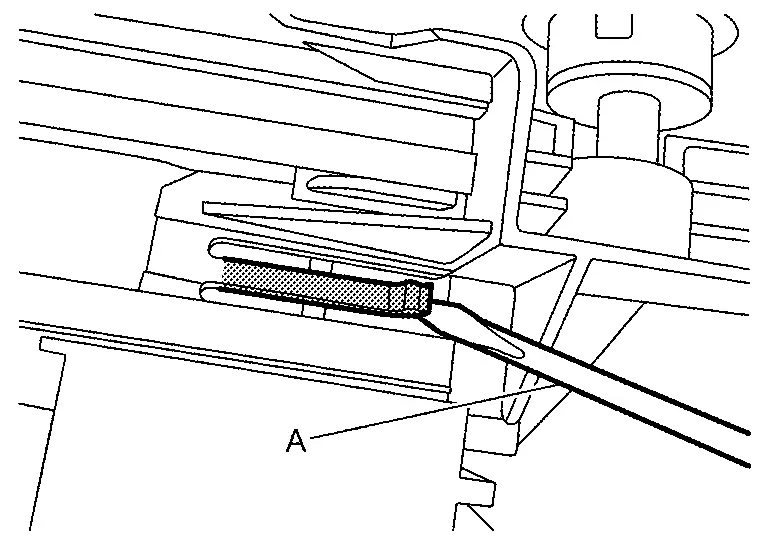
Disengage sunshade base fixing pawl using a remover tool (A).
Remove sunshade base and roolshade stay, sunshade as a unit.
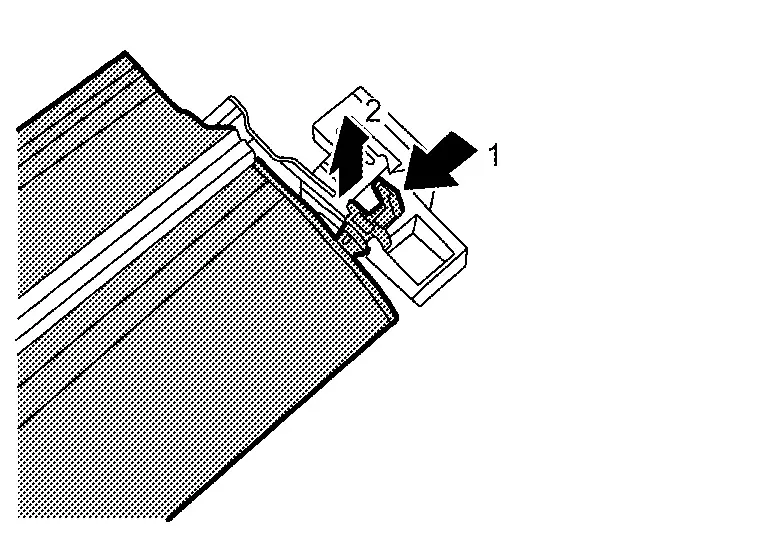
Disengage sunshade fixing paw according to numerical order 1→2 indicated by arrows as shown in the figure, and then remove sunshade from sunshade base.
CAUTION:
When removing, insert a pin etc. into the hole  to lock spring stopper.
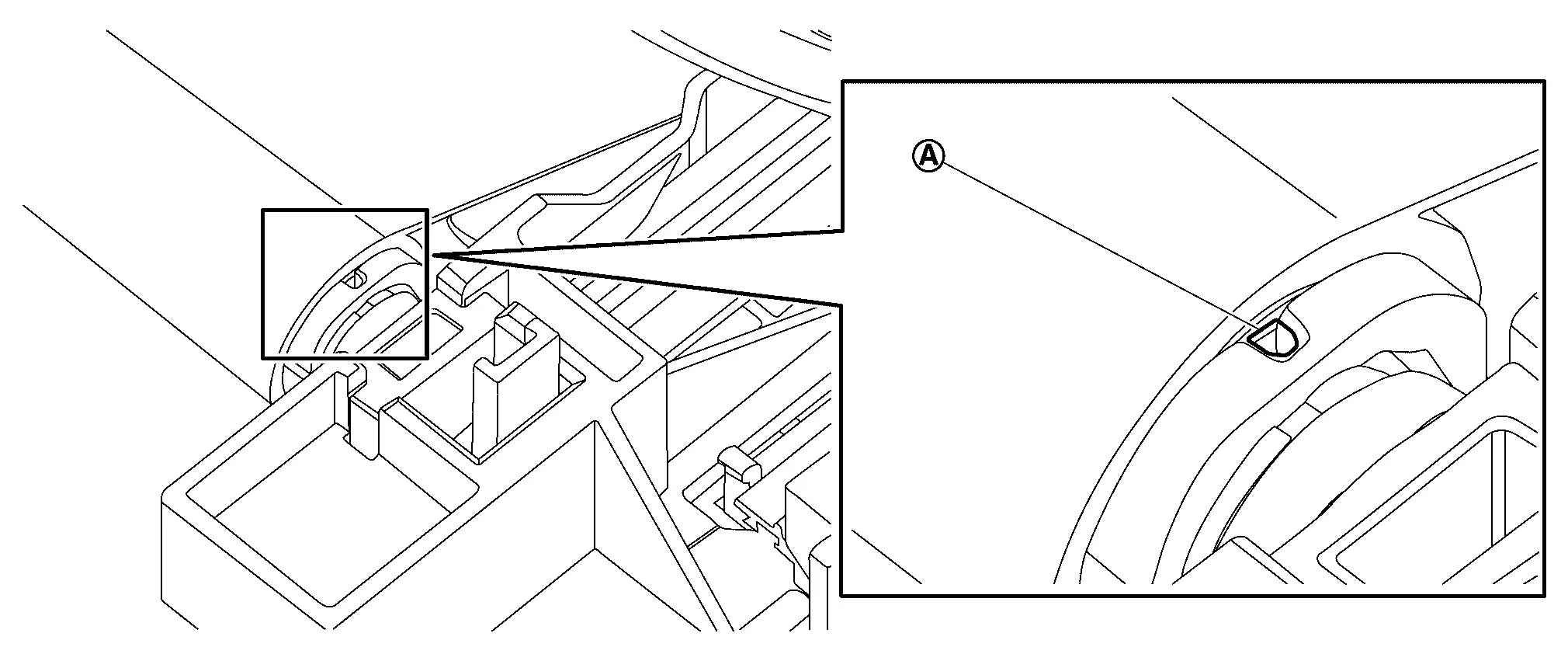
Remove roolshade stay from sunshade base.
INSTALLATION
Install roolshade stay to sunshade base.
Install sunshade to sunshade base.
CAUTION:
-
When installing, remove a pin etc. to unlock spring stopper.
-
If spring tension becomes loose, turn spring stopper about 18.5 times while fixing sunshade so that it does not move, and then install.
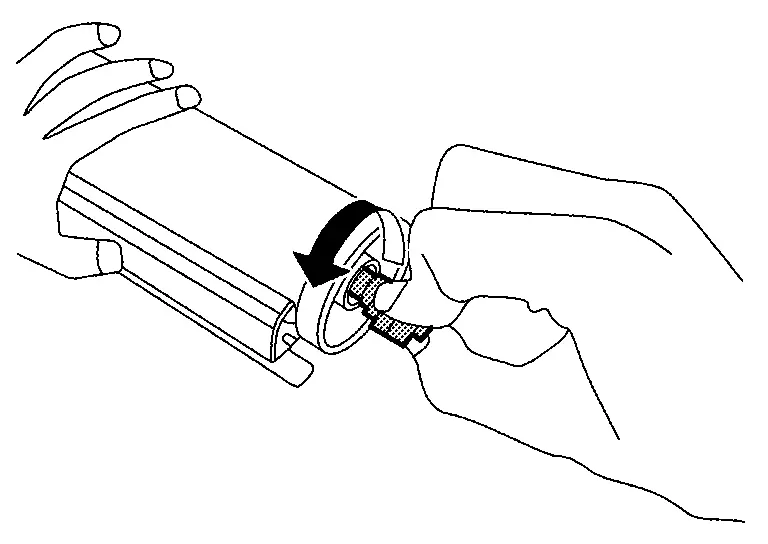
Install sunshade base and roolshade stay, sunshade as a unit to moonroof frame assembly.
Install sunshade stay to sunshade slider.
 NOTE:
NOTE:
After installation sunshade assembly, perform additional service. Refer to Description.
Other materials:
Ignition Coil with Power Transistor
Component Inspection
CHECK IGNITION COIL WITH POWER TRANSISTOR-1
Turn ignition switch OFF.
Disconnect ignition coil harness connector.
Check resistance between ignition coil terminals as per the following.
Ignition coil
Condition
Resistance
+
−
Terminal
1 ...
Diagnosis System (power Network Separate Relay)
CONSULT Function (POWER NETWORK SEPARATE RELAY)
APPLICATION ITEMSCONSULT performs the following functions via CAN communication using power network separate relay. Diagnosis mode Description
Self Diagnostic Result
Displays DTC stored in power network separate relay
Displays freeze ...
Precaution. Precautions
Precaution for Supplemental Restraint System (SRS) "AIR BAG" and "SEAT BELT PRE-TENSIONER"
The Supplemental Restraint System such as “AIR BAG� and “SEAT BELT
PRE-TENSIONER�, used along with a front seat belt, helps to reduce the
risk or severity of injury to the driver and front passeng ...