
Nissan Rogue (T33) 2021-Present Service Manual: Removal and Installation :: Center Console Assembly
Exploded View
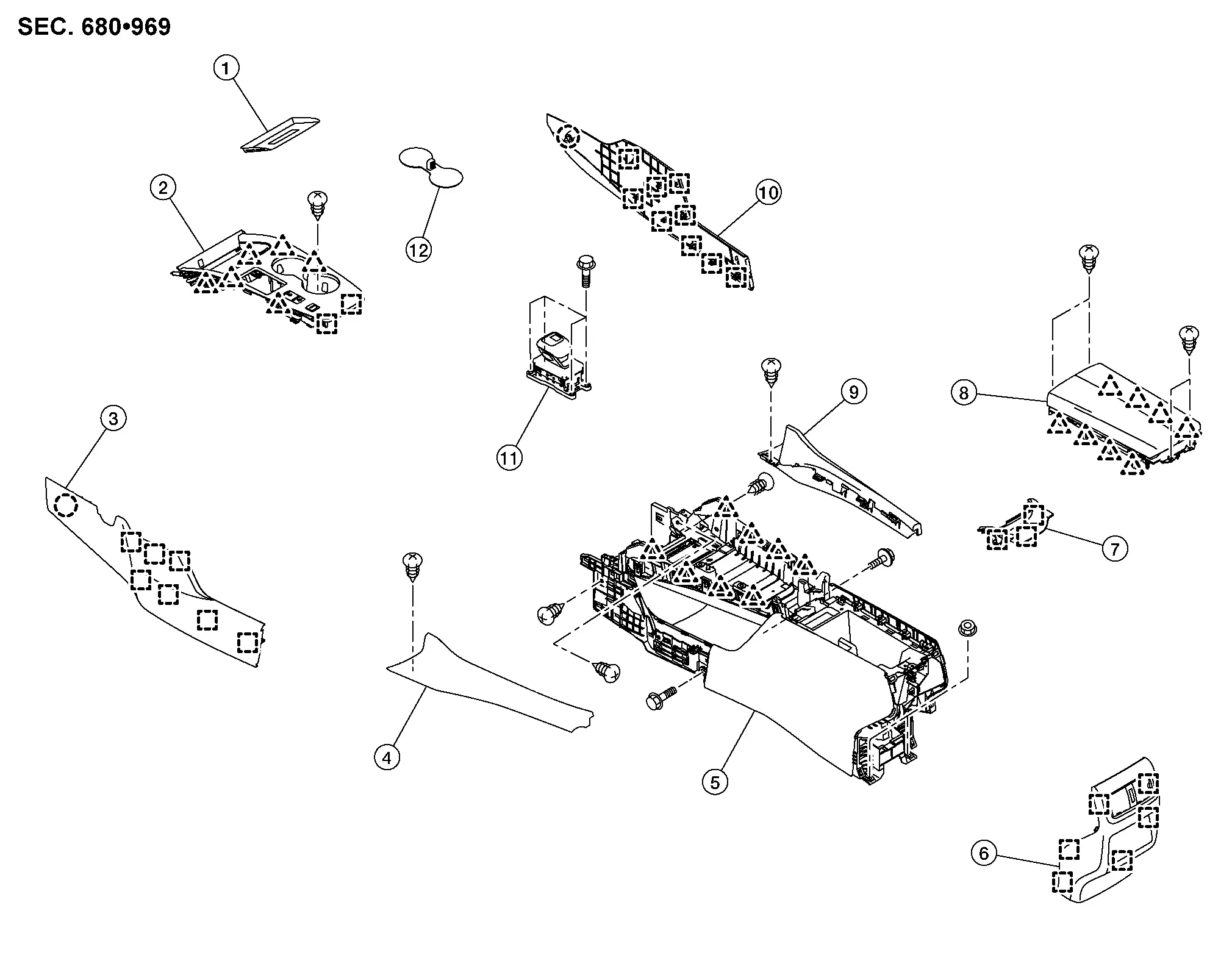
| 1. | Console finisher tray mat (if equipped) | 2. | Console finisher assembly | 3. | Instrument side panel LH |
| 4. | Panel console LH | 5. | Center console assembly | 6. | Console rear finisher |
| 7. | Console upper finisher | 8. | Console lid assembly | 9. | Panel console RH |
| 10. | Instrument side panel RH | 11. | Electric shift selector | 12. | Cup holder mat |
 |
: Clip | ||||
 |
: Pawl | ||||
 |
: Metal clip | ||||
Removal and Installation
WARNING:
Before servicing, place ignition switch OFF, disconnect battery negative terminal and wait for 3 minutes or more.
REMOVAL
CAUTION:
-
When removing, always use a remover tool that is made of plastic.
-
Always apply the parking brake before performing removal and installation.
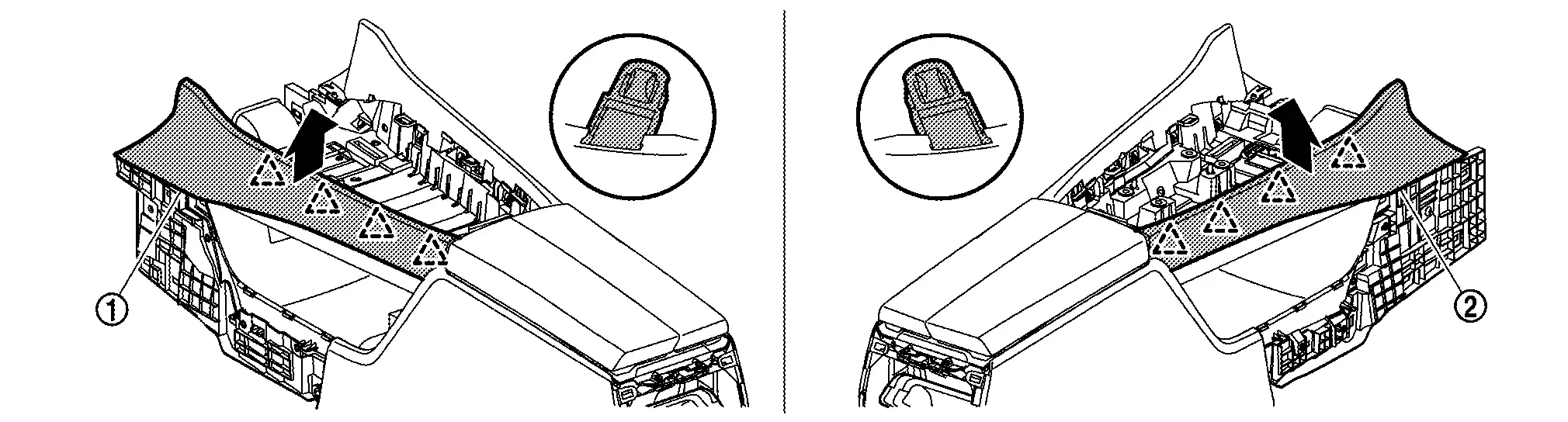
Disengage fixing clip and metal clips, and then remove instrument side panel (LH (1) and RH (2)) according to numerical order 1→2 indicated by arrows as shown in the figure.
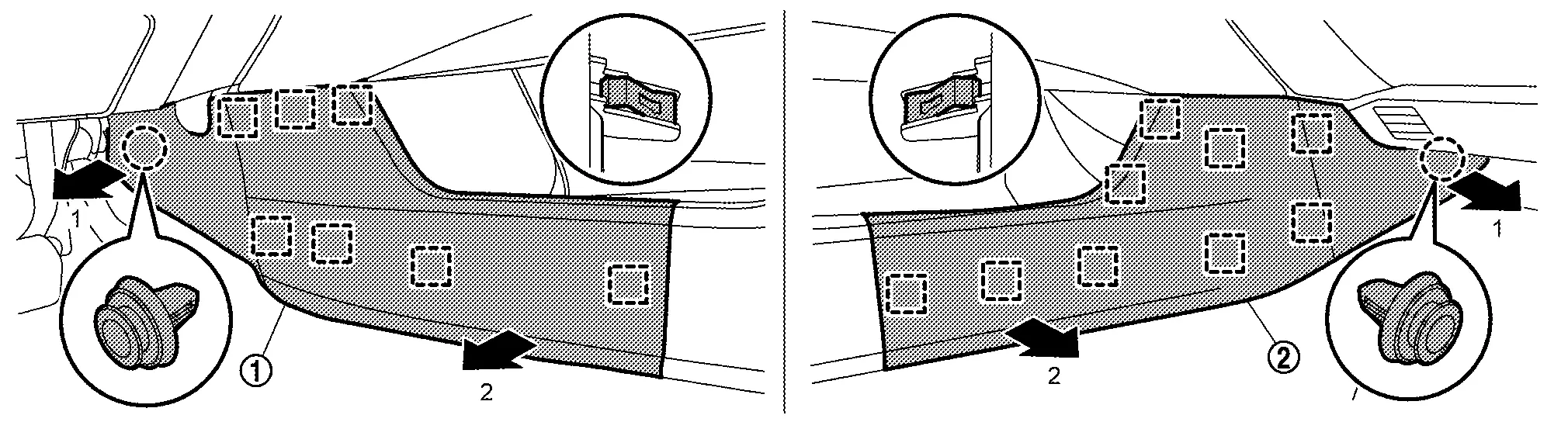
|
: Clip |
|
: Metal clip |
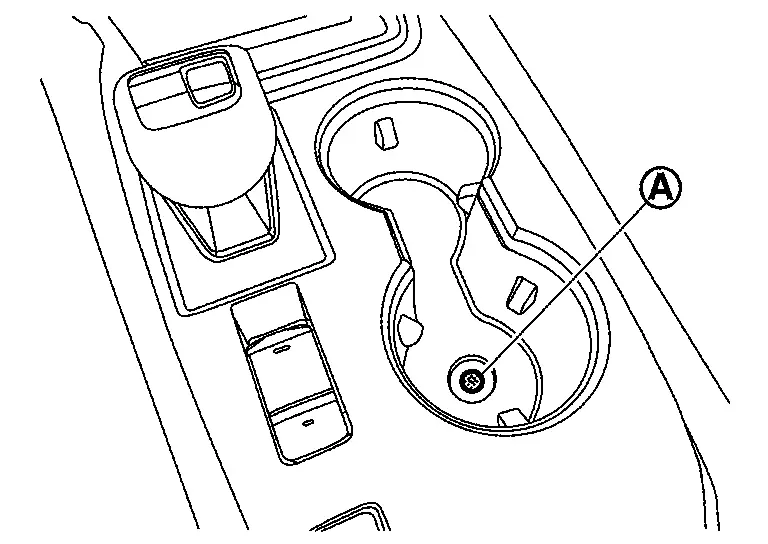
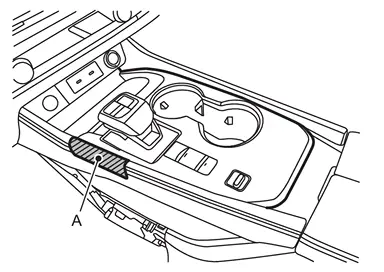
Remove console finisher assembly.Remove cup holder mat, and then remove fixing screw (A) .
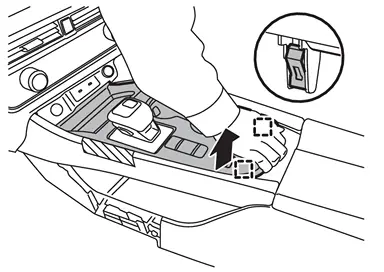
|
: Metal clip |
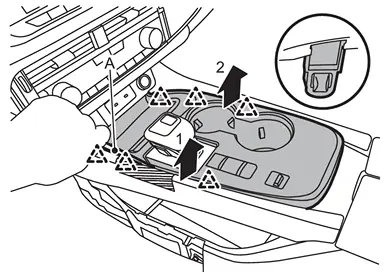
|
: Pawl |
Remove electric shift selector. Refer to Removal and Installation.
Remove console rear finisher.Open the console lid. Disengage fixing metal clips according to numerical order 1→2 indicated by arrows as shown in the figure, and then pull out console rear finisher.
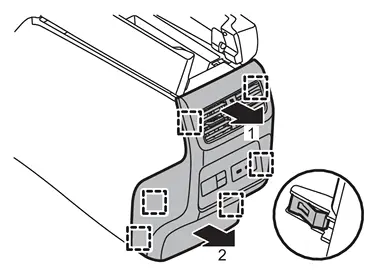
|
: Metal clip |
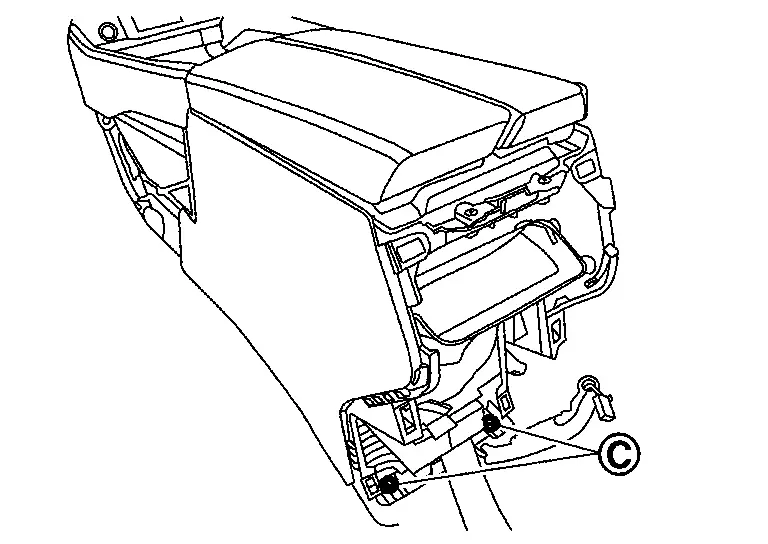
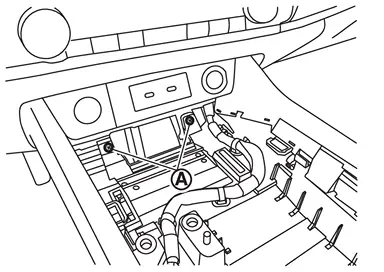
Remove center console assembly fixing screws  , mounting bolts (B) and nuts (C).
-
Front side
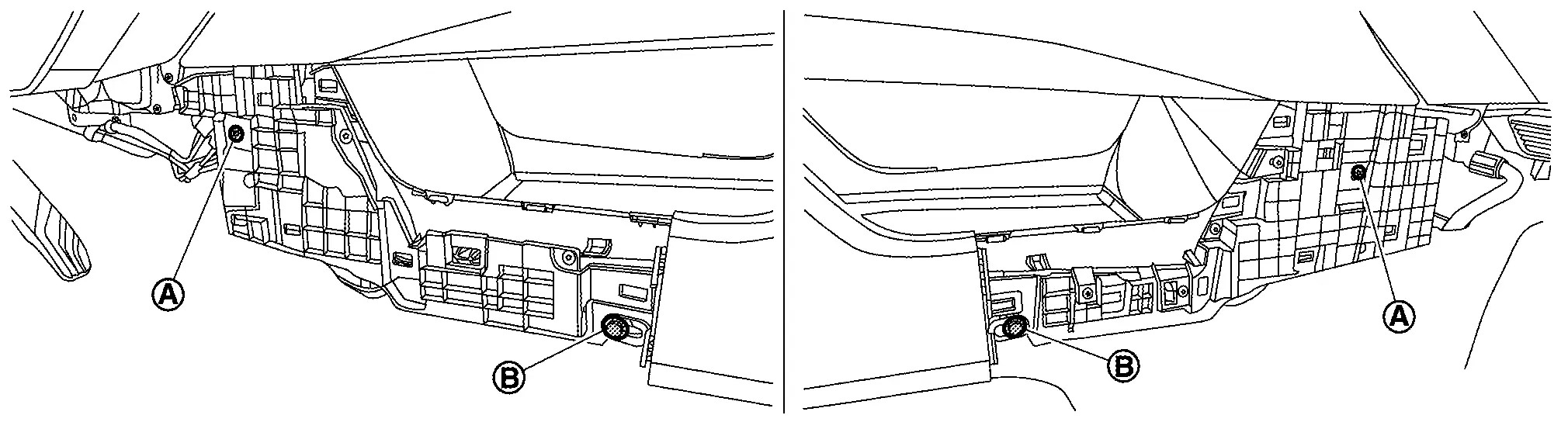
-
Rear side
-
Upper side
Remove center console assembly.Disconnect harness connector and harness clips. Disengage fixing metal clips, and then remove center console assembly.
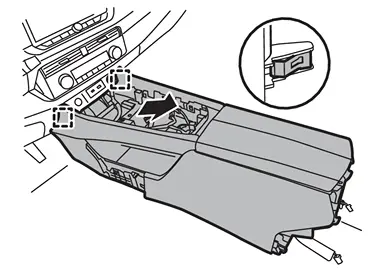
|
: Metal clip |
Remove the following parts after removing center console assembly.
-
Rear ventilator duct 1: Refer to Removal and Installation.
-
Rear ventilator duct 2: Refer to Removal and Installation.
-
Mood lamp (center console): Refer to Removal & Installation.
INSTALLATION
Installation is in the reverse order of removal.
Disassembly and Assembly
DISASSEMBLY
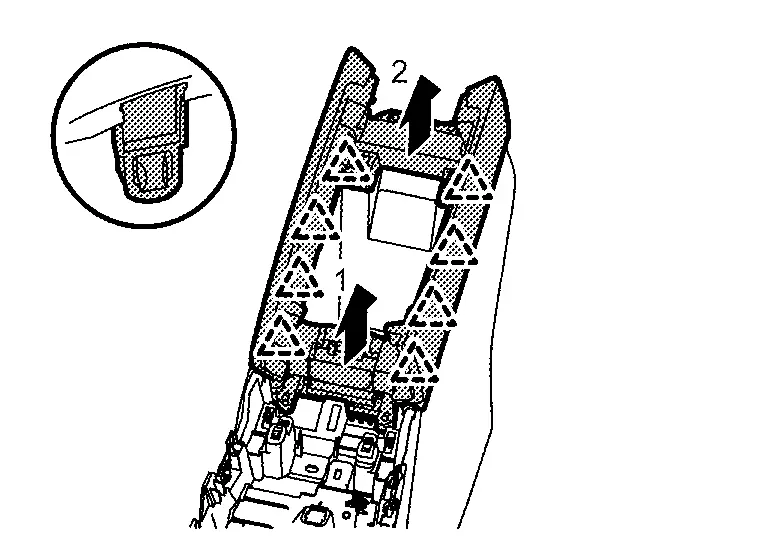
Remove panel console.Remove fixing screws .
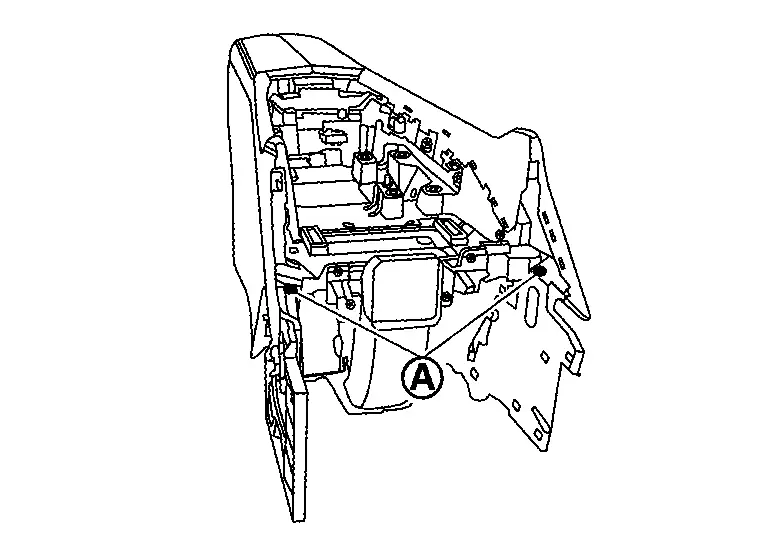
 and RH
  ).
).
|
: Pawl |
Remove console upper finisher.Open the console lid. Disengage fixing metal clips, and then remove console upper finisher.
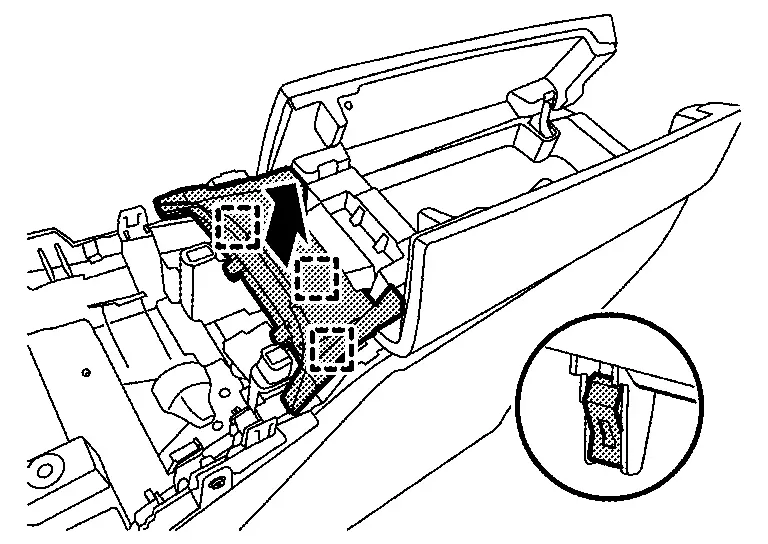
|
: Metal clip |
Remove console lid assembly.Remove fixing screws .
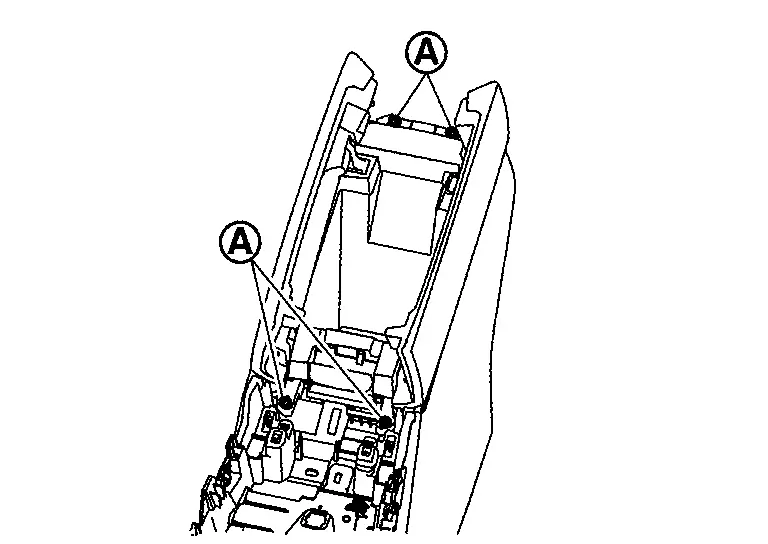
|
: Pawl |
ASSEMBLY
Assemble in the reverse order of disassembly.
Other materials:
Hvac Branch Line Circuit
Diagnosis Procedure
CHECK CONNECTOR
Turn the ignition switch OFF.
Disconnect the battery cable from the negative terminal.
Check the terminals and connectors of the A/C amp. for damage, bend and loose connection (unit side and connector side).
Is the inspection result normal?
Y ...
P0531 A/c Refrigerant Pressure Sensor
DTC Description
DTC DETECTION LOGIC DTC
CONSULT screen terms
(Trouble diagnosis content)
DTC detection condition
P0531
00
REFRIGERANT PRESS SENSOR A
(A/C refrigerant pressure sensor A circuit range/performance
Diagnosis condition
Engine running at idle
Signal (termin ...
Removal and Installation. Sunshade Motor Assembly
Exploded View
Refer to Exploded View.
Removal and Installation
REMOVALCAUTION:
Before removing sunshade motor, check that sunshade is fully opened.
After removing sunshade motor, never attempt to rotate sunshade motor assembly as a single unit.
Remove headlining to make work space. ...